 MetaTrader 5
 エキスパート
 インディケータ
 ライブラリ
ライブラリ
 ユーティリティ
 ウィジェット
 ルール
ルール
YouTubeにあるマーケットチュートリアルビデオをご覧ください
ロボットや指標を購入する
仮想ホスティングで
EAを実行
EAを実行
ロボットや指標を購入前にテストする
マーケットで収入を得る
販売のためにプロダクトをプレゼンテーションする方法
MetaTrader 5版無料取引ユーティリティ - 14
 以下はMetaTrader5での取引を簡素化する取引プログラムです。ユーティリティにカーソルを合わせると、その説明と目的が表示されます。
RTrade panel is easy trading panel use both (Stop Loss & Take Profit) based on pips with easy interface can be use by anyone
Panel Feature: -Open position based on (Lot) size
-Auto detect entry price -Use Stop Loss based on (pips) -Use Take Profit based on ( pips ) -Close all position in one button click
i will add more function in future update if you like it write your review
FREE

The Buffer Reader will help you to check and export the custom indicators buffers data for your current chart and timeframe. You can select the number of buffer and historical bars to read/export. The data can be exported in a CSV format and the files will be stored in the folder: \MQL5\Files .
How it works Put the number of buffers to read in the Buffers_Total input parameter. Put the number of rows to display in the Rows_Total. Choose the CSV separator in the parameter. Copy the correct nam
FREE
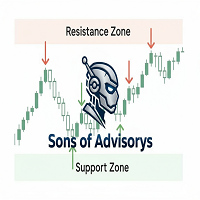
Sons of Advisorys: QuantumLevel This advanced MT5 Expert Advisor automates trading decisions based on a robust Support and Resistance breakout and retest strategy. It performs multi-timeframe analysis across H4, H1, and M15 charts to identify high-probability trade setups with precise zone validation. Key Features: Strategy: Support/Resistance breakout with retest continuation. Multi-Timeframe Detection: Independent analysis and toggle options for H4, H1, and M15 timeframes. Auto-Trading:
FREE

Risk Basket Planner Risk Basket Planner は MetaTrader 5 用の手動バスケットリスク計画ツールです。複数のエントリー価格、テクニカルストップロス、各レイヤーのロットサイズと実際のリスクを、手動注文の前に確認できます。 主な機能 1~5 レイヤー のエントリー計画。 BUY / SELL の方向選択。 口座 Equity に対する割合でリスクを設定。 L1-L5 の価格を入力、またはチャート上でドラッグ可能。 全レイヤー共通の Technical Stop Loss 。 Auto SL 80% / 100% / 120% プリセット。 正確な価格を指定できる Manual SL モード。 エントリー、SL、リスク%、方向、レイヤー数変更後に自動再計算。 各レイヤーへ均等リスク配分を試み、 ブローカーの最小ロット・ロットステップ反映後の実際のリスク を表示。 各レイヤーのロット、リスク%、リスク金額、合計ロット、目標リスク、実際のバスケットリスクを表示。 現在のスプレッドと最も近い SL までの距離を表示。 SL がスプレッドやブローカー制
FREE

Hello, trading champs! I trust you are doing well. Have you experienced entering a position where the market initially moves in your favour or approach your takeprofit then suddenly the market reversed opposite your position? Well, it has happened to me numerous times and today I decide to fight back.
I present to you a trade manager that help you protect your position(s). This project helps you set your position(s) to breakeven either when a certain amount of pips you specify is reached or a
FREE

Product name BVCandleStream
##概要 スキャルピングおよびプライスアクション分析のために、カスタムのティックベースシンボル(等ティックバー)を自動生成するバックグラウンドサービスです。
標準シンボルの生ティックを、1本あたりのティック数が固定されたカスタムバーに変換し、これらの合成ティックチャートに対して任意の標準MT5インジケーターやEAを適用できるようにします。
主な特長 1. ティックベースのバー生成 開いているチャートのシンボルを監視し、ティックを指定本数( InpTicksPerBar )ごとにまとめたバーを自動生成 Bid / Ask / Mid いずれかの価格基準を選択可能 TickVolumeの表示で、バーの生成程度を目視判定可能 2. 履歴+リアルのシームレス連結 過去ティックをさかのぼってヒストリカルバーを構築。 ヒストリ生成完了後、リアルタイムティックへ即接続し、バーを継続更新。 3. カスタムシンボルによるチャート表示 標準のインジケータが適用可能。
4. マルチチャート対応 MT5 上で開いた複数チャートを自動スキャンし、対象シン
FREE

BS Trade Panel: Revolutionize Your Trading Approach Introducing the BS Trade Panel , the ultimate solution for traders seeking efficiency, speed, and accuracy in their market operations. Crafted with cutting-edge technology, our panel is designed to simplify your trading, making it more intuitive, swift, and effective. Innovative Features: Quick Orders with Shortcut Keys: Execute market orders or pending orders swiftly using configurable shortcut keys. Perfect for traders who need speed when ent
FREE

Collective TP SL Manager is a MetaTrader 5 utility that manages a combined take-profit and stop-loss across many open positions on one symbol. Instead of setting TP/SL per order, it watches the net profit or loss of all (or filtered) positions and closes the basket when your target is reached. Features Basket-level targets: one collective take-profit and one collective stop-loss for the whole group of positions. Net P/L monitoring: continuously sums the profit/loss of all selected positions in
FREE

InnovaDash ロットサイズ計算ツール: ワンクリック・リスク管理端末 ロットサイズを当てずっぽうで決めたり、想定以上のリスクを負うのはもうやめましょう。InnovaDashロットサイズ計算ツールは、プロレベルのリスク管理と迅速な注文執行をMT5チャートに直接もたらすために設計された、正確でコンパクトな取引ユーティリティです。 InnovaDash Analyticsのチームによって構築されたこのツールは、あなたのようなトレーダーのために完全に無料でリリースされています。 迅速な執行を必要とするスキャルパーであれ、エントリーを計画するスイングトレーダーであれ、このツールはリアルタイムの市場データ、Bid/Askスプレッド、およびシンボルのティックバリューに基づいて、リスクの計算を瞬時に処理します。 主な機能 動的なリスク計算: 資金のリスク許容度を正確に選択できます。口座残高に対する正確なリスクパーセンテージ(%)か、固定の金額($)を切り替えて使用できます。 スマートレベル検出 (SL & TP): ストップロス (SL): ポイント単位で距離を入力するか、正確な価格を入力しま
FREE

News Guard & Slippage Shield Overview This Expert Advisor is a protective utility for MetaTrader 5 accounts. It pauses trading around high-impact news releases and automatically closes any position that fills with excessive slippage. It runs at account level, so it can protect every Expert Advisor and Magic Number on the same account, not only trades it opens itself. The EA does not place any trades of its own. It is designed to run alongside your existing trading robots as a risk-control layer.
FREE

Are you an MT5 trader who needs rapid, reliable risk management? Introducing this essential utility – a powerful, free Expert Advisor designed to instantly close all open positions on your MetaTrader 5 account with a single, dedicated action. This tool is a must-have for emergency market exits or quick, decisive profit-taking. Why is this a FREE tool? I am a professional MQL developer actively focused on delivering 5-star solutions and securing custom MQL5 Freelance Jobs . This free ut
FREE

The "Takeandstop" script is a powerful tool designed to streamline your trading workflow by automatically setting Take Profit (TP) and Stop Loss (SL) levels on your MetaTrader 5 chart. This script is particularly useful for traders who want to efficiently manage their risk and reward without the hassle of manually calculating and entering these levels. Key Features: Effortless TP and SL Placement: With a few clicks, the script allows you to set predefined Take Profit and Stop Loss levels for you
FREE

[Product Overview] Transform RSI into a Precision Trend-Following Weapon Are you tired of traditional RSI indicators generating premature "Overbought/Oversold" reversal signals during strong trends, causing you to trade against the flow and incur losses? 。 signals in trending markets. The core philosophy of this system is: "Follow the Trend, Trade the Pullback, Snipe the Entry." It focuses on finding high-probability pullback entries only when the trend is clear and momentum is stro
FREE

Interactive Trader - Advanced Visual Trading Panel for MT5 Get Ultra Charts Here! Interactive Trader is a comprehensive visual trading solution that enables traders to execute and manage trades directly from the chart using an intuitive graphical interface. This Expert Advisor combines one-click trading with advanced order management capabilities, making professional trading tools accessible through simple mouse and keyboard controls. Core Features
Visual Trading Interface - Clean, customizable
FREE

Mobile-EA is an Android-first trading companion for MetaTrader 5 , bringing market tools and connected account management together on your phone. This product is the companion MT5 Expert Advisor that links your terminal to the Mobile-EA Android app. The mobile app is available for Android; iPhone/iOS is not currently supported. The Android app is now available on Google Play , and new users receive a free 14-day Ultimate trial starting at registration . Watch the app introduction here: https://y
FREE

The utility draws reversal levels using the formulas for each of the selected number of candles:
Pivot = (high + close + low) / 3 R1 = ( 2 * Pivot) - low S1 = ( 2 * Pivot) - high R2 = Pivot + (R1 -S1) R3 = high + ( 2 * (Pivot - low)) S2 = Pivot - (R1 - S1) S3 = low - ( 2 * (high - Pivot)) H = high L = low U = if the candle is bullish, then close. Otherwise - open D = if the candle is bullish, then open. Otherwise - close
On any timeframe.
After a new candle closes on the calculated timeframe
FREE
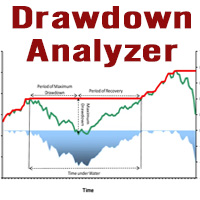
This tool is specifically designed to calculate drawdowns in a trading or investment account, expressed as a percentage, by using user-input balance figures. In essence, it allows users to track how much their account dips from a peak balance to a subsequent low point, a metric that is instrumental in understanding risk exposure. By supporting the option to choose a specific timeframe, it empowers traders and investors to pinpoint the start date of their measurement, ensuring that the data refle
FREE

**Bneu Trade Journal** is a trade analytics and journaling utility for MetaTrader 5. The utility automatically captures trade history, calculates statistics, and displays performance metrics. This free version provides basic analytics for the last 100 trades with CSV export functionality.
**Free Version Features**
**Automatic Trade Capture** - Automatically records closed trades from account history - Filter by magic number to track specific EA trades - Filter by symbol to track specific instr
FREE

Easy Signal Multiplier MT5 Easy Signal Multiplier is a utility Expert Advisor designed to automatically scale up trade volumes from Trade Signals, external EAs, or manual trades. By continuously monitoring active account positions, it dynamically opens supplementary orders, synchronizes Stop Loss and Take Profit levels, and manages position exits in real time to achieve your exact target position size multiplier. Product Features Custom Exposure Multiplier: Specify your target total exposure fac
FREE

Trade Assistant Panel: Your Optimal Trading Ally "The Trade Assistant Panel" is a graphical tool for traders aiming to simplify and enhance their trading experience. It streamlines order execution and management, allowing you to focus on market analysis and decision-making. With just a few clicks, you can initiate various order types, ensuring that you always have full control over your trading strategy: Buy Orders Sell Orders Buy Stop Orders Buy Limit Orders Sell Stop Orders Sell Limit Orders Y
FREE

Reverse TradeCopier for Followers can copy trades from an account that is running Reverse TradeCopier for Source . Features: Copies trades from one source (master) account to multiple following (slave) accounts. Allow investor (read only) password for source (master) account. There are no complicated settings and input parameters, everything is easy. Works with different brokers. Works with different quotes symbols (EURUSD_FX, eurusd_m, etc.). Can copy orders from 4-digit quotes platform to 5-
FREE

Account Turbo Flip: The Ultimate Manual Trading & Management Assistant Trading successfully isn't just about finding the perfect entry—it is about how you manage the trade once you are in the market. Account Turbo Flip is a streamlined utility Expert Advisor designed to take the emotion and hesitation out of trade management. Built for traders who prefer to maintain control over their own entries, it acts as your dedicated tactical assistant. You pull the trigger based on your own analysis, an
FREE

GRInvest Breakeven Manager is an MT5 trade-management Expert Advisor designed to manage existing open positions after entry. Its purpose is to automate breakeven protection, staged partial closes, trailing stops and position management while still giving the trader full manual control over individual trades. The EA does not need to open trades itself . It can manage manual trades and trades opened by other Expert Advisors according to the selected symbol, direction and magic-number filters. The
FREE

QuickTrade Control (Free Version) The QuickTrade Control is a powerful and flexible Expert Advisor designed to give you complete control over your trades in MetaTrader 5. This free version includes a comprehensive set of tools and features that simplify decision-making and trade management. You can find more free products HERE . If you're looking for a low risk EA , check the Silent Pressure EA . Features: Instant closure of all open positions:
Close all active positions with a si
FREE

X-STOX Session Matrix Pro puts the market's clock on your chart. Instantly see which trading session is active, when the high-liquidity overlaps hit, and exactly how long until the next session opens or closes — all adjusted automatically to your broker's server time. Built as a single lightweight indicator. No DLLs, no external data, no configuration headaches. — What it does — Session zones on-chart — the Sydney, Tokyo, London and New York sessions are drawn as clean shaded zones so you always
FREE

# ApexForge One Click Close EA
## Overview
**ApexForge One Click Close EA** is a lightweight, non-blocking trading utility that allows you to close all matching positions—and optionally delete pending orders—with a single click.
Instead of manually closing trades one by one during volatile markets, this EA provides a fast, reliable, and visually clear way to manage your exposure instantly.
> ️ This tool does not generate trading signals or open positions automatically. It is designed purely
FREE
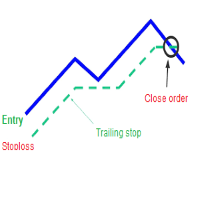
A trailing stop loss is a type of day-trading order that lets you set a maximum value or percentage of loss you can incur on a trade . If the security price rises or falls in your favor, the stop price moves with it. If the security price rises or falls against you, the stop stays in place. With this version, you can run trailing stoploss with currencies (ex start when profit more 1$, trailing stop with 2$...)
FREE

YuRaLytics Trade Analyzer reads the trade history of your account and breaks it down. You see which Expert Advisors and symbols make or lose money and how much commission and swap take out of the result. It also tests whether the average trade is large enough to tell apart from luck. The panel only reads history and never opens, changes or closes a trade, so you can run it next to live Expert Advisors. What it shows Summary: trades, win rate, profit factor, average trade, net result, gross resul
FREE

MT5用 高機能テーマチェンジャー「ThemeChanger」- ワンクリックで理想のチャート環境へ
日々のトレードにおいて、チャートの配色は分析の効率や視認性、さらには心理状態にも影響を与える重要な要素です。しかし、MT5標準の配色設定は手間がかかり、複数のテーマを瞬時に切り替えるのは容易ではありません。
「ThemeChanger」は、そんなトレーダーの皆様の声にお応えして開発された、MT5チャートの配色テーマをボタン一つで簡単に切り替えられる高機能インジケーターです。
複雑な設定は一切不要。直感的な操作で、あらかじめ用意された複数の美しいテーマや、ご自身でカスタマイズしたオリジナルテーマへ瞬時に変更できます。これにより、トレード環境の最適化を素早く行い、より分析に集中できる環境をご提供します。
「ThemeChanger」の主な特徴
ワンクリック・テーマチェンジ: チャート上に表示されるボタンをクリックするだけで、瞬時に配色テーマを切り替え。時間帯や分析手法、あるいは気分に合わせて、ストレスなく最適な表示に変更できます。
豊富なプリセットテーマと自由なカスタマイズ:
FREE

Discover. Analyze. Get Notified. Master price action trading with PatternVision Pro , an advanced candlestick scanner for MetaTrader 5 that transforms pattern recognition into actionable insights and data-driven analysis. Whether you're studying a single Doji , tracking a 20-candle formation, or monitoring sharp price movements, this tool helps you systematically analyze market behavior with a percentage-based approach and real-time notifications.
Complete Documentation Included Step-by-step
FREE

Trade Manager Panel is a free on-chart utility that helps you manage open positions quickly with a set of one-click buttons. It does not open trades on its own and generates no trading signals - it is a pure manual-trading assistant that works on any account with no restrictions.
Features: - Close All: close every open position at once. - Close Profit: close only the positions currently in profit. - Close Loss: close only the positions currently in loss. - Partial Close: close a configurable p
FREE

FOREX17 MOUSE TRADING ASSISTANT BASIC (F17MTA)
- Forex17 Mouse Trading Assistant Basic(F17MTA)は、マウスとキーボードを使用してチャート上から手動で注文を行うためのビジュアルツールです - エントリー、ストップロス、テイクプロフィットを動的に設定・表示できます - Basicは簡易版であり、F17MTAエコシステムの入門バージョンです
====================== 重要なお知らせ ======================
- これは無料のBasicバージョンです
- Standardバージョンは英語で提供されており、マルチターゲットなどの高度な機能が含まれます
- 詳細については英語版の説明をご確認ください
- MetaTrader 5でAutoTradingを有効にする必要があります
====================== 主な機能 ======================
- Bキーを押し続けてBuyモード - Sキーを押し続けてSellモ
FREE

チャートリンク補助ツール: このツールは、MetaTraderで開いているチャートとメインチャートのエキスパートの間のインターフェースとして機能します。多くのマルチタイムフレームエキスパートは、画面上の開いているチャートと通信するためにこのファイルを必要とします。このツールをチャート上で実行することで、チャートをメインチャートのエキスパートに簡単に接続することができます。 このファイルの主な機能は、開いているチャート上で発生したすべてのイベントをメインチャートのエキスパートに送信することです。例えば、メインチャートにガイドラインが配置されても、これらのガイドラインの変更がメインパネルのエキスパートのパラメータに反映されない場合があります。このツールをチャート上にドラッグ&ドロップまたは実行することで、それらをリンクさせ、チャート上の変更がメインチャートのエキスパートに確実に伝達されるようにします。 また、このツールには、メインチャートのエキスパートのデバッガーとアクティブ状態のチェッカーも備わっています。メインチャートのエキスパートへの接続が失われた場合、このツールは次のアクションを実
FREE
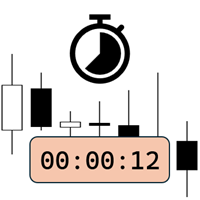
Candlestick Timer is a gadget by MT4Gadgets.com that quickly shows you the countdown to candle close / next candle. This information is useful in some strategies or when you need to be ready to react to news, volatility, market open/close and similar situations. The panels can be adjusted in position, size, color. You can also set a threshold to be alerted when the candle close/open, approach.
Features: Visual interface Size, position and colors adjustable Optional alert available Ease of use
FREE

Advanced Trade Mirror is a powerful Forex tool designed for traders who need instant, seamless trade replication across multiple terminals on the same machine. With lightning-fast execution, it ensures zero lag in copying trades, maintaining precision and efficiency in high-speed trading environments.
Get the Trade Mirror Follower here: https://www.mql5.com/en/market/product/133890 Specification:
Master ID: Identity value of master terminal, please use a unique value to prevent duplicated mas
FREE

Exact Time — detailed time on the seconds chart. The utility shows the opening time of the selected candle. This is necessary when working with seconds charts. For example, it can be used on a seconds chart built using the Seconds Chart utility. Inputs Base corner — the chart corner to which an object Is attached. X distance — the horizontal distance from the chart corner. Y distance — the vertical distance from the chart corner. Text font — font name Font size — font size Color — text color
FREE

Simple Trade Terminal Simple Trade Terminal is a compact and performance-optimized on-chart panel for MetaTrader 5. It solves two of the biggest friction points in manual trading: time-consuming lot size calculations and inaccurate placement of Stop-Loss and Take-Profit levels. Instead of typing numbers into standard order masks, you plan your trade visually directly on the chart. The panel automatically calculates your exact position size based on your predefined risk and executes the order. Th
FREE

MT4 MT5 Trade Bridge for MetaTrader 5 is the MetaTrader 5 component of the MT4 MT5 Trade Bridge system. It allows a MetaTrader 5 terminal to work either as a Master or as a Slave in a local bridge connection with MetaTrader 4. When configured as Master , the MT5 component reads trading activity from the MetaTrader 5 terminal and writes structured trade data into a local bridge file. The connected MT4 component can then read this data and mirror the trading activity according to its selecte
FREE

The PSM Trading Panel is a comprehensive, all-in-one trade management utility designed for both manual and automated traders. Whether you prefer executing precise manual entries, managing recovery with a Martingale system, or deploying a Grid strategy, this panel provides all the necessary tools directly on your chart. Built with advanced risk management and a highly intuitive interface, the panel minimizes the emotional stress of trading by automating complex calculations like Auto-Candle Stop
FREE

Signalator Lot Size Evaluator MT5 は、手動で取引を行うトレーダーが注文を出す前に推定ポジションサイズを計算するための、無料のローカル MetaTrader 5 ユーティリティです。 選択したシンボル、BUY または SELL の方向、予定エントリー価格、Stop Loss、任意の Take Profit、リスク率を使用して取引を計画できます。計算機は、現在の口座情報とブローカーが提供するシンボル仕様を使用して、推奨ロットサイズと主要なリスク値を推定します。 操作はシンプルです:取引条件を設定 → 口座リスクを選択 → 推奨ロットサイズとブローカー条件を確認 → 条件が適切であれば手動で取引を実行します。 Signalator Lot Size Evaluator MT5 は Signalator Trading and Analysis Ecosystem の一部です。これは、取引準備、シンボルおよびブローカー分析、口座監視、ポジション管理、日常的なトレーディングワークフローの改善を目的とした実用的な MetaTrader ツール群です。 Lot Si
FREE

1年間のレンタルなら、月額わずか$1.67でフルアクセスをご利用いただけます。ご質問やサポートが必要な場合は、迅速なサポートをご利用いただけます。 これは、 Remote control、Trading Statistics、Auto Reports、Price Alerts、Trade Notifications を1つの最新Discordモニタリングシステムに統合した、プロフェッショナルな多機能ユーティリティです。 このユーティリティは、 menu コマンドを使用して Discordチャンネルから直接Remote control を行うことができます。MetaTrader 5ターミナルに戻ることなく、Trade Reportsの送信、オープンポジションの確認、アクティブなPrice Alertsの作成・削除・管理を行えます。 スケジュールされた自動Discordレポートに対応しているほか、Daily / Weekly / Monthly / Yearly / All Timeの各期間のTrade ReportsをDiscordから直接手動で送信することもできます。 このユーティリテ
FREE

Risk Manager PRO – Manual Trading Utility with Dynamic Lot Size Calculation
Risk Manager PRO is a powerful yet simple utility for manual traders. It allows you to enter trades with calculated lot sizes based on your specified risk percentage and a visual stop-loss line. Just drag the red stop line to your desired level, input the risk %, and click Buy or Sell. Ideal for traders who want precise risk control without complex calculations.
Features:
Dynamic lot size calculation
Visual stop-lo
FREE

「UZFX Capital Control Command Center Panel v1.1」は、自身の取引活動を完全に把握したいと考える本格的なFXトレーダー向けに設計された、包括的な取引管理・リスク管理パネルです。このオールインワンソリューションは、MetaTrader 5プラットフォームを、リアルタイムモニタリング、高度なポジション管理、自動ドローダウン保護機能を備えたプロフェッショナルなコマンドセンターへと変貌させます。
このパネルは、多くの自動取引ツールよりも実用的です。なぜなら、手動で取引を行うトレーダーには、まさにこのような制御機能が必要だからです。 包括的な取引ダッシュボード 整理された単一のインターフェースで、取引口座のあらゆる側面を即座に把握できます。このパネルは、銘柄数に関係なくすべてのオープンポジションを表示し、ポジションの種類、ロットサイズ、浮動損益、未決済のテイクプロフィット値、未決済のストップロス値などを示します。トレーダーは、チャートを切り替えたり手動でエクスポージャーを計算したりすることなく、ポートフォリオ全体を監視できます。
高度なポジション管
FREE

Berikut adalah deskripsi profesional yang dapat digunakan untuk header source code , halaman MQL5 Market , GitHub, maupun dokumentasi EA Anda. Deskripsi ini disesuaikan dengan fitur yang ada pada versi terbaru panel trading. Berdasarkan file yang Anda unggah, panel ini merupakan Gold Manual Trading Panel - BangkacangFX v2.1 dengan fitur panel trading manual untuk MT5. BangkacangFX Gold Manual Trading Panel v2.20 BangkacangFX Gold Manual Trading Panel adalah panel trading manual profesional untuk
FREE

Important: Do not download or install My Chart Control unless you already own My Chart Generator service. My Chart Control is not a standalone chart generator. It is designed to work together with the custom charts produced by My Chart Generator. Your Range/Volume chart, optimized for your indicator — automatically. My Chart Control is the on-chart dashboard and intelligence interface for My Chart Generator. Attach it to your My Chart custom symbol chart and it gives you complete control over
FREE

Backstop enforces the two rules that end funded accounts. A daily loss limit and a maximum loss limit, applied to everything on the account — every Expert Advisor, every symbol, and every trade you place by hand. Attach it to any one chart and it governs the whole terminal. It does not trade. It has no strategy, no signals and no opinion about the market. It is a governor. What it does Daily loss limit — measured from balance at the reset, equity at the reset, or a fixed account size. Firms diff
FREE

Time-Based Trade Closer EA - Risk-Free Overnight? Yes! Time-Based Trade Closer Does It for You. Love it? Hate it? Let me know in a review! Feature requests and ideas for new tools are highly appreciated. :) Try "The AUDCAD Trader":
https://www.mql5.com/en/market/product/151841 ️ ALWAYS TEST THIS EA ON A DEMO ACCOUNT BEFORE USING IT LIVE! Overview The Time-Based Trade Closer EA is a powerful MetaTrader 5 Expert Advisor designed to automatically close all open positions and pending orders at
FREE

「KS Timing Alert Tool」は、ドラッグ可能な垂直のタイマーラインを使って、チャート上で直接、正確な時間ベースのアラートを設定できる、使いやすいMT5用インジケーターです。
主な機能:
クリックでタイマーラインを作成: 「+ New Timer Line」ボタン(デフォルトのオフセットは15分)を使って、即座に垂直ラインを配置できます。
クイックプリセットボタン: 15分、30分、45分、1時間、2時間…最大12時間までのプリセットをワンタップで利用可能。プリセットをタップすると、その時間間隔に合わせて、次の「キリの良い時間(時計の時刻)」のローソク足確定位置にラインが自動配置されます(MT5標準のローソク足カウントダウン機能と同様の挙動)。例えば「1H」をタップすると、次の1時間単位の開始時刻にラインが配置されます。
ドラッグ&カスタマイズ可能: タイマーラインは自由にドラッグして、任意の時刻(過去または未来)に移動できます。アラートは、価格変動や実際のローソク足の確定とは無関係に、純粋にサーバー時刻に基づいて発動します。
リアルタイム・カウントダウン表示:
FREE

Arixis Spread Monitor — Understand the Real Cost of Trading
Arixis Spread Monitor is a lightweight real-time MetaTrader 5 utility designed to measure, record and analyze the spread of your trading instruments. Instead of showing only the current spread, it builds a historical profile that helps you understand how transaction costs change throughout the trading day. The system records Bid and Ask information and calculates spread statistics including current spread, mean, median, P75, P90, P95,
FREE

Arixis Grid Risk Calculator — Understand Grid Exposure Before Trading
Arixis Grid Risk Calculator is a professional mathematical analysis tool for traders who use grid, recovery or progressive position-sizing systems. Configure the initial lot size, distance between entries, maximum number of levels and position-sizing progression to visualize how exposure evolves as additional positions are added. The calculator generates a detailed level-by-level representation including individual lot size,
FREE

AR Quant Binance Futures Bridge MT5 is a professional utility for MetaTrader 5 that allows you to bring selected Binance USDT-M Futures symbols into MT5 for charting, analysis, and indicator-based workflows.
With this product, you can load Binance Futures symbols, including altcoin futures, directly into MetaTrader 5 even if your broker does not offer those markets. Once loaded, you can open the generated charts in MT5, apply your indicators, use your templates, and analyze Binance Futures pri
FREE

Spacing Audit measures the grid spacing your EA REALLY uses, from its own closed trades, not from its inputs and not from the gaps between open layers. Why: I spent a week believing my grid used ATR-based spacing because UseATR was true. It did not. Every pair sat on the minimum-spacing floor, 2.8x to 5.1x tighter than intended, and the book kept clogging. The inputs said one thing; 1,120 closed trades said another. The method: in a grid where each layer carries a take-profit one spacing away fr
FREE

This tool will allow you to export the Historical data (Open, High, Low, Close, Volume) for any financial instrument present in your MetaTrader 5. You can download multiple Symbols and TimeFrames in the same csv file. Also, you can schedule the frequency of download (every 5 minutes, 60 minutes, etc.). No need to open a lot of charts in order to get the last data, the tool will download the data directly. The CSV File will be stored in the folder: \MQL5\Files .
How it works Select the Symbols t
FREE

This Utility tells you the volatility of any symbol for any of the major time frames. As trades occur, the volume increases for each period. When each period ends, the bucket is reset to 0. Volumes are sorted from largest to smallest within each shown period. Click any symbol to highlight that symbol in all period columns. Volume information is specific to transactions placed at your broker. To test in the Tester, set the following:
EURUSD,M1,1 minute OHLC 2018.01.01 to 2018.01.02 (a day’s worth
FREE

Pulse Trade Dashboard is an interactive trade management panel for MetaTrader 5, built for traders who want full control of their account without leaving the chart. Attach it to any chart and get a real-time overview of your balance, equity, open positions, and floating P&L — all updating live. Place market orders instantly with the one-click BUY and SELL buttons, adjusting your lot size, stop loss, and take profit directly on the dashboard without opening a single settings menu. What's included
FREE

Real-time profit monitor that projects your results directly onto the current price. Designed for traders who need total focus on the chart without distractions. Dynamic Visualization: Follow the price movement (Bid) for an immediate reading. Privacy Control: Activate or deactivate visibility instantly by pressing the "P" key. Precise Calculation: Includes net profit and swap of all open positions. Clean Interface: Automatic colors (green/red) to identify the status of your account at a glance.
FREE

ZyloFx Position Size Calculator MT5 is a free risk management utility designed to calculate the appropriate lot size before opening a trade. The tool calculates position size based on your selected risk, account balance or equity, and Stop Loss distance. It also displays useful information directly on the chart. Explore all available ZyloFx Trading Tools: https://www.mql5.com/en/users/rosamartinez2825/seller Main Features Automatic lot size calculation. Percentage or fixed-money risk mode. Balan
FREE
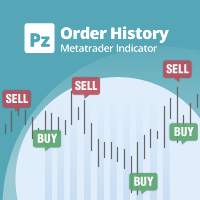
ストラテジーテスターのビジュアルモードと非常によく似た、ライブチャートの取引/注文履歴を表示する汎用インジケーター。これにより、教育、改善、リバースエンジニアリング、または診断の目的で、特定のシンボルの実際の取引履歴を調べることができます。マスターパスワードと投資家パスワードの両方で正常に使用できます。
[ インストールガイド | アップデートガイド | トラブルシューティング | FAQ | すべての製品 ]
主な機能は次のとおりです。
方向分析
すべての取引の損益ラベル
カスタマイズ可能な色とサイズ 利益率の計算 平日および時間帯別の取引活動の内訳
入力パラメータ 購入矢印:購入矢印の色
売り矢印:売り矢印の色
購入矢印サイズ:購入および販売矢印のサイズ
買いクローズ:買い注文の成約の色
成約:売り注文の成約の色
クローズアローサイズ:クローズオーダー矢印のサイズ
勝ちトレードライン:収益性の高いトレードを表示するラインの色
負けトレードライン:負けトレードを表示するラインの色
ラインスタイルの購入:長いトレードラインのスタイル
売りラインスタイル:短いトレードラインのスタイ
FREE

Simple Position Manager is a professional-grade MT5 script designed for efficient trade management. This versatile tool allows traders to quickly apply Take Profit, Stop Loss, and Breakeven settings across multiple open positions with precision and reliability. Key Features Multi-Position Management Apply TP/SL to all open positions of the current symbol simultaneously Intelligent position filtering by symbol Batch modification capabilities Smart Breakeven Technology Automated breakeven tri
FREE

After downloading, message me via MQL5 inbox to receive your FREE User Kit - setup guide, practical checklist, and workflow resources built specifically for XAUUSD traders. If you've been trading Gold long enough, you already know the drill. Before the session opens, you pull up the chart and start looking for the same levels you've been marking every week: previous week high, previous week low, the midpoint, and yesterday's high and low. You draw them manually, label them, and keep an eye on t
FREE

The script in the form of an expert is created for the possibility of automatic installation of pending orders of the Stop Close Only type, which are not in MT5 by default. This type of order implies entering a long position in case the price closes above a given price level and opening a short position if the price closes below the price set by the trader. At the same time, level breakouts are not taken into account. The expert indicates the levels on the chart with lines, overcoming which will
FREE
This indicator allows to hide Volume (on all MT5 timeframes) from a date define by the user with a vertical line (Alone) or a panel (with "Hidden Candles"). The color of each bar depends if this one is higher or lower of the previous bar. Indicator Inputs: No inputs for this indicator Information on "Volume" indicator is available in this post: https://www.mql5.com/en/forum/134260 ************************************************************* Hey traders!! Give me your feeds! We are a commun
FREE
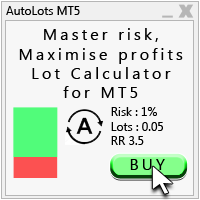
Auto Lots MT5
Auto Lots MT5 is an innovative and powerful application designed for traders on the MetaTrader 5 (MT5) platform. The application offers a user-friendly and intuitive interface, allowing traders to efficiently manage their positions, set precise entry levels and apply advanced risk management.
Key features: 1. Creation of SL/TP zones on the chart: The application allows users to create two customisable rectangles directly on the chart, making it easy to adjust entry points, take
FREE

TrendLinesFromFiboAndTrend2 — Proyección Dinámica de Tendencias en Niveles Fibonacci Descripción general: TrendLinesFromFiboAndTrend2 es una herramienta para MetaTrader 5 diseñada para clonar el ángulo y la velocidad de una línea de tendencia existente y proyectarla automáticamente a través de todos los niveles clave (retrocesos y extensiones) de un objeto Fibonacci dibujado en el gráfico. Ventajas principales: Proyección geométrica exacta: Mantiene la inclinación y duración exacta de la línea d
FREE

Overtrading Stopper MT5 1. 概要 Overtrading Stopper MT5 は、裁量トレードにおける取引ルールの実行を支援するMetaTrader 5用ユーティリティEAです。 「今日は何回まで取引するか」「何連敗したら止めるか」「負けた後、何分休むか」「短時間に連続でエントリーしない」といった、自分で決めたルールをあらかじめ設定できます。 設定した上限や条件に達すると、EAはチャート上に保護状態の理由を表示し、必要に応じて新規ポジションの決済や保留注文の削除を行います。 このツールは売買シグナルを出すEAではありません。トレード判断そのものは行わず、ユーザーが事前に決めたリスク管理・取引規律のルールを運用しやすくするためのツールです。 2. このようなトレーダーに向いています Overtrading Stopper MT5 は、次のような課題を持つ裁量トレーダー向けです。 取引回数の上限を決めても、相場を見ているうちに回数が増えてしまう 損失後にすぐ取り返そうとして、連続エントリーしてしまう 連敗した日は一度休止したいが、感情的な判断で取引を続けてしま
FREE

FUNDING EAは本日をもって完全に旧式となり、その上位版であるPROP FIRM SAVER EAがより優れた機能を備えて登場しました。この新バージョンがリアルタイムでどのように動作するかを知っていただくために、無料で提供しています。 プロップファームのチャレンジを購入して損失を出してしまうことに疲れていませんか。FUNDING EAがその状況を変えます。 このEAはチャレンジを成功させるだけでなく、もし不合格となった場合でも費用を返金することを保証します。
FUNDING EAを使用すれば、追加料金を気にせずに何度でもチャレンジを受けることができます。 仕組みはこうです。FUNDING EAは高度なヘッジ戦略を用いて、チャレンジに合格するか、不合格時には費用を回収します。
つまり、最初の試みで失敗しても新しいチャレンジに再度費用を払う必要がありません。 簡単にするため、このEAはワンステップのチャレンジで使用することを推奨します。 FUNDING EAを使用するには2つの口座が必要です。 プロップファームのチャレンジ口座 実際のライブ口座 ライブ口座にはチャレンジ費用の2倍を入
FREE

Hotkey Trader EA is an Expert Advisor for manual and semi-automatic trading in MetaTrader 5, designed for fast trade execution using hotkeys, automatic risk calculation, and convenient position management directly on the chart. The EA helps reduce manual actions during trading, automatically calculates Stop Loss and Take Profit levels, and supports both fixed lot trading and position sizing based on risk percentage. Main Features BUY and SELL order execution with hotkeys; instant market entries;
FREE

Google SheetExporter — MT5 ↔ Google Sheets Google SheetExporter automatically exports your full MetaTrader 5 deal history to Google Sheets and keeps it synchronized. Every few minutes, your complete trading history appears in your own spreadsheet: every deal, every position matched from entry to exit, every EA identified by name. WHAT IT DOES • Exports the complete deal history (default: 10 years back) — not just open positions • Re-syncs automatically on a timer (default every 5 minutes), start
FREE

visual trade planner for MetaTrader 5. It draws multi-timeframe ATR reward and stop zones on the chart so you can judge distance and payoff before you place the trade yourself. It does not send, modify, or close orders. Motive A single ATR on the chart timeframe often hides the larger and smaller ranges a trade is actually working against. This EA stacks three take-profit slices, each from its own timeframe, period, and multiplier, then places an ATR stop and an optional fixed stop beside them.
FREE
Copier MS MT5 Netting Copyist MS is a fast and easy-to-use copier of trade orders; it works as an advisor in the form of a single file with switching between the Master and Slave operating modes. The current version of the adviser works only on netting accounts. Settings Type of work - selection of the operating mode: Master or Slave; Master account number - number of the trading account of the master terminal; Selective copying currency pairs - individual selection of currency pairs for copyin
FREE
MetaTraderマーケットは、履歴データを使ったテストと最適化のための無料のデモ自動売買ロボットをダウンロードできる唯一のストアです。
アプリ概要と他のカスタマーからのレビューをご覧になり、ターミナルにダウンロードし、購入する前に自動売買ロボットをテストしてください。完全に無料でアプリをテストできるのはMetaTraderマーケットだけです。

取引の機会を逃しています。
- 無料取引アプリ
- 8千を超えるシグナルをコピー
- 金融ニュースで金融マーケットを探索