 MetaTrader 5
 Experts
 지표
지표
 라이브러리
라이브러리
 유틸리티
유틸리티
 위젯
위젯
 규칙
규칙
MetaTrader 5용 무료 트레이딩 유틸리티 - 14
 다음은 MetaTrader 5의 거래를 단순화하는 거래 프로그램입니다. 유틸리티의 설명과 목적을 읽으려면 유틸리티 위에 마우스를 놓으십시오.
See Your Key Trading Measurements at a Glance Smart Pips Meter is a free utility that displays important market measurements directly on your chart—so you can make faster trading decisions without manually calculating pip distances. WHAT IT SHOWS ADR (Average Daily Range)
See the current ADR pip value directly on your chart. Current Candle Size
Instantly see the size of the current candle in pips. Previous Candle Size
Quickly check the size of the last completed candle.
FREE

使用此EA可以通过币安交易所的API连接到MT5交易端,利用MT5强大的量化功能实现交易策略的回测。 操作方法: 1、首先 必须 把( http://api2.0.mt5.vip 、 https://fapi.binance.com )这两个 地址 填写到:mt5——工具——选项——EA交易下的WebRequest列表中,否则所有数据无法同步。 2、在导航栏找到EA,双击之后添加币安的API KEY ,保存后KEY自动保存; 3、KEY保存后会出现交易面板,通过MT5下的订单可以实时展现在面板,同事也可以监控币安交易所是否有同样的订单; 4、交易面板只展示订单的总持仓,请仔细核对,以防止漏单; 5、API KEY会自动保存在本地,第二次打开后无需重复输入; 6、目前只能支持BTCUSDT、ETHUSDT、LTCUSDT合约产品 7、最小交易量以币安的最小交易量为准; 8、币安KEY是存储在本地,不会上传到任何第三方,请放心使用; 9、如果想更换KEY ,请直接在EA内修改即可。
FREE

Friends, join us!
Ask questions and connect with like-minded traders: MetaCOT Public Group
MetaCOT Information Channel: news, CFTC reports, and signals: MetaCOT Channel
Here’s to successful trading and new profitable signals for us all! Attention! Recently, certain countries have been blocking access to the cftc.gov website. As a result, users in these countries are giving the product low ratings. MetaCOT has always adhered to the highest quality standards and is in no way associated with th
FREE

"Are you tired of losing money on unsuccessful trades? Look no further than EA Trailing Stop! Our program is designed to help you prevent losses and control your trades efficiently. With features such as adjustable stop loss and more, you can rest assured that your trades are in good hands. Don't wait any longer to start making successful trades. Try EA Trailing Stop today!"
You can use this as a starting point and tailor it to your audience and the platform you're using. This EA Trailing Stop
FREE
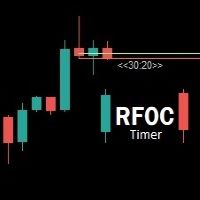
Uma informação de grande valor para o trader se localizar no tempo é a informação de quanto tempo temos para o encerramento do candle atual ou quanto falta para a formação de um novo candle. O RFOC Timer apresenta esta informação de forma clara e alocada à direita do candle atual. Adicionalmente o RFOC Timer acompanha a opção de inclusão das linhas de preços ASK e BID com e sem extensão a direita e/ou esquerda. Esta função auxilia, por exemplo, a não sobreposição das linhas de ASK e BID com as
FREE

# Trade Assistant Manager
Stop calculating lot sizes by hand. Trade Assistant Manager is an on-chart panel that turns your risk settings and chart lines into a precise, ready-to-fire order — automatically.
## Key Features
**Automatic Lot Sizing** Set your risk as a percentage of account balance or a fixed dollar amount. The panel reads the distance between your Entry and Stop Loss lines and instantly calculates the exact lot size for that risk — accounting for your broker's commission per lo
FREE

(Multiple Close All) for MT5 a lightweight and efficient utility designed to help traders close their open positions and pending orders directly from the chart.
It provides a clean panel with interactive buttons, allowing quick closing of opened trades and deleting the Pending Orders with one click. Key Features: Close all BUY , SELL , or ALL positions with one click. Close only profitable trades or only losing trades . Close trades filtered by Magic Number or Ticket Number . Perform par
FREE

설치 전에 확인하십시오: 이 도구가 하지 않는 것. 이 부분을 먼저 읽으십시오. 아래 항목 중 하나가 찾으시는 기능이라면 이 도구는 맞지 않으며, 차트에 올리기 전에 아는 것이 낫습니다.
- 가상 스탑이나 숨김 스탑은 절대 없습니다. 모든 스탑은 브로커 서버에 실제로 등록되는 스탑이며, 브로커와 프랍 회사 모두에게 보입니다. 어느 쪽에도 아무것도 숨기지 않는 것이 설계 원칙입니다. - 차트당 하나의 심볼. 무료 버전은 부착된 차트의 심볼만 거래합니다. 여유 한도 예측도 이 패널이 이 심볼에서 수행하는 거래만을 대상으로 합니다. 여러 심볼을 동시에 거래하신다면 예측이 계좌 전체를 볼 수 없습니다. 이는 단일 차트 도구의 실제 기능 한계이지, 꺼 놓은 기능이 아닙니다. - 스트래티지 테스터 거래 불가. 클릭 패널은 테스터에서 의미 있게 클릭할 수 없습니다. 패널이 그려지기는 하지만 그것이 전부입니다. - Risk Sentinel 또는 Prop Guardian과 같은 차트에서 사용할
FREE

MT5 Tick History Sync – Real Tick Downloader, History Verification & Data Export Download. Synchronize. Verify. Export. Make Every Backtest Count. Are you confident that your MetaTrader 5 backtests are using complete real tick history? Missing historical ticks can compromise the reliability of your backtesting results, especially when testing scalping strategies, high-frequency trading systems, and Expert Advisors that depend on precise price movements. MT5 Tick History Sync by Zistilo is a prof
FREE

The ZoomIN MT5 indicator is designed for quickly viewing the selected bar on the smaller timeframes in a pop-up window. Once launched, the indicator works in the background, does not take up space on the chart and does not consume system resources. When the indicator is activated by the Shift + i combination (can be changed in the settings), a pop-up window with a chart of a smaller timeframe is created. The displayed timeframe can be changed by a left-click on the magnifying glass icon. To hide
FREE

Risk Basket Planner Risk Basket Planner 는 MetaTrader 5용 수동 바스켓 리스크 계획 도구입니다. 여러 진입 레벨과 기술적 손절가를 설정하고, 수동 주문 전에 각 레이어의 로트 크기와 실제 리스크를 계산할 수 있습니다. 주요 기능 1~5개의 진입 레이어 지원. BUY 또는 SELL 방향 선택. 계좌 Equity 의 비율로 리스크 설정. L1-L5 가격을 직접 입력하거나 차트에서 드래그 가능. 모든 레이어에 공통으로 적용되는 Technical Stop Loss . Auto SL 80%, 100%, 120% 프리셋. 정확한 가격을 지정하는 Manual SL 모드. 진입가, SL, 리스크 %, 방향, 레이어 수 변경 후 자동 재계산. 활성 레이어에 균등 리스크 배분을 시도하고 브로커 로트 반올림 후 실제 리스크 를 표시. 레이어별 로트, 리스크 %, 리스크 금액, 총 로트, 목표 리스크, 실제 바스켓 리스크 표시. 현재 스프레드와 가장 가까운 SL까
FREE

Multichart Dashboard — Your Central Command Center for Trading
The **Multichart Dashboard** Expert Advisor transforms your MetaTrader interface into a clean, professional trading hub. Manage up to **6 charts simultaneously** , switch between symbols in an instant and always stay in control — all within one compact, fully configurable panel.
What does Multichart Dashboard do?
**Up to 6 charts in parallel** — Set the desired number of charts (1–6) with a single input. All associated charts are
FREE

Trade Governor enforces trading discipline on manual trades or trades opened by another EA. It does not open trades and makes no market prediction - it is a pure risk-governor layer that protects your account with three rules.
Rules it enforces: - Trading-session window: positions held outside your allowed server-time window are closed (for example, keep only the Asian session). - Max trades per day: positions beyond your daily limit are closed (newest first); the counter resets each broker day
FREE

Product name: BVCandleStream Overview Background service that automatically creates custom tick-based symbols (equal-tick bars) for scalping and price action analysis.
It converts raw ticks of standard symbols into custom bars with a fixed number of ticks per bar, so you can apply any standard MT5 indicators or EAs to these synthetic tick charts.
Key Features 1. Tick-Based Bar Generation Monitors the symbol of the open chart and automatically groups ticks into bars at the specified count ( InpT
FREE

BS Trade Panel: Revolutionize Your Trading Approach Introducing the BS Trade Panel , the ultimate solution for traders seeking efficiency, speed, and accuracy in their market operations. Crafted with cutting-edge technology, our panel is designed to simplify your trading, making it more intuitive, swift, and effective. Innovative Features: Quick Orders with Shortcut Keys: Execute market orders or pending orders swiftly using configurable shortcut keys. Perfect for traders who need speed when ent
FREE

Collective TP SL Manager is a MetaTrader 5 utility that manages a combined take-profit and stop-loss across many open positions on one symbol. Instead of setting TP/SL per order, it watches the net profit or loss of all (or filtered) positions and closes the basket when your target is reached. Features Basket-level targets: one collective take-profit and one collective stop-loss for the whole group of positions. Net P/L monitoring: continuously sums the profit/loss of all selected positions in
FREE

Your chart. One glance. Total clarity. Built by @Ash_TheTrader for traders who are tired of guessing, Extreme Trading Dashboard is a professional-grade heads-up display that sits quietly in the corner of your chart — dark charcoal, rounded, semi-transparent, and genuinely easy on the eyes — until the moment it matters. Dual Session Highlighter Shade up to two independent time windows directly on your chart — London, New York, or your own custom kill-zone. Each gets its own color, so overlapp
FREE

Key Features Real-time P&L in $ Running P&L in Pips P&L converted to INR BUY / SELL direction Lot size Entry price Separate display for each open position Supports multiple open positions Works independently on multiple charts Follow Current Price mode Stay At Entry Price mode Adjustable vertical spacing in pixels Adjustable distance below the Bid price Adjustable candle offset Customizable text size and font Profit, loss and breakeven colors Automatic removal when a position is closed
FREE

Are you an MT5 trader who needs rapid, reliable risk management? Introducing this essential utility – a powerful, free Expert Advisor designed to instantly close all open positions on your MetaTrader 5 account with a single, dedicated action. This tool is a must-have for emergency market exits or quick, decisive profit-taking. Why is this a FREE tool? I am a professional MQL developer actively focused on delivering 5-star solutions and securing custom MQL5 Freelance Jobs . This free ut
FREE

[Product Overview] Transform RSI into a Precision Trend-Following Weapon Are you tired of traditional RSI indicators generating premature "Overbought/Oversold" reversal signals during strong trends, causing you to trade against the flow and incur losses? 。 signals in trending markets. The core philosophy of this system is: "Follow the Trend, Trade the Pullback, Snipe the Entry." It focuses on finding high-probability pullback entries only when the trend is clear and momentum is stro
FREE

Mobile-EA is an Android-first trading companion for MetaTrader 5 , bringing market tools and connected account management together on your phone. This product is the companion MT5 Expert Advisor that links your terminal to the Mobile-EA Android app. The mobile app is available for Android; iPhone/iOS is not currently supported. The Android app is now available on Google Play , and new users receive a free 14-day Ultimate trial starting at registration . Watch the app introduction here: https://y
FREE

The utility draws reversal levels using the formulas for each of the selected number of candles:
Pivot = (high + close + low) / 3 R1 = ( 2 * Pivot) - low S1 = ( 2 * Pivot) - high R2 = Pivot + (R1 -S1) R3 = high + ( 2 * (Pivot - low)) S2 = Pivot - (R1 - S1) S3 = low - ( 2 * (high - Pivot)) H = high L = low U = if the candle is bullish, then close. Otherwise - open D = if the candle is bullish, then open. Otherwise - close
On any timeframe.
After a new candle closes on the calculated timeframe
FREE
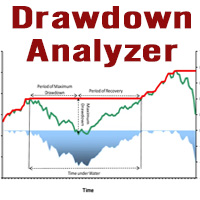
This tool is specifically designed to calculate drawdowns in a trading or investment account, expressed as a percentage, by using user-input balance figures. In essence, it allows users to track how much their account dips from a peak balance to a subsequent low point, a metric that is instrumental in understanding risk exposure. By supporting the option to choose a specific timeframe, it empowers traders and investors to pinpoint the start date of their measurement, ensuring that the data refle
FREE

**Bneu Trade Journal** is a trade analytics and journaling utility for MetaTrader 5. The utility automatically captures trade history, calculates statistics, and displays performance metrics. This free version provides basic analytics for the last 100 trades with CSV export functionality.
**Free Version Features**
**Automatic Trade Capture** - Automatically records closed trades from account history - Filter by magic number to track specific EA trades - Filter by symbol to track specific instr
FREE

Easy Signal Multiplier MT5 Easy Signal Multiplier is a utility Expert Advisor designed to automatically scale up trade volumes from Trade Signals, external EAs, or manual trades. By continuously monitoring active account positions, it dynamically opens supplementary orders, synchronizes Stop Loss and Take Profit levels, and manages position exits in real time to achieve your exact target position size multiplier. Product Features Custom Exposure Multiplier: Specify your target total exposure fac
FREE

Reverse TradeCopier for Followers can copy trades from an account that is running Reverse TradeCopier for Source . Features: Copies trades from one source (master) account to multiple following (slave) accounts. Allow investor (read only) password for source (master) account. There are no complicated settings and input parameters, everything is easy. Works with different brokers. Works with different quotes symbols (EURUSD_FX, eurusd_m, etc.). Can copy orders from 4-digit quotes platform to 5-
FREE

Description: Protect your live or evaluation accounts by not letting it hit the maximum daily draw down! This utility is best for prop firms such as FTMO and MFF(MyForexFunds) and etc. Guide: Apply to EURUSD 1m Chart.
Default Settings: Maximum Draw Down Balance: 4% Account Balance. Maximum Draw Down Equity: 4% Account Balance Target Profit Balance: 1% Account Balance. Target Profit Equity: 1% Account Balance. Time To Reset: 16:57 to 16:58 GMT
Behavior: Setting starting_balance to 0 will auto
FREE
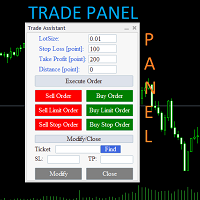
Trade Assistant Panel: Your Optimal Trading Ally "The Trade Assistant Panel" is a graphical tool for traders aiming to simplify and enhance their trading experience. It streamlines order execution and management, allowing you to focus on market analysis and decision-making. With just a few clicks, you can initiate various order types, ensuring that you always have full control over your trading strategy: Buy Orders Sell Orders Buy Stop Orders Buy Limit Orders Sell Stop Orders Sell Limit Orders Y
FREE

QuickTrade Control (Free Version) The QuickTrade Control is a powerful and flexible Expert Advisor designed to give you complete control over your trades in MetaTrader 5. This free version includes a comprehensive set of tools and features that simplify decision-making and trade management. You can find more free products HERE . If you're looking for a low risk EA , check the Silent Pressure EA . Features: Instant closure of all open positions:
Close all active positions with a si
FREE

X-STOX Session Matrix Pro puts the market's clock on your chart. Instantly see which trading session is active, when the high-liquidity overlaps hit, and exactly how long until the next session opens or closes — all adjusted automatically to your broker's server time. Built as a single lightweight indicator. No DLLs, no external data, no configuration headaches. — What it does — Session zones on-chart — the Sydney, Tokyo, London and New York sessions are drawn as clean shaded zones so you always
FREE

# ApexForge One Click Close EA
## Overview
**ApexForge One Click Close EA** is a lightweight, non-blocking trading utility that allows you to close all matching positions—and optionally delete pending orders—with a single click.
Instead of manually closing trades one by one during volatile markets, this EA provides a fast, reliable, and visually clear way to manage your exposure instantly.
> ️ This tool does not generate trading signals or open positions automatically. It is designed purely
FREE

YuRaLytics Trade Analyzer reads the trade history of your account and breaks it down. You see which Expert Advisors and symbols make or lose money and how much commission and swap take out of the result. It also tests whether the average trade is large enough to tell apart from luck. The panel only reads history and never opens, changes or closes a trade, so you can run it next to live Expert Advisors. What it shows Summary: trades, win rate, profit factor, average trade, net result, gross resul
FREE

DIVERGENCE SCANNER Find Divergences Faster. See What Others May Miss. Divergence Scanner is a specialized tool designed to automatically identify potential divergences across multiple trading instruments. It analyzes Stochastic and RSI , detects bullish and bearish divergences, and presents the results in a clear, structured table. Key Features: Automatic divergence detection; Stochastic analysis; RSI analysis; Bullish divergences; Bearish divergences; MOSTIPAN SMART TRADING
FREE

Discover. Analyze. Get Notified. Master price action trading with PatternVision Pro , an advanced candlestick scanner for MetaTrader 5 that transforms pattern recognition into actionable insights and data-driven analysis. Whether you're studying a single Doji , tracking a 20-candle formation, or monitoring sharp price movements, this tool helps you systematically analyze market behavior with a percentage-based approach and real-time notifications.
Complete Documentation Included Step-by-step
FREE

The Quick Style utility is designed for facilitation and acceleration of working with the properties of graphical objects. Left-click a graphical object while holding the Shift key to open the quick access window for configuring the object properties. In the window, you can change the color, style and line width with one click, including those of other graphical objects. All changes are displayed immediately. To close the Quick Style , simply click the free space on the chart. The utility is eas
FREE

Trade Manager Panel is a free on-chart utility that helps you manage open positions quickly with a set of one-click buttons. It does not open trades on its own and generates no trading signals - it is a pure manual-trading assistant that works on any account with no restrictions.
Features: - Close All: close every open position at once. - Close Profit: close only the positions currently in profit. - Close Loss: close only the positions currently in loss. - Partial Close: close a configurable p
FREE

Garner Risk Calculator for MetaTrader 5
## Visual trade planning, position sizing and manual order placement
Garner Risk Calculator is an MT5 Expert Advisor that brings trade planning and position sizing directly onto your chart. Position your Stop Loss and Take Profit, choose the amount you want to risk, and view the calculated lot size before placing an order.
The dark navy panel with blue accents provides a clear view of your proposed trade. It is a manually operated calculator and order-e
FREE

FOREX17 MOUSE TRADING ASSISTANT BASIC (F17MTA)
- Forex17 Mouse Trading Assistant Basic (F17MTA)는 마우스와 키보드를 사용하여 차트에서 직접 수동 주문을 실행할 수 있는 시각적 도구입니다 - 진입가, 손절, 익절을 동적으로 설정하고 표시합니다 - Basic 버전은 F17MTA 생태계의 입문용 간소화 버전입니다
====================== 중요 안내 ======================
- 본 버전은 무료 Basic 버전입니다
- Standard 버전은 영어로 제공되며 멀티 타겟 기능 등 고급 기능을 포함합니다
- 자세한 내용은 영어 설명을 참고하시기 바랍니다
- MetaTrader 5에서 AutoTrading을 활성화해야 합니다
====================== 주요 기능 ======================
- B 키를 누르고 있으면 Buy 모드 - S 키를 누르
FREE

차트 링크 보조 도구: 이 도구는 MetaTrader의 열린 차트와 메인 차트의 전문가 간의 인터페이스 역할을 합니다. 많은 다중 타임프레임 전문가들은 이 파일이 화면에 열린 차트와 통신하기 위해 필요합니다. 이 도구를 차트에서 실행하면 메인 차트의 전문가와 차트를 쉽게 연결할 수 있습니다. 이 파일의 주요 기능은 열린 차트에서 발생하는 모든 이벤트를 메인 차트의 전문가에게 보내는 것입니다. 예를 들어, 메인 차트에 가이드라인을 배치해도 이러한 가이드라인의 변경 사항이 메인 패널의 전문가 매개변수에 반영되지 않을 수 있습니다. 이 도구를 차트에 드래그 앤 드롭하거나 실행함으로써 차트를 연결하여 차트에서의 변경 사항이 메인 차트의 전문가에게 전달되도록 할 수 있습니다. 또한 이 도구에는 메인 차트 전문가의 디버거와 상태 확인 기능도 포함되어 있습니다. 메인 차트의 전문가와의 연결이 끊어지면 이 도구는 몇 가지 작업을 수행합니다: 먼저 MetaQuotes ID에 알림을 보내고, Tele
FREE
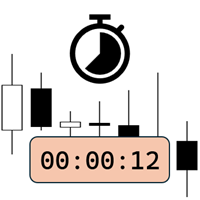
Candlestick Timer is a gadget by MT4Gadgets.com that quickly shows you the countdown to candle close / next candle. This information is useful in some strategies or when you need to be ready to react to news, volatility, market open/close and similar situations. The panels can be adjusted in position, size, color. You can also set a threshold to be alerted when the candle close/open, approach.
Features: Visual interface Size, position and colors adjustable Optional alert available Ease of use
FREE

Advanced Trade Mirror is a powerful Forex tool designed for traders who need instant, seamless trade replication across multiple terminals on the same machine. With lightning-fast execution, it ensures zero lag in copying trades, maintaining precision and efficiency in high-speed trading environments.
Get the Trade Mirror Follower here: https://www.mql5.com/en/market/product/133890 Specification:
Master ID: Identity value of master terminal, please use a unique value to prevent duplicated mas
FREE

Exact Time — detailed time on the seconds chart. The utility shows the opening time of the selected candle. This is necessary when working with seconds charts. For example, it can be used on a seconds chart built using the Seconds Chart utility. Inputs Base corner — the chart corner to which an object Is attached. X distance — the horizontal distance from the chart corner. Y distance — the vertical distance from the chart corner. Text font — font name Font size — font size Color — text color
FREE

Simple Trade Terminal Simple Trade Terminal is a compact and performance-optimized on-chart panel for MetaTrader 5. It solves two of the biggest friction points in manual trading: time-consuming lot size calculations and inaccurate placement of Stop-Loss and Take-Profit levels. Instead of typing numbers into standard order masks, you plan your trade visually directly on the chart. The panel automatically calculates your exact position size based on your predefined risk and executes the order. Th
FREE

MT4 MT5 Trade Bridge for MetaTrader 5 is the MetaTrader 5 component of the MT4 MT5 Trade Bridge system. It allows a MetaTrader 5 terminal to work either as a Master or as a Slave in a local bridge connection with MetaTrader 4. When configured as Master , the MT5 component reads trading activity from the MetaTrader 5 terminal and writes structured trade data into a local bridge file. The connected MT4 component can then read this data and mirror the trading activity according to its selecte
FREE

The PSM Trading Panel is a comprehensive, all-in-one trade management utility designed for both manual and automated traders. Whether you prefer executing precise manual entries, managing recovery with a Martingale system, or deploying a Grid strategy, this panel provides all the necessary tools directly on your chart. Built with advanced risk management and a highly intuitive interface, the panel minimizes the emotional stress of trading by automating complex calculations like Auto-Candle Stop
FREE

1년 대여 시 월 $1.67에 모든 기능을 이용할 수 있습니다. 문의 사항이나 도움이 필요한 경우 빠른 지원을 제공합니다. 이 유틸리티는 Remote control, Trading Statistics, Auto Reports, Price Alerts 및 Trade Notifications 기능을 하나의 현대적인 Discord 모니터링 시스템에 통합한 전문 다기능 도구입니다. 이 유틸리티는 menu 명령을 사용하여 Discord 채널에서 직접 Remote control 기능을 지원합니다. MetaTrader 5 터미널로 돌아갈 필요 없이 Trade Reports를 전송하고, 열린 포지션을 확인하며, 활성 Price Alerts를 생성, 삭제 및 관리할 수 있습니다. 예약된 자동 Discord 보고서를 지원하며, Daily / Weekly / Monthly / Yearly / All Time 기간의 Trade Reports를 Discord에서 직접 수동으로 전송할 수도 있습니다. 이 유
FREE

UZFX Capital Control Command Center Panel v1.1은 자신의 거래 운영을 완벽하게 통제하고자 하는 전문 외환 트레이더를 위해 설계된 종합적인 거래 관리 및 리스크 관리 패널입니다. 이 올인원 솔루션은 MetaTrader 5 플랫폼을 실시간 모니터링, 고급 포지션 관리, 자동 드로다운 보호 기능을 갖춘 전문적인 명령 센터로 탈바꿈시킵니다.
이 패널은 수동 트레이더들이 바로 이러한 종류의 제어 기능을 필요로 하기 때문에, 사실 많은 자동 거래 도구보다 더 유용합니다. 완벽한 트레이딩 대시보드 단일하고 체계적인 인터페이스를 통해 거래 계좌의 모든 측면을 즉시 파악할 수 있습니다. 이 패널은 여러 종목에 걸친 모든 오픈 포지션을 표시하며, 포지션 유형, 랏(lot) 규모, 미실현 손익, 오픈 테이크 프로핏 값, 오픈 스톱 로스 값을 보여줍니다. 트레이더는 차트를 전환하거나 노출 규모를 수동으로 계산할 필요 없이 전체 포트폴리오를 모니터링할 수 있습니다.
FREE

Berikut adalah deskripsi profesional yang dapat digunakan untuk header source code , halaman MQL5 Market , GitHub, maupun dokumentasi EA Anda. Deskripsi ini disesuaikan dengan fitur yang ada pada versi terbaru panel trading. Berdasarkan file yang Anda unggah, panel ini merupakan Gold Manual Trading Panel - BangkacangFX v2.1 dengan fitur panel trading manual untuk MT5. BangkacangFX Gold Manual Trading Panel v2.20 BangkacangFX Gold Manual Trading Panel adalah panel trading manual profesional untuk
FREE

Candle Flowing PnL on Chart
This indicator shows PnL realised profits or losses flowing live on chart above or below candle were it took place. The nice part is it groups the same candle result, for example if you closed a grid with multiple positions you will see the result of candle PnL grouped. Basically this indicator helps trading directly from the chart, no need for toolbox windows, you can see live current open PnL , already cloed positions PnL and Today realised PnL You can switch to mo
FREE

Important: Do not download or install My Chart Control unless you already own My Chart Generator service. My Chart Control is not a standalone chart generator. It is designed to work together with the custom charts produced by My Chart Generator. Your Range/Volume chart, optimized for your indicator — automatically. My Chart Control is the on-chart dashboard and intelligence interface for My Chart Generator. Attach it to your My Chart custom symbol chart and it gives you complete control over
FREE

Backstop enforces the two rules that end funded accounts. A daily loss limit and a maximum loss limit, applied to everything on the account — every Expert Advisor, every symbol, and every trade you place by hand. Attach it to any one chart and it governs the whole terminal. It does not trade. It has no strategy, no signals and no opinion about the market. It is a governor. What it does Daily loss limit — measured from balance at the reset, equity at the reset, or a fixed account size. Firms diff
FREE
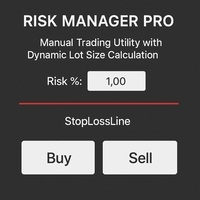
Risk Manager PRO – Manual Trading Utility with Dynamic Lot Size Calculation
Risk Manager PRO is a powerful yet simple utility for manual traders. It allows you to enter trades with calculated lot sizes based on your specified risk percentage and a visual stop-loss line. Just drag the red stop line to your desired level, input the risk %, and click Buy or Sell. Ideal for traders who want precise risk control without complex calculations.
Features:
Dynamic lot size calculation
Visual stop-lo
FREE

Time-Based Trade Closer EA - Risk-Free Overnight? Yes! Time-Based Trade Closer Does It for You. Love it? Hate it? Let me know in a review! Feature requests and ideas for new tools are highly appreciated. :) Try "The AUDCAD Trader":
https://www.mql5.com/en/market/product/151841 ️ ALWAYS TEST THIS EA ON A DEMO ACCOUNT BEFORE USING IT LIVE! Overview The Time-Based Trade Closer EA is a powerful MetaTrader 5 Expert Advisor designed to automatically close all open positions and pending orders at
FREE

Core function Intelligent transaction management one-click opening and closing operation, which supports user-defined lots to set multiple closing modes: all closing, closing by direction and closing by profit and loss status. Professional risk control, real-time risk monitoring and spread control to avoid high-cost trading environment. Visual control panel has an intuitive graphical interface, and all functions can be operated with one button to display position information, profit and loss sta
FREE

KS Timing Alert Tool은 트레이더가 드래그 가능한 수직 타이머 라인을 사용하여 차트상에 정밀한 시간 기반 알림을 설정할 수 있도록 돕는 사용자 친화적인 MT5 지표입니다.
주요 기능:
클릭 한 번으로 타이머 라인 생성: "+ New Timer Line" 버튼(기본값 15분 오프셋)을 사용하여 즉시 수직 라인을 배치할 수 있습니다.
빠른 프리셋 버튼: 15분, 30분, 45분, 1시간, 2시간... 최대 12시간까지 원터치 프리셋을 제공합니다. 프리셋을 선택하면 해당 시간 단위에 맞춰 다음 정시 캔들 마감 시점(MT5의 내장 캔들 카운트다운과 동일한 방식)에 라인이 자동으로 배치됩니다. 예를 들어, 1시간(1H)을 선택하면 다음 정시 시작점에 라인이 배치됩니다.
자유로운 드래그 및 사용자 지정: 타이머 라인을 원하는 시간(과거 또는 미래)으로 자유롭게 드래그할 수 있습니다. 알림은 가격 변동이나 실제 캔들 마감 여부와 관계없이 순수하게 실제 서버 시간을 기준으로
FREE

Arixis Spread Monitor — Understand the Real Cost of Trading
Arixis Spread Monitor is a lightweight real-time MetaTrader 5 utility designed to measure, record and analyze the spread of your trading instruments. Instead of showing only the current spread, it builds a historical profile that helps you understand how transaction costs change throughout the trading day. The system records Bid and Ask information and calculates spread statistics including current spread, mean, median, P75, P90, P95,
FREE

Arixis Grid Risk Calculator — Understand Grid Exposure Before Trading
Arixis Grid Risk Calculator is a professional mathematical analysis tool for traders who use grid, recovery or progressive position-sizing systems. Configure the initial lot size, distance between entries, maximum number of levels and position-sizing progression to visualize how exposure evolves as additional positions are added. The calculator generates a detailed level-by-level representation including individual lot size,
FREE

This Utility tells you the volatility of any symbol for any of the major time frames. As trades occur, the volume increases for each period. When each period ends, the bucket is reset to 0. Volumes are sorted from largest to smallest within each shown period. Click any symbol to highlight that symbol in all period columns. Volume information is specific to transactions placed at your broker. To test in the Tester, set the following:
EURUSD,M1,1 minute OHLC 2018.01.01 to 2018.01.02 (a day’s worth
FREE

Pulse Trade Dashboard is an interactive trade management panel for MetaTrader 5, built for traders who want full control of their account without leaving the chart. Attach it to any chart and get a real-time overview of your balance, equity, open positions, and floating P&L — all updating live. Place market orders instantly with the one-click BUY and SELL buttons, adjusting your lot size, stop loss, and take profit directly on the dashboard without opening a single settings menu. What's included
FREE

The Buffer Reader will help you to check and export the custom indicators buffers data for your current chart and timeframe. You can select the number of buffer and historical bars to read/export. The data can be exported in a CSV format and the files will be stored in the folder: \MQL5\Files .
How it works Put the number of buffers to read in the Buffers_Total input parameter. Put the number of rows to display in the Rows_Total. Choose the CSV separator in the parameter. Copy the correct nam
FREE

ZyloFx Position Size Calculator MT5 is a free risk management utility designed to calculate the appropriate lot size before opening a trade. The tool calculates position size based on your selected risk, account balance or equity, and Stop Loss distance. It also displays useful information directly on the chart. Explore all available ZyloFx Trading Tools: https://www.mql5.com/en/users/rosamartinez2825/seller Main Features Automatic lot size calculation. Percentage or fixed-money risk mode. Balan
FREE
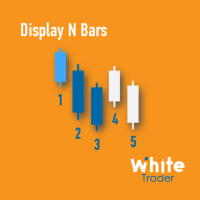
The Display N Bars utility is a simple tool designed to help identify candles.
If a trader tries to share knowledge with a colleague but it is difficult to pinpoint exactly the desired candle, just say the corresponding candle number.
The candle count is reset every day.
Seeking to offer a good customization the inputs are:
Display type -> Display only odd, only odd, or both candles?
Direction -> Horizontal or Vertical?
Display multiples of: (display frequency) -> Display all number
FREE
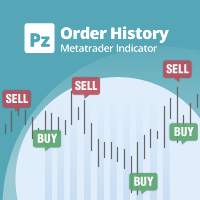
전략 테스터의 시각적 모드와 매우 유사한 라이브 차트의 거래/주문 내역을 표시하는 범용 지표입니다. 교육, 개선, 리버스 엔지니어링 또는 진단 목적으로 특정 기호의 실제 거래 내역을 조사할 수 있습니다. 마스터 비밀번호와 투자자 비밀번호 모두 성공적으로 사용할 수 있습니다.
[ 설치 가이드 | 업데이트 가이드 | 문제 해결 | 자주하는 질문 | 모든 제품 ]
몇 가지 주요 기능은 다음과 같습니다.
방향 분석
모든 거래에 대한 손익 레이블
사용자 정의 가능한 색상 및 크기 이익 계수의 계산 요일 및 시간별 거래 활동 내역
입력 매개변수 구매 화살표: 구매 화살표의 색상
판매 화살표: 판매 화살표의 색상
구매 화살표 크기: 구매 및 판매 화살표의 크기
닫기 구매: 구매 주문 마감 색상
마감 매도: 매도 주문 마감 색상
닫기 화살표 크기: 닫기 주문 화살표의 크기
Winning Trade Line: 수익성 있는 거래를 표시하는 라인의 색상
손실 트레이드 라인: 손실 트레이드를 표시하
FREE

After downloading, message me via MQL5 inbox to receive your FREE User Kit - setup guide, practical checklist, and workflow resources built specifically for XAUUSD traders. If you've been trading Gold long enough, you already know the drill. Before the session opens, you pull up the chart and start looking for the same levels you've been marking every week: previous week high, previous week low, the midpoint, and yesterday's high and low. You draw them manually, label them, and keep an eye on t
FREE

(This is the free version of our trade manager, download it for free and test it, and provide feedback. If you are satisfied with its capabilities, you can try out its bigger brother the Deriv Scalp Manager also available from us.)
EA Summary If you are a scalping trader who wants to place and close trades quickly and efficiently, you need a powerful tool that can help you achieve your goals. That's why we created the Deriv Trade Assistant EA, a smart and easy-to-use expert advisor that au
FREE

이 무료 도구가 마음에 드셨다면 별점 5점을 남겨주세요! 정말 감사합니다 :) "위험 관리 어시스턴트" 전문가 자문 컬렉션은 다양한 시장 상황에서 효과적으로 위험을 관리하여 거래 전략을 강화하도록 설계된 포괄적인 도구 모음입니다. 이 컬렉션은 평균화, 전환, 헤지 전문가 자문의 세 가지 핵심 요소로 구성되어 있으며, 각 요소는 다양한 거래 상황에 맞춰 고유한 장점을 제공합니다.
이 EA는 시중에 나와 있는 표준 위험 관리 전략을 기반으로 개발되었습니다.
https://www.mql5.com/en/blogs/post/756961
1. "평균화 어시스턴트" EA: MT4: https://www.mql5.com/en/market/product/115468 MT5: https://www.mql5.com/en/market/product/115469 2. "스위칭 어시스턴트" EA: MT4: https://www.mql5.com/en/market/product/115478 MT5: ht
FREE

The script in the form of an expert is created for the possibility of automatic installation of pending orders of the Stop Close Only type, which are not in MT5 by default. This type of order implies entering a long position in case the price closes above a given price level and opening a short position if the price closes below the price set by the trader. At the same time, level breakouts are not taken into account. The expert indicates the levels on the chart with lines, overcoming which will
FREE
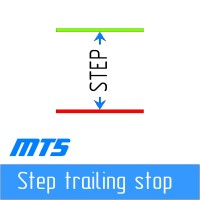
단계별로 "후행 중지"
이 유틸리티를 사용하면 "Trailing Stop" 도구를 사용할 때 가격에 따라 "손절매"를 이동하는 단계를 설정할 수 있습니다. 1핍 단위로 "손절매" 이동을 설정할 수 있는 "MetaTrader" 터미널에서 사용할 수 있는 "일반" "추적 손절매"와 달리 이 "추적 손절매"는 임의의 증분으로 구성됩니다. 이 설정을 사용하면 가격이 한 방향으로 오랫동안 이동한 후 약간의 수정을 위해 반전한 다음 다시 같은 방향으로 계속 이동하는 잘못된 추세 반전 중에 위치를 닫는 것을 방지할 수 있습니다. 가변적인 "손절매" 이동 단계가 있는 "Trailing Stop" 도구의 작업을 편리하게 관리하기 위해 개발자 Dmitry Fedoseev 가 도구의 작업을 구현하는 스크립트를 기존 거래 패널 "eInTradePane"에 적용했습니다. 거래 패널의 소스 코드는 https://www.mql5.com/en/code/220 에서 무료로 사용할 수 있습니다. "추적 손절매"가
FREE
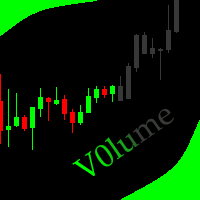
This indicator allows to hide Volume (on all MT5 timeframes) from a date define by the user with a vertical line (Alone) or a panel (with "Hidden Candles"). The color of each bar depends if this one is higher or lower of the previous bar. Indicator Inputs: No inputs for this indicator Information on "Volume" indicator is available in this post: https://www.mql5.com/en/forum/134260 ************************************************************* Hey traders!! Give me your feeds! We are a commun
FREE
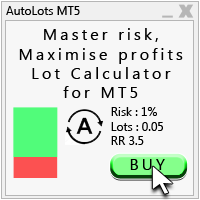
Auto Lots MT5
Auto Lots MT5 is an innovative and powerful application designed for traders on the MetaTrader 5 (MT5) platform. The application offers a user-friendly and intuitive interface, allowing traders to efficiently manage their positions, set precise entry levels and apply advanced risk management.
Key features: 1. Creation of SL/TP zones on the chart: The application allows users to create two customisable rectangles directly on the chart, making it easy to adjust entry points, take
FREE
MetaTrader 마켓은 거래 로봇과 기술 지표들의 독특한 스토어입니다.
MQL5.community 사용자 메모를 읽어보셔서 트레이더들에게 제공하는 고유한 서비스(거래 시그널 복사, 프리랜서가 개발한 맞춤형 애플리케이션, 결제 시스템 및 MQL5 클라우드 네트워크를 통한 자동 결제)에 대해 자세히 알아보십시오.
