 MetaTrader 5
 专家
专家
 指标
指标
 程序库
程序库
 实用工具
实用工具
 窗口小部件
窗口小部件
 规则
规则
适用于MetaTrader 5的EA交易和指标 - 127
 使用EA交易和指标,使外汇交易获得更多盈利。EA交易可使您自动开启和关闭交易,而指标将帮助您更准确地预测市场行为。
该页面提供MetaTrader 5应用程序的目录。
使用EA交易和指标,使外汇交易获得更多盈利。EA交易可使您自动开启和关闭交易,而指标将帮助您更准确地预测市场行为。
该页面提供MetaTrader 5应用程序的目录。 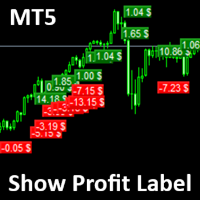
Show Label
Show your profit or loss next to the candle. This is a helpful tool if an EA don't have this feature build in. Support and questions via MQL5 product comments. For questions, updates, and to connect with other traders, join my official MQL5 group ForexEAandMore
Settings: Font color Background color for profits Background color for losses Font size Horizontal shift from candle (pixels) Vertical shift from candle high/low (pixels) Magic number filter (0 = all trades) Comment filter
FREE

MetaTrader 的 Slope Channel 指标
在寻找适合任何交易风格的市场趋势分析工具吗? Slope Channel – 是您识别价格方向运动和关键市场水平的可靠助手! 什么是 Slope Channel? Slope Channel 是一款创新指标,可在图表上构建倾斜通道,基于局部极值自动计算其参数。此工具突出显示最佳通道选项,让您能够快速适应不断变化的市场条件。 独特特点 自动通道角度计算: 指标显示通道的倾斜角度,指示其类型: 收敛(正角度): 表示通道收窄,价格压力增加。 发散(负角度): 表明范围扩大,可能出现不稳定。 数据更新: 每根新K线重新计算通道,确保使用最新数据。 广泛应用 该指标适用于: 剥头皮交易 – 分析短期波动。 日内交易 – 优化日内策略。 中长期交易 – 识别全球趋势。 输入参数说明 Rates: 用于通道计算的K线数量。默认值为 250 ,确保分析精度。 AngleThreshold: 通道倾斜角的阈值,超过该值时通道被视为不稳定。此时通道背景将自动关闭,以避免误信号。 C
FREE

️ QUANTUM STORM AI 高级对冲系统 专业外汇EA,具备智能风险管理
Quantum Storm AI 是一款专为EURUSD设计的复杂算法交易系统,结合智能对冲、网格交易和基于水平的策略,在保护资金的同时实现稳定盈利。
主要特点 高级对冲保护 智能对冲系统:当市场对您不利时自动开设保护性仓位
风险控制:内置可配置乘数的恢复机制
资金保护:防止在波动市场条件下爆仓
智能交易逻辑 基于水平的入场:在计算的支撑/阻力位进行交易
网格策略:在战略价格点放置挂单
历史回溯分析:使用历史高低点进行决策
自动手数管理:基于账户增长的动态仓位大小调整
高性能结果 历史测试胜率:99%
盈利因子:4.61 - 出色的风险回报比
1年测试中,从10,000美元存款获利:1,767.44美元
200次精确时机的交易执行
️ 专业设置与自定义 全局设置 面板语言:支持英语、阿拉伯语、法语、中文
视觉界面:清晰的图表显示,带实时统计数据
资金管理
FREE

TANIN ICHIMOKU CLOUD (EA20): The Ultimate Trend Rider & Prop Firm Shield Trading the Ichimoku Kinko Hyo system manually can be complex and emotionally draining. Are you tired of getting shaken out of massive trends by market noise? Meet EA20 Tanin Ichimoku Cloud , a fully automated trend-following system. It takes the guesswork out of Ichimoku by executing sniper entries and riding the mega trends with zero emotions. ENTER YOUR KEY HERE: [ EA20_99999D_TANINCODER_598259741005 ]
--
FREE

XAU PipStrike Expert MT5 XAU PipStrike Expert 是一款专为 MetaTrader 5 平台上的黄金 (XAUUSD) 交易量身打造的高精度、全自动交易算法。该智能交易系统 (EA) 基于机构动量机制构建,能够精准捕捉高成交量的市场失衡,从而在完全排除情感干扰的情况下,提取快速、经过数学优化的利润。 与那些让账户暴露在不可控回撤风险中的危险网格 (Grid) 或马丁格尔 (Martingale) 系统不同, Gold PipStrike Destroyer 专注于快速“进出”的交易执行,在最具爆发力的价格波动中瞬间锁定利润。 黄金交易的痛点:为什么大多数交易者都在亏钱 在金融市场中,手动交易黄金是最具压力的环境之一。由于黄金极高的波动性,散户交易者经常陷入相同的陷阱:过度交易、在快速突破时犹豫不决,或者纯粹由于情绪化而长时间扛单。许多人转向自动化系统,但只要黄金启动强劲 ovip directional 的单边趋势,他们的账户就会被危险的网格或马丁格尔策略瞬间爆仓。 核心问题很简单: 交易者缺乏安全捕捉快速价格脉冲的执行速度,同时也

Your limits, enforced — not just displayed. Most funded accounts are not lost to a bad strategy. They are lost to one bad session. A bad hour, after a bad morning, when the daily limit was already half gone and nobody was counting. This counts. It sits on your chart, watches the two limits that end most evaluations, and refuses to send an order that would break one. In 30 seconds It is free, and it is not a trial. No expiry, no account limit, no countdown, no pop-up, nothing that switches off a
FREE

# Regime Adaptive RR Trail (Validator-Safe Build)
**Purpose.** A practical Expert Advisor for trend and range conditions with conservative risk controls, one-trade-per-bar enforcement, and RR step-lock trailing. Includes a Validator preset to pass MQL5 Market checks.
---
## What it does (high level)
* Detects **market regime** (Trend / Range / Quiet / Volatile) and applies an appropriate **entry style**. * Enforces **1 trade per bar** (hard lock) to avoid over-trading and duplicates. * Allo
FREE
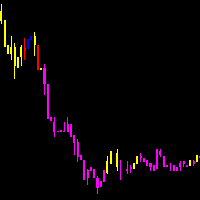
As médias coiote automatizam a leitura de analise de médias rápidas e lentas no saldo do volume e preço. Quando as médias estão em modo compra, a coloração do candle fica azul.
Quando as médias estão em modo venda, a coloração do candle fica magenta. Quando a coloração fica verde ou vermelho, temos a tomada das médias no volume mas não no preço, quando isso ocorre é um sinal de atenção.
A concepção do indicador é ser utilizado para operações em saída de consolidações na direção da tendencia do
FREE

K's Synapse is a market structure indicator designed to provide a clear visual reading of bullish pressure, bearish pressure, and uncertainty directly on the price chart. Creator: https://www.quant-atlas.com/ The indicator evaluates recent price structure across multiple reference points and converts the results into colored dots, rolling market surety percentages, and high intensity triangle signals. Dot Structure • Blue dots represent bullish price structure
• Red dots represent bearish price
FREE

ApexForge KTimer MT5 K 棒倒數、市場收盤倒數、假日與提前收盤處理、可拖動計時面板 ApexForge KTimer 是一款為 MetaTrader 5 設計的時間與市場狀態工具。 KTimer 可以在圖表上顯示目前 K 棒的剩餘時間,同時提供市場收盤時間倒數、市場狀態、假日與提前收盤處理。 計時面板可以自由拖動並記憶位置,也可以選擇完整面板或純文字顯示方式。產品適合單圖表以及多圖表、多週期的 MetaTrader 5 工作區。 K 棒倒數 KTimer 會顯示目前 K 棒距離收盤的剩餘時間,並自動依照目前圖表週期計算。 支援 MetaTrader 5 可使用的圖表週期,例如 M1、M5、M15、M30、H1、H4、D1 等。 這項功能可用於需要觀察 K 棒收盤時間的交易方式,例如等待 K 棒收盤後再確認交易條件。 市場收盤倒數 除了 K 棒倒數之外,KTimer 也可以顯示目前交易時段距離預定收盤的剩餘時間。 這項資訊可以用於一般每日交易時段、週末休市前、假日以及提前收盤交易日。 在正常交易期間,已確認的交易時段收盤資訊會適當快取,避免重複處理沒有變化的資料。市場
FREE
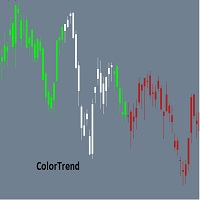
Combining the best of Price Action , Directional Movement , and Divergence / Convergence analysis, the Candle Color Trend is the easy and reliable way to identify the direction of the trend. The indicator automatically paints the candles according to the premise that the upward trend is defined by prices that form a series of ascending tops and bottoms. On the other hand, the downward trend is defined by prices that form a series of descending tops and bottoms.
Color Trend is certainly one of
FREE

This indicator calculates trend via two different moving averages and draw zigzag trend lines. You can change fast and slow Moving Averages settings for customization. Inputs:
Fast MA Time Period : 64 Fast MA Shift: 0 Fast MA Method: Smoothed Fast MA Apply To: Median Price Slow MA Time Period: 32 Slow MA Shift: 0 Slow MA Method: Smoothed Slow MA Apply To: Median Price ZigZag Color: Red ZigZag Type: DashDot ZigZag Width: VeryThin
FREE

Este poderoso indicador analisa o gráfico e mostra zonas de Rejeição de Preços! Isto é, locais onde o preço foi, mas não foi aceito pelo mercado! A visualização desta zona de Rejeição, facilita o entendimento do trader na tomada de decisões de onde operar e como operar!
O indicador é composto por 4 linhas, sendo classificadas em 2 grupos: Linhas Vermelha e Amarela: Denotam os extremos onde o preço conseguiu chegar, mas não foi aceito! Linhas Laranja e Azul: A partir delas, denotam o Início da z
FREE
Divergence Scanner Pro is an advanced utility designed to detect both regular and hidden divergences across three powerful indicators: RSI , MACD , and Stochastic . With its robust algorithm and user-friendly interface, this tool is perfect for traders seeking an edge in the market. Key Features: Comprehensive Divergence Detection : Identifies regular and hidden divergences to highlight potential trend reversals or continuation opportunities. Multi-Indicator Support : Scans for divergences on RS
FREE

XAU Momentum Rank H4 Expert Advisor for MetaTrader 5 — Gold / XAUUSD focus
Version: 1.00 What it is XAU Momentum Rank H4 is an Expert Advisor for gold on the H4 chart. Cross-sectional style momentum ranking adapted to single-symbol gold H4. Built for structured automated participation — not grid , not martingale . Evaluate on your broker and risk profile before any live use. This product is a technical system . Exact thresholds and entry equations remain internal product design and are not publ
FREE

NinjaClose is the ultimate headless trading utility designed specifically for manual scalpers, price-action traders, and mobile traders. It operates completely silently in the background without any graphical user interface (GUI) panels, keeping your charts 100% clean. Whether you execute trades from your desktop terminal or the MetaTrader mobile app, NinjaClose detects your manual orders instantly and applies your pre-defined risk management rules at lightning speed. Key Features Mobile-Friendl
FREE

(Multiple Close All) for MT5 a lightweight and efficient utility designed to help traders close their open positions and pending orders directly from the chart.
It provides a clean panel with interactive buttons, allowing quick closing of opened trades and deleting the Pending Orders with one click. Key Features: Close all BUY , SELL , or ALL positions with one click. Close only profitable trades or only losing trades . Close trades filtered by Magic Number or Ticket Number . Perform par
FREE

Overview Tomgoodcar Rose Knight PRO is an advanced, fully automated algorithmic trading system designed for MetaTrader 5. Built upon a sophisticated Pending Order Grid framework, the EA does not simply execute market orders blindly. Instead, it deploys strategic Buy Stop and Sell Stop orders, dynamically trailing them along with price movements to secure optimal entry levels. Equipped with a dual-stage recovery mechanism, embedded economic news filters, and strict price zone limitations, this to

Closed All Positions Closed All Positions is a simple and efficient MetaTrader 5 trade management utility designed to close open positions quickly with a single click. The utility provides a clear CLOSE ALL POSITIONS button directly on the chart, allowing traders to exit multiple open positions without manually closing them one by one. Main Features One-click close - close all matching open positions with one button press. Fast Close Mode - designed to dispatch closing requests quickly when mult
FREE

Free for now, price is going to be 30 USD at Jan 1. 2025.
Features: Pin Bar Detection : The indicator is designed to identify bullish and bearish pin bars based on specific criteria, including the relative size of the candle’s body and shadow, as well as the position of the candle's body in relation to the 38.2% Fibonacci level. Customizable Labels : Custom text is displayed above each identified bullish or bearish pin bar, such as "[38.2]" for bullish and "[-38.2]" for bearish, helping traders
FREE

Volumes ******************* Volumes для платформы секундных графиков Micro . ********************* Секундный график на порядок увеличит точность ваших входов и выходов. Секундный период , в привычном формате, позволит увидеть то, что ранее было скрыто. Бесплатные индикаторы, дополнят визуальную картину, что, в совокупности выведет вашу торговлю на новый уровень. Идеально подходит как скальперам, так и трейдерам торгующим внутри дня. Индикатор Volumes для платформы Micro. Входные парам
FREE
TimeTriggerEA - Automated Trading on Schedule Overview TimeTriggerEA is a sophisticated automated trading system that executes trades based on precise time triggers combined with technical analysis. Unlike traditional EAs that monitor markets continuously, TimeTriggerEA operates on a strict schedule, opening only one carefully analyzed position per day at your specified time. ️ Important Notice The EA has not been tested on the market, but you can now find the right time and direction using the
FREE

一个按钮。一次点击。裸图。 MT4 version
你画了所有东西。趋势线、斐波那契、矩形、区域、箭头…… 你的图表看起来像一幅现代艺术画。漂亮——但你已经看不到价格了。 NAKED CHART 一键解决。 点击一次 → 所有绘图立即消失 再次点击 → 一切恢复原状 指标不受影响 — 只隐藏您的绘图 按钮可拖动 — 放置在图表上任意位置 无需设置。无需复杂操作。只是一个改变一切的按钮。 「有时,最干净的图表是最强大的。」------------------------------------ ---------------------------------------------- Spartacus 提供简单专业的指标和工具,帮助您在市场中脱颖而出。
— SPARTACUS2026
FREE

V-POWER CLOUD SYSTEM: V-Power Cloud es un indicador de estructura avanzada que redefine el análisis de volumen mediante la visualización de la Masa Crítica en el precio. A diferencia de las nubes convencionales, este sistema está diseñado para identificar los niveles donde las instituciones acumulan órdenes y defienden sus posiciones mediante Bases Planas y Densidad de Nube . 1. El Concepto de Masa (Densidad de la Nube) La nube representa la cantidad de contratos y liquidez presentes en una zon
FREE

Created and tested on GBPUSD currency, before buying and using please use demo account or backtest. Adjust the configuration with your creativity
ThuyulZigZagh EA – Smart ZigZag Martingale Expert Advisor for MT5 Description: The ThuyulZigZagh Expert Advisor is a practical and customizable trading tool designed for MetaTrader 5. It combines ZigZag-based market structure analysis with a structured Martingale trading strategy and trailing profit management. This EA is intended for traders lookin
FREE

注意:此免費版本只可使用到2026/09/30
交易最怕的不是虧損,而是「方向不明」
為什麼很多交易者會被掃出場?因為他們只看單一時框。本指標透過 AI 降噪技術,將 H1 的穩健與 M15 的靈敏結合,為您打造一個自動化的趨勢過濾網。
「讓數據說話,讓 AI 帶路,您只需負責收穫成果。」本指標在商品行情圖表中顯示H1(圓點)與M15(箭頭)兩個時間段的趨勢方向,其他時間段的計算結果會顯示於下方的曲線圖中。行情的走向、震盪、強度、交易量等請參考Stochastic, MACD, RSI等指標,指標可精準地判斷波段的方向與合適的進出場時機。
指標特色如下:
1. AI 多重時框(MTF)動態演算
本指標搭載 AI 趨勢過濾算法,自動同步 H1 (長期趨勢監測) 與 M15 (精準進場導航)。AI 會自動過濾掉已知趨勢方向中不具備獲利空間的微小波動,確保你始終站在大趨勢的正確一邊並且減少盤整時的心理壓力。
H1 圓點: 您的導航雷達,鎖定大波段方向。
M15 箭頭: 您的開火按鈕,精準捕捉發動瞬間。
2. 雙週期行情圖,一眼看出方向與
FREE
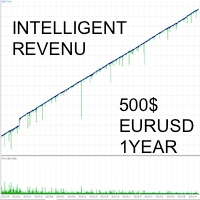
The INTELLIGENT INCOME strategy is a combination of custom indicators and a very advanced trading algorithm. It has been tested with real ticks, and passed the stress test with slippage approximating real market conditions over a period of 5 years. SMART INCOME EA IS FOR THOSE WHO: - HAVE NO KNOWLEDGE PUSH IN TRADING - WANT TO HAVE A PASSIVE INCOME EVERY DAY - WISH TO ATTEND OTHER OCCUPATIONS - WISH TO RISK THE MINIMUM CAPITAL POSSIBLE
FEATURES - Only with the EURUSD pair; The Multi-currency o
FREE

Most candles say very little. A few say a great deal. Candle Strength makes the difference visible without you measuring anything. It colours every candle by how much of its move is body relative to current volatility: strength = |close - open| / ATR A candle with a large body relative to ATR is a committed move: one side took control and held it into the close. A candle with a small body is indecision, no matter how far the wicks travelled. How to read it Blue - strong bullish candle, body at
FREE

SATORI Monthly Trade Statistics V15 Overview :
An MQL5 Expert Advisor for MetaTrader 5 that visualizes trading performance by month and week, offering a customizable interface to track profits. Key Features : Profit Tracking : Displays monthly and weekly profits, color-coded (green for positive, orange for negative). Customizable : Set time range, magic number, font size, and button sizes; hide zero-profit months. Interactive UI : Toggle month details, update profits, and adjust display scale wi
FREE

SR Zones Pro — Multi-Timeframe Support & Resistance Zones Indicator for MT5 Identify High-Probability Bounce Zones with Institutional Precision. Works on All Instruments & Timeframes. What Is SR Zones Pro? SR Zones Pro is a professional-grade Support & Resistance zone indicator for MetaTrader 5. Unlike basic horizontal lines drawn manually, SR Zones Pro automatically detects, merges, and ranks swing-based price zones — and overlays them with higher timeframe context, candle pattern recognition,

The Haos oscillator coded for the MT5!
This oscillator allows to verify overbought / oversold regions in two periods (14 and 96, for example), making it possible to anticipate a reversal. Possibility to activate an audible alert when it reaches a defined level. Possibility to choose the alert sound by placing a .wav song in each asset or timeframe. (save a .wav file to the MQL5 \ Files folder) Possibility to activate / deactivate histogram and levels to make the screen cleaner. Customizable col

UT Bot Apex — NON-REPAINT signals with a smart news filter, FVG confluence, TP/SL zones and an M1–H1 multi-timeframe scanner.
Most indicators hand you an arrow and leave you on your own. You don't know where to put the stop, which signals are worth taking, or whether what you see now will still be there tomorrow.
UT Bot Apex takes the UT Bot engine (ATR trailing stop) and adds what's missing: every flip confirms AT BAR CLOSE, every signal carries a measured quality score, and the chart shows

NovaTac Volition Exit Commander is a position-aware MT5 exit indicator with separate BUY and SELL scores, closed-bar confirmation, trailing references and confluence-qualified management states.
NovaTac Volition Exit Commander is a position-aware exit analysis indicator for MetaTrader 5. It evaluates conditions relevant to managing BUY and SELL positions and displays separate Close BUY and Close SELL scores.
The indicator combines momentum, trend strength, volatility, candle behaviour, marke
FREE

趨勢預言 (Trend Oracle) & ZeroMax 系統:革命性的脈衝行情預測演算法
您是否夢想在價格強勁爆發前搶先一步,而不是追逐即將離去的列車?
隆重推出趨勢預言 (Trend Oracle),這是一款高度精準的動量預測指標,整合於專業的 ZeroMax 交易系統中。這款新一代工具專為交易高波動性金融工具(尤其是黃金 (XAUUSD))時需要絕對清晰的交易者而設計。
趨勢預言 (Trend Oracle) 的秘密是什麼?
趨勢預言 (Trend Oracle) 的主要獨特之處在於它能夠辨識隱藏的累積盤整階段。當演算法將市場數據壓縮到單一的收斂點時,它預示著即將發生巨大的能量爆發。
您將在脈衝形態的零點收到入場訊號-最小的停損和最大的獲利潛力!
ZeroMax 三重奏:三大指標的協同作用
ZeroMax 不僅僅是一個獨立的訊號;它是一個完整、自給自足的生態系統。三個指標完美協同運作,徹底消除人為誤差和市場噪音。即使完全關閉K線圖,您也能精準預測價格的走勢!
趨勢預言者(主入場觸發指標):
作用:動量出現前的入場點。
機制:記錄波動

==================================================================== SMC Zones PRO EA — SMC 交易面板与自动化区域引擎 MetaTrader 5 智能交易系统 · Smart Money Concepts · 所有主要品种(Forex、Metals、Indices) ====================================================================
SMC Zones PRO EA 是一个图表内的交易面板,结合了专为 MetaTrader 5 上的 所有主要品种(Forex、Metals、Indices)打造的自动化 Smart Money Concepts(SMC)区域引擎。
它直接在图表上识别 Order Block 与 Fair Value Gap——与 "Gold SMC Zones" 指标完全相同的识别逻辑,已原生移植进 EA 内部,因此无需任何外部指标—— 并跟踪 mitigation、更高周期(HTF)趋势偏向、结构(BOS

SMART ATR BREAKOUT MT5 - 机构级区间突破自动化交易系统 标语:高精度日线与亚盘区间突破引擎 | 黄金 (XAUUSD) & 外汇主流货币对 | 无马丁 | 无网格 | 完美契合 Prop Firm 挑战
支持平台:MetaTrader 5 (MT5) 1. 核心概述 Smart ATR Breakout MT5 是专为 MetaTrader 5 打造的机构级全自动量化交易系统。本 EA 采用严格基于规则的动量突破策略,专为 XAUUSD (黄金) 以及主流外汇货币对 (如 USDJPY、EURUSD) 深度优化。 与市场上充斥的高风险赌徒算法截然不同,Smart ATR Breakout MT5 始终将资金安全与本金保护放在首位:
绝无马丁格尔倍投 (NO Martingale)
绝无网格加仓与逆势抗单 (NO Grid / Cost Averaging)
绝无高频套利或危险对冲锁仓
100% 独立固定风控:每笔订单均设有强制物理止损 (Hard Stop Loss)
Prop Firm 严控标准:完全符合自营交易考核商 (FTMO, Fun

**江恩九方图 2 — 高级价格与时间预测工具**
九方图是 W.D. 江恩最强大的预测工具之一。本指标是 MetaTrader 5 的第二代完整实现, 完全依据帕特里克·米库拉的书籍方法构建。新增:交互式工具栏、交易信号面板、 江恩星形图、通道区域、角度统计、平均区域叠加和 12 语言界面。
从单一锚定价格出发,投射落在基本十字(0、90、180、270 度)与对角十字 (45、135、225、315 度)上的支撑与阻力。还预测时间(可能转折的 K 线), 衡量市场最尊重哪些角度。当价格位与江恩时间计数重合时,触发"价格-时间共振"警报。
纯分析预测工具,不下单。无 DLL,无网络。适用于任何品种与周期。
**功能列表** - 价格水平:基本十字与对角十字,多圈投影,自动缩放 - 信号面板(书本方法):买入/卖出设置,三级汇聚评分,价格-时间共振警报 - 江恩星形图:四条射线,阴影区域,信号角度金色高亮 - 江恩通道:最近 0 水平之间的填充区域 - 11 按钮工具栏,状态自动保存 - 角度统计:每个角度的历史尊重率 - 平均区域:当前圈、全部水平、最优角度 - 时间预测

Volumetric Order Blocks + Market Structure Smart Money order block detection, volume-weighted confirmation, full BOS/CHoCH market structure.
Version 1.33: Added Fair Value Gaps, Premium/Discount/Equilibrium zones, multi-timeframe highs & lows, and Accumulation/Distribution zones. Overview Rudy Bank finds and draws institutional order blocks directly on your chart, then backs every one of them up with real market data: volume, internal buy/sell activity, and precise market-structure context, so

每位交易者都熟悉这套流程:打开指标设置,改一个数字,点确定,眯着眼看图表,觉得不对,再打开设置。Envelopes 在这方面尤其突出:偏离百分比是经典指标里最依赖品种的一个参数。默认的 0.10% 在某个货币对上看着合理,放到黄金上几乎看不见,用在指数上则完全离谱——可大多数交易者设一次就再也不动,因为每试一次都要走一趟设置对话框。Envelopes Live Tuner 终结了这种折腾。 这是一款完整的 Envelopes 指标,可以 直接在图表上实时调参 ——就在K线上,通道本来所在的位置。图表上有一个小面板,带有周期滑块和 偏离百分比滑块,范围 0.05% 至 5.00%,步长 0.05 ——这是 Live Tuning 系列中精度最高的滑块,精确到小数点后两位。拖动它,整段历史上的通道宽度会随手实时变化。真正能框住您所交易品种波动幅度的百分比,几秒钟就能找到,而不必反复进出对话框十几趟。 中线均线方法,一键切换。 经典 Envelopes 使用 SMA 作为中线——这也是默认设置,与原版一致。如果您想要更快或更平滑的中心线,可直接在面板上循环切换中线方法:SMA、EMA、SMM
FREE

实时知道波动率是否足够交易——不重绘,适用于任何品种。
任何品种,任何周期。线条在K线收盘时锁定。
可在策略测试器中免费试用。
>> Get more free and premium indicators here
Baseline, volatility, oscillators and more.
No repainting. No guessing. Just clean signals.
问题
您的入场点可能是对的,但行情仍然没有进展。市场平静时,价格漂移,噪音触及止损,目标迟迟不到。
在平静市场中交易的每一根K线,都是用很小的波动占用您的风险。
解决方案
您一眼就能看出市场是否有足够的波动,值得投入时间。一条线,两种颜色:绿色表示可以行动,灰色表示等待。在寻找入场点之前,您先得到一个清晰的“是”或“否”。
为什么选择 YANG-ZHANG
Yang-Zhang 是一种波动率估计方法,使用开盘价、最高价、最低价和收盘价,并考虑相邻K线之间的跳空。只用收盘价的方法会忽略一部分波动。Yang-Zhang 把它计算在内。

ATOM Smart PA Alert is a high-precision, noise-free Price Action indicator designed to detect high-probability Engulfing and Pin Bar (Hammer/Shooting Star) patterns without cluttering your trading charts. By integrating an adaptive Bollinger Bands filter , this indicator eliminates false signals that occur in neutral zone consolidation and focuses solely on extreme key reversal levels. Key Features A+ Price Action Setup: Focuses strictly on high-winrate patterns: Bullish/Bearish Engulfing and Ha
FREE

Market Power Index (MPI): The Trader's Battlefield Intelligence When bulls and bears clash, MPI shows you who's winning. It measures the real-time balance of power between bulls (buyers) and bears (sellers) in any given market.
Now you can make informed decisions with the only indicator that measures both sides of the market simultaneously!
Professional-grade market analysis, simplified for every trader.
Available on both mt4 and mt5 platforms Free! Who Needs This? Forex traders (all experi
FREE

各位交易者, 如果您曾经花费超过30分钟手动扫描图表寻找背离形态——却仍然错过入场时机——那么这篇文章就是为您而写的。 我刚刚发布了 Divergence Dashboard——一款专业级自动扫描器,可通过您选择的10种震荡指标,在您所有喜爱的交易对和时间框架上自动识别常规背离和隐藏背离——信号永不重绘。 为什么背离交易如此强大(又如此令人头疼) 背离是技术分析中最可靠的信号之一。它揭示了价格运动与底层动能之间的背离——在反转和趋势延续完全形成之前,为您提供提前预警。 问题在哪里?手动寻找背离意味着逐一打开数十张图表,分别应用震荡指标,并将价格走势与动能进行视觉比较。当您找到交易机会时,行情往往已经走了一半。 Divergence Dashboard 彻底解决了这一切。 操作方法 — 3个简单步骤 选择交易对 — 同时监控20+个货币对 选择震荡指标和时间框架 — 从10种指标中选择,启用从M1到月线的任意时间框架 启动扫描 — 一旦出现新的确认背离信号,立即收到提醒 一键打开精确图表和精确信号K线。无需搜索,零时间浪费。 自动识别全部4种背离类型 常规看涨背离
价格创出
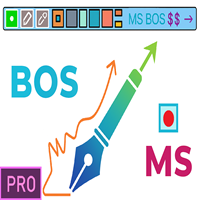
重要提示!购买指标前请务必联系我,即可享受20%折扣TG:@SoyRauX DrawMaster - MT5专业绘图工具 专为严肃交易者打造的一体化面板,配备先进绘图工具。
核心功能:
• 智能矩形 - 可自定义填充色与空心样式 • 趋势线 - 多种可配置样式与粗细 • 市场结构 - 自动检测MS与BOS • 自由绘图 - 带方向标记的轨迹标注 • 区域擦除 - 快速清除多个对象 • 可定制面板 - 图表中6种不同位置
核心优势:
跨时间周期对象持久化
简洁专业的界面设计
快捷键加速操作
完美适配价格行为与技术分析
通过专业工具整合优化技术分析,让图表管理井然有序。 ---------------------------------------------------------------------------------------------------------

BreakdownX — это передовой торговый робот для MT5. Он использует стратегию определения уровней поддержки и сопротивления, чтобы выявлять оптимальные точки входа и выхода на рынке. Особенности: Автоматизированная Стратегия Определения Уровней : Наш советник анализирует рынок, используя [заданное число] последних свечей, чтобы точно определить уровни поддержки и сопротивления. Динамический Расчет Размера Позиции : Встроенный механизм оптимизации размера лота на основе текущего баланса и уровня рис
FREE

Draggable Timer with sound — a clean, lightweight countdown to the close of the current candle. Drag it anywhere on your chart with the mouse and never miss a bar close again. Built for discretionary traders who want one clear number on the chart, with no clutter and no lag. Features: - Live countdown to the close of the current timeframe's candle - Fully draggable — place it wherever you want on the chart - Color states: the number turns orange under 30 seconds and red under 10 seconds - Option
FREE

Arixis EA Comparator — Compare Two Trading Systems Side by Side
Arixis EA Comparator is a professional MetaTrader 5 analysis tool designed to compare the observable historical performance and trading behavior of two Expert Advisors or strategies on the same account. Using Magic Numbers, the application separates the activity of two systems and presents their statistics side by side under the same analytical framework. Compare number of trades and campaigns, net results, gross profit and loss, P
FREE

The Universal 52 EAs will combine 52 entry and exit strategies mentioned in the Book "Entry and Exit Confessions of a Champion Trader" by Kevin J. Davey. I will code one by one and update new versions every time I complete and test each strategy. Furthermore, I also provide my test result and characteristics of each strategy so that you can understand them and know how a strategy is suitable for each market.
Updated as at 28 July 2024: - Entry #1: Go with the flow If the current bar close is l
FREE

Have you ever wanted to back-test a strategy but never wanted to risk real money? And the thought of using a demo account is exhausting as real time markets develop your skills slowly. This utility will help you develop your strategy faster and will help determine if the strategy works long-term by simulating real trading through back-tests. This will save you time as you can back-test strategies from previous price data. With the new update you can now change your lot-size add take-profit and
FREE

Стратегия форекс «Гора» основана на одном довольно сложном индикаторе. С его помощью генерируются вполне неплохие сигналы и, в принципе, автор указывал возможность торговли и на остальных инструментах, однако, мы решили взять изначальный вариант — торговлю только по GBP/USD. Так же следует сказать, что по ходу развития тренда торговая стратегия пропускает большое количество неплохих точек входа, но это только на первый взгляд. Фильтрация сигналов показала себя достаточно неплохо и в итоге торгов
FREE

Engulfing Failed Zone by RWBTradeLab
A clean, non-repainting FAILED engulfing detector for MetaTrader 5. Most traders only look for engulfing patterns — professionals also watch what happens when an engulfing FAILS, because a broken pattern traps traders on the wrong side and often fuels the opposite move. This indicator finds those failures automatically, sorts them into 8 types, and marks the exact level that broke — all from CLOSED candles only.
What This Indicator Does
Step 1 — Engulfing
FREE

Confluence Signal Engine (MT5 Indicator) A powerful multi-indicator confluence tool that analyzes market conditions using EMA trend, RSI, MACD, Stochastic, ADX, Bollinger Bands, Volume, and candlestick patterns to generate high-confidence trading signals. It filters trades using: Minimum indicator agreement (confluence) Market session quality Multi-timeframe confirmation Risk-to-reward validation (ATR-based SL/TP) The indicator provides: Real-time dashboard with signal strength (%) Early alerts
FREE
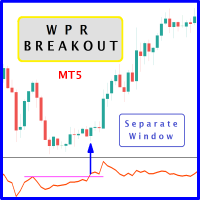
The likelihood of farther price movement increases when Larry Williams Percentage Range oscillator "WPR" breaks through its historical resistance levels in conjunction with prices breakout of resistance levels. It's strongly encouraged to confirm price breakout with oscillator breakout since they have comparable effects to price breaking support and resistance levels; similar perception is applied to short trades. Concept is based on find swing levels which based on number of bars by each side t
FREE

DESCRIPTION: Position Size Calculator — On-Chart Risk Management Tool Never risk too much on a single trade again. This calculator displays real-time position sizing for 3 risk levels simultaneously, calculated from your live account balance and current ATR-based stop loss distance. DISPLAYS 3 RISK SCENARIOS AT ONCE: Risk Level 1 (1%): Risk amount in dollars + Lot size Risk Level 2 (2%): Risk amount in dollars + Lot size Risk Level 3 (3%): Risk amount in dollars + Lot size All lot sizes are dyna
FREE

SMC Donchian CandleBlend The SMC Donchian CandleBlend for MetaTrader 5 is a powerful indicator that simplifies your chart analysis by coloring candles based on a fusion of signals from two powerful indicators: the "SMC Donchian Trend Breakout" and the "SMC Donchian Fusion ZigZag". This provides a clear and immediate visual representation of market sentiment, helping you to make more informed trading decisions. Key Features: Fused Signal Logic: The indicator intelligently combines signals from t
FREE

El indicador técnico Non Lag MA (Non-Lagged Moving Average) es una variante de la media móvil que busca reducir el retraso inherente a las medias móviles tradicionales.
Pros: - Menos retraso: Al estar diseñado para reducir el retraso, el Non Lag MA puede proporcionar señales más rápidas que las medias móviles tradicionales. - Tendencias claras: Las líneas del Non Lag MA muestran claramente las tendencias alcistas y bajistas, lo que facilita la interpretación de la dirección del mercado. - Pers
FREE

Indicator Name: DualClockWithSignalTime.mq5 Description: The DualClockWithSignalTime is a custom MetaTrader 5 (MT5) indicator designed to display three pieces of real-time information directly on the chart: Broker Server Time Local Computer Time Last Signal Time (BUY/SELL) This indicator is helpful for traders who need to monitor both the broker's time and their own local time, ensuring better synchronization of trading actions. Additionally, it automatically detects and displays the latest BUY
FREE

Right-click on the chart - select the timeframe - SELECT H2 Советник: The Snowball Effect Exceeded Time Math Символ: AUDCAD Период: H2 (2026.06.01 - 2026.07.05) Параметры: EA_Name= Exceed Time Math Lot=0.02 EMA_period=40 Grid_TP_pips=5 Snowball_TP_pips=10 Distance_pips=20 TP_pips=5 MagicStart=1024 Multiplier=2.0 Spread_const=4 Max_Theoretical_Risk=500.0 Close_On_Risk_Limit=true Min_Cooldown_Minutes=690 Use_Frequency_Filter=true === Safe Profit Settings ==== InpTargetProfit=500.0 InpSeparateClose
FREE

You run several EAs on one account, plus a few trades by hand. The balance shows the total. It doesn't show which EA earns the money and which one gives it back. Magic Stats reads the deal history of your MT5 account and shows one row per magic number : how each EA has actually performed, in any period you choose. It is an indicator, so it sits on a chart next to any EA. It never opens, changes or closes a trade. What you see for every EA (magic number) Name and symbols traded Trades , win % , n
FREE

Market Structure Shift with FVG Indicator for MT5 This MT5 indicator from the apexfintech.net suite identifies market structure shifts and fair value gaps (FVGs) to provide traders with potential trading opportunities. It alerts users on these events via mobile notifications, enabling them to react quickly to changing market conditions. Key Features: Market Structure Shift Detection: Identifies bullish and bearish market structure shifts based on swing high/low breaks and significant candl
FREE

OCT Panel 專為需要快速執行、清楚訂單控制、有效管理風險的交易者打造。 OCT Panel 是一套專為 MetaTrader 5 設計的專業交易輔助工具,主要協助交易者更快速、更清楚地管理交易訂單、停損、停利、掛單與平倉操作。 它的設計目的不是取代交易判斷,而是幫助交易者提升手動交易時的操作效率、訂單管理能力與風險控制能力。 OCT Panel 不是喊單系統,也不是保證獲利的自動交易 EA。
它是一套實用型交易控制面板,適合希望提升交易流程效率與操作紀律的 MT5 使用者。 主要功能 快速 Buy / Sell 下單 快速平倉操作 快速套用 SL / TP 掛單管理 Buy Limit / Sell Limit 操作 刪除掛單 訂單與倉位管理 協助減少重複手動操作 提升交易執行效率 適合黃金、外匯、指數與 CFD 商品 適合短線交易、手動交易與需要快速控單的交易者 適合使用者 OCT Panel 適合以下交易者: 使用 MetaTrader 5 進行手動交易的交易者 需要快速下單與快速平倉的人 經常交易黃金、外匯、指數或 CFD 商品的人 需要同時管理多筆訂單或掛單的人 重視
FREE
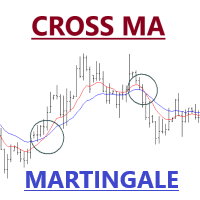
Expert Advisor of Cross two moving averages accompanied by stop loss, take profit, martingale and multi timeframes on each moving averages. You can change all the parameters contained in the moving averages
Please use as appropriate, hopefully can be useful and assist you in the transaction Don't forget to give a review if this product helps you
MA Method 0 = simple 1 = exponential 2 = smoothed 3 = LW
FREE

再也不会错过任何重要价位、利润目标或风险阈值。 想在达到目标后锁定利润并暂停交易吗?Price and Target Alerts 可以自动平掉所有仓位、通知您并停止后续交易——让您轻松、放心地锁定利润。 Price and Target Alerts 是一款先进的 MetaTrader 5 工具型智能交易系统(EA),持续监控市场价格和您的交易账户,并在满足预设条件时自动通知您或执行预定义的保护性操作。 核心功能 多重价格提醒 为任意品种创建多个价格提醒——可在"输入"选项卡中设置,也可直接在图表上添加。 选择每个提醒的触发方式: 单次(默认) – 仅在价格首次到达设定水平时触发一次。 每次穿越 – 每次价格穿越该水平时都会触发。 非常适合用于: 支撑与阻力位 突破行情 时段高点/低点 供需区 重要新闻位 价格提醒触发时始终会发送通知。它们本质上只是信息提示,因此永远不会平仓、停止交易或对您的 EA 和图表进行任何操作——这些保护性操作只保留给真正的账户级风险事件(见下方"自动化操作")。 直接在图表上添加提醒 无需进入设置即可添加提醒。点击图表面板上的 "+ Once alert"
FREE

我创建了 Forex Bat Harmonic Dashboard ,因为手动在多个货币对和时间框架中寻找精确的 Bat 形态需要花费数小时——而且我仍然不断错过交易机会。 这是一款专业级多品种、多时间框架扫描器,使用严格的斐波那契比率验证,自动检测您整个观察列表中的 Bat 谐波形态 ,包括定义真正 Bat 的关键 XAD 88.6% 回撤 。它在后台持续运行,将每个确认的形态显示在一个干净、整齐的仪表板中。 每个信号都在已收盘的K线上得到确认,并具有适当的右侧确认(默认 PivotRight = 5)。一旦 Bat 形态出现在仪表板上,它将永远不会消失或改变。 什么让 Bat 形态如此独特? Bat 形态 由 Scott Carney 发现,是一种 5 点 XABCD 谐波结构,其中 D 点精确回撤 XA 的 88.6% ——比 Gartley 的 78.6% 更深。这种更深的回撤让您获得更接近反转区域的优质入场点,同时保持 X 点以外的紧密止损。 看涨 Bat — 形态:X 高点 → A 低点 → B 高点 → C 低点 → D(XA 88.6% 回撤)。

BreakEven Finder 是一款免费的轻量级 MetaTrader 5 指标,专为剥头皮交易者和日内交易者设计。它通过分析实时价格和持仓数据,在图表上直观显示盈亏平衡点,帮助交易者判断当前持仓是否接近盈亏平衡或已达到微利状态,从而实现更精准的交易管理。 核心功能: 实时显示每笔交易的盈亏平衡价格 自动整合多个持仓点,计算加权平均平衡位 可视化清晰,避免复杂图形干扰判断 支持任意交易品种和时间周期 与其他指标兼容性强,不影响图表速度 优势和适用人群:
适用于注重精确进出点控制的短线交易者、需快速识别盈亏变化的量化系统用户以及希望提升风险管理效率的投资者。 此工具帮助交易者减少主观判断错误,提高决策效率,是提高稳定盈利能力的理想助手。
FREE

# Top Stocks Mini:基于科学的算法交易
## 基于学术研究的量化系统
Top Stocks Mini 不仅仅是一个普通的 EA。这是一个机构级交易系统,专为寻求系统化方法进行股票市场投资并追求一流表现的中长期投资者而设计。
我们的入门级产品,是您熟悉量化动量策略的理想选择。
________________________________________
## 系统核心:MAD 评分(动量调整方向)
我们的方法论基于公认的学术研究(Avramov, Kaplanski & Subrahmanyam, 2020 - *Moving average distance as a predictor of equity returns*),结合三个分析维度来识别最具潜力的机会:
• **总波动率** → 识别既定趋势 • **MRAT 比率(移动比率)** → 检测可持续动量 • **上行波动率** → 专门针对上涨行情以优化风险收益比
________________________________________
## ️ 专业风
FREE

Are you a scalper? This indicator reviews all 15 minute time frame and lets you set you range with an alert for when locked range is broken. This indicator, engineered for the Phoenix Trading 2026 suite, is a professional-grade Multi-Timeframe (MTF) Liquidity & Trend Dashboard. It is designed for high-precision scalping on Gold (XAUUSD) and Major Forex pairs, specifically targeting traders who operate on the 1-minute and 5-minute charts but need higher-level institutional context. Core Features
FREE

Adapted to MetaTrader 5 cRSI – Cyclic Smoothed Relative Strength Index indicator from an open-source license This useful open-source indicator is available for you to use completely free of charge. This indicator is an adaptation for the MetaTrader 5 (MQL5) platform of WTT_cRSI.mq5 , originally published in 2017 by WhenToTrade and licensed under the Creative Commons Attribution 4.0 International (CC BY 4.0) license. The original work is based on the dominant cycle principles described in the bo
FREE

Coral trend is a trend-following indicator that is widely popular among FOREX traders . It is usually used as a confluence with other indicators. It uses combinations of moving averages with complex smoothing formulas! It has two configurable parameters: Coefficient - smoothing ratio (*)
Applied price Calculation: Coral = (-0.064) * B6 + 0.672 * B5 - 2.352 * B4 + 2.744 * B3
FREE
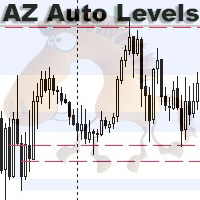
AZ Auto Levels builder ATR edition Indicator of automatic level drawing. For different instruments you need to play with the parameters to find the right ones. So, what is its idea - the indicator searches for levels of interest on the timeframe selected in the settings (by default H1). The search occurs only on candles that are 30% greater than the standard daily ATR of similar candles (you can change this in the settings). ATR is calculated for 20 days ago (also can be changed in the settings)
FREE
MetaTrader市场提供了一个方便,安全的购买MetaTrader平台应用程序的场所。直接从您的程序端免费下载EA交易和指标的试用版在测试策略中进行测试。
在不同模式下测试应用程序来监视性能和为您想要使用MQL5.community支付系统的产品进行付款。
