 MetaTrader 5
 专家
专家
 指标
指标
 程序库
程序库
 实用工具
实用工具
 窗口小部件
窗口小部件
 规则
规则
适用于MetaTrader 5的EA交易和指标 - 122
 使用EA交易和指标,使外汇交易获得更多盈利。EA交易可使您自动开启和关闭交易,而指标将帮助您更准确地预测市场行为。
该页面提供MetaTrader 5应用程序的目录。
使用EA交易和指标,使外汇交易获得更多盈利。EA交易可使您自动开启和关闭交易,而指标将帮助您更准确地预测市场行为。
该页面提供MetaTrader 5应用程序的目录。 
The ATR (Average True Range) Indicator is a powerful tool designed to measure market volatility. This indicator provides accurate data on price movement ranges, helping traders manage risk more effectively and make well-informed trading decisions. Based on the widely-used ATR indicator, it’s suitable for both professional and beginner traders to analyze market volatility. The ATR Indicator allows you to track the current price movement range and use this information to set stop-losses, select en
FREE

Support and Resistance Prototipo ABC V3 https://youtu.be/FXVxBdsxmwM?si=h4jNCVrufdJ9ylQ3 Asesor Experto (Expert Advisor) para MetaTrader 5 Support and Resistance Prototipo ABC es un Expert Advisor (EA) diseñado como una base sólida para la automatización de estrategias basadas en niveles de soporte y resistencia. A diferencia de un indicador, este robot está pensado para ejecutar lógica de trading, gestionar escenarios de mercado y servir como plataforma para el desarrollo de sistemas más avanza
FREE

Account Recorder 是一款專為 MT5 交易者設計的帳戶統計與績效分析指標。 它可以直接讀取 MT5 帳戶的歷史交易資料、目前持倉與帳戶資訊,將原本分散在交易歷史、帳戶狀態與成交紀錄中的數據,整理成一個清楚、直觀的統計面板。 無論是手動交易者、EA 使用者,或是需要長期追蹤策略表現的交易者,都可以透過這套工具快速了解: 帳戶到底賺了多少、怎麼賺、虧在哪裡,以及目前正在承受多少風險。 主要功能 帳戶歷史交易統計 即時持倉與浮動盈虧監控 日/週/月/季/年績效統計 依商品、Magic Number、交易備註分類分析 總交易手數與交易次數統計 歷史淨盈虧 入金/出金紀錄 資金報酬率計算 帳戶餘額與淨值 勝率統計 勝/負/持平筆數 平均獲利 平均虧損 真正盈虧比 Profit Factor(獲利因子) 每筆交易期望值 損益兩平所需勝率 最大單筆獲利 最大單筆虧損 目前連勝/連敗 歷史最長連勝/連敗 最短、平均、最長持倉時間 最大浮盈與最大浮虧快照統計 帳戶淨值高點與回撤監控 Equity/Balance 快照記錄 帳戶淨值軌跡 CSV 統計報告輸出 多維度績效分析 指標提供多個統
FREE

El Risk Reward Calculator es la herramienta definitiva para traders manuales y gestores de cuentas de fondeo (Prop Firms) en MetaTrader 5. Olvídate de calcular lotajes manualmente o arriesgar tu cuenta por un error matemático. Este panel visual de última generación te permite planificar, calcular, ejecutar y gestionar tus operaciones directamente desde el gráfico con precisión milimétrica. Diseñado con una arquitectura de ultra alta velocidad (almacenamiento en caché de memoria), este EA no ral
FREE

Correlation Coefficient PRO + Moving Average Advanced dual-asset correlation indicator with dynamic smoothing Overview Correlation Coefficient PRO + MA is a powerful indicator that measures the statistical correlation between the current chart symbol and any secondary instrument in real time. Displayed in a separate window, it gives traders an immediate visual reading of how two assets move in relation to each other — whether they trend together, diverge, or move inversely. The built-in Moving A
FREE

Candle Data HTTP Exporter NZDUSD 此免费版本仅导出 NZDUSD;完整版 Candle Data HTTP Exporter 可导出任意交易品种。 说明 本 EA 可将您的终端变成应用程序的历史和实时K线(OHLC)数据源。
互联网上有很多市场数据提供商,但实际上它们提供的数据质量并不总是令人满意。此外,这类服务往往价格更高,而且通常需要按每个交易品种支付月度订阅费。
使用本 EA,您可以向应用程序提供与终端中所见完全相同的K线数据,也就是您进行交易和市场分析所依据的数据。
与提供 Tick 数据的 Tick Data HTTP Exporter 搭配使用,即可获得市场分析所需的完整数据集。 功能 将K线数据发送到预先配置的外部 HTTP URL。 保证每一根K线都能送达;发生中断时,可从最后发送的K线继续。 K线时间戳偏移量(offset)提供两种存储方式: 本地文件(默认,自动管理) 您服务器上的 HTTP 地址(用于与应用程序集成) HTTP 请求失败时自动重试,确保K线可靠送达。 按可配置的批次大小传输数据。 配置 输入参数 说明 默认值 dat
FREE

Stop revenge trading, overtrading and blown accounts. Fomo Killswitch EA is a discipline assistant that automatically enforces your daily risk limits, blocks impulsive entries and protects your account during prop firm challenges – without relying on willpower. --- ## How it works Fomo Killswitch runs alongside your existing trading setup and acts as a safety gate for your account: - One click locks new entries for a chosen period (FOMO Lock) - After a significant loss, the EA automatically app
FREE

Product name Rilvanta RSI PrimeSuite
Short headline A pure RSI professional suite for overbought/oversold context, regular and hidden divergence, failure swings, RSI structure and multi-timeframe RSI alignment.
Overview Rilvanta RSI PrimeSuite is a pure RSI analysis indicator designed for traders who want a complete RSI-based view without mixing in unrelated trend, volume, VWAP, ATR, Bollinger, SMC, ICT or moving-average filters. The indicator focuses on the core tools that make RSI useful: o
FREE

MT5 Fair Value Gap indicator that automatically detects and draws bullish and bearish FVG zones on the chart. It can show center lines, mark touched zones, send alerts for new FVGs and touches, and remove zones automatically when they are fully filled. The indicator also scans historical candles on startup, so past valid FVG zones appear immediately without waiting for a new candle. It includes customizable colors, filters, zone limits, duplicate protection, and touch settings for a cleaner and
FREE

Engulfing Overlap Zone by RWBTradeLab
A clean, non-repainting engulfing OVERLAP detector for MetaTrader 5 — the most selective member of the RWBTradeLab engulfing family. It finds the rare, high-interest moment when a FAILED engulfing zone is overlapped by a CONFIRMED opposite engulfing zone: trapped traders on one side, fresh confirmed pressure on the other, both at the same price area. Every overlap is sorted into 8 types and graded by how much price the two zones actually share. All from CL
FREE

Quantum Signal Flow is a professional-grade trend-following indicator for MetaTrader 5 that synchronizes volatility, momentum, and oscillatory filters into a single, high-precision signal engine. By combining the legendary SuperTrend with refined RSI and Stochastic layers, it eliminates "market noise" and identifies high-probability entry points with surgical accuracy. Key Features: Intelligent Trend Core : Based on a robust SuperTrend algorithm that adapts to market volatility using ATR. Dual
FREE

This powerful tool ensures you never miss important trading signals by providing instant Alerts whenever specific indicators generate signals. With its sleek and user-friendly interface, you can effortlessly stay on top of market opportunities. Once an alert is received, you have the flexibility to decide your next move, putting you in full control of your trading decisions.
Does not work in the Strategy Tester!
Indicator Alert Features Automatically get alerted when a chosen indicator produce
FREE

Google SheetExporter — MT5 ↔ Google Sheets Google SheetExporter automatically exports your full MetaTrader 5 deal history to Google Sheets and keeps it synchronized. Every few minutes, your complete trading history appears in your own spreadsheet: every deal, every position matched from entry to exit, every EA identified by name. WHAT IT DOES • Exports the complete deal history (default: 10 years back) — not just open positions • Re-syncs automatically on a timer (default every 5 minutes), start
FREE

Volume Color paints your candles by volume strength, so you can instantly see which price moves are backed by real participation — and which are just noise. No indicator window, no clutter. Just your normal chart, with candles color-coded right where you look. HOW IT WORKS Every candle is compared to the average volume of the last N bars and colored accordingly: - BRIGHT candle = high volume — strong participation, likely institutional activity. These moves matter. - NORMAL candle = average v
FREE

Professional Gold Trading Levels Indicator
Features: - Daily & Weekly Pivot Points - Fibonacci Retracement Levels - Round Number Levels - Customizable Colors & Fonts - Auto-Update Daily - Clean & Simple Interface
Perfect for Gold (XAUUSD) traders Reliable Support/Resistance levels Lightweight & Fast Performance Easy to install and use
Compatible with all MT5 accounts. No complex settings required! SimpleGoldLevels v1.0 - User Manual Professional Support & Resistance Levels
FREE
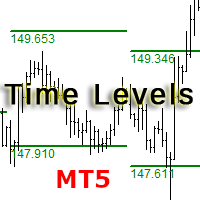
The indicator is designed for displaying the following price levels on the chart: Previous day's high and low. Previous week's high and low. Previous month's high and low. Each of the level types is customizable. In the indicator settings, you set line style, line color, enable or disable separate levels.
Configurations ----Day------------------------------------------------- DayLevels - enable/disable previous day's levels. WidthDayLines - line width of daily levels. ColorDayLines - line
FREE

Euro Range Sniper M5 is an automated trading EA specifically designed for EURUSD range market conditions.
It utilizes price deviation from recent highs and lows to identify overextended market movements and executes counter-trend entries. While based on a simple concept, the EA is designed to deliver stable performance with low drawdown.
Instead of following trends, this EA focuses on capturing price reversals within a range, making it suitable for relatively stable market environments.
Ba
FREE

this is DEMO VERISON (for demo acc.) of TRADING OVERLAY with PARTIAL take profit ("virtual TP") and % risk lot size
--- full version available on my 'seller page' as well as version for MT4 Take better control of your trades with ease ! Easy lot size calculation with easy SL/TP setting. Your trading will be much more comfortable with this tool!
Main goal with this tool is very SIMPLE and FAST operation! Works like any EA, add it to selected chart and trade !
Features: start tra
FREE

Level Painter PRO — Professional Manual Chart Markup Tool Level Painter PRO is a powerful and stylish tool for manually drawing support and resistance levels, price zones, rectangles, and vertical areas on the MetaTrader 5 chart. The indicator is designed for traders who value visual analysis and prefer to mark up their charts manually while maintaining full control over the process. Key Features Manual Drawing of Levels and Zones Horizontal Lines — quickly mark key price levels Vertical Line
FREE

TrendSeeker FX —— 会话型趋势交易专家(MT5) TrendSeeker FX 是一款专业的 MetaTrader 5 外汇交易专家(EA),专为在 高流动性时段 捕捉 高质量趋势行情 而设计。 该 EA 采用 风险优先的系统架构 ,仅在市场结构、波动性与风险条件同时满足时才会运行。 本系统 不适合 24/5 全天候运行 。 重要使用说明 TrendSeeker FX 是一款 基于交易时段(Session)的 EA 。 在低流动性或非推荐时段运行可能会: 降低交易表现 增加回撤 降低信号质量 最佳效果来自于 仅在主要市场开盘阶段 运行,此时流动性扩张最明显。 交易次数说明(正常行为) 用户可能会发现每天或每个交易时段的交易次数较少。 这是 系统设计行为 ,并非错误。 TrendSeeker FX 内置 交易次数上限 ,用于: 防止过度交易 控制高波动环境下的风险 保持资金稳定性 达到上限后,EA 将停止开仓,直到下一个合规交易时段。 策略概述 TrendSeeker FX 是一款 趋势跟随型外汇 EA ,仅在 高质量市场环境 下运行。 设计目标包
FREE

ENGLISH VERSION (FREE INDICATOR) Smart ZigZag Signal & Statistics Monitor – FREE Multi‑Timeframe Indicator Free automated trading signals based on ZigZag peak ratios, live trade tracking, win/loss statistics, and one‑click signal inversion – designed to work with the commercial Smart Logic Executor PRO EA. This indicator is completely FREE. Use it standalone or as a signal source for the paid Expert Advisor Smart Logic Executor PRO (sold separately). Key Features 6 Adjustable Ran
FREE
Volume Flow Indicator (VFI) - User Manual 1. General Introduction The Volume Flow Indicator (VFI) is an advanced technical oscillator designed to measure the strength and sustainability of a price trend by incorporating both price and volume data. Developed based on the concepts of On-Balance Volume (OBV) but with significant improvements, the VFI provides deeper insight into money flow and the conviction behind price movements. This indicator is not an automated trading system but a powerful an
FREE

The GJ_H1_220100009_S_HD_CF_SQX_SL20 is an algorithmic trading strategy for MetaTrader, tested on GBPJPY using the H1 timeframe from April 1, 2004, to April 24, 2024. There is no need to set up parameters, all settings are already optimized and fine-tuned.
Recommended broker RoboForex because of EET timezone.
You can find the strategy source code for StrategyQuant at the link: https://quantmonitor.net/gbpjpy-macd-trader/
Key details are:
Parameters
MagicNumber: 220100009
Main Chart: Cu
FREE

# XAU PSAR Trend H4
**Expert Advisor for MetaTrader 5 — Gold / XAUUSD focus** **Version:** 1.00
---
## What it is
**XAU PSAR Trend H4** is an Expert Advisor for **gold** on the **H4** chart. Parabolic SAR trend ride for gold H4.
Built for structured automated participation — **not grid**, **not martingale**. Evaluate on your broker and risk profile before any live use.
This product is a **technical system**. Exact thresholds and entry equations remain internal product design and are **n
FREE

Swift Symbol Switch adds a clean, convenient symbol-switching panel directly to your chart, allowing you to move between Forex pairs, cryptocurrencies, commodities, metals, and other broker-supported instruments with a single click. There is no need to type symbol names, search through Market Watch, or repeatedly open MetaTrader menus. Simply select a symbol from the on-chart panel and the current chart updates instantly. The utility is designed for traders who monitor multiple markets and want
FREE
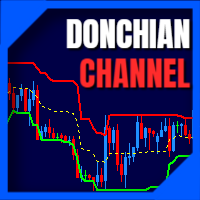
The donchian channel indicator might just be the best fit for you
Trading in derivative products such as futures, options, CFD's, forex and certificates contains significant risk. These products are not suitable for every investor. Investors could potentially lose all or more than the original investment. If anything, only money equal to personal risk capital should be used and can be lost without jeopardizing financial security or lifestyle. Partially or fully automated trading programs can
FREE

This is a usefull utility for monitoring spread and also for recording informations to a file. (Files will be placed into "Common\Files\Spread Monitor"). There is the possibility to let the indicator calculate high/low into the past thanks to downloading ticks. (It's a slow and approsimate thing! The best way to use it is to attach to a chart and let it recording spread in real time). There is also a buffer with the average of spread in latest X periods.
Easy and effective.
FREE

NOVA GOLD FUSION RSI + EMA 20 / EMA 100 Gold Signal Indicator for XAUUSD
Nova Gold Fusion is a professional Gold trading indicator designed for XAUUSD traders who want cleaner signals supported by both trend direction and momentum confirmation.
The indicator combines a Gold-focused price calculation engine with EMA 20 / EMA 100 trend filtering, RSI confirmation, ATR-based Entry / Stop Loss / Take Profit zones, candle confirmation, sess
FREE

Precision Trailing Stop is a dynamic trailing stop indicator that anchors itself to real market structure instead of lagging moving averages or fixed ATR multiples. It identifies key structural price levels on both sides of the market, builds adaptive support and resistance bands, and engages a ratcheting stop that only moves in your favour. As market structure evolves, outdated levels drop out of the calculation automatically. The result is a trailing stop that stays tight to price action when
FREE

A stochastic oscillator is a momentum indicator comparing a particular closing price of a security to a range of its prices over a certain period of time. The sensitivity of the oscillator to market movements is reducible by adjusting that time period or by taking a moving average of the result. It is used to generate overbought and oversold trading signals, utilizing a 0-100 bounded range of values. This indicator show 8 stochastic on one chart.
FREE

PositionRelay TV Slave Subscriber 将 PositionRelay 云端的 TradingView 网络钩子信号镜像到您的 MetaTrader 5 跟随账户。它轮询虚拟 TradingView 源账户(非 MT5 主账户),并以 TV_ 票注复制开仓、平仓和修改操作。
配套产品:PositionRelay Master Publisher 与 PositionRelay Slave Subscriber 用于 MT5 主→从复制交易。每条产品线使用专用 slave EA — 勿在同一 slave 上同时运行 master 与 TV 源。
要求: - 含 TV Sync 的有效 PositionRelay 订阅(TV Sync 套餐,或包含 TV Sync 的 Pro/Ultimate) - TradingView Plus+ 并启用 2FA、配置网络钩子警报(见 positionrelay.com 上的 TradingView 设置指南) - 来自 positionrelay.com 控制台的 PositionRelay User ID - 来自控
FREE

SmartAlgo Candle Timer is a simple MetaTrader 5 indicator that displays the remaining time until the current candle closes directly on the chart. The timer updates every second and calculates the remaining time using the current chart symbol and timeframe. The displayed countdown helps traders keep track of the current candle's remaining duration without needing to monitor the platform clock separately. Main Functions The indicator displays a live countdown for the current candle. The remaining
FREE

Trade Copier Master and Follower in 1 is a local expert advisor for copying trades between master and follower accounts on different terminals on the same device. It supports master/follower modes, configurable symbol mapping for different brokers, multiple money management options, risk-based sizing, stop loss/take profit copying, partial close copying, and deviation handling. The follower can close positions independently, invert trades, and adjust symbols with prefixes, suffixes, or explicit
FREE

MT4 版本: https://www.mql5.com/en/market/product/91169
MT5 版本: https://www.mql5.com/en/market/product/110193
实时信号: https://www.mql5.com/en/signals/2345410
隆重推出“智能交易员”(Smart Trader)交易助手——这款终极工具凭借其无与伦比的适应性和前沿的风险管理策略,深受全球专业交易员的信赖。
“智能交易员”的核心在于其革命性的风险管理切换系统,该系统经过精心设计,能够动态适应瞬息万变的市场状况。与依赖静态风险参数的传统交易助手不同,“智能交易员”利用先进的算法实时分析市场数据,智能地调整其风险管理方法,从而在最大限度提高盈利潜力的同时,最大限度地降低市场波动风险。
“智能交易员”的独特之处在于,它能够根据当前的市场状况,在不同的风险等级之间无缝切换。无论市场处于趋势行情、区间震荡还是高波动时期,这款智能交易系统都能识别最佳风险策略,助您把握每一个交易良机。
专业交易员信赖“智能交易系统”,因为它功能全面、性能可靠,能

Smart Ratio Maker — Summary What it does:
An MQL5 Expert Advisor that automatically keeps your Take Profit in line with your Stop Loss at a ratio you choose (like 1:1, 1:2, etc.). Whenever you move the SL on a trade, the EA instantly recalculates and sets the TP to match. Key features: Auto TP adjustment — Change SL manually, TP updates automatically. Live R:R ratio control — On-chart buttons ( / ) let you change the ratio instantly without opening the settings. Information panel — Shows the
FREE

Interactive Trader - Advanced Visual Trading Panel for MT5 Get Ultra Charts Here! Interactive Trader is a comprehensive visual trading solution that enables traders to execute and manage trades directly from the chart using an intuitive graphical interface. This Expert Advisor combines one-click trading with advanced order management capabilities, making professional trading tools accessible through simple mouse and keyboard controls. Core Features
Visual Trading Interface - Clean, customizable
FREE

Spread Profile by Hour 根据你的经纪商自己的 tick 历史,为一个交易品种统计服务器日中每个小时的点差分布,并绘制成 24 根柱。柱的实心部分是该小时的点差中位数,颜色较浅的顶部延伸到第 90 百分位数。输入你常用的止损大小后,每根柱都会标注其点差中位数占该止损的比例,这样成本就与你的风险使用同一单位。 这是一个测量工具。它不下任何订单,不使用 DLL,也不使用 WebRequest,除了你开启的 CSV 导出之外,不写入任何文件。 为什么需要它:对于日内和剥头皮规则,决定优势能否保留下来的往往是点差,而不是入场信号。终端显示的是此刻的点差,而K线历史每根K线只保存一个点差值,这掩盖了一小时之内实际发生的情况。同样的规则可能在清淡时段有效,却在每日换日或交易时段开盘时亏损,原因仅仅是那时的点差要宽好几倍。本指标读取报价本身——通过 CopyTicksRange 读取最近 N 个日历日内的每一个卖价 (Bid) 和买价 (Ask) tick——并按服务器时间中一天里的小时将它们分组。 它为每个服务器小时计算以下内容,统计范围为最近 N 个日历日,不含今天,因此在你
FREE

The Breakout and Structural Shift The indicator registers a true breakout when the price aggressively pushes past a previously established level and closes outside of it. To confirm a change to a Bullish structure: The price must break above the previous high . Once a candle closes above that peak, the old resistance is broken. The structure officially shifts because the market has just created a Higher High , signaling that buyers are firmly in control. To confirm a change to a Bearish structur
FREE

Description:
The Dynamic Color Stochastic is an enhanced version of the classic Stochastic Oscillator that provides instant visual feedback on market momentum through color-coded line transitions. Unlike the standard indicator, this version automatically changes the color of both the Main (%K) and Signal (%D) lines based on their relative positions. This allows traders to identify bullish and bearish crossovers instantly without squinting at the lines. Bullish Momentum (Green): When the Main
FREE

Coral trend is a trend-following indicator that is widely popular among FOREX traders . It is usually used as a confluence with other indicators. It uses combinations of moving averages with complex smoothing formulas! It has two configurable parameters: Coefficient - smoothing ratio (*)
Applied price Calculation: Coral = (-0.064) * B6 + 0.672 * B5 - 2.352 * B4 + 2.744 * B3
FREE

Watch Osw:简单有效的蜡烛计时器 MetaTrader 的轻量级指标,可直接在图表上显示当前蜡烛收盘的剩余时间。这是一款基础且实用的工具,旨在让交易者始终能直观地看到新柱线形成还需多长时间,而不会在技术分析中增加额外负担。
参数指南(输入菜单) Watch Color:图表上计时器文本的颜色。 Text size:屏幕上时间数字的字体大小。 Text Font:时间指标的字体类型。 Candle End Alarm:启用或禁用(True/False)新蜡烛的信息警报。 Sound:周期变换时声音提示的音频文件名(.wav)。
视觉解释与功能 该指标投射出显示剩余时间的文本,并动态跟随当前的卖出价(Bid)。计时器格式会根据所打开图表的时间周期自动调整:
秒:显示在 1 分钟(M1)周期。 分和秒:M5 到 H1 周期的标准格式。 时、分和秒:在 H4 和日线图中激活。 天和小时:为周线图和月线图格式化。 新蜡烛警报:如果激活,系统会在当前蜡烛结束、下一根蜡烛开始的准确时刻发出声音提示和警报窗口。
操作指南 Watch Osw 是一款辅助决策的工具。通过了解蜡烛收盘的确
FREE
GIVE A LOOK TO MY OTHER PRODUCTS ! 100 % PER MONTH PROFIT----CONTACT ME FOR MORE INFO ! Morning and evening star are 2 famous and reliable candlestick patterns, very helpful to understand an imminent change of trend. This indicator finds for you this patterns on your chart and send you an alert just when a pattern is 100 % formed. To make this indicator more reliable,you can choose the body lenght in pips of the last bar closed ( so the reversing one ),and you can, by this ,making more or less
FREE

Our offer also includes a free panel — Indicator Panel — which allows you to show or hide indicators created by BOToBRACIA -> MT4 / MT5 Our offer also includes a version for MetaTrader 4 -> https://www.mql5.com/en/market/product/179248?source=Site+Market+Product+Page#description
Indicator Panel is a tool designed to manage the visibility of technical analysis objects generated by our indicators. Instead of enabling/disabling individual indicators or manually removing chart objects, a si
FREE

此免费EA专用于M5时间周期。 此外,交易货币仅限日元(JPY)计价。 其设计规格不支持以美元(USD)或欧元(EUR)计价进行回测或实际交易。 交易手数也固定为0.01。 请将其视为仅供回测使用的测试版EA。 由于我本人也在实际前瞻交易中使用该EA,如果下载实时信号的需求持续增加,我计划将其公开。
TYO EA LAB的开发理念
TYO EA LAB致力于开发融合了自营交易公司运作理念的量化EA。 我们重视的并非单个EA的短期业绩,而是多种策略组合后的稳定性、分散性以及实际操作中的可复现性。
在开发过程中,除了长期验证数据外,我们还运用了基于AI的数据挖掘技术。 通过对市场数据进行多角度分析,提取如时间段、月度趋势、价格波动偏向等反复出现的统计优势,以此构建交易逻辑。
此外,TYO EA LAB的EA作为量化EA,其设计前提是支持多策略同时运行。 各EA虽各具特色,但设计上旨在使整个投资组合协同运作,其真正的优势在组合运行时比单独运行更能充分展现。
TYO EA LAB以 AI ×
FREE

一个按钮。一次点击。裸图。 MT4 version
你画了所有东西。趋势线、斐波那契、矩形、区域、箭头…… 你的图表看起来像一幅现代艺术画。漂亮——但你已经看不到价格了。 NAKED CHART 一键解决。 点击一次 → 所有绘图立即消失 再次点击 → 一切恢复原状 指标不受影响 — 只隐藏您的绘图 按钮可拖动 — 放置在图表上任意位置 无需设置。无需复杂操作。只是一个改变一切的按钮。 「有时,最干净的图表是最强大的。」------------------------------------ ---------------------------------------------- Spartacus 提供简单专业的指标和工具,帮助您在市场中脱颖而出。
— SPARTACUS2026
FREE

News Guard & Slippage Shield Overview This Expert Advisor is a protective utility for MetaTrader 5 accounts. It pauses trading around high-impact news releases and automatically closes any position that fills with excessive slippage. It runs at account level, so it can protect every Expert Advisor and Magic Number on the same account, not only trades it opens itself. The EA does not place any trades of its own. It is designed to run alongside your existing trading robots as a risk-control layer.
FREE

KD MTF Candle Timer — Multi-Timeframe Candle Countdown & Synchronized Clocks for MetaTrader 5 Have you ever entered a trade prematurely on the lower timeframe, only to watch a Higher Timeframe (H1 or H4) candle wick violently against you before closing as a rejection pinbar? Or entered right before the candle close and suffered severe slippage during the transition? In discretionary trading and prop firm challenges, entry timing relative to candle closure is just as critical as your price level
FREE

Hi everyone, I had make that product for try help you get another lever without so hard work and painful... This work on most EUR pairs, maked that for EURUSD but work one anothers, becouse the simple strategie is just follow some nicelh indicators that i use for trade... and is my strategie in a program ... i don't advise start with less that -1000 and more than 0.01 but you can find too how work the tool and how you can work with that so , i will let there a group of telegram for that , try ha
FREE

This is a fully automated smart adaptive algorithm. The SKYNET system calculates the history data and performs the analysis based on the probability percentage of where the upcoming breakout of the support and resistance level will take place, and places pending orders. The Expert Advisor adapts to any market conditions. It was backtested and optimized using real ticks with 99,9% quality. It has successfully completed stress testing. The EA contains the algorithm of statistics collection with

"Manual trading panel for MT5: trailing stop, daily targets and risk management in one click."
TradePanel Single is a professional manual trading panel for MetaTrader 5, built for traders who want speed, organization and automatic position protection, without juggling multiple tools or complex setups.
Everything you need lives in a single panel: one-click buy/sell, point-based stops and targets, trailing stop, and real-time daily/weekly/monthly results.
===== KEY FEATURES =====
- ONE-CLICK Q
FREE

A1rum V38 Zone Compass is a clean visual indicator designed to help traders read market structure using V38 zone levels.
The indicator shows V38 zone high, mid and low levels directly on the chart, with candle coloring to help identify whether price is trading above, below or inside the active zone.
A compact dashboard displays market bias, price area, market mode, trend bias, trend strength and current zone status. Optional popup, email and push alerts are also available for zone state and
FREE

This indicator displays a customizable checklist directly on your chart, helping you stay disciplined and organized during trading. You can define your own list of tasks, position it anywhere on the screen, and adjust the appearance to match your setup. It’s ideal for pre-trade routines, strategy rules, or reminders to follow your trading plan. The indicator automatically manages and cleans up its text labels, ensuring no leftover objects remain when it is removed or updated.
FREE

BB and EMA 50 This indicator merges BollingerBands and EMA50 to clarify trend strength, momentum shifts, volatility expansion, and directional bias, offering structured insights for breakout detection, pullback validation, and dynamic trend continuation across varied market conditions while improving precision in identifying reliable trade setups. It also includes an interactive hide-and-show line control using integrated buttons for flexible visual analysis.
FREE

Key Takeaways This timer does not lag like other timer indicators Show the time end of candlesticks and spread Hide or Show Spread depending on user needs Works on all timeframes Adjust Text Size Adjust Text Color Adjust Text Font
If you love this indicator, please leave a positive rating and comment, it will be a source of motivation to help me create more products <3
FREE

Introduction Welcome to the world of Forex trading, where every tick of the market can be influenced by news events. Introducing our expert advisor for MetaTrader, your ultimate tool for navigating the complexities of news trading. This innovative advisor is specifically designed to automate your trading strategy during key macroeconomic releases, ensuring you never miss an opportunity. When important indicators are announced, volatility often spikes, creating potential for profit. Our expert
FREE

IMPORTANT — READ BEFORE PURCHASE SignalCross is a configuration-sensitive, hard-tuned asymmetric system. All strategy parameters are pre-engineered and optimized to work together as a complete structure.
Quick Start — 3 Steps
1️⃣ Attach SignalCross EA to Volatility 10 Index on M2 timeframe 2️⃣ Leave all default inputs unchanged — adjust LOT SIZE only 3️⃣ Enable Algo Trading and let the EA manage entries automatically
That's it. No optimization required. No complex setup.
Strategy

GIVE A LOOK TO MY OTHER PRODUCTS ! 100 % PER MONTH PROFIT----CONTACT ME FOR MORE INFO ! Smoothed MA cross alert,is a cool indicator that notificate you directly on your telephone or email when 2 Smoothed Moving average ( you choose the parameters ) crosses. This is very important when you want to know a change of trend and you can't stay in front of your pc! The indicator give you the alert just when the next bar opens ,so give you a more accurate entry. Please ask me for more info... You find
FREE

O Robô do Job foi desenvolvido para oferecer uma experiência de trading automatizada, simples e eficiente para o mini índice brasileiro . Criado com foco em estabilidade, agilidade operacional e proteção do capital, o robô atua seguindo critérios objetivos e totalmente automatizados, eliminando interferências emocionais e garantindo disciplina durante todo o pregão. Projetado para traders que buscam consistência , o Robô do Job opera com um conjunto de regras totalmente testadas e otimizadas pa

This indicator is a sophisticated MetaTrader 5 tool that calculates and displays Average Daily Range (ADR) levels on your chart. It draws horizontal lines representing expected price movement ranges based on historical daily volatility, helping traders identify potential daily high and low targets. ADR (Average Daily Range) = The average difference between the daily high and low over a specified period (default: 14 days). Unlike ATR which includes gaps between days, ADR focuses purely on int
FREE
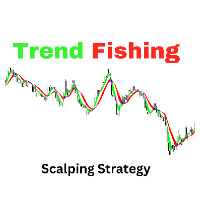
The "Trend Fishing Indicator" is a powerful custom indicator designed to help traders identify potential trend reversal points and capitalize on market momentum. This indicator uses multiple moving averages of varying periods to evaluate short-term and long-term market trends. By comparing the short-term moving averages against the long-term ones, it generates clear buy and sell signals that can guide traders in making informed trading decisions. Key Features: Multiple Moving Averages : Incorpor
FREE

SmartSignals Pro is an advanced MT5 indicator that delivers high-quality Buy & Sell signals using a powerful multi-confirmation system. It combines EMA crossover (9 & 21), RSI, MACD, ADX, VWAP, and Volume analysis to filter weak signals and improve accuracy. The indicator automatically provides a complete trading setup: Entry point Stop Loss (ATR-based) Up to 5 Take Profit levels Risk/Reward ratio Lot size calculator Features ️ Smart Buy & Sell signals ️ Multi-indicator confirmation system

Live MTF Trend Panel for MT5 Live MTF Trend Panel adalah indikator MetaTrader 5 yang menampilkan arah pergerakan candlestick secara real-time pada berbagai timeframe dalam satu panel modern dan ringan. Indikator ini dirancang khusus bagi trader yang ingin melihat kondisi market secara cepat tanpa menggunakan indikator teknikal tambahan. Berbeda dengan indikator trend pada umumnya, indikator ini tidak menggunakan Moving Average, RSI, MACD, ATR, ADX, Supertrend, Ichimoku, ZigZag, Fractal, Volume,
FREE

EAVN005 – Trading with RSI Indicator "The image in Tap Screenshots shows the result of an optimization for XAUUSD on the M15 timeframe, configured with BUY-only settings. You may consider adjusting the parameters when trading XAUUSD, as the recent trend favors opening BUY orders." ️ Installation Guide General Settings EA Name : The name of the Expert Advisor. Magic Number : Assign a unique Magic Number for each chart to prevent order conflicts. Trading Settings Position Options : Select whether
FREE

Chaikin 的波动指标计算最大和最小价格之间的价差。它基于最大和最小之间的幅度来判断波动性。不像 平均真实范围 , Chaikin 的指标没有将跳空考虑在内。 根据 Chaikin 的解释, 在相对较短的时间里交易量增长, 意味着价格即将抵达最低点 (就像证券的恐慌性抛盘), 而在较长的时间周期里波动降低, 意味着价格处于峰值 (比如, 在成熟的牛市条件下)。
FREE

Overview This EA combines multiple technical indicators (EMA, MACD, RSI, Bollinger Bands, ATR) for aggressive trading across Forex and Gold markets. It features advanced risk management, profit protection systems, and multi-timeframe trend filtering. Use default settings to trade on XAUUSD and major forex pairs. You can use this EA on 5minute, 15minute and higher timeframe like H4 or H1 for XAUUSD,USDJPY or other forex pairs. Check my other Ea's as well: https://www.mql5.com/en/users/harshika0
FREE

利用数据驱动的支撑/阻力指标提升您的交易精准度
Smart S/R Pro 不仅仅是一个简单的水平线指标。这款复杂的算法旨在动态检测支撑和阻力通道,根据历史影线反转情况对每个水平的强度进行分类,并使用成交量峰值作为智能资金流动的指标进行验证。
它非常适合经常在 XAUUSD、AUDUSD 和比特币等高波动性资产上进行市价交易或短线交易的交易者,因为在这些交易中,关键水平的精准度至关重要。
主要功能:
智能资金成交量过滤器(机构检测):集成成交量倍增器计算,突出显示成交量活跃的水平。带有特殊金色 [V] 标签的水平表示高流动性区域,这些区域通常会成为反转或吸筹/派发区域。 高级支撑/阻力分类:使用混合分析来区分支撑位、阻力位或关键水平(支撑/阻力翻转)。该算法会计算价格触及上方和下方以及随之而来的反应频率。 ATR波动率过滤器:摆脱僵化的静态点数设定!支撑/阻力区域通过平均真实波幅 (ATR) 自动适应市场波动。水平线之间的最小距离(水平线距离)和通道宽度始终与当前市场状况成正比且相关。 影线反击分析:通过影线比率(可在0.3至0.9之间调节)验证水平线,从而过滤市场
FREE

QUANTUM VIXES EMPEROR - AI Trading System for Deriv VIX Indices Professional indicator designed exclusively for Volatility Indices (VIX 10, 25, 50, 75, 100). This wont work in FOREX GOLD, EUR-USD. Please test it on Synthetic indices such as Volatility Indices (VIX 10, 25, 50, 75, 100) KEY FEATURES Auto VIX Detection Automatically identifies which VIX index you're trading and applies optimal settings for that specific index. For any further about the indicator kindly contact me here on ht
FREE

SMC Matrix A Smart Money Concepts (SMC) indicator for MetaTrader 5. It projects market structure and institutional trading concepts onto a single, easy-to-read layer on your chart — completely independent of ZigZag or other helper indicators, computed purely from raw price data. What It Draws Market Structure (BOS / CHoCH): A direction-based swing model tracks the structure, freezes a confirmed swing point on every direction change, and flags Break of Structure (BOS) and Change of Character (

RSI Triple Timeframe Analysis V1.0 - Professional Multi-Timeframe RSI Trading Bot Automated Trading System | 3+ Years Proven Performance | 29 Currency Pairs Supported
RSI Triple Timeframe Analysis V1.0 is a sophisticated multi-timeframe RSI-based trading EA designed for forex professionals. Analyzes 3 timeframes (1M, 1H, 4H) with mirrored buy/sell conditions for symmetrical market entries. Features intelligent position management, trading hour filters, and optimized for majors & e
FREE

每位交易者都熟悉这个流程:打开指标设置、改一个数字、点击确定、盯着图表看、觉得不对、再打开设置。而在这些来回的对话框中,没有哪个指标比 RSI 更折腾 — 周期用 14 还是 9?水平线放 70/30 还是 80/20?RSI Live Tuner 终结了这个流程。 这是一个可以 直接在图表上实时调节 的相对强弱指数。图表上有一个小面板,带有 RSI 周期和两条水平线的滑块。拖动滑块,指标会立刻重新计算并重绘,就在您眼前完成。14 还是 9、70/30 还是 80/20,这些问题在您自己的行情上几秒钟就有答案,不必去翻论坛帖子。 可选的 MA 信号线。 可直接在面板上开启或关闭 RSI 的移动平均线,用独立滑块设置其周期,并用一个按钮循环切换算法 — SMA、EMA、SMMA、LWMA。每一次更改都会立即反映在图表上。 自有 RSI 实现,而非套壳。 本指标采用自己实现的标准 Wilder RSI — 真正的 Wilder 平滑平均涨跌幅,并与标准 RSI 做过数值校验 — 所以您调的就是您看到的。不重绘。 还有实时样式编辑器。 用 16 色调色板和 RGB 滑块调整 RSI 线、MA
FREE
MetaTrader市场是 出售自动交易和技术指标的最好地方。
您只需要以一个有吸引力的设计和良好的描述为MetaTrader平台开发应用程序。我们将为您解释如何在市场发布您的产品将它提供给数以百万计的MetaTrader用户。
