 MetaTrader 5
 エキスパート
 インディケータ
 ライブラリ
ライブラリ
 ユーティリティ
 ウィジェット
 ルール
ルール
YouTubeにあるマーケットチュートリアルビデオをご覧ください
ロボットや指標を購入する
仮想ホスティングで
EAを実行
EAを実行
ロボットや指標を購入前にテストする
マーケットで収入を得る
販売のためにプロダクトをプレゼンテーションする方法
MetaTrader 5のためのエキスパートアドバイザーとインディケータ - 127
 自動売買ロボットとインジケータを使用して、外国為替取引の収益性を高めます。 自動売買ロボットを使用すると、取引の開始と終了を自動化でき、インジケータは市場の行動をより正確に予測するのに役立ちます。
このページには、MetaTrader5アプリケーションのカタログが掲載されています。
自動売買ロボットとインジケータを使用して、外国為替取引の収益性を高めます。 自動売買ロボットを使用すると、取引の開始と終了を自動化でき、インジケータは市場の行動をより正確に予測するのに役立ちます。
このページには、MetaTrader5アプリケーションのカタログが掲載されています。 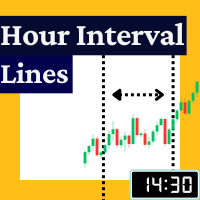
The Rayol Code Hour Interval Lines indicator was designed to assist your trading experience. It draws the range of hours chosen by the user directly on the chart, so that it enables traders to visualize price movements during their preferred trading hours, providing traders a more comprehensive view of price movements and market dynamics. This indicator allows the user to choose not only the Broker's time, but also the Local time. This way, the user no longer needs to calculate local time in
FREE

UT Bot Apex — NON-REPAINT signals with a smart news filter, FVG confluence, TP/SL zones and an M1–H1 multi-timeframe scanner.
Most indicators hand you an arrow and leave you on your own. You don't know where to put the stop, which signals are worth taking, or whether what you see now will still be there tomorrow.
UT Bot Apex takes the UT Bot engine (ATR trailing stop) and adds what's missing: every flip confirms AT BAR CLOSE, every signal carries a measured quality score, and the chart shows

>> Announcements Channel << DiverX is a powerful and versatile divergence indicator developed for the MetaTrader 5 platform. It detects both Regular and Hidden Divergences based on five popular technical indicators: RSI (Relative Strength Index) , RVI (Relative Vigor Index) , Stochastic Oscillator, CCI (Commodity Channel Index) , and MACD (Moving Average Convergence Divergence) and ATR Plus (author’s proprietary indicator, product page >> ) . The indicator plots results directly on the main c
FREE

NovaTac Volition Exit Commander is a position-aware MT5 exit indicator with separate BUY and SELL scores, closed-bar confirmation, trailing references and confluence-qualified management states.
NovaTac Volition Exit Commander is a position-aware exit analysis indicator for MetaTrader 5. It evaluates conditions relevant to managing BUY and SELL positions and displays separate Close BUY and Close SELL scores.
The indicator combines momentum, trend strength, volatility, candle behaviour, marke
FREE

トレンドオラクル&ゼロマックスシステム:インパルス動きを予測する革新的なアルゴリズム 勢いの強い価格爆発の前に市場に参入し、逃げ出す列車を追いかけるようなことはしたくないと思いませんか?
プロフェッショナル向けトレーディングシステム「ゼロマックス」に搭載された、高精度なモメンタム予測指標「トレンドオラクル」をご紹介します。この次世代ツールは、特に金(XAUUSD)のようなボラティリティの高い銘柄を取引する際に、絶対的な明瞭さを必要とするトレーダーのために設計されています。
トレンドオラクルの秘密とは?
トレンドオラクルの最大の特長は、隠れた累積的な保ち合い局面を特定できることです。アルゴリズムが市場データを単一の収束点に圧縮すると、巨大なエネルギーの急上昇が間近に迫っていることを示唆します。
インパルス形成のゼロポイントでエントリーシグナルを受け取ることができ、最小限のストップロスで最大限の利益を得ることができます!
ゼロマックストライアド:3つの指標の相乗効果 ゼロマックスは単なるシグナルではありません。これは完全かつ自己完結型のエコシステムです。3つの

==================================================================== SMC Zones PRO EA — SMC トレードパネル & 自動ゾーンエンジン MetaTrader 5 用エキスパートアドバイザー · Smart Money Concepts · あらゆる主要シンボル(Forex・メタル・指数) ====================================================================
SMC Zones PRO EA は、MetaTrader 5 の あらゆる主要シンボル(Forex・メタル・指数)専用に作られた、 チャート上の「トレードパネル」と「自動 Smart Money Concepts(SMC)ゾーン エンジン」を組み合わせたツールです。
Order Block と Fair Value Gap をチャート上で直接検出します——インジケーター 「Gold SMC Zones」と同一の検出をEA内部にネイティブ移植しているため、外部 インジケータ

SMART ATR BREAKOUT MT5 - 機関投資家仕様 レンジブレイクアウト自動売買システム キャッチコピー:高精度デイリー&東京セッションレンジブレイクアウト | ゴールド (XAUUSD) & 為替主要通貨 | マーチンゲール不使用 | グリッド・ナンピン不使用 | プロップファーム対応
プラットフォーム: MetaTrader 5 (MT5) 1. 概要と開発思想 Smart ATR Breakout MT5 は、MetaTrader 5 専用に設計された機関投資家品質の完全自動売買エキスパートアドバイザー (EA) です。XAUUSD (ゴールド) および主要通貨ペア (USDJPY、EURUSD等) の値動き特性に特化し、厳格なルールに基づくモメンタム・ブレイクアウト戦略を実行します。 市場にあふれる危険な高リスクEAとは一線を画し、当システムは資金保全と長期的な資金防衛を最重要視しています:
マーチンゲール一切不使用 (NO Martingale)
ナンピン・グリッド手法一切不使用 (NO Grid / Cost Averaging)
危険なアービトラ

日中通貨の強さをグラフで表したものです。 計算は28通貨ペアに基づいて行われ、日足ローソク足の開始時刻から現在時刻までの値が追跡されます。 このインジケーターは元々、FX28 Traderダッシュボードの無料ツールとして開発されました。 現在は無料でご利用いただけます。 このインジケーターには複数のカスタマイズ設定があり、FX28 Traderチャートコントロールシステムに直接リンクすることもできます。 注意! このインジケーターはストラテジーテスターでは動作しません。 テストするには、ライブチャートにダウンロードしてインストールする必要があります。
日中通貨の強さをグラフで表したものです。 計算は28通貨ペアに基づいて行われ、日足ローソク足の開始時刻から現在時刻までの値が追跡されます。 このインジケーターは元々、FX28 Traderダッシュボードの無料ツールとして開発されました。 現在は無料でご利用いただけます。 このインジケーターには複数のカスタマイズ設定があり、FX28 Traderチャートコントロールシステムに直接リンクすることもできます。 注意! このインジケーターはスト
FREE

**ギャンの九角形 2 — 高度な価格・時間予測ツール**
九角形は W.D. ギャンの最も強力な予測ツールのひとつです。本インジケーターは MetaTrader 5 向けの第二世代完全実装で、パトリック・ミクラの書籍の手法に直接基づいています。 インタラクティブツールバー、トレードシグナルパネル、ギャン星形図、チャネルゾーン、 角度統計、平均ゾーンオーバーレイ、12言語インターフェースを追加しています。
1つの基準価格から、基本十字(0・90・180・270度)と対角十字(45・135・225・315度)上の サポート/レジスタンスを投影します。時間(将来の転換バー)も予測し、どの角度を市場が 最も尊重しているかを計測します。価格レベルとギャン時間カウントが一致すると、 「価格-時間コンフルエンス」アラートを発します。
分析・予測専用ツール。DLL不要、インターネット不要。あらゆる銘柄・時間足で動作。
**主な機能** - 価格レベル:基本十字・対角十字、複数リング - シグナルパネル(書籍手法):BUY/SELL SETUP、3段階コンフルエンス、価格-時間アラート -

Volumetric Order Blocks + Market Structure Smart Money order block detection, volume-weighted confirmation, full BOS/CHoCH market structure.
Version 1.33: Added Fair Value Gaps, Premium/Discount/Equilibrium zones, multi-timeframe highs & lows, and Accumulation/Distribution zones. Overview Rudy Bank finds and draws institutional order blocks directly on your chart, then backs every one of them up with real market data: volume, internal buy/sell activity, and precise market-structure context, so

取引に十分なボラティリティがあるかを、リアルタイムで確認できます。リペイントなし、どの通貨ペアでも使えます。
どの通貨ペア、どの時間足でも。ラインはローソク足の確定時に固定されます。
Strategy Testerで無料デモを試せます。
>> Get more free and premium indicators here
Baseline, volatility, oscillators and more.
No repainting. No guessing. Just clean signals.
課題
エントリーが正しくても、値動きが伸びないことがあります。市場が静かなときは、価格が漂い、ノイズでストップに触れ、目標到達に時間がかかります。
静かな市場で取引するローソク足ごとに、小さな値動きのためにリスクを抱えることになります。
解決策
時間をかける価値があるほど市場が動いているかを、ひと目で確認できます。1本のラインと2色だけです。緑は実行、灰色は待機です。エントリーを探す前に、はっきりした「はい」か「いいえ」を得られます。

Input Description The indicator provides flexible options to display trading history directly on the chart, including: Days to show Profit
Displays only trades executed within the last X days from the current time. Font Size
Allows selecting the font size used to display trade information on the chart. Show Volume
Enables or disables the display of trade volume for each position. Show Currency
Enables or disables the display of the currency unit for profit values. Color for Win Trade
Sets t
FREE

トレーダーの皆さんへ、 もし30分以上かけて手動でチャートをスキャンして乖離(ダイバージェンス)のセットアップを探し、それでもエントリーを逃した経験があるなら——このスレッドはまさにあなたのためのものです。 Divergence Dashboard をリリースしました——10種類のオシレーターから選択できる、シグナルが絶対にリペイントしないプロ仕様の自動スキャナーで、お気に入りの全通貨ペアと時間軸でレギュラーダイバージェンスとヒドゥンダイバージェンスを自動検出します。 ダイバージェンストレードがこれほど強力な理由(そして厄介な理由) ダイバージェンスはテクニカル分析において最も信頼性の高いシグナルの一つです。価格の動きと内部モメンタムの乖離を明らかにし——反転やトレンド継続が完全に形成される前に、早期警告を提供します。 問題は何でしょうか?手動でダイバージェンスを探すということは、何十枚ものチャートを一枚ずつ開き、オシレーターを個別に適用し、価格アクションとモメンタムを目視で比較することを意味します。セットアップを見つける頃には、すでに値動きの半分が終わっています。 Divergenc
重要!:購入前に私に連絡して20%割引を受けましょう TG: @SoyRauX DrawMaster - MT5向けプロフェッショナル描画ツール
本格的なトレーダーのための高度な描画ツールを備えたオールインワンパネル。
主な機能:
• スマート矩形 - カスタマイズ可能な色で塗りつぶし/空欄 • トレンドライン - 複数のスタイルと太さを設定可能 • 市場構造 - 自動検出機能付き MS および BOS • フリーハンド描画 - 方向性カラー付きマーカーおよびパス • エリア消しゴム - 複数のオブジェクトを素早く削除 • カスタマイズ可能なパネル - チャート上で 6 種類の配置が可能
主な利点:
タイムフレーム間でオブジェクトが保持される
クリーンでプロフェッショナルなインターフェース
迅速な操作のためのキーボードショートカット
プライスアクションとテクニカル分析に最適
プロフェッショナルなツールを1か所に集約し、テクニカル分析を最適化してチャートを整理しましょう。

Arixis EA Comparator — Compare Two Trading Systems Side by Side
Arixis EA Comparator is a professional MetaTrader 5 analysis tool designed to compare the observable historical performance and trading behavior of two Expert Advisors or strategies on the same account. Using Magic Numbers, the application separates the activity of two systems and presents their statistics side by side under the same analytical framework. Compare number of trades and campaigns, net results, gross profit and loss, P
FREE

Regression Channel Pro is an advanced trend-following indicator that
automatically draws a dynamic linear regression channel on your chart
and generates precise buy and sell signals based on price interaction
with the channel boundaries.
Unlike most signal indicators, Regression Channel Pro uses a
multi-confirmation logic that reduces signal repaint by up to 90%,
giving you reliable, actionable entries in real time.
HOW IT WORKS
The indicator ca
FREE

Initial Balance Pro – Institutional Opening Range Professional MT5 Indicator
Trade Like Institutions
Initial Balance Pro automatically identifies the Institutional Initial Balance (IB), Opening Range and key market session levels used by professional traders.
Designed for MetaTrader 5, the indicator provides precise reference zones for brea
FREE

Have you ever wanted to back-test a strategy but never wanted to risk real money? And the thought of using a demo account is exhausting as real time markets develop your skills slowly. This utility will help you develop your strategy faster and will help determine if the strategy works long-term by simulating real trading through back-tests. This will save you time as you can back-test strategies from previous price data. With the new update you can now change your lot-size add take-profit and
FREE
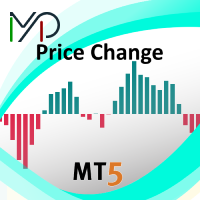
MP Price Change Indicator is a tool to calculate the price movement by percentage. The Value of this indicator can be adjusted to look back of the percent of price change within certain timeframes. This is a powerful tool when used by other indicators as well, such as ATR and ADR, for understanding price fluctuations and tolerance in different strategies. ___________________________________________________________________________________ Disclaimer:
Do NOT trade or invest based upon the analysi
FREE

This EA turns your chart into a tactical command centre . It’s built for the trader who wants precision, speed, and safety without the "messy" code of standard indicators. Phoenix Trade Planner. This isn't just a basic script; it's a high-performance Visual Execution Engine designed to bridge the gap between "drawing a plan" and "hitting the button." Here are the core qualities and the "trader-first" benefits we’ve baked into it: 1. Zero-Friction Risk Management The Quality: Dynamic Auto-
FREE

Engulfing Failed Zone by RWBTradeLab
A clean, non-repainting FAILED engulfing detector for MetaTrader 5. Most traders only look for engulfing patterns — professionals also watch what happens when an engulfing FAILS, because a broken pattern traps traders on the wrong side and often fuels the opposite move. This indicator finds those failures automatically, sorts them into 8 types, and marks the exact level that broke — all from CLOSED candles only.
What This Indicator Does
Step 1 — Engulfing
FREE

DESCRIPTION: Position Size Calculator — On-Chart Risk Management Tool Never risk too much on a single trade again. This calculator displays real-time position sizing for 3 risk levels simultaneously, calculated from your live account balance and current ATR-based stop loss distance. DISPLAYS 3 RISK SCENARIOS AT ONCE: Risk Level 1 (1%): Risk amount in dollars + Lot size Risk Level 2 (2%): Risk amount in dollars + Lot size Risk Level 3 (3%): Risk amount in dollars + Lot size All lot sizes are dyna
FREE

Qstick is a way to objectively quantify candlestick analysis and improve the interpretation of candlestick patterns. Qstick was developed by Tushar Chande and published in his book " The New Technical Trader - Boost Your Profit by Plugging Into the Latest Indicators (1994) ". Qstick is built based on a moving average of the difference between the Open and Close prices. The basis of the idea is that the Opening and Closing prices are the heart of candlestick analysis. We strongly recommend the re
FREE

SMC Donchian CandleBlend The SMC Donchian CandleBlend for MetaTrader 5 is a powerful indicator that simplifies your chart analysis by coloring candles based on a fusion of signals from two powerful indicators: the "SMC Donchian Trend Breakout" and the "SMC Donchian Fusion ZigZag". This provides a clear and immediate visual representation of market sentiment, helping you to make more informed trading decisions. Key Features: Fused Signal Logic: The indicator intelligently combines signals from t
FREE
Divergence Scanner Pro is an advanced utility designed to detect both regular and hidden divergences across three powerful indicators: RSI , MACD , and Stochastic . With its robust algorithm and user-friendly interface, this tool is perfect for traders seeking an edge in the market. Key Features: Comprehensive Divergence Detection : Identifies regular and hidden divergences to highlight potential trend reversals or continuation opportunities. Multi-Indicator Support : Scans for divergences on RS
FREE

XAU Basis Proxy M15 Expert Advisor for MetaTrader 5 — Gold / XAUUSD focus
Version: 1.00 What it is XAU Basis Proxy M15 is an Expert Advisor for gold on the M15 chart. Technical basis-style proxy on gold M15 (not real futures cash-and-carry). Built for structured automated participation — not grid , not martingale . Evaluate on your broker and risk profile before any live use. This product is a technical system . Exact thresholds and entry equations remain internal product design and are not pub
FREE

Renko Flow Are you a trader who loves using Renko charts?
Unfortunately, MetaTrader does not provide an easy built-in way to display Renko charts directly. That’s why Renko Flow was created — to give traders a simple and practical way to use Renko-style visualization without needing complicated external tools or offline charts.
Renko Flow can visualize Renko charts directly inside a separate window, allowing you to analyze Renko movement while still keeping your original price chart clean and
FREE

EAVN005 – Trading with RSI Indicator "The image in Tap Screenshots shows the result of an optimization for XAUUSD on the M15 timeframe, configured with BUY-only settings. You may consider adjusting the parameters when trading XAUUSD, as the recent trend favors opening BUY orders." ️ Installation Guide General Settings EA Name : The name of the Expert Advisor. Magic Number : Assign a unique Magic Number for each chart to prevent order conflicts. Trading Settings Position Options : Select whether
FREE

Indicator Name: DualClockWithSignalTime.mq5 Description: The DualClockWithSignalTime is a custom MetaTrader 5 (MT5) indicator designed to display three pieces of real-time information directly on the chart: Broker Server Time Local Computer Time Last Signal Time (BUY/SELL) This indicator is helpful for traders who need to monitor both the broker's time and their own local time, ensuring better synchronization of trading actions. Additionally, it automatically detects and displays the latest BUY
FREE

Right-click on the chart - select the timeframe - SELECT H2 Советник: The Snowball Effect Exceeded Time Math Символ: AUDCAD Период: H2 (2026.06.01 - 2026.07.05) Параметры: EA_Name= Exceed Time Math Lot=0.02 EMA_period=40 Grid_TP_pips=5 Snowball_TP_pips=10 Distance_pips=20 TP_pips=5 MagicStart=1024 Multiplier=2.0 Spread_const=4 Max_Theoretical_Risk=500.0 Close_On_Risk_Limit=true Min_Cooldown_Minutes=690 Use_Frequency_Filter=true === Safe Profit Settings ==== InpTargetProfit=500.0 InpSeparateClos
FREE

You run several EAs on one account, plus a few trades by hand. The balance shows the total. It doesn't show which EA earns the money and which one gives it back. Magic Stats reads the deal history of your MT5 account and shows one row per magic number : how each EA has actually performed, in any period you choose. It is an indicator, so it sits on a chart next to any EA. It never opens, changes or closes a trade. What you see for every EA (magic number) Name and symbols traded Trades , win % , n
FREE
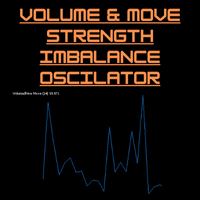
Volume-to-Price Movement Oscillator (VP Oscillator) for MT5 The VP Oscillator highlights the balance (or imbalance) between trading volume and price movement, helping traders spot hidden accumulation, distribution, or weakening trends. How It Works: Calculates each bar’s price range (High–Low) and tick volume. Normalizes both values over a set period (default: 14). Plots the absolute difference between them ×100 — showing how closely price action aligns with trading activity. Interpretation: Hig
FREE

Faster execution, clearer order control, and better trading discipline. OCT Panel — Professional MT5 Trading Control Panel OCT Panel is built for traders who want faster execution, clearer order control, and better trading discipline. OCT Panel is a professional trading assistant panel designed for MetaTrader 5 .
It helps traders manage orders, positions, Stop Loss, Take Profit, pending orders, and trade execution more efficiently during manual trading. OCT is not a signal system and does not g
FREE

QuickTrade Manager for MT5 Professional One-Click Trade Execution & Management Panel for MetaTrader 5 Trade faster. Manage smarter. Execute with precision. QuickTrade Manager is a powerful chart-side trading panel built for traders who want instant execution, cleaner workflow, and precise control over every position directly from the chart. No more slow manual adjustments.
No more cluttered order management. Everything you need is in one professional panel . NEW IN THIS VERSION Modern Profession
FREE

Key Features Real-time P&L in $ Running P&L in Pips P&L converted to INR BUY / SELL direction Lot size Entry price Separate display for each open position Supports multiple open positions Works independently on multiple charts Follow Current Price mode Stay At Entry Price mode Adjustable vertical spacing in pixels Adjustable distance below the Bid price Adjustable candle offset Customizable text size and font Profit, loss and breakeven colors Automatic removal when a position is closed
FREE

Forex Bat Harmonic Dashboard を作成したのは、複数の通貨ペアとタイムフレームにわたって正確な Bat パターンを手動で探すのに何時間もかかり——それでも常にセットアップを見逃していたからです。 これは、厳格なフィボナッチ比率検証と、真の Bat を定義する重要な XAD 88.6% リトレースメント を使用して、ウォッチリスト全体の Bat ハーモニックパターン を自動検出するプロフェッショナルなマルチシンボル・マルチタイムフレームスキャナーです。バックグラウンドで継続的に動作し、確認されたすべてのパターンを1つの清潔で整理されたダッシュボードに表示します。 すべてのシグナルは、適切な右側確認(デフォルト PivotRight = 5)を伴う確定済みの足で確認されます。Bat パターンがダッシュボードに表示されたら、消えたり変わったりすることは決してありません。 Bat パターンを独自にする要素とは? Bat パターン は Scott Carney によって発見された 5 点 XABCD ハーモニック構造で、 D 点が XA の正確に

BreakEven Finder は、スキャルパーやデイトレーダーのために設計された、無料かつ軽量な MetaTrader 5 用インジケーターです。リアルタイムで保有ポジションを分析し、チャート上に損益分岐点を視覚的に表示することで、迅速かつ的確な判断をサポートします。 主な特徴: 複数ポジションの損益分岐価格を自動で計算 各エントリーポイントを平均化し、現在価格との関係を示す 見やすく整理されたデザインで、過度な情報表示を排除 あらゆる通貨ペアと時間足に対応可能 システムに負荷をかけずにスムーズに動作 おすすめのユーザー:
超短期売買を行うスキャルパー、1日複数回取引するデイトレーダー、損益の細かい変動を意識するリスク管理重視のユーザーに最適です。 トレードの精度を高めるためのツールとして、日々の取引に活用する価値があります。
FREE

SigmaFarm Dashboard UI Pro - The Ultimate Multi-Symbol Multi-Timeframe Trading Solution 1. Introduction / Overview Tired of juggling multiple charts and EAs? SigmaFarm Dashboard UI Pro is a powerful and intuitive Expert Advisor designed to revolutionize your trading experience. This all-in-one solution allows you to effortlessly monitor, analyze, and manage trades across multiple symbols and timeframes from a single, dynamic dashboard. With advanced signal generation, robust risk managem
FREE
Description (English) EMA 5-20-200 Cross Alerts (Fixed Alerts, No Repaint) This indicator combines three popular EMAs (5, 20, and 200) to help traders identify short-term, mid-term, and long-term trends.
With visual arrows on the chart and automatic alerts (popup & push notification) , it allows traders to catch entries and trend confirmations without constantly monitoring the screen. Key Features: Plots EMA 5, EMA 20, and EMA 200 directly on the chart. Generates Buy/Sell signals (EMA5 vs
FREE

Multi Kernel Regression Indicator (FREE & PREMIUM)
SPECIAL OFFER Full version is available in the market under "Daily Zone Pro" Market Link: https://www.mql5.com/en/market/product/157609?source=Site +Market+My+Products+Page
What This Indicator Does The Multi Kernel Regression (MKR) indicator uses advanced statistical kernel functions to create smooth, adaptive moving averages that respond intelligently to market conditions. Unlike traditional moving averages, MKR applies different kernel
FREE

Coral trend is a trend-following indicator that is widely popular among FOREX traders . It is usually used as a confluence with other indicators. It uses combinations of moving averages with complex smoothing formulas! It has two configurable parameters: Coefficient - smoothing ratio (*)
Applied price Calculation: Coral = (-0.064) * B6 + 0.672 * B5 - 2.352 * B4 + 2.744 * B3
FREE

The ONLY RSI Indicator You'll Ever Need - Works with ANY Broker, ANY Symbol! Finally, an RSI indicator that automatically adapts to YOUR broker's symbol naming conventions! Whether you trade Forex, Gold, Bitcoin, or Stock Indices - this universal indicator detects and monitors related symbols automatically. KEY FEATURES & BENEFITS UNIVERSAL COMPATIBILITY Auto-Detects Broker Patterns : Works with ANY broker suffix (.m, .pro, .raw, etc.) All Asset Classes : Forex, Metals (Gold/Silver), Crypto,
FREE

Indicator offers flexible fractal configuration, including the number of candles to the left and right, and the ability to filter based on sorted high/low values.
Key Features • Detects upward or downward fractals • Configurable number of candles on both sides • Optional sorting checks for high/low values • Arrow drawing on the chart
Parameters
1. Main (B) • Fractal Type (InpFractalType): Up / Down • Arrow Code (InpArrowCode): Unicode symbol for arrow • Arrow Color (InpArrowColor): Color for
FREE
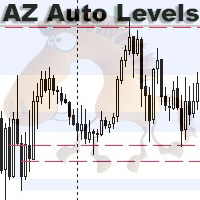
AZ Auto Levels builder ATR edition Indicator of automatic level drawing. For different instruments you need to play with the parameters to find the right ones. So, what is its idea - the indicator searches for levels of interest on the timeframe selected in the settings (by default H1). The search occurs only on candles that are 30% greater than the standard daily ATR of similar candles (you can change this in the settings). ATR is calculated for 20 days ago (also can be changed in the settings)
FREE

EA Hiloseven é baseado em 2 médias móveis simples, máximas e mínimas dos últimos 7 períodos. MODO TENDÊNCIA: Compra no fechamento da vela acima da média das máximas. Fecha a negociação com stoploss ou fechamento da vela abaixo da máxima de 7 períodos. A venda ocorre de maneira inversa. MODO CONTRA TENDÊNCIA: Compra no fechamento da vela abaixo da média das mínimas. Fecha a negociação com stoploss ou fechamento da vela acima da mínima de 7 períodos. A venda ocorre de maneira inversa. -----------
FREE
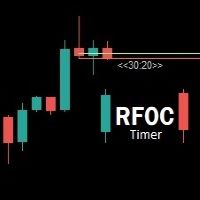
Uma informação de grande valor para o trader se localizar no tempo é a informação de quanto tempo temos para o encerramento do candle atual ou quanto falta para a formação de um novo candle. O RFOC Timer apresenta esta informação de forma clara e alocada à direita do candle atual. Adicionalmente o RFOC Timer acompanha a opção de inclusão das linhas de preços ASK e BID com e sem extensão a direita e/ou esquerda. Esta função auxilia, por exemplo, a não sobreposição das linhas de ASK e BID com as
FREE

MT5 Time Zone Highlighter A simple and practical MetaTrader 5 tool designed to visually highlight up to three customizable trading time zones directly on the chart. Key Features: • Supports up to 3 independent time zones. • Set the start and end time for each zone according to your MT5 broker/server time. • Choose different colors for each time zone. • Adjustable transparency for better chart visibility. • Works directly on the MT5 chart without opening additional windows. • Helps traders quickl
FREE

Introducing the MetaTrader 5 Expert Advisor with Bull Signal Filter, Customizable Candle Size, Advanced Equity Management, and 1% Entry Price Calculation!
Are you searching for a comprehensive trading solution that combines powerful features and precise entry price calculation? Look no further! Our MetaTrader 5 Export Advisor is designed to provide you with advanced functionalities, enabling you to refine your trading strategy and effectively manage your equity.
The Bull Signal Filter remains
FREE

GomerAI REGIME – 市場環境分類 価格 : $0 プラットフォーム : MetaTrader 5 タイプ : 市場環境インジケーター(非自動売買) 概要 このインジケーターは、 GomerAI Market Research Framework の一部であり、市場構造と取引環境を分析するために設計された分析ツール群に属しています。 各インジケーターは市場行動の特定の側面に焦点を当て、トレーダーや自動売買システムが現在の市場状況をより深く理解できるよう支援します。 GomerAI REGIME は、トレンドの強さ、ボラティリティ、レンジ行動という三つの要素を通じて現在の市場環境を評価します。このインジケーターは売買シグナルを生成したり取引を実行したりするものではなく、これら三つの要素がどのように相互作用しているかを分析し、現在の市場が静かな状態、トレンド状態、または極端な状態のどれにあるのかを判断します。 その目的は、トレーダーやエキスパートアドバイザーが戦略ロジックを適用する前に、自分たちがどの種類の市場環境で動いているのかを理解できるようにすることにあります。静かな状態
FREE

Trading Reportは軽量かつ非常に実用的なビジュアルインジケーターで、アカウントとトレードの主要情報をリアルタイムで表示します — すべてがエレガントで完全にドラッグ可能なミニマリストパネルに集約されています。 主な機能 ティック毎に更新(オープンポジションと浮動損益がリアルタイム) 現在ポジション詳細(BUY/SELL+ロット+エントリー価格+浮動損益(緑/赤カラー)) 当日損益と残高変動(自動着色:緑=利益 | 赤=損失 | 白=ゼロ) 完全統計:Balance、Equity、総トレード数、勝ち/負け、勝率(%)、PF、最良/最悪トレード 「Report」ボタンクリックで表示/完全非表示切り替え ボタンをドラッグして好きな場所へ移動可能
FREE

Tired of adjusting the indicator settings losing precious time? Tired of the uncertainty regarding their efficiency? Afraid of the uncertainty in their profitability? Then the indicator ACI (automatically calibrateable indicator) is designed exactly for you. Launching it, you can easily solve these three issues just performing the simplest action: clicking a single Calibrate button. To achieve the highest efficiency, you should perform another additional action: move the power slider to the maxi
FREE

Close-Open A/D (CO A/D): A Cumulative Volume-Efficiency Line for Accumulation/Distribution Analysis CO A/D is a cumulative Accumulation/Distribution-style indicator built around a simple question On-Balance Volume and Chaikin A/D don't directly ask: how efficiently did each bar convert its own volume into open-to-close travel? Formula CO_raw = (Close − Open) / (High − Low) Volume = Log(TickVolume + 1) [or raw volume — selectable] CO A/D = Previous CO A/D + (CO_raw × Volume) Where OBV assigns ful
FREE
Descubre el poderoso aliado que te guiará en el laberinto de los mercados financieros. Este indicador revolucionario te llevará de la incertidumbre a la claridad, permitiéndote identificar con precisión los puntos de inflexión del mercado. Mejora tus decisiones de entrada y salida, optimiza tus operaciones y ¡multiplica tus ganancias con confianza.
Ahora con alertas en tu pc o móvil
¡Para más información, te invitamos a unirte a nuestro canal de Telegram en https://t.me/Profit_Evolution ¡Al
FREE

Trade Launchは、手動での取引開始時にスピードとコントロールを重視するトレーダー向けに設計された、直感的な取引パネルです。チャート上に直接表示され、すべての主要な注文パラメータを1つのウィンドウで管理できます。 主な特徴: 瞬時の注文執行: ボタンを1回押すだけで買いポジションと売りポジションを開きます。ボタン名は現在のAsk価格とBid価格を動的に表示します。 内蔵リスク管理: ロット数、およびストップロスとテイクプロフィットの値をポイント数で入力するための便利なフィールド。パネルはそれらを自動的に価格レベルに再計算します。 取引前確認: ポジションを開く前に、詳細情報(取引量、エントリー価格、SL/TPレベル、預金通貨で計算された潜在リスクと利益の指標)が表示される情報ウィンドウが表示されます。 カスタマイズ可能な確認: さらに高速な取引のために、確認ウィンドウを無効にすることができます。 アダプティブインターフェース: パネルは価格を自動的に更新し、あらゆる取引銘柄および時間足で正しく動作します。 仕組み: 「Lot」フィールドに希望のロット数を指定
FREE

[FREE EA] EA31 TANIN HEIKEN TDI: THE 90% WIN-RATE SWING TRADER Tired of scalping noise and screen time? Let me introduce EA31 Tanin Heiken TDI , a true "Set & Forget" Swing Trading system for MetaTrader 5. This EA is not for impatient scalpers; it is designed for investors who want to capture massive market trends and hold them for months. PERFORMANCE HIGHLIGHTS (6-Year Stress Test): Pair: GBPJPY Timeframe: H4 Win Rate: 90% (Only takes the highest probability setups). Trades Executed: Exac
FREE

Did you ever feel irritated by manually adjusting Fibonacci retracement levels? Do you ever want to have a tool that was automatically adjust to certain Fibonacci levels with your trading? Well here is a tool for you: Fast Fibonacci indicator and Grid trader allows you to quickly adjust Fibonacci retracement levels or construct Fibonacci extension grid! You can also quickly setup your grid trading based on these levels - only with few clicks. Adjustable graphics, font sizes and graphics panels m
FREE

Fractal Adaptive AI v6.0 RÉEL - Trading neuronal multi-indices Description courte Robot de trading neuronal avec analyse de plus de 8 instruments. Réseau neuronal adaptatif à 14 caractéristiques. Compatible FTMO. Description complète Conseiller expert professionnel basé sur l'IA pour la paire EUR/USD M15 Fractal Adaptive AI v6.0 REAL est un système de trading automatisé utilisant des réseaux neuronaux avancés avec une analyse contextuelle multi-indices pour détecter les meilleures opportunités
FREE

MetaTrader 5 (MT5) 用の Wormhole 時間枠インジケーターは、ただの取引ツールではありません。それは、金融市場での競争優位性です。初心者とプロのトレーダーの両方を念頭に設計された Wormhole は、データの分析方法と意思決定を変革し、常に一歩先を行くことを保証します。 なぜ Wormhole インジケーター(無料)が必要なのか 競争に勝つ: 同じチャート上で 2 つの時間枠を同時に表示できるということは、常に一歩先を行けることを意味します。チャートを切り替える必要はなく、必要な情報はすべて目の前にあります。 隠れたチャンスを発見する: 従来の時間枠を変更し、他のトレーダーが見逃すパターンを発見します。5 分間のチャートの範囲を 00:01 から 00:06 に変更して、標準の 00:00 から 00:05 の代わりに分析することができます。これらの微細な変更は、市場の独特なダイナミクスを明らかにする可能性があります。 実行可能な洞察を得る: トレンド、反転、サポート/レジスタンスレベルを検出するための精密なツールを使用することで、Wormhole は自信を持
FREE

The Box Range Indicator for MT5 helps traders visualize key price zones by automatically detecting and highlighting market structures. It dynamically draws upper, lower, and middle levels based on price action, making it an effective tool for identifying support and resistance zones, breakouts, and trend reversals .
Key Features: • Automatic Box Detection – Identifies price ranges based on market movements. • Dynamic High and Low Updates – Adjusts in real time to reflect market conditions.
FREE
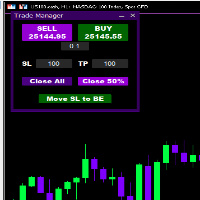
Introducing * *Trader Manager** for MetaTrader 5 - the most efficient tool for managing your trades and it's free! This smart assistant automatically sets **Stop Loss** and **Take Profit** immediately after opening a trade, saving you time and reducing the risk of errors.
With the ability to set a **Maximum Daily Loss** , you'll protect yourself from the dangers of **overtrading** and keep control of your finances.
Plus, you'll get a host of other features for easy position management: -
FREE

Trading in global markets (such as Forex, Indices, and Commodities) demands maximum attention to time. However, MetaTrader 5 natively displays only your broker’s server time, forcing the trader to constantly make mental calculations to know the exact time on their own computer.
Pinpoint Local Time solves this problem elegantly and in an integrated way. It adds a secondary, ultra-compact time scale (ruler) at the bottom of your chart, which runs synchronously with market history, displaying the
FREE

Donchian Portfolio Visual MT5: que está ligado a apenas um gráfico, mas pode monitorar e negociar mais de um símbolo internamente. O conceito é simples: Esses números são apenas resultados históricos de testes e não garantem desempenho futuro. Sempre faça seu próprio teste com o spread, comissão e condições de execução do seu corretor. (Se o robô está te ajudando, por favor, deixe uma avaliação rápida. Isso me ajuda muito a continuar melhorando e lançando novas versões)
Presets incluídos H4 pa
FREE

Advanced Price Level Alert The Advanced Price Level Alert is a powerful price-monitoring tool designed for traders who need reliable and customizable price-level alerts. This indicator combines visual price-level tracking with flexible alert mechanisms to keep you informed of important price movements without requiring you to constantly monitor your charts. Key Features Customizable Alert Frequencies – Choose from six different alert-frequency settings, ranging from 1 to 20 alerts per minute. Mu
FREE

# GVP Gold Quant: Institutional Option Levels (v3.41)
**Gvp Gold Options Levels** is an institutional-grade quantitative analytical system for MetaTrader 5, designed for real-time tracking of options barriers, open interest (OI) structure, dynamic order flow, and market-maker delta/gamma hedging on Gold (**XAUUSD / GC**).
The system continuously connects to the institutional CME/CQG analytics feed, calculates live option Greeks, Ornstein-Uhlenbeck pinning probabilities, and plots self-adjustin
CRingBuffer - Numeric ring buffer with lightweight high-performance statistics engine
CRingBuffer is a powerful MQL5 library for numeric rolling-window analysis. After each insertion it immediately provides mean, variance, standard deviation, percentiles, z-scores, min/max tracking and normalized values - all in O(1) to O(n log n). Table of contents: Application area
Two operating modes Basic statistics Welford statistics (numerically stable, recommended for large price levels) Percentiles Z-s
FREE

RBM Volume Real PRO 3.0
RBM Volume Real PRO 3.0 was developed to transform volume data into actionable market intelligence. While most traders focus exclusively on price movement, this indicator allows users to identify the participants truly driving the market by revealing the balance of power between buyers and sellers in real time.
The first component is Buy Volume, which represents the aggression of participants willing to execute orders at the asking price. Conversely, Sell Volume measur
FREE

TOKYO NIGHTS EA v2.62 — 商用グレード JPY通貨ペア向けマルチ戦略アジアセッションハンター Victorious Creations Labs by Victor Hamilton
価格: $47.99
無料PDFマニュアル提供中 — 購入前または購入後にメッセージをお送りください。 戦略図解と設定ガイドを含む17ページの総合ユーザーマニュアルをお届けします。
FREE
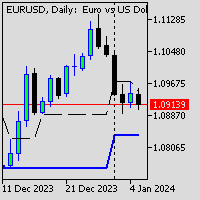
Индикатор PivotPointSuperTrend отлично показывает данные Тренд на основе мат данных от Pivot и ATR и очень удобен для входа в сделку и выставления стопов. Если кто то сможет добавить в код мултитаймфрем, я и многие пользователи будут очень Благодарны, то есть чтобы ондикатор показывал значение старшего таймафрема на графике младшего таймфрема, Заранее Спасибо!
FREE
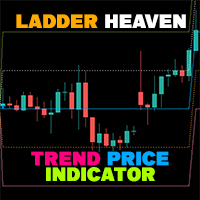
If you have difficulty determining the trend as well as entry points, stop loss points, and take profit points, "Ladder Heaven" will help you with that. The "Ladder Heaven" algorithm is operated on price depending on the parameters you input and will provide you with signals, trends, entry points, stop loss points, take profit points, support and resistance in the trend That direction.
Helps you easily identify trends, stop losses and take profits in your strategy! MT4 Version: Click here Fea
FREE

EclipesPro II is a MetaTrader 5 Expert Advisor that uses FRAMA and VIDYA indicators for trend following in forex markets. It generates buy/sell signals based on indicator crossovers and price position relative to FRAMA, with RSI used for exit filtering. The EA employs advanced exit strategies, including partial position closing and triple-confirmation. Risk management includes multiple position sizing methods, trailing stops, and order volume validation. Market filters include trading sessions,
FREE
MetaTraderマーケットはトレーダーのための自動売買ロボットやテクニカル指標を備えており、 ターミナルから直接利用することができます。
MQL5.community支払いシステムはMetaTraderサービス上のトランザクションのためにMQL5.comサイトに登録したすべてのユーザーに利用可能です。WebMoney、PayPal または銀行カードを使っての入金や出金が可能です。

取引の機会を逃しています。
- 無料取引アプリ
- 8千を超えるシグナルをコピー
- 金融ニュースで金融マーケットを探索