 MetaTrader 5
 专家
专家 指标
指标 程序库
程序库 实用工具
实用工具 窗口小部件
窗口小部件 规则
规则适用于MetaTrader 5的EA交易和指标 - 131
 使用EA交易和指标,使外汇交易获得更多盈利。EA交易可使您自动开启和关闭交易,而指标将帮助您更准确地预测市场行为。
该页面提供MetaTrader 5应用程序的目录。
使用EA交易和指标,使外汇交易获得更多盈利。EA交易可使您自动开启和关闭交易,而指标将帮助您更准确地预测市场行为。
该页面提供MetaTrader 5应用程序的目录。 
Э ксперт создан для скальпирования на открытии торгов ММВБ ( начинает работу через несколько секунд после 10=00) и продолжает скальпировать на открытии каждого бара.. Является продолжением продукта Morgen Open https://www.mql5.com/ru/market/product/47596 Эксперту желательно работать на часовом или M30 таймфрейме. Эксперт работает на указанное пользователем целое количество лотов, проверка минимальна, мартингейл не предусмотрен!!!. Эксперт при начале работы выставляет 2 отложенных ордера
FREE

This is a simple EA Can only open ONE trade EVER then MUST be reattached to the chart everytime you want to use it. Designed to help manual traders Has lot sizes and stops / targets in pips. For a buy trade the engulfing bar must close above the previous red bars high Includes Alarm and Phone notifications
Basically if you find a price zone you like and will take a trade if there is an engulfing bar . use this.
FREE

AvSwingFinder is a free and lightweight indicator designed to help traders easily spot Swing Highs and Swing Lows on their charts. Features: Clear visualization of swing points Helps identify potential trend reversals Lightweight code, optimized for smooth performance Customizable parameter to define swing strength 100% free for all MetaTrader users How it works: AvSwingFinder uses a simple parameter to determine how many candles are required to confirm a swing. For example, if the paramet
FREE

Trend Reversal alert: The concept of the EA is to give you a message/alert when something happens in the market, so you will never pass a tradechance for a trendreversaltrade. The EA give you the message when the chance is higher for a trendreversal, but it is important to say that this doesn`t mean that you should trade every signal. The advantage provided by the program is that you don`t need to sit the hole time for the PC and look at the chart because you get a message when a good trendrever
FREE

Индикатор Envelopes gaussian - это стандартный Envelopes с обработкой фильтром Гаусса. Преимущество данного индикатора в меньшем запаздывание от стандартного индикатора.
Входные параметры: Period - период индикатора по умолчанию 14 Deviation - ширина канала по умолчанию 0.1 Shift - смещение индикаторных линий от цены в барах. По умолчанию 0 Индикатор пригоден для использования в советниках
Буфер 0 — верхняя линия индикатора;
Буфер 1 — нижняя линия индикатора;
FREE

CandlePatternDetector v2.0 MT5 Custom Indicator — Full Description & User Guide What This Indicator Does CandlePatternDetector is a MetaTrader 5 chart indicator that automatically scans every closed bar on your chart and identifies 8 key candlestick reversal patterns in real time. When a pattern is found, it places a coloured arrow directly above or below the signal candle — green for bullish signals, red for bearish signals. Every signal is context-aware : the indicator reads the current market
FREE

Trend View is a simple indicator that shows in a text the trend of the current currency in the timeframe you choose. Inputs are: Color: color of the text. Timeframe: timeframe for calculations. Trend can be: UP: bullish trend. DOWN: bearish trend. ---: trend not defined. You can use this indicator to show the main trend of a bigger timeframe helping you to choose your trades. Note: text is draggable.
FREE

Free until ...
The MACD Indicator is a MetaTrader 5 tool that helps traders analyze market trends and momentum. It shows three components in a separate window below the price chart: the MACD Line, Signal Line, and Histogram. What It Shows: MACD Line (Blue): Tracks the difference between a fast and slow moving average. Signal Line (Orange): A smoothed average of the MACD Line. Histogram (Bars): Shows the gap between MACD and Signal Lines with colors: Dark Green : Rising momentum above zero. Lig
FREE

This is Trends EA, a simple yet efficient trading algorithm that trades strictly based on the prevailing trend. Trends EA offers users with the flexibility and freedom to configure their risks. Feel free to change your lot sizes, stop loss and take profit to your preferences, though default settings will always work. A higher risk-to-reward ratio means bigger wins A lower risk-to-reward ratio means higher win rates How to set up? Just configure your lot size, stop loss and take profit and attac
FREE

THE HEAT MAP — Smart Money Density Detector
See exactly where price is magnetized to — before it happens.
FEATURES Live density heatmap — spot the market's real "hot zones" instantly Self-flipping Key Zones — support/resistance that evolves with price instead of dying 1-click Trading Style — QuickScalp / Scalp / Intraday auto-tunes the entire engine Pro HUD dashboard — bias, trend strength, HTF direction, risk status, momentum, all live Built-in Zone Touch & Zone Flip alerts
FREE

This is a utility indicator that creates mini charts on left side of the chart you are looking at.
It is very useful to watch many timeframes simultaneously, without having to change between multiple charts. Its configuration is very simple. You can have up to 4 mini charts opened. They automatically load the template of the "parent" chart. If you have any doubt please contact me. Enjoy!
This is a free indicator, but it took hours to develop. If you want to pay me a coffee, I appreciate a lot
FREE
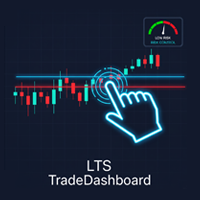
Product Name: LTS TradeDashboard
Short Description: The ultimate visual trading assistant. Drag and drop lines to trade, calculate risk automatically, and execute orders with a single click. Full Description: LTS TradeDashboard allows you to stop calculating lot sizes manually and start trading directly from the chart. Designed for traders who need speed and precision, this tool turns your chart into a professional trading cockpit. Simply drag the Visual Lines (Entry, Stop Loss, Take Profit) to
FREE

The DJ_15_811543657_S_BB_CF_SQX is an algorithmic trading strategy for MetaTrader, tested on DJ using the M15 timeframe from December 7, 2017, to June 2, 2023. There is no need to set up parameters, all settings are already optimized and fine-tuned.
Recommended broker RoboForex because of EET timezone.
You can find the strategy source code for StrategyQuant at the link: https://quantmonitor.net/dow-jones-bollinger-breaker/
Key details are:
MagicNumber: 811543657
Main Chart: Current s
FREE

The indicator is built on a principle similar to neural networks, and it calculates a multidimensional polynomial. When you install it on a chart or make changes to the indicator's parameters, or when you switch the chart period, the indicator is initially initialized. During initialization, not only the entire period of the chart is recalculated, but also the indicator is self-trained. The indicator's parameters include Sensitivity, Forecast, and degree of harmonization. The indicator theoretic
FREE

TideMarks Basic — Session Highs & Lows (NY, London, Tokyo) This is the free version of TideMarks. It displays today's session highs and lows for Tokyo, London and New York with no configuration required — just add it to your chart and it works. The full version adds: On-chart toggle buttons per session Open-Close range lines Session candle coloring with directional tick marks Two fully customisable extra sessions Extend lines as live support and resistance Full alert suite (8 alert types) Config
FREE
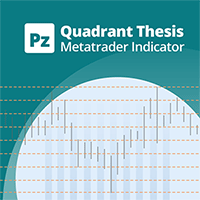
This is a general purpose indicator that displays colored lines at fixed and customizable price intervals, entered as parameters. It offers universal, constant, and familiar price ranges that allow quick and precise price analysis of a currency pair. With default parameters, this indicator implements The Quarters Theory , as described originally by Ilian Yotov . [ Installation Guide | Update Guide | Troubleshooting | FAQ | All Products | Get Help ] Easy to use No optimization needed Custom
FREE

This system is very useful for trading because it solves several classic problems: 1. Objectivity & Precision Benefit: It eliminates the trader's personal bias. Every trader might draw a trendline slightly differently, but this indicator uses a precise mathematical logic (Fractals) to find the pivot points. The resulting lines are objective and consistent every time. 2. ️ Dynamic Updates Benefit: Your chart is always current. As soon as a new pivot is confirmed, the new trendline is drawn au

SuperMA – The Smart Moving Average That Thinks Beyond Price Stop Guessing. Start Reading the Real Trend. Most Moving Average indicators simply follow price. SuperMA goes one step further by transforming any Moving Average into a normalized 0–100 trend oscillator , helping you instantly recognize momentum, trend strength, and potential exhaustion—without cluttering your chart. Whether you're a scalper, swing trader, day trader, or algorithmic trader , SuperMA provides a cleaner and more intell
FREE

每位交易者都熟悉这套流程:打开指标设置,改一个数字,点确定,眯着眼看图表,觉得不对,再打开设置。Envelopes 在这方面尤其突出:偏离百分比是经典指标里最依赖品种的一个参数。默认的 0.10% 在某个货币对上看着合理,放到黄金上几乎看不见,用在指数上则完全离谱——可大多数交易者设一次就再也不动,因为每试一次都要走一趟设置对话框。Envelopes Live Tuner 终结了这种折腾。 这是一款完整的 Envelopes 指标,可以 直接在图表上实时调参 ——就在K线上,通道本来所在的位置。图表上有一个小面板,带有周期滑块和 偏离百分比滑块,范围 0.05% 至 5.00%,步长 0.05 ——这是 Live Tuning 系列中精度最高的滑块,精确到小数点后两位。拖动它,整段历史上的通道宽度会随手实时变化。真正能框住您所交易品种波动幅度的百分比,几秒钟就能找到,而不必反复进出对话框十几趟。 中线均线方法,一键切换。 经典 Envelopes 使用 SMA 作为中线——这也是默认设置,与原版一致。如果您想要更快或更平滑的中心线,可直接在面板上循环切换中线方法:SMA、EMA、SMM
FREE

OB FVG Trade Copier: Unified Master & Slave EA Version: 2.00 Type: Trade Copier / Risk Management Utility Compatibility: MetaTrader 4 & MetaTrader 5 (Cross-compatible codebase)
Overview The OB FVG Trade Copier is a professional-grade, unified trade copying system designed to mirror trades between Master and Slave accounts seamlessly. Built with a unified architecture, a single EA file serves as both the sender (Master) and receiver (Slave) simply by toggling the EA Mode in the settings. It uti
FREE
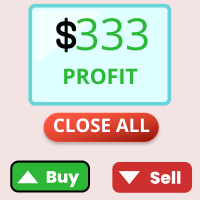
Trade Table EP:全能智能交易平台 该交易工具是为活跃交易者提供的一站式解决方案,能够最大限度地简化和自动化图表工作流程。其主要功能包括: 预先设置 TP 和 SL: 在将交易放置于图表之前,您可以提前设定获利平仓(Take Profit)和止损(Stop Loss)参数,从而预先确定退出点,保护您的资金免受市场意外波动的影响. 双向开仓: 该工具支持同时开设多头(买入)和空头(卖出)仓位,为交易者在不同市场环境下提供灵活的操作空间. 一键平仓: 无论何时,您都可以通过单一操作关闭所有活跃交易,便于在突发情况下迅速锁定利润或限制损失. 该平台经过优化,专注于高效交易管理,使您能够将更多精力投入到市场分析,而无需在繁琐的日常操作上浪费时间.
FREE

Calculates pivot levels. It paints the histogram depending on the location of prices relative to these levels.
Parameter values: style - select the type of display (Histogram, Line, Arrow) price - price, has little effect on the final look, but this can be customized timeframe - select a timeframe for calculating levels. color over pivot line - color of everything above the pivot level color under pivot line - color of everything below the pivot level pivot line intersection color - the color
FREE

All-in-One Dashboard for Trend, Momentum & Volatility Indicators Info Panel is a compact yet powerful MT5 tool that summarizes the most important market metrics directly on your chart.
It reads built-in MT5 indicators (no custom calculations) and displays real-time data about trend strength, volatility, momentum and multi-timeframe direction — all in one clean panel. Ideal for traders who want a fast overview of market conditions without opening multiple sub-windows. ️ Main Features Display
FREE

Product Name: Anchor auto TP and SL Trade Manager MT5 Your manual trade will be managed automatically. Turns single trades into smart grids with auto-sync TP/SL.
Anchor Auto TP and SL Trade Manager is a powerful trade assistant designed for manual traders who use averaging or recovery strategies. Stop calculating grid levels manually! This EA turns your manual trade into an automated "Anchor." If the market moves against you, the EA automatically builds a recovery grid based on your specific S
FREE

CFN - Multi MA & EMA Indicator for MT5 – with Alerts Take your chart analysis to the next level with the Multi MA & EMA Indicator for MetaTrader 5 – a versatile, efficient tool designed for traders who rely on Moving Averages and Exponential Moving Averages to interpret trends and make smarter trading decisions. Key Features: Supports up to 5 Moving Averages (MA) & 5 Exponential Moving Averages (EMA):
Easily plot and manage up to 10 customizable averages directly on your MT5 charts.
FREE

FREE

Multi-Timeframe Breakout Pressure and Confirmation Dashboard
TAGLINE
Track compression, stored pressure, breakout direction, and confirmation in one dashboard.
PRODUCT OVERVIEW
BreakoutPulse Navigator MT5 is a professional multi-timeframe breakout dashboard for MetaTrader 5. It is designed to detect two different stages of a breakout:
1. Pressure building before the breakout 2. Directional confirmation after price leaves the channel
The indicator combines:
- Bollinger Band squeeze - ATR
FREE

During volatile market conditions brokers tend to increase spread. int OnCalculate ( const int rates_total, const int prev_calculated, const datetime &time[], const double &open[], const double &high[], const double &low[], const double &close[], const long &tick_volume[], const long &volume[], const int &spread[]) { int spread_array[];
FREE

This custom indicator enhances your MetaTrader 5 trading experience by adding an intuitive crosshair tool that follows your mouse's movement across the chart. Here's what it does:
1. **Real-Time Mouse Tracking**: As you move your mouse over the chart, the indicator dynamically draws a crosshair on the exact point your cursor is hovering over. This crosshair consists of two lines—a horizontal and a vertical line—that intersect at the current mouse position.
2. **Precise Data Reference**: The c
FREE
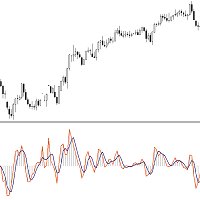
This Indicator is based on Mr. Dan Valcu ideas.
Bodies of candles(open-close) are the main component used to indicate and assess trend direction, strength, and reversals.
The indicator measures difference between Heikin Ashi close and open.
Measuring the height of candle bodies leads to extreme values that point to trend slowdowns. Thus quantifies Heikin Ashi to get earlier signals.
I used this indicator on Heiken Ashi charts but, it's possible to choose to calculate Body size based on Heik
FREE

*Used by MeditionSeed EA. Meditation is a practice in which an individual uses a technique – such as mindfulness, or focusing the mind on a particular object, thought, or activity – to train attention and awareness, and achieve a mentally clear and emotionally calm and stable state.[1][2][3][4][web 1][web 2] Plant a Meditation Seed to have wonderful future.
FREE

Rojeryo ATR Scalper Widget is a lightweight MetaTrader 5 indicator that displays an ATR-based risk widget directly on the chart.
The indicator shows the current ATR value and calculates estimated Stop Loss and Take Profit distances using the selected ATR multiplier and Risk/Reward ratio.
It is designed for traders who want a simple on-chart risk reference without opening additional windows.
Main Features
- ATR value display - Configurable ATR timeframe - Configurable ATR period - Estimated
FREE

FXRog = Forex Running On Growth
Expert Advisor description ShortTerm : Yes MidTerm : Yes LongTerm : Yes TargetProfit : By Money, value can be changed in the parameter StopLoss : By Maximum Open Position, all position will closed when maxtrade is reach, value can be changed in the parameter
Parameter description StartTrade : begining time to start trading EndTrade : last time ea to open a position MoneyManagement : 1 = FixLot, 2 = VolumeLot FixLot : lot of transactions with a fixed amount
FREE

The utility automatically sets the take-profit and stop-loss levels specified by the user in the parameters and moves the stop-loss line when the specified number of points above the trade price is exceeded. There are 4 trailing stop options: Disabled - Disabled Trail - Simply move the stop-loss level To breakeven - Move the stop-loss to breakeven when the value of points specified in the settings is exceeded and do not move the level any further As steps - Move the stop-loss to breakeven when
FREE

MS_Expert is structured based on a specific technical analysis indicator ( MACD Oscillator and Stochastic Oscillator ). It has many parameters so that each user can find the appropriate settings that suit their investment profile. It can work on 28 different pairs. The default parameter settings are indicative, I recommend that each user experiment to find their own settings.
FREE

this robot works in all time frames. "---------- General ----------" Commentar Start trade End trade Prder is closed "---------- Risk- and Moneymanagement ----------" Lots Limit of open positions for each symbol Daily limit for the number of deals for every symbol Test was carried out with standard settings. Account 10 000 dollars and with a leverage of 100. Symbol US30.
FREE

Introducing The Day Trader System: Your Shortcut to Day Trading Success! Are you a day trader seeking simplicity without compromising profitability? Look no further! We present The Day Trader System – your go-to solution for identifying lucrative opportunities in the fast-paced world of Forex. Simple Yet Powerful: The Day Trader System is a straightforward yet highly effective indicator designed exclusively for day traders. Say goodbye to complexity and hello to a system that simplifies
FREE

Ultra Momentum Advanced Directional-Force Market Analyzer Ultra Momentum is a professional momentum indicator engineered to detect the market’s true speed and directional dominance . It combines the classic Momentum calculation with an adaptive multi-period structure and high-quality algorithmic smoothing to deliver a noise-resistant, market-contextual view of momentum. Unlike standard oscillators, Ultra Momentum does more than measure a simple price difference: it analyzes the coherence of m
FREE

Indicador Regressão Linear – Par de Ativos - INTRADAY Indicador é um oscilador que faz o plot do Resíduo resultado da regressão linear entre os dois ativos inseridos como input do indicador, representado pela fórmula: Y = aX + b + R Onde Y é o valor do ativo dependente, X é o valor do ativo independente, a é a inclinação da reta entre os dois ativos, b é a intersecção da reta e R é o resíduo. O resíduo representa a quantidade da variabilidade que Y que o modelo ajustado não consegue explicar. E
FREE
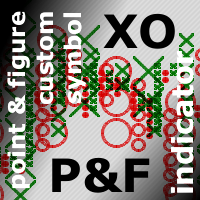
This is a bufferless indicator which can display classical X and O columns if applied on custom symbol charts built by Point-And-Figure-like generator PointFigureKagiCharts or its DEMO . The indicator will enforce a fixed price-scale on the chart to make sure the marks keep correct aspect ratio. The marks are shown only if the chart time-scale is large enough to hold them in the space allocated per bar (if the horizontal scale is one of 3 smallest ones, the indicator draws nothing and outputs a
FREE

CasperIT Gold Matrix Pro MT5 Institutional Hybrid Recovery EA for XAUUSD CasperIT Gold Matrix Pro MT5 is a professional XAUUSD trading system built for MetaTrader 5, designed around controlled recovery logic, adaptive basket management, intelligent execution filtering, and institutional-style risk compression. The EA was specifically optimized for Gold (XAUUSD) on the M5 timeframe and focuses on maintaining controlled drawdown behavior while allowing consistent structured recovery during volatil

MA CROSSOVER PRO - Indicatore Professionale per MT5 DESCRIZIONE GENERALE L'indicatore MA Crossover Pro è uno strumento professionale per MetaTrader 5 che genera segnali di trading basati sull'incrocio di due medie mobili (Moving Averages). L'indicatore è ottimizzato per funzionare su tutti i timeframe, con particolare attenzione ai timeframe M1 e M5 dove sono stati implementati filtri anti-rumore. STRATEGIA DI TRADING SEGNALE BUY (Acquisto) Condizione : La MA Veloce incrocia d
FREE
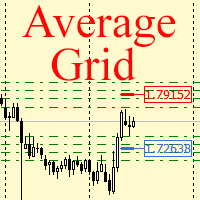
For any number of placed market and pending orders, the utility calculates the "breakeven level" - weighted average price. The calculation is performed individually for buy and sell orders. The weighted average price is marked with a label and colored horizontal line separately as well - one line for the buy price, and the other for sell price.
Input Parameters: Include pending. Include the pending orders in calculation. The default value of this parameter is false, and the calculation of the b
FREE

Description This is an indicator for MT5 which has enhanced the "Fractals" indicator. "Fractals" indicator is included in MT5 by default but the draw line period is fixed at "5" and it cannot be modified. Thus I have reinvented the Fractals indicator with some useful function added. This tool will be useful especially for those who are learning how to draw good horizontal lines and wants to get some reference. Of course, those who are considering Fractals as an important horizontal line wil
FREE

FT WISO — Where Is Stop-Out?
FT WISO is a free MT5 planning utility that visualizes estimated Stop-Out price levels before entering a trade. Move the orange START line to any price on the chart. The indicator instantly draws estimated Stop-Out levels for the selected leverage values: Blue levels below START for long scenarios Red levels above START for short scenarios Clear labels with leverage, price distance in percent, and distance in points FT WISO is designed for traders who want to quickl
FREE

RH Trade Info Panel — 专业交易面板 全面而优雅的 MetaTrader 5 交易面板,通过实时统计数据和高级回撤监控显示您的交易表现。 主要功能 多时间框架视图 日视图(最近 7 天) 周视图(最近 4 周) 月视图(最近 3 个月) 通过直观的按钮控件轻松切换视图 绩效跟踪 实时美元盈亏跟踪 每个周期的点数绩效计算 颜色编码结果(绿色为盈利,红色为亏损) 一目了然的历史绩效 高级回撤监控 日回撤:从当日最高水位线追踪回撤 账户回撤:监控从历史最高权益以来的整体账户回撤 同时显示美元金额和百分比 终端重启后持续跟踪数据 手动重置最高水位线按钮,灵活管理账户 完全可自定义 可自定义面板、文字、盈利和亏损的颜色 可调节字体大小 可配置显示的周期数量 默认专业深色主题 性能与可靠性 轻量高效 每个 Tick 自动更新 使用全局变量持久存储数据 无需外部依赖 适用于所有交易品种和时间框架 适合人群 监控盘中表现的日内交易者 跟踪每周/每月结果的波段交易者 监控回撤限制的风险管理人员 任何希望清晰了解交易表现的人 技术详情 兼容 MT5 2650
FREE

Use this expert advisor whose strategy is essentially based on the Ichimoku Kumo Break Out as well as a personal touch.
Other free expert advisors are available in my personal space as well as signals, do not hesitate to visit and leave a comment, it will make me happy and will make me want to offer content. Expert advisors currently available: LVL Creator LVL Creator Pro LVL Bollinger Bands LVL RSI mt5
Trading is not a magic solution, so before using this expert on a live account, carry out
FREE

True Trendline for MT5 — A complete, from‑scratch reconstruction of the legendary MT4 trendline logic, optimized exclusively for MetaTrader 5 — Overview “TrueTL” was one of the most trusted and widely used trendline indicators in the MT4 era. Inspired by its philosophy, True Trendline for MT5 has been fully redesigned from the ground up to fit the architecture and performance model of MetaTrader 5. This is not a simple port. It is a pixel‑perfect reproduction combined with an ultra‑fast MT5‑op
FREE
剥头皮计时器 – 为苛刻的剥头皮交易者提供实时精度 剥头皮计时器 (Scalping Timer) 是一款紧凑的视觉指标,专为依赖 完美时机 和 最低交易成本 的剥头皮交易者和日内交易者设计。这个实时面板显示剥头皮交易的两个基本指标: 精确倒计时 图表上设定的蜡烛图收盘剩余时间。 即时显示 当前交易品种的点差。 有了这些触手可及的关键信息,您将能够预测剧烈波动,避免代价高昂的入场,并以更高的精度执行进出场操作。 主要特点: 持续按报价和秒更新 ,确保完全精度。 倒计时至当前蜡烛图收盘 ,有助于在最后几秒检测潜在的突破或快速波动。 当前点差可视化 ,对于评估入场成本是否可接受至关重要。 紧凑、简洁且完全可定制的面板 :选择位置、颜色、大小等。 兼容所有时间框架和交易品种 ,非常适合M1、M5、M15的剥头皮交易。 对剥头皮交易者的优势: 优化入场时机 ,正好在蜡烛图收盘前,关键走势往往发生在此刻。 避免在点差扩大的情况下交易 ,最大程度地减少滑点和隐藏成本。 提高操作纪律性 ,精确控制决定剩余的时间。 增加精度 ,特别是在价格行为、突破或成交量策略中。 剥头皮计时器适合谁? 在几秒或几分
FREE

Gold Trend Master H4
Gold Trend Master H4 is a trend-following Expert Advisor for XAUUSD (Gold) on the H4 timeframe, developed by AutoProfit FX. It identifies trend continuation and breakout opportunities in gold using a dual-setup engine with strict risk management. It does not use martingale, grid, or averaging methods, and every trade carries a stop loss.
How it works
The EA combines two complementary entry approaches into a single decision engine. The first is a pullback entry, which looks

Attention ! !! Buffer indicator, PERFECT FOR USE IN THE EXPERT ADVISOR! The DynamicFibo indicator automatically indicates horizontal Fibonacci levels on the chart online. The levels are recalculated automatically online. The levels can be calculated from the current chart as well as from any other time frame. It is convenient to use levels from an older time frame, and trade on a shorter time frame. Any levels are set manually in the indicator settings. IT is IMPORTANT to separate the levels i
FREE
"Moving Ratio Candle" is used to check the distance of a candle to a theoretical pressure point. Furthermore, we have two points of interest, the first for the mean and the second for the median. This indicator uses the shape of bars and the line that crosses the bar from left to right is based on the calculation of the closing price for both sides. The rest follows a more standard calculation. The same could be done as a line, but I want to know the behavior of this indicator in relation to the
FREE
Easy Order Send help you to put your order on the chart using shortcuts keys like (SHIFT or CTRL). To send a order, hold CTRL or SHIFT and press left click mouse. It's a Beta version with features below: 1 - Send Buy and Sell order with SHIFT AND CTRL
2 - Cancel Button to your order
3 - Cancel Button to your position
4 - Move your order
5 - Monitor your Profit after trade on.
FREE

MT5 Enveloping Pattern Detector: Your competitive advantage in trading Are you looking for a tool to help you accurately identify the best trading opportunities in the forex market? Our Engulfing Pattern Detector provides you with a highly reliable buy or sell signal, based on one of the most recognized and effective Japanese candlestick patterns: the engulfing pattern. With an average success rate of 70%, this indicator will allow you to make safer and more profitable investment decisions. Don'
FREE

See what happens to your account risk before you take the next trade. Most panels answer "what lot size is 1% of my balance?". This one answers a different question: if I take this trade right now, what happens to the risk of my ENTIRE account? EQUITY AT RISK + THIS TRADE ADDS = AFTER Set 1% per trade and open eight positions and your account is carrying eight percent, not one. Risk Budget Panel keeps that total in front of you and shows what a planned trade would do to it before the order is se
FREE

Input Menu: * Backtest Start * Market Session * Signal Trigger Type * Take Profit (Pips) * Stop Loss (Pips) * Spread test manual and Live Spread * Simulation Timeframe (M5/M15/H1) * Show Dashboard * Notification Alert * Push Notification * Telegram Notfication
Dashborad Menu: * Show Backtest Start * Show Trigger Active * Show Live Spread or Manual Spread Test * Total Trade / Closed Trade * Success Rate * Hit Take Profit * Hit Stop Loss * Gross P/L * Float Profit * Float Loss * Net Profit (Clos
FREE

AI Power Gauge: Now, under the AI bar, there's clear text like "BUY POWER 85.5%." This makes it easier to see how confident the AI is before executing.
Static News Box: The "SYSTEM STABLE" text no longer scurries around. It stays in the center of the green box so you can immediately see the robot's security status.
Account Monitoring: Balance and Floating Profit are set in the largest font (Size 11 & 12) for clear readability, even from a distance.
Optimal Threshold: The robot is now set
FREE
Este indicador foi desenvolvido para auxiliar na tomada de decisão em operações de compra e venda. Ele realiza uma análise minuciosa baseada em um cálculo complexo que leva em conta múltiplos fatores do mercado. A partir dessa análise, o indicador gera um ponto visual que representa, de forma clara e objetiva, a direção sugerida – seja de entrada ou saída de uma posição. Sua principal função é fornecer ao trader uma leitura simplificada de dados sofisticados, facilitando o entendimento do moment
FREE
This Oscillator describes the drift of an asset, as part of the geometric Brownian Motion (GBM). As a data basis the mean reverting log returns of the asset price is considered. It gives the percentile of drift directional. For instance, a value of 0.05 means a drift of 5%, based on the selected sample size. If the value is positive, drift to higher asset values is determined.
This indicator should be used in confluence with other indicators based on volatility, probability and statistics. Li
FREE

Apex Risk Manager Pro
Expert Advisor — MetaTrader 5
Know your exact position size, stop loss, and risk before you enter, on any pair, any timeframe, in one clean panel.
Apex Risk Manager Pro is a live pre-trade calculator that reads your account balance, the current price, ATR, and pip value, then instantly shows you the safe lot size, the exact money at risk, and your stop-loss and take-profit prices. It removes the guesswork and the manual math, so every trade is sized to you
FREE

Prop Trade Guard is an on-chart discipline panel for MetaTrader 5. It keeps you inside your own trading rules instead of relying on willpower after a loss. It tracks your account's closed trades for the day and shows a live session window, trade count, and daily P/L against your limits. A fully editable 5-item confluence checklist lets you define entry criteria for any strategy — check each box before you enter, and the panel only shows SETUP READY when everything lines up. Most importantly, it
FREE

Description in English Ghost Horizon is a professional trend-following indicator for MetaTrader 5, engineered to instantly identify trend reversals and optimal market entry points using an advanced crossover system. The algorithm analyzes price dynamics by combining a Fast Moving Average (tracking short-term momentum) and a Slow Moving Average (defining medium-term market structure). The software completely eliminates market noise, delivering clean, non-lagging visual signals directly onto
FREE

Consecutive candles can give us an indication as to the strength of a trend. With this indicator, you can set the number of consecutive bull or bear candles you wish to be present before achieving a valid signal of RSI crossing into overbought or oversold. With this information, you can better judge if a continuation or reversal situation is about to present. RSI has two settable levels
Interesting settings: Number of consecutive candles needed before a valid signal Overbought level of RSI Over
FREE

Product Title: MT5 GoldSilver Trade Panel Lite Short Description:
Free manual trading panel for gold and silver. Market order execution, SL/TP setting, one-click close all, and basic daily statistics. Advanced features are available in the full paid version. Description: MT5 GoldSilver Trade Panel Lite is a free, easy-to-use manual trading panel designed for gold and silver traders. It automatically detects your broker’s gold and silver symbols and lets you place market orders quickly with
FREE

Simple order is designed to make placing pending orders as easy and fast as possible. Setting a pending order takes just two steps. 1. Double-click on the price of placing an order, after that a panel with buttons for order names appears. 2. Click on the button of the required order That's it, the pending order is set. If necessary, we adjust the order by dragging, as well as change the sizes of stop loss and take profit. Don't forget to pre-set the size of the stop loss and take profit in the S
FREE
Maximum Minimum Candle indicator is a basic indicator (but useful) that shows the highest and lowest candle in a period of time .
The indicator shows the maximum candle and the minimum candle for a defined period of time. You can choose the number of candles that make up the period The indicator will show with color points the maximum and minimum values. A message tells you when the price reaches the maximum or minimum.
Parameters number_of_candles: It is the number of candles that will be c
FREE
BBTrend is a relatively new indicator developed by John Bollinger to work with Bollinger Bands. It is one of only a few indicators that can signal both strength and direction making it a very valuable tool for traders.
Calculations The calculations are fairly simple. The default periods of 20 and 50 are shown, but these can be changed through the parameters. Lower = MathAbs(lowerBB(20) - lowerBB(50)) Upper = MathAbs(upperBB(20) - upperBB(50)) BBTrend = (lower - upper) / middleBB(20)
Interpret
FREE

XAU ATR Expansion H4 Expert Advisor for MetaTrader 5 — Gold / XAUUSD focus
Version: 1.00 What it is XAU ATR Expansion H4 is an Expert Advisor for gold on the H4 chart. ATR expansion breakout with trail-style risk on gold H4. Built for structured automated participation — not grid , not martingale . Evaluate on your broker and risk profile before any live use. This product is a technical system . Exact thresholds and entry equations remain internal product design and are not published here. Adva
FREE

每个交易者都熟悉这套流程:打开指标设置、改一个数字、点击 OK、盯着图表看、觉得不对、再打开设置。而 Momentum 还多了一个麻烦:它根本没有任何有意义的水平线。唯一的参照就是 100 这条线,至于向上或向下多远才算“足够远”,大家都只能凭感觉估。Momentum Live Tuner 把这两个问题一起解决了。 这是一个可以 直接在图表上实时调节 的 Momentum。图表上有一个小面板,带有周期滑块和 对称水平线偏移 滑块:拖动一个滑块,一对配套的水平线(100 + 偏移 和 100 − 偏移)就会围绕固定的浅色 100 中线同步移动。您可以看着这对水平线扫过自己的历史行情,清楚地找出它从哪里开始把真正的推动行情与噪音区分开——几秒钟内,在自己的图表上完成,而不用去论坛里翻帖子。 可选的 MA 信号线。 直接在面板上开启或关闭 Momentum 的移动平均线,用独立滑块设置其周期,一个按钮循环切换计算方法——SMA、EMA、SMMA、LWMA。每一次改动都会立即反映在图表上。 真正的 Momentum,而不是套壳。 指标采用自己干净的 MetaTrader 公式实现:Mom =
FREE

Trader Toolkit Panel An all-in-one manual trading panel that helps you size, place, and manage your trades from a single window. It does not trade automatically and gives no buy/sell signals — you stay in full control. Think of it as a control panel for disciplined, manual trading. What it does Position Calculator — Enter your risk percentage and stop distance, and the panel instantly shows the correct lot size, your risk in account currency, and your reward-to-risk ratio. No more manual math or
FREE
MetaTrader市场是 出售自动交易和技术指标的最好地方。
您只需要以一个有吸引力的设计和良好的描述为MetaTrader平台开发应用程序。我们将为您解释如何在市场发布您的产品将它提供给数以百万计的MetaTrader用户。
