 MetaTrader 5
 专家
专家
 指标
指标
 程序库
程序库
 实用工具
实用工具
 窗口小部件
窗口小部件
 规则
规则
适用于MetaTrader 5的EA交易和指标 - 123
 使用EA交易和指标,使外汇交易获得更多盈利。EA交易可使您自动开启和关闭交易,而指标将帮助您更准确地预测市场行为。
该页面提供MetaTrader 5应用程序的目录。
使用EA交易和指标,使外汇交易获得更多盈利。EA交易可使您自动开启和关闭交易,而指标将帮助您更准确地预测市场行为。
该页面提供MetaTrader 5应用程序的目录。 
TWAP/VWAP Indicator - a professional technical analysis tool that displays two important moving averages on the chart: TWAP (Time Weighted Average Price) - calculated as a simple arithmetic average of closing prices over the specified period. VWAP (Volume Weighted Average Price) - calculated using the typical price (high+low+close)/3 weighted by trading volume. Key Features: Dual indicator in one window Adjustable calculation period Clear visualization (blue line - TWAP, red line - VWAP) E
FREE

Keltner Breakout Caught in market chop. Fake breakouts trigger unwanted trades.
Because standard indicators lack dynamic volatility context.
This utility automatically combines a Dynamic Volatility Channel, Dual MA trend detection, and RSI momentum filtering into one visual system. Key Features: Trend Cloud: Visually fills the trend zone with a dynamic Keltner-style volatility channel. Multi-Factor Breakout: Only issues a signal when price breaks the volatility channel AND trend/momentum confirm
FREE

[FREE EA] EA23 TANIN HEIKEN CCI: THE PULLBACK ASSASSIN & PROP FIRM SHIELD Are you tired of entering trends too late and getting caught in drawdowns? Meet EA23 Tanin Heiken CCI , a commercial-grade automated trading system designed to catch the perfect pullback entries in a strong trend. THE BIG UPDATE: NO MORE .SET FILES! For the first time, you don't need to download or load messy .set files. EA23 comes with Built-in Presets . Just select your mode from the dropdown menu (Prop Firm Safe M
FREE

A script for closing positions If you need to quickly close several positions, this script will make all the routine for you! The script does not have any input parameters. Allow AutoTrading before running the script. Usage:
Run the script on a chart. If you need to specify the maximal deviation and the number of attempts to close positions, use the script with input parameters https://www.mql5.com/en/market/product/625 You can download MetaTrader 4 version here: https://www.mql5.com/en/market/
FREE
A comprehensive tool for determining the levels of support, resistance, reversals in relation to trading sessions. The indicator's thesis can be expressed as follows: "Support and resistance levels are undoubtedly formed by the psychological barriers of market participants, and influence the further behavior of the price. But these barriers are different for different groups of traders ( One man's meat is another man's poison ) and can be grouped by territory or by the trading time ". Follo
FREE

GOLD RISK SIZER MT5 仓位计算器 | 风险计算器 | XAUUSD | Forex | CFD | Lot Size | Stop Loss | Risk Reward Gold Risk Sizer MT5 是一个免费的 MetaTrader 5 风险管理工具,可根据账户资金、风险百分比和 Stop Loss 距离自动计算仓位大小。 计算内容 输入: Equity 或 Balance Risk % BUY / SELL Entry Price Stop Loss 可选 Take Profit 计算: 目标风险金额 Entry 到 Stop 距离 Raw Lot Broker Lot 实际风险金额 实际风险 % Reward Risk:Reward BROKER-AWARE 工具使用经纪商实际提供的 Tick Size、Tick Value、Contract Size、Volume Step 等数据,并通过 OrderCalcProfit 计算风险。 XAUUSD 示例 Equity: 10,000 USD
Risk: 1%
Entry: 2000
Stop:
FREE

Gold Daily Analysis Engine
Gold Daily Analysis Engine is a MetaTrader 5 indicator designed for XAUUSD daily structure analysis.
The indicator helps traders observe daily gold movement through structure levels, daily range behavior, liquidity sweep conditions, reaction zones, and a simple market status panel. It is a manual decision-support tool and does not place trades automatically.
Overview
Gold can move quickly during active market sessions. This indicator is designed to organize the da
FREE
This indicator will draw lines for previous day Highs and Lows, current day open price and current day price plus and minus ATR. This will provide an overview of the support and resistance for the price movement of the current trading day. The ATR is fixed to the 1 day period, so this indicator is suitable for the time frames lower than 1 day, i.e. 4HRTF, 1HRTF or 15MTF.
You can change the indicator looks but this is only applicable on Windows Platform. It will not work in Linux/Wine environme
FREE

The TTM Squeeze is a trading strategy developed by John Carter of Trade the Markets that uses the combination of Bollinger Bands and Keltner Channels to identify periods of low volatility, followed by periods of high volatility. The strategy is based on the principle that low volatility periods are typically followed by high volatility periods and is used to identify potential trading opportunities. When the Bollinger Bands move inside the Keltner Channels, it is referred to as a squeeze, and i
FREE

Helios Smart Position Manager 概述 Helios Smart Position Manager 是一款专为 MetaTrader 5 设计的专业交易同步工具。当您修改任意持仓的止损或止盈时,EA 会自动检测该变化,并将其应用至同一交易品种的所有其他持仓。这消除了逐一手动更新每个持仓的需要,在管理同一品种的多笔交易时既节省时间,又能防止操作失误。 工作原理 EA 持续监控所有未平仓持仓,并保存当前止损和止盈水平的快照。当检测到某个持仓的止损或止盈发生变化时,EA 会识别同一品种的所有其他持仓,并自动应用相同的修改。同步每次处理一项变更,内置冷却期以防止冲突,并跳过刚刚修改过的持仓以避免同步循环。 止损和止盈的变化相互独立地被检测。如果您仅更新止损,则只有止损会在各持仓间同步;如果您同时更新两者,则两个值都会同步。价格水平在修改前会针对每个品种进行精度标准化处理。 操作模式 自动同步模式持续监控所有持仓,并立即应用更改,无需任何确认对话框。这是注重速度的活跃交易场景下的推荐模式。自动同步可直接从面板一键开启或关闭,当您希望完全手动控制而不进行自动修改时,可切换
FREE

The "Session Time Vertical Lines" indicator displays vertical lines on the chart that mark the beginning and end of major global trading sessions: Sydney, Tokyo, London, and New York . It is designed to help traders visually identify active market hours, overlaps, and potential high-volume periods directly on the price chart. This tool is especially useful for intraday traders who rely on market session timing to plan entries and exits. Inputs / Settings Parameter Name Description DaysToDraw Num
FREE

Get ready to dominate the markets with Ranger Bot! This innovative Expert Advisor uses a proven strategy to make sure you get the most out of your trades. With its precision coding tools, it identifies and executes only high-quality orders, so you can relax knowing it will handle losses with ease and secure your wins. Take control of your trading today with Ranger Bot! In breakout trading, identifying the day high or day low can be a helpful indicate to determine potential breakout levels. The d
FREE
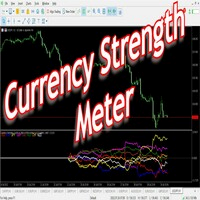
Have you ever wondered which currency is the strongest at any particular time? Or which currency pair is trending the most. Well, the currency strength meter helps with just that. It compares USD , EUR , AUD , CHF , GBP , CAD and NZD depending on the timeline you have chosen in settings, and ranks them on the number of pips each has moved compared to the rest. N/B: All currency charts of the above pairs must have loaded. You can do this by highlighting all major and minor currencies in
FREE

This is a simple EA Can only open ONE trade EVER then MUST be reattached to the chart everytime you want to use it. Designed to help manual traders Has lot sizes and stops / targets in pips. For a sell trade the engulfing bar must close below the previous green bars low Includes Alarm and Phone notifications
Basically if you find a price zone you like and will take a trade if there is an engulfing bar . use this.
FREE

本指标为 MT5 专用交易辅助工具,核心实现 自定义交易时段内 K 线的自动计数与标注 ,适配跨夜交易、经纪商时差 / 夏令冬令时差异,轻量简洁且支持灵活配置,告别手动数 K 线,提升看盘分析效率。 核心功能 自定义北京时间开盘 / 收盘时段,支持时差补偿,自动同步 MT5 服务器时间,精准识别跨夜交易时段; 设定时段内,自动在 K 线下标注「当前为时段内第 N 根 K 线」,非时段标签自动删除,保持图表整洁; 可调控标注间隔(连续 / 指定间隔)、最大标注 K 线数,避免图表拥挤、终端卡顿; 全视觉自定义:字体大小、颜色、K 线下偏移量均可调,避免与其他指标重叠; 轻量化设计,实时跟随图表刷新,无冗余资源占用。 适配说明 支持 MT5 全版本终端,兼容所有交易周期、品种,纯参数化配置,即装即用,无需编程基础。
FREE
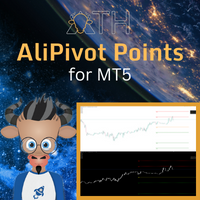
AliPivot Points is a Meta Trader 5 Indicator that draws you the latest pivot points. You can choose from timeframes ranging from 1 Minute to 1 Month. Calculation methods for pivot points includes: Classic Pivot Points Camarilla Pivot Points Fibonacci Pivot Points Woodie Pivot Points You can personalize the line colors, style, and width to suit your preference. The indicator displays values on the right side of the chart. AliPivot Points values can also be utilized by developers for creating Expe
FREE

Stonehill Forex 发布了我们首个自主研发的指标,该指标于 2025 年 3 月在 Stonehill Forex 网站上进行了介绍。最初的版本是为 MetaTrader 4 (MT4) 编写的,后来根据社区兴趣,又为 MT5 和 TradingView 编写了代码。这个指标免费提供给您,也是我们指标库的开山之作。
它是一个双线交叉价格叠加指标,其核心是使用两条加权移动平均线,并经过一个非常精准的滤波器。结果显示的信号非常准确。我们对其进行了三年的测试,测试结果可以在博客中查看,点击此处。此外,我们还附带一个技术分析视频,向您展示如何使用它。为了方便起见,视频嵌入在博客中。
它有两种设置:
StartLen:数学开始收集数据的起点。默认值为 2。
关于“StartLen”的设置,我们想提两个注意事项:
“StartLen”设置变量不得小于零。
“StartLen” 设置必须小于“LOOKBACK_period”。
LOOKBACK_period:这是生成信号线时数学运算将包含的历史数据周期数。默认值为 24。
使用方法:
长线:当绿色信号线向上穿过洋红色
FREE
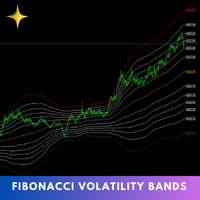
The Fibonacci Volatility Bands indicator is a refined tool designed to enhance your market analysis by integrating Fibonacci retracements with the Bollinger Bands concept. This indicator visually highlights potential areas of support and resistance, providing traders with a clearer understanding of price fluctuations and volatility. MT4 Version - https://www.mql5.com/en/market/product/126421/ The core of the Fibonacci Volatility Bands is built around a Volume Weighted Moving Average (VWMA) that
FREE

MT4 版本: https://www.mql5.com/en/market/product/91169
MT5 版本: https://www.mql5.com/en/market/product/110193
实时信号: https://www.mql5.com/en/signals/2345410
隆重推出“智能交易员”(Smart Trader)交易助手——这款终极工具凭借其无与伦比的适应性和前沿的风险管理策略,深受全球专业交易员的信赖。
“智能交易员”的核心在于其革命性的风险管理切换系统,该系统经过精心设计,能够动态适应瞬息万变的市场状况。与依赖静态风险参数的传统交易助手不同,“智能交易员”利用先进的算法实时分析市场数据,智能地调整其风险管理方法,从而在最大限度提高盈利潜力的同时,最大限度地降低市场波动风险。
“智能交易员”的独特之处在于,它能够根据当前的市场状况,在不同的风险等级之间无缝切换。无论市场处于趋势行情、区间震荡还是高波动时期,这款智能交易系统都能识别最佳风险策略,助您把握每一个交易良机。
专业交易员信赖“智能交易系统”,因为它功能全面、性能可靠,能
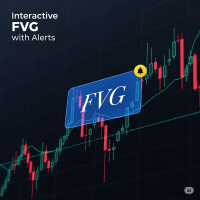
FVG Indicator with Alerts Description: This is a simple and effective indicator for identifying and displaying Fair Value Gaps (FVGs) on any timeframe. The indicator helps you see important price imbalances and provides powerful interactive tools for your analysis. Key Features: Detects FVGs: Clearly identifies and draws boxes around Bullish and Bearish Fair Value Gaps. Midline Level: Displays the 50% equilibrium level inside each FVG box, a critical point of interest. Complete Alert System: Rec
FREE

GOM Trade Manager helps you execute trades the way you want it. Works on all instruments Forex, Commodities, & Crypto.
It helps you with lot calculations, spread addition and balance calculations so you can just focus on actual trading.
For full automatic planned management, stackable triggers and spread widening protection >> check out GOM Trade Manager Pro .
------------------------------------------NOTABLE FEATURES------------------------------------------ You set everything based on bid
FREE

HTF Vision - Higher Timeframe Candle Display Free now, celebrating release of Live Chart Viewer utility https://www.mql5.com/en/market/product/158488
HTF Vision provides traders with an intuitive way to visualize higher timeframe price action directly on their current chart. This powerful indicator overlays candlestick data from selected higher timeframes (H1, H4, or Daily) as customizable boxes, giving you instant context of larger market movements without switching charts. Key Features: Mult
FREE

Renko Flow Are you a trader who loves using Renko charts?
Unfortunately, MetaTrader does not provide an easy built-in way to display Renko charts directly. That’s why Renko Flow was created — to give traders a simple and practical way to use Renko-style visualization without needing complicated external tools or offline charts.
Renko Flow can visualize Renko charts directly inside a separate window, allowing you to analyze Renko movement while still keeping your original price chart clean and
FREE

Squat Bar Marker is an indicator for MetaTrader 5 that detects Bill Williams MFI bar types and displays them directly on the price chart. Supported bar types: Green Bar — MFI and volume are rising; Fade Bar — MFI and volume are falling; Fake Bar — MFI rises while volume falls; Squat Bar — MFI falls while volume rises. Chart display: green bars — Green Bar; brown bars — Fade Bar; blue bars — Fake Bar; pink bars — Squat Bar. Display modes: no coloring; only Squat bars; all bar types. The indicator
FREE

The Candle High Low Exit indicator uses the highest high and the lowest low of a range to draw trailing stop lines (orange under buys, magenta over sells) that advance with the trend until the trend changes direction. Moreover, the trailing stop lines are generated to support the order’s trend direction (long or short): In an upward trend, the long trailing stop line (orange line under buy) appears and advances upward until the close crosses under the line.
In a downward trend, the short trai
FREE

WANT TO AUTOMATE THESE ZONES? Stop waiting for setups! The Smart SR Levels Sniper EA is now live. It reads these exact indicator zones, filters for high-probability "thin" zones , auto-calculates your risk , and targets the next SR levels for Take Profit . It can even scan all your open charts at once! Stop guessing where the market will turn. Let the volatility tell you. Smart SR Levels Sniper EA https://www.mql5.com/en/market/product/165191
LogicLadder SR Zones
------------------------
FREE
TimeTriggerEA - Automated Trading on Schedule Overview TimeTriggerEA is a sophisticated automated trading system that executes trades based on precise time triggers combined with technical analysis. Unlike traditional EAs that monitor markets continuously, TimeTriggerEA operates on a strict schedule, opening only one carefully analyzed position per day at your specified time. ️ Important Notice The EA has not been tested on the market, but you can now find the right time and direction using the
FREE

Simple Fair Value Gap Unlock the power of fair value gaps with this simple and precise, easy to use indicator designed to identify and visualize market inefficiencies
Simple Fair Value Gap is an mt5 indicator which paints the center of a fair value gap candle with a different color. A Fair Value Gap (FVG) is a three candle formation in which the middle candle does not get completely overlapped by the left and right candle. i.e The difference between the high and low of either left or right cand
FREE

Simple Range Filter 是一款专为技术分析设计的指标,用于自动识别和突出显示具有 高波动性或低波动性 的蜡烛图。它通过计算指定数量蜡烛的 平均区间(高点 - 低点) ,并根据当前市场情况实时动态调整阈值,从而更清晰地展现市场节奏的变化。 主要功能包括: 动态计算 一定周期内的平均价格区间 使用颜色对蜡烛图进行 视觉高亮 ,以区分高波动与低波动 用户可自定义 色彩方案与计算周期,灵活适应不同交易风格 指标在每个市场 tick 到来时立即更新,无延迟 适用场景: 辅助识别市场进入 盘整阶段(低波动) 或 突破阶段(高波动) 适用于构建更复杂的技术分析系统,可作为 过滤器或确认工具 可与趋势类指标或区间分析工具配合使用,以提高判断精度 兼容性: 时间周期 :适用于 M1 至 D1 所有常用周期 市场工具 :外汇、股票、指数、加密货币等 请注意,该指标 不使用任何预测性算法 , 不生成自动交易信号 ,也 不承诺盈利或交易结果 。它是一个 用于增强分析判断力的技术辅助工具 ,适合日内交易者、趋势跟随者或希望了解市场结构的分析者。
FREE

YuRaLytics Trade Analyzer reads the trade history of your account and breaks it down. You see which Expert Advisors and symbols make or lose money and how much commission and swap take out of the result. It also tests whether the average trade is large enough to tell apart from luck. The panel only reads history and never opens, changes or closes a trade, so you can run it next to live Expert Advisors. What it shows Summary: trades, win rate, profit factor, average trade, net result, gross resul
FREE

Rainbow Volume Profile A simple, lightweight volume profile indicator that visualizes price-range volume with color-coded POCs (Points of Control). Overview RainbowVolumeProfile04Simple.mq5 calculates and displays a price–by–volume (Volume Profile) over a user-specified number of bars. The indicator automatically detects the top 5 volume concentration levels (POCs) and draws a colorful horizontal histogram at the right side of the chart. The computation is lightweight and updates in real time. K
FREE

ESENAR EA MT5 is an advanced Support & Resistance–based automated trading system designed for disciplined range trading on the H1 timeframe . It dynamically detects the highest high and lowest low over a configurable lookback period and builds adaptive S&R zones with visual clarity. When price enters these zones, ESENAR strategically places BuyStop and SellStop pending orders , automatically managing, validating, and canceling orders as market structure updates. The EA includes robust risk mana
FREE

This is a fully automated smart adaptive algorithm. The SKYNET system calculates the history data and performs the analysis based on the probability percentage of where the upcoming breakout of the support and resistance level will take place, and places pending orders. The Expert Advisor adapts to any market conditions. It was backtested and optimized using real ticks with 99,9% quality. It has successfully completed stress testing. The EA contains the algorithm of statistics collection with

AutoPilot Trading Service for MetaTrader 5 is an advanced application designed to enhance the MT5 platform by automating and optimizing both manual and algorithmic trading activities. By integrating seamlessly into the (recommended but not mandatory) <terminal_directory>\MQL5\Services directory, this service not only supports the automation of trading strategies but also improves the execution of trades, whether they are initiated manually or through Expert Advisors (EAs). The AutoPilot Trading
FREE

The Quick Style utility is designed for facilitation and acceleration of working with the properties of graphical objects. Left-click a graphical object while holding the Shift key to open the quick access window for configuring the object properties. In the window, you can change the color, style and line width with one click, including those of other graphical objects. All changes are displayed immediately. To close the Quick Style , simply click the free space on the chart. The utility is eas
FREE

Sweep Hunter Basic is the simplified entry version of Sweep Hunter Pro for MetaTrader 5. It detects basic Buy-Side and Sell-Side Liquidity zones directly on the chart and marks simple sweep events. The Basic version is limited to 3 new zones per broker day and uses a reduced visual style. For the full version with dashboard, alerts, extended history, tooltips, advanced settings and unlimited zone workflow, visit Sweep Hunter Pro: https://www.mql5.com/de/market/product/177937?source=Site
FREE

Candle color RSI (Relative Strength Index) indicators change candlestick colors on the price chart to visually show RSI conditions like overbought/oversold levels or bullish/bearish momentum, using colors like red for overbought/bearish and green for oversold/bullish, helping traders spot reversals or strength at a glance without looking at the separate RSI pane. These custom indicators often color candles red above 70 (overbought), green below 30 (oversold), and keep default colors in between
FREE

Expert Advisor that synchronizes positions between a Master and Slave account but with a twist: it reverses every trade . Master opens Buy → Slave opens Sell (same volume, SL/TP mirrored) Master opens Sell → Slave opens Buy (adjusted SL/TP) Continuous sync: positions closed on Master = closed on Slave, new positions are instantly reversed Perfect for hedging , contrary strategies , or testing directional bias across two accounts. For Support & Customization I’m here to ensure you get the most

IMPORTANT — READ BEFORE PURCHASE SignalCross is a configuration-sensitive, hard-tuned asymmetric system. All strategy parameters are pre-engineered and optimized to work together as a complete structure.
Quick Start — 3 Steps
1️⃣ Attach SignalCross EA to Volatility 10 Index on M2 timeframe 2️⃣ Leave all default inputs unchanged — adjust LOT SIZE only 3️⃣ Enable Algo Trading and let the EA manage entries automatically
That's it. No optimization required. No complex setup.
Strategy
Eight indicator for 3 day/session/week setups. Check out our other products for fxer.net:
https://www.mql5.com/en/market/product/114888
https://www.mql5.com/en/market/product/114890
Indicator daily features: Daily close/high/low Weekly open/high/low/close Tokyo/London/New York sessions Alerts Signals and alerts for First Green days First Red days Inside days Outside days 3x days of breakout up 3x days of breakouts down Do not be stupid and take every signal. Learn 3day setups first.
FREE

O Robô do Job foi desenvolvido para oferecer uma experiência de trading automatizada, simples e eficiente para o mini índice brasileiro . Criado com foco em estabilidade, agilidade operacional e proteção do capital, o robô atua seguindo critérios objetivos e totalmente automatizados, eliminando interferências emocionais e garantindo disciplina durante todo o pregão. Projetado para traders que buscam consistência , o Robô do Job opera com um conjunto de regras totalmente testadas e otimizadas pa

Toro Eloso Trend Oscillator Toro Eloso is a premium, high-tech trend-following indicator designed specifically for the MetaTrader 5 platform. By combining the aggressive buying force of the Bull (Toro) and the strategic selling pressure of the Bear (El Oso), this indicator provides a clean, dual-force oscillator to help traders identify the true market direction with minimal lag. Unlike standard lagging oscillators, Toro Eloso analyzes real-time momentum shifts and filters out market noise, giv
FREE

Bring the TradingView Experience to Your MT5! Break free from the clunky, traditional default shapes of MT5. The 'True Color RR Manager' is a next-generation Risk/Reward management tool featuring a custom 'Transparency Illusion HEX Engine' that flawlessly replicates the modern TradingView style. It provides perfect visibility without obscuring your chart movements.
Key Features Perfect TradingView Colors: Equipped with a custom HEX decoder, allowing you to use original TV colors with transp
Time Dashboard MT5 is a powerful and user-friendly MetaTrader 5 indicator designed to provide real-time time zone and clock information directly on your trading chart. Ideal for forex traders and global market participants, this tool displays server time, local time, and the time difference between them, enhancing your ability to manage trades across different time zones. Key Features : Real-Time Time Display : Shows current server time, local time, and their respective time zones with precise o
FREE

SMART MONEY SCALPER EA - ICT Scalping Strategy Description INTRODUCTION - WHY THIS ICT SCALPING EA IS ESSENTIAL FOR YOUR SUCCESS Dominate the markets with the most advanced ICT scalping system ever created. The Smart Money Scalper EA is specifically engineered for high-frequency ICT scalping, combining Inner Circle Trader concepts with lightning-fast execution to capture multiple quality trades throughout each trading session. This specialized scalping EA transforms ICT methodology into a pr
FREE

SMC Matrix A Smart Money Concepts (SMC) indicator for MetaTrader 5. It projects market structure and institutional trading concepts onto a single, easy-to-read layer on your chart — completely independent of ZigZag or other helper indicators, computed purely from raw price data. What It Draws Market Structure (BOS / CHoCH): A direction-based swing model tracks the structure, freezes a confirmed swing point on every direction change, and flags Break of Structure (BOS) and Change of Character (

此免费EA专用于M5时间周期。 此外,交易货币仅限日元(JPY)计价。 其设计规格不支持以美元(USD)或欧元(EUR)计价进行回测或实际交易。 交易手数也固定为0.01。 请将其视为仅供回测使用的测试版EA。 由于我本人也在实际前瞻交易中使用该EA,如果下载实时信号的需求持续增加,我计划将其公开。
TYO EA LAB的开发理念
TYO EA LAB致力于开发融合了自营交易公司(Prop Firm)运作思维的量化EA。 我们重视的并非单个EA的短期业绩,而是多种策略组合后的稳定性、分散性,以及在实际交易中的可复现性。
在开发过程中,除了长期验证数据外,我们还运用了基于AI的数据挖掘技术。 通过对市场数据进行多角度分析,提取如时间段、月度趋势、价格波动偏向等反复出现的统计优势,以此构建交易逻辑。
此外,TYO EA LAB的EA作为量化EA,其设计前提是支持多策略同时运行。 各EA虽各具特色,但设计上旨在使整个投资组合协同运作,其真正的优势在组合运行时比单独运行更能充分展现。
TYO
FREE

Clock GMT Live 拥有您需要了解的有关我们经纪人的所有信息,很多时候您会想知道我现在的格林威治标准时间或我的经纪人正在处理什么格林威治标准时间,使用此工具您将能够实时了解格林威治标准时间和格林威治标准时间 经纪人和你当地时间的时间偏移,你也会不断地知道经纪人的 ping 只需将它放在一天中的某个时间,您就可以获得信息
每次收购价格都会上涨,我们将以此来保护,这样很少有人可以拥有我独特的策略 我的其他开发可以在这里查看
准确的时机可能是交易中的一个关键因素。 目前,伦敦或纽约证券交易所是否已经开市或仍处于关闭状态? 外汇交易的营业时间何时开始和结束? 对于手动交易和实时交易的交易者来说,这不是什么大问题。 使用各种互联网工具、金融工具的规格和时间本身,您可以快速了解何时是根据自己的策略进行交易的正确时间。 对于一些只关注价格走势并在价格走势向他们发出信号时进行买卖的交易者而言,时间本身并不重要。 对于在纽约(股票)市场收盘后和欧盟(股票)市场开盘前进行“夜间剥头皮”交易的交易者,或者专门在“伦敦休市”或其他时间进行交易的交易者而言,情况有所不同 最忙的时候,还是所有买卖
FREE

Unlock Market Insights: Dynamic Trend Analysis with Statistical Precision for MT5 Are you seeking a deeper understanding of market movements? Many traditional tools may not fully capture the complex, non-linear dynamics often seen in financial markets. This can sometimes lead to uncertainty in identifying subtle trend shifts. Introducing Adaptive PolyBands Optimizer – an advanced MQL5 indicator designed to enhance your market analysis. Unlike some conventional tools, Adaptive PolyBands Optimizer
FREE

该指标基于著名的分形指标,但具有很强的定制性 和灵活性,
这是识别趋势逆转并最大化您的利润潜力的强大工具。
凭借其先进的功能和用户友好的界面,它是各个级别交易者的最终选择。 MT4 版本: Ultimate Fractals MT4 特征 :
可定制的分形蜡烛数。 反转线。 可定制的设置。 用户友好的界面。 主要参数: 左侧蜡烛 - 左侧形成分形的条形数量。 右侧蜡烛 - 分形右侧的条形数量。
不要让市场的不确定性阻碍您。使用“终极分形”指标提升您的交易游戏。
加入成功交易者的行列,依靠此工具做出自信的决策并实现财务目标。 请随意定制此产品描述,以突出显示您的特定“Ultimate Fractals MT5”指标的任何独特功能或优点,
并向我询问有关产品的任何问题或建议。
FREE

This is the technical document for GTB (Grid Trader Brazil) for the Market version. It details the strategic operation and the complete dictionary of available parameters. ️ IMPORTANT: DEFAULT SETTINGS The default settings of this EA are calibrated to be Ultra-Conservative (Low Frequency) to strictly comply with MQL5 Market Validation rules. For Real Trading Results: You MUST load a valid .set file. Check the Comments Section for the official Set Files or Send me a Priva
FREE
ToolBot Probabilistic Analysis - FREE An effective indicator for your negotiations
The toolbot indicator brings the calculation of candles and a probabilistic analysis so that you have more security on your own.
Also test our FREE tops and bottoms indicator: : https://www.mql5.com/pt/market/product/52385#description Also test our FREE (RSI, ATR, ADX, OBV) indicator: https://www.mql5.com/pt/market/product/53448#description
Try our EA ToolBot for free: https://www.mql5.com/market/prod
FREE

标题: 全球会话时间线仪表盘 描述: 全球交易时段时间线是一个交互式指标,可在图表上直观地显示主要外汇市场(悉尼、东京、伦敦、纽约)的开盘和收盘时间。 它为利用交易时段重叠期间出现的流动性和波动性进行交易的交易者提供了一个重要的环境,通过实时仪表板和垂直线,可以立即识别当前开放的市场。 主要特点: 交互式仪表盘: 通过简洁的用户界面面板,以实时条形图的形式显示每个会话的进度状态,该面板可以在图表内自由拖动(移动)。 一键式线条控制(眼睛按钮): 您可以通过点击仪表盘上的“ 开/关”按钮,立即打开和关闭指示营业时间的垂直图表线。 状态记忆功能: 即使您更改时间周期或重新启动 MT5 终端,用户拖动的按钮的仪表盘位置和开/关状态也会被保留。 免费自定义: 您可以自由更改每个会话的时间和颜色,以匹配您正在使用的经纪商的服务器时间。 一键退出: 按下仪表盘右上角的“X”按钮,即可立即干净利落地删除指标和图表上绘制的所有线条。 输入参数(输入设置): 服务器时间偏移量: 代理服务器的 GMT 偏移量(用于显示仪表板标题)。 悉尼/东京/伦敦/纽约场次: 请具体说明各场次的开放和关闭时间(包
FREE

QauntAI Regime Scanner v4.0 Get the best out of any built-in or custom indicator with correct, AI-generated parameters tailored to real-time market structures. The QauntAI Regime Scanner is a premium multi-layer technical matrix designed to strip away retail indicator lag, mapping out market volatility, trend momentum, and structural exhaustion across multiple layers simultaneously. Instead of guessing your indicator inputs, QauntAI uses optimized mathematical modeling to automatically identify

This bot uses two CCI indicators one slow and the other fast. Then there is a moving average to determine the trend (if price is above moving average then its an up trend ). If a signal is to be produced in the opposite direction of the current open trade then it closes and reverses the type of trade. An ATR indicator is used for better stop loss and take profit placement. There is a trailing stop function. This robot can be used in the H1 timeframe , other time frames should work though you wil
FREE

Ghost Trail Pro is an intelligent Expert Advisor for MetaTrader 5 that manages the complete lifecycle of a gold (XAUUSD) trade. From detecting the setup and alerting your phone, to opening the trade, protecting profits and closing positions in stages, Ghost Trail Pro does the heavy lifting so you don't have to.
Built for gold traders and scalpers who want disciplined trade management, partial closes and profit protection, whether you are at your screen or away from it. Let it enter automaticall
FREE
The Market Sessions Indicator for MT5 helps you predict market turnarounds by detecting major supply and demand areas. These pivot points tend to occur after a new session has started and the previous one is still open. It is also used to gauge how many points or pips the market moves on average during a session. This helps us to place better our take profits and stop losses. The indicator works on all forex pairs, gold, silver, commodities, stocks, indices and any other instrument that your
FREE

Always Know When the Candle Closes!The countdown is right there on the chart, updating every second. If you find this indicator useful, please leave a review
How It Works
The indicator displays up to three independent candle close countdowns on your chart, each set to any MT5 timeframe. Monitor your chart timeframe, a higher timeframe, and a lower timeframe simultaneously — all without switching charts. Slot 1 defaults to your current chart timeframe. Set slots 2 and 3 to any timeframe you want
FREE

AI Equity Drawdown Guardian is an account-wide protection utility for MetaTrader 5. It continuously monitors your account equity against a configurable daily and total drawdown limit, and automatically closes all open positions and blocks new trading the moment a limit is breached - across ALL symbols and ALL magic numbers, not just its own trades. Key features: Daily drawdown percent limit, calculated from the equity at the start of each trading day Total drawdown percent limit, calculated from
FREE

Professional Multi-Timeframe Trend & OsMA Visual Panel Indicator Navigating today's dynamic financial markets requires more than just a single perspective. The Professional Multi-Timeframe Trend & OsMA Visual Panel Indicator is an elite, all-in-one analytical suite built for traders who demand precision, clarity, and confluence. By seamlessly merging traditional trend-following mechanics (Dual Moving Averages) with modern institutional market structure (Smart Money Concepts) and momentum sentime

自定义指标将您的移动平均线提升到一个新水平,允许您组合来自最多5个不同符号的MA! 为什么? 这样您的决策基于互补的市场。 示例: 您交易纳斯达克,但想同时关注比特币和罗素2000,以了解市场趋势。 或者交易XRP,但想拥有全局视角。 现在这是可能的! 确保符号与您的经纪商匹配,区分大小写。 US100Cash或XAUEUR#等等...取决于您的经纪商。 这是一个免费工具,我将非常感谢您的评论和评价支持。 在截图中,我们看到EA Bull Scalper在处理仓位。 但您也可以免费获取我的EA,它在图表上创建P&L。 https://www.mql5.com/en/market/product/128104 在这里查看我的交易EA: https://www.mql5.com/en/market/product/116071 ***** 5星表示您喜欢它!
FREE

️ REQUIRED SETTING: Optimized for XAUUSD 0.01 Lot Size. ATTENTION: This system is precision-tuned for XAUUSD (Gold) on Exness using a base entry of 0.01 lots . For maximum stability and account longevity, users must ensure their starting input is set to 0.01 unless using high-capital professional accounts. Monarch Golden Sparrow: The Gold Sovereign. Precision. Recovery. Power. THE ASSET: Gold (XAUUSD) is the king of volatility. It doesn't move; it strikes. To trade it, you don't need a basic

Trade Analyzer & SL TP Optimizer MetaTrader 5 真实交易分析与止损 / 止盈优化工具 Trade Analyzer & SL TP Optimizer 是一款用于分析您真实历史交易表现的 MetaTrader 5 工具。 它不仅显示交易最终是盈利还是亏损,还会分析每笔交易在开仓之后的实际价格走势,帮助您了解交易过程中究竟发生了什么。 该工具可以分析手动交易,也可以分析由 Expert Advisor 执行的交易,并可使用 Magic Number 区分不同策略。 主要功能 Trade Analyzer & SL TP Optimizer 可以帮助您分析: 每笔交易的实际价格路径 价格在交易期间最大的不利移动 价格在交易期间最大的有利移动 实际获得的利润与潜在有利移动之间的关系 出场效率 未被利用的有利价格移动 胜率 Profit Factor 交易期望值 回撤 平均交易持续时间 Buy 和 Sell 交易的表现差异 不同交易品种的表现 不同星期的表现 不同入场时间的表现 不同交易持续时间的表现 不同平仓原因的表现 Stop Loss 和 T
FREE

LT Easy Market - 将任何市场转化为精准交易区 您是否曾在强趋势市场中迷失方向?或者因无法看清盘整期(横盘)的入场点 painting 而感到沮丧?LT Easy Market 的开发正是为了解决这一难题。它通过完全规范化价格走势,创建出一个“永恒”的横盘视觉效果,让您能够以手术般的精准度轻松识别超买和超卖的极端区域。 == 规范化的魔力 == Easy Market 没有让您饱受资产原生波动性的折磨,而是采用了一种智能算法,将任何价格走势转化为标准化的度量衡。结果是:无论市场是在走趋势还是在横盘,您都能在盘整和回调中看到清晰的入场机会。 == 核心特性 == 100% 自动规范化: 将波动性转化为固定且可预测的刻度 极端区域检测: 识别超买 (>70) 和超卖 (<30) 区域 兼容任何资产: 外汇、指数、股票、加密货币、大宗商品 两种显示模式: 副窗口(auxiliary window)或全屏模式(fullscreen) 集成警报系统: 到达关键区域时触发弹窗(Pop-up)和推送(Push)通知 清晰的视觉信号: 彩色蜡烛图(K线),助力实时轻松分析 == 绝佳应用

Universal Asset Meter (MT5) Universal Asset Meter is a next-generation, high-performance matrix engine designed to decode real-time currency and asset strength directly on your Metatrader 5 platform. Unlike traditional currency meters that are restricted to fixed major pairs, this commercial-grade tool provides a fully customizable, cross-asset analytics dashboard built for professional traders. Engineered with asynchronous processing and advanced data encapsulation, it scans the entire market
FREE

# Athena Trading Trainer – Master the Markets with Interactive Wisdom Stop guessing and start training. Athena Trading Trainer is not just an indicator; it is a professional-grade interactive simulation environment designed to transform beginners into disciplined traders using the power of Pivot Points and Price Action.
Named after the goddess of wisdom and practical skill, Athena provides a structured, gamified learning experience directly on your MetaTrader 5 chart.
### Why Choose Athena
FREE

Description (English): Trend Test by Subho – Advanced Trend & Step Channel System Trend Test by Subho is a powerful all-in-one trend trading system designed to filter noise and provide clear market direction. This indicator combines two sophisticated algorithms: the Trend Test () and the Subho Step Channel into a single chart overlay. It also features a stylish Live Dashboard that alerts you to the current trend status in real-time. Key Features: Trend Test () Logic: An advanced tr
FREE

Overview Alignment Lab is a backtest-only quantitative data collection and statistical analysis Expert Advisor for MetaTrader 5. It is not a live trading system — it is a precision instrument for studying trade sequence behavior, streak patterns, and volume progression strategies under controlled backtesting conditions. What It Does Alignment Lab simulates structured trade sequences and collects granular statistical data on outcomes, helping traders answer questions like: How often do win/loss
FREE

PRICE ACTION PRO — MetaTrader 5 智能图表形态扫描器 使用 Price Action Pro 改变您的市场分析方式。这是一个功能强大的指标,旨在实时自动识别关键图表形态以及趋势反转或延续信号。 忘记那些手动分析图表的漫长时光吧。Price Action Pro 会持续监控市场,并直接在您的图表上高亮显示高概率交易机会。 Price Action Pro 的功能是什么? 该指标实时扫描市场,自动识别经典价格行为 (Price Action) 形态,并提供清晰的视觉警报,以辅助您的决策。 检测到的图表形态 头肩顶 (Head and Shoulders) 头肩底 (Inverse Head and Shoulders) 双顶 (Double Top) 双底 (Double Bottom) 三重顶 (Triple Top) 三重底 (Triple Bottom) 三角形(上升、下降和对称) 楔形 (Wedges) 旗形和三角旗形 (Flags and Pennants) 菱形形态 (Diamond Patter
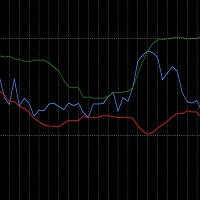
The RSI_BBands is a custom indicator designed to combine the Relative Strength Index (RSI) and Bollinger Bands (BB) for enhanced market analysis. It calculates the RSI using a specified period (default 14) and overlays Bollinger Bands around the RSI values, with adjustable parameters for the Bollinger Bands period and deviation. You can find more free products HERE . If you're looking for a low risk EA , check the Silent Pressure EA .
Key Features: RSI Calculation: The RSI is calcul
FREE
MetaTrader 市场 - 在您的交易程序端可以直接使用为交易者提供的自动交易和技术指标。
MQL5.community 支付系统 提供给MQL5.com 网站所有已注册用户用于MetaTrade服务方面的事务。您可以使用WebMoney,PayPal 或银行卡进行存取款。
