 MetaTrader 5
 专家
专家
 指标
指标
 程序库
程序库
 实用工具
实用工具
 窗口小部件
窗口小部件
 规则
规则
适用于MetaTrader 5的EA交易和指标 - 125
 使用EA交易和指标,使外汇交易获得更多盈利。EA交易可使您自动开启和关闭交易,而指标将帮助您更准确地预测市场行为。
该页面提供MetaTrader 5应用程序的目录。
使用EA交易和指标,使外汇交易获得更多盈利。EA交易可使您自动开启和关闭交易,而指标将帮助您更准确地预测市场行为。
该页面提供MetaTrader 5应用程序的目录。 
Copilot Trend ATR Lite Full version (unrestricted): https://www.mql5.com/en/market/product/175467 This is a limited version of the Copilot Trend ATR EA designed for testing and evaluation before purchasing the full version.
The system is built for automated multi-symbol trading using structured execution and ATR-based logic.
Multi-symbol trading engine Automatic trade execution Built-in Stop Loss and Take Profit Smart trade management No manual intervention required
This version al
FREE

NEXUS Smart Zones v1.85 – Institutional SMC Confluence & Golden Line Analysis
"Logic Has No Tears" – This is the core philosophy behind NEXUS Smart Zones. Designed for professional traders who demand precision, this indicator is built on the principles of Smart Money Concepts (SMC) to track institutional footprints and eliminate market noise.
NEXUS Smart Zones is an intelligent auto-analysis system that helps you identify where big players leave their mark, featuring high-end algorithmic conf
FREE

MTF MA Dashboard Pro v1.04 - 专业多周期移动平均线分析器 适用于MT5的高级技术指标,提供全面的多周期移动平均线分析,具有智能的金叉/死叉检测和完全可定制的可视化仪表板。 停止在时间周期之间频繁切换!同时分析多达4个时间周期,并立即发现趋势一致性。 主要功能 多周期分析 同时监控多达4个时间周期(M1-MN1 + 自定义周期) 每个时间周期可独立配置 所有时间周期实时同步 适用于任何品种(外汇、黄金、指数、加密货币) 双MA系统 每个时间周期两条移动平均线(快线和慢线) 周期:1-500(完全可定制) 方法:SMA, EMA, SMMA, LWMA 应用价格:Close, Open, High, Low, Median, Typical, Weighted 金叉/死叉检测 自动识别看涨金叉(快线上穿慢线) 自动识别看跌死叉(快线下穿慢线) 仪表板上清晰的视觉信号 无重绘(No repaint)- 信号一旦确认即固定 实时趋势分析 即时趋势分类:看涨/看跌/震荡 基于价格相对于移动平均线
FREE

LocalTimePlus — MT5 Local Time Correction × Custom Scale Extension Tool LocalTimePlus replaces MT5’s default time and price scales with a fully custom system featuring automatic local‑time correction , high‑precision crosshair display , intuitive zoom controls , and a transparent canvas rendering engine . It completely solves the “time‑offset problem” for scalpers, short‑term traders, and users trading on overseas servers. Overview LocalTimePlus overlays a transparent canvas on the MT5 cha
FREE

MT4 Version
概述
本指标结合了先进的趋势跟随模型、动态价格反转识别、动态K线上色以及基于ATR的目标预测,为交易者提供了一个完整的视觉系统,用于识别和管理趋势延续的交易机会。
它直接叠加在图表上,自动识别潜在的趋势变化,在自适应支撑/阻力位附近确认反转,并显示计算出的止损和止盈水平,以支持结构化的风险回报决策。
与仅关注趋势方向或进场信号的标准指标不同,该工具融合了信号过滤、基于波动率的定位以及分阶段的盈利了结策略,帮助做出更明智的交易决策。
概念
核心是一个自定义的Supertrend,由ATR带构建,并通过WMA和平滑EMA处理,能在过滤噪音的同时追踪主要趋势变化。
其亮点在于反转逻辑:脚本识别贴近趋势线的K线簇,并统计连续拒绝趋势线的K线数量,这通常预示即将发生的价格波动。通过用户设定的阈值,仅突出显示强反转。
功能
• 趋势识别:使用平滑的Supertrend(WMA + EMA)确定趋势方向,配合形状标记和彩色K线显示趋势变化。
• 反转信号:识别靠近趋势线的价格反转信号,并在满足设定的整理K线数量后用/图标标记趋势延续机会。
• 目标预测

️ Shadow Assassin EA – Precision Trading from the Shadows Shadow Assassin EA is a powerful automated trading system designed for XAUUSD (Gold) on the M5 timeframe . It blends Breakout strategy with smart Candlestick Pattern detection , attacking market inefficiencies like an assassin hidden in the shadows. Key Features ️ Breakout + Candle Pattern Logic
Instantly places pending orders when price breaks key candle ranges, confirming with price patterns like Engulfing , Pinbar , and more.

Relentless News Guard — Free Economic Calendar and News Warning Panel for MetaTrader 5
Relentless News Guard is a free, on-chart economic calendar panel for MetaTrader 5. It shows the upcoming high-impact news events for the currencies you trade, with a live countdown and a clear on-chart status, so you know when to stay out of the market before you place a trade.
It is free. If it keeps you out of one bad news spike, an honest review helps other traders find it.
It reads the built-in MetaTra
FREE

Forex Pulse Matrix is a professional multi-currency strength dashboard for MetaTrader 5. It scans the 8 major currencies and monitors up to 28 forex pairs from a single chart, displaying a clear real-time strength matrix directly on your screen. The indicator helps traders identify the strongest and weakest currencies in the market, making it easier to spot high-probability momentum pairs and avoid single-pair noise. Main Features Multi-currency strength matrix for USD, EUR, GBP, JPY, CHF, CAD,
FREE
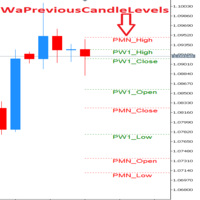
!!!This Free Version just works on EURUSD!!! Wa Previous Candle Levels MT5 shows the previous candle levels, it shows the previous candle Open High Low Close levels (OHLC Levels) in different time frame. It's designed to help the trader to analyse the market and pay attention to the previous candle levels in different time frame. We all know that the OHLC Levels in Monthly, Weekly and Daily are really strong and must of the time, the price strongly reacts at those levels. In the technical anal
FREE

HCS SessionPulse is a free, read-only global trading session monitor for MetaTrader 5.
A compact on-chart panel shows the current status of the Sydney, Tokyo, London, and New York trading sessions and continuously counts down to upcoming session transitions.
SessionPulse displays:
• Sydney session OPEN/CLOSED status • Tokyo session OPEN/CLOSED status • London session OPEN/CLOSED status • New York session OPEN/CLOSED status • Time remaining until each session's next open or close • Currently
FREE

U sing keyboard shortcuts to draw Fibonacci levels and rectangles quickly and efficiently.
Press F to create a Fibonacci retracement. Click with mouse (2x): -once on the chart to set the starting point and - again to set the ending point. The Fibonacci levels are drawn automatically using the configured ratios, colors, and styles.
Press T to instantly draw a pre defined rectangle at the closest highest or lowest price (based on trend).
All levels, colors, sizes, and styles ca
FREE

标题: 全球会话时间线仪表盘 描述: 全球交易时段时间线是一个交互式指标,可在图表上直观地显示主要外汇市场(悉尼、东京、伦敦、纽约)的开盘和收盘时间。 它为利用交易时段重叠期间出现的流动性和波动性进行交易的交易者提供了一个重要的环境,通过实时仪表板和垂直线,可以立即识别当前开放的市场。 主要特点: 交互式仪表盘: 通过简洁的用户界面面板,以实时条形图的形式显示每个会话的进度状态,该面板可以在图表内自由拖动(移动)。 一键式线条控制(眼睛按钮): 您可以通过点击仪表盘上的“ 开/关”按钮,立即打开和关闭指示营业时间的垂直图表线。 状态记忆功能: 即使您更改时间周期或重新启动 MT5 终端,用户拖动的按钮的仪表盘位置和开/关状态也会被保留。 免费自定义: 您可以自由更改每个会话的时间和颜色,以匹配您正在使用的经纪商的服务器时间。 一键退出: 按下仪表盘右上角的“X”按钮,即可立即干净利落地删除指标和图表上绘制的所有线条。 输入参数(输入设置): 服务器时间偏移量: 代理服务器的 GMT 偏移量(用于显示仪表板标题)。 悉尼/东京/伦敦/纽约场次: 请具体说明各场次的开放和关闭时间(包
FREE

在全球市场(如外汇、指数和大宗商品)交易需要高度关注时间。然而,MetaTrader 5 原生仅显示您经纪商的服务器时间,迫使交易者不断进行心算,才能知道自己电脑上的准确时间。
Pinpoint Local Time 以优雅且集成的方式解决了这个问题。它在图表底部添加了一个辅助的超紧凑时间刻度(标尺),与市场历史同步运行,显示每根 K 线形成时的准确本地时间。
该指标以高性能和可视化交易为重点开发,遵循 MT5 的标准视觉风格,不会使您的屏幕变得杂乱,并让您专注于真正重要的事情:价格。
主要特色与功能 动态同步:本地时区标尺完美跟随市场历史滚动、放大/缩小以及时间周期变化。
️ 十字线集成(十字线工具 - Ctrl+F):该指标会检测您光标或十字线工具在屏幕任意位置的位置,并显示带有优雅边框的工具提示,指出 X 轴上该点的准确本地日期和时间。
可通过面板配置高度:避免 MT5 窗口锁定/冻结问题。通过在输入参数中输入所需值,以像素为单位精确、直接地调整标尺高度。
可自定义日期和时间格式:通过快捷菜单选择您希望查看信息的方式:
日期:DD/
FREE

上市优惠 — 前 名用户免费 (以换取真实评价与反馈)。之后价格随售出份数分阶段上调: $49 → $69 → $99 → $129 ,直至上市价 $149 。早期用户锁定最低价。始终提供 $30/月 租用及免费演示(策略测试器)。 Aegis Meridian 是一款用于 MetaTrader 5 的全自动 AUDCAD 自适应均值回归网格 EA,配备单一风险旋钮以及可选的高信心 TURBO 档位。以下所有数据均为策略测试器(回测)在真实 tick 上的结果,并非真实交易结果。过往表现不代表未来收益。 概述 Aegis Meridian 在 M15 周期交易 AUDCAD。它对统计上过度伸展的价格进行反向布局(基于线性回归通道的 z 值),用等手数的小型篮子对逆向走势进行均摊,并在价格回归均值时平掉整个篮子。内置的实时市场状态识别器会针对震荡、高波动和趋势三种状态重新调整选择性、网格间距和获利目标——在趋势中减少交易并加大间距,正是网格本会受损之时。 运行原理 入场:仅在伦敦/纽约时段对严重过度伸展的价格反向入场——高选择性是核心优势。 恢复:等手数篮子(非马丁——每一层手数相
FREE

Tops & Bottoms Indicator FREE Tops abd Bottoms: An effective indicator for your trades
The tops and bottoms indicator helps you to find ascending and descending channel formations with indications of ascending and/or descending tops and bottoms. In addition, it show possibles opportunities with a small yellow circle when the indicator encounters an impulse formation.
This indicator provide to you more security and speed in making entry decisions. Also test our FREE advisor indicator:
FREE

Investment Castle Engulfing — Never Miss an Engulfing Candle
Whether you scalp or trade the daily, bullish and bearish engulfing candles are some of the most reliable signals — but spotting them across timeframes is tedious and easy to miss. This indicator finds them for you, including an engulfing candle forming on a higher timeframe while you trade a lower one.
What it does for you Automatic engulfing detection: bullish and bearish engulfing candles are flagged for you. Multi-timeframe aware
FREE

PropGuard Pro is a professional-grade risk management Expert Advisor built specifically for prop firm traders . It monitors your account in real time, enforces drawdown limits, time-based rules, and position constraints — then auto-closes trades the instant a rule is breached. Never fail a funded challenge because of a preventable mistake again.
KEY FEATURES
Real-Time Drawdown Enforcement
• Daily and total drawdown tracking based on your funded account size (not the live balance)
FREE

KS 双 EMA RSI 信号指标
结合 RSI 确认与 ATR 风险管理的双周期 EMA 策略
专为超短线(Scalping)、日内交易及波段交易设计,旨在帮助交易者捕捉趋势延续行情,同时规避震荡盘整的市场环境。
核心功能
进阶的风险与回报管理
基于 ATR 的止损设置(支持自定义倍数,默认为 1.5 倍 ATR)
三档止盈水平(1R、2R、3R)
灵活多样的止盈离场模式
可视化界面与仪表盘
简洁明了的双周期 EMA 显示
实时 ATR 仪表盘,显示以下关键信息:
趋势状态(周期 1 / TF1)
EMA 交叉状态(周期 2 / TF2)
RSI 数值及阈值状态
信号就绪状态
信号冷却倒计时
上一组信号的关键价位(入场点、止损点、止盈点 TP1–TP3)
动态水平线段,用于标记止损与止盈位;当价格触及相应水平时,线段会自动延伸或截断。
图表上直接显示所有 EMA 均线的数值标签。
实用功能
代码整洁且经过高度优化,无任何冗余对象。
FREE

本产品已更名为 PositionRelay TV Slave Subscriber。
请从 MQL5 Market 安装 PositionRelay TV Slave Subscriber。此 TradeEcho 列表已被取代并将隐藏。Market 产品标题无法重命名。
同一 User ID 与云端 API。请卸载 TradeEcho TV Slave Subscriber,然后在每个跟随账户上附加 PositionRelay TV Slave Subscriber。
配套产品:PositionRelay Master Publisher。
关键词:复制交易, 跟单, PositionRelay, 品牌迁移, slave
PositionRelay TV Slave Subscriber 将 PositionRelay 云端的 TradingView 网络钩子信号镜像到您的 MetaTrader 5 跟随账户。它轮询虚拟 TradingView 源账户(非 MT5 主账户),并以 TV_ 票注复制开仓、平仓和修改操作。
配套产品:PositionRelay Master P
FREE
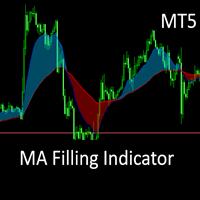
This is the MT5 converted Version of the The MA Filling Indicator, developed by Scriptong, is an advanced technical analysis tool designed for MetaTrader 4 (MT4) that enhances the traditional Moving Average (MA) indicator by incorporating a visually intuitive filling feature. The MA Filling Indicator is a versatile tool suitable for both novice and experienced traders seeking to enhance their trend-following strategies with a clear, color-coded representation of market dynamics. Support and ques
FREE

The Chicken Trader
Description: The Chicken Trader is a whimsical and entertaining trading algorithm inspired by the viral "Trading Chicken" sensation on social media. This Expert Advisor (EA) replicates the unpredictable trading style of the famous chicken, offering a lighthearted approach to trading.
Features: Random Market Direction : The EA randomly chooses between placing a Buy or Sell trade. Session Selection : It randomly selects one of the three major trading sessions for entry:
FREE

TrendFollowMT is a fully automated trading system which is using large time frame to determine the trend and use small time frame to find the entry point. Once the trend changed to opposite side, the system will wait for another entry point to recover with bigger lot size. Moreover, the target profit will be moved up when more position had been opened. The aim is to cover the cost of waiting time and risk.
Free version will only trade on buy signal and locked the initial Lot size (0.01). Paid v
FREE
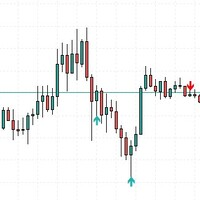
This indicator was creating a perfect structure to not re-paint or recalculate, all signals are accurate. I can create a robotic version of this indicator but I need more precision in the signals. So appreciate this work.
Tips to use when trading, do not buy at the top or sell at the bottom, always buy at the bottom and sell at the top. Risk 1 to 3.
In the settings you can adjust the size of the shadow or trail of the candle, you can change the colors and sizes of the arrows.
FREE
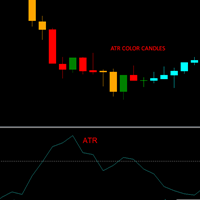
This indicator allows you to visually identify with a different color the candlesticks that exceed a certain limit of the ATR.
Just drag and drop it on the chart.
The user must enter the value of the ATR period.
The user must enter the value of the ATR limit with which he wants to identify the candlesticks.
In the colors tab, the user can select the colors with which to repaint the candles.
It is recommended that the first color always be None.
The second color corresponds to bullish c
FREE

This indicator, "Phoenix Volume Amazing", is a sophisticated Volume Delta and Order Flow Dashboard. Unlike standard volume indicators that only show total activity, this tool dissects the internal "tug-of-war" between buyers and sellers in real-time. Core Functionality The indicator calculates Delta (the difference between buying volume and selling volume) to provide a "under the hood" look at market sentiment. It uses a custom-built GUI (Graphical User Interface) panel to display these metrics
FREE

O OM Water Mark é um indicador de marca d´agua único e com vai muito além de uma simples marca d´agua, nele vc vê além das informações do Ativo e timeframe, conta com um timer do candle, além de volume em tempo real. Você nunca viu nada igual. Principais recursos
- Marca d’água central com o nome do ativo + timeframe (ex.: “EURUSD H1”). - Timer do candle: mostra, abaixo do texto principal, o tempo restante para fechar a vela atual (contagem regressiva). - Atualização automática a cada 1 segund
FREE

Our offer also includes a free panel — Indicator Panel — which allows you to show or hide indicators created by BOToBRACIA -> MT4 / MT5 Our offer also includes a version for MetaTrader 4 -> https://www.mql5.com/en/market/product/179248?source=Site+Market+Product+Page#description
Indicator Panel is a tool designed to manage the visibility of technical analysis objects generated by our indicators. Instead of enabling/disabling individual indicators or manually removing chart objects, a si
FREE
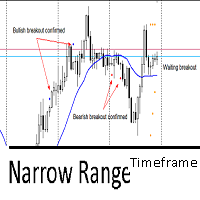
This indicator utilizes the Narrow Range 7 concept . This concept says that if the seventh candle is the one with the smallest range, that is, the smallest difference between maximum and minimum of all 7 candles. The indicator marks this candle with two markers and waits for a breakout to happens in the next 6 candles. It's called "timeframe" because if in the next 6 candles the breakout not happens, it will remove all marks on candle. If it exceeds 7 times the timeframe, it also will remove the
FREE

The "Standardize" indicator is a technical analysis tool designed to standardize and smooth price or volume data to highlight significant patterns and reduce market noise, making it easier to interpret and analyze.
Description & Functionality: Standardization : The indicator standardizes price or volume values by subtracting the mean and dividing by the standard deviation. This converts the data into a distribution with zero mean and standard deviation of one, allowing different data sets t
FREE

MT4 version Overview The Lowess Channel indicator is a smoothed trend-following tool designed to help traders identify the direction of the trend , detect flat or ranging markets , and spot breakouts from consolidation zones. It creates a central smoothed line with upper and lower channel boundaries, adapting to market noise while maintaining clarity. How It Works The indicator builds a channel around a smoothed price line. The central line reflects the current trend. The upper and lower bounda
FREE

The liquidity swings indicator highlights swing areas with existent trading activity. The number of times price revisited a swing area is highlighted by a zone delimiting the swing areas. Additionally, the accumulated volume within swing areas is highlighted by labels on the chart. An option to filter out swing areas with volume/counts not reaching a user-set threshold is also included.
This indicator by its very nature is not real-time and is meant for descriptive analysis alongside other com
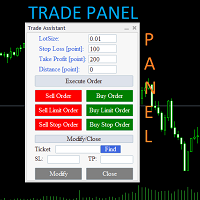
Trade Assistant Panel: Your Optimal Trading Ally "The Trade Assistant Panel" is a graphical tool for traders aiming to simplify and enhance their trading experience. It streamlines order execution and management, allowing you to focus on market analysis and decision-making. With just a few clicks, you can initiate various order types, ensuring that you always have full control over your trading strategy: Buy Orders Sell Orders Buy Stop Orders Buy Limit Orders Sell Stop Orders Sell Limit Orders Y
FREE

Jireh Fair Value Gap Detector Overview The Jireh Fair Value Gap Detector automatically identifies Bullish and Bearish Fair Value Gaps (FVGs) and draws their imbalance zones directly on the chart. Designed for traders who use Price Action , Smart Money Concepts (SMC) and ICT methodology , the indicator helps identify high-quality imbalance areas through advanced filtering and a clean, fully customizable interface. Main Features Automatic Bullish & Bearish Fair Value Gap Detection Automatic FV
FREE

Trading Assistant DARA is a professional MT5 utility Expert Advisor designed to help traders manage risk and protect profits automatically. It works with both manual and automated trades by providing intelligent trade management features without generating trading signals. Key Features: Automatic Broker Stop Loss & Take Profit Break Even Protection Smart Trailing Stop Basket Take Profit & Basket Stop Loss Equity Protection System Real-Time Candle Timer Trading Information Dashboard Compatible wi
FREE

PropSizer is a free lot calculator on the chart: drag an entry line and a stop line, and one text line shows the broker normalised lot size for your risk, the money on the line and the stop distance. A session candle counter and a news line come with it. Setup takes a minute: attach it to the chart you want to trade, set your risk per trade once, and drag the two lines. It never places an order. Try it first
It is free. Attach it to any chart, drag the lines, read the number. In the strategy te
FREE

LC Trading Sessions is a precision indicator designed to map liquidity windows across major global sessions ( New York, London, and Tokyo ). It is the perfect tool for Day Traders and Scalpers who need to visualize market opens and closes while maintaining a clutter-free chart. What does the indicator do? Automatic Mapping: Plots vertical lines with clear labels identifying the start and end of each session. Future Projection: Displays upcoming session opens, allowing you to plan your trading da
FREE

该指标是TradingView平台"Duyck"开发的"ATR Based Trendlines - JD"指标的MetaTrader 5移植版本。 本指标通过自动持续绘制趋势线运作,其独特之处在于不仅基于价格,还结合ATR反映的波动率。因此趋势线的角度由ATR(的特定百分比)决定。 趋势线角度会跟随价格变化,这种变化由发现枢轴点时的ATR值决定。ATR百分比参数控制趋势线是跟随ATR变化率(100%),还是其分数(<100%)或倍数(>100%)。 输入参数
回溯深度:设定检测枢轴点时需要检查的K线数量
ATR目标百分比:调整趋势线方向上ATR影响的敏感度
依据影线/实体绘制:选择枢轴点和ATR计算使用K线实体还是影线
选择趋势线方向:看涨/看跌/双向
显示全部趋势线开关
最大趋势线数量(当"显示全部趋势线"关闭时)
上升趋势线颜色设置
下降趋势线颜色设置
接收图表提醒
接收应用通知
交易策略指南:
本交易策略结合了我开发的两个指标来确认交易信号——"RC ATR Based Trendlines"和"RC ATR Volatility Hedge Zones"。核心原则是必须两个指
FREE

FJD Lot Calculator & Risk Manager EA is an all-in-one, high-performance trading assistant for MetaTrader 5. Designed for manual traders, scalpers, and prop firm challenge accounts, this tool combines dynamic position sizing, interactive order placement (Market & Pending Orders), and a real-time Account Risk Dashboard into a sleek, draggable on-chart interface. Stop making volume calculation errors or struggling with lot size formulas. Simply drag your Stop Loss or Entry lines on the chart, let
FREE

Volatility Channel Indicator Ride the Waves of Market Volatility with Precision ... please leave a 5 star rating if you love this product The Indicator is free. The source code is available for just 30usd.
Are you tired of entering trades too early or too late? Missing breakouts? Getting caught in false signals? The Volatility Channel Indicator transforms chaotic price action into crystal-clear trading opportunities. What You Get (MT4 & MT5) Smart Channel Bands that
FREE

Hi everyone, I had make that product for try help you get another lever without so hard work and painful... This work on most EUR pairs, maked that for EURUSD but work one anothers, becouse the simple strategie is just follow some nicelh indicators that i use for trade... and is my strategie in a program ... i don't advise start with less that -1000 and more than 0.01 but you can find too how work the tool and how you can work with that so , i will let there a group of telegram for that , try ha
FREE

This indicator is based on the Fractals indicator. It helps the user identifying whether to buy or sell. It comes with an alert that will sound whenever a new signal appears. It also features an email facility. Your email address and SMTP Server settings should be specified in the settings window of the "Mailbox" tab in your MetaTrader 5. Blue arrow up = Buy. Red arrow down = Sell. Line = Trailing Stop. You can use one of my Trailing Stop products that automatically move the Stop Loss and includ
FREE

This EA trades using the CCI Indicator. It offers many trading scenarios and flexible position management settings, plus many useful features like customizable trading sessions, a martingale and inverse martingale mode. [ Installation Guide | Update Guide | Troubleshooting | FAQ | All Products | Get Help ] Easy to use and supervise It implements three different entry strategies Customizable break-even, SL, TP and trailing-stop Works for ECN/Non-ECN brokers Works for 2-3-4-5 digit symbols Tr
FREE

Multi-Symbol Layered Take Profit Manager PRO Professional Trade Management Utility for MetaTrader 5 Copyright YUNZUH TRADING SYSTEMS WHAT THIS EA DOES The Multi-Symbol Layered Take Profit Manager PRO is a sophisticated trade management utility designed exclusively for closing existing positions. This Expert Advisor does NOT open any trades. It is specifically engineered to manage your take profit targets across multiple symbols simultaneously using an intelligent layered system. KEY CONCEPT: L
FREE

XAU PipStrike Expert MT5 XAU PipStrike Expert 是一款专为 MetaTrader 5 平台上的黄金 (XAUUSD) 交易量身打造的高精度、全自动交易算法。该智能交易系统 (EA) 基于机构动量机制构建,能够精准捕捉高成交量的市场失衡,从而在完全排除情感干扰的情况下,提取快速、经过数学优化的利润。 与那些让账户暴露在不可控回撤风险中的危险网格 (Grid) 或马丁格尔 (Martingale) 系统不同, Gold PipStrike Destroyer 专注于快速“进出”的交易执行,在最具爆发力的价格波动中瞬间锁定利润。 黄金交易的痛点:为什么大多数交易者都在亏钱 在金融市场中,手动交易黄金是最具压力的环境之一。由于黄金极高的波动性,散户交易者经常陷入相同的陷阱:过度交易、在快速突破时犹豫不决,或者纯粹由于情绪化而长时间扛单。许多人转向自动化系统,但只要黄金启动强劲 ovip directional 的单边趋势,他们的账户就会被危险的网格或马丁格尔策略瞬间爆仓。 核心问题很简单: 交易者缺乏安全捕捉快速价格脉冲的执行速度,同时也
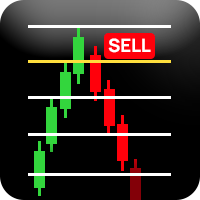
️ 重要提示:评估版本 - 限制交易品种支持 此指标目前仅供评估使用,仅支持以下交易品种: EURUSD(欧元美元) Volatility 50 (1s) Index(波动率50指数) 该指标无法在其他任何交易品种上运行。 Richchild 四分理论指标 评估版 专业市场结构分析工具 概述 这是一个专业的交易指标,旨在使用动态区间计算和基于四分位的价格分析来分析市场结构。该指标通过自动化周期分析和关键价格水平的可视化表示提供全面的市场洞察。 如何使用此指标 开始使用 品种选择 :确保您正在交易EURUSD或Volatility 50 (1s) Index 时间框架选择 :使用底部的时间框架按钮选择您的分析周期(M15, M30, H1, H4, H6, H12, D1, W1, MN1) 视觉控制 :使用控制按钮切换高/低线并在深色/浅色主题之间切换 读取仪表板 主仪表板显示多个时间框架的实时数据: TF :正在分析的时间框架 L% :当前价格从周期低点的位置(0-100%) H% :当前价格从周期高点的位置(负值表示低于高点) Quarter :您当前所在的时间四分
FREE

TARA_Forex Individual Timeframe Market Structure Indicator Trade the Active Structure, Not the Noise TARA_Forex Individual Timeframe Market Structure Indicator is a dedicated single-timeframe price-action analysis tool that identifies Higher Highs (HH), Higher Lows (HL), Lower Highs (LH), Lower Lows (LL), Change of Character (CHOCH), Break of Structure (BOS), Market Ownership, and Market State . The indicator focuses on market structure itself rather than relying on traditional lagging indicator
FREE
"AV Preview MT5" is an Expert Advisor designed to make it easier to view my MT5 demo indicators. Some of them need trades, which is why this EA carries out a few trades based on simple logic.
These indicators can be turned on or off:
- "AV Trade History MT5" (requires trades)
- "AV Grid MT5"
- "AV Monitor MT5" (requires trades)
- "AV Stop Hunter MT5"
- "AV SuperTrend MT5"
- "AV Donchian Channel MT5"
- "AV Forecast MT5"
Instructions:
- Download the desired demo indicators (are then in the "
FREE

A powerful and intuitive trade management tool designed for scalpers and intraday traders.
Created to complement the Nampim Samba Scalper strategy , it allows traders to open, manage, and close positions quickly without leaving the chart. Key Features: Customizable trading panel – choose position (left, right, center, top, bottom). One-click trading buttons – instantly open Buy/Sell trades with pre-set lot sizes. Close management – close last 1/2/3 trades or all Buy/Sell positions with one clic
FREE
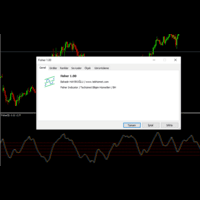
With Fisher level indicator. Many settings can be changed by the user, indicator created with original calculation. You can adjust the levels you create according to yourself and provide more stable displays. What is Fisher indicator: It transforms data that does not normally show a normal distribution, such as market prices. In essence, the transformation helps to better identify price reversals on a chart by making peak swings relatively rare events.
FREE
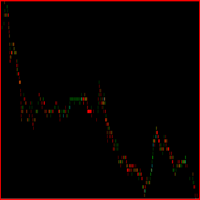
Este indicador foi desenvolvido para auxiliar na tomada de decisão em operações de compra e venda. Ele realiza uma análise minuciosa baseada em um cálculo complexo que leva em conta múltiplos fatores do mercado. A partir dessa análise, o indicador gera um ponto visual que representa, de forma clara e objetiva, a direção sugerida – seja de entrada ou saída de uma posição. Sua principal função é fornecer ao trader uma leitura simplificada de dados sofisticados, facilitando o entendimento do moment
FREE
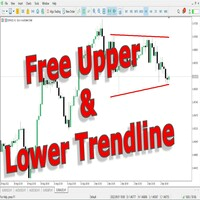
This indicator uses a different approach from the previous version to get it's trendlines. This method is derived from Orchard Forex, and the process of making the indicator is demonstrated in there video https://www.youtube.com/watch?v=mEaiurw56wY&t=1425s .
The basic idea behind this indicator is it draws a tangent line on the highest levels and lowest levels of the bars used for calculation, while ensuring that the lines don't intersect with the bars in review (alittle confusing? I know
FREE

# ️ VUI LÒNG ĐỌC KỸ TRƯỚC KHI SỬ DỤNG CHỈ CẢNH CẢNH KHÔNG!
** Trước khi bắt đầu sử dụng công cụ Fibonacci này, vui lòng dành thời gian đọc kỹ tất cả các chi tiết, hướng dẫn và cảnh báo về sự chênh lệch giá thị trường bên dưới. Bạn đã thành công trong giao dịch và đảm bảo an toàn vốn phụ thuộc vào việc hiểu các quy tắc này. Cảm ơn bạn đã dành thời gian và tâm huyết!**
---
### ️ HƯỚNG DẪN SỬ DỤNG & ĐO LƯỜNG THỦ CÔNG
Việc sử dụng công cụ này cực kỳ đơn giản, trực quan và nhanh chóng. Vui lò
FREE

这是一个正在积极维护的版本,已针对当前的MT5版本进行了重新构建和功能扩展。
在平静的市场中有效的止损距离或仓位大小,一旦波动率发生变化,可能会变得过于紧或过大。仅凭肉眼观察或单纯依靠原始ATR值来判断这种变化,并不可靠。
Phoenix ATR 波动率仪表会将当前 ATR 值与其近期历史数据进行对比分析,因此您不仅能看到原始数值,还能判断当前波动率是否异常偏低或偏高。
它如何为您解读波动率
- 实时波动率仪表,分为五个区间(“极低”、“低”、“平均”、“高”或“极高”),并基于30天滚动历史数据进行排名 - 可配置的ATR周期 - 各区间警报开关,确保您仅在关注的条件触发时收到通知
使用 Phoenix ATR 波动率仪表可: - 在入场前判断当前波动率是否支持您计划的止损幅度 - 识别往往预示突破的异常平静行情 - 避免在波动率刚开始扩大时,根据平静市场的情况来设定仓位
使用方法
1. 将其附加到任何图表上,并设置您的 ATR 周期。 2. 在设定仓位或止损前,先查看当前所处的区间。 3. 针对您希望收到通知的特定区间启用警报。
安装
从 MQL5 市场下载并添
FREE

You can use this tool to create as many pending orders (limit order) as you want in one button press. All inputs must be in points. You can use this useful tool when such as FED speech times. User Inputs:
MagicNumber = Magic number DeviationPoint = Deviation point number for limit orders Level = You can choise how many level do you want to create pending orders. BuyOrder = true/false SellOrder = true/false StartDistance = Distance between each level. StepDistance = Distance to be added increment
FREE

Here is the full technical and strategic description for the Gann Square of 9 indicator. Full Name Gann Square of 9 - Intraday Levels (v2.0) Overview This is a mathematical Support & Resistance indicator based on W.D. Gann's "Square of 9" theory. Unlike moving averages which lag behind price, this indicator is predictive . It calculates static price levels at the very beginning of the trading day (based on the Daily Open) and projects them forward. These levels act as a "road map" for the day,
FREE

PHSB Market Vision 一种全新的市场观察方式。 市场一直在传递信息。关键在于,你是否能够正确解读价格所呈现的信号。 PHSB Market Vision 旨在帮助交易者以更加全面、清晰和系统的方式观察市场行为,将 价格、趋势、波动率和成交量 等不同维度的信息整合到一个工具中。 与其分别观察多个指标,Market Vision 将这些信息整合到统一的视觉结构中,让你能够同时从不同角度观察市场。 ️ 看见价格之外的市场 单独观察价格,只能看到市场故事的一部分。 价格的运动方式、与不同参考指标之间的关系、波动率的扩张或收缩,以及价格相对于成交量的位置,都可以为市场分析提供重要信息。 PHSB Market Vision 正是为了将这些信息有序地呈现在图表中,从而帮助交易者更加直观地理解市场。 一个工具,整合多个维度: 两组布林带结构
帮助你观察不同的价格运行区间以及市场波动率变化。 简单移动平均线(SMA)
提供额外的价格参考,用于观察价格行为和趋势方向。 VWAP(成交量加权平均价格)
提供一个基于成交量加权的价格参考,可应用于不同的分析周期。
FREE
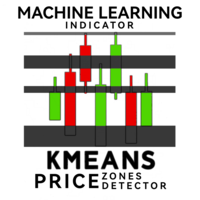
欢迎使用 KMeans Price Zones Detector,这是一款创新的 MetaTrader 指标,利用机器学习的强大功能来识别关键的价格区间。该工具使用 KMeans 聚类算法动态检测价格数据中的中心点,突出显示价格更可能遇到支撑、阻力或整合的区域。 创新的 KMeans 算法 KMeans Price Zones Detector 之所以出众,是因为它先进地使用了 KMeans 聚类算法,这是一种在模式识别中以其效率和准确性而著称的机器学习技术。通过分析历史价格数据,指标识别代表显著价格水平的集群或中心点。然后利用这些中心点计算支撑和阻力区,为交易者提供关于潜在价格反转、突破和整合的重要信息。 主要特点 动态区域检测: 指标根据最新的市场数据不断更新价格区域,确保交易者始终掌握最相关的信息。 适用于所有时间框架: 无论您是在 1 分钟图表上进行短线交易还是在日线图表上进行长期投资,KMeans Price Zones Detector 都能无缝适应,提供准确的区域检测。 兼容所有外汇对: 该指标设计用于任何外汇对,为交易多种货币的交易者提供了灵活性和多功能性。 全面的 A
FREE

Percent Change Dashboard Percent Change Dashboard 是一款专为 MetaTrader 5 平台开发的紧凑型信息指标,可实时显示交易品种在多个时间周期内的价格百分比变化。 该指标旨在帮助交易者快速了解市场动能,无需手动计算或频繁切换不同时间周期,即可清晰掌握市场走势。 ️ 主要功能 小时涨跌幅 (%) —— 显示短期市场动态
日涨跌幅 (%) —— 反映当日价格波动情况
周涨跌幅 (%) —— 帮助识别中期趋势
月涨跌幅 (%) —— 提供更全面的市场视角 优势 快速了解市场强弱及运行方向 适用于趋势跟踪和动量交易策略 自动计算涨跌幅,节省分析时间 支持外汇、指数、贵金属及加密货币等各类交易品种 界面简洁轻量,不影响图表观察 适用人群 日内交易者(剥头皮交易和短线交易) 动量交易及波动率策略交易者 进行相对强弱分析的多资产交易者 依赖价格百分比变化进行决策的交易者 如何帮助交易者 该指标能够回答一个简单却非常重要的问题: “当前价格走势在不同时间周期上究竟有多强?” 因此,它能够成为任何基于
FREE

当然可以!以下是为您翻译的中文版本,采用了符合 MQL5 社区习惯的专业术语: ============================================================== ScenarioBoard - MQL5 产品页面描述 (中文) [标题] ScenarioBoard [短描述 (用于 #property description)] MetaTrader 5 多功能指标控制面板。 一键切换枢轴点、交易时段、分形、自定义网格、预警线及货币强弱,支持面板自由拖动。 [产品页面详细描述] 概述 ScenarioBoard 是一款专为 MetaTrader 5 设计的多功能指标控制面板。通过可自由拖动的 UI 面板,您可以一键切换显示枢轴点 (Pivots)、交易时段框、分形水平、自定义网格、预警线以及货币强弱。让您在需要时只显示关键信息,保持图表整洁有序。 主要功能 日/周枢轴点 (D-PIVOT / W-PIVOT) 显示包含 P、R1/R2/R3(阻力位)和 S1/S2/S3(支撑位)的枢轴线。根据前一天或前一周的高点、低点和收盘价自动计算。 前日
FREE

Overview Tomgoodcar Rose Knight PRO is an advanced, fully automated algorithmic trading system designed for MetaTrader 5. Built upon a sophisticated Pending Order Grid framework, the EA does not simply execute market orders blindly. Instead, it deploys strategic Buy Stop and Sell Stop orders, dynamically trailing them along with price movements to secure optimal entry levels. Equipped with a dual-stage recovery mechanism, embedded economic news filters, and strict price zone limitations, this to

Versión Beta El indicador técnico Non Lag MA MTF (Non-Lagged Moving Average Multi-Time Frame) es una versión avanzada del Non Lag MA que permite visualizar la media móvil en varios marcos temporales simultáneamente. Pros: - Visión integral: Proporciona una visión más completa al mostrar la media móvil en diferentes marcos temporales en un solo gráfico. - Anticipación de tendencias: Ayuda a anticipar cambios de tendencia al observar la convergencia o divergencia de las medias móviles en distint
FREE

EA Brian Breyli Vana — Smart Breakout ATR Automated Breakout Trading with ATR-Based Risk Management & Optimized Performance EA Brian Breyli Vana is a professional MT5 Expert Advisor designed for automated XAUUSD breakout trading on H1 . The EA combines breakout detection, trend confirmation, ATR-based trade management, dynamic position sizing and multi-layer risk protection into one automated trading system. Designed for traders who want structured automated trading without Martingale, Grid or A
FREE

Ritz MOVAR ALL Filter Ritz MOVAR ALL Filter is a professional multi-timeframe moving average filter designed to help traders clearly identify trend direction, bias, and momentum across all trading instruments. This indicator supports a wide range of advanced moving average algorithms — including Super Smoother, Hull MA, Zero-Lag, ALMA, T3, VWMA, and more — combined with flexible price source modes for precise market filtering. The color-coded line dynamically reflects trend state changes , makin
FREE

FluxMA – Moving Average Expert Advisor with Professional Risk Management
FluxMA is a simple, clean, and robust Expert Advisor (EA) based on price crossovers with a configurable moving average.
It's designed for traders who want a transparent system, without martingale or grids, and with serious risk management based on a percentage of the balance or equity.
It's not a "black box": you know exactly when it enters, where it places the Stop Loss (SL) and Take Profit (TP), and how much it risks
FREE

PACK 2 do Phi Cubic Fractals com opção para extender os indicadores no FUTURO, para o lado direito do gráfico Este produto contem os indicadores do PACK 2 (ROC full / SAINT 8 / SAINT 17 / SAINT 34 / SAINT 72 ) + MODO FUTURO Phi ROC - indicador do tipo oscilador, semelhante ao MIMAROC, que é capaz de mostrar a direção e a força do mercado, bem como determinar o ponto de entrada ótimo; Phi SAINT - indicador do tipo oscilador, semelhante ao SANTO do Phicube, que é capaz de mostrar a direção e a

Breakout and Rejection Range Trading is a MetaTrader 5 indicator that identifies two range behaviors: breakouts, when price pushes through a level, and rejections, when price fails at a level and turns back. It maps the range and the trigger levels so you can trade both cases. Features Automatic range mapping: tracks the highest high and lowest low over a lookback window to define the current range top and bottom. Breakout and rejection logic: a close beyond the range marks a breakout; a failure
FREE

DO NOT DOWNLOAD UNLESS YOU OWN "Tick Chart - Constant Volume Generator EA" - This indicator acts as remote control of the specifc EA. The link for "Tick Chart - Constant Volume Generator EA" : https://www.mql5.com/en/market/product/171018 1. Tick Chart Monitor 1.1 What It Does The Monitor is an indicator that runs directly on the generated tick chart. It provides a graphical control panel that lets you change the EA’s style, volume, start date, or trigger a full rebuild — without touching the
FREE

The Buffer Reader will help you to check and export the custom indicators buffers data for your current chart and timeframe. You can select the number of buffer and historical bars to read/export. The data can be exported in a CSV format and the files will be stored in the folder: \MQL5\Files .
How it works Put the number of buffers to read in the Buffers_Total input parameter. Put the number of rows to display in the Rows_Total. Choose the CSV separator in the parameter. Copy the correct nam
FREE
This indicator identifies short-term, medium-term and long-term highs and lows of the market according to the method described by Larry Williams in the book "Long-term secrets to short-term trading".
Brief description of the principle of identifying the market highs and lows A short-term high is a high of a bar with lower highs on either side of it, and, conversely, a short-term low of a bar is a low with higher lows on either side of it. Medium-term highs and lows are determined similarly: a
FREE
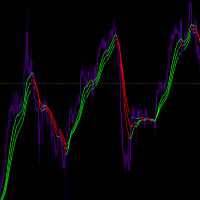
Input Parameters JawPeriod (default=9): Period for the blue line JawShift (default=0): Shift for the blue line TeethPeriod (default=7): Period for the red line TeethShift (default=0): Shift for the red line LipsPeriod (default=5): Period for the green line LipsShift (default=0): Shift for the green line Signals Bullish Conditions When price moves above all lines (all lines turn Lime) Potential buying opportunity Confirms upward momentum Bearish Conditions When price moves below all
FREE
MetaTrader市场是一个简单方便的网站,在这里开发者可以出售自己的交易应用程序。
我们将帮助您发布您的产品,并向您解释如何为市场准备您的产品描述。市场上所有的应用程序都是加密保护并且只能在买家的电脑上运行。非法拷贝是不可能的。
