 MetaTrader 5
 专家
专家
 指标
指标
 程序库
程序库
 实用工具
实用工具
 窗口小部件
窗口小部件
 规则
规则
适用于MetaTrader 5的EA交易和指标 - 120
 使用EA交易和指标,使外汇交易获得更多盈利。EA交易可使您自动开启和关闭交易,而指标将帮助您更准确地预测市场行为。
该页面提供MetaTrader 5应用程序的目录。
使用EA交易和指标,使外汇交易获得更多盈利。EA交易可使您自动开启和关闭交易,而指标将帮助您更准确地预测市场行为。
该页面提供MetaTrader 5应用程序的目录。 
Esse Indicador é uma boa opção para quem gosta de operar a longo prazo e com paciência. Ele trabalho com os níveis de fibo na media de 200 são 9 níveis onde você pode operar nas reversões o mercado partir do níveis abaixo. Level 1 = 550 pontos Level 2 = 890 pontos Level 3 = 1440 pontos Level 4 = 2330 pontos Level 5 = 3770 pontos Level 7 = 9870 pontos Level 8 = 15970 pontos Level 9 = 25840 pontos Level 6 = 6100 pontos
FREE

This indicator displays two important pieces of information on the MT5 chart: Current Spread - Trading cost measured in points, helping traders assess optimal entry timing when spread is low. Time Countdown - Remaining time (minutes:seconds) until the current candle closes and a new candle forms, supporting candle-based trading strategies. Information is displayed as compact text in a chart corner (default top-right), with customizable position, color, and font size. The indicator updates in rea
FREE

Always Know When the Candle Closes!The countdown is right there on the chart, updating every second. If you find this indicator useful, please leave a review
How It Works
The indicator displays up to three independent candle close countdowns on your chart, each set to any MT5 timeframe. Monitor your chart timeframe, a higher timeframe, and a lower timeframe simultaneously — all without switching charts. Slot 1 defaults to your current chart timeframe. Set slots 2 and 3 to any timeframe you want
FREE

Gold Support Resistance Breakout Retest Pro MT5 EA is a fully automated trading system designed to identify key support and resistance levels, detect high-probability breakout opportunities, and confirm entries through retest validation before executing trades. By waiting for price to break a significant level and then retest it as new support or resistance, the EA helps filter false breakouts and improve trade accuracy. Advanced risk management features include customizable lot sizing, stop lo

Program Features 1. Calculation of Margin Call and Liquidation Prices Monitoring all open positions: The program continuously analyzes all open positions on the trading account. Determining critical price levels: Margin Call Price: The price at which additional funds must be deposited to keep positions open. If this does not occur, liquidation follows. Liquidation Price: The price at which positions are automatically closed by the broker to prevent further losses. 2. Display of Prices on the Ch
FREE
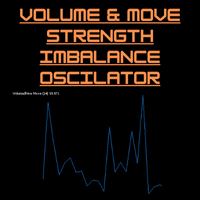
Volume-to-Price Movement Oscillator (VP Oscillator) for MT5 The VP Oscillator highlights the balance (or imbalance) between trading volume and price movement, helping traders spot hidden accumulation, distribution, or weakening trends. How It Works: Calculates each bar’s price range (High–Low) and tick volume. Normalizes both values over a set period (default: 14). Plots the absolute difference between them ×100 — showing how closely price action aligns with trading activity. Interpretation: Hig
FREE
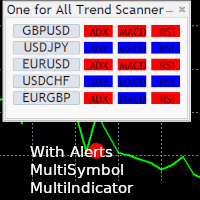
One for All Trend Scanner is a trend following multi-symbol indicator that can be used with any input: forex, stocks, commodities,... The panel shows three indicators and six symbols with the trend for every pair (symbol/indicator): up, down or no trend. The indicators are: Average Directional Movement Index (ADX) Moving Average Convergence Divergence (MACD) Relative Strength Index (RSI) You can choose which indicators will use for entry/exit and can adjust the parameters of each indicator sepa
FREE

Strategy Overview BTC Breakout Scalper Pro is a breakout scalper for BTCUSD M1 that places pending stop orders at high-volatility breakout points, confirmed by RSI filter (12/88 extremes) and ADX M15 ≥ 20 (trending market only). The EA does NOT use martingale, grid, or hedging. Each trade is a single position with predefined SL/TP based on price percentage. Position size scales with account equity via the built-in Smart_Lots algorithm — bounded by your chosen MaxLots cap (.set file). Backtest Re
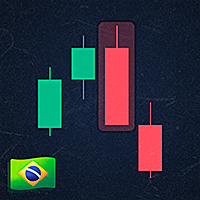
Developed by Smart Trader - Smart Reversion Pattern is an indicator capable of identifying reversal patterns , both bullish reversals and bearish reversals.
It is designed to provide fast, real-time awareness of patterns.
We also thought about the interface part, creating a clean and pleasant look to identify formation patterns on the chart.
Note: If any pattern you need is not listed, just contact us and request inclusion - we usually respond within a few hours.
Bearish Reversal Patterns

SuperTrend Double Smoothed Overview SuperTrend Double Smoothed is a trend-following indicator for MetaTrader 5 designed to display market direction and dynamic trend levels using a smoothed SuperTrend methodology. The indicator combines a body-based SuperTrend calculation with ATR-based filtering to help reduce sensitivity to short-term market fluctuations. Features • Trend direction visualization • Dynamic trend line display • ATR-based filtering • Trend strength information • Closed-bar calcu
FREE
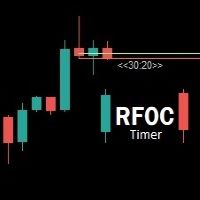
Uma informação de grande valor para o trader se localizar no tempo é a informação de quanto tempo temos para o encerramento do candle atual ou quanto falta para a formação de um novo candle. O RFOC Timer apresenta esta informação de forma clara e alocada à direita do candle atual. Adicionalmente o RFOC Timer acompanha a opção de inclusão das linhas de preços ASK e BID com e sem extensão a direita e/ou esquerda. Esta função auxilia, por exemplo, a não sobreposição das linhas de ASK e BID com as
FREE

FVGs + Alerts 是一款专为 MetaTrader 5 设计的“公允价值缺口”(Fair Value Gap)探测与可视化工具。
它旨在协助交易者识别并追踪价格失衡区域(即公允价值缺口),这些区域在“智能资金概念”(SMC)及 ICT 交易体系中,往往充当关键的支撑位、阻力位或价格反应区。
什么是公允价值缺口(FVG)?
典型的三根K线公允价值缺口形成于连续K线之间出现强烈失衡之时:
看涨 FVG(潜在支撑区):第 [n-2] 根K线的最高价 < 第 [n] 根K线的最低价
看跌 FVG(潜在阻力区):第 [n-2] 根K线的最低价 > 第 [n] 根K线的最高价
这些缺口代表了市场效率低下的区域,价格往往会在继续沿原有方向运行时,先回撤至这些区域进行填补。
主要功能
自动探测 FVG,并以彩色矩形框的形式直接绘制在图表上
看涨 FVG —— 蓝色方框
看跌 FVG —— 橙色方框
可选的中线(50% 中央平衡位),以虚线形式显示 —— 许多交易者将其视为保守的填补确认点或价格反应点
可配置的回溯周期(默认为过去 7 天),以保持图表界面的整洁
两种填补判定模式:
完全填
FREE

The indicator takes the last closed bar from three timeframes (daily, weekly, monthly) and draws Fibonacci levels based on the high and low prices of that bar. Depending on the opening and closing prices, the high and low are reversed. That is, if the candle is bullish, the low price is used as the starting price; otherwise, the high price is used. There's a second drawing option. Two opposing Fibonacci levels are drawn, each colored differently. Coincident levels and levels within the 0-100 ra
FREE
FREE

Short description: A higher-timeframe round-number grid for major Forex pairs — major whole-number levels, monthly midpoints, and quarter levels (with optional eighths), spanning a wide configurable pip range. Built for H4 and above. Full description: Plots a large-scale psychological-level grid across whole numbers, half-levels, and quarters — the higher-timeframe counterpart to intraday round-number analysis. Designed for swing and position-level context on H4 and above , not for scalping time
FREE
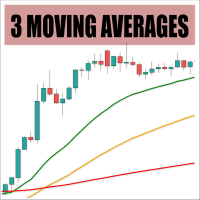
This is a customizable three-moving-averages indicator designed for crossover trading strategies. You can configure each moving average individually, including calculation method (e.g., exponential, simple), period, and price type, all from a single input dialog.
Parameters: Period <1,2,3> - Period of a moving average Shift <1,2,3> - Shift of a moving average Method <1,2,3> - Method of calculation for each moving average set separately Applied Price <1,2,3> - Set price type for calculations for
FREE

每位交易者都经历过这样的循环:打开指标设置,改一个数值,点击确定,盯着图表看,觉得不对,再打开设置,又改回去。CCI Live Tuner 让这一切到此为止。 这是一款可以 直接在图表上实时调节 的 Commodity Channel Index。图表上会显示一个小面板,带有 CCI 周期和两条水平线的滑块。拖动滑块,指标就会在后台立即重新计算并重绘,变化在您眼前实时呈现。看起来合适了,就完成了——不需要对话框,不需要点确定,不需要保存后再重新打开。 还有实时样式编辑器。 打开内置编辑器,用 16 色调色板和 RGB 滑块修改 CCI 线与水平线的颜色和粗细。修改的瞬间就会呈现在图表上。可从三种内置主题(Night Cyan、Graphite Gold、Clean Light)中选择,让面板与您的图表风格相配。 您的设置会 按图表分别保存 ——周期、水平线、价格类型、颜色和线宽在重启后都会原样恢复。 您会喜欢它的理由 即时反馈。 拖动即见结果。几秒钟就能找到合适的周期,而不是在设置窗口里来回折腾十几次。 实时调整样式。 线条与水平线的颜色和宽度在编辑时就直接反映在图表上——无需重新打开
FREE

每个交易者都熟悉这套流程:打开指标设置、改一个数字、点击 OK、盯着图表看、觉得不对、再打开设置。DeMarker 是一个安静的超买/超卖指标,大多数交易者从来不去动它——它永远停留在默认的 0.30/0.70,因为每试一个新数值都要来回打开一次对话框。DeMarker Live Tuner 结束了这一切。 这是一个可以 直接在图表上实时调节 的 DeMarker。图表上有一个小面板,带有 DeM 周期和两条水平线(0..1 刻度)的滑块。拖动滑块,指标立刻重新计算并重绘,就在您眼前完成。0.25/0.75 还是 0.35/0.65 比默认值更适合过滤您的市场——几秒钟内就能在自己的图表上得到答案,而不用去论坛里翻帖子。 可选的 MA 信号线。 直接在面板上开启或关闭 DeMarker 的移动平均线,用独立滑块设置其周期,一个按钮循环切换计算方法——SMA、EMA、SMMA、LWMA。每一次改动都会立即反映在图表上。 真正的 DeMarker,而不是套壳。 指标采用自己干净的经典公式实现:DeMax = max(High - 前一根 High, 0),DeMin = max(前一根 L
FREE

Reward Multiplier is a semi-automatic trade manager based on pyramid trading that opens additional orders with the running profit of your trades to maximize return exponentially without increasing the risk.Unlike other similar EAs, this tool shows potential profit/loss and reward to risk ratio before even entering the first trade! Download full version here ( In the mini version. Starting lot is fixed at 0.01 (or minimum allowed lot size ) Guide + tips here MT4 version here You only open the
FREE
SMA-ATR-Visual Indicator
The SMA-ATR-Visual is a technical analysis indicator designed to assist traders in identifying market trends, measuring volatility, and visualizing potential entry signals on the chart. Main Components Simple Moving Averages (SMAs): The indicator plots two SMAs — a fast SMA (default 9-period) and a slow SMA (default 21-period) — to help detect short and medium term trend direction. ATR-Based Volatility Bands: Upper and lower bands are calculated using the Average True R
FREE

Stop guessing your lot size. Risk the same amount on every trade. Most traders blow accounts not because of bad entries, but because of inconsistent position sizing: fixed lots with variable stops means every trade risks a different — and unknown — amount of money. TrendSync Risk Calculator solves this in one drag. How it works Attach the indicator. It automatically anchors three draggable lines at the current price: Entry , SL at N×ATR and TP at your chosen R:R . Drag any line — or type a new A
FREE

Donchian Portfolio Visual MT5: que está ligado a apenas um gráfico, mas pode monitorar e negociar mais de um símbolo internamente. O conceito é simples: Esses números são apenas resultados históricos de testes e não garantem desempenho futuro. Sempre faça seu próprio teste com o spread, comissão e condições de execução do seu corretor. (Se o robô está te ajudando, por favor, deixe uma avaliação rápida. Isso me ajuda muito a continuar melhorando e lançando novas versões)
Presets incluídos H4 pa
FREE

NEXA Donchian Break 1. 产品概述 NEXA Donchian Break 是一款自动交易专家顾问(Expert Advisor),
基于 Donchian 通道识别 价格突破区域 ,
并仅在满足附加技术条件时执行交易。 本产品以 学习与研究目的免费发布 ,
旨在帮助用户通过参数设置,理解
突破逻辑、趋势过滤以及止损 / 止盈结构之间的关系。 本产品 不保证也不承诺任何交易结果 。
实际表现可能因市场环境、经纪商条件以及用户参数设置而有所不同。 2. 策略结构说明 本 EA 提供两种可选的策略模式。 策略模式 V1 Donchian 通道突破识别 使用 Momentum 指标确认方向 使用 ADX 指标过滤趋势强度 初始止损基于 ATR 计算 在满足条件后,可切换为结构性(Swing)止损 策略模式 V2 Donchian 通道突破识别 使用 MACD 柱状图判断趋势加速 使用 OBV 斜率过滤成交量方向 可选使用 ADX 作为附加趋势过滤 止损基于 Donchian 通道的相反边界 不同策略模式采用不同的过滤组合,
用户可通过对比学习不同的突破确认方法。
FREE

Low DD EURUSD Scalper MT5 is a premium, fully automated trading robot engineered specifically for the quiet hours of the Asian session. Developed with a primary focus on capital protection, this EA is mathematically optimized to perform exceptionally well even on micro-accounts, starting from a deposit as low as 20 USD.
Unlike generic bots, this EA operates strictly on a high-precision mean-reversion algorithm (combining Bollinger Bands and RSI filters) with tight single-position management to

Follow the trend, avoid the noise — a smart Gold trading robot. Gold Trend Machine is a robot that trades Gold (XAUUSD) by following the trend. It checks the big trend first, then looks for strong movement using ADX. It only enters trades with the trend — never against it. Every trade has a safe stop‑loss based on ATR. No grid, no martingale. Works well on 3‑digit Exness Gold and has a simple dashboard. Many Gold robots lose money because they trade against the trend or keep adding losing trade

Instructions for Using Reverse Copier EA Attach EA to Charts Open MetaTrader and attach the EA to any chart on both accounts (master & slave). Make sure AutoTrading is enabled. Master Account (Signal Sender) Set Mode = Master in EA settings. This account will send trade signals. Slave Account (Signal Receiver) Set Mode = Slave in EA settings. This account will receive trades in reverse (opposite direction). Lot Multiplier In Slave EA settings, set Multiplier to control lot size. Example: 1.0
EA Portfolio Analytics Dashboard Pro - Advanced Multi-EA Performance Monitor EA Portfolio Analytics Dashboard Pro is a professional MetaTrader 5 tool designed for advanced portfolio management and real-time performance analytics. Monitor all your Expert Advisors simultaneously with institutional-grade metrics. Key Benefits: Multi-EA Performance Matrix: Track unlimited EAs and their statistics in a single view. Real-Time Risk Analytics: Monitor key metrics like Sharpe Ratio, Value at Risk (V

Risk Per Trade Manager MT5 is a one-shot, smart execution Expert Advisor (EA) built for traders who prioritize precision risk management . Designed for both beginner and advanced users, it places a single trade per session , automatically calculating the lot size based on your defined stop loss and risk percentage. Optional Take Profit (TP) and Trailing Stop features give you full control over how the trade evolves — from entry to exit. Key Features Risk-Based Lot Calculation
Automatically ca
FREE

Overview Universal Indicator Scanner MT5 is a utility for MetaTrader 5 designed to help users inspect the visible signal structure of custom indicators. The scanner reads indicator buffers and chart objects to show how an indicator presents its signals on the chart. It is intended for analysis, configuration and troubleshooting. It does not trade, does not open positions and does not provide trading recommendations. Main Purpose Many custom indicators use buffers, arrows, labels or chart objects
FREE

Topdown Trend Dashboard puts real top-down market analysis right on your chart, so you stop flipping between timeframes to figure out the bigger picture. It watches six timeframes at once — 4H, 1H, 30M, 15M, 5M and 1M — and shows you a live, color-coded trend call for each one in a compact panel. The trend calls come from five EMAs (25, 50, 100, 200 and 800), so you get a read on short-, medium- and long-term momentum that's quick to check but grounded in something real — no repainting, no laggy
FREE

交易时段指标 在图表上自动可视化并分析全球主要的交易时段。该工具为悉尼、东京、伦敦和纽约时段绘制完全可自定义的阴影区块,让您能够以清晰的视觉效果识别流动性范围、累积区域和高波动时期。
输入参数指南 通用时段设置 Days Ago To Draw(绘制天数):设置要投影时段矩形区域的过去天数。 Draw From(绘制依据):确定绘制视觉区块的垂直范围计算模式: OPENING_TO_CLOSING(开盘至收盘):参考时间间隔内的开盘价和收盘价投影方框。 HIGH_TO_LOW(最高至最低):投影包含时段内达到的绝对最高价和最低价的方框。 时段设置(悉尼、东京、伦敦、纽约) Show(显示):激活或禁用所选交易时段在图表上的显示。 Color(颜色):定义阴影颜色以快速识别每个市场。 Time Start(开始时间):以 HH:MM 格式定义时段开始时间(服务器时间)。 Time End(结束时间):以 HH:MM 格式定义时段结束时间(服务器时间)。
视觉解释 该指标在图表背景中绘制矩形阴影,并遵循视觉层级,以免阻挡蜡烛图或价格形态。这让您一眼就能评估每个市场涵盖的范围,检测流动
FREE

When executing an order, whether through the Metatrader ticket on a computer or the Metatrader app on a mobile device, either manual or pending,
Easy Trade will automatically set the take profit and stop loss levels, as well as a limit order with its respective take profit and stop loss levels. It follows the trading strategy for market open (US30, US100, US500), but it can be applied to any market asset.
FREE

MSX SuperTrend Visual Indicator Overview MSX SuperTrend Visual Indicator is a MetaTrader 5 indicator designed to display trend direction and market structure using a SuperTrend-based calculation with optional filtering components. The indicator combines trend visualization, volatility measurement and optional EMA-based filtering to provide a clear graphical representation of market conditions. Features • SuperTrend-based trend visualization • ATR-based volatility calculation • Optional Heikin A
FREE
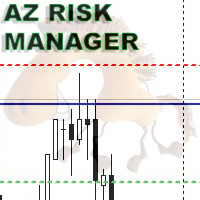
A simple indicator for calculating risk and automatically calculating the take profit line. In the settings, you enter the desired risk to profit ratio, the indicator will automatically calculate the volume for entry and show where to set the take-profit line to maintain the proportion. The risk is calculated based on your balance data. The information panel can be moved around the screen. The stop-loss line can also be moved, this will recalculate the entry volume and the take-profit position.
FREE

1. The Expert Adviser is built with a basic, simple and stable trading strategy with a touch of Price Action Principle that is highly effective and accurate for a sniper entry system. The EA have a good money management System.. 2. The expert advisor works best as from 5minutes time frame and above, The higher the time frame, the more accurate is the signal.... 3. The expert advisor work with all broker all currency pair and synthetic indices... 4. Use a reasonable lot size and correct settings
FREE

TurnPoint Indicator – Market Reversal & Trend Signal Tool The TurnPoint Indicator is designed to help traders identify potential turning points and key levels in the market. By analyzing price action, it highlights areas where reversals or continuations are likely to occur, allowing traders to anticipate trend changes more effectively. This tool incorporates advanced logic to filter signals, reducing noise and false alerts. Users can choose between breakout and pullback modes, depending on their
FREE

MT5 Market Dashboard All-in-One Professional Market Dashboard — multi-layer indicator for MetaTrader 5 MT5 Market Dashboard is an indicator built to consolidate, within a single non-intrusive panel, all the information a trader needs to make informed decisions. It does not replace your analysis — it accelerates it, by eliminating the need to switch between multiple indicators, chart windows, and timeframes. Timeframes covered All timeframes covered - all displayed simultaneously Real-time update
FREE

This is a utility panel to assist closing of open Deals. The panel has input filters to assist one select the right trades. The tool displays the number of trades to be closed as well as profits to be realized. One click close, Filter trades to be closed by: symbol, (Filter by a particular symbol in the trade terminal). magic number (If your orders are from particular EA with unique magic numbers). whether in profit, loss or All. (P/L=all trades, profiting = trades in profit, loosing = trades
FREE

Market Power Index (MPI): The Trader's Battlefield Intelligence When bulls and bears clash, MPI shows you who's winning. It measures the real-time balance of power between bulls (buyers) and bears (sellers) in any given market.
Now you can make informed decisions with the only indicator that measures both sides of the market simultaneously!
Professional-grade market analysis, simplified for every trader.
Available on both mt4 and mt5 platforms Free! Who Needs This? Forex traders (all experi
FREE

Helix Eye – XAUUSD M5 AI Expert Advisor Helix Eye is an AI-driven Expert Advisor for XAUUSD (Gold), designed for the M5 timeframe.
It has been developed, tested, and iteratively refined over several hundred hours. Tested on: IC Markets (Raw/ECN).
Recommended: ECN/Raw broker + VPS (low latency, stable execution). Key Features AI/ML Engine (ONNX v3) : embedded models running directly inside the EA (no external server, no “cloud” gimmick). Dual-model logic : Base Model: BUY / SELL / NO-TRADE proba
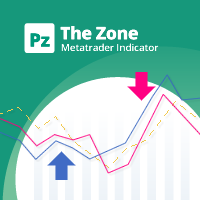
This indicator displays buy or sell signals according to Bill Williams' definition of the Trading Zone. [ Installation Guide | Update Guide | Troubleshooting | FAQ | All Products | Get Help ] Easy to use and understand Avoid trading flat markets Deterministic indicator with clear rules The indicator is non-repainting It implements alerts of all kinds It has straightforward trading implications. A blue arrow is a buy signal A red arrow is a sell signal According to Bill Williams trading in t
FREE

Key Features Real-time P&L in $ Running P&L in Pips P&L converted to INR BUY / SELL direction Lot size Entry price Separate display for each open position Supports multiple open positions Works independently on multiple charts Follow Current Price mode Stay At Entry Price mode Adjustable vertical spacing in pixels Adjustable distance below the Bid price Adjustable candle offset Customizable text size and font Profit, loss and breakeven colors Automatic removal when a position is closed
FREE

MultiTimeframe Trend Pro shows you the market direction across 7 timeframes at a glance. Clear colors, no repainting, fully customizable. Perfect as a quick filter for any intraday or swing strategy.
Key Features Supports M1, M5, M15, H1, H4, D1 and W1
Colors MediumSeaGreen when the close is above the MA, and Red when below
No repainting → always based on the last closed candle for each timeframe
Fully customizable: MA period (200 by default) font, size and colors X/Y offsets, spacing
FREE

Binary Compound Indicator V3 Binary Compound Indicator V3 is a technical analysis indicator for MetaTrader 5 designed to help traders identify potential market opportunities using multiple confirmation filters and structured risk management concepts. The indicator combines trend analysis, momentum confirmation, and market condition filtering to provide visual trading signals directly on the chart. Main Features Triple-confirmation signal system EMA trend filtering RSI momentum analysis Stochast

Layer Smart Risk Trade Assistant – MT5 Trade Manager, Risk Management & Order Organizer Utility for MetaTrader 5 Are you looking for the most reliable trade assistant for MetaTrader 5 (MT5) ?
Layer Smart Risk Trade Assistant is the ultimate manual trading utility and trade panel , perfect for both beginner and advanced traders who want smarter risk management , order organization, and effortless multi-order management . Do you ever struggle with: Forgetting to update your stoploss or take profi

GANN TRIANGLE PRO v4.0 - OPTIMIZATION ANALYSIS REPORT CURRENT VERSION ASSESSMENT (v3.8) Strengths Feature Evaluation Swing Point Detection Clear logic using Left/Right bars Fibonacci/Gann Ratios Properly applied 61.8%, 100%, 161.8% Dashboard Real-time updates with visual indicators Code Structure Clean, maintainable architecture Critical Limitations Issue Impact Win Rate Effect No Trend Filter Signals against major trend -20% to -30% Missing Volume Confirmation False breakouts not filt
FREE
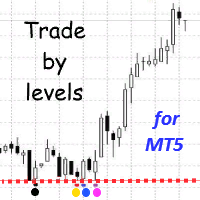
The Trade by levels for mt5 indicator is designed to automatically determine the formation of a model for entering the market on the chart of the selected instrument.
Definitions: ⦁ BFl is the bar that formed the level. ⦁ BCL1 and BCL2 bars, confirming the level.
The graphical model: ⦁ levels high\low the bars BFL and BCL1 must match the accuracy to the point ⦁ there can be any number of bars between BFL and BCL1. ⦁ between BCL1 and BCL2 intermedi
FREE

======================================================== BUY/SELL VOLUME MOMENTUM DASHBOARD - MQL5/MT5 MARKET DESCRIPTION (formatting: **bold** = Bold button; lines with • = bullet list; UPPERCASE = heading) ========================================================
OVERVIEW ------------------------------------------------------- **Buy/Sell Volume Momentum Dashboard** reads buying vs selling volume momentum and presents it as a clear on-chart dashboard, so you can see which side is driving the m
FREE

# ️ VUI LÒNG ĐỌC KỸ TRƯỚC KHI SỬ DỤNG CHỈ CẢNH CẢNH KHÔNG!
** Trước khi bắt đầu sử dụng công cụ Fibonacci này, vui lòng dành thời gian đọc kỹ tất cả các chi tiết, hướng dẫn và cảnh báo về sự chênh lệch giá thị trường bên dưới. Bạn đã thành công trong giao dịch và đảm bảo an toàn vốn phụ thuộc vào việc hiểu các quy tắc này. Cảm ơn bạn đã dành thời gian và tâm huyết!**
---
### ️ HƯỚNG DẪN SỬ DỤNG & ĐO LƯỜNG THỦ CÔNG
Việc sử dụng công cụ này cực kỳ đơn giản, trực quan và nhanh chóng. Vui lò
FREE
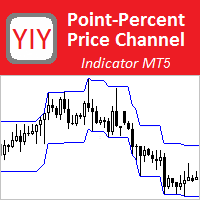
The Point-Percent Price Channel (PPPC or PP Price Channel) indicator is designed to display on the chart a channel whose width is specified both as a percentage of the current price and in points. Its appearance is presented on slide 1. When the market moves up, the upper border of the channel is built at the price of High candles. In this case, the lower boundary follows the upper one at a strictly specified distance. When the price touches the lower border of the channe
FREE

Santa Trend Indicator is an efficient way to forecast and detect the trend in any market. Advantages Generates instant buy and sell signals. Provides an alternate exit strategy to your existing trading system. Never repaints, never backpaints, never recalculates. Works in all symbols and all timeframes. Perfect trend filter for any strategy or expert advisor. Fully compatible with Expert Advisor (EA) development. Does not lag.
FREE

AI Telegram Trade Signal Sender automatically sends every trade opened or closed on the chart straight to your own Telegram bot/channel, in real time, using MetaTrader 5's native WebRequest function. Key features: Listens to OnTradeTransaction and instantly detects every deal (open, close, partial close) on the account Sends a clean formatted message to your Telegram chat: symbol, type, volume, price, SL/TP, and profit on close Works with your own Telegram Bot Token and Chat ID - you stay in ful
FREE

TwinStrike See the level. Prepare the trade. Catch the turn. TwinStrike is a non-repainting reversal-zone indicator designed to identify potential market turning points using two significant highs or two significant lows. Signals are generated only after the candle has closed. Once confirmed, arrows do not disappear, move to another candle, or change direction. The indicator does not redraw historical signals to make past performance appear better. Potential levels are displayed in advance, givi

Product Name RCI Gold Regime Scalper MT5 Short Description An XAUUSD M5 trend-following EA using multi-period RCI, signed M15 efficiency analysis and a daily regime filter. It uses ATR-based Stop Loss and Take Profit, one position at a time, and no grid or martingale. Full Description RCI Gold Regime Scalper MT5 is an automated trend-following Expert Advisor developed for Gold trading on the M5 timeframe. The EA evaluates signals only after a candle has closed. It combines multi-period Rank Corr
FREE

A big thank you for your interest in our product. MustForex Bollinger Bands V1 Premium Expert advisor
Its follows a determined Swing strategy. It trades by following and analysing Bollinger Bands indicator to determine entry and exit point. Profits can be locked by the adjustable trailing stop/Break Even inputs. Every trade protected with dynamic auto stop loss and dynamic auto take profit to protect your account. Since the strategy works with quick swing trade profits it is highly su
FREE

Welcome to my MMTrader Manager product. EA that allows You for simple managing trades and positions. Key Features: Position Opening – Open trades quickly with customizable Take Profit (TP), Stop Loss (SL), and lot size settings. Position Closing – Close trades with one click. Grid System – Automatically create a grid of orders. Recovery Mode – Loss recovery lot calculation. Trade History Data – Acces data to historical positions. User-Friendly Interface – A clear and simple panel designed. This
FREE

Local Account Monitor MT5 is a read-only local monitoring utility for traders who run multiple MetaTrader terminals on the same PC or the same Windows VPS . It combines Agent mode and Dashboard mode so you can monitor local accounts from one place, spot stale terminals quickly, review account health states, and inspect risk details without switching between many terminals. Public channel: CLICK HERE
What it is for Monitoring multiple local MT5 terminals from one dashboard Quickly identifying
FREE

Here is the full technical and strategic description for the Gann Square of 9 indicator. Full Name Gann Square of 9 - Intraday Levels (v2.0) Overview This is a mathematical Support & Resistance indicator based on W.D. Gann's "Square of 9" theory. Unlike moving averages which lag behind price, this indicator is predictive . It calculates static price levels at the very beginning of the trading day (based on the Daily Open) and projects them forward. These levels act as a "road map" for the day,
FREE

VYL Decision Coin is not a signal indicator. It is a psychological discipline tool for traders who struggle with overtrading, FOMO, or impulsive entries. The indicator simulates a "coin flip" that gives you one of three verdicts: BUY SETUP , SELL SETUP , or SKIP / WAIT — based on market conditions (ATR, MA50, spread) and a dose of randomness. Key Features Disciplined decisions — BUY / SELL / SKIP verdicts Smart risk sizing — auto-calculates lot size for 2% risk based on ATR Discipline
FREE

Price Levels MT5 by Nic is a clean, lightweight tool designed to map institutional price levels automatically. Key Features Institutional Mapping: Automatically plots Major 100, Mid 50, and Quarter 25/75 levels. Visual Hierarchy: Three distinct tiers of lines to maintain a clean chart: Major (100): Solid, thick lines. Mid (50): Dashed lines. Quarters (25/75): Dotted lines. Fully Customizable: Easily adjust colours and line styles to suit your background or trading preference. Lightweight Perform
FREE

Certainly! Let me introduce you to a powerful tool for MetaTrader 5 (MT5) that can automatically identify and draw support and resistance (S&R) levels on your trading charts. This tool is called the “Support and Resistance Levels Guru” . Support Resistance Levels Guru The Support & Resistance Indicator automatically displays essential S&R levels on your chart. These levels are crucial for technical analysis and are used by many traders. Resistance levels (zones) are shown in R ed , while suppo
FREE

Indicator and Expert Adviser EA Available in the comments section of this product. Download with Indicator must have indicator installed for EA to work.
Mt5 indicator alerts for bollinger band and envelope extremes occurring at the same time. Buy signal alerts occur when A bullish candle has formed below both the lower bollinger band and the lower envelope Bar must open and close below both these indicators. Sell signal occur when A bear bar is formed above the upper bollinger band and upper
FREE
XXXX ATR (Average True Range) Position Manager: ATR StopLoss, ATR Target, ATR Breakeven, ATR Trailing StopLoss, with Risk % Calculation / Position. More about ATR: www.atr-trading.com
Key takeaways One click does it all: SELL and BUY button automatically places ATR stoploss, ATR target, ATR breakeven, ATR trailing stop and Risk % calculation of equity Entire position is calculated based on ATR No more manual position calculations = No more wasted time = No more late entries Position sizes c

This tool provides an intelligent method of trading SMA. It has been tested for a period of nine years on EUR/USD and shows consistent profit making capability. The amount of profit you intend to make per year depends on the input values of lot size. This tool is easy to setup and requires no further settings. This product has been well tested on O ctafx for 9yrs and is currently being tested on other platforms to ensure it provides consistent results. Details on its universal use will be pr
FREE

Tomgoodcar KingRuay Breakout System Tomgoodcar KingRuay Breakout is a fully automated Expert Advisor (EA) designed to trade based on the classic Fractal Breakout strategy. The system calculates historical fractal levels and automatically places pending orders (Buy Stop and Sell Stop) to catch potential market momentum. This EA is a strictly rule-based mathematical tool. It does not use grid or martingale recovery. It relies on Stop Loss, Take Profit, and Trailing Stops to manage trades. It is de

WONNFX INFOLINE MT5 is a lightweight informational indicator that displays key trading data directly on your chart. In a single line, it shows your current floating profit/loss in pips, deposit currency, and percentages, as well as the spread and time remaining until the current bar closes. This indicator is ideal for traders who need a concise yet comprehensive snapshot of their open positions in real-time, without cluttering the chart. Key Features Display of Floating Profit/Loss: In pip
FREE

Rise of the Beasts – SuperTrend Auto-Trading EA Rise of the Beasts is a powerful, fully automated Expert Advisor that unleashes trend-following precision using the legendary SuperTrend indicator . Built for traders who want clean entries, smart exits, and consistent results, this EA dominates markets by identifying trend shifts with accuracy and acting instantly. Whether you trade forex, indices, metals, or crypto , Rise of the Beasts adapts to any market with strong risk control and volatili
FREE
Session Volatility Map — 是一个在图表上显示主要交易时段(亚洲、欧洲、美国)的指标。 自动显示交易时段边界及其交汇区,这些区域通常波动性较高。
绘制每个时段的 High–Low 范围,帮助确定支撑和阻力位。
高亮显示当前活跃交易时段。
自动考虑夏令时/冬令时切换(欧洲/美国)。 适用人群
短线交易者 — 寻找高波动时段。
日内交易者 — 筛选“安静”和活跃时段。
新闻交易者 — 了解事件发生时对应的交易时段阶段。 使用 Session Volatility Map,你总能知道:市场是在区间内,还是准备启动冲击性行情。 设置 Time model (Platform/MT4/MT5) — 时间模式选择 Auto DST adjustment (market aware) — 自动夏令时调整 How many days to back (0 = today) — 显示天数 Color A — low volatility — 低波动颜色 Color B — high volatility — 高波动颜色 Font size
FREE

这是一款适用于 MetaTrader 5 的多品种仪表板指标,可同时提供多达 20 个交易品种的市场倾向(bias)和价格区间状态的实时概览。其专业版(Pro Version)包含通知功能,可在 Mql5 商店获取。
主要特点:
可加载至任意图表 — 运行独立于图表当前的交易品种。
实时仪表板表格,显示:
当前价格
日、周、月度倾向(当前价格与对应周期开盘价的对比)
日、周、月度区间状态:
HIGH(高位)→ 价格突破上一周期的最高点(看涨突破)
LOW(低位)→ 价格跌破上一周期的最低点(看跌突破)
NO BIAS(无倾向)→ 价格仍处于上一周期的区间内
整体倾向 — 基于日/周/月度倾向的多数投票结果(看涨或看跌)
智能通知(仅在 M15 K 线收盘时触发以减少干扰):(仅限专业版)
整体倾向变化
区间突破(高点/低点)
单个周期倾向反转
首次加载时:发送所有品种的综合汇总信息
视觉自定义:
通过按钮切换仪表板显示/隐藏
可调整宽度、颜色和字体大小
支持按倾向排序(看涨品种置顶)
支持任意交易品种(外汇、黄金、指数等) — 只需输入“市场报价
FREE

The Bulls Power indicator drawn using a tick chart. After launching it, wait for enough ticks to come. Parameters: Period - period of averaging. The number of ticks to identify high/low - number of single ticks for determining high/low. Calculated bar - number of bars for the indicator calculation. The following parameters are intended for adjusting the weight of Bulls Power signals (from 0 to 100). You can find their description in the Signals of the Bulls Power oscillator section of MQL5 Refer
MetaTrader市场是 出售自动交易和技术指标的最好地方。
您只需要以一个有吸引力的设计和良好的描述为MetaTrader平台开发应用程序。我们将为您解释如何在市场发布您的产品将它提供给数以百万计的MetaTrader用户。
