 MetaTrader 5
 Experts
 지표
지표 라이브러리
라이브러리 유틸리티
유틸리티 위젯
위젯 규칙
규칙MetaTrader 4용 새 트레이딩 유틸리티 - 20
 다음은 MetaTrader 4에서 외환 거래를 단순화하는 거래 프로그램입니다. 아래 목록의 유틸리티 위로 마우스를 가져가면 해당 설명과 용도를 읽을 수 있습니다.
MT4 버전: https://www.mql5.com/en/market/product/91169 MT5 버전: https://www.mql5.com/en/market/product/110193 실시간 시그널: https://www.mql5.com/en/signals/2345410
"스마트 트레이더" 트레이딩 어시스턴트 전문가 자문을 소개합니다. 탁월한 적응력과 최첨단 위험 관리 전략으로 전 세계 전문 트레이더들이 신뢰하는 최고의 도구입니다.
"스마트 트레이더"의 핵심은 끊임없이 변화하는 시장 상황에 동적으로 대응하도록 세심하게 설계된 혁신적인 위험 관리 전환 시스템입니다. 정적인 위험 매개변수에 의존하는 기존 트레이딩 어시스턴트와 달리, "스마트 트레이더"는 고급 알고리즘을 활용하여 시장 데이터를 실시간으로 지속적으로 분석하고, 시장 변동성에 대한 노출을 최소화하면서 수익 잠재력을 극대화하는 위험 관리 방식을 지능적으로 조정합니다. "스마트 트레이더"의 차별점은 시장 상황에 따라

위험 대비 수익률 관리자(Risk to Reward Ratio Manager)는 체계적인 거래와 전문적인 위험 관리를 지원하도록 설계된 시각적 주문 관리 도구이자 포지션 규모 계산기입니다. 트레이더는 차트에서 진입, 손절매, 이익실현 수준을 시각적으로 직접 설정할 수 있으며, 주문을 전송하기 전에 랏 규모와 위험 대비 수익률을 자동으로 계산합니다. 이 도구는 거래 준비를 표준화하고 각 포지션이 미리 정의되고 통제된 위험 수준에서 개시되도록 보장합니다. 이 도구는 통화쌍, 지수, 금속, 상품, 암호화폐 등 다양한 거래 상품을 지원합니다. 수동 트레이더와 모든 포지션에 위험 관리 규칙을 적용하는 전략 중심 트레이더 모두에게 적합합니다. 계산 시간을 단축하고 수동 오류를 방지함으로써 트레이더가 체결 과정에서 일관성과 명확성을 유지할 수 있도록 지원합니다. 위험 대 보상 비율 관리자 설치 및 입력 가이드 EA 추가 URL에 대한 알림을 받으려면 ( http://www.

Chart Logic is here! Chart automation for MT4: put your Ideas into Actions!
Chart Logic is an EA for MT4 that lets you automate actions on your charts. You define "conditions" and 'actions"; when all the conditions are true, then all the actions are triggered. Conditions can refer to a wide range of observations, about account information, candle data, technical indicators, key levels, price, time, market data, trades and so on. And actions can send alerts/notifications, open/close/modify tr
This Expert Advisor is used to send messages from the PCT Multi indicator to Telegram.
The EA has 5 settings: - Channel name: The name of the Telegram channel. - Token: Your bot's Token. - Entries: Entry messages will be sent. - Results: Entry results will be sent. - Alerts: Alerts will be sent.
How to set up: In the Tools -> Options menu, in the "Expert Advisors" tab: - Check the "Allow WebRequest for listed URLs:" option. - Click "add new URL" and add " https://api.telegram.org " (without th
FREE
This indicator is to be used in bot connectors for automation of Pct Multi indicator entries.
How to use: Configure the bot connector with the following information: Indicator name: pctmultibot Call buffer: 0 Put buffer: 1
Do not add this indicator to the chart, just configure it in the bot connector!
Pct Multi indicator:
https://www.mql5.com/en/market/product/73054
FREE

SL InfoPanel is an information panel that displays operational trading information on the current instrument.
The panel contains the following information:
The first column:
The fixed profit for the specified period of time and the percentage of this profit to the current deposit (the time period is configured in the "Account History"). The value is colored blue if there is a profit and red if there is a loss. Open Long orders (number of lots/number of orders). Open Short orders (number of l
Free until the end of the year.
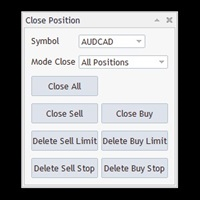
Close All With Just One Click MT5: https://www.mql5.com/en/market/product/110006 Close orders with just one click, quickly and neatly. Supported order types: Market order, limit order, stop order
Note: This software is very fast, there is no warning every time you press the button, please use caution when using, or use it proficiently in a demo account first, I am not responsible for any loss caused by the software being activated. misactivated
Utilities helps you close each part of the trade when reaching a certain profit or loss level division_coefficient_lossMoney : If you trade 1 lot and set division_coefficient_lossMoney = 2, then when you reach a certain loss, the lot will be divided by 2 = 0.5 remaining lots. loss_money_close_1 : Maximum loss amount to trigger lot split for the first time. accept_money_loss_2 : If you want split lot 2 times, turn True loss_money_close_2 : Maximum loss amount to trigger lot split for second tim

"Binary Lab Simulator"는 거래 전략을 연습하고 검증하기 위해 설계된 도구입니다. 이 도구는 주말과 비거래 시간을 포함하여 24시간 연중무휴로 작동하며, 30초, 1분 및 3분과 같은 다양한 만료 기간을 지원하여 실제 거래와 유사한 환경을 만듭니다. 외부 도구와 호환되어 진입 결과를 분석할 수 있습니다. 여러 템플릿을 쉽게 저장할 수 있어 온라인 환경에서 시뮬레이터로 원활한 테스트가 가능합니다. "Binary Lab Simulator"는 단독으로 사용할 수 있지만, "SpeedManager", "Practice Simulator Sync" 및 "ArwByIdx"와 결합하면 기능이 향상됩니다. "SpeedManager"는 지정된 진입점에서 자동으로 정지합니다 "Practice Simulator Sync"는 다른 시간 프레임 및 통화 쌍과 차트를 동기화할 수 있습니다 "ArwByIdx"는 외부 지표 및 신호 도구와 통합되어 자동으로 진입점을 연결합니다 Signal Too
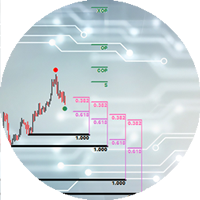
The Expert Advisor cannot be launched in the tester, as it does not work by ticks, but by timer and chart events. An advisor for trading using DiNapoli levels. The Expert Advisor helps to place graphical elements on the chart in a convenient way in full accordance with the rules of calculation according to the DiNapoli method. The Expert Advisor opens orders according to the calculated parameters and accompanies them. At the request of the trader, the adviser can use the "safe" rule and transfer

Trading panel for manual trading. Has a fairly wide functionality. Allows you to automatically calculate the order size, open both market and pending orders. It has a wide range of options for closing orders, it is possible to partially close orders, close orders after reaching a certain profit or loss, separately close profitable and unprofitable, buy and sell, as well as pending orders. The panel also contains a simple implementation of a grid of pending orders, reverse and lock functions, tr
FREE

The program is use to copy trading from MT4 to MT4 and MT5 on local PC or copy over the Internet. Now you can easy copy trades to any where or share to friends. Only run one Flash Server on VPS, also need allow the apps if you turn on Windows Firewall. Can not add more than 20 account copier to server, include both MT4 and MT5 Get free Copier EA for MT4 and MT5 (only receive signal), download here Instants copy, speed smaller 0.1 seconds, easy to setup How to setup and guide Let read a

A very simple script. It quickly places lines along zero lines and local extremes, greatly facilitating routine work at the beginning of the trading day. The lines on the round prices are placed inside the work screen in a given interval. Extremes are placed within a period defined by the trader, based on data from different timeframes from M15 to MN1 Settings: Extreme lines - switch lines at extremes (true - enabled) Zero lines - switch of lines at zero levels (true - enabled) Distance between
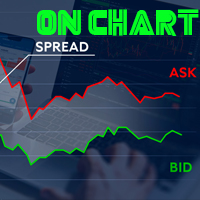
Indicador de Spread en Tiempo Real en la Gráfica Este indicador revolucionario te brinda una visión transparente y detallada del spread en tiempo real directamente en tu gráfica de trading. Diseñado para proporcionar información precisa y crucial, este indicador mejora tu capacidad para tomar decisiones informadas y optimizar tu rendimiento comercial. Características Destacadas: Visualización Instantánea: Observa el spread en tiempo real directamente sobre tu gráfica, eliminando la necesidad de
FREE

이것은 전략 테스터에서 효율적인 테스트 및 분석을 가능하게 하는 재생 속도 관리 도구입니다. 전략 테스터의 사용성을 향상시키고, 거래 전략의 개발 및 평가를 간소화하는 수단으로 사용될 수 있습니다.
도구의 특징: 재생 속도 제어: 사용자는 전략 테스터의 재생 속도를 자유롭게 변경할 수 있으며, 빨리 감기, 속도를 올려서 재생하거나 원하는 지점에서 일시 정지할 수 있습니다. 한 바, 한 틱 앞으로: 'Next Bar' 버튼을 사용하여 사용자는 한 번에 한 바씩 앞으로 나아갈 수 있습니다. 또한, 더 상세한 분석을 위해 한 틱씩 앞으로 나아가는 것도 가능합니다. 시간대 및 통화 쌍의 동기화: " Practice Simulator Sync (무료)"를 사용하면 다양한 시간대 및 통화 쌍과 동기화하여 재생할 수 있습니다. 이를 통해 MTF 및 다른 통화 조건을 동시에 볼 수 있습니다. 자동 일시 정지: 매일 특정 시간(예: 시장 개장 시)에 멈추어 그 지점부터 움직임을 분석할 수 있습니다
FREE

다중 통화 이전 캔들 또는 이전 막대 스캐너를 사용하면 지표 설정에서 선택한 사용자 정의 기간으로 다중 기호 차트를 스캔할 수 있습니다.
제품 기준 : https://www.mql5.com/en/market/product/110229
전날 고가, 전주 고가, 전월 고저 또는 사용자 정의 기간에 대한 다중 기호를 스캔하는 데 사용할 수 있습니다. 이전 4시간 차트 고저
노이즈를 필터링하고 가격이 고점 또는 저점에 도달할 때 방향 알림을 제공합니다.
전략은 간단합니다. 전날, 주 또는 월 최고가에 도달하면 5분과 같은 더 짧은 시간 내에 가격이 거부되는 것으로 보입니다.
다양한 경고 유형을 선택하는 옵션이 있습니다.
밀리초 단위로 스캔할 빈도를 선택하고 설정할 수 있습니다.
1000은 시장 시계의 모든 기호를 매초마다 검색한다는 의미입니다.
제품 특징
1. 터미널 알림
2. 이메일 알림
3. 푸시 알림
피벗 포인트 다중 기호 스캐너는 Floor, Woodie, Camarilla, Demark 또는 Fibonacci 피벗 포인트에 대해 마켓워치에서 사용할 수 있는 모든 기호를 스캔합니다.
원하는 기간을 선택하여 피벗 포인트를 계산하고 가격이 이러한 지지 및 저항 수준에 도달하면 알림을 받을 수 있습니다.
시각적 피벗 포인트의 경우 이 제품에 관심이 있을 수 있습니다: https://www.mql5.com/en/market/product/110231
다양한 경고 유형을 선택하는 옵션이 있습니다.
밀리초 단위로 스캔할 빈도를 선택하고 설정할 수 있습니다.
1000은 시장 시계의 모든 기호를 매초마다 검색한다는 의미입니다.
제품 특징
1. 터미널 알림
2. 이메일 알림
3. 푸시 알림

당신 없이도 손익분기점에 성공하는 거래가 되는 것에 지치셨나요? Unwickable Stop Loss(USL)로 거래를 계속할 수 있습니다!
당신은 꼼꼼하게 거래를 계획하고, 인내심을 갖고, '완벽한' 순간에 진입했습니다. 거래가 귀하에게 유리하게 진행됨에 따라 귀하는 위험에 처한 자본 없이 안전하다고 느끼면서 손절매 손실을 손익 분기점으로 이동합니다. 그러나 시장은 예상치 못한 방향으로 방향을 틀어 여러분을 가로막고 여러분이 의도한 방향으로 나아갑니다(스크린샷 A 참조). 무엇을 다르게 할 수 있는지 궁금하신가요? 정류장 이동 시간을 정하는 것은 입장 시간을 정하는 것만큼 어렵고, 잘못하면 조기 종료되는 경우가 많습니다. 이동 정지의 불확실성을 탐색하는 더 좋은 방법이 있다면 어떨까요? 조기 종료를 제거하여 거래를 더 오래 유지하는 것 하드 스톱로스와 원활하게 작동하는 위험 관리의 판도를 바꾸는 Unwickable Stop Loss(USL)를 소개합니다. USL은 심지가 조기
FREE

This indicator will display current logined mt4 account's orders information of current symbol chart. It also allow import some formated data: 1) MQL5 Signals History CSV file (*.csv) 2) MT4 Account History Statement file (*.htm -> *.txt)
*[Next Version] Allow Import data form 'HF HistoryExporter (*.csv)'
Sample Data of MQL5 Signals History File Time;Type;Volume;Symbol;Price;S/L;T/P;Time;Price;Commission;Swap;Profit;Comment 2023.12.20 23:00:02;Buy Limit;0.06;EURUSD;1.08994;1.06024;1.09464;202

Revolutionize Your Trading Experience with Our Advanced Management Panel Maximize efficiency and control with our cutting-edge Management Trades Panel, exclusively designed for discerning traders. Our innovative panel is a game-changer in the realm of financial trading, offering unparalleled functionality and user-friendly features. Key Features: Automated Daily Profit/Loss Closure : Set your desired profit or loss thresholds, and let our panel automatically close all current trades when these
FREE

Just a panel for drawing levels. Minimal but very useful thing. This is a further development of the free version. This is the version that I use myself and it has many behavior adjustments. ---- 12 types of customized levels. Support for rectangle and line levels. If you need to prevent a level from extending, add "noext" to the end of the name level object. For any update idea please contact me here. ---- This is not an indicator, don't download the demo, it doesn't work For test see free ver

IndicatorsValueFullView can show Stochastic、CCI and RSI indicators value on just one Chart with fashionable and welcome GUI, IndicatorsValueFullView support 29 major pairs and about 33 exotics pairs. Traders can switch Stochastic、CCI and RSI indicators int left tree, and control indicator update or not by update checkbox, also, traders can switch show indicator value or show buy sell by yourself. The over bought and over sell value will be shown by highlights color Traders can roll up or

With Easy News, you can trade breakouts from a range at specific times.
This is particularly lucrative for news and economic announcements because high risk/reward ratios are often present in these situations. This tool is suitable for all currencies and timeframes. It includes profit pyramiding. This means that when the first order is in profit by xx points (adjustable), another order is opened (depending on the set quantity).
How does it work? At a specific time, the tool creates 2 stop orde
FREE

ADAM EA Special Version for FTMO Our 1st EA created using ChatGPT technology
Trade only GOOD and checked PROP FIRMS Default parameters for Challenge $100,000 Tested on EURUSD and GBPUSD only Use 15MIN Time Frame Close all deals and Auto-trading before Weekend at 12:00 GMT+3 Friday For Prop Firms MUST use special Protector https://www.mql5.com/en/market/product/94887 ----------------------------------------------------------------------------------------------------------------------------

This Expert provides a panel to manage all positions you have on different pairs or any instruments.
not only you can close your positions just by clicking the amount of profit or loss shown on the related cell, but also you can customize whatever you see on the panel from font size to lines and background colors.
Remember , auto trading on MT4 panel must be active, but in our Expert we have provided a key on the panel to activate or deactivate the panel to avoid closing by accident.
Any qu

Just a panel for drawing levels. Minimal but very useful thing. This is a reimagining of Color Levels Pro. ---- 4 types of customized levels. support for rectangle and line levels. The indicator parameters are very simple and are divided into blocks. For any update idea please contact me here. ---- don't suffer don't suffer ---- Enjoy your work!!!!!!!! ----
FREE

AccountGuard will protect your account from unexpected losses by constantly monitoring the equity and follow the rules as your input in the parameters. When the rules are reached, it will close all the trades, you can choose the close mode yourself, and you can set the close percent and close profit by yourself, It can show current profit in percent, and show buy and sell profit separately, it can show profitable trades profit and loss trades profit separately. Additionally, AccountGuard p

清理图表符号的好工具 清理图表符号的好工具 清理图表符号的好工具 清理图表符号的好工具 清理图表符号的好工具 清理图表符号的好工具 清理图表符号的好工具 清理图表符号的好工具 清理图表符号的好工具 清理图表符号的好工具 清理图表符号的好工具 清理图表符号的好工具 清理图表符号的好工具 清理图表符号的好工具 清理图表符号的好工具 清理图表符号的好工具 清理图表符号的好工具 清理图表符号的好工具 清理图表符号的好工具 清理图表符号的好工具 清理图表符号的好工具 清理图表符号的好工具 清理图表符号的好工具 清理图表符号的好工具 清理图表符号的好工具 清理图表符号的好工具 清理图表符号的好工具 清理图表符号的好工具 清理图表符号的好工具 清理图表符号的好工具 清理图表符号的好工具 清理图表符号的好工具 清理图表符号的好工具 清理图表符号的好工具 清理图表符号的好工具 清理图表符号的好工具 清理图表符号的好工具 清理图表符号的好工具 清理图表符号的好工具 清理图表符号的好工具 清理图表符号的好工具 清理图表符号的好工具 清理图表符号的好工具 清理图表符号的好工具 清理图表符号的好工具 清理图表符

버전 MT4: https://www.mql5.com/zh/market/product/109262 버전 MT5: https://www.mql5.com/zh/market/product/109258 사용 설명: https://www.mql5.com/zh/blogs/post/755183 EA 개요: 이 EA는 두 중개인 A와 B를 이용해 헤지 거래를 하고 있다.에이전트 A의 ASK가 에이전트 B의 ASK보다 작을 때 에이전트 A는 매입하고 에이전트 B는 매각한 뒤 두 계좌의 손익을 살핀다.총 이익이 목표에 도달하면 계좌 A와 계좌 B가 동시에 창고를 정리한다. 장면을 적용하려면 다음과 같이 하십시오. 1.가격차 차익: 때로는 다른 브로커의 오퍼가 다르고, 때로는 A 브로커의 오퍼가 B 브로커의 오퍼보다 높고, 때로는 A 거래상의 오퍼가 B 거래상의 오퍼보다 낮다. 이것은 차익을 위해 돈을 벌 수 있는 기회를 제공한다. 2.리베이트 벌기: 커미션 캐시백 서비스를 제공하는 대리상을 찾아라.

A utility for automatically detecting the GMT offset of your broker To use the utility, place it in the Scripts folder of the terminal data directory, enable WebRequest in the terminal settings and add the address https://www.worldtimeserver.com/ to the list of allowed ones. Run the Check GMT script on the chart with any currency pair There is only one setting in the script: site = https://www.worldtimeserver.com/ just for your convenience. Copy this address from the script setti
FREE
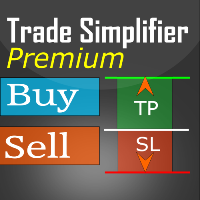
Trade simplifier premium is a trade panel that simplifies trade opening. It is simple and easy to understand, with key features to ease trading. Features include:
Order type selection Fixed lot entry from the chart user interface Easy Take profit entry field on the chart user interface Visual take profit selection and adjustment via the line that appears when you click the Take Profit button Easy Stop loss entry field in points on the chart user interface Visual Stop Loss selection and adjustm

Description:
EquityStop UAP is the solution designed to optimize the management of your forex operations securely and efficiently. Our software provides a superior level of control and protection for every trade.
*Key Features:*
1. **Equity Protection:** Preserve your capital with our advanced Equity Stop feature, applying an automatic safety barrier to limit losses.
2. **Percentage Trailing Stop:** Maximize your profits and minimize losses with the Percentage Trailing Stop feature, dynam
FREE

---NEWS DEFENDER--- Maximize your Forex performance with our script designed to prevent losses during news events! Our solution simplifies the process: Smart Management: Detects news X minutes before and allows you to manage your existing trades. Instant Limitation: Prevents new trades during news events, giving you full control. Perfect for those looking to close all trades and wait until the news passes. Moreover, our Pro version provides protection against unwanted trades by other EAs, includ

Breakout System EA works based on HFT (high-frequency trading) algorithm and mini bar height. it open trades when bar height meets some indicators mathematical confirmation. * Forex EA Features – Allow compound interest or Fix lots by Users – Spreads protection, using pending orders (stop order) without any market orders – No grid. No martingale – A small Stoploss for every trade – Combine with RSI, Ichimoku and Awesome Oscillator indicators to balance the price – Primitive Price Action Activ

Multi Take Profit Manager Automatically close portions of your open trades at up to three profit targets. This utility is designed for manual traders who frequently open multiple positions and want to scale out of trades automatically as profit targets are reached. Instead of manually closing positions one by one, the utility can partially close your total open position at predefined Take Profit levels, helping you lock in profits while allowing the remaining positions to continue running. Key F

Introducing "Prop Risk Manager": Your Trading Discipline Partner
Are you a trader looking to adhere to prop firm rules with unwavering discipline? Look no further. "Prop Risk Manager" is your comprehensive solution for navigating prop firm guidelines and optimizing your trading success.
Key Features:
- Precision Risk Management : "Prop Risk Manager" aligns with prop firm principles to ensure you never trade during news events, hold trades overnight, or risk weekends.
- Tailored Trading Hou

Smart Manager Dashboard - with auto virtual TP and auto virtual SL for all trades. -this EA is a powerful trade manager that can manage all symbols and all trades at once , all from one chart so it is a must have tool for every trader who keeps more trades at once. -it mainly does 2 things : INFO ABOUT TRADES and CLOSING TRADES (grouped by their symbol, so with this tool it is very easy and fast to manage even hundreds of trades )
-add to any chart, any timeframe and you are all set
-this to

Baby Shark Pro EA works using a series of indicators, mainly the RSI. This is an EA that uses martingale, so use with caution. But Baby Shark Pro EA gives you the ability to change the multiplier parameter, which allows it to decrease the martingale level. Thus, you determine the risk level you want. Unlike most of the other martingale, EA’s This doesn’t place random entries, rather it is riding on market movement RSI > 50. If the market moved the opposite direction after the first entry, the ne
参数说明如下: extern double 第一单挂单价格 =0;// 新加参数 , 第一单开单可以是挂单并输入挂单价格,如果默认 0 表示,第一单采取立即开市价单的方式。 extern int 第一单挂单有效分钟数 =720;// 新加参数,如果第一单是挂单,挂单有效分钟数 buyORsell=false;// 第一单开多单还是空单,设置为 true 表示第一单开多单,设置为 false 表示第一单开空单
lots1=0.01;// 第一单开单的下单手数。
maxlots=10;// 加倍后的最大下单量不能超过 10 手,如果超过就不再开单
beishu=2;// 第一单以后加倍开单的加倍倍数
StopLoss=30;// 所有单的止损设置点数, 4 位平台还是 5 位平台, 30 就代表 30 点。
TakeProfit=30;// 所有单的止赢设置点数, 4 位平台还是 5 位平台, 30 就代表 30 点。
OpenTime=0;// 第一次开单的开单时间必须超过这个时间点,这个时间你输入你本地电脑上的时间就可以了。
OpenVolume=0;/

This program serves as an effective tool for sending messages through a Telegram bot using the MetaTrader platform. It enables you to send your trading recommendations related to the orders you open on the trading platform directly to your Telegram channel or group. These messages may include details about open trades and can be accompanied by illustrative images of the orders. Alternatively, they can be configured to be without images based on your preferences. This means that if you are the ow

Chart Notes = MULTI LINE TEXT INPUT ON CHART FOR MT4 is finally here! # sticky notes This indicator is a powerful text editor for placing notes on chart, similarly like the feature on Tradingview.
There are 2 types of messages: anchored (on screen ) and free (on chart).
1. Anchored = stays on the same place on screen (x point, y point) -this text can be EDITED on click (first line is for dragging the message around- this line is edited via right clicking- >properties) -move the message
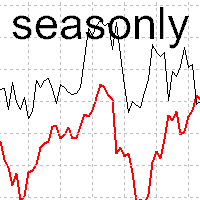
The tool for exploring seasonal patterns. It compares the chart with charts of other years and compares with the average for other years. Allows you to shift charts if necessary. Explore any year by specifying the zero point. Up to 10 charts in one tool. Works only on the daily chart ! The best for you! Enjoy your work! (It's not indicator - do not download demo it not work) for mt5 Seasonly

Title: EA Automater 5 Indicators for Averaging - A Diversified Approach to Algorithmic Trading Description: The EA Automater 5 Indicators for Averaging is a revolutionary Expert Advisor for MetaTrader 4, meticulously designed to provide traders with a diversified and balanced approach to automated trading. With its distinct ability to integrate and average signals from up to five different indicators, this EA stands as an unrivaled force in the realm of algorithmic trading. Main Features: Multi-

Программа передвигает уровень стоп-лосс вслед за ценой на расстоянии в пунктах, которое будет указано в настройках, то есть является самостоятельным плавающим стоп-лоссом. При необходимости, программу можно настроить таким образом, чтобы она передвинула стоп-лосс при достижении какого-либо уровня прибыли в пунктах. Также можно установить шаг трейлинга, чтобы программа передвигала стоп-лосс только через определенное количество пунктов. Несколько причин отдать предпочтение "Mobile trailing stop":

Emulate TradingView drawing experience with magnet snap to the nearest price.
Supported drawing tools: Vertical Line Horizontal Line Trend Line Horizontal Ray (Angle Trend Line) Fibonacci Retracement Rectangle
Input:
Threshold (px) : The distance in pixel unit to snap the crosshair to the nearest price. Crosshair color: The color of crosshair.
Feel free to write the review, request more features or report bugs.
FREE

EquitySafe V1.0 is a powerful risk management tool designed for MetaTrader 4 . It enables traders to effectively manage their risk by setting maximum loss limits based on custom time frames. With this tool, you have the flexibility to define your own time intervals and allocate specific risk thresholds accordingly. This helps you maintain control over your trading account and minimize potential losses. By utilizing EquitySafe, you can ensure that your trading strategy

The Trade Manager Interface is a free utility designed to simplify manual trading in MetaTrader. Please leave a review, if you like the trade manager. It allows traders to visualize trades directly on the chart, calculate position size automatically, and manage orders with advanced features such as partial take profits, automatic breakeven, and trailing stops.
This tool focuses on risk control and execution precision, making trade management faster and more efficient. For the advanced trade
FREE

Streamline your trading communication with our Telegram to Discord Trade Forwarder, a powerful Python-based tool designed for traders who want to effortlessly share trade information from Telegram to Discord. No more tedious copy-pasting—our software automates the process, ensuring that every crucial message, image, or video is seamlessly forwarded to your Discord community.
Key Features: Effortless Trade Sharing: Instantly share trade updates, images, and videos from your Telegram channels to
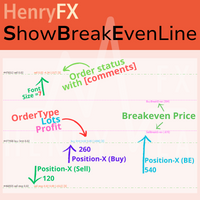
This indicator can help easy to management your order on screen.
FREE Version, included: - " Show Breakeven Price "
Show Breakeven Line Pro : : https://www.mql5.com/en/market/product/58289
Input Parameter: " Label Prefix "
:: [ ] Description; " Position-X-Dis "
:: [ ] Description; " Position-Y-Dis "
:: [ ] Description; " Show Market Price "
:: [ ] Description ; " Price Up Color "
:: [ ] Description; " Price Down Color "
:: [ ] Description ; " Position-Y-D
FREE

以平台时间执行EA(市场报价处显示的就是平台时间)。 先计算好数据发布时的平台时间是多少,比如电脑时间是20:00,平台时间是14:00,那么平台时间就是比电脑时间慢6个小时,如果非农数据发布的时间是电脑时间21:30,平台时间就是15:30,设置参数的时候就要设置成15点30分,挂单秒数设置成-30秒,就自动在15:29:30执行挂单。 做实盘前最好在模拟盘上先测试, 就会在心里形成什么数据该挂多少的量, 该做多少的止损 ,止盈。是否要移动止损或手工平仓。 这样才会在大数据上利用这款EA做到以小博大! 比较简单易懂的一款EA,但平台最低价格得30刀,感觉不值这个价,随便挂着卖吧,免费是不可能免费的,哈哈!
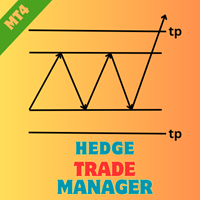
Hedge Trade Manager MT4로 헤지 전략을 강화하세요. 이 정교한 전문가 어드바이저(EA)는 불리한 가격 움직임에 대응하기 위해 헤지 거래를 자동화하도록 설계되었으며, 2010년대에 외환 브로커들이 반대 포지션을 허용하여 불확실한 트렌드에서 이익을 고정하거나 손실을 제한하는 헤지 기술에 기반을 두고 있습니다. MQL5 및 Forex Factory, Reddit의 r/Forex와 같은 트레이딩 포럼에서 유연한 설정과 강력한 리스크 보호로 찬사를 받고 있으며, 이 EA는 외환 주요 통화쌍, 지수, 암호화폐와 같은 변동성이 큰 시장에서 스캘퍼와 스윙 트레이더들에게 인기가 많습니다. 사용자들은 잠재적 드로우다운을 관리 가능한 시나리오로 전환하는 능력을 높이 평가하며, 동적 로트 진행과 자본 기반 출구를 통해 전체 리스크를 25-40% 줄이는 경우가 많아, 회복 전략을 실험하는 초보 헤저와 다중 EA 설정을 통합하여 다각화된 포트폴리오를 구축하는 숙련된 전문가 모두에게 이상적입
FREE
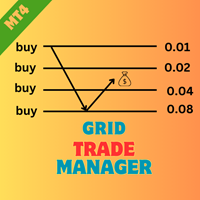
EA HedgeTradeManager MT4을 소개합니다. 이는 헤징 전략을 자동화하도록 설계된 강력한 Expert Advisor로, 트레이더에게 불리한 가격 변동을 관리할 수 있는 신뢰할 수 있는 도구를 제공합니다. 이 EA는 헤징 기법을 탐색하는 초보 트레이더와 거래 설정을 향상시키고자 하는 경험이 풍부한 전문가 모두에게 적합합니다. MQL 제품 설치 가이드 | 구매한 MQL 제품 업데이트 (MT4/MT5) | 일반 문제 해결 가이드 | 일반 설정 / 입력 가이드 | 백테스트 및 설정 파일 정교한 위험 관리 기능을 갖춘 EA HedgeTradeManager MT4은 잠재적 손실을 크게 줄이고 유연한 lot 크기를 허용하여 돋보입니다. 트레이더는 동적 lot 진행 및 자본 기반 종료 전략을 활용하여 forex, 지수 또는 암호화폐에서 변동성이 큰 시장을 효율적으로 탐색할 수 있습니다. MQL 제품 설치 가이드 | 구매한 MQL 제품 업데이트 (MT4/MT5) | 일반 문제 해결 가
FREE
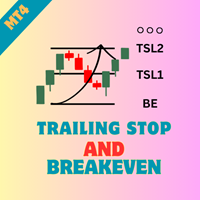
Ea TrailingStop BreakEven MT4을 소개합니다. 이는 귀하의 손절매 수준 관리를 자동화하여 거래 효율성을 향상시키는 강력한 Expert Advisor입니다. 초보자와 경험이 풍부한 트레이더 모두에게 완벽한 이 EA는 손익을 극대화하면서 손익 분기점 및 추적 손절매 설정에 대한 동적 조정을 통해 위험을 최소화합니다. MQL 제품 설치 가이드 | 구매한 MQL 제품 업데이트 (MT4/MT5) | 일반 문제 해결 가이드 | 일반 설정 / 입력 가이드 | 백테스트 및 설정 파일 Ea TrailingStop BreakEven MT4을 통해 트레이더는 최적화된 거래 관리를 통해 유리한 시장 움직임 동안 더 나은 이익 유지를 즐길 수 있습니다. 사용자들은 EA가 프로세스를 간소화하고 수동 거래 감독에 소요되는 시간을 줄여 거래 성과에서 상당한 이익을 보고했다고 보고했습니다. MQL 제품 설치 가이드 | 구매한 MQL 제품 업데이트 (MT4/MT5) | 일반 문제 해결 가이드
FREE

Ea CloseManager MT4을 소개합니다. MetaTrader 4을 위해 설계된 전문 Expert Advisor (EA)로, 거래 종료 프로세스를 간소화하고 자동화합니다. 이 강력한 도구는 수동 및 자동 거래 전략 모두에 이점을 제공하며, 정확한 종료 기준을 제시하여 다양한 수준의 전문성을 가진 트레이더에게 이상적입니다. MQL 제품 설치 가이드 | 구매한 MQL 제품 업데이트 (MT4/MT5) | 일반 문제 해결 가이드 | 일반 설정 / 입력 가이드 | 백테스트 및 세트 파일 Ea CloseManager MT4을 사용하면 사용자들은 거래 관리에서 상당한 시간 절약과 개선된 리스크 관리를 경험합니다. 이 EA를 활용하는 트레이더들은 빠르게 변화하는 시장 상황에 적응하는 규율 있는 종료 전략을 통해 수익성을 높였다고 보고합니다. 특히 forex, 지수 및 암호화폐에서 그렇습니다. MQL 제품 설치 가이드 | 구매한 MQL 제품 업데이트 (MT4/MT5) | 일반 문제 해결 가이
FREE
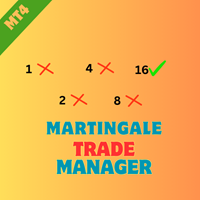
EA MartingaleTradeManager MT4을 소개합니다. 이는 마틴게일 접근 방식을 사용하여 거래 전략을 최적화하도록 설계된 혁신적인 전문가 어드바이저입니다. 이 EA는 거래 프로세스를 자동화하고 체계적인 거래 관리를 통해 손실을 회복하려는 트레이더에게 이상적입니다. MQL 제품 설치 가이드 | 구매한 MQL 제품 업데이트 MT4/MT5 | 일반 문제 해결 가이드 | 일반 설정 / 입력 가이드 | 백테스트 및 설정 파일 고급 기능을 갖춘 EA MartingaleTradeManager MT4은 손실에 대응하여 반대 거래를 배치함으로써 트레이더가 포지션을 효과적으로 관리하도록 도와주며, 위험을 최소화하면서 이익 잠재력을 극대화합니다. 초보자와 경험이 풍부한 트레이더 모두에게 완벽한 이 EA는 다양한 시장 조건에 적응하고 거래 성과를 향상시킬 수 있습니다. MQL 제품 설치 가이드 | 구매한 MQL 제품 업데이트 MT4/MT5 | 일반 문제 해결 가이드 | 일반 설정 / 입력
FREE

EA AccountTrailingStop MT4을 소개합니다. 이는 Expert Advisor로, MetaTrader 4에서 자동으로 수익을 관리하고 보호하여 거래 전략을 향상시키도록 설계되었습니다. 이 도구는 초보자와 전문가 모두에게 이상적이며, 다양한 거래 환경에서 동적인 수익 잠금을 위한 강력한 솔루션을 제공합니다. MQL 제품 설치 가이드 | MT4/MT5에서 구매한 MQL 제품 업데이트 | 일반 문제 해결 가이드 | 일반 설정 / 입력 가이드 | 백테스트 및 설정 파일 EA AccountTrailingStop MT4을 사용하면 사용자들은 유리한 시장 조건에서 수익 유지가 향상되고 수동 모니터링 시간이 줄어드는 등의 상당한 이점을 경험합니다. forex, 지수 및 암호화폐 거래자들은 전반적인 수익성이 눈에 띄게 증가했다고 보고하며, 이 EA는 거래 성과를 최적화하려는 모든 사람에게 필수 자산입니다. MQL 제품 설치 가이드 | MT4/MT5에서 구매한 MQL 제품 업데이트 |
FREE
By using this indicator you can easily find out how much your position is in profit right on the volume line on the chart. no need to take your mouse pointer on the lines. --- if you have different positions you can set all your TPs or SLs to a specific price to know the final value if the price reaches there. key features are : --- opened positions TP/SL value right on the chart. --- live value of the open position right on the volume line. --- commissions and swaps are being calculated. --- fo

Script to configure "TweetHelper for MT4" environment settings for "Twitter API v2 OAuth 2.0 with PKCE".
Client ID : ${CLIENT_ID} Auth Basic base64 : β string(Base64) Response Code : auth_code to be obtained in step 2 of "Connection Procedure Using OAuth2.0" Callback URI : the value set in User authentication settings "Callback URI / Redirect URL"
TweetHelper trial for MT4 https://www.mql5.com/ja/market/product/54507
TweetHelper for MT4
https://www.mql5.com/ja/market/product/54
FREE

TradeWise EA is a compact yet powerful tool loaded with robust features. It offers a 30-trades compounding challenge , Risk-Management, Performance Tracking, Break-Even Calculation, Automated SR Zones, Trailing Stop-loss by ATR or PIPS, Automatic Risk-to Reward Ratio based on Stop-loss, Easy Order Adjustments, Calculates Total Stop Loss and Take Profit, Automatic buy and sell orders on manually placed SR Zones, and more. These features are designed to cater to both scalpers and long-term traders

All the buttons and info you need as a trader in just one interface No need to navigate between multiple interfaces and waste time and money This cutting-edge trading tool is designed bu a trader for a trader to meet all your trading needs and more, offering an array of features and functionalities to enhance your trading success.
45 Features: Buy :Open long positions Sell :Open short positions HG : HEDGE :Buy and Sell(same lot) S.Pdg : Sell-Stop and Sell-Limit Red X

You can use comercial or free AG version.
In comercial version you can trade all 28 pairs in your basket.
For free version for testing you can trade only 7 pairs for free
In version 1.20 change the indicator from CCFp to CSS -CurrencySlopeStrength
In algorithm release the construction of Baskets Differencial - 4 baskets
Signal algoritm AG for 28 pairs you can rent in mql5 shop
https://www.mql5.com/ru/market/product/94278
Signal algoritm AG for 7 pairs FREE version you can upload free
htt
FREE
Perspect EA
This version of the EA focusses on indicating points of interest on the chart, features include : Sessions (Asia/Gap/London/Gap/NewYork/Gap) Previous Daily/Weekly/Monthly highs and lows Previous Daily/Weekly/Monthly open and close price
Round numbers (Ruler) Opening range Initial balance Multi time frame (Yearly view, monthly opening range) Customizable chart templates for low light users The indicator will assist in advanced technical analysis, providing the user with desired
FREE

This simple EA closes old losing trades at the expense of a portion of your profits. This helps to slowly work away drawdown and accelerate the closure of martingale grids
*** New Features *** Added - Option to close oldest or furthest from current price trades Added - Calculation of profits that will be sacrificed.
Anyone who has traded with martingale knows that you can get trapped in grids and be hoping for a quicker recovery. This led me to create this EA with the goal of helping to r
FREE
경고: 이 EA는 테스터에서 작동하지 않습니다. 데모 또는 실제 계좌에서만 작동합니다. 데모를 시도하려면 저에게 연락하십시오. https://www.mql5.com/en/users/abudabi MT5 Version
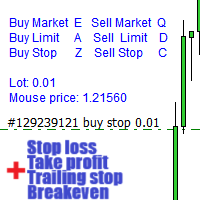
키보드와 마우스로 MetaTrader 4에서 빠른 주문 보내기(배치하기): 원하는 가격 위로 커서를 이동하고 키를 누릅니다: 마켓에서 매수: E 리미트 매수: A 스탑 매수: Z 마켓에서 매도: Q 리미트 매도: D 스탑 매도: C (키 사용자 정의 가능) 주문이 보내졌을 때 Fast Keyboard Orders MT4는 주문 관리를 할 수 있습니다: 손절 주문 이익 주문 트레일링 스탑 손절 주문 손익분기점 주문 기능 또는 버그 수정을 제안하거나 질문이 있으면, 언제든지 https://www.mql5.com/ru/users/abudabi/에서 DM을 보내 주십시오. "Fast Keyboard Orders MT4"을 업데이트하겠습니다. 전체 매개변수: bool Lots

소개 가상 TPSL 마감 M4 주문 관리 유틸리티 도구(전문 고문)는 귀하가 사용하는 다른 전문 고문이 만든 기존 오픈 포지션이나 수동으로 개설된 주문을 관리하고 가상 이익실현 및 손절매 수준으로 마감합니다. Adviser는 완전한 가상 모드에서 작동하며, 모니터링된 위치가 닫혀 있을 때 그려지는 색상 화살표 개체 이상의 시각적 레벨은 존재하지 않으며, 하나가 열려 있고 연결된 유틸리티와 함께 표시되는 경우 차트에 닫는 위치를 표시하기 위해 손익 여부에 관계없이 표시됩니다.
이 유틸리티를 사용하는 방법은 무엇입니까?
간단하고 차트를 엽니다. 하나의 단일 차트에서만 모니터링을 제어하므로 모든 차트와 기간이 괜찮습니다. 이 어드바이저를 부착하고 모니터링하려는 기호 및 매직 넘버(수동 주문의 경우 0)와 포지션 유형을 지정하세요. - 매수, 매도 또는 둘 다를 지정하고 포지션이 종료되지 않도록 원하는 가상 이익 실현 수준을 설정하세요. . 정지 손실 수준을 모니터링하는 것도 가능합니

Heaven Assistant: MT4 관리 단순화 Heaven Assistant를 통해 MetaTrader 4 (MT4) 플랫폼 관리를 단순화하세요. 이 전문가 어드바이저(EA)는 효과적이고 사용자 친화적인 방식으로 거래 환경을 제어하고 사용자 정의 할 수 있게 해주는 견고한 도구입니다. 핵심 기능: 다수의 페어 열기: 주요 및 마이너 통화 쌍뿐만 아니라 이국적인 통화 쌍에 대한 빠른 액세스. 한 번의 클릭으로 지수, 금속 및 암호화폐를 열 수 있습니다. 템플릿 변경: 모든 열린 페어에 대해 좋아하는 템플릿을 적용하여 차트 뷰를 쉽게 사용자 정의 할 수 있습니다. 시간프레임 변경: 모든 열린 차트의 시간프레임을 변경하여 거래 스타일에 적응하십시오. 이점: 쉬운 사용: 입력 패널을 통한 쉬우면서 빠른 설정. 특정 차트에만 동작을 적용하는 필터링 옵션. 시간 절약: 여러 페어와 설정을 쉽게 관리하여 소중한 시간을 절약하십시오. 사용자 정의 가능: 주요, 마이너, 이국적인 페어, 지수,

All the buttons you need as a trader in just one interface No need to navigate between multiple interfaces and waste time and money Are you a forex or stock trader looking for a comprehensive tool to streamline your trading experience? Look no further! We're proud to present our latest product, an advanced trading expert advisor available on the MQL4 platform. This cutting-edge trading tool is designed to meet all your trading needs and more, offering an array of features and functionalities to

Stochastic Full View show all 29 major and minor pairs Stochastic indicator live value,traders can view all 29 pairs Stochastic indicator live value with all 9 timeframes just attached it on ANY ONE Chart, traders can see all the 9 timeframe overbought signal and oversell signal just on ONE Chart Stochastic Full View show the overbought value and oversell value with highlight background color and font color,you can attach this utility on any pair and any timeframe, traders can
FREE

Rosy Trade Assistant A very easy to use EA, simple and friendly. Many features available to manage your trade. Compact panel with 4 sizes that can be selected according to your convenience. And trading in your local time has never been easier, using local timescale and clock. User Guide and Demo version Pages Trading Panel - Page to place an order and manage it's SL/TP Tools - Page to manage order: trailing, close on target, close all by categories Settings - Page to use custom time scale with s

CCI Full View can show the all 29 major and minor pairs CCI indicator live value,traders can view all 29 pairs CCI indicator live value with all 9 timeframes just attached it on ONE Chart, traders can see all the timeframes overbought signal and oversell signal on ONE Chart CCI Full View show the overbought signal and oversell value with highlight background color and font color, you can attach this utility on any pair chart and any timeframe, traders can see the overbought and ov
트레이딩 전략과 기술 지표를 판매하기에 가장 좋은 장소가 왜 MetaTrader 마켓인지 알고 계십니까? 광고나 소프트웨어 보호가 필요 없고, 지불 문제도 없습니다. 모든 것이 MetaTrader 마켓에서 제공됩니다.
