 MetaTrader 5
 专家
专家
 指标
指标
 程序库
程序库
 实用工具
实用工具
 窗口小部件
窗口小部件
 规则
规则
全新的MetaTrader 4 交易实用工具 - 41
 以下是可在MetaTrader 4中简化外汇交易的交易程序。将鼠标悬停在下面列表中的工具上,阅读它的描述和用途。
Beat Your Broker Track your broker's real (not advertised!) spreads. A no-brainer price for an essential tool for every legit trader. Load like a normal EA to track the average spread for up to 8 symbol_time periods. So for example, track the average spread for: EURUSD on 30m chart NAS100 on 5m chart GBPUSD on 15m chart etc Each symbol_time will generate its own .csv file that is easily accessible from the data folder, for you to download and manipulate. The file has three columns - Date, Time,

----------OVERVIEW--------- BORASO RISK CONTROLLER is an useful tool to record the equity gains and drawdown that your account reaches, so that you can adjust the level of power of investment. It is important if you trust a trader and you subscribe to a signal confident in never overcome a certain drawdown, saving big part of your capital if the bad day arrives. Please note that signal trades can be reopened after the "safety exit" but you can decide to stop the autocopying with a better protect

In foreign exchange trading, the most important investment principle is to ensure the safety of the principal, and risk prevention and control is the primary operation concept. How to manage the account funds is to control the position size and the profit and loss of the order, this EA is designed based on this idea. It can directly manage the risk control of the trading account and realize two functions. One is to close the position according to the profit and loss ratio, and the other is to au

Advisor for semi-automatic trading with a virtual multi-level trail of take profit and stop loss, a trail of target profit, martingale functions, manual opening of orders, managing third-party orders, counting trading instruments, displaying current information and statistics on a chart. It is possible to set several levels of trailing take profit and stop loss and to each level to assign the percentage of partial closing of the order. The percentage of the lot when closing the level is calculat

Trade and Account Information Panel The Trade Info Panel allows you to easily see the status of you trading by pair and account. Minimise the panel by clicking on it to reduce the display area. Easily Identify loosing pairs/ instruments traded by the change of header colour. The HEADER change colour should the months losses exceed the months gains.
Displayed information: General Account information Account Leverage Spread Bar Time remaining Account Balance Account Equity Margin Free Margin Acc

This program is created by algorithm which economy based logic in the trading market.
1. The program able to work with all of currency and trading items 2. Take profit and loss are basically handled by EA program
Recommendation: EUR_USD is the most preferred. Please use this program only for MT4. LOT should be managed depends on own deposit. Otherwise, high risk will be driven(e.g 0.1~0.2 lot is recommended when the deposit is 10,000 dollar)

History Exporter can help to export your orders history from MT4 account. After that you can use another data analysis tools to get what you want. File format is .csv file, the content such as below OrderID,Symbol,Type,Lots,OpenTime,OpenPrice,StopLoss,TakeProfit,CloseTime,ClosePrice,Commission,Swap,MagicNo,Comment,ProfitUSD,ProfitPips,NetProfit,Duration,(Days),(HH:MM:SS), 21520206,EURCHF,buy,0.05,2020.03.10 08:06:15,1.06304,0.00000,0.00000,2020.03.11 13:37:38,1.06015,-0.60,-0.05,28282888,RedRab
FREE

Save time and worries watching. This EA will do this job for you. Even you can configure some from this EA from your mobile instead of using the PC. To use this EA just drag from MetaTrader4 to any chart and timeframe (it will check continuosly no matter the timeframe). Configure some parameters according to the currency master to use configuration from your mobile and lots configuration but I would recommend to use the default ones. Features for your trades and account: Manage Account Cash /

This EA will support your open trades to have more possibilities to get profitable. Just keep in mind to use this EA you are taking RISKS as its method is a Martingale / Grid system controlled in automatic. This EA will start to open trades increasing your lots (open big lots in sell and buy positions normally doesn't decrease your free margin account but when you are red you are need for bigger margin and that's the risk also to use this EA). When reaching Take Profit you will have lost trades

This indicator allow users to navigate very quickly from one to another Forex cross. Very simple to use and very useful. You will not waste any more time and it will simplify your life as a trader. The color change every time that you click on other cross, so you will always know which is the open chart. To help your navigation, the majors have a slightly different color.

SI Connect是一个与我们的服务器建立连接的工具,以使用FX Volume。
准备您的终端使用SI Connect的技术说明 允许网络请求,在您的 终端选项 ->子类别 Expert Advisors 的允许URL列表中插入 https://stein.investments 。 你只需要在每个终端上运行一个EA实例,但它必须在后台持续运行,以便从我们的数据中心获取最新数据。
如果有问题,请发送私人信息,我们会协助。
SI Connect是一个与我们的服务器建立连接的工具,以使用FX Volume或SIEA的交易系统。
准备您的终端使用SI Connect的技术说明 允许网络请求,在您的 终端选项 ->子类别 Expert Advisors 的允许URL列表中插入 https://stein.investments 。 你只需要在每个终端上运行一个EA实例,但它必须在后台持续运行,以便从我们的数据中心获取最新数据。
如果有问题,请发送私人信息,我们会协助。
FREE

助理键盘执行是用于手动和半自动交易的专业工具。
允许您一键严格应用可靠交易的规则。
按下按钮时,它将立即智能隐藏止损并在合适的位置获利,并根据您选择的风险自动计算手数。
该实用程序将帮助您使交易例程专业化,简化和组织您的工作,并且对新手和专业交易者均有用。
作为所有实用程序,此工具在策略测试器中不起作用。要在购买前测试该实用程序,请将其租用3个月,您便可以对其进行真正的测试。
公用事业公司可以根据市场波动将SL转移到收支平衡区,在适应波动性的固定或动态水平上执行不同的部分关闭和增强操作。您可以非常简单地进行交易,但是也可以进行专家交易。
半自动模式打开的位置与您执行的操作相同。但是您可以走出去,因为它等待正确的区域开仓,因此它会计算正确的手数大小并放置SL和TP。
如果您超出每日最大允许损失,集成的资金管理器会关闭您的头寸,这可能会阻止您整天开设新头寸。
该实用程序的主要功能和特点: 三种计算未结订单手数的方法。 安装智能虚拟订单。 自动停止狩猎保护。 拉模式,等待您最优惠的价格。 TP的自动正确RR 反向模式(做与交易者完全相反的动作)。 自动将止损设置为盈亏平衡。

-------------------------------------------------------------------------------------------------------------------------------------------------- New version of this product is here : https://www.mql5.com/en/market/product/59924?source=Site+Profile+Seller -------------------------------------------------------------------------------------------------------------------------------------------------- TOTAL TAKE PROFIT & TOTAL TRAILING STOP. Average Take Profit & Average Trailing Stop. Setup TO
FREE
Welcome to the Order Management EA
This EA manages your order. Doesnt Matter if you have placed one trade or 20. you can trail the order you can also set to close out all trades works on all FX pairs easy to install easy to drag on to the chart This is a perfect tool to manage your trades.
Risk warning: CFDs are complex instruments and come with a high risk of losing money rapidly due to leverage.
Please trade responsiple. Thank you

Hedge Trader is a panel that helps traders who use the hedging strategy in their trading. The panel style in simple and intuitive, and have the necessary shortcuts a fast trader would need for fast order execution.
Features: - Auto double the lot after executing an order. The user only specifies the initial order, then the panel will automatically double the lot after an order execution. - Using basket for auto closing all orders on a predefined floating profit (with the possibility to turn it

What is this?
This script not only can help you to place all type of orders, included market order " BUY " / " SELL " and pending order " BUYSTOP " / " BUYLIMIT " / " SELLSTOP " / " SELLLIMIT ", but also, it allow you to place order lots by money management concept.
How to use this script? 1. Open the chart you want to trade; 2. Drag and drop the script to that chart; 3. Input the parameter what you want to do; 4. Double check the order information, then click "Yes" to confirm to place order;
Operations Monitor It is a simple but powerful monitor, which allows not to use the Terminal to have a cleaner chart.
Informs about all the operations opened in that Asset: Number of Open Operations Lost / profit Account Percentage Volume operated Colors: RED: the sum of operations is lost BLUE: the sum of operations is in profits Fonts: Allows change the font size.
FREE

This EA Automatically sets stop loss and take profit levels on limit orders. It is fully adjustable : you can set the amount of pips for your SL or TP level Helps limit your risk Automatically Just drag and drop onto your MT4 chart and it start working for you You can save different pip levels to drag onto the chart You only have to drag it onto the chart once and it will automatically set your SL and TP level Every time you enter a Pending Order

INVISIBLE BID MANAGER - invisible positions for my broker.
Entry for bid price into trading positions.
If you have a floating spread, you won't miss a deal.
Trade open, after reaching bid price. Suitable for floating spread, opening long position does not wait for ask price, but store entered at bid price.
SETUP
BuyLots - volume Buy trade in lots BuyOpenPrice - opening price Buy trade BuySLPrice - StopLoss Buy Buy Price BuyPTPrice - Profit Target Buy Buy Price
SellLots - volume Sel

Position Cloner (PC) is a helpful utility that can be used like an EA to duplicate specific positions within the same MT4 instance. This is valuable e.g. to increase the risk when copying a signal to your account. When trading big capital you can also decrease the original risk of your EAs or manually opened positions and then let PC duplicate them. This way you avoid negative slippage due to inordinate lot sizes.
You can choose between different, fully customizable options of how PC must clone

Flashkey - Professional Keyboard - Seteable Shortcuts for MT4 Professional investors do not use a mouse, use shortcuts FlashKey is a program that allows the user to operate very quickly in the financial markets trought HOTKEYS (shortcuts). With all functions executed DIRECTLY FROM THE KEYBOARD. Turn an ordinary computer into a PROFESSIONAL TRADING KEYBOARD Features: Quickly open orders to market Simultaneously send many pending orders Close all positions Covers positions to Breackeven Modify St

Expert Advisor for trading binary options in EA mt4. He has one step of a martingale with an adjustable coefficient. Displays its indicators on the chart. It can work on several currency pairs at the same time. It is possible to choose a working time frame. Trading greatly depends on the settings of the built-in indicator, so it is advisable to choose the most optimal settings, although you can also trade with the built-in ones. Also has built-in money management. successful bidding to all.

Expert for a binary options on mt4, he have two built-in a indicators and many different settings. The expert has one a level of martingale, but it is recommended to use it on the instruments with a yield of 85 percent. it can be used simultaneously on a variety of currency instruments. All settings have already been made, but you can also configure them yourself . Currency for do trading is a Russian ruble. Good trading to everyone.

Простая в управлении Торговая панель обеспечит безопасную торговлю. Вычислит объём сделки от заданного уровня Stop Loss и величины убытка. Поможет рассчитать сейф, и в ноль закрыть неверную сделку. Интуитивно понятный интерфейс делает панель удобной в управлении, освобождая внимание трейдера для принятия решения о входе в сделку. Программа сделает все расчёты за вас. Поэтому работа с помощью панели Снайпер - оптимальное решение для торговли с соблюдением Мани-менеджмента. А это главный ключ к по

Trade Copier 是一种专业实用程序,旨在复制和同步交易账户之间的交易。 复制发生从供应商的帐户/终端到收件人的帐户/终端,安装在同一台计算机或 vps 上。 在购买之前,您可以在演示帐户上测试演示版本。 演示 这里 。 完整说明 这里 。 主要功能和优点: 支持复制MT4>MT4、MT4>MT5、MT5>MT4,包括МТ5 netting账户。 供应商和收件人模式在同一产品中实现。 简单直观的界面,允许您直接从图表中实时控制复制。 连接中断或终端重新启动时不会丢失设置和位置。 允许您选择要复制的符号,也可以替换接收者的符号,例如 EURUSD> USDJPY。 允许为每个符号设置个性化的复制设置。 支持回拷贝。 能够仅复制某些订单。 允许您设置开仓交易价格的最大差异和最大时间延迟。 正确复制部分订单关闭的执行。 计算复制手数的几种方法。 同步止盈和止损。有几种方法可以计算它们的位置。 支持通过执行在“Market account”上工作,其中 SL / TP 仅在开仓后设置。 如何使用简单的设置复制交易 将供应商终端和接收终端安装在同一台计算机或 VPS 上。 在供应商终端上

The informer provides information on the current state of open market positions. The visual presentation consists of two parts. The left side contains the latest transactions executed on the account. Transactions are sorted by time. The right part shows the current state of the aggregate positions of the instruments. Sorting of positions is carried out in descending order of the margin load on the account. Updating and recalculating the status of positions is performed automatically and/or by

The EA automatically opens orders both when the price moves in the direction of an open position, and against it, depending on the settings. He will always open the necessary additional orders in time for you if you suddenly find yourself not at the terminal. And it will also automatically close them when the specified profit margin is reached. Functions: manual opening of any types of orders; automatic opening of market orders in accordance with the settings; the ability to set a lot multipli
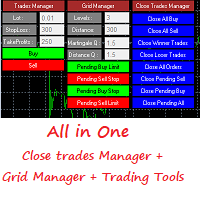
This is a demo version . Download the full version from this link https://www.mql5.com/fr/market/product/84850
Full version Allows you to : Set the number of levels (trades). Lot size and you can do Martingale to raise the lot size for each level. Set distance between levels, and you can manage the distance for each level using Distance Q. Static TP and SL for each level. You can open : BUY STOP / BUY LIMIT / SELL STOP / SELL LIMIT (levels in one click). Close all buy orders. Close all s
FREE

What is it
PricerEA is a utility to help any trader to place pending orders (stop or limit) at a specific price. It is designed for easy use. There is a parameter to set the prices you want to place orders. The expert can calculate automatically the lot size for each order. In addition, there is the possibility run trailing stop (work only for market orders) if triggered a pending order.
How use it
Use BuyStop to open buy order over than current price. Use BuyLimit to open buy order under than
FREE

Открытие сделок с нужными вам параметрами занимает считанные секунды. Простая и удобная утилита для создания новых ордеров . С легкостью создавайте рыночные и отложенные ордера с автоматическими уровнями стоплосс, тейкпрофит. Автоматический расчет размера лота с заданным риском на сделку. Просто переместите уровнь стоплосс и тейкпрофит на графике на нужные ценовые уровни. Внимание! Если вы хотите протестировать все функции данной утилиты пожалуйста свяжитесь со мной и получите этого советника

You can try this EA in the strategy tester,
or you can try this demo version:
https://www.mql5.com/en/market/product/46367
Trade Manager This assistant automates various aspects of order handling in MT4. The assistant allows you to plan a trading strategy defining Entry Levels, Stop Loss, Take Profit, execution of orders on one level, partial closes, Break Even, etc. Basic characteristics Trades calculation 3 basic lines are drawn that define the entry level, SL and TP. You can move this line

多单实用工具 多单实用工具的设计目的是让交易者在价格出现小幅波动时,就能轻松获利,而不必等待价格走很长的距离才能实现目标。 该工具可以同时在同一货币对、同一方向上开启多个订单,数量由用户设定,或由您的经纪商允许的最大数量决定。 它的理念是:与其追逐 100–200 点(这在短时间内可能难以实现,甚至不现实),不如在同一时间开启多个订单,并设定一个较短的止盈目标。例如,交易者可以开启 5 笔或更多订单,并设定 20–25 点作为止盈目标,这个目标会自动应用到所有订单。实现 25 点比追求更大幅度的波动容易得多,但结果却可以相同:例如 5 笔订单,每笔 25 点,总计等于 125 点,而价格只需移动 25 点即可。 虽然该工具易于使用,但在入场之前必须对市场走势和价格的未来方向进行准确分析,否则可能会造成较大的回撤。除非您选择 1:1 或 1:2 的止损与止盈比例,否则一定要设置止损,以避免风险——这就是所谓的交易纪律(交易无止损是非常不好的习惯!)。 为了降低风险,该工具内置了保本功能(默认设置):当价格比开仓价上涨 10 点时,系统会自动将所有订单的止损调整到开仓价之后 5 点的位置。

MULTIPLE ORDERS With Symbol and Time Frame Changer
Multiple Orders Utility is created to give easy profits-making trades with a little movements and without going long distance to get it all. This Utility opens multiple orders as many trades as the number specified by the User or as many as permitted by your Broker in the same direction on the same currency pair simultaneously.
The idea behind it, is that instead of running after 100 - 200 pips which may not likely be attainable in the record
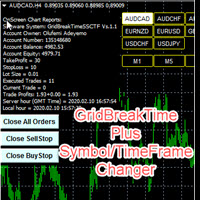
GridBreakTimeSuper SymbolChangerTF
GridBreakTimeSuper SymbolChangerTF is a Utility created based on grid trading strategies. This one was coded with Symbol and Time-frame Changer to remove the stress of opening a lot of chart windows.It opens any number of Buystops and Sellstops orders respectively as defined by the User with a predetermined gap up and down from the current price as also set by the User. This EA works based on time set by the User for opening and closing of all orders and trade

When I was testing several EAs on my demo account I realised, that I could not distinguish between the running orders. There were simply too many orders opened. For this I wrote this EA. Normally I test over 10 EAs on one demo account at a time.
As you can see in the screenshot, there is one table with open positions. All orders are grouped by Magic Number. Now you see the opened orders, the profit and the drawdown of each Magic Number.
In addition there is an option to connect the Magic Num

Simple and fast trade duplicator that copies trades on the same account with the reverse function.
The reverse can be used for locking. You can choose to duplicate transactions for the current or all instruments.
Parameters
Duplicate in reverse - the direction of duplication; Duplicate symbol - duplicate the selected tool; Manual lot size - hand size of the volume; Do not duplicate if spread > - do not duplicate a trade if the current spread is larger; List of magic to be duplicated - filte

Stop controller – утилита, которая следит за тем, чтобы у ордеров были установлены стоп-приказы и за уровнем просадки или прибыли. Стоп-приказы можно установить, как пользовательские, так и расчётные. Также она способна сопровождать рыночные ордера. Сопровождение выглядит следующим образом: утилита отслеживает промежуточные между ценой открытия и тейкпрофитом цели и частично закрывает сделки, при этом переводя стоплосс на уровень предыдущей цели. Частичное закрытие ордеров можно отключить. Чтобы
FREE

隆重推出 Period Separator Pro Utility,这是一款功能强大的工具,旨在通过在图表背景上绘制多时间框架交易时段来增强您的交易体验。该实用程序通过方便的快捷按钮面板提供独特的用户体验,让您轻松查看和管理不同的时间范围。 使用 Period Separator Pro Utility,您可以轻松地同时可视化多个句点分隔符。例如,您可以将 15 分钟、30 分钟、1 小时、4 小时、每日、每周和每月的周期分隔符叠加到 5 分钟图表上。此功能使您能够全面了解不同时间范围内的市场。此外,该实用程序会在打开新蜡烛时通知您,确保您随时了解关键的市场动向。 该实用程序的一个宝贵功能是它能够显示打开的蜡烛在重要时间范围内关闭的剩余时间。它不仅限于当前时间范围,还为您提供 M1、M5、M15、M30、H1、H4 和 D1 的剩余时间。此信息使您能够更好地管理您的交易决策并有效地安排您的进场和退场时间。 Period Separator Pro Utility 拥有一系列可定制的功能,以满足您的喜好和要求。您可以快速激活或停用每个周期分隔符和剩余时间单独显示,让您完全控制图表上显

GridBreakTimeSuper is a Utility created based on grid trading strategies. It opens any number of Buystops and Sellstops orders respectively as defined by the User with a predetermined gap up and down from the current price as also set by the User. This EA works based on time set by the User for opening and closing of all orders and trades once in a day according to the time set by user. The general idea here is that each currency pair has specific time that breakout is always most likely as ther

该软件适用于两种人: 1.如果你已经有很好的指标了,那么,你可以购买该工具调用指标下单,该软件有很好的风控。 2.如果你还没有好的ea或者指标,但是认为,好的指标可以带来收益,也愿意去寻找,那么你也可以购买该ea。 当你购买后, 1.作者可以帮你修改一个ea的源码(由于作者时间有限,仅限一次,并且小改动)。 2.如果你觉得该软件有需要改进的地方,可以提给作者,如果是通用的功能,作者评估后将尽力满足。 如果对该产品感兴趣或者有疑问,以及需要任何帮助,可以添加作者微信/whatsapp/telegram:17317545896 -----------------------------------------------------------------------------------------------------------------------------------------------
这是一个可以调用指标的通用EA。可以调用当个指标信号进行下单,最多可以同时调用3个指标共振下单,可以下载进行回测,判断指标是否有效。下面有参数的详细说明: In

This practical tool let you setup your keyboard to have shortcuts and hotkeys to change Chart TimeFrame.
Bring your trading to another level by actually take fast and smooth control of switching Time Frames without losing time clicking all over the Meta Trader Terminal. This tool is born due to scalping issues, where switching from higher timeframe and lower timeframes is really mandatory to make a multi timeframe analysis of the trading setup. Uplift your trading activity, by letting your ke
FREE

The script is created to save all graphic objects to a file, restore them from a file and delete all objects on the chart. Data is saved in the .csv file in the client terminal folder in the MQL4\files subfolder. If you do not specify a file name when saving or restoring objects, then the name of the current trading instrument, for example, EURUSD or USDJPY, will be used as it. To use a script, just drag and drop it onto the chart.

Common information
Sniper Trade Panel - panel for manual trading, which automatically calculates the volume of an order depending on the stop loss value and the specified risk.
How it works
On the panel we set the risk value (%); Press the "SL" (Stoploss) button, a line appears on the chart (which shows where the stop loss of the new order will be); We move this line to the level where our future stop loss will be located (below the price level for the buy order, above the price level for the

The script changes the timeframe of all open charts on the MetaTrader platform in a simple click without having to do it manually by going through all the open charts and changing them one by one, it is handy when there are many open charts. The script lets you choose which timeframe to apply to the open charts. The timeframes available in the dropdown menu are the ones already available on the MetaTrader platform : M1, M5, M15, M30, H1, H4, D1, W1, MN1.
FREE

MQL4 Expert parsing signals from Telegram bot and executing the orders. Install EA, Telegram. Create a telegram bot which will distribute signal and specify it's token in EA input settings as well as key words which will be used to parse a signal. You can change or add key words by your own. Default values (lot, stops) are used in case the incoming signal don't include them. Specify "Allow DLL imports" in EA Settings.

篮子阶段利润 EA ΜΤ4 是最先进的方法,可以在篮子利润的 3 个不同阶段(时间段)中处理一堆未结订单,并最终在所需的结束时间以任何利润或亏损将它们全部平仓。
产品安装 | 篮子阶段利润 EA MT4 设置/输入指南 | 更新购买的产品
特征 不使用马丁格尔、网格、平均或其他危险技术 以账户货币计的所有未平仓头寸组合的篮子获利,分 3 个阶段 第 4 阶段所有未平仓头寸以任何组合盈亏平仓 100% 自动化智能交易系统 MQL5 VPS 兼容
如何使用Basket Stage Profit EA MT4? 如果您手动交易,您应该将 Basket Stage Profit EA ΜΤ4 附加到您的 MT4 终端的单独图表,然后单击自动交易按钮。通过这种方式,您可以继续进行新的手动交易,并且篮子阶段利润 EA ΜΤ4 仅在满足您的自定义标准时才会起作用。如果您使用智能交易系统进行交易,您需要将 Basket Stage Profit EA ΜΤ4 附加到您的 MT4 终端上的单独图表,单击自动交易按钮,Basket Stage Profit E
FREE

This tool automatically sets stop loss and take profit when opening orders.
The information is displayed in the lower right corner of the terminal and displays the lot size, stop loss and take profit levels, as well as the current profit/loss in points for each open order.
It is possible to close orders. to do this, double-click the desired order in the lower right corner and simply move it to the left.
It also displays recommendations for the current instrument in the form of OPEN BUY, KEEP
FREE

The Expert Advisor will help you forward all pop-up alert with screenshot from MetaTrader 4 to Telegram channel/ group, also forward all notifications to Telegram. Parameters - Telegram Bot Token - create bot on Telegram and get token. - Telegram Chat ID - input your Telegram user ID, group / channel ID - Forward Alert - default true, to forward alert. - Send message as caption of Screenshot - default false, set true to send message below Screenshot How to setup and guide - Telegram

Trading utilite (expert advisor) Global Breakeven and Trailingstop developed for: Automatic set StopLoss and TakeProfit for orders opened manually or by other expert advisers Transfer stoploss to breakeven Trailing stop You can setup utilite at any existing chart and it will manage all opened orders for all pairs, or just selected pairs from the list. Also, you can setup utilite for each trading chart separately, and apply the unique setting for each chart. Settings: StopLoss - stoploss size, p

The TradeExecutor
The „ TradeExecutor “ EA is designed to make your trading and especially the trade execution as easy as possible. It has a lot of useful features to help you execute and manage your trading strategy. This tool is immensely useful for traders who use multiple stacked orders with their strategy, because you can enter multiple orders with a single button click. Practical Buttons The TradeExecutor has four different buttons. First the “BUY” and the “SELL” buttons are used to trigg

The TargetChanger
The TargetChanger Script is the easiest way to change the takeprofits of multiple open orders . It automatically changes the takeprofit of both open orders as well as limit orders on the current pair.
To change your target you simply drag the TargetChanger on the current chart, type in the new takeprofit level and click "ok". All the takeprofits get changed within seconds now. If you only trade with one single order each time, this tool might not be super useful for you, bu

The StopChanger
The StopChanger script is the easiest way to change the takeprofits of multiple open orders . It automatically changes the stoloss of both open orders as well as limit orders on the current pair.
To change your stoploss you simply drag the TargetChanger on the current chart, type in the new stoploss level and click "ok". All the stoploses get changed within seconds now. If you only trade with one single order each time, this tool might not be super useful for you, but trad

The Target&StopChanger
The Target&StopChanger script is a great tool for order management . It is especially usefull if you like to trade with multiple orders at the same time.
This script allows you to easily change both the takeprofit and the stoploss or all open orders (including limit orders). In order to change your takeprofit or your stoploss you just drag the Target&StopChanger script on the current chart, type in the new levels and click on "ok".
The script now does all the work

Chart Carousel is a utility that helps you manage your charts and symbols. Depending on how many symbols you set, the chart will automatically browse through each symbol in the order you put in the settings. It will automatically change the symbol in the chart base on the set delay. - Press X to move forward to the next symbol. - Press Z to move backward to the previous symbol. Use comma(,) to separate each symbol.

Tracking positions using trailing on the Parabolic SAR indicator. It is necessary to allow automated trading in the terminal settings. In testing mode, the utility opens Buy or Sell positions on the first ticks, which allows you to visually observe the given logic, changing the utility parameters. In real mode, the utility does not open positions. Discuss the complexities of Forex trading here: chat "Age of Expert Advisors" . Parameters Select_Magic - selection of magic numbers. Positions with
FREE

Just $30 for six months!!!. This will draw Supply & Demand zones just by clicking on a candle. It can also draw a 50% line on the zone. https://youtu.be/XeO_x7cpx8g As a drawing tool, it is not active all the time after adding it to the chart.
Activate by pressing 's' twice on the keyboard within a second. If activated but then decided not to draw, deactivate by pressing 's' once. Box color depends if candle is above or below current price.
Features: Draw the box up to the last current candl

Advanced Smart Renko and Heiken Ashi Candle Trader is ONE STOP SOLUTION based semi/fully - automated multi-currency EA carefully engineered for traders to enter the trade based on their Analysis or in fully automated mode for scalping, trend trading, candle breakout trades and also automated news trading with inbuilt trade management solution. Advantages No grid / Martingale Works on Classic Renko, Renko Heiken Ashi charts and classic Heiken Ashi charts Features Multi-Currency Ma

This EA will make all the history trades appear on the chart,,
will make it easy to track each trade in history separately , it will show each trade open price + time and closing price + time
simply download the EA to your MT4 platform, then apply it on any chart that belongs to any trades in mt4 history,
for example, if you have traded on GBPUSD in the history, open GBPUSD chart and apply the EA on it, it will automatically print all info on the chart about the trades ,,
EA works per
FREE

Indicator Profitability Check Introduction: IPC means "Indicator Profitability Check". Some features will be locked in free version. Also you cannot check result more than 1 month. For paid version, please visit: https://www.mql5.com/en/market/product/45247 Here Indicator Profitability Check is a custom script which will check the profitability of a buy-sell arrow based custom indicator’s signal profitability. So traders who are very confusing for a buy-sell arrow based custom signal indicato
FREE

Introduction: You can download free version from here: https://www.mql5.com/en/market/product/45252 Indicator Profitability Check is a custom script which will check the profitability of a buy-sell arrow based custom indicator’s signal profitability. So traders who are very confusing for a buy-sell arrow based custom signal indicator, should it test/use in live/demo account, then they now can make their decision very quickly by checking this profitability process with this script. This checking

Basket EA MT4 是一款强大的盈利收割工具兼全方位账户保护系统,结合简洁易用的设计。其核心作用在于通过对所有持仓的“组合级”管理,而非单笔交易,全面掌控账户盈亏。该 EA 提供了组合级止盈、止损、保本和移动止损功能,支持设定为账户余额百分比、固定货币金额或所有管理交易的平均点数目标。这种灵活性让交易者能够依据自身需求制定风险和盈利策略。 Basket EA MT4 还支持智能交易过滤,可以根据 Magic Number、交易品种或备注选取要管理的交易,确保 EA 只影响您选择的持仓。 为进一步提升安全性,该 EA 内置先进的账户保护机制。当账户权益达到设定的止盈/止损水平,或从历史最高余额达到最大回撤时,EA 会自动平掉所有交易,删除所有挂单,并关闭所有图表,移除其上的所有 EA。这一功能有助于在市场波动或达到预设目标时保护账户资金。 提示 :您可以下载 篮子 EA MT4 演示版并在您的模拟账户上试用: 这里 将下载的免费演示文件粘贴到您的 MT4 >> 文件 >> 打开数据文件夹 >> MQL4 >> 专家文件夹并重新启动您的终端。 免费演示版本每次可在 4 小时内发

TP SL Bot - 新开立的 订单根据您的指示自动设置止损和止盈的工具。此外,还提供了一个计算器功能,可以计算在给定止损 / 止盈大小下,需要开立交易的数量来达到所需金 额。 有几种 选项来调整大小和参数: 1. 根据用 户指定的百分比来调整止损和止盈金额,作为账户余额的百分比。 2. 根據使用者指定的止盈和停損金額進行調整。 3. 根据开 仓价格的点数( tick )来 调整。 4. 根据开 仓价格的百分比来调整。 特点: 简单易用的界面 适用于市价 订单和挂单 适用于所有品种和 时间周期 多个工作模式 风险管理系统所需正确交易量的计算器 工作原理: !工具在 订单开仓后接收到第一个 tick 时更改订单参数。 模式 1 (存款百分比)。您 设置了存款百分比以计算止损和止盈金额。计算以点数 ( tick ) 为单位进行。 模式 2 ( 金 额 ) 。您设置了期望的止损和止盈金额。工具会自动计算点数 ( tick ) 大小。 注意 ! 前两种模式可能会有小 误差 , 因为指定的金额不一定是最小 tick 值的倍数。 模式 3 ( 点数 ) 。您 设置了止损和止盈的点数 ( tick

二進制分析器是一個很好的機會,可以根據基於二進制代碼的現成計算來編寫自己的指標和交易策略。 該分析儀適用於所有5位小數位“ 0.00001”的貨幣對EUR / USD,GBP / USD ITD 推薦會議M1 包含在目錄中。 指標-“二進制參考” 和4項衡量看漲和看跌市場情緒的指標 // ------------------------------------------------ ------------------- // 指標“二進制參考” 該算法在燭台上計算公式,然後將結果合併為2個數組。 該公式計算一個會話中與價格的鏈接數。 該數組包含二進制代碼所引用的價格 數組以索引.bin保存到/ Files文件夾。 //-數組PIPS_COL_Price [99999,6]包含以下指示器--- // PIPS_COL_Price [x,0]-二進制代碼引用的價格 PIPS_COL_Price [x,1]-以該價格獲得的鏈接的最大值 PIPS_COL_Price [x,2]-電源類型布爾“ 0” /熊“ 1” PIPS_COL_Price [x,3]-子類型布爾“ 0/1” /熊“ 0
FREE

脚本会在达到某个特定水平时将所有未结订单转移到收支平衡,如果您忘记了,则会在所有订单上设置止损,以免在您打开时(包括待处理的保证金)不冻结。
此外,脚本具有在反向ATS蜡烛上关闭订单的功能,具体取决于未完成的交易,M15或M5的选择,或者根本不自动关闭。
The script transfers all open orders to breakeven when a certain level is reached, puts stops on all orders if you forget, or so as not to bathe when you open, including on pending deposits.
Also, the script has the function of closing orders, on the reverse ATS candle, depending on the open transaction, the choice of M15 or M5, or not automatically close at all.

EasyFXTrade
Trading Utility
Tool Debeloped for Manual Trading in Forex and Crypto. EasyFXTrade provides a better way for trading, it's the ultimate tool:
Watch how works video: https://youtu.be/5nyJ77IHjUc
Parameters:
1. These first 2 parameters are the TP and SL of a tool that gives the risk of an operation(see screenshots for more info)
Benefit Tool Points: points of the TP of the blue rectangle, this rectangle can be resizable.
Loss Tool Points: points of the SL of the red rectangle thi

Open by Clik is a tool that allows you to open positions with two mouse clicks.
The place of the click and the direction of clicking decide what position will be opened.
Opening of positions is quick and intuitive.
If the second click is above the first click, opened are positions Long.
If the second click is belowe the first click, opened are positions Short.
By clicking in the chart area, opened are Market Order (BUY and SELL).
By clicking in the area in front of the chart, opened are Pendin

MT 4 to MT 4 Copy Tool This is an easy to use FX Trade copy tool fo the Meta Trader 4. easy to use quick execution time unlimited slaves can be connected need to un one server Lot Multiplier option OR Equity based option This one is only made to copy from MT4 to MT 4.
I wish everyone who purchases the EA maximum sucess and good trading results
Please trade carefully and responsibly. Thank you and Happy trading everyone

This is a basic tool that displays the Pip Value and Margin required for each symbol. It displays the same information for both a standard lot and the amount based on lot amount entered in the input section. It allows you to use different colors for each line Font Size FontType (Based on what fonts are installed in the system folder on the pc. Set to Ariel by default if the font entered is not available.) Allows X &Y coordinates so you can decide where on the chart the info is displayed.
FREE
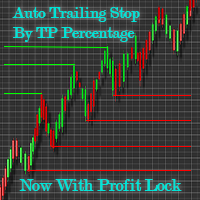
Automatic Trailing Stop Based on Take Profit Percentage with Profit Lock EA MT4 Lock in your profits and "let your winners run" past your 100% take profit target with this EA. This Expert Advisor automatically adjusts your Stop Loss based on up to 4 user-defined Take Profit Target Percentages, locking in your profit. If price pushes past your 100% take profit target, the EA will automatically trail the price by user-defined pips, so you won't miss that runaway train again. EA Features The

VisualTicks_EA is an Expert Advisor dedicated to the VisualTicks chart.
Works ONLY on the VisualTicks chart.
Is a tool that lets you open and close transactions directly on the VisualTicks chart.
There is only one parameter in EA settings:
magic - next EA number. If you use more than one VisualTicks_EA on MT4, you must enter a different magic number.
After starting VisualTicks_EA, the following buttons will appear on the chart:
Open BUY - opens one BUY transaction of a specified lot size.
Cl
FREE
MetaTrader市场是 出售自动交易和技术指标的最好地方。
您只需要以一个有吸引力的设计和良好的描述为MetaTrader平台开发应用程序。我们将为您解释如何在市场发布您的产品将它提供给数以百万计的MetaTrader用户。
