 MetaTrader 5
 专家
专家 指标
指标 程序库
程序库 实用工具
实用工具 窗口小部件
窗口小部件 规则
规则全新的MetaTrader 4 交易实用工具 - 12
 以下是可在MetaTrader 4中简化外汇交易的交易程序。将鼠标悬停在下面列表中的工具上,阅读它的描述和用途。
Overview Many proprietary trading firms enforce strict rules on daily drawdown limits. This Expert Advisor (EA) is specifically designed to help traders comply with such requirements by actively monitoring daily drawdown and profit levels. It automatically manages open positions to ensure adherence to prop firm criteria, enhancing risk control and account longevity. Key Features
Daily Performance Monitoring:
The EA continuously calculates and displays the current day's drawdown directly on you
FREE

Why choose Trading Pal EA:
This is a EA utility that auto-manage your positions ' Stop-Loss (SL) and Take-Profits (TP) dynamically. When opening a single position , it is easy to set the SL and TP manually. But when dealing with multiple positions , it can be very tedious or overwhelming to fill in so many SL and TP values consistently, especially in a short span of time, like in scalping. Over time and after many such trades, trading itself can become a chore. That is where this EA c

TradeManager 1.0 is an Expert Advisor for MetaTrader 4 y 5 that streamlines real-time trade management. Through a graphical control panel, you can send market and pending orders, move stop losses to breakeven, and automatically calculate position size based on your risk settings. Below is a comprehensive overview of its features and input parameters.
Key Features Market Orders & Pending Orders BUY/SELL Buttons : Instantly open long or short positions at market. BUY STOP / SELL STOP / BUY LIMIT

Titan Machinist - Your Professional Management System for MetaTrader Transform Your Trading with Automated Position Management
Tired of having to manually manage every single trade? Titan Machinist is the ultimate solution to automate your trade management, allowing you to trade like a true professional. Suitable for any trading technique: one
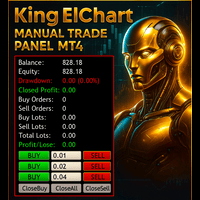
King Chart – Manual Trading Panel for MetaTrader 4 A powerful and easy-to-use tool designed to simplify manual trading on the MT4 platform.
This panel helps traders execute orders quickly, manage risk efficiently, and monitor account performance in real time. Key Features Multiple Entry Buttons 3 Buy and 3 Sell buttons for instant trade execution. Each button is linked to a customizable lot size input, allowing fast scaling into or out of trades using different entry sizes. Includes dedicated bu

Introducing a Whole New Approach to Money Management Most traders believe that risking 2% per trade is the golden rule, but few realize how this traditional approach can slowly drain an account — making it harder and harder to recover losses. This EA challenges that outdated model by introducing a “10 Lives” system: a unique way of managing your risk so that every trade risks the same fixed amount, regardless of whether you’re on your first trade or your tenth . For example, if you’re risking £

Mobile LotSize Trade on the go with confidence Have you ever spotted the perfect trade opportunity on your phone, only to enter with the wrong lot size and end up risking more than you intended? With Mobile LotSize , that’s no longer a problem. Leave this EA running on your trading platform, and it will automatically monitor your pending orders set at 0.01 lots. If you’ve placed a stop loss or take profit from your phone, Mobile LotSize will calculate and adjust the trade size to match your ris

With this Expert Advisor, you can seamlessly integrate various channel, arrow, and reversal indicators. It offers the flexibility to use all popular channel trading strategies, while also providing powerful tools to customize your trading conditions and risk management system. The Expert Advisor opens orders when the price crosses the channel boundaries. Multiple crossing conditions are available for customization: Price touches boundary on re-entry into the channel Price touches boundary on

TRADEX ai 想像一下能夠避免每筆交易的滑點成本!這是幾乎每筆以市場價格執行的交易都會產生的不可避免的成本。 「滑點」一詞描述的是交易訂單價格和執行價格之間的差異,平均為 1 點或 10 個基點,但有時會更高。
TRADEX AI 正是這樣做的,它可以避免您開立的每個訂單出現滑點,從而立即為您節省滑點成本,有時甚至高達 20 個基點。 它還利用人工智慧來提高市場進入價格。 TRADEX AI 解決了市場執行交易效率低下和成本高的問題,這些問題容易導致系統性滑點。 想像一下避免所有訂單的滑點成本,節省成本就是第一個收益。肯定。 您每天和每月執行多少訂單?將其乘以平均每筆訂單節省 1 點或 2 點。
TRADEX AI 的 優勢: + 適用於 MT4 和 MT5 + 適用於所有列出的資產 + 改進訂單執行 + 一鍵閃現執行 + 避免滑點成本 + 最佳入門價格 + 現在設定 SL 和 TP,您可以輕鬆更改它們。
要求和提示: + 最适合与 ECN 经纪商合作 + 如果您使用点差较高的交易账户,TRADEX AI 将设置条件订单:限价单 + 限价单仍会立即执行,或在价格变动后几

Ultimate Fibonacci EA & Trade Assistant + Manager - With Advanced Pattern Recognition In trading, as in any craft, mastery requires the right tools. In Fibonacci based trading, The Ultimate Fibonacci EA is that tool. Discover the power of precision trading with the Ultimate Fibonacci EA, an innovative Expert Advisor (EA) for the Forex market. This advanced tool is designed to work in harmony with your Fibonacci retracement tool, providing dynamic responses to market movements and pattern recogn
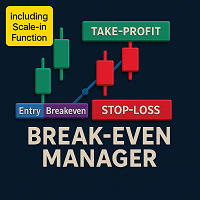
Whether short-term or long-term, you will eventually need to secure your position. The more positions you have open, the more difficult it becomes to calculate the breakeven point. That’s where the Break Even Manager comes in — it calculates your average price for you in milliseconds and sets your stop loss to breakeven. Depending on your strategy, you can choose the profit buffer distance. Try it out now !

MRPHN Overdosed is a trend-following Expert Advisor built for XAUUSD , powered by a custom Supertrend indicator : iMRPHN (included for free). It combines simplicity and flexibility, offering optional Martingale logic, configurable risk settings, and time-based trading filters — ideal for traders who prefer a set-and-forget approach.
Tested on : XAUUSD
Strategy : Trend-following using iMRPHN indicator
Trade Timing Control : User-defined trade start & end time
Take Profit / Stop Loss : Fully con

EchoTrade Local Trade Copier – Fast, Reliable, and Built for Seamless Account Management
Download free demo here to test with EURUSD trades on demo accounts
Read installation guide here
Copy Trades Like a Pro — Instantly, Accurately, and Safely Tired of juggling multiple MetaTrader accounts manually or missing trades between platforms? EchoTrade Local Trade Copier solves that — giving you a seamless, ultra-fast, and customizable trade replication system between MT4 and MT5 terminals

MultiSenseEA is an Expert Advisor that allows users to freely combine multiple indicators to create their own personalized strategy. MultiSenseEA enters trades based on the consensus of the selected indicators and additional filters such as breakout, RSI, ADX, news, and various other risk management functions. It features a visual information panel that keeps users informed of all necessary details, and it displays the win rate so users can easily compare different indicator strategies.

MRKD Vector — Smart Trade Management Utility MRKD Vector is a powerful and intuitive order execution tool designed for efficient manual trading in MetaTrader 5. Built with precision and speed in mind, MRKD Vector simplifies trade management by giving you full control over entries, stops, and targets — all from a sleek interface. Key Features: Quick Order Execution
Place trades with ease using a clean, fast interface built for active traders. Intuitive SL, TP, and Lot Size Control
Adjust sto
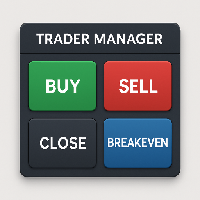
Trader Manager Panel for MT4 – Smart, Fast & Intuitive Trade Control Boost your trading efficiency with Trader Manager Panel , a compact and user-friendly trading assistant designed for MetaTrader 4. Whether you're a scalper, day trader, or swing trader, this tool gives you total control over your trades with one-click execution and risk-aligned automation. ️ Core Features: One-Click Trading Panel
Easily accessible UI in the top-right corner with buttons to Buy , Sell , Close All , and s

FoxForex Management 是一款适用于 MetaTrader 4 和 MetaTrader 5 的专业交易管理与风险控制系统。 它帮助交易者自动计算仓位大小,精准管理风险,一键执行交易,保护交易利润,并实时识别供需区域(Supply & Demand)。 该系统专为自主交易者和专业交易者设计,将交易执行、资金管理和仓位保护功能整合于一个直观易用的界面之中。 功能特点: • 风险管理设置
• 基于风险自动计算交易手数
• 根据预设参数一键开立买入和卖出订单
• 图形化开仓(Buy Limit、Buy Stop、Sell Limit、Sell Stop)
• 自动设置保本(Break Even)功能
• 根据已有订单的止盈(TP)和止损(SL)快速创建新订单
• 一键关闭所有持仓
• 根据买入或卖出方向批量关闭持仓
• 自动锁定 50% 或 80% 的浮动利润
• 自动识别并实时更新供需区域(Supply & Demand Zones)
• 支持在不同时间周期显示或隐藏入场区域(1分钟、5分钟、15分钟、4小时)
• 自动寻找最佳止损位置
• 自动寻找最佳保本位置
• 使用斐
Unlock the full potential of your trading strategy with this all-in-one solution: Trade History Exporter + Pro Excel Trading Dashboard . Whether you're trading manually or using Expert Advisors (EAs), this powerful tool allows you to analyze, optimize, and improve your performance with professional-grade metrics and interactive dashboards. With the Pro Excel Dashboard, you can deeply analyze your trade history—manual or algorithmic—and even evaluate any EA’s performance using backtest resu
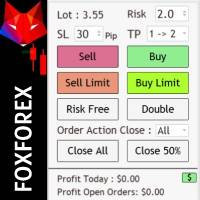
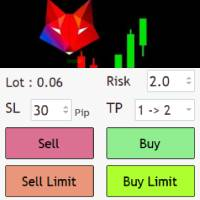
Risk management settings Automatic lot size calculation based on risk Open Buy and Sell positions with one click based on settings Open positions graphically (Buy Limit – Buy Stop – Sell Limit – Sell Stop) Risk-free open positions Open new trades with TP and SL from previous open trades Close all open trades with one click Save 50% of open trades' profit Setting to close open positions based on Sell or Buy positions Real-time display of open positions' profit/loss and daily profit/loss

Swift Symbol Switch MT4 adds a clean, convenient symbol-switching panel directly to your chart, allowing you to move between Forex pairs, cryptocurrencies, commodities, metals, and other broker-supported instruments with a single click. There is no need to type symbol names, search through Market Watch, or repeatedly open MetaTrader menus. Simply select a symbol from the on-chart panel and the current chart updates instantly. The utility is designed for traders who monitor multiple markets and w
FREE

Indicador que calcula e exibe dois níveis de preço: o preço médio das posições atualmente abertas e o preço de cobertura, definido como o preço necessário para zerar ou manter o lucro acumulado em determinado período. O cálculo do preço médio considera o volume e o preço de entrada das operações abertas, enquanto o preço de cobertura é ajustado dinamicamente conforme o lucro ou prejuízo realizado e não realizado no período analisado.
Versão MT5: https://www.mql5.com/pt/market/product/139405
FREE

Margin Call Shield – Defend Your Margin on Your Terms
Margin Call Shield is a tool for MetaTrader 4 traders who want to decide for themselves which open positions are closed during margin call situations before the platform does so automatically based on its internal rules. By default, the broker or platform decides which positions to close, often using undisclosed algorithms. Margin Call Shield lets you set this order according to your own strategy. Why Was Margin Call Shield Created? In a

试用版下载
Copy Cat More (跟单猫) MT4 交易跟单器 (Trade Copier) 不仅仅是一个简单的本地交易跟单器;它是一套 完整的风险管理与执行框架 (risk management and execution framework), 专为当今的交易挑战而设计。从自营公司 (prop firm) 挑战到个人投资组合管理,它凭借 稳健的执行、资金保护、灵活的配置和先进的交易处理的结合,适应各种情况。 该跟单器同时支持 主控端 (Master,发送方) 与 受控端 (Slave,接收方) 两种模式,可实时同步市价单与挂单、交易修改、部分平仓以及对锁平仓 (Close By) 操作。它兼容模拟与真实账户、交易或投资者登录,并通过持久化交易记忆 (Persistent Trade Memory) 系统确保恢复——即使 EA、终端或 VPS 重启也不例外。可借助唯一 ID 同时管理多个主控端与受控端,跨经纪商差异则通过前缀/后缀调整或自定义品种映射自动处理。
试用版: 先试用看看 : 你可以从下方链接下载并体验 Copy Cat More (跟单猫

"Rocket Fx MT4-T EA"
"This EA is your personal trade assistant that sends real-time Telegram alerts for all trading activity. It automatically detects whenever you: Open new trades (Market/Limit/Stop orders - Buy/Sell) Close positions (with profit/loss details) For every event, it sends formatted notifications showing: / Trade direction & exact order type Entry/exit prices Stop loss & take profit levels Profit/loss for closed trades Key advantages:
Works on any symbol (attac
The Asian Box Breakout EA is a powerful Expert Advisor designed to capitalize on market breakouts following the Asian trading session. It automatically draws a price range (box) during the low-volatility Asian session and sets strategic breakout entries for high-probability moves in the London and New York sessions.
Key Features:
Automatically detects and marks the Asian session range. Places pending Buy Stop and Sell Stop orders based on breakout logic. Visual equity tracker on chart. Fully c
The Asian Box Breakout EA is a powerful Expert Advisor designed to capitalize on market breakouts following the Asian trading session. It automatically draws a price range (box) during the low-volatility Asian session and sets strategic breakout entries for high-probability moves in the London and New York sessions. Key Features: Automatically detects and marks the Asian session range. Places pending Buy Stop and Sell Stop orders , and Buy Limit and Sell Limit based on breakout logic. Visual equ

IndiSig by Buffer
Detect Signals from a Custom Indicator by Buffer & Send notifications to Telegram Channel or Open orders
* Buy/Sell Buffer: You may get this info on MT4/5 Data Window (CTRL + D)
* MT5 version: Add the indicator first, then the EA
* MT4 version: Only works properly with default settings of the indicator
Join https://t.me/fxassistant_vn for more useful EAs!
FREE

EASY Insight AIO – 全能智能交易一站式解决方案 概述
想象一下,您可以在几秒钟内扫描整个市场——外汇、黄金、加密货币、指数,甚至股票——无需手动筛选图表、繁琐安装或配置指标。
EASY Insight AIO 是您专为 AI 交易打造的即装即用数据导出工具。它将整个市场快照一次性输出为简洁的 CSV 文件,直接支持 ChatGPT、Claude、Gemini、Perplexity 等各类 AI 平台的即时分析。 无需窗口切换,无需图表叠加,也没有任何杂乱。只需纯净、结构化的数据自动导出,让您专注于基于数据的高效决策,无需再盯盘耗时。 为什么选择 EASY Insight AIO? 真正的一体化
• 无需设置,无需安装指标,无图表叠加。只需安装、运行并导出——就是这么简单。 多资产全覆盖
• 扫描分析外汇、金属、加密货币、指数、股票——您的券商所能提供的一切市场。 AI 专属数据导出
• 高度结构化、针对 AI 优化的 CSV 文件,直接适配主流智能工具和平台。 完整导出内容:
• 三个可选周期的货币强度分析
• 净多头头寸变化体现市场情绪
• 成交量变化、

Time Based Close - 自動化交易管理 EA 概述
Time Based Close 是一款功能強大且易於使用的 MetaTrader 4 (MT4) 專家顧問(EA)。它通過基於用戶設定的持倉時間自動關閉交易,並提供動態回撤控制功能來保護您的帳戶。無論您是新手還是資深交易者,這款 EA 都能簡化您的交易策略並有效管理風險。 核心功能 基於時間的關閉 :根據設定的持倉時間(預設:29 分鐘,可調整)自動關閉交易。 回撤保護 :監控並管理回撤,當回撤達到設定的百分比閾值(預設:30%)時關閉所有交易。 互動式面板 :直觀的圖表面板,可開關功能(持倉時間、回撤控制),調整設置,並實時監控餘額、淨值和回撤等數據。 贈金調整 :準確計算回撤,考慮經紀商贈金,確保精準的風險管理。 商品過濾 :支援特定商品或所有商品,兼容經紀商的後綴設置。 優勢 風險管理 :通過自動回撤控制保護您的帳戶免受過大損失。 節省時間 :基於時間自動關閉交易,無需手動監控。 易於使用 :簡單的面板設計,實時更新數據,適合各級交易者。 經紀商兼容性 :已在 IC Markets 和 Vantage Int
FREE

Tired of manually adjusting stops? This powerful EA automatically secures your profits with dynamic trailing stops, protecting gains while letting winners run. No trade openings – just effortless risk management for your existing positions. Why Traders Love This EA Never Miss Profits Again Auto-locks gains as price moves in your favor. Eliminates emotional decisions – sticks to your predefined rules. Three Smart Trailing Modes Choose the method that fits your strategy: F
FREE

Easy Trade – 智能、简洁且强大的交易管理工具 Easy Trade 是为 MetaTrader 用户打造的一体化交易管理解决方案,帮助您轻松掌控风险,实现流畅交易执行。
它是根据交易者的反馈从零开始开发的,简化了多品种交易的执行、监控和管理流程,无需繁琐的操作。 无论您是手动短线交易者,还是管理多个交易设置的小型投资组合,Easy Trade 都能让您专注于明智决策和稳定盈利。
⸻
为什么选择 Easy Trade? 精准风险管理:可选择固定手数或按百分比定义每笔交易的风险。实时显示风险与潜在收益。 篮子式跟踪止盈:追踪多笔交易的总利润,目标达成时自动锁定部分收益,适用于组合交易。 交易截图记录:每笔交易都可截图保存,方便日记记录、回顾与绩效分析。 定时自动平仓:可设定具体日期和时间自动关闭持仓,适合日终或周末前平仓。 界面可自定义:可调整按钮排序与大小、线条样式与颜色、缩放比例等,满足个人使用习惯。
⸻
主要功能(版本 1.0) 魔术号与策略标签: 使用注释标记轻松区分不同策略的交易,便于统计与复盘。 手数设置: 支持固定手数或基于止损与账户资金百分比的动态手

TradeHistory EA
该 EA 是一个简单而实用的工具,可以帮助你快速导出 MT4 的交易记录。你可以轻松获取包含手数、时间段、平台名称和账号类型的详细交易数据。 满足研究历史行情数据的交易员。 如果有其他需求或问题,欢迎 和作者联系 随时提出 建议 ! MT4 交易历史记录导出EA Trade History EA Торговая история EA Historial Comercial EA Histórico Comercial EA 取引履歴 EA Handelshistorie EA 무역 이력 EA Historique Commercial EA Storico Commerciale EA Ticaret Tarihi EA 功能说明 1. 导出文件名称导出文件的名称固定为 TradeHistory.csv ,方便查找和管理。 2. CSV 文件格式第一行:合并了时间段、平台名称和账号类型。 时间段:从 1970.01.01 到当前时间(可根据需要调整)。 平台名称:。 2. 标题行,包含以下字段: 序号 订单号 品种 手数 开仓时间 交
FREE

BackTester FX — симулятор ручной торговли MetaTrader 4 .
Позволяет моделировать рыночные условия на исторических данных в тестере стратегий, вручную открывать и закрывать сделки, анализировать торговые стратегии без рисков потерять. Ключевые возможности Эмуляция ручной торговли в визуальном тестере стратегий Совместимость с любыми инструментами и таймфреймами Быстрое управление ордерами (открытие/закрытие) Настройки объема сделки, Stop Loss, Take Profit Работает как в тестере стратегий так и на
FREE

Golden Sizer By SKPAD – Calculateur et Gestionnaire de Position Intelligent Golden Sizer est bien plus qu'un simple outil de trading : c'est un assistant stratégique complet pour la gestion des risques et des positions. Conçu pour s'adapter à tous les styles de trading – du débutant au professionnel, du swing trader au scalpeur – il transforme votre approche des marchés grâce à une interface intuitive, une précision de calcul optimale et une exécution rapide. Compatible avec tous les marchés (F
FREE

Description: Advanced Close Logic EA monitors your open market orders per symbol, displays the counts directly on your chart, and automatically closes orders when configurable thresholds are met. It supports both global and per-symbol settings for direction, profit/loss filtering, and whether to close all matching orders or only those that passed your filters.
External Parameters:
1. GlobalMaxOpenOrders (int) - Sets a single maximum number of open market orders for every symbol. - 0 = us

Overview This expert advisor (EA) monitors open positions and closes them based on the total floating profit or loss per symbol. It allows both global and symbol-specific configurations to control risk or lock in profits automatically. Core Functionality Tracks total floating P/L (profit or loss) per symbol in account currency. Automatically closes positions if a defined threshold is reached. Fully customizable per symbol via the CustomizedSettings string. Input Parameters GlobalTakeLoss (double

EXTRCT – Telegram Signal to MT4
Let your chart listen, so you can live louder. Too busy to track Telegram trade signals? EXTRCT reads and trades them for you — directly in MT4. No Python. No API. No login required. Features: Freedom: Enter any public Telegram signal provider's channel username without needing to log in. Configurable Signal Format: Supports various signal formats, fully configurable via the settings. Symbol Filter: The EA will ignore signals for symbols not defined in the settin

RexCatch EA is designed to recognize all forms of boxes or rectangles with the specified color which will later be used for order execution, both buy and sell in the form of Supply and demand. This EA is also able to read indicators installed on the chart that display box or rectangle shapes, such as the Supply Demand indicator or boxes and rectangles that are made manually by giving them the color as specified in the EA setting.
Can only open 1 order and will reopen the order when the active

Download link for the sound files, it is to be placed in the MQL4 Sound Folder.
https://www.mql5.com/en/blogs/post/762237
Simplify your trading with Ultimate Price Alert , a lightweight and powerful utility tool designed for MetaTrader 4. This intuitive tool allows traders to set price alerts for all 28 major and cross forex pairs plus gold (XAUUSD) on a single chart, eliminating the need to open multiple charts and streamlining your workflow. Key Features: Multi-Pair Alerts on One Chart :

Auto SL/TP Manager EA – Gestion Automatique Intelligente Auto SL/TP Manager EA est un Expert Advisor conçu pour automatiser la gestion des commandes avec une efficacité maximale et une grande discrétion. Il gère automatiquement : Le Stop Loss (SL) et le Take Profit (TP) Le Profit Lock (verrouillage progressif des bénéfices) Le Trailing Stop avec plusieurs méthodes avancées L' affichage masqué du SL et du TP pour plus de discrétion (non visible par le courtisan) C'est l'outil idéal pour les

ONECLICK COPIER EA – UNIFIED VERSION 1.0 Category: Trade Utility | Type: Local Trade Copier for MT4
Created by fxdancer (Hani Mabad) Version: 1.0 – May 2025
OVERVIEW OneClick Copier EA is a local trade copying utility, not a trading strategy. It is designed for manual traders, fund managers, or multi-account users who want to mirror trades across MT4 terminals running on the same computer.
This EA does not generate signals or place trades by itself. Instead, it acts as a bridge between accou

Description: TradeMatrix Commander is an advanced Expert Advisor (EA) designed to enhance trading efficiency and management on the MetaTrader 4 platform. This EA offers a comprehensive suite of tools for position management, risk control, predictive analysis, multi-account synchronization, and mobile dashboard integration, all accessible through an intuitive, customizable interface. Key Features: Position Management: Easily close profitable positions, close all positions, or close by a specified

RS Trade Copier - 超快 本地跟单系统,配备 真正的 图形界面。别再手动输入账号了。告别200多个晦涩的参数设置。 一款可靠且灵活的工具,用于在 MT4 和 MT5 多个终端之间复制交易操作。适合专业交易员、信号服务商以及个人投资者使用。能够以高精度和低延迟将一个或多个信号源(Provider)的 交易操作同步 到一个或多个接收端(Client)。支持简单自动配置和高级手动设置。不会干扰手动或其他 EA 开的订单。完全 在 MT4 本地运行 ,无需第三方服务器。 RS Trade Copier 与其他解决方案的对比 RS Trade Copier 其他解决方案 设置 可视化分步向导。
设置大约需要 1 分钟。 200 多个晦涩的输入参数。
设置大约需要 20 分钟。 速度 异步交易操作。*
批量平仓 50 个头寸仅需 ~1 秒。 缓慢的顺序执行。
批量平仓 50 个头寸需要约 25 秒。 界面 真正的图形界面,支持 11 种语言的工具提示。
无需手册即可上手。 EA 属性中“输入参数”选项卡下的长长参数列表。
需要阅读所有文档。 批量操作 完全支持。
接收端上的批量平仓

EASY Insight – 更智能的交易从这里开始 概述
如果你能在几秒钟内扫描整个市场——外汇、黄金、加密货币、指数,甚至股票——完全不需要手动筛选图表,会是什么体验? EASY Insight 是一款为人工智能准备的数据导出工具,能将指标数据转化为可执行的交易情报。专为厌倦了猜测和视觉混乱的交易者设计,只需一个简洁的 CSV 文件,即可获得全市场快照。 这是全新的交易体验——没有无休止的窗口切换,没有杂乱的图表覆盖。只有你已经熟悉的工具带来的纯粹结构化洞察力:FX Power (FXP)、FX Volume (FXV)、FX Dynamic (FXD)、FX Levels (FXL),以及适用于所有非外汇资产的 IX Power (IXP)。 想要更方便?如果你希望所有功能集于一身,只需一次安装,无需设置、无需在图表上显示指标,只需纯粹的数据导出用于即时 AI 分析,选择 EASY Insight AIO 。 1. 为什么 EASY Insight 会改变你的交易方式 多资产覆盖
• 分析外汇、贵金属、加密货币、指数、股票——你的经纪商提供的所有资产。 AI 优化导出
•

Trade Closer EA v2.0 – 一体化MT4交易管理工具
**版本:**2.00 | 支持: +1786 6057858(WhatsApp)
一键快速管理、控制并关闭交易! 概述:
Trade Closer EA 是一款强大的MetaTrader 4(MT4)交易管理专家顾问(EA),可帮助交易者快速关闭订单或根据特定条件应用移动止损。配有简洁的按钮界面,无论您是剥头皮交易者、日内交易者,还是波段交易者,都能节省时间、避免在行情剧烈波动时错失良机。 主要功能: 一键式交易管理: 关闭所有交易
仅关闭买入交易(Buy)
仅关闭卖出交易(Sell)
关闭所有挂单
仅关闭盈利交易
仅关闭亏损交易
️ 关闭对冲交易对
应用动态移动止损 可自定义界面: 修改按钮位置、大小、间距和颜色主题 支持英文语言(界面可自动翻译) 用户友好提示: 可选操作确认弹窗 成功执行操作后播放提示音(支持 ok.wav ) 移动止损功能: 可按自定义点数自动应用追踪止损 支持对冲: 自动识别并同时关闭Buy/Sell对冲交易对
FREE

RealSlippage: Master Your Trading Precision! Uncover real broker slippage and elevate your strategies! Designed for MetaTrader 4, RealSlippage tracks price discrepancies between orders and executions with unmatched accuracy. A must-have for traders using stop-loss or running trading bots, this tool helps you identify optimal brokers and timing while minimizing unexpected losses. Try this powerful indicator now and take your trading to the next level!
While using the Double Action EA, you can take advantage of this free tool available on the market to plan your trades and potentially double your account. Simply download it, attach it to a chart, fill in the input fields, and you’ll receive four breakeven points, and profit. Then, apply those levels to the Double Action EA. Trade with confidence, knowing your risk in advance.
The inputs include: • Lot Sizes: INITIAL TRADE : (Lot1), TOPUPS 1-3: (Lot2, Lot3, Lot4). • Grid Sizes: Grid1, Grid2,
FREE

Trade Terminator — Instant One-Click Trade Closer for MT4
Struggling to exit trades quickly during market spikes?
Trade Terminator gives you the power to close all open positions instantly with a single click — saving your profits and protecting your account in fast-moving conditions! Built for speed , security , and simplicity , Trade Terminator ensures you're always in control. Features : One-Click Termination: Instantly close all open BUY and SELL trades on the active chart symbol.
FREE

NY Open Breakout EA is a fully automated trading robot specifically designed to capture strong breakouts during the New York trading session, focusing on major forex pairs and indices correlated with the US Dollar. Key Features: Automatically defines the trading zone based on customizable time settings. Opens trades when the price breaks above or below the identified zone. Smart built-in risk management with automatic stop loss and take profit settings. Advanced Martingale loop system to rec

Copy signals from Telegram channel to MT4/MT5 (Telegram bot must be added as an Admin in the channel) Input * Telegram bot token: Get your bot token by chatting with @BotFather * Multi- order for multi-tp signals * Signals filter by "not included text" * Option to Modify/Close by Reply message * Range Entry Mode: No open order if the price is out of range Setup on your MT4/MT5: - MT4/MT5 => Tools => Options => Expert Advisors => Tick on Allow Algo Trading & Allow WebRequest, add API Telegram

Letstrailbuddy is trade management tool aiming at helping you manage your trade better. FEATURES: TakeProfit: set in points. allow to set takeprofit at your desired level. TrailingDept: uses three method of trailingstop: moving average, atr and points trailing methods. to select, set to true. set the method you don't need to false. Breakeven settings: set to true if needed. Closing Orders: uses two methods: set close everday to true if you want to close trades everyday at a certain time.

MQL5 博客: https://www.mql5.com/en/blogs/post/761446
MT4 版本: https://www.mql5.com/en/market/product/136790
MT5 版本: https://www.mql5.com/en/market/product/136791
Time Wizard 是一款专业的交易助手,专为需要在简洁的控制面板上实现速度、时机和执行控制的交易者而设计。
这款智能交易系统 (EA) 专为事件驱动交易、定时执行和快速半自动订单管理而设计。它允许您提前准备订单、定义精确的执行时间、设置分层挂单、通过止损和止盈管理风险,并通过图表上的简洁界面监控所有信息。
无论您是围绕经济事件、开盘、突破点还是您自己的自定义计划进行交易,Time Wizard 都能帮助您以结构化和纪律性的方式执行交易。
主要功能
1. 基于时间的订单执行
设置具体的执行日期和时间,EA 即可在需要时精准下单。
此功能非常适合:
新闻交易
突破交易设置
预先计划的市场执行
定时下单
2. 挂单阶梯
创建多层挂单,层间距和

Fast Alerts MT4 — 一次购买,终身提醒。 曾经,为了在市场中保持领先,您需要每月订阅昂贵的平台……
这里$20,那里$50 — 只为每天收到少量提醒。您支付的不是价值,而是因为别无选择。
直到现在。 这个工具由一位交易者为交易者打造,让您完全自由地设置任何您关心的价格提醒 — 并在价格进入您的关注区域的毫秒内收到通知。 想象一下:您在图表上设置价格区域,离开屏幕,当价格进入您的关注区域时,您会立即收到实时提醒。不错过任何机会,无需每月付费。 为什么选择 Fast Alerts MT4? 根据您自己的交易水平设置自定义价格提醒 不再为有限的通知支付费用 一次性购买 — 终身拥有 由真正的交易者打造,而不是试图让您订阅的公司 下载免费演示版,亲自体验 — 它确实有效 无论您是关注价格行为、供需关系,还是支撑与阻力区域 —
Fast Alerts MT4 不只是另一个指标。
它是交易者的沉默助手,为您监控图表,只在最关键的时刻提醒您。 因为聪明的交易者不会追逐市场 — 他们等待市场向他们靠近。
FREE

Patrex Pro: Maximize Your Trading Potential Patrex Pro is an advanced trading bot designed to help traders optimize their trading strategies and maximize their potential returns. With its cutting-edge technology and user-friendly interface, Patrex Pro is the ultimate tool for traders seeking to elevate their trading game. Get MT5 version Key Features: 1. Position Hedging: Patrex Pro allows users to hedge their positions based on their individual risk tolerance and market analysis. 2. Advanced R
This Ea is base on RSI/GPT Advanced. you can run it on aud/usd pair, on 4 hour time frame. The input is included when downloading the ea. you can try test it on other pairs. In the bottom of the input you will need to insert the equity levels when you run it if you are up with the profit it will turn green. When you are down on the profit the equity will turn red , that way you got control on the situation.

EchoTrade Telegram to MT5 Copier Seamless, Instant, and Reliable Signal Copying - Direct from Telegram to MetaTrader 4! The product does not run in the strategy tester but you can get free trial version here for testing before purchase.
Tired of manually executing trades from Telegram signals? EchoTrade automates the process, instantly copying trades from any Telegram channel or group directly into your MT5 account—accurately, efficiently, and without delay. Key Features: Universal Compatib

BackTester Pro is a manual trading simulator for historical data in the MetaTrader 4 Strategy Tester.
It allows you to simulate market conditions, manually open and close trades, and analyze strategies without risking your deposit. Main Features Manual trading emulation in MT4 visual strategy tester Compatible with any symbols and timeframes Fast order execution (open/close) Customizable lot size, Stop Loss, and Take Profit Integrated logging and trade statistics in MT4 tester Perfect tool for s

Description Simple Trailing Manager is a professional MetaTrader 4 Expert Advisor that automatically manages trailing stops for your open positions. It provides a clean, visually intuitive interface showing exactly where your trailing stops will activate, helping you monitor your risk management strategy at a glance. Unlike standard trailing stop features, this tool gives you a visual preview of where your trailing stops will be placed before they activate, allowing you to plan your trades more
FREE

Precision Candle Timer is a must-have visual indicator that accurately displays the remaining time of the current candle on your chart. Perfect for traders who need precise timing for entries and exits , especially in scalping , day trading , or candle-formation-based strategies. Designed to be fully customizable, you can easily change its position, color, font, and size to match your trading layout. It adds clarity, control, and responsiveness to your trading routine. Key Features: Precise t
FREE

The Order Info Box utility is designed to conveniently control the orders placed. If there are orders, the utility builds graphical informers for each order, indicating
- the order type (position direction);
- the order volume;
- the profit (if the order is in the market);
- optionally the order magic;
- optionally the order comment.
In addition, the utility builds informers for TakeProfits and StopLosses of orders, indicating the profit or loss that will occur when this TakeProfit or StopLoss i
FREE

This Ea. is very unique in his function, and not designed to be traded automatic. as the first option. It is a tool designed to be used by a mild experienced Forex trader that can: Trade manual or automated and can try to find a good entry price levels Trader that can enter the market using market or pending orders at specify price levels. Please watch the video about using the excel calculator when using the breakeven technic . The same idea used for the breake

Fibo Pending EA turns any Fibonacci Retracement you draw on the chart into a fully managed grid of pending orders — with one click. Draw your Fibo, set the levels you want to trade, and press Place Pending . The EA reads the retracement directly from the chart, calculates Buy Limit or Sell Limit prices for each level you've enabled, and sends the orders. Stop Loss and Take Profit are then applied automatically based on the Fibo levels you choose — no manual order entry, no manual SL/TP dragging.

Time Zone 指标通过为不同交易时区(如亚洲、欧洲、北美)设定时间段和颜色,使交易者能够直观了解各个市场的开盘和闭盘时间。用户可自定义显示几日内的交易时区,选择每个时区的开始和结束时间,颜色标记交易时段,并设置图表的刷新间隔,以确保时区信息的准确性。 主要功能: 显示交易时区: 用户可以选择显示过去几天内的交易时区,指标会按用户设定的时间和颜色在图表上标注各个交易时段,帮助交易者识别不同市场的活跃时间。 自定义交易时区: 用户可以为亚洲、欧洲、北美三个主要交易时区分别设定开盘时间、闭盘时间及显示颜色,确保根据不同市场的活跃时间段进行合理的策略安排。 颜色标记: 不同的交易时区可以通过自定义颜色进行标记,用户可以快速直观地识别不同市场的活跃时段,方便制定交易策略。 图表自动刷新: 用户可以设定图表的刷新间隔(默认每5分钟刷新一次),确保显示的交易时区信息实时更新。 使用场景: 跨时区交易策略: 对于关注全球市场的交易者,该指标可以帮助他们识别不同交易时段的活跃市场,从而调整交易策略。例如,在亚洲时区时可以更多关注该市场的资产,而欧洲或北美时区则转向相应的市场

MT4 Position manager
- Open/Sell buttons for open orders - Lot size, SL, TP for positions - "Set Breakeven" button for set SL on all opened positions - "Set TP" button for set TP on all opened positions - "Close Half lot" button for closing all open positions half lot size( opened 1.0Lot, click the button and automated close 0.5Lot) - "Positions Half Close" button for close open positions half qty. (Opened 10 position, ckick the button and automated close 5 positions) - "Close All" button for
FREE

ZoroFX EA MT4 - Smart Risk Management Trading Tool ZoroFX EA is a powerful pending order tool for MT4 designed to help traders manage risk effectively and execute precise entries. Key Features: Custom Risk Range: 1% to 90% Risk Reward Ratio setting Supports all pending order types: Buy Limit, Sell Limit, Buy Stop, Sell Stop Auto lot size calculation based on risk Auto Take Profit & Stop Loss levels Close All Orders button Simple and user-friendly interface Clean visual panel with real-time input
DYJ NetPilot 是一款为 MetaTrader 平台开发的智能交易系统(实用工具),旨在通过动态计算所有持仓的加权平均价格(Pmix),并据此自动调整退出价格,实现优化的平仓策略。 主要特点:
Pmix 计算: 根据所有持仓的订单价格和手数,计算出一个加权平均价格(Price Mix),为仓位管理提供清晰的参考依据。 动态退出策略: 统计多空订单数量,判断多数仓位方向,并针对主导方向设置统一止盈,针对反方向订单设置统一止损,确保交易能够同时以总体获利退出。 图表显示: 在图表上绘制出 Pmix 价格线和目标退出价格线,让交易者直观地看到关键价位。 风险管理: 内置最小止损距离检查,并自动调整止盈/止损价格,确保订单符合经纪商要求,降低修改失败的风险。 可定制参数: 用户可在点数与利润单位之间切换目标参数,满足不同交易策略的需求。 DYJ NetPilot 非常适合需要精确自动化平仓管理的交易者,尤其适用于如 XAUUSD 等品种的低周期交易(例如 M1), 最佳匹配软件 QuickClose ( 开仓和 自动关仓管理软件)或者其他任意EA或者手动开仓软件 。
Pmi

Bingo – Smart Exit Automation for MT4 In the realm of trading, having a reliable exit strategy is just as crucial as finding the right entry. Bingo, an expert advisor for MT4, is designed to automate your trade exits with precision—ensuring you lock in profits and minimize losses without second-guessing your decisions. With advanced trailing take profit and stop loss, Bingo takes the complexity out of trade management, helping traders maintain discipline and execute their strategies flawlessly.
FREE

Stable Helper – Keep Your Trading Connection Uninterrupted! Ensure your MT4 stays connected and stable automatically! Stable Helper works silently in the background, monitoring your connection, rescanning servers, and even restarting MT4 if necessary—all without manual intervention. Designed to minimize downtime and optimize server performance , Stable Helper protects your trades from unexpected disconnections and latency issues. Key Features: 1️⃣ Real-Time Connection Monitoring
Constantly
FREE

Symbol Info 指标将当前交易品种的关键信息通过可视化面板展示在图表上,方便交易者随时掌握市场信息并作出更好的交易决策。显示的内容涵盖了基本的交易数据、产品属性和交易规则等多方面信息。 主要功能: 交易品种名称与描述
指标显示当前交易品种的名称和详细描述,帮助用户识别当前的交易产品。 点差与价格信息
显示当前交易品种的点差、买入价(Bid)和卖出价(Ask),帮助交易者了解当前市场的价格情况及交易成本。 合约大小与最小/最大交易手数
面板展示了当前品种的合约大小、允许的最小和最大交易手数,并提供交易手数的步进值,便于交易者根据账户条件和策略选择合适的交易手数。 掉期信息
提供交易品种的掉期利率,包括多头和空头的掉期率,以及适用三倍掉期的详细说明。 点值与最小跳动
显示每一点波动的价值以及最小价格波动幅度(Tick Size),帮助交易者了解每次价格变动对其持仓的影响。 货币信息
包括基础货币、盈亏货币和保证金货币等信息,帮助用户更好地理解交易品种的货币构成。 交易模式与执行类型
指标展示了交易品种的交易模式(如是否允许对冲)以及订单执行类型(如市价单、限价单等
MetaTrader市场提供了一个方便,安全的购买MetaTrader平台应用程序的场所。直接从您的程序端免费下载EA交易和指标的试用版在测试策略中进行测试。
在不同模式下测试应用程序来监视性能和为您想要使用MQL5.community支付系统的产品进行付款。
