 MetaTrader 5
 专家
专家
 指标
指标
 程序库
程序库
 实用工具
实用工具
 窗口小部件
窗口小部件
 规则
规则
全新的MetaTrader 4 交易实用工具 - 36
 以下是可在MetaTrader 4中简化外汇交易的交易程序。将鼠标悬停在下面列表中的工具上,阅读它的描述和用途。
The professional utilities "Ichimoku Waves Meter" to analyse graphs using the correct interpretation of Ichimoku kinkōhyō!
Is a graphic program that allows traders to quickly and easily measure the proportions between the indicated points on the price graph. This time and price indicator is a basic tool for analysing the chart according to the Ichimoku strategy on the MT4 platform. Using this tool allows an insightful and complete analysis of time waves as well as price waves in a very short ti

The professional utilities "Ichimoku Waves Meter" to analyse graphs using the correct interpretation of Ichimoku kinkōhyō!
The indicator allows us to use Time Theory and Target Price Theory at the same time. The obtained image shows the convergence of waves, which confirms the accuracy of the analysis. It is possible to hide the graphical or numerical informations that are notinteresting at the moment. The indicator uses numerical values of Hosoda, which it recognizes on the chart and then emph

The professional utilities "Ichimoku Waves Meter" to analyse graphs using the correct interpretation of Ichimoku kinkōhyō!
Is a graphic program that allows traders to quickly and easily measure the proportions between the indicated points on the price graph. This time and price indicator is a basic tool for analysing the chart according to the Ichimoku strategy on the MT4 platform. Using this tool allows an insightful and complete analysis of time waves as well as price waves in a very short ti

The professional utilities "Ichimoku Waves Meter" to analyse graphs using the correct interpretation of Ichimoku kinkōhyō!
Is a graphic program that allows traders to quickly and easily measure the proportions between the indicated points on the price graph. This time and price indicator is a basic tool for analysing the chart according to the Ichimoku strategy on the MT4 platform. Using this tool allows an insightful and complete analysis of time waves as well as price waves in a very short ti

"Support or Resistance Alert Broken" is a simple and very intuitive tool that allows you to create or eliminate horizontal and trend supports and / or resistances with a simple click.
When the support or resistance line is broken by the closing price at the end of the current candle, the "Support or Resistance Alert Broken" tool will send an alert with sound, as well as a notification to the MT4 or MT5 mobile application. This tool can send alerts from multiple pairs at the same time. Utility

Giant Trade Panel comes as a whole package with functionalities that will satisfy all your needs as a manual trader. I created this utility to help you manage your trades from a single chart with just a few clicks . It has a smooth interface which is very responsive. The utility has sub panels each with different functions: Symbols panel - This will help you open chart of any symbol with just one click. Timeframes panel - With this you can navigate from M1 timeframe to MN1 timeframe with jus

Capital protector is an Expert Advisor who works based on the profit and loss of your account. Its functions include: Closing of all orders when a certain profit or loss is reached. Remove any other Expert Advisor installed on a secondary chart when a certain profit or loss is reached. Send a notification to the mobile when a certain loss or profit is reached. To configure the Expert Advisor you will only have to program the loss limit that you are willing to lose or the profit limit that you

EA Saving Money will help you save your accumulated profit on trades and protect your deposit from negative trades. This utility allows you to manage an unlimited number of orders opened manually or by an Expert Advisor. It helps to save profits and increase the account balance both when trading manually and when trading with various Expert Advisors that use Stoploss. The utility also has a built-in panel for the convenience of opening orders. When opening orders through the panel, the Expert A
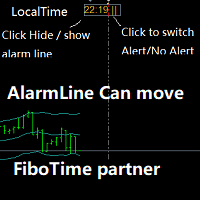
闹钟 配合FiboTime或新闻日历的搭档。当您确定了重要的交易时间后,直接在您的主图表上移动闹钟线,然后在设置的时间上会为您预警提醒这个时刻的到来! 1. 当你使用fibo时间或有重要的市场新闻发布时,你需要一个闹钟来确保你不会错过一个好交易!这个闹钟非常贴心地直接放在您的MT4主图 上,不需要您浪费时间在电脑或手机上设置闹钟! 2.自动切换闹钟线的时间来显示你电脑的本地时间,这样你就不用担心切换时差了!保护你不过度思考。 3.移动闹钟线,即自动显示该线的电脑时间! 4.可以点击切换 报警或报警! 5.可以点击 隐藏或显示 闹钟线! 6.可以在闹钟报警时选择发送或不发送邮件提醒! 7.您可以指定一个您自己的声音报警文件名。此文件为wav格式。
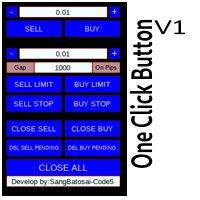
Simple button panel of trade on your chart with OneClick V1 Trial version. This trade panel will make it easier for you.
Equipped with several functions that make it very easy for you. More tools on OneClick VZ version, see here.
This version includes: Open Order Buy Open Order Sell Open Pending Order [Buy Limit - Buy Stop - Sell Limit-Sell Stop] Close ALL orders
Close Order Buy Close Order Sell Delete Pending Order [Buy Limit - Buy Stop - Sell Limit-Sell Stop] ENJOY IT!!! ONE CLICK V1 [TRIAL
FREE
Purpose: IF you are apart of a signal group or have a losing strategy this tool is perfect for you. This Expert Adviser is a Trade Copier which Copies Trades on the same account, It takes trades in the same direction or opposite direction. You can set 100% for same trade size or 200% to double up, while the same percentage rule also work for the stop-loss and take profit distances.
input: Copy All or By Magic Take only new trades = False; Take same direction of existing trade or counter_direct
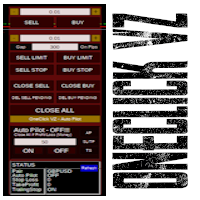
Simple panel of trade on your chart with OneClick VZ . This trade panel will make it easier for you.
Equipped with several functions that make it very easy for you. You can try Trial Version OneClick V1 in here .
This version includes: Open Order Buy Open Order Sell Open Pending Order [Buy Limit - Buy Stop - Sell Limit-Sell Stop] Close ALL orders
Close Order Buy Close Order Sell Delete Pending Order [Buy Limit - Buy Stop - Sell Limit-Sell Stop] Order Management: Stop Loss Take Profit Trailing S
Hello Trader ! If you are looking for a tool to export the historical data series of any timeframe in excel, you are in the right place! Load this tool on a chart for the selected pair, choose the timeframe you want to export, and that's it! You can decide whether to export the entire historical series (pay attention at the number of bars you are exporting) or a predefined time interval;
PARAMETERS: 1 - Choose the Time Frame you want to export, the chart will update automatically; 2 - The Inte

The script writes to a text file all-important trading information about the chart symbol including symbol leverage, point value, required margin, swaps, trade and quote sessions and so on.
Most traders need this information for their trading decisions. For example for stop loss placement, for volume calculating, for trades closing before session end... You can see a text file example on the screenshot.
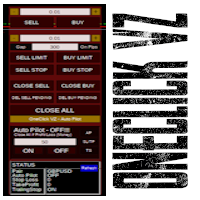
Simple button panel of trade on your chart with OneClick VZ . This trade panel will make it easier for you.
Equipped with several functions that make it very easy for you. You can try Trial Version OneClick V1 in here .
This version includes: Open Order Buy Open Order Sell Open Pending Order [Buy Limit - Buy Stop - Sell Limit-Sell Stop] Close ALL orders
Close Order Buy Close Order Sell Delete Pending Order [Buy Limit - Buy Stop - Sell Limit-Sell Stop] Order Management: Stop Loss Take Profit Tra

MT4 至 Telegram 信号提供者 是一款易用、可完全自定义的工具,它使发送信号到 Telegram 成为可能,将您的账户变成信号提供者。 消息的格式 可以完全自定义! 但是,为了简便使用,您也可以选择一个预设模板,并能够启用或禁用消息的特定部分。 [ 演示 ] [ 手册 ] [ MT5 版本 ] [ Discord 版本 ] [ Telegram 频道 ] New: [ Telegram To MT5 ]
设置
可通过 用户指南 获取逐步说明。 无需了解 Telegram API;开发者提供所需的一切。
主要特性 自定义发送给订阅者的订单详情的能力 您可以创建分层订阅模型,例如铜牌、银牌、金牌。金牌订阅可获得所有信号等。
按订单号、符号或备注过滤订单
包括执行订单的图表的屏幕截图 在发送的屏幕截图上绘制已关闭的订单,以便额外验证 推迟发送新订单消息的可能性,以便在发送前对位置进行调整
订单详情的全透明度:
新的市场订单 *附带屏幕截图 订单修改(止损、获利点) 已关闭订单 *附带屏幕截图 部分关闭订单 ** 新的挂起订单 修改的挂起订单(进场价格) 挂起订单激活(

此实用程序将允许您将具有主设置的一个终端的任何事务复制到具有从属设置的其他终端
与此同时,您可以选择要复制的对,根据几个参数设置复制顺序的大小。 设定亏损限额或只复制盈利交易
您可以将MT4或MT5的交易复制到其他经纪商的MT4或MT5
现在,将任何在MT4中工作的专家的信号复制到MT5终端或返回并不困难
使用复制大师复制任何交易从其他信号,专家顾问,手动交易.
使用设置,您可以更改批量大小,交易方向,只复制有利可图的交易,并设置价值以保存您的存款
复制大师可以在一个帐户上组合不同订阅信号的几种策略
要复制交易到MT4,你需要复制主MT5版本: https://www.mql5.com/zh/market/product/74371
有关复制向导设置的其他信息: https://www.mql5.com/en/blogs/post/749356 (抱歉文本的自动翻译)

Enhance Your Trading with the Exit Manager Elevate your trading strategy with the Exit Manager, designed to ensure optimal closure of your trades at precisely the right moments. Once you've placed an order, our Exit Manager steps in and starts monitoring the order based on YOUR predetermined conditions, and can even trail your stop loss to mitigate risk.
Key Features: Set & Forget Functionality
With the Exit Manager, simply place your trade and let the tool do the rest. It continuously monitor
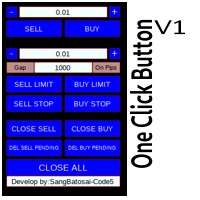
Simple button panel of trade on your chart with OneClick V1 Trial version. This trade panel will make it easier for you.
Equipped with several functions that make it very easy for you. More tools on OneClick VZ version, see here.
This version includes: Open Order Buy Open Order Sell Open Pending Order [Buy Limit - Buy Stop - Sell Limit-Sell Stop] Close ALL orders
Close Order Buy Close Order Sell Delete Pending Order [Buy Limit - Buy Stop - Sell Limit-Sell Stop] ENJOY IT!!! ONE CLICK V1 [TRIAL
FREE

Script for Close all open SELL orders.
Usage:
- Enable Automate Trading
- Attach / Double click the script
ENJOY IT.
//+------------------------------------------------------------------+ //| Close SELL.mq4 | //| Copyright 2015, SangBatosai-Code5 | //| https://www.mql5.com/en/users/mahakaya | //| Credit: | //| SangBatosai-Code
FREE

Account Cash Status This indicator shows actual account balance and equity. Can be placed in any position on chart even in subwindow. Account Balance is displayed in gray color. When there is no opened position the account equity is displayed in dark gray color. When there is opened position and equity value is lower than balance value the color is changed for red. When there is opened position and equity value outperforms balance value the color is changed for lime. Colors may be set freely by
FREE

Script for Close all open BUY orders.
Usage:
- Enable Automate Trading
- Attach / Double click the script
ENJOY IT.
//+------------------------------------------------------------------+ //| Close Buy.mq4 | //| Copyright 2015, SangBatosai-Code5 | //| https://www.mql5.com/en/users/mahakaya | //| Credit: | //| SangBatosai-Code5
FREE
Script for Delete all Pending Orders.
Usage:
- Enable Automate Trading
- Attach / Double click the script
ENJOY IT.
//+------------------------------------------------------------------+ //| Close ALL Pending.mq4 | //| Copyright 2015, SangBatosai-Code5 | //| https://www.mql5.com/en/users/mahakaya | //| Credit: | //| SangBatosai-Code5
FREE
Сообщения в Telegram из MT4 о торговых событиях: Открытие/закрытие сделок; Выставление/удаление отложенных ордеров. Версия утилиты для MT5 здесь: https://mql5.com/8bjk5 Настройки Telegram:
Создайте своего бота. Для этого напишите для пользователя @BotFather команду /newbot , и следуйте инструкциям. В результате вы получите Token бота, примерно такой: 1245680170:BBGuDFVkTYIPtjSaXMgQEhdfg7BOQ6rl8xI. Узнайте свой ID в Telegram, для этого напишите пользователю @userinfobot любое сообщение.
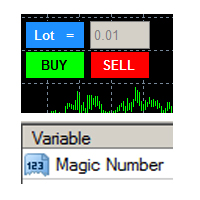
this tool is to help your trading by clicking the buy or sell button, to fill in the magic number please fill in the variable, don't forget to activate autotrade on metatrader 4 then check Allow live trading so that the emoji turn into a smile, you can combine this tool with other tools such as EA auto means the Magic Number which is the same between this tool and your EA
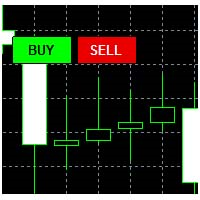
This tool helps your trades to open trades manually, and will mean it automatically, so it will not be difficult to profit from calculating pipsteps or lots when you open the next trade, so if you have a strategy to open then this tool will help you to do that, on the tool. which can mean is a lot or a pipstep, so that it can help make your trading easier. You will get more profit, because the time required is shorter.

Current Order Take Profit this indicator shows settled level of Take profit current opened order. If order Take Profit will be changed it will be shown on screen immediately. The same with pips left to get so as to close the position. If the price will drop beneeth the open order price it will change the color of pips digits left to gain. That is usefull when you change Take profit level by drag the price line using mouse to new level na wykresie.
FREE

OneClickClose-Pro EA allow users to easily close all positions at once with multiple options with simple UI.
Options Includes::
1. Close All Positions
2. Close All Buy Positions
3. Close All Sell Positions
4. Close All Position GreaterThan or Equal to Profit
5. Close All Position LessThan or Equal to Profit
6. Close All Position By Symbol
7. Option to Set Deviation
8. Option to Set Maximum Retry (If position close fails)
MT5 Versio
FREE
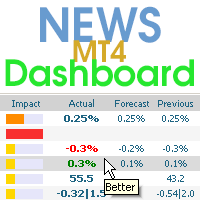
该仪表板显示来自三个来源的当前新闻:来自 ForexFactory.com 网站(FFC 日历)、来自 Investing.com 网站和来自 mql5.com 的经济日历。 您可以按影响力和国家对新闻进行排序,并一键将其显示在图表上。 通过按住“Ctrl”键,您可以选择几种不同的“货币”或“影响”进行排序。 此外,该实用程序不仅显示预测,还显示它们出现在网站上后的实际值。 您可以为每条新闻设置单独的通知。 来自 mql5.com 的新闻,采用您的 MT5 语言. 您可以使用 EA 或指标来阅读新闻。 更多详情请参阅评论中的描述。 EA 可以在新闻发布前关闭市场头寸和挂单,将止损移至盈亏平衡点并在当天结束时平仓.
另外,在评论中,您可以找到一个脚本,该脚本可以从仪表板读取新闻,并通过单击“Algo Trading”按钮停止所有 EA 的交易。
该程序从互联网获取信息,因此您需要在终端设置中启用对 ForexFactory 和 Investing.com 网站的访问。 按“ctrl+O”、“Expert Advisors”、“Allow WebRequest”,然后将链接复制到列表

關於該指標 該指示器以線的形式顯示指定蠟燭號的所有選定時間範圍的OHLC值。
____________________________________________________________________________________________________________
該指標背後的想法是什麼? 如您所知,支撐/阻力區域為交易員提供了良好的交易機會。
檢測這些區域的最佳方法之一是使用先前蠟燭的高,低,關閉(甚至打開)值。
從較高的時間範圍獲得的區域通常具有更大的功能和信譽。
通過使用此指標,您可以在圖表上以線的形式獲得任意數量的先前蠟燭的OHLC值。
通過選擇對更多蠟燭進行計算,並使不同的線條和它們所產生的密度重疊,您可以找到具有更高可信度的區域。
____________________________________________________________________________________________________________
圖表會變得過於擁擠嗎? 就個人而言,我討厭擁擠的圖表!
因此,在確定區域後,您

这是一个简单而非常有效的工具,只需点击一下即可关闭订单。 如果您的余额中有许多未结订单,并且手动关闭它们需要太长时间,这可能会导致帐户上的额外资金损失,则您将需要它。
该实用程序由一个外部面板组成,带有两个按钮"关闭过滤器"和"全部关闭",便于在图形中移动。
您可以设置关闭所有实用程序,以便在存款货币达到指定的损益值时立即关闭订单。
您还可以通过设置所需的利润大小或限制您的损失来设置计划关闭。 要做到这一点,只需激活关闭过滤器按钮。
该实用程序将节省您的存款,以防市场急剧变化。 只需将其添加到任何免费图表,并将其用于您的日常交易。
由于参数设置最少,您可以轻松地为MT4或MT5中的任何符号设置实用程序。 最新版本的Close All PRO 实用程序支持通过Telegram messenger进行交互式控制。 安装说明: 这里
Close All Button: Close (All pairs/Current) -选择所有符号的订单或仅对当前图表的一对的设置 Close (ALL/LOSS) -选择是关闭所有订单还是仅关闭无利可图的订单
Close By

Easy Backtest 2 Pro
Easy Backtest 2 Pro is a great FREE alternative testing software!.
You can test your new strategy in Strategy Tester in your MT4 , using all available historical data. Beyond the basic functions such as: BUY, SELL PENDING ORDERS STOP LOSE, TAKE PROFIT AUTO RISK MANAGMANT AUTO LOT SIZE You can modify each of them at any time, exactly like in live trading. Advanced features PRO such as: PREVIOUS DAY'S HIGH/LOW PIVOT POINTS FIBONACCI AUTO TRAILLING STOP AUTO BRE
FREE
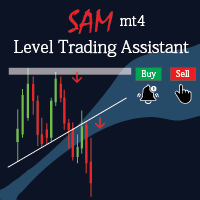
Sam level trading assistant is an expert advisor that mainly helps a trader to automatically place and manage trades basing on key levels of support and resistance that are MANUALLY drawn on the chart by the trader. These key levels include trend lines and rectangles. The expert advisor can either automatically open SINGLE trades by opening buy or sell orders, HEDGE by opening both a buy stop and a sell stop order or send ALERTS when a given criteria such as a candlestick/ bar either TOUCHING or

The Consistent Trader is very useful if you want to improve your performance in the long term and avoid common mistakes . This EA adds a panel where you can put SIZE and stop loss PIPS of positions. You can open a sell or buy (one at time), and you can close it with a close button. It also shows actual pips spread. This works only alone without others EA (one instance), and only opening positions with its dedicated panel. This Utility helps and does these things : You cannot watch and open timef

Chart State Saver for MT4 is utility which helps to save states of all your charts even if they will be closed. And then all saved charts' states can be easily loaded back to charts.
It stores templates for each particular currency pair and automatically applies them to charts once they will be opened at next time. Also they can be applied to the charts by your own needs. Thus you can close any chart at your MT4 without scaring to lose chart's data like drawls, messages, chart styling and so on

The indicator sends a Screenshot of the chart to mail when a signal is received. It could be send from anyone timeframe and currency where installed the indicator. The indicator allows you to send messages to a mobile terminal and to mail. To send screenshots to the mail, you need the screensender.exe mail program. To create a signal, the following are used: horizontal lines / vertical lines / trend lines / Moving average.
The terminal does not allow sending screenshots to mail. Therefore, the
FREE
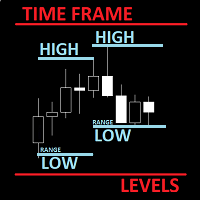
The utility helps to locate in the lower time frames the maximum and minimum of the upper time frame. The length of time frame level line represents the temporal length of the upper time frame.
The indicator draws lines that delimit the upper time frames candle and highlights his high-low price, the pips candle range, the returns and the volatility.
How it works:
Firstly . Choose which time frames levels to represent in the lower ones : monthly, weekly, daily, H4, H1, M30, M15, M5. The
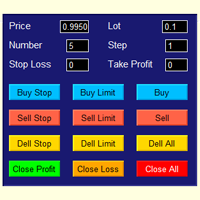
The best panel of all major Forex trading buttons, which every trader definitely needs to relieve his trade, whether he is a beginner or a professional. The Expert Advisor places pending orders at the price you entered. You can enter the number of pending orders and the step between orders. There are buttons for opening market orders, buttons for deleting pending orders, buttons for closing orders with profit and loss. And the very last button of the advisor closes pending and market orders on

This tools is simplest Trade Copier that use your local pc to store your position list. Fast, Simple We dont have complicated files. Just this EA, with 2 mode. Master Mode to store your positions And Client mode to copy all the position from local storage. Its free tools, for unlimited usage, and unlimited Metatrader and unlimited account number. Enjoy
Inputs: Mode > To select Copier Mode. Master Store your positions, and client mode copy the stored positions Slipage > To protect taking new pos
FREE

Smart Stop FX - Never let a winning trade become a losing trade, ever again.
Smart Stop FX is an intelligent trade management robot that gives you the flexibility to manage your trades even when you can't be on the charts. Either sleeping, a long flight, or the myriad of other commitments that life throws our way, Smart Stop FX can give you the security that your positions won't go into unnecessary losses. There are three ways to use Smart Stop FX.
Breakeven Mode - In this mode, Smart Stop F

The algorithm finds the most unprofitable position in your account, then the program determines the profitable positions that can cover the loss. This profit is used to close unprofitable order in automated mode. The system is able to work on the most distant unprofitable orders or select them according to certain tickets with manual selection. That is, the utility closes a losing order using one or a group of winning orders. Opportunities:
Closing orders for the current symbol or for all

Ea交易是一个交易者的助手,打开趋势线的头寸,拉动趋势线交易中心不可见的挂单。
只有当终端打开时,才会打开和关闭头寸!
伟大的交易从交易水平,节省您的时间和健康。
默认情况下,Ea仅响应三种颜色的趋势线:
绿色-购买的颜色,所有卖出头寸将在购买前关闭;
黄色是该工具所有未平仓头寸平仓的颜色;
红色-销售的颜色,所有买入仓位将在销售前平仓。
您可以自行决定更改颜色。
根据自己的判断绘制趋势线,为了获得最佳结果,首先在策略测试仪中尝试,有一个可变的Topmoz来调整图表移动的速度。
我今年在真实账户交易的结果显示在屏幕截图(余额曲线)中。
Lot-一个仓位的大小,默认为0.1;
TakeProfit-以点为单位的利润金额,根据您的策略和交易工具的小数位数自行选择;
止损-以点数为单位的损失金额,根据您的策略和交易工具的小数位数自行选择;
未平仓订单-当信号被触发时,为了平仓部分而开仓的订单数量;
买入趋势线的颜色-触摸价格将打开买入订单的线的颜色;
卖出趋势线的颜色-触摸价格将打开卖出订单的线的颜色;
所有仓位的平仓颜色-所有仓位将平仓的线的颜色,这可以是图

Overview The Expert Advisor sends notifications to a mobile phone, via e-mail or plays a sound in case any changes are detected on the trading account: opening/closing positions, changing order parameters, balance or leverage. Also, the Expert Advisor can inform that Equity on the trading account has dropped below a specified value or Free Margin is small compared to Margin. The Expert does not trade, it only monitors your account.
Launching the Expert Advisor For the Expert Advisor to work, pl

Utility for informing in telegrams with a wide functionality -->>> English parameters menu version, Russian menu parameters version here first 10 sales at $ 30, next 10 at $ 40 and so on Works correctly with Windows 10, Windows Server 2012 and above Can send notifications to channel or private messages : Signal name (it is convenient to send signals from several terminals to one channel) Opening an order (instrument, volume, order type, quote, take profit, stop loss, order number, opening time
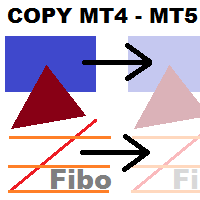
This utility copies graphic objects from the MASTER chart to the SLAVE chart. Install it as an indicator. The version for MT5 is here: https://www.mql5.com/en/market/product/61935 It can work in the following modes: Master CHART to Slave CHART in one MT4 or MT5 Master MT4 to Slave MT4 (one or more) Master MT4 to Slave MT5 (one or more) Master MT5 to Slave MT5 (one or more) Master MT5 to Slave MT4 (one or more) You can use multiple Master-Slave groups by setting the ID parameter . You can copy al

This tool working You can buy or sell from the button of this tool, the lot size can be filled manually, as for the close all buy button to end all buy positions, close all sell button to end all sell positions, Close All profit button to end All profit position, Close All Loss button to end all loss position, Delete Pending button to delete all Pending order, close all orders to end all orders. The variable, you can use close all percent for close all orders when profit in percent, if close
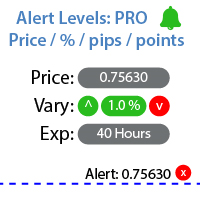
用于设置价格达到指定水平时通知的实用工具 查看我的 #1 交易管理器 : 66+ 功能,包括警报和趋势线警报 | 联系我 如有任何问题 可以通过三种方式设置警报: 手动输入价格水平; 设置价格变化:百分比/点/市场点; 通过鼠标移动水平:还具有磁吸功能,激活后水平将吸附到最近的OHLC值; 可选地,可以启用/禁用每种类型的警报: 终端中的通知; 电子邮件通知; 移动设备的推送通知; 实用工具的附加功能: 设置警报生命周期的选项:激活后,通知将在指定时间后自动取消(分钟/小时/天); 在图表上显示警报水平的选项; 快速删除所有现有警报,或单独删除每个警报; 界面优势: 您可以 折叠面板 ,从而释放图表上的空间:([^] 按钮 ); 您可以 移动面板 到图表上的任何位置:([< M >] 按钮 ); 选择浅色/深色界面主题:(开关[ D ]); 移动警报时反转磁吸的选项:(按住键盘上的[TAB]键可在移动警报水平时打开/关闭磁吸); 可以关闭主面板,只保留快速警报按钮[ +Alert ](在图表右下角); 实用工具不仅显示警报的价格水平:在右侧输入字段中,您可以看

Smart Copy is an Easy-to-Use EA that supports Multi Copying Metatrader4 and Metatrader5 and Local/Remote Copying. (Remote Version is coming soon)
Free version is available on Smart Copy Local Free MT4
Specifications :
Real Time, Multi Terminal - Multi Account - MT4/MT5 trade copying Copy from netting to hedge and hedge to netting is supported.
Fast and instant copy
All settings are input visually. Easy modifying symbol names, prefix, suffix Enable/Disable copying s
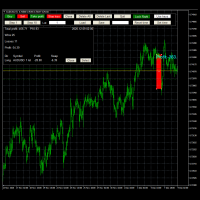
高级贸易模拟器 它是一个指标,您可以将其附加到任何图表,然后虚拟购买和出售给定的符号。 不进行实际交易。您可以将其附加到多个图表。然后您可以购买多个符号。 特点: 在给定时间框架上立即买入和卖出 市场,限价和止损单 广义OCO,多于2个订单可以相互撤销 OSO,一个发送另一个.. 根据风险%和止损设定手数 跟踪止损 多次买卖多个符号 您可以通过单击设置止盈和止损水平 设置起始日期并从该点开始测试 不需要其他产品中的交易测试器 它隐藏未来价格,因此您无法知道即将发生的事情。这使模拟更加真实。 因此,您可以在过去开始..并按按钮向前移动一个或10个条形图。 您可以关闭任何给定的交易或所有交易 计算交换 计算止盈和止损的点数和预期盈利/损失 您可以在文件中保存交易或从文件中加载它们 您可以查看盈利因子,总利润 ,当前每个头寸和总体的利润。 按钮可用于执行所有必要的操作 它使用每个条形图的开盘价来建立新头寸 您可以设置您想要购买的数量 您可以测试图表中的所有条形图..如果您需要早期的条形图,您需要滚动条形图。 您可以通过单击“设置时间”按钮设置开始时间 黄色水平线显示“当前”价格 显示胜利和失

FXC Trade AssistanT MT4
This trading software will help you in manual trading. You can use it for open and close positions in many forms. The EA offers you lot sizeing, stop management methods and other usefull tools using with its control panel.
New in v1.13: Ultra-Fast CLOSE operation can close over 100 trades/second (Only MT5) New SETUP panels: Control, Chart, Msg., SFX, Advanced Added SFX sound profiles
Zero-Point Calculation with Swap & Commission Can handle foreign trades
New Info data: St

Odie Trade Manager EA is a simple semi-automatic (two in one) assistant for a manual trader, when having a losing trade the EA begins its work in the form of a martingale or hedging (recovery zone) to leave it in breakeven or positive, it depends on its configuration.
For professional traders and gamblers .
Adapt it to your strategy, MANAGE YOUR RISK CORRECTLY and all your operations will be positive.
TEST ON STRATEGY TESTER WITH YOU STRATEGY AND CREATE YOUR SET FILE AND... GOODBYE LOSSES.
FREE

New version based on the product: Trade History MT4 To Excel
Hello Traders! I have received many comments on my product " Trade History MT4 To Excel " which I have decided to create a new more complete version based on your suggestions. The result is fantastic, you will not find anything like it anywhere, I know because I have checked :-) WARNING: To give you an unique product I had to modify the standard mql4 files. Before to run the interface you need to load this file in the directory. You

For those who are still not confident in their system or are testing new techniques to make it easier without wasting time to change the charts one by one, we recommend EA Smart Backtest to help you backtest your system efficiently.
-The EA is intended to Backtest your system. -Able to open buy or sell in visual mode and can modify values for LOT, SL, TP. -The chart also shows the Balance Equity Profit status. -Can choose to close, Buy, Close, Sell

Script risk management, which calculates for you the potential profit, possible loss, risk percentage, on the entire account and for each instrument. Shows where stop-losses and take-profits are not set.
Each line summarizes the number of open transactions for a specific instrument and calculates the percentage of loss from the total deposit. Beyond the line, the final calculation of the balance is summarized, if all transactions are triggered by stop loss; Potential loss, as the sum of all st
FREE

This EA utility does not trade on its own, but it only modifies the open trades to add take profit and stop loss that was opened manually or by any other expert advisors.
The distance is based on Pips .
How Does It Work? If Symbol to modify is set to "All Symbol" simply attach it to one chart, and all open trades in the entire terminal will set the take profit and stop loss . If Symbol to modify is set to "Local Symbol" , it will only set the ta

Simple Order and Risk Management Tool. Secure your profits and protect your capital!
Features Visual Stoploss, TakeProfit Levels (Hotkey: SHIFT+M) Visual Pending Order Level (Hotkey: SHIFT+P) 5 Custom LotSizes for Open Orders (Each lotsize has a corresponding hotkey) This requires that an SL level is previously set Automatic Partial Close Expert will automatically close partial positions in when it reaches a target profit level. Automatic Stoploss to Breakeven Expert will automatically set y

此應用程序允許您將您在帳戶中選擇的任何交易活動廣播到電報頻道。 您選擇: 在哪裡廣播(您可以通過在帳戶上同時運行多個機器人副本來同時向多個頻道廣播) 機器人或人類或兩者兼而有之的訂單和位置 從哪些字符(全部或以空格輸入 EURUSD.i EURGBP.i ...) 關於發送什麼動作的信息(您可以通過在帳戶上安裝多個機器人來為不同的頻道或角色設置不同的廣播條件) 郵件將包含哪些信息 顯示額外的控制面板 在每個交易日結束時提交利潤報告。 設置說明: 姓名: 價值: 說明: Main settings:
主要設置: Bot token: 你的機器人令牌 在創建 Telegram 機器人時生成。 Chanel ID: 頻道 ID 可以通過鏈接找到 https://api.telegram.org/bot BOT_TOKEN /getUpdates
Magic list -1 0 444 magic orders/positions 的空格分隔值。 “-1” - 所有位置,“0” - 手動打開,
或計劃從中廣播信號的專家的空格分隔的幻數。 Symbol list EURUSD.i GBP

复仇者智能交易系统(Avenger Expert Advisor) 复仇者智能交易系统(EA)是一款先进的交易工具,旨在帮助交易者精准高效地自动化交易策略。该系统利用高级趋势指标和可自定义的设置来优化交易表现。 主要功能 趋势指标设置 主要趋势指标 :利用主要趋势指标开仓。 第一和第二趋势过滤器 :附加的过滤器,用于优化趋势信号并提高准确性。 自动手数设置 启用自动手数 :可根据账户权益自动计算手数。 初始手数系数 :将初始手数设置为权益的百分比。 最大手数系数 :将最大手数限制为权益的百分比。 全局信号设置 Magic Number :EA开仓订单的唯一标识符。 管理所有订单 :可管理手动添加的订单。 订单滑点 :允许的最大滑点值,用于订单执行。 最大点差 :若点差超过设定值,禁止开仓。 止盈设置 :支持自定义的止盈水平。 禁止对冲 :禁止同时开设买单和卖单的功能。 周五交易限制 :可设置周五停止开仓。 订单时间控制 :设定订单和网格订单之间的最小时间间隔。 跳过每个Tick运行 :避免EA在每个Tick上运行的选项。 挂单管理 :若存在挂单,则禁止新开仓。 降低回撤(DDR) 启用

LEFORT is a multi-currency, fully automatic, high-frequency trading robot. The robot works with any instruments in MT4 on any timeframe. The algorithm of the expert Advisor is as follows Single-scalping trades will. Using the analytical signals module, the robot analyzes the market dynamics, and then makes single trades in the direction of the dominant trend with a profit of several pips. A series of open orders. The robot makes a series of trades on a pullback in the direction of the dominant t
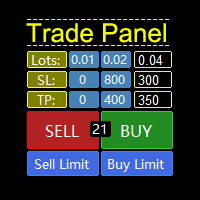
一款支持策略测试的“交易面板”,兼容性极好,操作迅速,符合专业交易员习惯。同时,设计 紧凑 , 简洁, 一目了然, 功能全面, 乃手动操盘之利器! 功能说明: Click Spread //清除箭头 Click SL: //删除止损 Click TP: //删除止盈 Reverse //反手 Locked //锁仓 Cls.Curr. //平最近单 Clearance //清仓所有(币种)仓位 兼容老版本MT4,支持手动在“策略测试”中模拟交易! 支持中英文切换。 默认参数说明: Language=En //语言切换 PanelCorner=Right; //面板位置 Time remaining =true; //K线剩余时间显示 Color =clrYellow; //时间颜色 Fast
FREE

AutoSTPending - Expert Advisor for Automatic Stop Loss and Take Profit
The AutoSTPending expert advisor automatically creates or modifies the Stop Loss and Take Profit levels configured in the properties. It is a user-friendly and easy-to-understand tool. With AutoSTPending, you can simplify and streamline your trading operations by allowing the expert advisor to automatically set and adjust your Stop Loss and Take Profit levels. This allows you to focus on other activities while maintaining ef
FREE

Tester BO and Tester Signal Bar is a script that allows you to test your trading strategies. The tester has two buffers with up / down signals. An example of use can be seen in the screenshots below. Using the indicator tester, you can achieve the maximum ratio of profitable trades for binary options. Improvement for forex is also planned. I wrote the idea at the very bottom in the “Planned work” group. You can filter your signals by the following data: 1- start date analyze. Interval (1 day, 7
FREE

The utility for manual trading to manage open positions.The built-in trailing stop has three modes and seven instruments: by pips, by bar extremes, by fractals, by volumes, by MA, by Parabolic SAR and by ATR. With the help of the built-in trading simulator, you can check how the EA works in the strategy tester. Guide to UTrailingMini can be found in the "Comments" section. Benefits 3 trailing stop modes: normal, total and mobile stop loss; 7 options: by points, by bar extremes, by fractals, by v

APIPS Expert Advisor puts a Take Profit on all positions at the total breakeven distance or at the distance of the specified take Profit value .
If several orders are opened, the Expert Advisor puts a Take Profit on all positions at the total breakeven distance + the specified Take Profit value. You can specify to close all positions only on the excess without profit. If there are no open orders and you open a trade on the market, the APIPS Expert Advisor automatically sets the Take Profit by t

Note: MT4 Backtest cannot test EAs that trades with several symbols simultaneously. For backtest use MT5 versions download here . Note : Limited version can trade with the volume less than 0.05 lots.
Important :
This is Arbitrage EA and may not work on all accounts. It is recommended to follow the testing process described on product screenshots. If you are not familiar with arbitrage trading, It is recommended to use our other trading robots .
Strategy :
EA will place trades based on Tria

Lines Resource is an technical indicator that dysplay lines in the chart giving some notion of supports and resistance levels for the correct functionallity of Optimal Investor EA an multicurrency EA that gives an 52% return monthly. Please install it, to run Optimal Investor EA correctly. Next to it, install Profitnator Resources Indicator FREE , to Run Optimal Investor EA.the second and last one resource.
FREE

This script jumps your chart to a random point in time/random bar. Very useful for back testing, particularly NNFX method.
How To Use: 1. Double click the script in the Navigator 2. Drag script onto chart 3. (Recommended) Right click script in navigator and "Set Hotkey". Use Hotkey instead of having to have navigator open 24/7
Installation: 1. Open MT4 2. Click File -> Open Data Folder 3. Double Click MQL4 -> Scripts 4. Copy Script into this folder 5. Restart MT4
#nononsenseforex #nnfx #bac
FREE
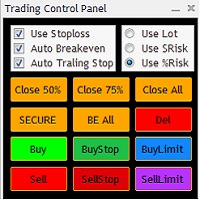
The Trading Control Panel EA let you: - Calculated lot size based on the (% or $ risk) - Place multiple (Market/Limit/Stop) trades at same time - Manage all open trades (move SL to BE, take partial profit, close all trades) This is a handy tool for those who wont to open multiple orders without spending time on lot calculations. When opening multiple orders the first order has the first TP and all other orders get the second TP.
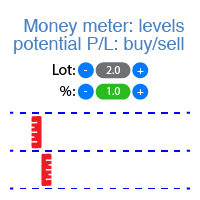
该指标显示每个方向(买入和卖出)的潜在盈利/亏损水平。 查看 #1 Trade Assistant : 66+ 功能,包括此工具 | 联系我 如有任何问题 您可以设置: 手数大小 (还可以自动设置上次使用的手数); 网格步长 :百分比 / 金额(绿色开关); 每个方向的级别数量 ; 根据当前 账户余额 或 可用保证金 计算风险; 在指标的初始设置中,您可以选择: 图表上线条和文本的颜色; 界面主题:深色或浅色; 界面优势: 您可以 折叠面板 ,从而释放图表空间:((^) 按钮 ); 您可以 移动面板 到图表上的任何位置:(< move > 按钮 ); 快速启用/禁用级别显示:( "On" 按钮 ); 查看 #1 Trade Assistant : 66+ 功能,包括此工具 | 联系我 如有任何问题 /

Pro Indicator Trader is a professional trading tool with which you can automate/create a trading strategy using the 31 classical Metatrader 4 indicators. An elegant and intuitive interface allows you to customize your strategy down to the smallest detail and choose whenever the EA should open a buy or sell position. For each entry-trade rule, you can use up to 14 different indicators.
The EA is designed for professional traders, therefore it has many advanced functions. The EA records the order
MetaTrader市场是 出售自动交易和技术指标的最好地方。
您只需要以一个有吸引力的设计和良好的描述为MetaTrader平台开发应用程序。我们将为您解释如何在市场发布您的产品将它提供给数以百万计的MetaTrader用户。
