
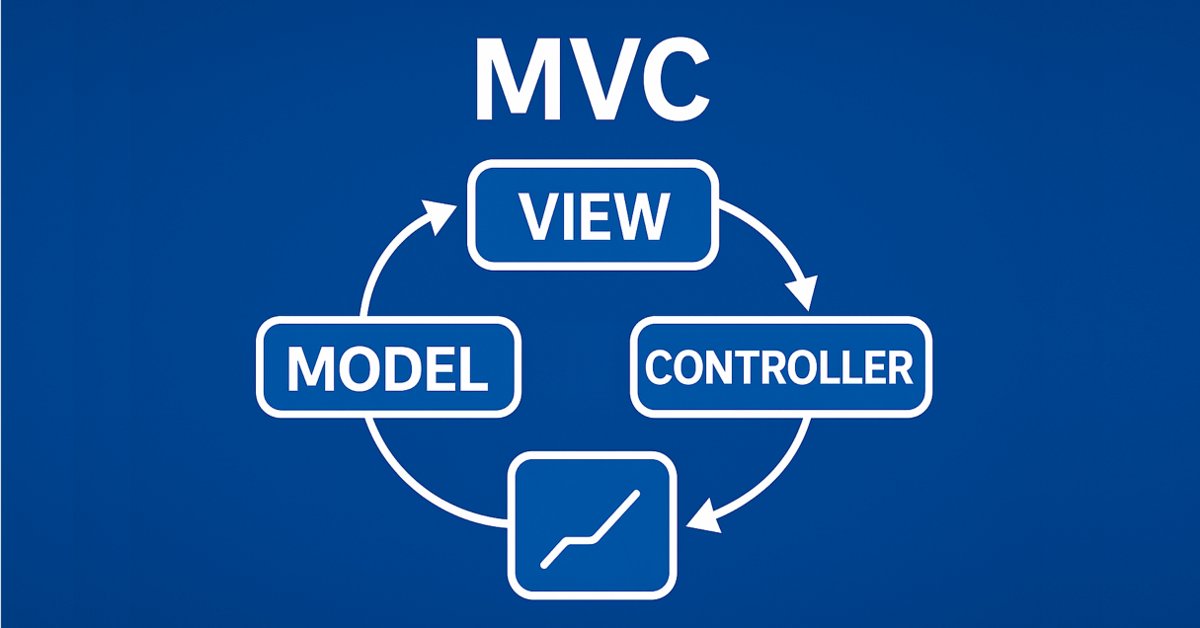
基于MQL5中表模型的表类和表头类:应用MVC概念
 371
371
 0
0

内容
引言
在第一篇文章中,我们涵盖了表格控件的创建,并使用MVC架构模板在MQL5中创建了一个表模型。开发了单元格、行和表模型的类,这些类能够以方便和结构化的形式组织数据。
现在我们进入下一个阶段——表类和表头的开发。表的列头不仅仅是列标签,而是管理表及其列的工具。它们允许您添加、删除和重命名列。当然,表可以在没有表头类的情况下工作,但这样它的功能将受到限制。将创建一个没有列头的简单静态表,因此也就没有控制列的功能。
为了实现列控制功能,必须改进表模型。我们将用允许您操作列的方法来补充它:更改它们的结构、添加新列或删除现有列。这些方法将被表头类使用,以方便地控制其结构。
这个开发阶段将构成进一步实现视图和控制器组件的基础,这些内容将在随后的文章中讨论。这一步是创建用于操作数据的成熟界面的重要里程碑。
表模型的改进
目前,表模型是从二维数组创建的,但为了提高使用表的灵活性和便利性,我们将添加额外的初始化方法。这将能使模型适应不同的使用场景。更新后的表模型类中将包含以下方法:
-
从二维数组创建模型
void CreateTableModel(T &array[][]);此方法允许您基于现有的二维数据数组快速创建表模型。
-
创建具有设定行数和列数的空模型
void CreateTableModel(const uint num_rows, const uint num_columns);
当表结构已知但稍后将添加数据时,此方法适用。
-
从数据矩阵创建模型
void CreateTableModel(const matrix &row_data);
此方法允许您使用数据矩阵来初始化表,这对于处理预准备的数据集很方便。
-
从链表创建模型
void CreateTableModel(CList &list_param);在这种情况下,数组数组将用于数据存储,其中一个 CList 对象(表行数据)包含其他持有表单元格数据的 CList 对象。这种方法允许动态控制表的结构及其内容。
这些更改将使表模型更加通用,并便于在各种场景中使用。例如,将能够轻松地从预准备的数据数组和动态生成的列表创建表。
在上一篇文章中,我们在测试脚本文件中直接描述了创建表模型的所有类。今天,我们将把这些类转移到我们自己的包含文件中。
在存储上一篇文章脚本的文件夹中(默认:\MQL5\Scripts\TableModel\),创建一个名为 Tables.mqh 的新包含文件,并将位于同一文件夹的 TableModelTest.mq5 文件中从文件开头到测试脚本代码开头的所有内容——即所有用于创建表模型的类——复制到该文件中。现在我们有了一个单独的文件,其中包含名为 Tables.mqh 的表模型类。对该文件进行更改和改进。
将创建的文件移动到一个新文件夹 MQL5\Scripts\Tables\ —— 我们将在这个文件夹中创建此项目。
在包含的文件/库部分,添加新类的前向声明。我们今天将创建这些类,而类声明是必要的,以便上一篇文章中创建的 CListObj 对象列表类可以在其 CreateElement() 方法中创建这些类的对象:
//+------------------------------------------------------------------+
//| Include libraries                                                |
//+------------------------------------------------------------------+
#include <Arrays\List.mqh>

//--- Forward declaration of classes
class CTableCell;                   // Table cell class
class CTableRow;                    // Table row class
class CTableModel;                  // Table model class
class CColumnCaption;               // Table column header class
class CTableHeader;                 // Table header class
class CTable;                       // Table class
class CTableByParam;                // Table class based on parameter array

//+------------------------------------------------------------------+
//| Macros                                                           |
//+------------------------------------------------------------------+
在宏部分添加以字符为单位的表单元格宽度的定义,等于 19。这是最小宽度值,在此宽度下,日期-时间文本完全适合日志中的单元格空间,而不会移动单元格的右边框,这会导致日志中绘制的所有单元格的大小变得不同步:
//+------------------------------------------------------------------+
//| Macros                                                           |
//+------------------------------------------------------------------+
#define  MARKER_START_DATA    -1    // Data start marker in a file
#define  MAX_STRING_LENGTH    128   // Maximum length of a string in a cell
#define  CELL_WIDTH_IN_CHARS  19    // Table cell width in characters

//+------------------------------------------------------------------+
//| Enumerations                                                     |
//+------------------------------------------------------------------+
在枚举部分向对象类型枚举添加新常量:
//+------------------------------------------------------------------+
//| Enumerations                                                     |
//+------------------------------------------------------------------+
enum ENUM_OBJECT_TYPE               // Enumeration of object types
  {
   OBJECT_TYPE_TABLE_CELL=10000,    // Table cell
   OBJECT_TYPE_TABLE_ROW,           // Table row
   OBJECT_TYPE_TABLE_MODEL,         // Table model
   OBJECT_TYPE_COLUMN_CAPTION,      // Table column header
   OBJECT_TYPE_TABLE_HEADER,        // Table header
   OBJECT_TYPE_TABLE,               // Table
   OBJECT_TYPE_TABLE_BY_PARAM,      // Table based on the parameter array data
  };
在 CListObj 对象列表类中,在元素创建方法中,添加用于创建新类型对象的 case 语句:
//+------------------------------------------------------------------+
//| List element creation method                                     |
//+------------------------------------------------------------------+
CObject *CListObj::CreateElement(void)
  {
//--- Create a new object depending on the object type in m_element_type
   switch(this.m_element_type)
     {
      case OBJECT_TYPE_TABLE_CELL      :  return new CTableCell();
      case OBJECT_TYPE_TABLE_ROW       :  return new CTableRow();
      case OBJECT_TYPE_TABLE_MODEL     :  return new CTableModel();
      case OBJECT_TYPE_COLUMN_CAPTION  :  return new CColumnCaption();
      case OBJECT_TYPE_TABLE_HEADER    :  return new CTableHeader();
      case OBJECT_TYPE_TABLE           :  return new CTable();
      case OBJECT_TYPE_TABLE_BY_PARAM  :  return new CTableByParam();
      default                          :  return NULL;
     }
  }
创建新类后,CListObj 对象列表将能够创建这些类型的对象。这将允许从包含这些类型对象的文件中保存和加载列表。
为了在单元格中设置一个“空”值,该值将显示为空行,而不是像现在这样显示为“0”值,必须确定哪个值应被视为“空”。显然,对于字符串值,空行将是这样一个值。而对于数值,为实数类型定义 DBL_MAX,为整数定义 LONG_MAX。
为了设置这样的值,在表单元格对象类中,在受保护区域,编写以下方法:
class CTableCell : public CObject
  {
protected:
//--- Combining for storing cell values (double, long, string)
   union DataType
     {
      protected:
      double         double_value;
      long           long_value;
      ushort         ushort_value[MAX_STRING_LENGTH];

      public:
      //--- Set values
      void           SetValueD(const double value) { this.double_value=value;                   }
      void           SetValueL(const long value)   { this.long_value=value;                     }
      void           SetValueS(const string value) { ::StringToShortArray(value,ushort_value);  }

      //--- Return values
      double         ValueD(void) const { return this.double_value; }
      long           ValueL(void) const { return this.long_value; }
      string         ValueS(void) const
                       {
                        string res=::ShortArrayToString(this.ushort_value);
                        res.TrimLeft();
                        res.TrimRight();
                        return res;
                       }
     };
//--- Variables
   DataType          m_datatype_value;                      // Value
   ENUM_DATATYPE     m_datatype;                            // Data type
   CObject          *m_object;                              // Cell object
   ENUM_OBJECT_TYPE  m_object_type;                         // Object type in the cell
   int               m_row;                                 // Row index
   int               m_col;                                 // Column index
   int               m_digits;                              // Data representation accuracy
   uint              m_time_flags;                          // Date/time display flags
   bool              m_color_flag;                          // Color name display flag
   bool              m_editable;                            // Editable cell flag

//--- Set "empty value"
   void              SetEmptyValue(void)
                       {
                        switch(this.m_datatype)
                          {
                           case TYPE_LONG    :
                           case TYPE_DATETIME:
                           case TYPE_COLOR   :  this.SetValue(LONG_MAX);   break;
                           case TYPE_DOUBLE  :  this.SetValue(DBL_MAX);    break;
                           default           :  this.SetValue("");         break;
                          }
                       }
public:
//--- Return cell coordinates and properties
现在,将单元格中存储的值作为格式化字符串返回的方法会检查单元格中的值是否为“非空”,并且如果该值为“空”,则返回一个空行:
public:
//--- Return cell coordinates and properties
   uint              Row(void)                           const { return this.m_row;                      }
   uint              Col(void)                           const { return this.m_col;                      }
   ENUM_DATATYPE     Datatype(void)                      const { return this.m_datatype;                 }
   int               Digits(void)                        const { return this.m_digits;                   }
   uint              DatetimeFlags(void)                 const { return this.m_time_flags;               }
   bool              ColorNameFlag(void)                 const { return this.m_color_flag;               }
   bool              IsEditable(void)                    const { return this.m_editable;                 }
//--- Return (1) double, (2) long and (3) string value
   double            ValueD(void)                        const { return this.m_datatype_value.ValueD();  }
   long              ValueL(void)                        const { return this.m_datatype_value.ValueL();  }
   string            ValueS(void)                        const { return this.m_datatype_value.ValueS();  }
//--- Return the value as a formatted string
   string            Value(void) const
                       {
                        switch(this.m_datatype)
                          {
                           case TYPE_DOUBLE  :  return(this.ValueD()!=DBL_MAX  ? ::DoubleToString(this.ValueD(),this.Digits())            : "");
                           case TYPE_LONG    :  return(this.ValueL()!=LONG_MAX ? ::IntegerToString(this.ValueL())                         : "");
                           case TYPE_DATETIME:  return(this.ValueL()!=LONG_MAX ? ::TimeToString(this.ValueL(),this.m_time_flags)          : "");
                           case TYPE_COLOR   :  return(this.ValueL()!=LONG_MAX ? ::ColorToString((color)this.ValueL(),this.m_color_flag)  : "");
                           default           :  return this.ValueS();
                          }
                       }
//--- Return a description of the stored value type
   string            DatatypeDescription(void) const
                       {
                        string type=::StringSubstr(::EnumToString(this.m_datatype),5);
                        type.Lower();
                        return type;
                       }
//--- Clear data
   void              ClearData(void)                           { this.SetEmptyValue();                   }
当前清除单元格数据的方法不是将其数据设置为零,而是调用在单元格中设置空值的方法。
所有创建表模型对象的类中,返回对象描述的方法现在都已设为虚函数——以防从这些对象继承:
//--- (1) Return and (2) display the object description in the journal
   virtual string    Description(void);
   void              Print(void);
在表行类中,所有创建新单元格并将其添加到列表末尾的 CreateNewCell() 方法现在已被重命名:
//+------------------------------------------------------------------+
//| Table row class                                                  |
//+------------------------------------------------------------------+
class CTableRow : public CObject
  {
protected:
   CTableCell        m_cell_tmp;                            // Cell object to search in the list
   CListObj          m_list_cells;                          // List of cells
   uint              m_index;                               // Row index

//--- Add the specified cell to the end of the list
   bool              AddNewCell(CTableCell *cell);

public:
//--- (1) Set and (2) return the row index
   void              SetIndex(const uint index)                { this.m_index=index;  }
   uint              Index(void)                         const { return this.m_index; }
//--- Set the row and column positions to all cells
   void              CellsPositionUpdate(void);

//--- Create a new cell and add it to the end of the list
   CTableCell       *CellAddNew(const double value);
   CTableCell       *CellAddNew(const long value);
   CTableCell       *CellAddNew(const datetime value);
   CTableCell       *CellAddNew(const color value);
   CTableCell       *CellAddNew(const string value);
这样做是为了使所有负责访问单元格的方法都以子字符串 “Cell” 开头。在其他类中,用于访问(例如)表行的方法将以子字符串 “Row” 开头。这使类的方法更有序。
要构建表模型,我们必须开发一种通用方法,使之能创建任何数据的表。例如,这些可以是结构、交易列表、订单、头寸或任何其他数据。其思想是创建一个工具包,允许创建行列表,其中每一行将是属性列表。列表中的每个属性将对应于表的一个单元格。
在这里,应注意 MqlParam 输入参数的结构。它提供以下功能:
- 指定存储在结构中的数据类型(ENUM_DATATYPE)。
- 在三个字段中存储值:
- integer_value — 用于整数数据,
- double_value — 用于实数数据,
- string_value — 用于字符串数据。
此结构允许处理各种类型的数据,这将允许存储任何属性,例如交易参数、订单或其他对象的属性。
为了方便数据存储,创建 CMqlParamObj 类,该类继承自标准库中的基本 CObject 类。此类将包含 MqlParam 结构并提供设置和检索数据的方法。通过继承自 CObject,此类对象可以存储在 CList 列表中。
考虑整个类:
//+------------------------------------------------------------------+ //| Structure parameter object class | //+------------------------------------------------------------------+ class CMqlParamObj : public CObject { protected: public: MqlParam m_param; //--- Set the parameters void Set(const MqlParam ¶m) { this.m_param.type=param.type; this.m_param.double_value=param.double_value; this.m_param.integer_value=param.integer_value; this.m_param.string_value=param.string_value; } //--- Return the parameters MqlParam Param(void) const { return this.m_param; } ENUM_DATATYPE Datatype(void) const { return this.m_param.type; } double ValueD(void) const { return this.m_param.double_value; } long ValueL(void) const { return this.m_param.integer_value;} string ValueS(void) const { return this.m_param.string_value; } //--- Object description virtual string Description(void) { string t=::StringSubstr(::EnumToString(this.m_param.type),5); t.Lower(); string v=""; switch(this.m_param.type) { case TYPE_STRING : v=this.ValueS(); break; case TYPE_FLOAT : case TYPE_DOUBLE : v=::DoubleToString(this.ValueD()); break; case TYPE_DATETIME: v=::TimeToString(this.ValueL(),TIME_DATE|TIME_MINUTES|TIME_SECONDS); break; default : v=(string)this.ValueL(); break; } return(::StringFormat("<%s>%s",t,v)); } //--- Constructors/destructor CMqlParamObj(void){} CMqlParamObj(const MqlParam ¶m) { this.Set(param); } ~CMqlParamObj(void){} };
这是 MqlParam 结构的通用包装器,因为要在 CList 列表中存储此类对象,需要一个继承自 CObject 的对象。
创建的数据结构将如下所示:
- CMqlParamObj 类的一个对象将代表一个属性,例如交易价格、其交易量或开仓时间,
- 单个 CList 列表将代表包含单个交易所有属性的表行,
- 主 CList 列表将包含一组行(CList 列表),每一行对应一个交易、订单、头寸或任何其他实体。
因此,我们将获得类似于数组数组(二维数组)的结构:
- 主 CList 列表是“行数组”,
- 每个嵌套的 CList 列表是“单元格数组”(某个对象的属性)。
以下是历史交易列表的这种数据结构的示例:
- 主 CList 列表存储表的行。每一行是一个单独的 CList 列表。
- 嵌套列表 CList —— 每个嵌套列表代表表中的一行,并包含存储属性的 CMqlParamObj 类对象。例如:
- 第一行:第1笔交易的属性(价格、交易量、开仓时间等),
- 第二行:第2笔交易的属性(价格、交易量、开仓时间等),
- 第三行:第3笔交易的属性(价格、交易量、开仓时间等),
- 等等。
- 属性对象(CMqlParamObj) —— 每个对象存储一个属性,例如交易价格或其交易量。
形成数据结构(CList 列表)后,可以将其传递给表模型的 CreateTableModel(CList &list_param) 方法。该方法将按如下方式解释数据:
- 主 CList 列表是表行列表,
- 每个嵌套的 CList 列表是每一行的单元格,
- 嵌套列表内的 CMqlParamObj 对象是单元格值。
因此,根据传递的列表,将创建一个与源数据完全对应的表。
为了方便创建此类列表,开发一个特殊的类。此类将提供用于以下操作的方法:
- 创建新行(CList 列表)并将其添加到主列表,
- 向行添加新属性(CMqlParamObj 对象)。
//+------------------------------------------------------------------+ //| Class for creating lists of data | //+------------------------------------------------------------------+ class DataListCreator { public: //--- Add a new row to the CList list_data list static CList *AddNewRowToDataList(CList *list_data) { CList *row=new CList; if(row==NULL || list_data.Add(row)<0) return NULL; return row; } //--- Create a new CMqlParamObj parameter object and add it to CList static bool AddNewCellParamToRow(CList *row,MqlParam ¶m) { CMqlParamObj *cell=new CMqlParamObj(param); if(cell==NULL) return false; if(row.Add(cell)<0) { delete cell; return false; } return true; } };
这是一个静态类,提供方便地创建具有正确结构的列表的功能,以便将其传递给创建表模型的方法:
- 指定必要的属性(例如,交易价格),
- 该类自动创建一个 CMqlParamObj 对象,将属性值写入其中,并将其添加到行中,
- 该行被添加到主列表中。
之后,完成的列表可以传递给表模型进行开发。
结果,开发的方法允许将任何结构或对象中的数据转换为适合构建表的格式。使用 CList 列表和 CMqlParamObj 对象提供了操作的灵活性和便利性,而辅助的 DataListCreator 类简化了创建此类列表的过程。这将是构建从任何数据和任何任务创建通用表模型的基础。
在表模型类中,添加三个用于创建表模型的新方法,三个用于列操作的方法。添加一个模板构造函数代替五个重载的参数化构造函数,以及三个基于新的表模型创建方法输入参数类型的新构造函数:
//+------------------------------------------------------------------+
//| Table model class                                                |
//+------------------------------------------------------------------+
class CTableModel : public CObject
  {
protected:
   CTableRow         m_row_tmp;                             // Row object to search in the list
   CListObj          m_list_rows;                           // List of table rows
//--- Create a table model from a two-dimensional array
template<typename T>
   void              CreateTableModel(T &array[][]);
   void              CreateTableModel(const uint num_rows,const uint num_columns);
   void              CreateTableModel(const matrix &row_data);
   void              CreateTableModel(CList &list_param);
//--- Return the correct data type
   ENUM_DATATYPE     GetCorrectDatatype(string type_name)
                       {
                        return
                          (
                           //--- Integer value
                           type_name=="bool" || type_name=="char"    || type_name=="uchar"   ||
                           type_name=="short"|| type_name=="ushort"  || type_name=="int"     ||
                           type_name=="uint" || type_name=="long"    || type_name=="ulong"   ?  TYPE_LONG      :
                           //--- Real value
                           type_name=="float"|| type_name=="double"                          ?  TYPE_DOUBLE    :
                           //--- Date/time value
                           type_name=="datetime"                                             ?  TYPE_DATETIME  :
                           //--- Color value
                           type_name=="color"                                                ?  TYPE_COLOR     :
                           /*--- String value */                                          TYPE_STRING    );
                       }

//--- Create and add a new empty string to the end of the list
   CTableRow        *CreateNewEmptyRow(void);
//--- Add a string to the end of the list
   bool              AddNewRow(CTableRow *row);
//--- Set the row and column positions to all table cells
   void              CellsPositionUpdate(void);

public:
//--- Return (1) cell, (2) row by index, number (3) of rows, cells (4) in the specified row and (5) in the table
   CTableCell       *GetCell(const uint row, const uint col);
   CTableRow        *GetRow(const uint index)                  { return this.m_list_rows.GetNodeAtIndex(index);   }
   uint              RowsTotal(void)                     const { return this.m_list_rows.Total();  }
   uint              CellsInRow(const uint index);
   uint              CellsTotal(void);

//--- Set (1) value, (2) precision, (3) time display flags and (4) color name display flag to the specified cell
template<typename T>
   void              CellSetValue(const uint row, const uint col, const T value);
   void              CellSetDigits(const uint row, const uint col, const int digits);
   void              CellSetTimeFlags(const uint row, const uint col, const uint flags);
   void              CellSetColorNamesFlag(const uint row, const uint col, const bool flag);
//--- (1) Assign and (2) cancel the object in the cell
   void              CellAssignObject(const uint row, const uint col,CObject *object);
   void              CellUnassignObject(const uint row, const uint col);
//--- (1) Delete and (2) move the cell
   bool              CellDelete(const uint row, const uint col);
   bool              CellMoveTo(const uint row, const uint cell_index, const uint index_to);

//--- (1) Return and (2) display the cell description and (3) the object assigned to the cell
   string            CellDescription(const uint row, const uint col);
   void              CellPrint(const uint row, const uint col);
   CObject          *CellGetObject(const uint row, const uint col);

public:
//--- Create a new string and (1) add it to the end of the list, (2) insert to the specified list position
   CTableRow        *RowAddNew(void);
   CTableRow        *RowInsertNewTo(const uint index_to);
//--- (1) Remove or (2) relocate the row, (3) clear the row data
   bool              RowDelete(const uint index);
   bool              RowMoveTo(const uint row_index, const uint index_to);
   void              RowClearData(const uint index);
//--- (1) Return and (2) display the row description in the journal
   string            RowDescription(const uint index);
   void              RowPrint(const uint index,const bool detail);

//--- (1) Add, (2) remove, (3) relocate a column, (4) clear data, set the column data (5) type and (6) accuracy
   bool              ColumnAddNew(const int index=-1);
   bool              ColumnDelete(const uint index);
   bool              ColumnMoveTo(const uint col_index, const uint index_to);
   void              ColumnClearData(const uint index);
   void              ColumnSetDatatype(const uint index,const ENUM_DATATYPE type);
   void              ColumnSetDigits(const uint index,const int digits);

//--- (1) Return and (2) display the table description in the journal
   virtual string    Description(void);
   void              Print(const bool detail);
   void              PrintTable(const int cell_width=CELL_WIDTH_IN_CHARS);

//--- (1) Clear the data, (2) destroy the model
   void              ClearData(void);
   void              Destroy(void);

//--- Virtual methods of (1) comparing, (2) saving to file, (3) loading from file, (4) object type
   virtual int       Compare(const CObject *node,const int mode=0) const;
   virtual bool      Save(const int file_handle);
   virtual bool      Load(const int file_handle);
   virtual int       Type(void)                          const { return(OBJECT_TYPE_TABLE_MODEL);  }

//--- Constructors/destructor
template<typename T> CTableModel(T &array[][])                                { this.CreateTableModel(array);                 }
                     CTableModel(const uint num_rows,const uint num_columns)  { this.CreateTableModel(num_rows,num_columns);  }
                     CTableModel(const matrix &row_data)                      { this.CreateTableModel(row_data);              }
                     CTableModel(CList &row_data)                             { this.CreateTableModel(row_data);              }
                     CTableModel(void){}
                    ~CTableModel(void){}
  };
让我们考虑新的方法。
一个根据指定的行数和列数创建表模型的方法
//+------------------------------------------------------------------+
//| Create a table model with specified number of rows and columns   |
//+------------------------------------------------------------------+
void CTableModel::CreateTableModel(const uint num_rows,const uint num_columns)
  {
//--- In the loop based on the number of rows
   for(uint r=0; r<num_rows; r++)
     {
      //--- create a new empty row and add it to the end of the list of rows
      CTableRow *row=this.CreateNewEmptyRow();
      //--- If a row is created and added to the list,
      if(row!=NULL)
        {
         //--- In a loop by the number of columns
         //--- create all the cells, adding each new one to the end of the list of cells in the row
         for(uint c=0; c<num_columns; c++)
           {
            CTableCell *cell=row.CellAddNew(0.0);
            if(cell!=NULL)
               cell.ClearData();
           }

        }
     }
  }
该方法创建一个具有指定行数和列数的空模型。当表结构已知,但数据稍后添加时,它适合使用。
一个从指定矩阵创建表模型的方法
//+------------------------------------------------------------------+
//| Create a table model from the specified matrix                   |
//+------------------------------------------------------------------+
void CTableModel::CreateTableModel(const matrix &row_data)
  {
//--- The number of rows and columns
   ulong num_rows=row_data.Rows();
   ulong num_columns=row_data.Cols();
//--- In the loop based on the number of rows
   for(uint r=0; r<num_rows; r++)
     {
      //--- create a new empty row and add it to the end of the list of rows
      CTableRow *row=this.CreateNewEmptyRow();
      //--- If a row is created and added to the list,
      if(row!=NULL)
        {
         //--- In the loop by the number of columns,
         //--- create all the cells, adding each new one to the end of the list of cells in the row
         for(uint c=0; c<num_columns; c++)
            row.CellAddNew(row_data[r][c]);
        }
     }
  }
该方法允许使用数据矩阵来初始化表,这对于操作预准备的数据集很方便。
一个从参数列表创建表模型的方法
//+------------------------------------------------------------------+
//| Create a table model from the list of parameters                 |
//+------------------------------------------------------------------+
void CTableModel::CreateTableModel(CList &list_param)
  {
//--- If an empty list is passed, report this and leave
   if(list_param.Total()==0)
     {
      ::PrintFormat("%s: Error. Empty list passed",__FUNCTION__);
      return;
     }
//--- Get the pointer to the first row of the table to determine the number of columns
//--- If the first row could not be obtained, or there are no cells in it, report this and leave
   CList *first_row=list_param.GetFirstNode();
   if(first_row==NULL || first_row.Total()==0)
     {
      if(first_row==NULL)
         ::PrintFormat("%s: Error. Failed to get first row of list",__FUNCTION__);
      else
         ::PrintFormat("%s: Error. First row does not contain data",__FUNCTION__);
      return;
     }
//--- The number of rows and columns
   ulong num_rows=list_param.Total();
   ulong num_columns=first_row.Total();
//--- In the loop based on the number of rows
   for(uint r=0; r<num_rows; r++)
     {
      //--- get the next table row from list_param
      CList *col_list=list_param.GetNodeAtIndex(r);
      if(col_list==NULL)
         continue;
      //--- create a new empty row and add it to the end of the list of rows
      CTableRow *row=this.CreateNewEmptyRow();
      //--- If a row is created and added to the list,
      if(row!=NULL)
        {
         //--- In the loop by the number of columns,
         //--- create all the cells, adding each new one to the end of the list of cells in the row
         for(uint c=0; c<num_columns; c++)
           {
            CMqlParamObj *param=col_list.GetNodeAtIndex(c);
            if(param==NULL)
               continue;

            //--- Declare the pointer to a cell and the type of data to be contained in it
            CTableCell *cell=NULL;
            ENUM_DATATYPE datatype=param.Datatype();
            //--- Depending on the data type
            switch(datatype)
              {
               //--- real data type
               case TYPE_FLOAT   :
               case TYPE_DOUBLE  :  cell=row.CellAddNew((double)param.ValueD());    // Create a new cell with double data and
                                    if(cell!=NULL)
                                       cell.SetDigits((int)param.ValueL());         // set the precision of the displayed data
                                    break;
               //--- datetime data type
               case TYPE_DATETIME:  cell=row.CellAddNew((datetime)param.ValueL());  // Create a new cell with datetime data and
                                    if(cell!=NULL)
                                       cell.SetDatetimeFlags((int)param.ValueD());  // set date/time display flags
                                    break;
               //--- color data type
               case TYPE_COLOR   :  cell=row.CellAddNew((color)param.ValueL());     // Create a new cell with color data and
                                    if(cell!=NULL)
                                       cell.SetColorNameFlag((bool)param.ValueD()); // set the flag for displaying the names of known colors
                                    break;
               //--- string data type
               case TYPE_STRING  :  cell=row.CellAddNew((string)param.ValueS());    // Create a new cell with string data
                                    break;
               //--- integer data type
               default           :  cell=row.CellAddNew((long)param.ValueL());      // Create a new cell with long data
                                    break;
              }
           }
        }
     }
  }
该方法使得基于链表创建表模型成为可能,这对于操作动态数据结构可能很有用。
值得注意的是,当创建具有某种数据类型(例如 double)的单元格时,显示精度取自 CMqlParamObj 类参数对象的 long 值。这意味着,当使用上述 DataListCreator 类创建表结构时,我们可以向参数对象传递额外的说明性信息。对于交易的财务结果,可以这样做:
//--- Financial result of a trade
param.type=TYPE_DOUBLE;
param.double_value=HistoryDealGetDouble(ticket,DEAL_PROFIT);
param.integer_value=(param.double_value!=0 ? 2 : 1);
DataListCreator::AddNewCellParamToRow(row,param);
以同样的方式,可以为 datetime 类型的表单元格传递时间显示标志,以及为 color 类型的单元格传递颜色名称显示标志。
该表显示了表单元格的类型以及通过 CMqlParamObj 对象为它们传递的参数类型:
| CMqlParam 中的类型 | 单元格类型 double | 单元格类型 long | 单元格类型 datetime | 单元格类型 color | 单元格类型 string |
|---|---|---|---|---|---|
| double_value | 单元格值 | 未使用 | 日期/时间显示标志 | 颜色名称显示标志 | 未使用 |
| integer_value | 单元格值精度 | 单元格值 | 单元格值 | 单元格值 | 未使用 |
| string_value | 未使用 | 未使用 | 未使用 | 未使用 | 单元格值 |
该表显示,当从某些数据创建表结构时,如果该数据是实数类型(写入 MqlParam 结构的 double_value 字段),则可以在 integer_value 字段中额外写入数据在表单元格中显示的精度值。这同样适用于 datetime 和 color 类型的数据,但标志是写入 double_value 字段的,因为整型字段被属性值本身占用了。
这是可选的。同时,单元格中的标志和精度值将设置为零。然后,既可以针对特定单元格,也可以针对表的整列更改此值。
向表添加新列的方法
//+------------------------------------------------------------------+
//| Add a column                                                     |
//+------------------------------------------------------------------+
bool CTableModel::ColumnAddNew(const int index=-1)
  {
//--- Declare the variables
   CTableCell *cell=NULL;
   bool res=true;
//--- In the loop based on the number of rows
   for(uint i=0;i<this.RowsTotal();i++)
     {
      //--- get the next row
      CTableRow *row=this.GetRow(i);
      if(row!=NULL)
        {
         //--- add a cell of double type to the end of the row
         cell=row.CellAddNew(0.0);
         if(cell==NULL)
            res &=false;
         //--- clear the cell
         else
            cell.ClearData();
        }
     }
//--- If the column index passed is not negative, shift the column to the specified position
   if(res && index>-1)
      res &=this.ColumnMoveTo(this.CellsInRow(0)-1,index);
//--- Return the result
   return res;
  }
新列的索引被传递给该方法。首先,在表的所有行中,新单元格被添加到行的末尾,然后,如果传递的索引不是负数,则所有新单元格按指定的索引进行移动。
设置列数据类型的方法
//+------------------------------------------------------------------+
//| Set the column data type                                         |
//+------------------------------------------------------------------+
void CTableModel::ColumnSetDatatype(const uint index,const ENUM_DATATYPE type)
  {
//--- In a loop through all table rows
   for(uint i=0;i<this.RowsTotal();i++)
     {
      //--- get the cell with the column index from each row and set the data type
      CTableCell *cell=this.GetCell(i, index);
      if(cell!=NULL)
         cell.SetDatatype(type);
     }
  }
在遍历表的所有行的循环中,通过索引获取每一行的单元格并为其设置数据类型。结果,在整个列的单元格中设置了相同的值。
设置列数据精度的方法
//+------------------------------------------------------------------+
//| Set the accuracy of the column data                              |
//+------------------------------------------------------------------+
void CTableModel::ColumnSetDigits(const uint index,const int digits)
  {
//--- In a loop through all table rows
   for(uint i=0;i<this.RowsTotal();i++)
     {
      //--- get the cell with the column index from each row and set the data accuracy
      CTableCell *cell=this.GetCell(i, index);
      if(cell!=NULL)
         cell.SetDigits(digits);
     }
  }
在遍历表的所有行的循环中,通过索引获取每一行的单元格并为其设置数据类型。结果,在整个列的单元格中设置了相同的值。
添加到表模型类中的方法将允许将一组单元格作为整个表列进行操作。只有表具有表头时,才能控制表的列。没有表头,表将是静态的。
表头类
表头是带有字符串值的列头对象列表。它们位于 CListObj 动态列表中。该动态列表构成了表头类的基础。
基于此,将需要创建两个类:
- 表列头对象类。
它包含头的文本值、列号、整个列的数据类型以及控制列单元格的方法。 - 表头类。
它包含列头对象列表和控制表列的访问方法。
继续在同一文件 \MQL5\Scripts\Tables\Tables.mqh 中编写代码,并编写表列头类:
//+------------------------------------------------------------------+
//| Table column header class                                        |
//+------------------------------------------------------------------+
class CColumnCaption : public CObject
  {
protected:
//--- Variables
   ushort            m_ushort_array[MAX_STRING_LENGTH];        // Array of header symbols
   uint              m_column;                                 // Column index
   ENUM_DATATYPE     m_datatype;                               // Data type

public:
//--- (1) Set and (2) return the column index
   void              SetColumn(const uint column)              { this.m_column=column;    }
   uint              Column(void)                        const { return this.m_column;    }

//--- (1) Set and (2) return the column data type
   ENUM_DATATYPE     Datatype(void)                      const { return this.m_datatype;  }
   void              SetDatatype(const ENUM_DATATYPE datatype) { this.m_datatype=datatype;}

//--- Clear data
   void              ClearData(void)                           { this.SetValue("");       }

//--- Set the header
   void              SetValue(const string value)
                       {
                        ::StringToShortArray(value,this.m_ushort_array);
                       }
//--- Return the header text
   string            Value(void) const
                       {
                        string res=::ShortArrayToString(this.m_ushort_array);
                        res.TrimLeft();
                        res.TrimRight();
                        return res;
                       }

//--- (1) Return and (2) display the object description in the journal
   virtual string    Description(void);
   void              Print(void);

//--- Virtual methods of (1) comparing, (2) saving to file, (3) loading from file, (4) object type
   virtual int       Compare(const CObject *node,const int mode=0) const;
   virtual bool      Save(const int file_handle);
   virtual bool      Load(const int file_handle);
   virtual int       Type(void)                          const { return(OBJECT_TYPE_COLUMN_CAPTION);  }


//--- Constructors/destructor
                     CColumnCaption(void) : m_column(0) { this.SetValue(""); }
                     CColumnCaption(const uint column,const string value) : m_column(column) { this.SetValue(value); }
                    ~CColumnCaption(void) {}
  };
这是表单元格类的高度简化版本。考虑该类的一些方法。
用于比较两个对象的虚方法
//+------------------------------------------------------------------+
//| Compare two objects                                              |
//+------------------------------------------------------------------+
int CColumnCaption::Compare(const CObject *node,const int mode=0) const
  {
   const CColumnCaption *obj=node;
   return(this.Column()>obj.Column() ? 1 : this.Column()<obj.Column() ? -1 : 0);
  }
比较是根据为其创建标题的列的索引进行的。
保存到文件的方法
//+------------------------------------------------------------------+
//| Save to file                                                     |
//+------------------------------------------------------------------+
bool CColumnCaption::Save(const int file_handle)
  {
//--- Check the handle
   if(file_handle==INVALID_HANDLE)
      return(false);
//--- Save data start marker - 0xFFFFFFFFFFFFFFFF
   if(::FileWriteLong(file_handle,MARKER_START_DATA)!=sizeof(long))
      return(false);
//--- Save the object type
   if(::FileWriteInteger(file_handle,this.Type(),INT_VALUE)!=INT_VALUE)
      return(false);

   //--- Save the column index
   if(::FileWriteInteger(file_handle,this.m_column,INT_VALUE)!=INT_VALUE)
      return(false);
   //--- Save the value
   if(::FileWriteArray(file_handle,this.m_ushort_array)!=sizeof(this.m_ushort_array))
      return(false);

//--- All is successful
   return true;
  }
从文件中下载的方法
//+------------------------------------------------------------------+
//| Load from file                                                   |
//+------------------------------------------------------------------+
bool CColumnCaption::Load(const int file_handle)
  {
//--- Check the handle
   if(file_handle==INVALID_HANDLE)
      return(false);
//--- Load and check the data start marker - 0xFFFFFFFFFFFFFFFF
   if(::FileReadLong(file_handle)!=MARKER_START_DATA)
      return(false);
//--- Load the object type
   if(::FileReadInteger(file_handle,INT_VALUE)!=this.Type())
      return(false);

   //--- Load the column index
   this.m_column=::FileReadInteger(file_handle,INT_VALUE);
   //--- Load the value
   if(::FileReadArray(file_handle,this.m_ushort_array)!=sizeof(this.m_ushort_array))
      return(false);

//--- All is successful
   return true;
  }
类似的方法在上一篇文章中已详细讨论过。这里的逻辑完全相同:首先记录数据开始标记和对象类型。然后,逐个记录其所有属性。读取按相同的顺序进行。
返回对象描述的方法
//+------------------------------------------------------------------+
//| Return the object description                                    |
//+------------------------------------------------------------------+
string CColumnCaption::Description(void)
  {
   return(::StringFormat("%s: Column %u, Value: \"%s\"",
                         TypeDescription((ENUM_OBJECT_TYPE)this.Type()),this.Column(),this.Value()));
  }
创建并返回格式为(对象类型:列 XX,值 “Value”)的描述字符串
将对象描述输出到日志的方法
//+------------------------------------------------------------------+
//| Display the object description in the journal                    |
//+------------------------------------------------------------------+
void CColumnCaption::Print(void)
  {
   ::Print(this.Description());
  }
它只是在日志中打印表头描述。
现在,这些对象应放入列表中,该列表将成为表头。编写表头类:
//+------------------------------------------------------------------+
//| Table header class                                               |
//+------------------------------------------------------------------+
class CTableHeader : public CObject
  {
protected:
   CColumnCaption    m_caption_tmp;                         // Column header object to search in the list
   CListObj          m_list_captions;                       // List of column headers

//--- Add the specified header to the end of the list
   bool              AddNewColumnCaption(CColumnCaption *caption);
//--- Create a table header from a string array
   void              CreateHeader(string &array[]);
//--- Set the column position of all column headers
   void              ColumnPositionUpdate(void);

public:
//--- Create a new header and add it to the end of the list
   CColumnCaption   *CreateNewColumnCaption(const string caption);

//--- Return (1) the header by index and (2) the number of column headers
   CColumnCaption   *GetColumnCaption(const uint index)        { return this.m_list_captions.GetNodeAtIndex(index);  }
   uint              ColumnsTotal(void)                  const { return this.m_list_captions.Total();                }

//--- Set the value of the specified column header
   void              ColumnCaptionSetValue(const uint index,const string value);

//--- (1) Set and (2) return the data type for the specified column header
   void              ColumnCaptionSetDatatype(const uint index,const ENUM_DATATYPE type);
   ENUM_DATATYPE     ColumnCaptionDatatype(const uint index);

//--- (1) Remove and (2) relocate the column header
   bool              ColumnCaptionDelete(const uint index);
   bool              ColumnCaptionMoveTo(const uint caption_index, const uint index_to);

//--- Clear column header data
   void              ClearData(void);

//--- Clear the list of column headers
   void              Destroy(void)                             { this.m_list_captions.Clear();                       }

//--- (1) Return and (2) display the object description in the journal
   virtual string    Description(void);
   void              Print(const bool detail, const bool as_table=false, const int column_width=CELL_WIDTH_IN_CHARS);

//--- Virtual methods of (1) comparing, (2) saving to file, (3) loading from file, (4) object type
   virtual int       Compare(const CObject *node,const int mode=0) const;
   virtual bool      Save(const int file_handle);
   virtual bool      Load(const int file_handle);
   virtual int       Type(void)                          const { return(OBJECT_TYPE_TABLE_HEADER); }

//--- Constructors/destructor
                     CTableHeader(void) {}
                     CTableHeader(string &array[]) { this.CreateHeader(array);   }
                    ~CTableHeader(void){}
  };
让我们来创建类的方法。
一个创建新列头并将其添加到列头列表末尾的方法
//+------------------------------------------------------------------+
//| Create a new header and add it to the end of the list            |
//+------------------------------------------------------------------+
CColumnCaption *CTableHeader::CreateNewColumnCaption(const string caption)
  {
//--- Create a new header object
   CColumnCaption *caption_obj=new CColumnCaption(this.ColumnsTotal(),caption);
   if(caption_obj==NULL)
     {
      ::PrintFormat("%s: Error. Failed to create new column caption at position %u",__FUNCTION__, this.ColumnsTotal());
      return NULL;
     }
//--- Add the created header to the end of the list
   if(!this.AddNewColumnCaption(caption_obj))
     {
      delete caption_obj;
      return NULL;
     }
//--- Return the pointer to the object
   return caption_obj;
  }
表头文本被传递给该方法。创建一个新的列头对象,其具有指定的文本和等于列表中列头数量的索引。这将是最后一个表头的索引。接下来,创建的对象被放置在列头列表的末尾,并返回指向所创建标题的指针。
将指定列头添加到列表末尾的方法
//+------------------------------------------------------------------+
//| Add the header to the end of the list                            |
//+------------------------------------------------------------------+
bool CTableHeader::AddNewColumnCaption(CColumnCaption *caption)
  {
//--- If an empty object is passed, report it and return 'false'
   if(caption==NULL)
     {
      ::PrintFormat("%s: Error. Empty CColumnCaption object passed",__FUNCTION__);
      return false;
     }
//--- Set the header index in the list and add the created header to the end of the list
   caption.SetColumn(this.ColumnsTotal());
   if(this.m_list_captions.Add(caption)==WRONG_VALUE)
     {
      ::PrintFormat("%s: Error. Failed to add caption (%u) to list",__FUNCTION__,this.ColumnsTotal());
      return false;
     }
//--- Successful
   return true;
  }
指向列头对象的指针被传递给该方法。必须将其放置在列头列表的末尾。该方法返回将对象添加到列表的结果。
从字符串数组创建表头的方法
//+------------------------------------------------------------------+
//| Create a table header from the string array                      |
//+------------------------------------------------------------------+
void CTableHeader::CreateHeader(string &array[])
  {
//--- Get the number of table columns from the array properties
   uint total=array.Size();
//--- In a loop by array size,
//--- create all the headers, adding each new one to the end of the list
   for(uint i=0; i<total; i++)
      this.CreateNewColumnCaption(array[i]);
  }
列头的文本数组被传递给该方法。数组的大小决定了要创建的列头对象的数量,这些对象是在循环中遍历数组的列头文本值时创建的。
为指定列的列头设置值的方法
//+------------------------------------------------------------------+
//| Set the value to the specified column header                     |
//+------------------------------------------------------------------+
void CTableHeader::ColumnCaptionSetValue(const uint index,const string value)
  {
//--- Get the required header from the list and set a new value to it
   CColumnCaption *caption=this.GetColumnCaption(index);
   if(caption!=NULL)
      caption.SetValue(value);
  }
此方法允许您按标题索引指定设置新的文本值。
为指定的列列头设置数据类型的方法
//+------------------------------------------------------------------+
//| Set the data type for the specified column header                |
//+------------------------------------------------------------------+
void CTableHeader::ColumnCaptionSetDatatype(const uint index,const ENUM_DATATYPE type)
  {
//--- Get the required header from the list and set a new value to it
   CColumnCaption *caption=this.GetColumnCaption(index);
   if(caption!=NULL)
      caption.SetDatatype(type);
  }
此方法允许设置列头索引指示列中所存储数据的新值。对于表的每一列,您可以设置列单元格中存储的数据类型。为列头对象设置数据类型允许稍后为整个列设置相同的值。并且您可以通过从该列的列头读取此值来读取整个列的数据值。
返回指定列列头数据类型的方法
//+------------------------------------------------------------------+
//| Return the data type of the specified column header              |
//+------------------------------------------------------------------+
ENUM_DATATYPE CTableHeader::ColumnCaptionDatatype(const uint index)
  {
//--- Get the required header from the list and return the column data type from it
   CColumnCaption *caption=this.GetColumnCaption(index);
   return(caption!=NULL ? caption.Datatype() : (ENUM_DATATYPE)WRONG_VALUE);
  }
此方法允许通过列头索引检索列中存储的数据值。从列头获取值可以找出存储在表该列所有单元格中的值的类型。
删除指定列列头的方法
//+------------------------------------------------------------------+
//| Remove the header of the specified column                        |
//+------------------------------------------------------------------+
bool CTableHeader::ColumnCaptionDelete(const uint index)
  {
//--- Remove the header from the list by index
   if(!this.m_list_captions.Delete(index))
      return false;
//--- Update the indices for the remaining headers in the list
   this.ColumnPositionUpdate();
   return true;
  }
将指定索引处的对象从列头列表中删除。成功删除列头对象后,需要更新列表中剩余对象的索引。
将列的列头移动到指定位置的方法
//+------------------------------------------------------------------+
//| Move the column header to the specified position                 |
//+------------------------------------------------------------------+
bool CTableHeader::ColumnCaptionMoveTo(const uint caption_index,const uint index_to)
  {
//--- Get the desired header by index in the list, turning it into the current one
   CColumnCaption *caption=this.GetColumnCaption(caption_index);
//--- Move the current header to the specified position in the list
   if(caption==NULL || !this.m_list_captions.MoveToIndex(index_to))
      return false;
//--- Update the indices of all headers in the list
   this.ColumnPositionUpdate();
   return true;
  }
它允许将列头从指定索引移动到列表中的新位置。
为所有列头设置列位置的方法
//+------------------------------------------------------------------+
//| Set the column positions of all headers                          |
//+------------------------------------------------------------------+
void CTableHeader::ColumnPositionUpdate(void)
  {
//--- In the loop through all the headings in the list
   for(int i=0;i<this.m_list_captions.Total();i++)
     {
      //--- get the next header and set the column index in it
      CColumnCaption *caption=this.GetColumnCaption(i);
      if(caption!=NULL)
         caption.SetColumn(this.m_list_captions.IndexOf(caption));
     }
  }
在列表中删除对象或将其移动到另一个位置后,必须为列表中的所有其他对象重新分配索引,以便它们的索引对应于列表中的实际位置。该方法循环遍历列表中的所有对象,获取每个对象的实际索引,并将其设置为对象的属性。
清除列表中列头数据的方法
//+------------------------------------------------------------------+
//| Clear column header data in the list                             |
//+------------------------------------------------------------------+
void CTableHeader::ClearData(void)
  {
//--- In the loop through all the headings in the list
   for(uint i=0;i<this.ColumnsTotal();i++)
     {
      //--- get the next header and set the empty value to it
      CColumnCaption *caption=this.GetColumnCaption(i);
      if(caption!=NULL)
         caption.ClearData();
     }
  }
在循环中遍历列表中的所有列头对象,获取每个常规对象并将列头文本设置为空值。这完全清除了表的每一列的列头。
返回对象描述的方法
//+------------------------------------------------------------------+
//| Return the object description                                    |
//+------------------------------------------------------------------+
string CTableHeader::Description(void)
  {
   return(::StringFormat("%s: Captions total: %u",
                         TypeDescription((ENUM_OBJECT_TYPE)this.Type()),this.ColumnsTotal()));
  }
创建并返回格式为(对象类型:列头总数:XX)的字符串
将对象描述输出到日志的方法
//+------------------------------------------------------------------+
//| Display the object description in the journal                    |
//+------------------------------------------------------------------+
void CTableHeader::Print(const bool detail, const bool as_table=false, const int column_width=CELL_WIDTH_IN_CHARS)
  {
//--- Number of headers
   int total=(int)this.ColumnsTotal();

//--- If the output is in tabular form
   string res="";
   if(as_table)
     {
      //--- create a table row from the values of all headers
      res="|";
      for(int i=0;i<total;i++)
        {
         CColumnCaption *caption=this.GetColumnCaption(i);
         if(caption==NULL)
            continue;
         res+=::StringFormat("%*s |",column_width,caption.Value());
        }
      //--- Display a row in the journal and leave
      ::Print(res);
      return;
     }

//--- Display the header as a row description
   ::Print(this.Description()+(detail ? ":" : ""));

//--- If detailed description
   if(detail)
     {
      //--- In a loop by the list of row headers
      for(int i=0; i<total; i++)
        {
         //--- get the current header and add its description to the final row
         CColumnCaption *caption=this.GetColumnCaption(i);
         if(caption!=NULL)
            res+="  "+caption.Description()+(i<total-1 ? "\n" : "");
        }
      //--- Send the row created in the loop to the journal
      ::Print(res);
     }
  }
该方法可以以表格形式和作为列头列表在日志中记录列头描述。
保存到文件和从文件下载列头的方法
//+------------------------------------------------------------------+
//| Save to file                                                     |
//+------------------------------------------------------------------+
bool CTableHeader::Save(const int file_handle)
  {
//--- Check the handle
   if(file_handle==INVALID_HANDLE)
      return(false);
//--- Save data start marker - 0xFFFFFFFFFFFFFFFF
   if(::FileWriteLong(file_handle,MARKER_START_DATA)!=sizeof(long))
      return(false);
//--- Save the object type
   if(::FileWriteInteger(file_handle,this.Type(),INT_VALUE)!=INT_VALUE)
      return(false);

//--- Save the list of headers
   if(!this.m_list_captions.Save(file_handle))
      return(false);

//--- Successful
   return true;
  }
//+------------------------------------------------------------------+
//| Load from file                                                   |
//+------------------------------------------------------------------+
bool CTableHeader::Load(const int file_handle)
  {
//--- Check the handle
   if(file_handle==INVALID_HANDLE)
      return(false);
//--- Load and check the data start marker - 0xFFFFFFFFFFFFFFFF
   if(::FileReadLong(file_handle)!=MARKER_START_DATA)
      return(false);
//--- Load the object type
   if(::FileReadInteger(file_handle,INT_VALUE)!=this.Type())
      return(false);

//--- Load the list of headers
   if(!this.m_list_captions.Load(file_handle))
      return(false);

//--- Successful
   return true;
  }
这些方法的逻辑在代码中被注释掉了,与已经创建的其他用于创建表的类的类似方法没有任何区别。
我们已经准备好开始组装表类了。表类应该能够基于其模型构建表,并且应该有一个表头,表列将通过该表头命名。如果您不在表中指定表头,它将仅根据模型构建,它将是静态的,其功能将仅限于查看表。对于简单的表,这就足够了。然而,为了使用 Controller 组件与用户交互,必须在表中确定表头。这将提供控制表及其数据的广泛选项。但我们稍后再做这些。现在让我们看看表类。
表类
继续在同一文件中编写代码并实现表类:
//+------------------------------------------------------------------+
//| Table class                                                      |
//+------------------------------------------------------------------+
class CTable : public CObject
  {
private:
//--- Populate the array of column headers in Excel style
   bool              FillArrayExcelNames(const uint num_columns);
//--- Return the column name as in Excel
   string            GetExcelColumnName(uint column_number);
//--- Return the header availability
   bool              HeaderCheck(void) const { return(this.m_table_header!=NULL && this.m_table_header.ColumnsTotal()>0);  }

protected:
   CTableModel      *m_table_model;                               // Pointer to the table model
   CTableHeader     *m_table_header;                              // Pointer to the table header
   CList             m_list_rows;                                 // List of parameter arrays from structure fields
   string            m_array_names[];                             // Array of column headers
   int               m_id;                                        // Table ID
//--- Copy the array of header names
   bool              ArrayNamesCopy(const string &column_names[],const uint columns_total);

public:
//--- (1) Set and (2) return the table model
   void              SetTableModel(CTableModel *table_model)      { this.m_table_model=table_model;      }
   CTableModel      *GetTableModel(void)                          { return this.m_table_model;           }
//--- (1) Set and (2) return the header
   void              SetTableHeader(CTableHeader *table_header)   { this.m_table_header=m_table_header;  }
   CTableHeader     *GetTableHeader(void)                         { return this.m_table_header;          }

//--- (1) Set and (2) return the table ID
   void              SetID(const int id)                          { this.m_id=id;                        }
   int               ID(void)                               const { return this.m_id;                    }

//--- Clear column header data
   void              HeaderClearData(void)
                       {
                        if(this.m_table_header!=NULL)
                           this.m_table_header.ClearData();
                       }
//--- Remove the table header
   void              HeaderDestroy(void)
                       {
                        if(this.m_table_header==NULL)
                           return;
                        this.m_table_header.Destroy();
                        this.m_table_header=NULL;
                       }

//--- (1) Clear all data and (2) destroy the table model and header
   void              ClearData(void)
                       {
                        if(this.m_table_model!=NULL)
                           this.m_table_model.ClearData();
                       }
   void              Destroy(void)
                       {
                        if(this.m_table_model==NULL)
                           return;
                        this.m_table_model.Destroy();
                        this.m_table_model=NULL;
                       }

//--- Return (1) the header, (2) cell, (3) row by index, number (4) of rows, (5) columns, cells (6) in the specified row, (7) in the table
   CColumnCaption   *GetColumnCaption(const uint index)        { return(this.m_table_header!=NULL  ?  this.m_table_header.GetColumnCaption(index)  :  NULL);   }
   CTableCell       *GetCell(const uint row, const uint col)   { return(this.m_table_model!=NULL   ?  this.m_table_model.GetCell(row,col)          :  NULL);   }
   CTableRow        *GetRow(const uint index)                  { return(this.m_table_model!=NULL   ?  this.m_table_model.GetRow(index)             :  NULL);   }
   uint              RowsTotal(void)                     const { return(this.m_table_model!=NULL   ?  this.m_table_model.RowsTotal()               :  0);      }
   uint              ColumnsTotal(void)                  const { return(this.m_table_model!=NULL   ?  this.m_table_model.CellsInRow(0)             :  0);      }
   uint              CellsInRow(const uint index)              { return(this.m_table_model!=NULL   ?  this.m_table_model.CellsInRow(index)         :  0);      }
   uint              CellsTotal(void)                          { return(this.m_table_model!=NULL   ?  this.m_table_model.CellsTotal()              :  0);      }

//--- Set (1) value, (2) precision, (3) time display flags and (4) color name display flag to the specified cell
template<typename T>
   void              CellSetValue(const uint row, const uint col, const T value);
   void              CellSetDigits(const uint row, const uint col, const int digits);
   void              CellSetTimeFlags(const uint row, const uint col, const uint flags);
   void              CellSetColorNamesFlag(const uint row, const uint col, const bool flag);
//--- (1) Assign and (2) cancel the object in the cell
   void              CellAssignObject(const uint row, const uint col,CObject *object);
   void              CellUnassignObject(const uint row, const uint col);
//--- Return the string value of the specified cell
   virtual string    CellValueAt(const uint row, const uint col);

protected:
//--- (1) Delete and (2) move the cell
   bool              CellDelete(const uint row, const uint col);
   bool              CellMoveTo(const uint row, const uint cell_index, const uint index_to);

public:
//--- (1) Return and (2) display the cell description and (3) the object assigned to the cell
   string            CellDescription(const uint row, const uint col);
   void              CellPrint(const uint row, const uint col);
//--- Return (1) the object assigned to the cell and (2) the type of the object assigned to the cell
   CObject          *CellGetObject(const uint row, const uint col);
   ENUM_OBJECT_TYPE  CellGetObjType(const uint row, const uint col);

//--- Create a new string and (1) add it to the end of the list, (2) insert to the specified list position
   CTableRow        *RowAddNew(void);
   CTableRow        *RowInsertNewTo(const uint index_to);
//--- (1) Remove or (2) relocate the row, (3) clear the row data
   bool              RowDelete(const uint index);
   bool              RowMoveTo(const uint row_index, const uint index_to);
   void              RowClearData(const uint index);
//--- (1) Return and (2) display the row description in the journal
   string            RowDescription(const uint index);
   void              RowPrint(const uint index,const bool detail);

//--- (1) Add new, (2) remove, (3) relocate the column and (4) clear the column data
   bool              ColumnAddNew(const string caption,const int index=-1);
   bool              ColumnDelete(const uint index);
   bool              ColumnMoveTo(const uint index, const uint index_to);
   void              ColumnClearData(const uint index);

//--- Set (1) the value of the specified header and (2) data accuracy for the specified column
   void              ColumnCaptionSetValue(const uint index,const string value);
   void              ColumnSetDigits(const uint index,const int digits);

//--- (1) Set and (2) return the data type for the specified column
   void              ColumnSetDatatype(const uint index,const ENUM_DATATYPE type);
   ENUM_DATATYPE     ColumnDatatype(const uint index);

//--- (1) Return and (2) display the object description in the journal
   virtual string    Description(void);
   void              Print(const int column_width=CELL_WIDTH_IN_CHARS);

//--- Virtual methods of (1) comparing, (2) saving to file, (3) loading from file, (4) object type
   virtual int       Compare(const CObject *node,const int mode=0) const;
   virtual bool      Save(const int file_handle);
   virtual bool      Load(const int file_handle);
   virtual int       Type(void)                             const { return(OBJECT_TYPE_TABLE);           }

//--- Constructors/destructor
                     CTable(void) : m_table_model(NULL), m_table_header(NULL) { this.m_list_rows.Clear();}
template<typename T> CTable(T &row_data[][],const string &column_names[]);
                     CTable(const uint num_rows, const uint num_columns);
                     CTable(const matrix &row_data,const string &column_names[]);
                    ~CTable (void);
  };
类中声明了指向表头和表模型的指针。要构建表,必须首先从传递给类构造函数的数据创建表模型。表可以自动生成具有 MS Excel 风格列名的表头,其中每列被分配一个由拉丁字母组成的名称。
名称计算算法如下:
-
单字母名称 - 前 26 列用字母 “A” 到 “Z” 表示。
-
双字母名称 - “Z” 之后,列由两个字母的组合表示。第一个字母变化较慢,第二个字母遍历整个字母表。例如:
- "AA", "AB", "AC", ..., "AZ",
- 然后"BA", "BB", ..., "BZ",
- 等等。
-
三字母名称 - “ZZ” 之后,列由三个字母的组合表示。原理相同:
- "AAA", "AAB", ..., "AAZ",
- 然后 “ABA”, “ABB”, …, “ABZ”,
- 等等。
-
一般原则是,列名可以被视为基数为 26 的数制系统中的数字,其中 “A” 对应 1,“B” 对应 2,…,“Z” — 26。例如:
- "A" = 1,
- "Z" = 26,
- "AA" = 27 (1 * 26^1 + 1),
- "AB" = 28 (1 * 26^1 + 2),
- "BA" = 53 (2 * 26^1 + 1).
因此,该算法自动生成列名,并根据考虑的原则增加它们。Excel 中的最大列数取决于程序版本(例如,在 Excel 2007 及更高版本中,有 16,384 列,以 “XFD” 结尾)。此处创建的算法不受此数字限制。它可以为等于 INT_MAX 的列数命名:
//+------------------------------------------------------------------+
//| Return the column name as in Excel                               |
//+------------------------------------------------------------------+
string CTable::GetExcelColumnName(uint column_number)
  {
   string column_name="";
   uint index=column_number;

//--- Check that the column index is greater than 0
   if(index==0)
      return (__FUNCTION__+": Error. Invalid column number passed");

//--- Convert the index to the column name
   while(!::IsStopped() && index>0)
     {
      index--;                                           // Decrease the index by 1 to make it 0-indexed
      uint  remainder =index % 26;                       // Remainder after division by 26
      uchar char_code ='A'+(uchar)remainder;             // Calculate the symbol code (letters)
      column_name=::CharToString(char_code)+column_name; // Add a letter to the beginning of the string
      index/=26;                                         // Move on to the next rank
     }
   return column_name;
  }
//+------------------------------------------------------------------+
//| Populate the array of column headers in Excel style              |
//+------------------------------------------------------------------+
bool CTable::FillArrayExcelNames(const uint num_columns)
  {
   ::ResetLastError();
   if(::ArrayResize(this.m_array_names,num_columns,num_columns)!=num_columns)
     {
      ::PrintFormat("%s: ArrayResize() failed. Error %d",__FUNCTION__,::GetLastError());
      return false;
     }
   for(int i=0;i<(int)num_columns;i++)
      this.m_array_names[i]=this.GetExcelColumnName(i+1);

   return true;
  }
这些方法允许填充 Excel 风格的列名数组。
让我们看看类的参数化构造函数。
指定二维数据数组和字符串标题数组的模板构造函数
//+-------------------------------------------------------------------+
//| Constructor specifying a table array and a header array.          |
//| Defines the index and names of columns according to column_names  |
//| The number of rows is determined by the size of the row_data array|
//| also used to fill the table                                       |
//+-------------------------------------------------------------------+
template<typename T>
CTable::CTable(T &row_data[][],const string &column_names[]) : m_id(-1)
  {
   this.m_table_model=new CTableModel(row_data);
   if(column_names.Size()>0)
      this.ArrayNamesCopy(column_names,row_data.Range(1));
   else
     {
      ::PrintFormat("%s: An empty array names was passed. The header array will be filled in Excel style (A, B, C)",__FUNCTION__);
      this.FillArrayExcelNames((uint)::ArrayRange(row_data,1));
     }
   this.m_table_header=new CTableHeader(this.m_array_names);
  }
从枚举 ENUM_DATATYPE 向模板构造函数传递任意类型的数据数组。接下来,它将被转换为表使用的数据类型(double、long、datetime、color、string)以创建表模型和列头数组。如果列头数组为空,将创建 Excel 风格的列头。
指定表行数和列数的构造函数
//+-----------------------------------------------------------------------+
//| Table constructor with definition of the number of columns and rows.  |
//| The columns will have Excel names "A", "B", "C", etc.                 |
//+-----------------------------------------------------------------------+
CTable::CTable(const uint num_rows,const uint num_columns) : m_table_header(NULL), m_id(-1)
  {
   this.m_table_model=new CTableModel(num_rows,num_columns);
   if(this.FillArrayExcelNames(num_columns))
      this.m_table_header=new CTableHeader(this.m_array_names);
  }
该构造函数创建一个带有 Excel 风格表头的空表模型。
基于数据矩阵和列头数组的构造函数
//+-----------------------------------------------------------------------+
//| Table constructor with column initialization according to column_names|
//| The number of rows is determined by row_data with matrix type         |
//+-----------------------------------------------------------------------+
CTable::CTable(const matrix &row_data,const string &column_names[]) : m_id(-1)
  {
   this.m_table_model=new CTableModel(row_data);
   if(column_names.Size()>0)
      this.ArrayNamesCopy(column_names,(uint)row_data.Cols());
   else
     {
      ::PrintFormat("%s: An empty array names was passed. The header array will be filled in Excel style (A, B, C)",__FUNCTION__);
      this.FillArrayExcelNames((uint)row_data.Cols());
     }
   this.m_table_header=new CTableHeader(this.m_array_names);
  }
double 类型的数据矩阵被传递给构造函数,用于创建表模型和列头数组。如果列头数组为空,将创建 Excel 风格的列头。
在类的析构函数中,模型和表头被销毁。
//+------------------------------------------------------------------+
//| Destructor                                                       |
//+------------------------------------------------------------------+
CTable::~CTable(void)
  {
   if(this.m_table_model!=NULL)
     {
      this.m_table_model.Destroy();
      delete this.m_table_model;
     }
   if(this.m_table_header!=NULL)
     {
      this.m_table_header.Destroy();
      delete this.m_table_header;
     }
  }
比较两个对象的方法
//+------------------------------------------------------------------+
//| Compare two objects                                              |
//+------------------------------------------------------------------+
int CTable::Compare(const CObject *node,const int mode=0) const
  {
   const CTable *obj=node;
   return(this.ID()>obj.ID() ? 1 : this.ID()<obj.ID() ? -1 : 0);
  }
如果程序打算创建多个表,可以为每个表分配一个标识符。程序中的表可以通过设置的标识符来识别,该标识符默认值为 -1。如果创建的表被放置在列表(CList、CArrayObj 等)中,那么比较方法允许通过标识符比较表,以便进行搜索和排序:
//+------------------------------------------------------------------+
//| Compare two objects                                              |
//+------------------------------------------------------------------+
int CTable::Compare(const CObject *node,const int mode=0) const
  {
   const CTable *obj=node;
   return(this.ID()>obj.ID() ? 1 : this.ID()<obj.ID() ? -1 : 0);
  }
复制列头名称数组的方法
//+------------------------------------------------------------------+
//| Copy the array of header names                                   |
//+------------------------------------------------------------------+
bool CTable::ArrayNamesCopy(const string &column_names[],const uint columns_total)
  {
   if(columns_total==0)
     {
      ::PrintFormat("%s: Error. The table has no columns",__FUNCTION__);
      return false;
     }
   if(columns_total>column_names.Size())
     {
      ::PrintFormat("%s: The number of header names is less than the number of columns. The header array will be filled in Excel style (A, B, C)",__FUNCTION__);
      return this.FillArrayExcelNames(columns_total);
     }
   uint total=::fmin(columns_total,column_names.Size());
   return(::ArrayCopy(this.m_array_names,column_names,0,0,total)==total);
  }
列头数组和创建的表模型中的列数被传递给该方法。如果表中没有列,则无需创建列头。报告此情况并返回 false。如果表模型中的列数多于传递的数组中的列头数,则所有列头都将按 Excel 样式创建,以使表中没有没有列头的列。
为指定单元格设置值的方法
//+------------------------------------------------------------------+
//| Set the value to the specified cell                              |
//+------------------------------------------------------------------+
template<typename T>
void CTable::CellSetValue(const uint row, const uint col, const T value)
  {
   if(this.m_table_model!=NULL)
      this.m_table_model.CellSetValue(row,col,value);
  }
这里我们引用表模型对象的同名方法。
本质上,在这个类中,许多方法是从表模型类复制而来的。如果创建了模型,则调用其获取或设置属性的类似方法。
操作表单元格的方法
//+------------------------------------------------------------------+
//| Set the accuracy to the specified cell                           |
//+------------------------------------------------------------------+
void CTable::CellSetDigits(const uint row, const uint col, const int digits)
  {
   if(this.m_table_model!=NULL)
      this.m_table_model.CellSetDigits(row,col,digits);
  }
//+------------------------------------------------------------------+
//| Set the time display flags to the specified cell                 |
//+------------------------------------------------------------------+
void CTable::CellSetTimeFlags(const uint row, const uint col, const uint flags)
  {
   if(this.m_table_model!=NULL)
      this.m_table_model.CellSetTimeFlags(row,col,flags);
  }
//+------------------------------------------------------------------+
//| Set the flag for displaying color names in the specified cell    |
//+------------------------------------------------------------------+
void CTable::CellSetColorNamesFlag(const uint row, const uint col, const bool flag)
  {
   if(this.m_table_model!=NULL)
      this.m_table_model.CellSetColorNamesFlag(row,col,flag);
  }
//+------------------------------------------------------------------+
//| Assign an object to a cell                                       |
//+------------------------------------------------------------------+
void CTable::CellAssignObject(const uint row, const uint col,CObject *object)
  {
   if(this.m_table_model!=NULL)
      this.m_table_model.CellAssignObject(row,col,object);
  }
//+------------------------------------------------------------------+
//| Cancel the object in the cell                                    |
//+------------------------------------------------------------------+
void CTable::CellUnassignObject(const uint row, const uint col)
  {
   if(this.m_table_model!=NULL)
      this.m_table_model.CellUnassignObject(row,col);
  }
//+------------------------------------------------------------------+
//| Return the string value of the specified cell                    |
//+------------------------------------------------------------------+
string CTable::CellValueAt(const uint row,const uint col)
  {
   CTableCell *cell=this.GetCell(row,col);
   return(cell!=NULL ? cell.Value() : "");
  }
//+------------------------------------------------------------------+
//| Delete a cell                                                    |
//+------------------------------------------------------------------+
bool CTable::CellDelete(const uint row, const uint col)
  {
   return(this.m_table_model!=NULL ? this.m_table_model.CellDelete(row,col) : false);
  }
//+------------------------------------------------------------------+
//| Move the cell                                                    |
//+------------------------------------------------------------------+
bool CTable::CellMoveTo(const uint row, const uint cell_index, const uint index_to)
  {
   return(this.m_table_model!=NULL ? this.m_table_model.CellMoveTo(row,cell_index,index_to) : false);
  }
//+------------------------------------------------------------------+
//| Return the object assigned to the cell                           |
//+------------------------------------------------------------------+
CObject *CTable::CellGetObject(const uint row, const uint col)
  {
   return(this.m_table_model!=NULL ? this.m_table_model.CellGetObject(row,col) : NULL);
  }
//+------------------------------------------------------------------+
//| Returns the type of the object assigned to the cell              |
//+------------------------------------------------------------------+
ENUM_OBJECT_TYPE CTable::CellGetObjType(const uint row,const uint col)
  {
   return(this.m_table_model!=NULL ? this.m_table_model.CellGetObjType(row,col) : (ENUM_OBJECT_TYPE)WRONG_VALUE);
  }
//+------------------------------------------------------------------+
//| Return the cell description                                      |
//+------------------------------------------------------------------+
string CTable::CellDescription(const uint row, const uint col)
  {
   return(this.m_table_model!=NULL ? this.m_table_model.CellDescription(row,col) : "");
  }
//+------------------------------------------------------------------+
//| Display a cell description in the journal                        |
//+------------------------------------------------------------------+
void CTable::CellPrint(const uint row, const uint col)
  {
   if(this.m_table_model!=NULL)
      this.m_table_model.CellPrint(row,col);
  }
处理表中行的方法
//+------------------------------------------------------------------+
//| Create a new string and add it to the end of the list            |
//+------------------------------------------------------------------+
CTableRow *CTable::RowAddNew(void)
  {
   return(this.m_table_model!=NULL ? this.m_table_model.RowAddNew() : NULL);
  }
//+--------------------------------------------------------------------------------+
//| Create a new string and insert it into the specified position of the list      |
//+--------------------------------------------------------------------------------+
CTableRow *CTable::RowInsertNewTo(const uint index_to)
  {
   return(this.m_table_model!=NULL ? this.m_table_model.RowInsertNewTo(index_to) : NULL);
  }
//+------------------------------------------------------------------+
//| Delete a row                                                     |
//+------------------------------------------------------------------+
bool CTable::RowDelete(const uint index)
  {
   return(this.m_table_model!=NULL ? this.m_table_model.RowDelete(index) : false);
  }
//+------------------------------------------------------------------+
//| Move the row                                                     |
//+------------------------------------------------------------------+
bool CTable::RowMoveTo(const uint row_index, const uint index_to)
  {
   return(this.m_table_model!=NULL ? this.m_table_model.RowMoveTo(row_index,index_to) : false);
  }
//+------------------------------------------------------------------+
//| Clear the row data                                               |
//+------------------------------------------------------------------+
void CTable::RowClearData(const uint index)
  {
   if(this.m_table_model!=NULL)
      this.m_table_model.RowClearData(index);
  }
//+------------------------------------------------------------------+
//| Return the row description                                       |
//+------------------------------------------------------------------+
string CTable::RowDescription(const uint index)
  {
   return(this.m_table_model!=NULL ? this.m_table_model.RowDescription(index) : "");
  }
//+------------------------------------------------------------------+
//| Display the row description in the journal                       |
//+------------------------------------------------------------------+
void CTable::RowPrint(const uint index,const bool detail)
  {
   if(this.m_table_model!=NULL)
      this.m_table_model.RowPrint(index,detail);
  }
创建新列并将其添加到指定表位置的方法
//+-----------------------------------------------------------------------+
//| Create a new column and adds it to the specified position in the table|
//+-----------------------------------------------------------------------+
bool CTable::ColumnAddNew(const string caption,const int index=-1)
  {
//--- If there is no table model, or there is an error adding a new column to the model, return 'false'
   if(this.m_table_model==NULL || !this.m_table_model.ColumnAddNew(index))
      return false;
//--- If there is no header, return 'true' (the column is added without a header)
   if(this.m_table_header==NULL)
      return true;

//--- Check for the creation of a new column header and, if it has not been created, return 'false'
   CColumnCaption *caption_obj=this.m_table_header.CreateNewColumnCaption(caption);
   if(caption_obj==NULL)
      return false;
//--- If a non-negative index has been passed, return the result of moving the header to the specified index
//--- Otherwise, everything is ready - just return 'true'
   return(index>-1 ? this.m_table_header.ColumnCaptionMoveTo(caption_obj.Column(),index) : true);
  }
如果没有表模型,该方法立即返回错误。如果列已成功添加到表模型,则尝试添加相应的表头。如果表没有表头,则返回创建新列的成功状态。如果有表头,则添加新的列标题并将其移动到列表中的指定位置。
其他用于处理列的方法
//+------------------------------------------------------------------+
//| Remove the column                                                |
//+------------------------------------------------------------------+
bool CTable::ColumnDelete(const uint index)
  {
   if(!this.HeaderCheck() || !this.m_table_header.ColumnCaptionDelete(index))
      return false;
   return this.m_table_model.ColumnDelete(index);
  }
//+------------------------------------------------------------------+
//| Move the column                                                  |
//+------------------------------------------------------------------+
bool CTable::ColumnMoveTo(const uint index, const uint index_to)
  {
   if(!this.HeaderCheck() || !this.m_table_header.ColumnCaptionMoveTo(index,index_to))
      return false;
   return this.m_table_model.ColumnMoveTo(index,index_to);
  }
//+------------------------------------------------------------------+
//| Clear the column data                                            |
//+------------------------------------------------------------------+
void CTable::ColumnClearData(const uint index)
  {
   if(this.m_table_model!=NULL)
      this.m_table_model.ColumnClearData(index);
  }
//+------------------------------------------------------------------+
//| Set the value of the specified header                            |
//+------------------------------------------------------------------+
void CTable::ColumnCaptionSetValue(const uint index,const string value)
  {
   CColumnCaption *caption=this.m_table_header.GetColumnCaption(index);
   if(caption!=NULL)
      caption.SetValue(value);
  }
//+------------------------------------------------------------------+
//| Set the data type for the specified column                       |
//+------------------------------------------------------------------+
void CTable::ColumnSetDatatype(const uint index,const ENUM_DATATYPE type)
  {
//--- If the table model exists, set the data type for the column
   if(this.m_table_model!=NULL)
      this.m_table_model.ColumnSetDatatype(index,type);
//--- If there is a header, set the data type for it
   if(this.m_table_header!=NULL)
      this.m_table_header.ColumnCaptionSetDatatype(index,type);
  }
//+------------------------------------------------------------------+
//| Set the data accuracy for the specified column                   |
//+------------------------------------------------------------------+
void CTable::ColumnSetDigits(const uint index,const int digits)
  {
   if(this.m_table_model!=NULL)
      this.m_table_model.ColumnSetDigits(index,digits);
  }
//+------------------------------------------------------------------+
//| Return the data type for the specified column                    |
//+------------------------------------------------------------------+
ENUM_DATATYPE CTable::ColumnDatatype(const uint index)
  {
   return(this.m_table_header!=NULL ? this.m_table_header.ColumnCaptionDatatype(index) : (ENUM_DATATYPE)WRONG_VALUE);
  }
返回对象描述的方法
//+------------------------------------------------------------------+
//| Return the object description                                    |
//+------------------------------------------------------------------+
string CTable::Description(void)
  {
   return(::StringFormat("%s: Rows total: %u, Columns total: %u",
                         TypeDescription((ENUM_OBJECT_TYPE)this.Type()),this.RowsTotal(),this.ColumnsTotal()));
  }
创建并返回格式为(对象类型:总行数:XX,总列数:XX)的字符串
将对象描述输出到日志的方法
//+------------------------------------------------------------------+
//| Display the object description in the journal                    |
//+------------------------------------------------------------------+
void CTable::Print(const int column_width=CELL_WIDTH_IN_CHARS)
  {
   if(this.HeaderCheck())
     {
      //--- Display the header as a row description
      ::Print(this.Description()+":");

      //--- Number of headers
      int total=(int)this.ColumnsTotal();

      string res="";
      //--- create a table row from the values of all table column headers
      res="|";
      for(int i=0;i<total;i++)
        {
         CColumnCaption *caption=this.GetColumnCaption(i);
         if(caption==NULL)
            continue;
         res+=::StringFormat("%*s |",column_width,caption.Value());
        }
      //--- Add a header to the left row
      string hd="|";
      hd+=::StringFormat("%*s ",column_width,"n/n");
      res=hd+res;
      //--- Display the header row in the journal
      ::Print(res);
     }

//--- Loop through all the table rows and print them out in tabular form
   for(uint i=0;i<this.RowsTotal();i++)
     {
      CTableRow *row=this.GetRow(i);
      if(row!=NULL)
        {
         //--- create a table row from the values of all cells
         string head=" "+(string)row.Index();
         string res=::StringFormat("|%-*s |",column_width,head);
         for(int i=0;i<(int)row.CellsTotal();i++)
           {
            CTableCell *cell=row.GetCell(i);
            if(cell==NULL)
               continue;
            res+=::StringFormat("%*s |",column_width,cell.Value());
           }
         //--- Display a row in the journal
         ::Print(res);
        }
     }
  }
该方法将描述输出到日志,下方是带有列头和数据的表格。
将表保存到文件的方法
//+------------------------------------------------------------------+
//| Save to file                                                     |
//+------------------------------------------------------------------+
bool CTable::Save(const int file_handle)
  {
//--- Check the handle
   if(file_handle==INVALID_HANDLE)
      return(false);
//--- Save data start marker - 0xFFFFFFFFFFFFFFFF
   if(::FileWriteLong(file_handle,MARKER_START_DATA)!=sizeof(long))
      return(false);
//--- Save the object type
   if(::FileWriteInteger(file_handle,this.Type(),INT_VALUE)!=INT_VALUE)
      return(false);

//--- Save the ID
   if(::FileWriteInteger(file_handle,this.m_id,INT_VALUE)!=INT_VALUE)
      return(false);
//--- Check the table model
   if(this.m_table_model==NULL)
      return false;
//--- Save the table model
   if(!this.m_table_model.Save(file_handle))
      return(false);

//--- Check the table header
   if(this.m_table_header==NULL)
      return false;
//--- Save the table header
   if(!this.m_table_header.Save(file_handle))
      return(false);

//--- Successful
   return true;
  }
只有当表模型及其表头都已创建时,才能成功保存。表头可以为空,即可以没有列,但对象必须已创建。
从文件上传表的方法
//+------------------------------------------------------------------+
//| Load from file                                                   |
//+------------------------------------------------------------------+
bool CTable::Load(const int file_handle)
  {
//--- Check the handle
   if(file_handle==INVALID_HANDLE)
      return(false);
//--- Load and check the data start marker - 0xFFFFFFFFFFFFFFFF
   if(::FileReadLong(file_handle)!=MARKER_START_DATA)
      return(false);
//--- Load the object type
   if(::FileReadInteger(file_handle,INT_VALUE)!=this.Type())
      return(false);

//--- Load the ID
   this.m_id=::FileReadInteger(file_handle,INT_VALUE);
//--- Check the table model
   if(this.m_table_model==NULL && (this.m_table_model=new CTableModel())==NULL)
      return(false);
//--- Load the table model
   if(!this.m_table_model.Load(file_handle))
      return(false);

//--- Check the table header
   if(this.m_table_header==NULL && (this.m_table_header=new CTableHeader())==NULL)
      return false;
//--- Load the table header
   if(!this.m_table_header.Load(file_handle))
      return(false);

//--- Successful
   return true;
  }
鉴于表既存储模型数据也存储表头数据,在此方法中(如果表中的模型或表头尚未创建),会预先创建它们,然后从文件中加载数据。
简单表类已准备就绪。
现在,考虑继承自简单表类的选项——创建一个基于记录在 CList 中的数据构建的表类:
//+------------------------------------------------------------------+
//| Class for creating tables based on the array of parameters       |
//+------------------------------------------------------------------+
class CTableByParam : public CTable
  {
public:
   virtual int       Type(void)  const { return(OBJECT_TYPE_TABLE_BY_PARAM);  }
//--- Constructor/destructor
                     CTableByParam(void) { this.m_list_rows.Clear(); }
                     CTableByParam(CList &row_data,const string &column_names[]);
                    ~CTableByParam(void) {}
  };
这里,表类型返回为 OBJECT_TYPE_TABLE_BY_PARAM,且表模型和表头是在类构造函数中构建的:
//+------------------------------------------------------------------+
//| Constructor specifying a table array based on the row_data list  |
//| containing objects with structure field data.                    |
//| Define the index and names of columns according to               |
//| column names in column_names                                     |
//+------------------------------------------------------------------+
CTableByParam::CTableByParam(CList &row_data,const string &column_names[])
  {
//--- Copy the passed list of data into a variable and
//--- create a table model based on this list
   this.m_list_rows=row_data;
   this.m_table_model=new CTableModel(this.m_list_rows);

//--- Copy the passed list of headers to m_array_names and
//--- create a table header based on this list
   this.ArrayNamesCopy(column_names,column_names.Size());
   this.m_table_header=new CTableHeader(this.m_array_names);
  }
基于这个示例,可以创建一些其他的表类,但今天我们构建的内容已经足以创建各种各样的表和大量可能的数据。
让我们测试所创建的所有内容。
测试结果
在 \MQL5\Scripts\Tables\ 文件夹中,创建一个名为 TestEmptyTable.mq5 的新脚本,将创建的表类文件连接到其中,并创建一个 4x4 的空表:
//+------------------------------------------------------------------+
//|                                               TestEmptyTable.mq5 |
//|                                  Copyright 2025, MetaQuotes Ltd. |
//|                                             https://www.mql5.com |
//+------------------------------------------------------------------+
#property copyright "Copyright 2025, MetaQuotes Ltd."
#property link      "https://www.mql5.com"
#property version   "1.00"

//+------------------------------------------------------------------+
//| Include libraries                                                |
//+------------------------------------------------------------------+
#include "Tables.mqh"

//+------------------------------------------------------------------+
//| Script program start function                                    |
//+------------------------------------------------------------------+
void OnStart()
  {
//--- Create an empty 4x4 table
   CTable *table=new CTable(4,4);
   if(table==NULL)
      return;
//--- Display it in the journal and delete the created object
   table.Print(10);
   delete table;
  }
脚本将在日志中产生以下输出:
Table: Rows total: 4, Columns total: 4:
|       n/n |         A |         B |         C |         D |
| 0         |           |           |           |           |
| 1         |           |           |           |           |
| 2         |           |           |           |           |
| 3         |           |           |           |           |
这里,列标题是按 MS Excel 样式自动创建的。
编写另一个脚本 \MQL5\Scripts\Tables\TestTArrayTable.mq5:
//+------------------------------------------------------------------+
//|                                              TestTArrayTable.mq5 |
//|                                  Copyright 2025, MetaQuotes Ltd. |
//|                                             https://www.mql5.com |
//+------------------------------------------------------------------+
#property copyright "Copyright 2025, MetaQuotes Ltd."
#property link      "https://www.mql5.com"
#property version   "1.00"

//+------------------------------------------------------------------+
//| Include libraries                                                |
//+------------------------------------------------------------------+
#include "Tables.mqh"

//+------------------------------------------------------------------+
//| Script program start function                                    |
//+------------------------------------------------------------------+
void OnStart()
  {
//--- Declare and initialize a 4x4 double array
   double array[4][4]={{ 1,  2,  3,  4},
                       { 5,  6,  7,  8},
                       { 9, 10, 11, 12},
                       {13, 14, 15, 16}};

//--- Declare and initialize the column header array
   string headers[]={"Column 1","Column 2","Column 3","Column 4"};

//--- Create a table based on the data array and the header array
   CTable *table=new CTable(array,headers);
   if(table==NULL)
      return;
//--- Display the table in the journal and delete the created object
   table.Print(10);
   delete table;
  }
脚本运行结果将在日志中显示以下表格:
Table: Rows total: 4, Columns total: 4:
|       n/n |  Column 1 |  Column 2 |  Column 3 |  Column 4 |
| 0         |      1.00 |      2.00 |      3.00 |      4.00 |
| 1         |      5.00 |      6.00 |      7.00 |      8.00 |
| 2         |      9.00 |     10.00 |     11.00 |     12.00 |
| 3         |     13.00 |     14.00 |     15.00 |     16.00 |
这里,列的列头已经是传入类构造函数的列头数组中的内容了。表示用于创建表的数据的二维数组可以是 ENUM_DATATYPE 枚举中的任何类型。
所有类型都会自动转换为表模型类中使用的五种类型: double、 long、 datetime、 color 和 string。
编写脚本 \MQL5\Scripts\Tables\TestMatrixTable.mq5 以测试基于矩阵数据的表:
//+------------------------------------------------------------------+
//|                                              TestMatrixTable.mq5 |
//|                                  Copyright 2025, MetaQuotes Ltd. |
//|                                             https://www.mql5.com |
//+------------------------------------------------------------------+
#property copyright "Copyright 2025, MetaQuotes Ltd."
#property link      "https://www.mql5.com"
#property version   "1.00"

//+------------------------------------------------------------------+
//| Include libraries                                                |
//+------------------------------------------------------------------+
#include "Tables.mqh"

//+------------------------------------------------------------------+
//| Script program start function                                    |
//+------------------------------------------------------------------+
void OnStart()
  {
//--- Declare and initialize a 4x4 matrix
   matrix row_data = {{ 1,  2,  3,  4},
                      { 5,  6,  7,  8},
                      { 9, 10, 11, 12},
                      {13, 14, 15, 16}};

//--- Declare and initialize the column header array
   string headers[]={"Column 1","Column 2","Column 3","Column 4"};

//--- Create a table based on a matrix and an array of headers
   CTable *table=new CTable(row_data,headers);
   if(table==NULL)
      return;
//--- Display the table in the journal and delete the created object
   table.Print(10);
   delete table;
  }
结果将是一个类似于基于 4x4 二维数组构建的表格:
Table: Rows total: 4, Columns total: 4:
|       n/n |  Column 1 |  Column 2 |  Column 3 |  Column 4 |
| 0         |      1.00 |      2.00 |      3.00 |      4.00 |
| 1         |      5.00 |      6.00 |      7.00 |      8.00 |
| 2         |      9.00 |     10.00 |     11.00 |     12.00 |
| 3         |     13.00 |     14.00 |     15.00 |     16.00 |
现在,编写脚本 \MQL5\Scripts\Tables\TestDealsTable.mq5,在其中统计所有历史交易,基于这些交易创建一个交易表并将其打印到日志中:
//+------------------------------------------------------------------+
//|                                               TestDealsTable.mq5 |
//|                                  Copyright 2025, MetaQuotes Ltd. |
//|                                             https://www.mql5.com |
//+------------------------------------------------------------------+
#property copyright "Copyright 2025, MetaQuotes Ltd."
#property link      "https://www.mql5.com"
#property version   "1.00"

//+------------------------------------------------------------------+
//| Include libraries                                                |
//+------------------------------------------------------------------+
#include "Tables.mqh"

//+------------------------------------------------------------------+
//| Script program start function                                    |
//+------------------------------------------------------------------+
void OnStart()
  {
//--- Declare a list of deals, the deal parameters object, and the structure of parameters
   CList rows_data;
   CMqlParamObj *cell=NULL;
   MqlParam param={};

//--- Select the entire history
   if(!HistorySelect(0,TimeCurrent()))
      return;

//--- Create a list of deals in the array of arrays (CList in CList)
//--- (one row is one deal, columns are deal property objects)
   int total=HistoryDealsTotal();
   for(int i=0;i<total;i++)
     {
      ulong ticket=HistoryDealGetTicket(i);
      if(ticket==0)
         continue;

      //--- Add a new row of properties for the next deal to the list of deals
      CList *row=DataListCreator::AddNewRowToDataList(&rows_data);
      if(row==NULL)
         continue;

      //--- Create "cells" with the deal parameters and
      //--- add them to the created deal properties row
      string symbol=HistoryDealGetString(ticket,DEAL_SYMBOL);
      int    digits=(int)SymbolInfoInteger(symbol,SYMBOL_DIGITS);

      //--- Deal time (column 0)
      param.type=TYPE_DATETIME;
      param.integer_value=HistoryDealGetInteger(ticket,DEAL_TIME);
      param.double_value=(TIME_DATE|TIME_MINUTES|TIME_SECONDS);
      DataListCreator::AddNewCellParamToRow(row,param);

      //--- Symbol name (column 1)
      param.type=TYPE_STRING;
      param.string_value=symbol;
      DataListCreator::AddNewCellParamToRow(row,param);

      //--- Deal ticket (column 2)
      param.type=TYPE_LONG;
      param.integer_value=(long)ticket;
      DataListCreator::AddNewCellParamToRow(row,param);

      //--- The order the performed deal is based on (column 3)
      param.type=TYPE_LONG;
      param.integer_value=HistoryDealGetInteger(ticket,DEAL_ORDER);
      DataListCreator::AddNewCellParamToRow(row,param);

      //--- Position ID (column 4)
      param.type=TYPE_LONG;
      param.integer_value=HistoryDealGetInteger(ticket,DEAL_POSITION_ID);
      DataListCreator::AddNewCellParamToRow(row,param);

      //--- Deal type (column 5)
      param.type=TYPE_STRING;
      ENUM_DEAL_TYPE deal_type=(ENUM_DEAL_TYPE)HistoryDealGetInteger(ticket,DEAL_TYPE);
      param.integer_value=deal_type;

      string type="";
      switch(deal_type)
        {
         case DEAL_TYPE_BUY                     :  type="Buy";                      break;
         case DEAL_TYPE_SELL                    :  type="Sell";                     break;
         case DEAL_TYPE_BALANCE                 :  type="Balance";                  break;
         case DEAL_TYPE_CREDIT                  :  type="Credit";                   break;
         case DEAL_TYPE_CHARGE                  :  type="Charge";                   break;
         case DEAL_TYPE_CORRECTION              :  type="Correction";               break;
         case DEAL_TYPE_BONUS                   :  type="Bonus";                    break;
         case DEAL_TYPE_COMMISSION              :  type="Commission";               break;
         case DEAL_TYPE_COMMISSION_DAILY        :  type="Commission daily";         break;
         case DEAL_TYPE_COMMISSION_MONTHLY      :  type="Commission monthly";       break;
         case DEAL_TYPE_COMMISSION_AGENT_DAILY  :  type="Commission agent daily";   break;
         case DEAL_TYPE_COMMISSION_AGENT_MONTHLY:  type="Commission agent monthly"; break;
         case DEAL_TYPE_INTEREST                :  type="Interest";                 break;
         case DEAL_TYPE_BUY_CANCELED            :  type="Buy canceled";             break;
         case DEAL_TYPE_SELL_CANCELED           :  type="Sell canceled";            break;
         case DEAL_DIVIDEND                     :  type="Dividend";                 break;
         case DEAL_DIVIDEND_FRANKED             :  type="Dividend franked";         break;
         case DEAL_TAX                          :  type="Tax";                      break;
         default                                :  break;
        }
      param.string_value=type;
      DataListCreator::AddNewCellParamToRow(row,param);

      //--- Deal direction (column 6)
      param.type=TYPE_STRING;
      ENUM_DEAL_ENTRY deal_entry=(ENUM_DEAL_ENTRY)HistoryDealGetInteger(ticket,DEAL_ENTRY);
      param.integer_value=deal_entry;

      string entry="";
      switch(deal_entry)
        {
         case DEAL_ENTRY_IN      :  entry="In";    break;
         case DEAL_ENTRY_OUT     :  entry="Out";   break;
         case DEAL_ENTRY_INOUT   :  entry="InOut"; break;
         case DEAL_ENTRY_OUT_BY  :  entry="OutBy"; break;
         default                 :  break;
        }
      param.string_value=entry;
      DataListCreator::AddNewCellParamToRow(row,param);

      //--- Deal volume (column 7)
      param.type=TYPE_DOUBLE;
      param.double_value=HistoryDealGetDouble(ticket,DEAL_VOLUME);
      param.integer_value=2;
      DataListCreator::AddNewCellParamToRow(row,param);

      //--- Deal price (column 8)
      param.type=TYPE_DOUBLE;
      param.double_value=HistoryDealGetDouble(ticket,DEAL_PRICE);
      param.integer_value=(param.double_value>0 ? digits : 1);
      DataListCreator::AddNewCellParamToRow(row,param);

      //--- Stop Loss level (column 9)
      param.type=TYPE_DOUBLE;
      param.double_value=HistoryDealGetDouble(ticket,DEAL_SL);
      param.integer_value=(param.double_value>0 ? digits : 1);
      DataListCreator::AddNewCellParamToRow(row,param);

      //--- Take Profit level (column 10)
      param.type=TYPE_DOUBLE;
      param.double_value=HistoryDealGetDouble(ticket,DEAL_TP);
      param.integer_value=(param.double_value>0 ? digits : 1);
      DataListCreator::AddNewCellParamToRow(row,param);

      //--- Deal financial result (column 11)
      param.type=TYPE_DOUBLE;
      param.double_value=HistoryDealGetDouble(ticket,DEAL_PROFIT);
      param.integer_value=(param.double_value!=0 ? 2 : 1);
      DataListCreator::AddNewCellParamToRow(row,param);

      //--- Deal magic number (column 12)
      param.type=TYPE_LONG;
      param.integer_value=HistoryDealGetInteger(ticket,DEAL_MAGIC);
      DataListCreator::AddNewCellParamToRow(row,param);

      //--- Deal execution reason or source (column 13)
      param.type=TYPE_STRING;
      ENUM_DEAL_REASON deal_reason=(ENUM_DEAL_REASON)HistoryDealGetInteger(ticket,DEAL_REASON);
      param.integer_value=deal_reason;

      string reason="";
      switch(deal_reason)
        {
         case DEAL_REASON_CLIENT          :  reason="Client";           break;
         case DEAL_REASON_MOBILE          :  reason="Mobile";           break;
         case DEAL_REASON_WEB             :  reason="Web";              break;
         case DEAL_REASON_EXPERT          :  reason="Expert";           break;
         case DEAL_REASON_SL              :  reason="SL";               break;
         case DEAL_REASON_TP              :  reason="TP";               break;
         case DEAL_REASON_SO              :  reason="StopOut";          break;
         case DEAL_REASON_ROLLOVER        :  reason="Rollover";         break;
         case DEAL_REASON_VMARGIN         :  reason="VMargin";          break;
         case DEAL_REASON_SPLIT           :  reason="Split";            break;
         case DEAL_REASON_CORPORATE_ACTION:  reason="Corporate action"; break;
         default                          :  break;
        }
      param.string_value=reason;
      DataListCreator::AddNewCellParamToRow(row,param);

      //--- Deal comment (column 14)
      param.type=TYPE_STRING;
      param.string_value=HistoryDealGetString(ticket,DEAL_COMMENT);
      DataListCreator::AddNewCellParamToRow(row,param);
     }

//--- Declare and initialize the table header
   string headers[]={"Time","Symbol","Ticket","Order","Position","Type","Entry","Volume","Price","SL","TP","Profit","Magic","Reason","Comment"};

//--- Create a table based on the created list of parameters and the header array
   CTableByParam *table=new CTableByParam(rows_data,headers);
   if(table==NULL)
      return;
//--- Display the table in the journal and delete the created object
   table.Print();
   delete table;
  }
结果会打印出所有交易的表格,单元格宽度为 19 个字符(这是表类 Print 方法中的默认值):
Table By Param: Rows total: 797, Columns total: 15:
|                n/n |               Time |             Symbol |             Ticket |              Order |           Position |               Type |              Entry |             Volume |              Price |                 SL |                 TP |             Profit |              Magic |             Reason |            Comment |
| 0                  |2025.01.01 10:20:10 |                    |         3152565660 |                  0 |                  0 |            Balance |                 In |               0.00 |                0.0 |                0.0 |                0.0 |          100000.00 |                  0 |             Client |                    |
| 1                  |2025.01.02 00:01:31 |             GBPAUD |         3152603334 |         3191672408 |         3191672408 |               Sell |                 In |               0.25 |            2.02111 |                0.0 |                0.0 |                0.0 |                112 |             Expert |                    |
| 2                  |2025.01.02 02:50:31 |             GBPAUD |         3152749152 |         3191820118 |         3191672408 |                Buy |                Out |               0.25 |            2.02001 |                0.0 |            2.02001 |              17.04 |                112 |                 TP |       [tp 2.02001] |
| 3                  |2025.01.02 04:43:43 |             GBPUSD |         3152949278 |         3191671491 |         3191671491 |               Sell |                 In |               0.10 |            1.25270 |                0.0 |            1.24970 |                0.0 |                 12 |             Expert |                    |
...
...

| 793                |2025.04.18 03:22:11 |             EURCAD |         3602552747 |         3652159095 |         3652048415 |               Sell |                Out |               0.25 |            1.57503 |                0.0 |            1.57503 |              12.64 |                112 |                 TP |       [tp 1.57503] |
| 794                |2025.04.18 04:06:52 |             GBPAUD |         3602588574 |         3652200103 |         3645122489 |               Sell |                Out |               0.25 |            2.07977 |                0.0 |            2.07977 |               3.35 |                112 |                 TP |       [tp 2.07977] |
| 795                |2025.04.18 04:06:52 |             GBPAUD |         3602588575 |         3652200104 |         3652048983 |               Sell |                Out |               0.25 |            2.07977 |                0.0 |            2.07977 |              12.93 |                112 |                 TP |       [tp 2.07977] |
| 796                |2025.04.18 05:57:48 |             AUDJPY |         3602664574 |         3652277665 |         3652048316 |                Buy |                Out |               0.25 |             90.672 |                0.0 |             90.672 |              19.15 |                112 |                 TP |        [tp 90.672] |
这里的示例展示了前四个和后四个交易,但这足以让人了解在日志中打印出的表格是什么样子的。
创建的所有文件都附在文章中供自学。可以将压缩文件解压到终端文件夹,所有文件将位于所需的文件夹中:MQL5\Scripts\Tables。
结论
因此,我们已经完成了 MVC 架构框架内表模型(Model)基本组件的工作。我们创建了用于处理表和标题的类,并在不同类型的数据上进行了测试:二维数组、矩阵和交易历史。
现在我们进入下一阶段——开发视图和控制器组件。在 MQL5 中,由于内置的事件系统允许对象对用户操作做出反应,这两个组件是紧密联系在一起的。
这为我们提供了一个同时开发表可视化(View 组件)及其控制(Controller 组件)的机会。这将稍微简化 View 组件相当复杂且多层次的实现。
文章中的所有示例和文件均可供下载。在接下来的文章中,我们将创建与 Controller 结合的 View 组件,以实现在 MQL5 中操作表的全功能工具。
项目完成后,新的机会将为创建用于我们开发的其他 UI 控件打开大门。
文章中使用的程序:
| # | 名称 | 类型 | 说明 |
|---|---|---|---|
| 1 | Tables.mqh | 类库 | 用于创建表的类库 |
| 2 | TestEmptyTable.mq5 | 脚本 | 用于测试创建具有设定行数和列数的空表的脚本 |
| 3 | TestTArrayTable.mq5 | 脚本 | 用于测试基于二维数据数组创建表的脚本 |
| 4 | TestMatrixTable.mq5 | 脚本 | 用于测试基于数据矩阵创建表的脚本 |
| 5 | TestDealsTable.mq5 | 脚本 | 用于测试基于用户数据(历史交易)创建表的脚本 |
| 6 | MQL5.zip | 压缩包 | 上述文件的压缩包,用于解压到客户端终端的 MQL5 目录中 |
本文由MetaQuotes Ltd译自俄文
原文地址: https://www.mql5.com/ru/articles/17803
注意: MetaQuotes Ltd.将保留所有关于这些材料的权利。全部或部分复制或者转载这些材料将被禁止。
本文由网站的一位用户撰写,反映了他们的个人观点。MetaQuotes Ltd 不对所提供信息的准确性负责,也不对因使用所述解决方案、策略或建议而产生的任何后果负责。

 在MQL5中构建自定义市场状态检测系统(第一部分):指标
 在 MQL5 中创建交易管理员面板(第十部分):基于外部资源的界面
 在 MQL5 中构建自定义市场状态检测系统(第二部分):智能交易系统(EA)
 MQL5 简介(第 13 部分):构建自定义指标的初学者指南(二)
