
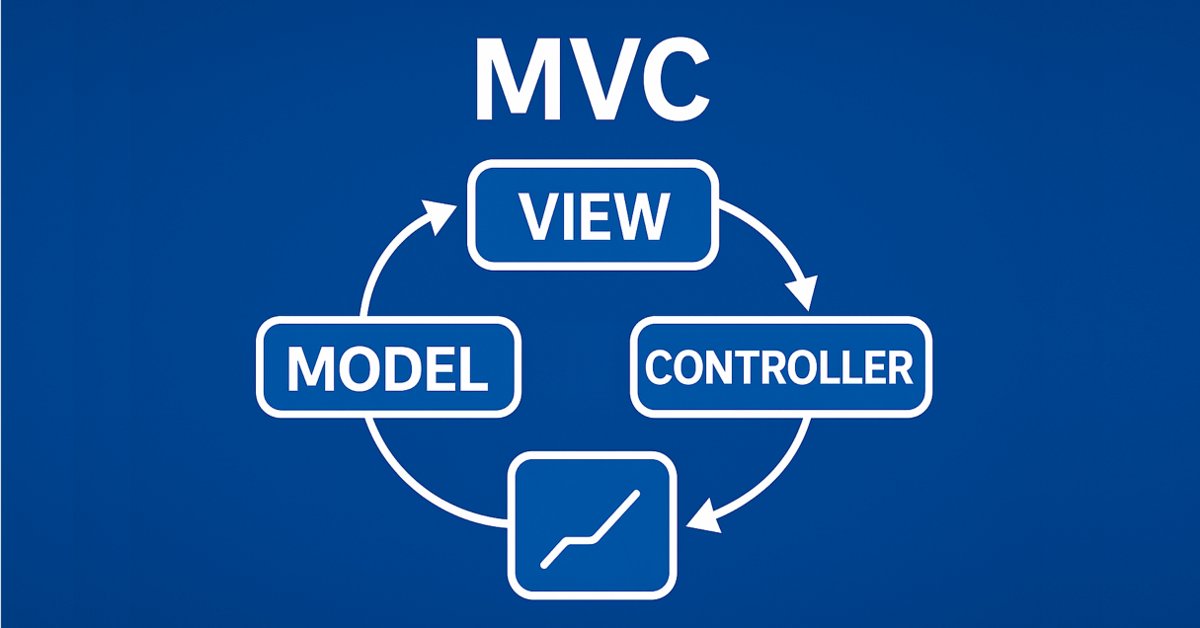
Classi di Tabelle e Intestazioni basate su un modello di tabella in MQL5: Applicazione del concetto MVC
 397
397
 0
0

Contenuto
- Introduzione
- Perfezionamento del modello di tabella
- Classe di Intestazione della Tabella
- Classe della Tabella
- Verifica del Risultato.
- Conclusioni
Introduzione
Nel primo articolo riguardante la creazione del Controllo Tabella, abbiamo creato un modello di tabella in MQL5 utilizzando il modello di architettura MVC. Sono state sviluppate classi di celle, righe e modelli di tabelle che hanno consentito di organizzare i dati in una forma comoda e strutturata.
Passiamo ora alla fase successiva: lo sviluppo delle classi della tabella e delle intestazioni della tabella. Le intestazioni di colonna di una tabella non sono semplici etichette di colonna, ma uno strumento per gestire la tabella e le sue colonne. Consentono di aggiungere, eliminare e rinominare colonne. Naturalmente, una tabella può funzionare senza una classe di intestazione, ma poi le sue funzionalità saranno limitate. Verrà creata una semplice tabella statica senza intestazioni di colonna e di conseguenza, senza la funzionalità di controllo delle colonne.
Per implementare la funzionalità di controllo delle colonne è necessario perfezionare il modello della tabella. Lo integreremo con metodi che ti permetteranno di lavorare con le colonne: modificarne la struttura, aggiungerne di nuove o eliminare quelle esistenti. Questi metodi verranno utilizzati dalla classe di intestazione della tabella per fornire un comodo controllo della sua struttura.
Le fasi sviluppate costituiranno la base per l'ulteriore implementazione dei componenti View e Controller, che saranno discussi nei seguenti articoli. Questo passaggio rappresenta un traguardo importante verso la creazione di un'interfaccia completa per i dati operativi.
Perfezionamento del modello di tabella
Al momento, il modello della tabella viene creato da un array bidimensionale, ma per aumentare la flessibilità e la comodità di lavorare con la tabella, aggiungeremo ulteriori metodi di inizializzazione. Ciò consentirà di adattare il modello a diversi scenari di utilizzo. I seguenti metodi appariranno nella versione aggiornata della classe del modello della tabella:
-
Creazione di un modello da un array bidimensionale
void CreateTableModel(T &array[][]);Questo metodo consente di creare rapidamente un modello di tabella basato su un array di dati bidimensionale esistente.
-
Creazione di un modello vuoto con un numero impostato di righe e colonne
void CreateTableModel(const uint num_rows, const uint num_columns);
Questo metodo è adatto quando la struttura della tabella è nota in anticipo, ma i dati verranno aggiunti in seguito.
-
Creazione di un modello da una matrice di dati
void CreateTableModel(const matrix &row_data);
Questo metodo consente di utilizzare una matrice di dati per inizializzare una tabella, il che è comodo quando si lavora con set di dati pre-preparati.
-
Creazione di un modello da un elenco collegato
void CreateTableModel(CList &list_param);In questo caso, per l'archiviazione dei dati verrà utilizzato un array di array, in cui un oggetto CList (dati sulle righe della tabella) contiene altri oggetti CList che contengono dati sulle celle della tabella. Questo approccio consente di controllare dinamicamente la struttura della tabella e il suo contenuto.
Queste modifiche renderanno il modello della tabella più versatile e comodo da utilizzare in vari scenari. Ad esempio, sarà possibile creare facilmente tabelle sia da array di dati pre-preparati sia da elenchi generati dinamicamente.
Nell'ultimo articolo abbiamo descritto tutte le classi per creare un modello di tabella direttamente nel file di script di test. Oggi trasferiremo queste classi nel nostro file include.
Nella cartella in cui è archiviato lo script dell'articolo precedente (per impostazione predefinita: \MQL5\Scripts\TableModel\), creare un nuovo file include denominato Tables.mqh e copiare al suo interno dal file TableModelTest.mq5 che si trova nella stessa cartella, tutto, dall'inizio del file all'inizio del codice dello script di test, ovvero tutte le classi per la creazione di un modello di tabella. Ora abbiamo un file separato con le classi del modello di tabella denominato Tables.mqh. Apportare modifiche e miglioramenti a questo file.
Spostare il file creato in una nuova cartella, MQL5\Scripts\Tables\ - in questa cartella creeremo questo progetto.
Nella sezione dei file/librerie inclusi, aggiungere una dichiarazione anticipata delle nuove classi. Lo faremo oggi e la dichiarazione delle classi è necessaria affinché la classe dell’elenco degli oggetti CListObj creata nell'articolo precedente possa creare oggetti di queste classi nel suo metodo CreateElement():
//+------------------------------------------------------------------+
//| Include libraries                                                |
//+------------------------------------------------------------------+
#include <Arrays\List.mqh>

//--- Forward declaration of classes
class CTableCell;                   // Table cell class
class CTableRow;                    // Table row class
class CTableModel;                  // Table model class
class CColumnCaption;               // Table column header class
class CTableHeader;                 // Table header class
class CTable;                       // Table class
class CTableByParam;                // Table class based on parameter array

//+------------------------------------------------------------------+
//| Macros                                                           |
//+------------------------------------------------------------------+
Nella sezione macro aggiungere una determinazione della larghezza della cella della tabella in caratteri, pari a 19. Questo è il valore di larghezza minimo in base al quale il testo data-ora si adatta completamente allo spazio della cella nel registro, senza spostare il bordo destro della cella, il che fa sì che le dimensioni di tutte le celle della tabella disegnate nel registro non siano sincronizzate:
//+------------------------------------------------------------------+
//| Macros                                                           |
//+------------------------------------------------------------------+
#define  MARKER_START_DATA    -1    // Data start marker in a file
#define  MAX_STRING_LENGTH    128   // Maximum length of a string in a cell
#define  CELL_WIDTH_IN_CHARS  19    // Table cell width in characters

//+------------------------------------------------------------------+
//| Enumerations                                                     |
//+------------------------------------------------------------------+
Nella sezione enumerazione aggiungere nuove costanti all'enumerazione dei tipi di oggetto:
//+------------------------------------------------------------------+
//| Enumerations                                                     |
//+------------------------------------------------------------------+
enum ENUM_OBJECT_TYPE               // Enumeration of object types
  {
   OBJECT_TYPE_TABLE_CELL=10000,    // Table cell
   OBJECT_TYPE_TABLE_ROW,           // Table row
   OBJECT_TYPE_TABLE_MODEL,         // Table model
   OBJECT_TYPE_COLUMN_CAPTION,      // Table column header
   OBJECT_TYPE_TABLE_HEADER,        // Table header
   OBJECT_TYPE_TABLE,               // Table
   OBJECT_TYPE_TABLE_BY_PARAM,      // Table based on the parameter array data
  };
Nella classe dell'elenco di oggetti CListObj, nel metodo di creazione degli elementi, aggiungere nuovi casi per la creazione di nuovi tipi di oggetti :
//+------------------------------------------------------------------+
//| List element creation method                                     |
//+------------------------------------------------------------------+
CObject *CListObj::CreateElement(void)
  {
//--- Create a new object depending on the object type in m_element_type
   switch(this.m_element_type)
     {
      case OBJECT_TYPE_TABLE_CELL      :  return new CTableCell();
      case OBJECT_TYPE_TABLE_ROW       :  return new CTableRow();
      case OBJECT_TYPE_TABLE_MODEL     :  return new CTableModel();
      case OBJECT_TYPE_COLUMN_CAPTION  :  return new CColumnCaption();
      case OBJECT_TYPE_TABLE_HEADER    :  return new CTableHeader();
      case OBJECT_TYPE_TABLE           :  return new CTable();
      case OBJECT_TYPE_TABLE_BY_PARAM  :  return new CTableByParam();
      default                          :  return NULL;
     }
  }
Dopo aver creato nuove classi, l'elenco degli oggetti CListObj sarà in grado di creare oggetti di questi tipi. Ciò consentirà di salvare e caricare elenchi da file contenenti questi tipi di oggetti.
Per impostare un valore "vuoto" in una cella, che verrà visualizzato come una riga vuota e non come un valore "0", come avviene ora, è necessario determinare quale valore deve essere considerato "vuoto". È chiaro che per i valori stringa, una riga vuota sarà un valore di questo tipo. Mentre per i valori numerici definire DBL_MAX per i tipi reali e LONG_MAX per gli interi.
Per impostare tale valore, nella classe oggetto di una cella di tabella, nell'area protected, scrivere il seguente metodo :
class CTableCell : public CObject
  {
protected:
//--- Combining for storing cell values (double, long, string)
   union DataType
     {
      protected:
      double         double_value;
      long           long_value;
      ushort         ushort_value[MAX_STRING_LENGTH];

      public:
      //--- Set values
      void           SetValueD(const double value) { this.double_value=value;                   }
      void           SetValueL(const long value)   { this.long_value=value;                     }
      void           SetValueS(const string value) { ::StringToShortArray(value,ushort_value);  }

      //--- Return values
      double         ValueD(void) const { return this.double_value; }
      long           ValueL(void) const { return this.long_value; }
      string         ValueS(void) const
                       {
                        string res=::ShortArrayToString(this.ushort_value);
                        res.TrimLeft();
                        res.TrimRight();
                        return res;
                       }
     };
//--- Variables
   DataType          m_datatype_value;                      // Value
   ENUM_DATATYPE     m_datatype;                            // Data type
   CObject          *m_object;                              // Cell object
   ENUM_OBJECT_TYPE  m_object_type;                         // Object type in the cell
   int               m_row;                                 // Row index
   int               m_col;                                 // Column index
   int               m_digits;                              // Data representation accuracy
   uint              m_time_flags;                          // Date/time display flags
   bool              m_color_flag;                          // Color name display flag
   bool              m_editable;                            // Editable cell flag

//--- Set "empty value"
   void              SetEmptyValue(void)
                       {
                        switch(this.m_datatype)
                          {
                           case TYPE_LONG    :
                           case TYPE_DATETIME:
                           case TYPE_COLOR   :  this.SetValue(LONG_MAX);   break;
                           case TYPE_DOUBLE  :  this.SetValue(DBL_MAX);    break;
                           default           :  this.SetValue("");         break;
                          }
                       }
public:
//--- Return cell coordinates and properties
Il metodo restituisce il valore memorizzato in una cella come stringa formattata, ora controlla che il valore nella cella non sia "vuoto" e, se il valore è "vuoto", restituisce una riga vuota :
public:
//--- Return cell coordinates and properties
   uint              Row(void)                           const { return this.m_row;                      }
   uint              Col(void)                           const { return this.m_col;                      }
   ENUM_DATATYPE     Datatype(void)                      const { return this.m_datatype;                 }
   int               Digits(void)                        const { return this.m_digits;                   }
   uint              DatetimeFlags(void)                 const { return this.m_time_flags;               }
   bool              ColorNameFlag(void)                 const { return this.m_color_flag;               }
   bool              IsEditable(void)                    const { return this.m_editable;                 }
//--- Return (1) double, (2) long and (3) string value
   double            ValueD(void)                        const { return this.m_datatype_value.ValueD();  }
   long              ValueL(void)                        const { return this.m_datatype_value.ValueL();  }
   string            ValueS(void)                        const { return this.m_datatype_value.ValueS();  }
//--- Return the value as a formatted string
   string            Value(void) const
                       {
                        switch(this.m_datatype)
                          {
                           case TYPE_DOUBLE  :  return(this.ValueD()!=DBL_MAX  ? ::DoubleToString(this.ValueD(),this.Digits())            : "");
                           case TYPE_LONG    :  return(this.ValueL()!=LONG_MAX ? ::IntegerToString(this.ValueL())                         : "");
                           case TYPE_DATETIME:  return(this.ValueL()!=LONG_MAX ? ::TimeToString(this.ValueL(),this.m_time_flags)          : "");
                           case TYPE_COLOR   :  return(this.ValueL()!=LONG_MAX ? ::ColorToString((color)this.ValueL(),this.m_color_flag)  : "");
                           default           :  return this.ValueS();
                          }
                       }
//--- Return a description of the stored value type
   string            DatatypeDescription(void) const
                       {
                        string type=::StringSubstr(::EnumToString(this.m_datatype),5);
                        type.Lower();
                        return type;
                       }
//--- Clear data
   void              ClearData(void)                           { this.SetEmptyValue();                   }
Il metodo per cancellare i dati in una cella ora non imposta più zero, ma chiama un metodo per impostare un valore vuoto nella cella.
I metodi di tutte le classi da cui viene creato l'oggetto modello di tabella, che restituiscono la descrizione dell'oggetto, ora vengono resi virtuali, in caso di ereditarietà da questi oggetti:
//--- (1) Return and (2) display the object description in the journal
   virtual string    Description(void);
   void              Print(void);
Nella classe della riga della tabella, tutti i metodi CreateNewCell() che creano una nuova cella e la aggiungono alla fine dell'elenco sono stati ora rinominati :
//+------------------------------------------------------------------+
//| Table row class                                                  |
//+------------------------------------------------------------------+
class CTableRow : public CObject
  {
protected:
   CTableCell        m_cell_tmp;                            // Cell object to search in the list
   CListObj          m_list_cells;                          // List of cells
   uint              m_index;                               // Row index

//--- Add the specified cell to the end of the list
   bool              AddNewCell(CTableCell *cell);

public:
//--- (1) Set and (2) return the row index
   void              SetIndex(const uint index)                { this.m_index=index;  }
   uint              Index(void)                         const { return this.m_index; }
//--- Set the row and column positions to all cells
   void              CellsPositionUpdate(void);

//--- Create a new cell and add it to the end of the list
   CTableCell       *CellAddNew(const double value);
   CTableCell       *CellAddNew(const long value);
   CTableCell       *CellAddNew(const datetime value);
   CTableCell       *CellAddNew(const color value);
   CTableCell       *CellAddNew(const string value);
Ciò avviene in modo che tutti i metodi responsabili dell'accesso alle celle inizino con la sottostringa "Cell". In altre classi, i metodi per accedere, ad esempio, a una riga di una tabella inizieranno con la sottostringa "Row". Ciò porta ordine nei metodi delle classi.
Per costruire un modello di tabella, dobbiamo sviluppare un approccio universale che consentirà di creare tabelle da quasi tutti i dati. Possono essere, ad esempio, strutture, elenchi di operazioni, ordini, posizioni o qualsiasi altro dato. L'idea è quella di creare un pacchetto di strumenti che consenta di creare un elenco di righe, in cui ogni riga sarà un elenco di proprietà. Ogni proprietà nell'elenco corrisponderà a una cella della tabella.
Qui, occorre prestare attenzione alla struttura dei parametri di input di MqlParam. Offre le seguenti caratteristiche:
- Specifica il tipo di dati memorizzati nella struttura (ENUM_DATATYPE).
- Memorizzazione dei valori in tre campi:
- integer_value — per dati interi,
- double_value — per dati reali,
- string_value — per dati stringa.
Questa struttura consente di lavorare con vari tipi di dati, consentendo di memorizzare qualsiasi proprietà, come parametri di transazioni, ordini o altri oggetti.
Per una comoda archiviazione dei dati, creare la classe CMqlParamObj, ereditata dalla classe base CObject della Libreria Standard. Questa classe includerà la struttura MqlParam e fornirà metodi per impostare e recuperare i dati. Ereditando da CObject, tali oggetti possono essere memorizzati negli elenchi CList.
Considera l'intera classe:
//+------------------------------------------------------------------+ //| Structure parameter object class | //+------------------------------------------------------------------+ class CMqlParamObj : public CObject { protected: public: MqlParam m_param; //--- Set the parameters void Set(const MqlParam ¶m) { this.m_param.type=param.type; this.m_param.double_value=param.double_value; this.m_param.integer_value=param.integer_value; this.m_param.string_value=param.string_value; } //--- Return the parameters MqlParam Param(void) const { return this.m_param; } ENUM_DATATYPE Datatype(void) const { return this.m_param.type; } double ValueD(void) const { return this.m_param.double_value; } long ValueL(void) const { return this.m_param.integer_value;} string ValueS(void) const { return this.m_param.string_value; } //--- Object description virtual string Description(void) { string t=::StringSubstr(::EnumToString(this.m_param.type),5); t.Lower(); string v=""; switch(this.m_param.type) { case TYPE_STRING : v=this.ValueS(); break; case TYPE_FLOAT : case TYPE_DOUBLE : v=::DoubleToString(this.ValueD()); break; case TYPE_DATETIME: v=::TimeToString(this.ValueL(),TIME_DATE|TIME_MINUTES|TIME_SECONDS); break; default : v=(string)this.ValueL(); break; } return(::StringFormat("<%s>%s",t,v)); } //--- Constructors/destructor CMqlParamObj(void){} CMqlParamObj(const MqlParam ¶m) { this.Set(param); } ~CMqlParamObj(void){} };
Si tratta di un wrapper comune attorno alla struttura MqlParam, poiché richiede un oggetto ereditato da CObject per memorizzare tali oggetti nell'elenco CList.
La struttura dei dati creati sarà la seguente:
- Un oggetto della classe CMqlParamObj rappresenterà una proprietà, ad esempio il prezzo di un'operazione, il suo volume o l'orario di apertura.
- Un singolo elenco CList rappresenterà una riga della tabella contenente tutte le proprietà di una singola operazione.
- L'elenco CList principale conterrà un insieme di righe (elenchi CList), ciascuna delle quali corrisponde a un'operazione, un ordine, una posizione o qualsiasi altra entità.
Otterremo quindi una struttura simile a un array di array:
- L'elenco CList principale è un "array di righe"
- Ogni elenco CList annidato è un "array di celle" (proprietà di alcuni oggetti).
Ecco un esempio di tale struttura dati per un elenco di operazioni storiche:
- L'elenco CList principale memorizza le righe di una tabella. Ogni riga è un elenco CList separato.
- Elenchi annidati CList - ogni elenco annidato rappresenta una riga in una tabella e contiene oggetti della classe CMqlParamObj che memorizzano le proprietà. Per esempio:
- riga uno: proprietà del trade No. 1 (prezzo, volume, orario di apertura, ecc.),
- riga due: proprietà del trade No. 2 (prezzo, volume, orario di apertura, ecc.),
- riga tre: proprietà del trade No. 3 (prezzo, volume, orario di apertura, ecc.),
- ecc.
- Proprietà degli oggetti (CMqlParamObj) - ogni oggetto memorizza una proprietà, ad esempio il prezzo di un trade o il suo volume.
Dopo aver formato la struttura dati (elenchi CList), è possibile passarla al metodo CreateTableModel (CList &list_param) del modello della tabella. Questo metodo interpreterà i dati come segue:
- L'elenco CList principale è un elenco di righe della tabella,
- Ogni elenco CList annidato è costituito da celle di ogni riga,
- Gli oggetti CMqlParamObj all'interno degli elenchi annidati sono valori di cella.
In questo modo, sulla base dell'elenco passato, verrà creata una tabella che corrisponde pienamente ai dati originali.
Per facilitare la creazione di tali elenchi, sviluppare una classe speciale. Questa classe fornirà metodi per:
- Creare una nuova riga (dell'elenco CList) e aggiungerla all'elenco principale,
- Aggiunta di una nuova proprietà (oggetto CMqlParamObj) alla riga.
//+------------------------------------------------------------------+ //| Class for creating lists of data | //+------------------------------------------------------------------+ class DataListCreator { public: //--- Add a new row to the CList list_data list static CList *AddNewRowToDataList(CList *list_data) { CList *row=new CList; if(row==NULL || list_data.Add(row)<0) return NULL; return row; } //--- Create a new CMqlParamObj parameter object and add it to CList static bool AddNewCellParamToRow(CList *row,MqlParam ¶m) { CMqlParamObj *cell=new CMqlParamObj(param); if(cell==NULL) return false; if(row.Add(cell)<0) { delete cell; return false; } return true; } };
Questa è una classe statica che fornisce una funzionalità per creare in modo pratico elenchi con la struttura corretta per passarli ai metodi di creazione dei modelli di tabella:
- Specificare la proprietà necessaria (ad esempio, il prezzo di trade)
- La classe crea automaticamente un oggetto CMqlParamObj, scrive il valore della proprietà su di esso e lo aggiunge alla riga,
- La riga viene aggiunta all'elenco principale.
Dopodiché, l'elenco completato può essere passato al modello della tabella per lo sviluppo.
Di conseguenza, l'approccio sviluppato consente di convertire i dati da qualsiasi struttura o oggetto in un formato adatto alla creazione di una tabella. L'utilizzo di elenchi CList e oggetti CMqlParamObj garantisce flessibilità e praticità di utilizzo, mentre la classe ausiliaria DataListCreator semplifica il processo di creazione di tali elenchi. Questa sarà la base per costruire un modello di tabella universale, creato a partire da qualsiasi dato e per qualsiasi attività.
Nella classe dei modelli di tabella, aggiungere tre nuovi metodi per creare un modello di tabella e tre metodi per la gestione delle colonne. Invece di cinque costruttori parametrici sovraccaricati, aggiungere un costruttore di template e tre nuovi costruttori basati sui tipi di parametri di input dei nuovi metodi per la creazione di un modello di tabella :
//+------------------------------------------------------------------+
//| Table model class                                                |
//+------------------------------------------------------------------+
class CTableModel : public CObject
  {
protected:
   CTableRow         m_row_tmp;                             // Row object to search in the list
   CListObj          m_list_rows;                           // List of table rows
//--- Create a table model from a two-dimensional array
template<typename T>
   void              CreateTableModel(T &array[][]);
   void              CreateTableModel(const uint num_rows,const uint num_columns);
   void              CreateTableModel(const matrix &row_data);
   void              CreateTableModel(CList &list_param);
//--- Return the correct data type
   ENUM_DATATYPE     GetCorrectDatatype(string type_name)
                       {
                        return
                          (
                           //--- Integer value
                           type_name=="bool" || type_name=="char"    || type_name=="uchar"   ||
                           type_name=="short"|| type_name=="ushort"  || type_name=="int"     ||
                           type_name=="uint" || type_name=="long"    || type_name=="ulong"   ?  TYPE_LONG      :
                           //--- Real value
                           type_name=="float"|| type_name=="double"                          ?  TYPE_DOUBLE    :
                           //--- Date/time value
                           type_name=="datetime"                                             ?  TYPE_DATETIME  :
                           //--- Color value
                           type_name=="color"                                                ?  TYPE_COLOR     :
                           /*--- String value */                                          TYPE_STRING    );
                       }

//--- Create and add a new empty string to the end of the list
   CTableRow        *CreateNewEmptyRow(void);
//--- Add a string to the end of the list
   bool              AddNewRow(CTableRow *row);
//--- Set the row and column positions to all table cells
   void              CellsPositionUpdate(void);

public:
//--- Return (1) cell, (2) row by index, number (3) of rows, cells (4) in the specified row and (5) in the table
   CTableCell       *GetCell(const uint row, const uint col);
   CTableRow        *GetRow(const uint index)                  { return this.m_list_rows.GetNodeAtIndex(index);   }
   uint              RowsTotal(void)                     const { return this.m_list_rows.Total();  }
   uint              CellsInRow(const uint index);
   uint              CellsTotal(void);

//--- Set (1) value, (2) precision, (3) time display flags and (4) color name display flag to the specified cell
template<typename T>
   void              CellSetValue(const uint row, const uint col, const T value);
   void              CellSetDigits(const uint row, const uint col, const int digits);
   void              CellSetTimeFlags(const uint row, const uint col, const uint flags);
   void              CellSetColorNamesFlag(const uint row, const uint col, const bool flag);
//--- (1) Assign and (2) cancel the object in the cell
   void              CellAssignObject(const uint row, const uint col,CObject *object);
   void              CellUnassignObject(const uint row, const uint col);
//--- (1) Delete and (2) move the cell
   bool              CellDelete(const uint row, const uint col);
   bool              CellMoveTo(const uint row, const uint cell_index, const uint index_to);

//--- (1) Return and (2) display the cell description and (3) the object assigned to the cell
   string            CellDescription(const uint row, const uint col);
   void              CellPrint(const uint row, const uint col);
   CObject          *CellGetObject(const uint row, const uint col);

public:
//--- Create a new string and (1) add it to the end of the list, (2) insert to the specified list position
   CTableRow        *RowAddNew(void);
   CTableRow        *RowInsertNewTo(const uint index_to);
//--- (1) Remove or (2) relocate the row, (3) clear the row data
   bool              RowDelete(const uint index);
   bool              RowMoveTo(const uint row_index, const uint index_to);
   void              RowClearData(const uint index);
//--- (1) Return and (2) display the row description in the journal
   string            RowDescription(const uint index);
   void              RowPrint(const uint index,const bool detail);

//--- (1) Add, (2) remove, (3) relocate a column, (4) clear data, set the column data (5) type and (6) accuracy
   bool              ColumnAddNew(const int index=-1);
   bool              ColumnDelete(const uint index);
   bool              ColumnMoveTo(const uint col_index, const uint index_to);
   void              ColumnClearData(const uint index);
   void              ColumnSetDatatype(const uint index,const ENUM_DATATYPE type);
   void              ColumnSetDigits(const uint index,const int digits);

//--- (1) Return and (2) display the table description in the journal
   virtual string    Description(void);
   void              Print(const bool detail);
   void              PrintTable(const int cell_width=CELL_WIDTH_IN_CHARS);

//--- (1) Clear the data, (2) destroy the model
   void              ClearData(void);
   void              Destroy(void);

//--- Virtual methods of (1) comparing, (2) saving to file, (3) loading from file, (4) object type
   virtual int       Compare(const CObject *node,const int mode=0) const;
   virtual bool      Save(const int file_handle);
   virtual bool      Load(const int file_handle);
   virtual int       Type(void)                          const { return(OBJECT_TYPE_TABLE_MODEL);  }

//--- Constructors/destructor
template<typename T> CTableModel(T &array[][])                                { this.CreateTableModel(array);                 }
                     CTableModel(const uint num_rows,const uint num_columns)  { this.CreateTableModel(num_rows,num_columns);  }
                     CTableModel(const matrix &row_data)                      { this.CreateTableModel(row_data);              }
                     CTableModel(CList &row_data)                             { this.CreateTableModel(row_data);              }
                     CTableModel(void){}
                    ~CTableModel(void){}
  };
Consideriamo i nuovi metodi.
Un metodo che crea un modello di tabella dal numero specificato di righe e colonne
//+------------------------------------------------------------------+
//| Create a table model with specified number of rows and columns   |
//+------------------------------------------------------------------+
void CTableModel::CreateTableModel(const uint num_rows,const uint num_columns)
  {
//--- In the loop based on the number of rows
   for(uint r=0; r<num_rows; r++)
     {
      //--- create a new empty row and add it to the end of the list of rows
      CTableRow *row=this.CreateNewEmptyRow();
      //--- If a row is created and added to the list,
      if(row!=NULL)
        {
         //--- In a loop by the number of columns
         //--- create all the cells, adding each new one to the end of the list of cells in the row
         for(uint c=0; c<num_columns; c++)
           {
            CTableCell *cell=row.CellAddNew(0.0);
            if(cell!=NULL)
               cell.ClearData();
           }

        }
     }
  }
Il metodo crea un modello vuoto con il numero specificato di righe e colonne. È adatto quando la struttura della tabella è nota in anticipo, ma si prevede che i dati vengano aggiunti in un secondo momento.
Un metodo che crea un modello di tabella dalla matrice specificata
//+------------------------------------------------------------------+
//| Create a table model from the specified matrix                   |
//+------------------------------------------------------------------+
void CTableModel::CreateTableModel(const matrix &row_data)
  {
//--- The number of rows and columns
   ulong num_rows=row_data.Rows();
   ulong num_columns=row_data.Cols();
//--- In the loop based on the number of rows
   for(uint r=0; r<num_rows; r++)
     {
      //--- create a new empty row and add it to the end of the list of rows
      CTableRow *row=this.CreateNewEmptyRow();
      //--- If a row is created and added to the list,
      if(row!=NULL)
        {
         //--- In the loop by the number of columns,
         //--- create all the cells, adding each new one to the end of the list of cells in the row
         for(uint c=0; c<num_columns; c++)
            row.CellAddNew(row_data[r][c]);
        }
     }
  }
Il metodo consente di utilizzare una matrice di dati per inizializzare una tabella, il che è comodo per operare su set di dati pre-preparati.
Un metodo che crea un modello di tabella dall'elenco dei parametri
//+------------------------------------------------------------------+
//| Create a table model from the list of parameters                 |
//+------------------------------------------------------------------+
void CTableModel::CreateTableModel(CList &list_param)
  {
//--- If an empty list is passed, report this and leave
   if(list_param.Total()==0)
     {
      ::PrintFormat("%s: Error. Empty list passed",__FUNCTION__);
      return;
     }
//--- Get the pointer to the first row of the table to determine the number of columns
//--- If the first row could not be obtained, or there are no cells in it, report this and leave
   CList *first_row=list_param.GetFirstNode();
   if(first_row==NULL || first_row.Total()==0)
     {
      if(first_row==NULL)
         ::PrintFormat("%s: Error. Failed to get first row of list",__FUNCTION__);
      else
         ::PrintFormat("%s: Error. First row does not contain data",__FUNCTION__);
      return;
     }
//--- The number of rows and columns
   ulong num_rows=list_param.Total();
   ulong num_columns=first_row.Total();
//--- In the loop based on the number of rows
   for(uint r=0; r<num_rows; r++)
     {
      //--- get the next table row from list_param
      CList *col_list=list_param.GetNodeAtIndex(r);
      if(col_list==NULL)
         continue;
      //--- create a new empty row and add it to the end of the list of rows
      CTableRow *row=this.CreateNewEmptyRow();
      //--- If a row is created and added to the list,
      if(row!=NULL)
        {
         //--- In the loop by the number of columns,
         //--- create all the cells, adding each new one to the end of the list of cells in the row
         for(uint c=0; c<num_columns; c++)
           {
            CMqlParamObj *param=col_list.GetNodeAtIndex(c);
            if(param==NULL)
               continue;

            //--- Declare the pointer to a cell and the type of data to be contained in it
            CTableCell *cell=NULL;
            ENUM_DATATYPE datatype=param.Datatype();
            //--- Depending on the data type
            switch(datatype)
              {
               //--- real data type
               case TYPE_FLOAT   :
               case TYPE_DOUBLE  :  cell=row.CellAddNew((double)param.ValueD());    // Create a new cell with double data and
                                    if(cell!=NULL)
                                       cell.SetDigits((int)param.ValueL());         // set the precision of the displayed data
                                    break;
               //--- datetime data type
               case TYPE_DATETIME:  cell=row.CellAddNew((datetime)param.ValueL());  // Create a new cell with datetime data and
                                    if(cell!=NULL)
                                       cell.SetDatetimeFlags((int)param.ValueD());  // set date/time display flags
                                    break;
               //--- color data type
               case TYPE_COLOR   :  cell=row.CellAddNew((color)param.ValueL());     // Create a new cell with color data and
                                    if(cell!=NULL)
                                       cell.SetColorNameFlag((bool)param.ValueD()); // set the flag for displaying the names of known colors
                                    break;
               //--- string data type
               case TYPE_STRING  :  cell=row.CellAddNew((string)param.ValueS());    // Create a new cell with string data
                                    break;
               //--- integer data type
               default           :  cell=row.CellAddNew((long)param.ValueL());      // Create a new cell with long data
                                    break;
              }
           }
        }
     }
  }
Questo metodo consente di creare un modello di tabella basato su un elenco collegato, utile per gestire strutture dati dinamiche.
Vale la pena notare che quando si creano celle con un tipo di dati, ad esempio double, la precisione di visualizzazione viene presa dal valore long dell'oggetto param della classe CMqlParamObj. Ciò significa che quando si crea una struttura di tabella utilizzando la classe DataListCreator come discusso in precedenza, possiamo inoltre passare le informazioni di chiarimento necessarie all'oggetto parametro. Per ottenere il risultato finanziario di un'operazione, è possibile procedere come segue:
//--- Financial result of a trade
param.type=TYPE_DOUBLE;
param.double_value=HistoryDealGetDouble(ticket,DEAL_PROFIT);
param.integer_value=(param.double_value!=0 ? 2 : 1);
DataListCreator::AddNewCellParamToRow(row,param);
Allo stesso modo, è possibile passare flag di visualizzazione dell'ora per le celle della tabella con il tipo datetime e un flag per visualizzare il nome del colore per una cella con il tipo color.
La tabella mostra i tipi di celle della tabella e i tipi di parametri passati tramite l'oggetto CMqlParamObj:
| Tipo CMqlParamObj | Tipo di cella double | Tipo di cella long | Tipo di cella datetime | Tipo di cella color | Tipo di cella string |
|---|---|---|---|---|---|
| double_value | valore della cella | non utilizzato | flag di visualizzazione data/ora | flag di visualizzazione del nome del colore | non utilizzato |
| integer_value | precisione del valore della cella | valore della cella | valore della cella | valore della cella | non utilizzato |
| string_value | non utilizzato | non utilizzato | non utilizzato | non utilizzato | valore della cella |
La tabella mostra che quando si crea una struttura di tabella da alcuni dati, se questi dati sono di tipo reale (scritti nel campo della struttura double_value di MqlParam), allora è possibile scrivere anche nel campo integer_value il valore di precisione con cui i dati verranno visualizzati nella cella della tabella. Lo stesso vale per i dati con i tipi datetime e color, ma i flag vengono scritti nel campo double_value, poiché il campo integer è occupato dal valore della proprietà stessa.
Questo è facoltativo. Allo stesso tempo, i valori dei flag e della precisione nella cella verranno impostati su zero. Questo valore può poi essere modificato sia per una cella specifica che per l'intera colonna della tabella.
Un metodo che aggiunge una nuova colonna a una tabella
//+------------------------------------------------------------------+
//| Add a column                                                     |
//+------------------------------------------------------------------+
bool CTableModel::ColumnAddNew(const int index=-1)
  {
//--- Declare the variables
   CTableCell *cell=NULL;
   bool res=true;
//--- In the loop based on the number of rows
   for(uint i=0;i<this.RowsTotal();i++)
     {
      //--- get the next row
      CTableRow *row=this.GetRow(i);
      if(row!=NULL)
        {
         //--- add a cell of double type to the end of the row
         cell=row.CellAddNew(0.0);
         if(cell==NULL)
            res &=false;
         //--- clear the cell
         else
            cell.ClearData();
        }
     }
//--- If the column index passed is not negative, shift the column to the specified position
   if(res && index>-1)
      res &=this.ColumnMoveTo(this.CellsInRow(0)-1,index);
//--- Return the result
   return res;
  }
L'indice della nuova colonna viene passato al metodo. Innanzitutto, le nuove celle vengono aggiunte alla fine della riga in tutte le righe della tabella e poi, se l'indice passato non è negativo, tutte le nuove celle vengono spostate tramite l'indice specificato.
Un metodo che imposta il tipo di dati della colonna
//+------------------------------------------------------------------+
//| Set the column data type                                         |
//+------------------------------------------------------------------+
void CTableModel::ColumnSetDatatype(const uint index,const ENUM_DATATYPE type)
  {
//--- In a loop through all table rows
   for(uint i=0;i<this.RowsTotal();i++)
     {
      //--- get the cell with the column index from each row and set the data type
      CTableCell *cell=this.GetCell(i, index);
      if(cell!=NULL)
         cell.SetDatatype(type);
     }
  }
In un ciclo attraverso tutte le righe della tabella, ottenere una cella di ogni riga in base all'indice e impostarne un tipo di dati. Di conseguenza, nelle celle dell'intera colonna viene impostato un valore identico.
Un metodo che imposta l'accuratezza dei dati della colonna
//+------------------------------------------------------------------+
//| Set the accuracy of the column data                              |
//+------------------------------------------------------------------+
void CTableModel::ColumnSetDigits(const uint index,const int digits)
  {
//--- In a loop through all table rows
   for(uint i=0;i<this.RowsTotal();i++)
     {
      //--- get the cell with the column index from each row and set the data accuracy
      CTableCell *cell=this.GetCell(i, index);
      if(cell!=NULL)
         cell.SetDigits(digits);
     }
  }
In un ciclo attraverso tutte le righe della tabella, ottenere una cella di ogni riga in base all'indice e impostarne un tipo di dati. Di conseguenza, lo stesso valore viene impostato nelle celle dell'intera colonna.
I metodi aggiunti alla classe del modello della tabella consentiranno di operare con un insieme di celle come se fosse un'intera colonna di tabella. Le colonne di una tabella possono essere controllate solo se la tabella ha un'intestazione. La tabella sarà statica senza l'intestazione.
Classe di Intestazione della Tabella
L'intestazione della tabella è un elenco di oggetti di intestazione di colonna con un valore stringa. Si trovano in un elenco dinamico CListObj. E l'elenco dinamico costituisce la base della classe di intestazione della tabella.
Sulla base di ciò, dovranno essere create due classi:
- La classe dell'oggetto intestazione della colonna della tabella.
Contiene il valore di testo dell'intestazione, il numero di colonna, il tipo di dato per l'intera colonna e i metodi per controllare le celle della colonna. - La classe dell'intestazione della tabella.
Contiene un elenco di oggetti di intestazione di colonna e metodi di accesso per il controllo delle colonne della tabella.
Continua a scrivere il codice nello stesso file \MQL5\Scripts\Tables\Tables.mqh e scrivi la classe dell'intestazione della colonna della tabella:
//+------------------------------------------------------------------+
//| Table column header class                                        |
//+------------------------------------------------------------------+
class CColumnCaption : public CObject
  {
protected:
//--- Variables
   ushort            m_ushort_array[MAX_STRING_LENGTH];        // Array of header symbols
   uint              m_column;                                 // Column index
   ENUM_DATATYPE     m_datatype;                               // Data type

public:
//--- (1) Set and (2) return the column index
   void              SetColumn(const uint column)              { this.m_column=column;    }
   uint              Column(void)                        const { return this.m_column;    }

//--- (1) Set and (2) return the column data type
   ENUM_DATATYPE     Datatype(void)                      const { return this.m_datatype;  }
   void              SetDatatype(const ENUM_DATATYPE datatype) { this.m_datatype=datatype;}

//--- Clear data
   void              ClearData(void)                           { this.SetValue("");       }

//--- Set the header
   void              SetValue(const string value)
                       {
                        ::StringToShortArray(value,this.m_ushort_array);
                       }
//--- Return the header text
   string            Value(void) const
                       {
                        string res=::ShortArrayToString(this.m_ushort_array);
                        res.TrimLeft();
                        res.TrimRight();
                        return res;
                       }

//--- (1) Return and (2) display the object description in the journal
   virtual string    Description(void);
   void              Print(void);

//--- Virtual methods of (1) comparing, (2) saving to file, (3) loading from file, (4) object type
   virtual int       Compare(const CObject *node,const int mode=0) const;
   virtual bool      Save(const int file_handle);
   virtual bool      Load(const int file_handle);
   virtual int       Type(void)                          const { return(OBJECT_TYPE_COLUMN_CAPTION);  }


//--- Constructors/destructor
                     CColumnCaption(void) : m_column(0) { this.SetValue(""); }
                     CColumnCaption(const uint column,const string value) : m_column(column) { this.SetValue(value); }
                    ~CColumnCaption(void) {}
  };
Questa è una versione molto semplificata della classe cella della tabella. Consideriamo alcuni metodi della classe.
Un metodo virtuale per confrontare due oggetti
//+------------------------------------------------------------------+
//| Compare two objects                                              |
//+------------------------------------------------------------------+
int CColumnCaption::Compare(const CObject *node,const int mode=0) const
  {
   const CColumnCaption *obj=node;
   return(this.Column()>obj.Column() ? 1 : this.Column()<obj.Column() ? -1 : 0);
  }
Il confronto viene effettuato tramite l'indice della colonna per la quale è stata creata l'intestazione.
Un metodo per salvare in un file
//+------------------------------------------------------------------+
//| Save to file                                                     |
//+------------------------------------------------------------------+
bool CColumnCaption::Save(const int file_handle)
  {
//--- Check the handle
   if(file_handle==INVALID_HANDLE)
      return(false);
//--- Save data start marker - 0xFFFFFFFFFFFFFFFF
   if(::FileWriteLong(file_handle,MARKER_START_DATA)!=sizeof(long))
      return(false);
//--- Save the object type
   if(::FileWriteInteger(file_handle,this.Type(),INT_VALUE)!=INT_VALUE)
      return(false);

   //--- Save the column index
   if(::FileWriteInteger(file_handle,this.m_column,INT_VALUE)!=INT_VALUE)
      return(false);
   //--- Save the value
   if(::FileWriteArray(file_handle,this.m_ushort_array)!=sizeof(this.m_ushort_array))
      return(false);

//--- All is successful
   return true;
  }
Un metodo per scaricare da un file
//+------------------------------------------------------------------+
//| Load from file                                                   |
//+------------------------------------------------------------------+
bool CColumnCaption::Load(const int file_handle)
  {
//--- Check the handle
   if(file_handle==INVALID_HANDLE)
      return(false);
//--- Load and check the data start marker - 0xFFFFFFFFFFFFFFFF
   if(::FileReadLong(file_handle)!=MARKER_START_DATA)
      return(false);
//--- Load the object type
   if(::FileReadInteger(file_handle,INT_VALUE)!=this.Type())
      return(false);

   //--- Load the column index
   this.m_column=::FileReadInteger(file_handle,INT_VALUE);
   //--- Load the value
   if(::FileReadArray(file_handle,this.m_ushort_array)!=sizeof(this.m_ushort_array))
      return(false);

//--- All is successful
   return true;
  }
Metodi simili sono stati discussi in dettaglio nell'articolo precedente. La logica qui è esattamente la stessa: prima vengono registrati i marcatori di inizio dati e il tipo di oggetto. E poi, tutte le sue proprietà, elemento per elemento. La lettura avviene nello stesso ordine.
Un metodo che restituisce la descrizione di un oggetto
//+------------------------------------------------------------------+
//| Return the object description                                    |
//+------------------------------------------------------------------+
string CColumnCaption::Description(void)
  {
   return(::StringFormat("%s: Column %u, Value: \"%s\"",
                         TypeDescription((ENUM_OBJECT_TYPE)this.Type()),this.Column(),this.Value()));
  }
Viene creata una stringa di descrizione e restituita nel formato (Tipo di oggetto: Colonna XX, Valore "Valore")
Metodo che restituisce la descrizione dell'oggetto nel registro
//+------------------------------------------------------------------+
//| Display the object description in the journal                    |
//+------------------------------------------------------------------+
void CColumnCaption::Print(void)
  {
   ::Print(this.Description());
  }
Stampa semplicemente la descrizione dell'intestazione nel registro.
Ora tali oggetti dovrebbero essere inseriti nell'elenco, che costituirà l'intestazione della tabella. Scrivi la classe dell'intestazione della tabella:
//+------------------------------------------------------------------+
//| Table header class                                               |
//+------------------------------------------------------------------+
class CTableHeader : public CObject
  {
protected:
   CColumnCaption    m_caption_tmp;                         // Column header object to search in the list
   CListObj          m_list_captions;                       // List of column headers

//--- Add the specified header to the end of the list
   bool              AddNewColumnCaption(CColumnCaption *caption);
//--- Create a table header from a string array
   void              CreateHeader(string &array[]);
//--- Set the column position of all column headers
   void              ColumnPositionUpdate(void);

public:
//--- Create a new header and add it to the end of the list
   CColumnCaption   *CreateNewColumnCaption(const string caption);

//--- Return (1) the header by index and (2) the number of column headers
   CColumnCaption   *GetColumnCaption(const uint index)        { return this.m_list_captions.GetNodeAtIndex(index);  }
   uint              ColumnsTotal(void)                  const { return this.m_list_captions.Total();                }

//--- Set the value of the specified column header
   void              ColumnCaptionSetValue(const uint index,const string value);

//--- (1) Set and (2) return the data type for the specified column header
   void              ColumnCaptionSetDatatype(const uint index,const ENUM_DATATYPE type);
   ENUM_DATATYPE     ColumnCaptionDatatype(const uint index);

//--- (1) Remove and (2) relocate the column header
   bool              ColumnCaptionDelete(const uint index);
   bool              ColumnCaptionMoveTo(const uint caption_index, const uint index_to);

//--- Clear column header data
   void              ClearData(void);

//--- Clear the list of column headers
   void              Destroy(void)                             { this.m_list_captions.Clear();                       }

//--- (1) Return and (2) display the object description in the journal
   virtual string    Description(void);
   void              Print(const bool detail, const bool as_table=false, const int column_width=CELL_WIDTH_IN_CHARS);

//--- Virtual methods of (1) comparing, (2) saving to file, (3) loading from file, (4) object type
   virtual int       Compare(const CObject *node,const int mode=0) const;
   virtual bool      Save(const int file_handle);
   virtual bool      Load(const int file_handle);
   virtual int       Type(void)                          const { return(OBJECT_TYPE_TABLE_HEADER); }

//--- Constructors/destructor
                     CTableHeader(void) {}
                     CTableHeader(string &array[]) { this.CreateHeader(array);   }
                    ~CTableHeader(void){}
  };
Consideriamo i metodi della classe.
Un metodo che crea una nuova intestazione e la aggiunge alla fine dell'elenco delle intestazioni di colonna
//+------------------------------------------------------------------+
//| Create a new header and add it to the end of the list            |
//+------------------------------------------------------------------+
CColumnCaption *CTableHeader::CreateNewColumnCaption(const string caption)
  {
//--- Create a new header object
   CColumnCaption *caption_obj=new CColumnCaption(this.ColumnsTotal(),caption);
   if(caption_obj==NULL)
     {
      ::PrintFormat("%s: Error. Failed to create new column caption at position %u",__FUNCTION__, this.ColumnsTotal());
      return NULL;
     }
//--- Add the created header to the end of the list
   if(!this.AddNewColumnCaption(caption_obj))
     {
      delete caption_obj;
      return NULL;
     }
//--- Return the pointer to the object
   return caption_obj;
  }
Il testo dell'intestazione viene passato al metodo. Viene creato un nuovo oggetto intestazione di colonna con il testo specificato e un indice pari al numero di intestazioni nell'elenco. Questo sarà l'indice dell'ultima intestazione. Successivamente, l'oggetto creato viene posizionato alla fine dell'elenco delle intestazioni di colonna e viene restituito un puntatore all'intestazione creata.
Un metodo che aggiunge l'intestazione specificata alla fine dell'elenco
//+------------------------------------------------------------------+
//| Add the header to the end of the list                            |
//+------------------------------------------------------------------+
bool CTableHeader::AddNewColumnCaption(CColumnCaption *caption)
  {
//--- If an empty object is passed, report it and return 'false'
   if(caption==NULL)
     {
      ::PrintFormat("%s: Error. Empty CColumnCaption object passed",__FUNCTION__);
      return false;
     }
//--- Set the header index in the list and add the created header to the end of the list
   caption.SetColumn(this.ColumnsTotal());
   if(this.m_list_captions.Add(caption)==WRONG_VALUE)
     {
      ::PrintFormat("%s: Error. Failed to add caption (%u) to list",__FUNCTION__,this.ColumnsTotal());
      return false;
     }
//--- Successful
   return true;
  }
Al metodo viene passato un puntatore all'oggetto dell'intestazione di colonna. Deve essere posizionato alla fine dell'elenco delle intestazioni. Il metodo restituisce il risultato dell'aggiunta di un oggetto all'elenco.
Un metodo che crea un'intestazione di tabella da un array di stringhe
//+------------------------------------------------------------------+
//| Create a table header from the string array                      |
//+------------------------------------------------------------------+
void CTableHeader::CreateHeader(string &array[])
  {
//--- Get the number of table columns from the array properties
   uint total=array.Size();
//--- In a loop by array size,
//--- create all the headers, adding each new one to the end of the list
   for(uint i=0; i<total; i++)
      this.CreateNewColumnCaption(array[i]);
  }
Al metodo viene passato un array di testo di intestazioni. La dimensione dell'array determina il numero di oggetti di intestazione di colonna da creare, che vengono creati quando si passano in un ciclo i valori dei testi di intestazione nell'array.
Un metodo che imposta un valore sull'intestazione specificata di una colonna
//+------------------------------------------------------------------+
//| Set the value to the specified column header                     |
//+------------------------------------------------------------------+
void CTableHeader::ColumnCaptionSetValue(const uint index,const string value)
  {
//--- Get the required header from the list and set a new value to it
   CColumnCaption *caption=this.GetColumnCaption(index);
   if(caption!=NULL)
      caption.SetValue(value);
  }
Questo metodo consente di impostare un nuovo valore di testo come specificato dall'indice dell'intestazione.
Un metodo che imposta un tipo di dati per l'intestazione della colonna specificata
//+------------------------------------------------------------------+
//| Set the data type for the specified column header                |
//+------------------------------------------------------------------+
void CTableHeader::ColumnCaptionSetDatatype(const uint index,const ENUM_DATATYPE type)
  {
//--- Get the required header from the list and set a new value to it
   CColumnCaption *caption=this.GetColumnCaption(index);
   if(caption!=NULL)
      caption.SetDatatype(type);
  }
Questo metodo consente di impostare un nuovo valore dei dati memorizzati nella colonna indicata dall'indice dell'intestazione. Per ogni colonna della tabella è possibile impostare il tipo di dati memorizzati nelle celle della colonna. Impostando un tipo di dati sull'oggetto intestazione è possibile impostare lo stesso valore per l'intera colonna dopo. È possibile leggere il valore dei dati dell'intera colonna leggendo questo valore dall'intestazione di questa colonna.
Un metodo che restituisce un tipo di dati dell'intestazione di colonna specificata
//+------------------------------------------------------------------+
//| Return the data type of the specified column header              |
//+------------------------------------------------------------------+
ENUM_DATATYPE CTableHeader::ColumnCaptionDatatype(const uint index)
  {
//--- Get the required header from the list and return the column data type from it
   CColumnCaption *caption=this.GetColumnCaption(index);
   return(caption!=NULL ? caption.Datatype() : (ENUM_DATATYPE)WRONG_VALUE);
  }
Questo metodo consente di recuperare un valore dei dati memorizzati nella colonna tramite l'indice dell'intestazione. Ottenere il valore dall'intestazione consente di scoprire il tipo di valori memorizzati in tutte le celle di questa colonna della tabella.
Un metodo che elimina l'intestazione della colonna specificata
//+------------------------------------------------------------------+
//| Remove the header of the specified column                        |
//+------------------------------------------------------------------+
bool CTableHeader::ColumnCaptionDelete(const uint index)
  {
//--- Remove the header from the list by index
   if(!this.m_list_captions.Delete(index))
      return false;
//--- Update the indices for the remaining headers in the list
   this.ColumnPositionUpdate();
   return true;
  }
L'oggetto all'indice specificato viene eliminato dall'elenco delle intestazioni. Dopo aver eliminato correttamente l'oggetto intestazione di colonna, è necessario aggiornare gli indici degli oggetti rimanenti nell'elenco.
Un metodo che sposta un'intestazione di colonna nella posizione specificata
//+------------------------------------------------------------------+
//| Move the column header to the specified position                 |
//+------------------------------------------------------------------+
bool CTableHeader::ColumnCaptionMoveTo(const uint caption_index,const uint index_to)
  {
//--- Get the desired header by index in the list, turning it into the current one
   CColumnCaption *caption=this.GetColumnCaption(caption_index);
//--- Move the current header to the specified position in the list
   if(caption==NULL || !this.m_list_captions.MoveToIndex(index_to))
      return false;
//--- Update the indices of all headers in the list
   this.ColumnPositionUpdate();
   return true;
  }
Permette di spostare l'intestazione dall'indice specificato a una nuova posizione nell'elenco.
Un metodo che imposta le posizioni delle colonne per tutte le intestazioni
//+------------------------------------------------------------------+
//| Set the column positions of all headers                          |
//+------------------------------------------------------------------+
void CTableHeader::ColumnPositionUpdate(void)
  {
//--- In the loop through all the headings in the list
   for(int i=0;i<this.m_list_captions.Total();i++)
     {
      //--- get the next header and set the column index in it
      CColumnCaption *caption=this.GetColumnCaption(i);
      if(caption!=NULL)
         caption.SetColumn(this.m_list_captions.IndexOf(caption));
     }
  }
Dopo aver eliminato o spostato un oggetto nell'elenco in un'altra posizione, è necessario riassegnare gli indici a tutti gli altri oggetti nell'elenco in modo che i loro indici corrispondano alla posizione effettiva nell'elenco. Il metodo esegue un ciclo attraverso tutti gli oggetti nell'elenco, ottiene l'indice reale di ciascun oggetto e lo imposta come proprietà dell'oggetto.
Un metodo che cancella i dati dell'intestazione di colonna nell'elenco
//+------------------------------------------------------------------+
//| Clear column header data in the list                             |
//+------------------------------------------------------------------+
void CTableHeader::ClearData(void)
  {
//--- In the loop through all the headings in the list
   for(uint i=0;i<this.ColumnsTotal();i++)
     {
      //--- get the next header and set the empty value to it
      CColumnCaption *caption=this.GetColumnCaption(i);
      if(caption!=NULL)
         caption.ClearData();
     }
  }
In un ciclo attraverso tutti gli oggetti di intestazione di colonna nell'elenco, ottieni ogni oggetto regolare e imposta il testo dell'intestazione su un valore vuoto. In questo modo vengono cancellate completamente le intestazioni di ogni colonna della tabella.
Un metodo che restituisce la descrizione di un oggetto
//+------------------------------------------------------------------+
//| Return the object description                                    |
//+------------------------------------------------------------------+
string CTableHeader::Description(void)
  {
   return(::StringFormat("%s: Captions total: %u",
                         TypeDescription((ENUM_OBJECT_TYPE)this.Type()),this.ColumnsTotal()));
  }
Viene creata una stringa e restituita nel formato (Tipo di Oggetto: Totale didascalie: XX)
Metodo che restituisce la descrizione dell'oggetto nel registro
//+------------------------------------------------------------------+
//| Display the object description in the journal                    |
//+------------------------------------------------------------------+
void CTableHeader::Print(const bool detail, const bool as_table=false, const int column_width=CELL_WIDTH_IN_CHARS)
  {
//--- Number of headers
   int total=(int)this.ColumnsTotal();

//--- If the output is in tabular form
   string res="";
   if(as_table)
     {
      //--- create a table row from the values of all headers
      res="|";
      for(int i=0;i<total;i++)
        {
         CColumnCaption *caption=this.GetColumnCaption(i);
         if(caption==NULL)
            continue;
         res+=::StringFormat("%*s |",column_width,caption.Value());
        }
      //--- Display a row in the journal and leave
      ::Print(res);
      return;
     }

//--- Display the header as a row description
   ::Print(this.Description()+(detail ? ":" : ""));

//--- If detailed description
   if(detail)
     {
      //--- In a loop by the list of row headers
      for(int i=0; i<total; i++)
        {
         //--- get the current header and add its description to the final row
         CColumnCaption *caption=this.GetColumnCaption(i);
         if(caption!=NULL)
            res+="  "+caption.Description()+(i<total-1 ? "\n" : "");
        }
      //--- Send the row created in the loop to the journal
      ::Print(res);
     }
  }
Il metodo può registrare la descrizione dell'intestazione in formato tabellare e come elenco di intestazioni di colonna.
Metodi per salvare in un file e scaricare un'intestazione da un file
//+------------------------------------------------------------------+
//| Save to file                                                     |
//+------------------------------------------------------------------+
bool CTableHeader::Save(const int file_handle)
  {
//--- Check the handle
   if(file_handle==INVALID_HANDLE)
      return(false);
//--- Save data start marker - 0xFFFFFFFFFFFFFFFF
   if(::FileWriteLong(file_handle,MARKER_START_DATA)!=sizeof(long))
      return(false);
//--- Save the object type
   if(::FileWriteInteger(file_handle,this.Type(),INT_VALUE)!=INT_VALUE)
      return(false);

//--- Save the list of headers
   if(!this.m_list_captions.Save(file_handle))
      return(false);

//--- Successful
   return true;
  }
//+------------------------------------------------------------------+
//| Load from file                                                   |
//+------------------------------------------------------------------+
bool CTableHeader::Load(const int file_handle)
  {
//--- Check the handle
   if(file_handle==INVALID_HANDLE)
      return(false);
//--- Load and check the data start marker - 0xFFFFFFFFFFFFFFFF
   if(::FileReadLong(file_handle)!=MARKER_START_DATA)
      return(false);
//--- Load the object type
   if(::FileReadInteger(file_handle,INT_VALUE)!=this.Type())
      return(false);

//--- Load the list of headers
   if(!this.m_list_captions.Load(file_handle))
      return(false);

//--- Successful
   return true;
  }
La logica dei metodi è commentata nel codice e non differisce in alcun modo da metodi simili di altre classi già create per la creazione di tabelle.
Abbiamo tutto pronto per iniziare ad assemblare le classi della tabella. La classe della tabella dovrebbe essere in grado di creare una tabella basata sul suo modello e dovrebbe avere un'intestazione in base alla quale verranno denominate le colonne della tabella. Se non si specifica l'intestazione della tabella nella tabella stessa, questa verrà creata solo in base al modello, sarà statica e le sue funzionalità saranno limitate solo alla visualizzazione della tabella. Per le tabelle semplici, questo è più che sufficiente. Tuttavia, per poter interagire con l'utente tramite il componente Controller, è necessario determinare l'intestazione della tabella nella tabella stessa. Ciò fornirà un'ampia gamma di opzioni per il controllo delle tabelle e dei relativi dati. Ma faremo tutto più tardi. Diamo ora un'occhiata alle classi delle tabelle.
Classi della tabella
Continua a scrivere il codice nello stesso file e implementa la classe della tabella:
//+------------------------------------------------------------------+
//| Table class                                                      |
//+------------------------------------------------------------------+
class CTable : public CObject
  {
private:
//--- Populate the array of column headers in Excel style
   bool              FillArrayExcelNames(const uint num_columns);
//--- Return the column name as in Excel
   string            GetExcelColumnName(uint column_number);
//--- Return the header availability
   bool              HeaderCheck(void) const { return(this.m_table_header!=NULL && this.m_table_header.ColumnsTotal()>0);  }

protected:
   CTableModel      *m_table_model;                               // Pointer to the table model
   CTableHeader     *m_table_header;                              // Pointer to the table header
   CList             m_list_rows;                                 // List of parameter arrays from structure fields
   string            m_array_names[];                             // Array of column headers
   int               m_id;                                        // Table ID
//--- Copy the array of header names
   bool              ArrayNamesCopy(const string &column_names[],const uint columns_total);

public:
//--- (1) Set and (2) return the table model
   void              SetTableModel(CTableModel *table_model)      { this.m_table_model=table_model;      }
   CTableModel      *GetTableModel(void)                          { return this.m_table_model;           }
//--- (1) Set and (2) return the header
   void              SetTableHeader(CTableHeader *table_header)   { this.m_table_header=m_table_header;  }
   CTableHeader     *GetTableHeader(void)                         { return this.m_table_header;          }

//--- (1) Set and (2) return the table ID
   void              SetID(const int id)                          { this.m_id=id;                        }
   int               ID(void)                               const { return this.m_id;                    }

//--- Clear column header data
   void              HeaderClearData(void)
                       {
                        if(this.m_table_header!=NULL)
                           this.m_table_header.ClearData();
                       }
//--- Remove the table header
   void              HeaderDestroy(void)
                       {
                        if(this.m_table_header==NULL)
                           return;
                        this.m_table_header.Destroy();
                        this.m_table_header=NULL;
                       }

//--- (1) Clear all data and (2) destroy the table model and header
   void              ClearData(void)
                       {
                        if(this.m_table_model!=NULL)
                           this.m_table_model.ClearData();
                       }
   void              Destroy(void)
                       {
                        if(this.m_table_model==NULL)
                           return;
                        this.m_table_model.Destroy();
                        this.m_table_model=NULL;
                       }

//--- Return (1) the header, (2) cell, (3) row by index, number (4) of rows, (5) columns, cells (6) in the specified row, (7) in the table
   CColumnCaption   *GetColumnCaption(const uint index)        { return(this.m_table_header!=NULL  ?  this.m_table_header.GetColumnCaption(index)  :  NULL);   }
   CTableCell       *GetCell(const uint row, const uint col)   { return(this.m_table_model!=NULL   ?  this.m_table_model.GetCell(row,col)          :  NULL);   }
   CTableRow        *GetRow(const uint index)                  { return(this.m_table_model!=NULL   ?  this.m_table_model.GetRow(index)             :  NULL);   }
   uint              RowsTotal(void)                     const { return(this.m_table_model!=NULL   ?  this.m_table_model.RowsTotal()               :  0);      }
   uint              ColumnsTotal(void)                  const { return(this.m_table_model!=NULL   ?  this.m_table_model.CellsInRow(0)             :  0);      }
   uint              CellsInRow(const uint index)              { return(this.m_table_model!=NULL   ?  this.m_table_model.CellsInRow(index)         :  0);      }
   uint              CellsTotal(void)                          { return(this.m_table_model!=NULL   ?  this.m_table_model.CellsTotal()              :  0);      }

//--- Set (1) value, (2) precision, (3) time display flags and (4) color name display flag to the specified cell
template<typename T>
   void              CellSetValue(const uint row, const uint col, const T value);
   void              CellSetDigits(const uint row, const uint col, const int digits);
   void              CellSetTimeFlags(const uint row, const uint col, const uint flags);
   void              CellSetColorNamesFlag(const uint row, const uint col, const bool flag);
//--- (1) Assign and (2) cancel the object in the cell
   void              CellAssignObject(const uint row, const uint col,CObject *object);
   void              CellUnassignObject(const uint row, const uint col);
//--- Return the string value of the specified cell
   virtual string    CellValueAt(const uint row, const uint col);

protected:
//--- (1) Delete and (2) move the cell
   bool              CellDelete(const uint row, const uint col);
   bool              CellMoveTo(const uint row, const uint cell_index, const uint index_to);

public:
//--- (1) Return and (2) display the cell description and (3) the object assigned to the cell
   string            CellDescription(const uint row, const uint col);
   void              CellPrint(const uint row, const uint col);
//--- Return (1) the object assigned to the cell and (2) the type of the object assigned to the cell
   CObject          *CellGetObject(const uint row, const uint col);
   ENUM_OBJECT_TYPE  CellGetObjType(const uint row, const uint col);

//--- Create a new string and (1) add it to the end of the list, (2) insert to the specified list position
   CTableRow        *RowAddNew(void);
   CTableRow        *RowInsertNewTo(const uint index_to);
//--- (1) Remove or (2) relocate the row, (3) clear the row data
   bool              RowDelete(const uint index);
   bool              RowMoveTo(const uint row_index, const uint index_to);
   void              RowClearData(const uint index);
//--- (1) Return and (2) display the row description in the journal
   string            RowDescription(const uint index);
   void              RowPrint(const uint index,const bool detail);

//--- (1) Add new, (2) remove, (3) relocate the column and (4) clear the column data
   bool              ColumnAddNew(const string caption,const int index=-1);
   bool              ColumnDelete(const uint index);
   bool              ColumnMoveTo(const uint index, const uint index_to);
   void              ColumnClearData(const uint index);

//--- Set (1) the value of the specified header and (2) data accuracy for the specified column
   void              ColumnCaptionSetValue(const uint index,const string value);
   void              ColumnSetDigits(const uint index,const int digits);

//--- (1) Set and (2) return the data type for the specified column
   void              ColumnSetDatatype(const uint index,const ENUM_DATATYPE type);
   ENUM_DATATYPE     ColumnDatatype(const uint index);

//--- (1) Return and (2) display the object description in the journal
   virtual string    Description(void);
   void              Print(const int column_width=CELL_WIDTH_IN_CHARS);

//--- Virtual methods of (1) comparing, (2) saving to file, (3) loading from file, (4) object type
   virtual int       Compare(const CObject *node,const int mode=0) const;
   virtual bool      Save(const int file_handle);
   virtual bool      Load(const int file_handle);
   virtual int       Type(void)                             const { return(OBJECT_TYPE_TABLE);           }

//--- Constructors/destructor
                     CTable(void) : m_table_model(NULL), m_table_header(NULL) { this.m_list_rows.Clear();}
template<typename T> CTable(T &row_data[][],const string &column_names[]);
                     CTable(const uint num_rows, const uint num_columns);
                     CTable(const matrix &row_data,const string &column_names[]);
                    ~CTable (void);
  };
Nella classe vengono dichiarati i puntatori all'intestazione e al modello della tabella. Per creare una tabella, è necessario prima creare un modello di tabella dai dati passati ai costruttori di classe. La tabella può generare automaticamente un'intestazione con i nomi delle colonne nello stile di MS Excel, dove a ogni colonna viene assegnato un nome composto da lettere latine.
L'algoritmo per il calcolo dei nomi è il seguente:
-
Nomi composti da una sola lettera - le prime 26 colonne sono indicate dalle lettere dalla "A" alla "Z".
-
Nomi di due lettere - dopo la "Z", le colonne sono designate da una combinazione di due lettere. La prima lettera cambia più lentamente, mentre la seconda itera l'intero alfabeto. Per esempio:
- "AA", "AB", "AC", ..., "AZ",
- poi "BA", "BB", ..., "BZ",
- ecc.
-
Nomi di tre lettere - dopo "ZZ", le colonne sono designate da una combinazione di tre lettere. Il principio è lo stesso:
- "AAA", "AAB", ..., "AAZ",
- poi "ABA", "ABB", ..., "ABZ",
- ecc.
-
Il principio generale è che i nomi delle colonne possono essere considerati numeri nel sistema numerico con base 26, dove "A" corrisponde a 1, "B" corrisponde a 2, ..., "Z" — 26. Per esempio:
- "A" = 1,
- "Z" = 26,
- "AA" = 27 (1 * 26^1 + 1),
- "AB" = 28 (1 * 26^1 + 2),
- "BA" = 53 (2 * 26^1 + 1).
Pertanto, l'algoritmo genera automaticamente i nomi delle colonne, incrementandoli in base al principio considerato. Il numero massimo di colonne in Excel dipende dalla versione del programma (ad esempio, in Excel 2007 e versioni successive sono 16.384 e terminano con "XFD"). L'algoritmo creato qui non si limita a questa cifra. Può assegnare nomi al numero di colonne pari a INT_MAX :
//+------------------------------------------------------------------+
//| Return the column name as in Excel                               |
//+------------------------------------------------------------------+
string CTable::GetExcelColumnName(uint column_number)
  {
   string column_name="";
   uint index=column_number;

//--- Check that the column index is greater than 0
   if(index==0)
      return (__FUNCTION__+": Error. Invalid column number passed");

//--- Convert the index to the column name
   while(!::IsStopped() && index>0)
     {
      index--;                                           // Decrease the index by 1 to make it 0-indexed
      uint  remainder =index % 26;                       // Remainder after division by 26
      uchar char_code ='A'+(uchar)remainder;             // Calculate the symbol code (letters)
      column_name=::CharToString(char_code)+column_name; // Add a letter to the beginning of the string
      index/=26;                                         // Move on to the next rank
     }
   return column_name;
  }
//+------------------------------------------------------------------+
//| Populate the array of column headers in Excel style              |
//+------------------------------------------------------------------+
bool CTable::FillArrayExcelNames(const uint num_columns)
  {
   ::ResetLastError();
   if(::ArrayResize(this.m_array_names,num_columns,num_columns)!=num_columns)
     {
      ::PrintFormat("%s: ArrayResize() failed. Error %d",__FUNCTION__,::GetLastError());
      return false;
     }
   for(int i=0;i<(int)num_columns;i++)
      this.m_array_names[i]=this.GetExcelColumnName(i+1);

   return true;
  }
I metodi consentono di riempire un array con i nomi delle colonne in stile Excel.
Consideriamo i costruttori parametrici di una classe.
Un costruttore di modello che specifica un array bidimensionale di dati e un array di stringhe di intestazioni
//+-------------------------------------------------------------------+
//| Constructor specifying a table array and a header array.          |
//| Defines the index and names of columns according to column_names  |
//| The number of rows is determined by the size of the row_data array|
//| also used to fill the table                                       |
//+-------------------------------------------------------------------+
template<typename T>
CTable::CTable(T &row_data[][],const string &column_names[]) : m_id(-1)
  {
   this.m_table_model=new CTableModel(row_data);
   if(column_names.Size()>0)
      this.ArrayNamesCopy(column_names,row_data.Range(1));
   else
     {
      ::PrintFormat("%s: An empty array names was passed. The header array will be filled in Excel style (A, B, C)",__FUNCTION__);
      this.FillArrayExcelNames((uint)::ArrayRange(row_data,1));
     }
   this.m_table_header=new CTableHeader(this.m_array_names);
  }
Un array di dati di qualsiasi tipo viene passato al costruttore del modello dall'enumerazione ENUM_DATATYPE. Successivamente, verrà convertito nel tipo di dati utilizzato dalle tabelle (double, long, datetime, color, string) per creare un modello di tabella e un array di intestazioni di colonna. Se l’array delle intestazioni è vuoto, verranno create intestazioni in stile MS Excel.
Costruttore con indicazione del numero di righe e colonne della tabella
//+-----------------------------------------------------------------------+
//| Table constructor with definition of the number of columns and rows.  |
//| The columns will have Excel names "A", "B", "C", etc.                 |
//+-----------------------------------------------------------------------+
CTable::CTable(const uint num_rows,const uint num_columns) : m_table_header(NULL), m_id(-1)
  {
   this.m_table_model=new CTableModel(num_rows,num_columns);
   if(this.FillArrayExcelNames(num_columns))
      this.m_table_header=new CTableHeader(this.m_array_names);
  }
Il costruttore crea un modello di tabella vuoto con un'intestazione in stile MS Excel.
Il costruttore basato su una matrice di dati e un array di intestazioni di colonna
//+-----------------------------------------------------------------------+
//| Table constructor with column initialization according to column_names|
//| The number of rows is determined by row_data with matrix type         |
//+-----------------------------------------------------------------------+
CTable::CTable(const matrix &row_data,const string &column_names[]) : m_id(-1)
  {
   this.m_table_model=new CTableModel(row_data);
   if(column_names.Size()>0)
      this.ArrayNamesCopy(column_names,(uint)row_data.Cols());
   else
     {
      ::PrintFormat("%s: An empty array names was passed. The header array will be filled in Excel style (A, B, C)",__FUNCTION__);
      this.FillArrayExcelNames((uint)row_data.Cols());
     }
   this.m_table_header=new CTableHeader(this.m_array_names);
  }
Una matrice di dati di tipo double viene passata al costruttore per creare un modello di tabella e un array di intestazioni di colonna. Se l’array delle intestazioni è vuoto, verranno create intestazioni in stile MS Excel.
Nel distruttore di classe vengono distrutti il modello e l'intestazione della tabella.
//+------------------------------------------------------------------+
//| Destructor                                                       |
//+------------------------------------------------------------------+
CTable::~CTable(void)
  {
   if(this.m_table_model!=NULL)
     {
      this.m_table_model.Destroy();
      delete this.m_table_model;
     }
   if(this.m_table_header!=NULL)
     {
      this.m_table_header.Destroy();
      delete this.m_table_header;
     }
  }
Un metodo per confrontare due oggetti
//+------------------------------------------------------------------+
//| Compare two objects                                              |
//+------------------------------------------------------------------+
int CTable::Compare(const CObject *node,const int mode=0) const
  {
   const CTable *obj=node;
   return(this.ID()>obj.ID() ? 1 : this.ID()<obj.ID() ? -1 : 0);
  }
Se il programma deve creare più tabelle, è possibile assegnare un identificatore a ciascuna tabella. Le tabelle nel programma possono essere identificate tramite l'identificatore del set, che per impostazione predefinita ha il valore -1. Se le tabelle create vengono inserite in elenchi ( CList, CArrayObj, ecc.), il metodo di confronto consente di confrontare le tabelle in base ai loro identificatori per cercarle e ordinarle:
//+------------------------------------------------------------------+
//| Compare two objects                                              |
//+------------------------------------------------------------------+
int CTable::Compare(const CObject *node,const int mode=0) const
  {
   const CTable *obj=node;
   return(this.ID()>obj.ID() ? 1 : this.ID()<obj.ID() ? -1 : 0);
  }
Un metodo che copia un array di nomi di intestazione
//+------------------------------------------------------------------+
//| Copy the array of header names                                   |
//+------------------------------------------------------------------+
bool CTable::ArrayNamesCopy(const string &column_names[],const uint columns_total)
  {
   if(columns_total==0)
     {
      ::PrintFormat("%s: Error. The table has no columns",__FUNCTION__);
      return false;
     }
   if(columns_total>column_names.Size())
     {
      ::PrintFormat("%s: The number of header names is less than the number of columns. The header array will be filled in Excel style (A, B, C)",__FUNCTION__);
      return this.FillArrayExcelNames(columns_total);
     }
   uint total=::fmin(columns_total,column_names.Size());
   return(::ArrayCopy(this.m_array_names,column_names,0,0,total)==total);
  }
Al metodo viene passato un array di intestazioni e il numero di colonne nel modello di tabella creato. Se nella tabella non ci sono colonne, non è necessario creare intestazioni. Segnalalo e restituisci false. Se nel modello di tabella sono presenti più colonne rispetto alle intestazioni nell'array passato, tutte le intestazioni verranno create nello stile Excel, in modo che la tabella non abbia colonne senza didascalie nelle intestazioni.
Un metodo che imposta un valore sulla cella specificata
//+------------------------------------------------------------------+
//| Set the value to the specified cell                              |
//+------------------------------------------------------------------+
template<typename T>
void CTable::CellSetValue(const uint row, const uint col, const T value)
  {
   if(this.m_table_model!=NULL)
      this.m_table_model.CellSetValue(row,col,value);
  }
Qui ci riferiamo al metodo con lo stesso nome per l'oggetto modello di tabella.
in sostanza, in questa classe, molti metodi vengono duplicati dalla classe del modello di tabella. Se il modello viene creato, poi viene chiamato il metodo simile per ottenere o impostare la proprietà.
Un metodo di gestione delle celle della tabella
//+------------------------------------------------------------------+
//| Set the accuracy to the specified cell                           |
//+------------------------------------------------------------------+
void CTable::CellSetDigits(const uint row, const uint col, const int digits)
  {
   if(this.m_table_model!=NULL)
      this.m_table_model.CellSetDigits(row,col,digits);
  }
//+------------------------------------------------------------------+
//| Set the time display flags to the specified cell                 |
//+------------------------------------------------------------------+
void CTable::CellSetTimeFlags(const uint row, const uint col, const uint flags)
  {
   if(this.m_table_model!=NULL)
      this.m_table_model.CellSetTimeFlags(row,col,flags);
  }
//+------------------------------------------------------------------+
//| Set the flag for displaying color names in the specified cell    |
//+------------------------------------------------------------------+
void CTable::CellSetColorNamesFlag(const uint row, const uint col, const bool flag)
  {
   if(this.m_table_model!=NULL)
      this.m_table_model.CellSetColorNamesFlag(row,col,flag);
  }
//+------------------------------------------------------------------+
//| Assign an object to a cell                                       |
//+------------------------------------------------------------------+
void CTable::CellAssignObject(const uint row, const uint col,CObject *object)
  {
   if(this.m_table_model!=NULL)
      this.m_table_model.CellAssignObject(row,col,object);
  }
//+------------------------------------------------------------------+
//| Cancel the object in the cell                                    |
//+------------------------------------------------------------------+
void CTable::CellUnassignObject(const uint row, const uint col)
  {
   if(this.m_table_model!=NULL)
      this.m_table_model.CellUnassignObject(row,col);
  }
//+------------------------------------------------------------------+
//| Return the string value of the specified cell                    |
//+------------------------------------------------------------------+
string CTable::CellValueAt(const uint row,const uint col)
  {
   CTableCell *cell=this.GetCell(row,col);
   return(cell!=NULL ? cell.Value() : "");
  }
//+------------------------------------------------------------------+
//| Delete a cell                                                    |
//+------------------------------------------------------------------+
bool CTable::CellDelete(const uint row, const uint col)
  {
   return(this.m_table_model!=NULL ? this.m_table_model.CellDelete(row,col) : false);
  }
//+------------------------------------------------------------------+
//| Move the cell                                                    |
//+------------------------------------------------------------------+
bool CTable::CellMoveTo(const uint row, const uint cell_index, const uint index_to)
  {
   return(this.m_table_model!=NULL ? this.m_table_model.CellMoveTo(row,cell_index,index_to) : false);
  }
//+------------------------------------------------------------------+
//| Return the object assigned to the cell                           |
//+------------------------------------------------------------------+
CObject *CTable::CellGetObject(const uint row, const uint col)
  {
   return(this.m_table_model!=NULL ? this.m_table_model.CellGetObject(row,col) : NULL);
  }
//+------------------------------------------------------------------+
//| Returns the type of the object assigned to the cell              |
//+------------------------------------------------------------------+
ENUM_OBJECT_TYPE CTable::CellGetObjType(const uint row,const uint col)
  {
   return(this.m_table_model!=NULL ? this.m_table_model.CellGetObjType(row,col) : (ENUM_OBJECT_TYPE)WRONG_VALUE);
  }
//+------------------------------------------------------------------+
//| Return the cell description                                      |
//+------------------------------------------------------------------+
string CTable::CellDescription(const uint row, const uint col)
  {
   return(this.m_table_model!=NULL ? this.m_table_model.CellDescription(row,col) : "");
  }
//+------------------------------------------------------------------+
//| Display a cell description in the journal                        |
//+------------------------------------------------------------------+
void CTable::CellPrint(const uint row, const uint col)
  {
   if(this.m_table_model!=NULL)
      this.m_table_model.CellPrint(row,col);
  }
Metodi per lavorare con le righe della tabella
//+------------------------------------------------------------------+
//| Create a new string and add it to the end of the list            |
//+------------------------------------------------------------------+
CTableRow *CTable::RowAddNew(void)
  {
   return(this.m_table_model!=NULL ? this.m_table_model.RowAddNew() : NULL);
  }
//+--------------------------------------------------------------------------------+
//| Create a new string and insert it into the specified position of the list      |
//+--------------------------------------------------------------------------------+
CTableRow *CTable::RowInsertNewTo(const uint index_to)
  {
   return(this.m_table_model!=NULL ? this.m_table_model.RowInsertNewTo(index_to) : NULL);
  }
//+------------------------------------------------------------------+
//| Delete a row                                                     |
//+------------------------------------------------------------------+
bool CTable::RowDelete(const uint index)
  {
   return(this.m_table_model!=NULL ? this.m_table_model.RowDelete(index) : false);
  }
//+------------------------------------------------------------------+
//| Move the row                                                     |
//+------------------------------------------------------------------+
bool CTable::RowMoveTo(const uint row_index, const uint index_to)
  {
   return(this.m_table_model!=NULL ? this.m_table_model.RowMoveTo(row_index,index_to) : false);
  }
//+------------------------------------------------------------------+
//| Clear the row data                                               |
//+------------------------------------------------------------------+
void CTable::RowClearData(const uint index)
  {
   if(this.m_table_model!=NULL)
      this.m_table_model.RowClearData(index);
  }
//+------------------------------------------------------------------+
//| Return the row description                                       |
//+------------------------------------------------------------------+
string CTable::RowDescription(const uint index)
  {
   return(this.m_table_model!=NULL ? this.m_table_model.RowDescription(index) : "");
  }
//+------------------------------------------------------------------+
//| Display the row description in the journal                       |
//+------------------------------------------------------------------+
void CTable::RowPrint(const uint index,const bool detail)
  {
   if(this.m_table_model!=NULL)
      this.m_table_model.RowPrint(index,detail);
  }
Un metodo che crea una nuova colonna e la aggiunge alla posizione della tabella specificata
//+-----------------------------------------------------------------------+
//| Create a new column and adds it to the specified position in the table|
//+-----------------------------------------------------------------------+
bool CTable::ColumnAddNew(const string caption,const int index=-1)
  {
//--- If there is no table model, or there is an error adding a new column to the model, return 'false'
   if(this.m_table_model==NULL || !this.m_table_model.ColumnAddNew(index))
      return false;
//--- If there is no header, return 'true' (the column is added without a header)
   if(this.m_table_header==NULL)
      return true;

//--- Check for the creation of a new column header and, if it has not been created, return 'false'
   CColumnCaption *caption_obj=this.m_table_header.CreateNewColumnCaption(caption);
   if(caption_obj==NULL)
      return false;
//--- If a non-negative index has been passed, return the result of moving the header to the specified index
//--- Otherwise, everything is ready - just return 'true'
   return(index>-1 ? this.m_table_header.ColumnCaptionMoveTo(caption_obj.Column(),index) : true);
  }
Se non è presente alcun modello di tabella, il metodo restituisce immediatamente un errore. Se la colonna è stata aggiunta correttamente al modello di tabella, provare ad aggiungere l'intestazione appropriata. Se la tabella non ha un'intestazione, restituisce il successo della creazione di una nuova colonna. Se è presente un'intestazione, aggiunge una nuova intestazione di colonna e la sposta nella posizione specificata nell'elenco.
Altri metodi per lavorare con le colonne
//+------------------------------------------------------------------+
//| Remove the column                                                |
//+------------------------------------------------------------------+
bool CTable::ColumnDelete(const uint index)
  {
   if(!this.HeaderCheck() || !this.m_table_header.ColumnCaptionDelete(index))
      return false;
   return this.m_table_model.ColumnDelete(index);
  }
//+------------------------------------------------------------------+
//| Move the column                                                  |
//+------------------------------------------------------------------+
bool CTable::ColumnMoveTo(const uint index, const uint index_to)
  {
   if(!this.HeaderCheck() || !this.m_table_header.ColumnCaptionMoveTo(index,index_to))
      return false;
   return this.m_table_model.ColumnMoveTo(index,index_to);
  }
//+------------------------------------------------------------------+
//| Clear the column data                                            |
//+------------------------------------------------------------------+
void CTable::ColumnClearData(const uint index)
  {
   if(this.m_table_model!=NULL)
      this.m_table_model.ColumnClearData(index);
  }
//+------------------------------------------------------------------+
//| Set the value of the specified header                            |
//+------------------------------------------------------------------+
void CTable::ColumnCaptionSetValue(const uint index,const string value)
  {
   CColumnCaption *caption=this.m_table_header.GetColumnCaption(index);
   if(caption!=NULL)
      caption.SetValue(value);
  }
//+------------------------------------------------------------------+
//| Set the data type for the specified column                       |
//+------------------------------------------------------------------+
void CTable::ColumnSetDatatype(const uint index,const ENUM_DATATYPE type)
  {
//--- If the table model exists, set the data type for the column
   if(this.m_table_model!=NULL)
      this.m_table_model.ColumnSetDatatype(index,type);
//--- If there is a header, set the data type for it
   if(this.m_table_header!=NULL)
      this.m_table_header.ColumnCaptionSetDatatype(index,type);
  }
//+------------------------------------------------------------------+
//| Set the data accuracy for the specified column                   |
//+------------------------------------------------------------------+
void CTable::ColumnSetDigits(const uint index,const int digits)
  {
   if(this.m_table_model!=NULL)
      this.m_table_model.ColumnSetDigits(index,digits);
  }
//+------------------------------------------------------------------+
//| Return the data type for the specified column                    |
//+------------------------------------------------------------------+
ENUM_DATATYPE CTable::ColumnDatatype(const uint index)
  {
   return(this.m_table_header!=NULL ? this.m_table_header.ColumnCaptionDatatype(index) : (ENUM_DATATYPE)WRONG_VALUE);
  }
Un metodo che restituisce la descrizione dell'oggetto
//+------------------------------------------------------------------+
//| Return the object description                                    |
//+------------------------------------------------------------------+
string CTable::Description(void)
  {
   return(::StringFormat("%s: Rows total: %u, Columns total: %u",
                         TypeDescription((ENUM_OBJECT_TYPE)this.Type()),this.RowsTotal(),this.ColumnsTotal()));
  }
Crea e restituisce la stringa nel formato (Tipo di Oggetto: Righe totali: XX, Colonne totali: XX)
Metodo che restituisce la descrizione dell'oggetto nel registro
//+------------------------------------------------------------------+
//| Display the object description in the journal                    |
//+------------------------------------------------------------------+
void CTable::Print(const int column_width=CELL_WIDTH_IN_CHARS)
  {
   if(this.HeaderCheck())
     {
      //--- Display the header as a row description
      ::Print(this.Description()+":");

      //--- Number of headers
      int total=(int)this.ColumnsTotal();

      string res="";
      //--- create a table row from the values of all table column headers
      res="|";
      for(int i=0;i<total;i++)
        {
         CColumnCaption *caption=this.GetColumnCaption(i);
         if(caption==NULL)
            continue;
         res+=::StringFormat("%*s |",column_width,caption.Value());
        }
      //--- Add a header to the left row
      string hd="|";
      hd+=::StringFormat("%*s ",column_width,"n/n");
      res=hd+res;
      //--- Display the header row in the journal
      ::Print(res);
     }

//--- Loop through all the table rows and print them out in tabular form
   for(uint i=0;i<this.RowsTotal();i++)
     {
      CTableRow *row=this.GetRow(i);
      if(row!=NULL)
        {
         //--- create a table row from the values of all cells
         string head=" "+(string)row.Index();
         string res=::StringFormat("|%-*s |",column_width,head);
         for(int i=0;i<(int)row.CellsTotal();i++)
           {
            CTableCell *cell=row.GetCell(i);
            if(cell==NULL)
               continue;
            res+=::StringFormat("%*s |",column_width,cell.Value());
           }
         //--- Display a row in the journal
         ::Print(res);
        }
     }
  }
Il metodo invia una descrizione al registro e di seguito è riportata una tabella con l'intestazione e i dati.
Un metodo per salvare la tabella in un file
//+------------------------------------------------------------------+
//| Save to file                                                     |
//+------------------------------------------------------------------+
bool CTable::Save(const int file_handle)
  {
//--- Check the handle
   if(file_handle==INVALID_HANDLE)
      return(false);
//--- Save data start marker - 0xFFFFFFFFFFFFFFFF
   if(::FileWriteLong(file_handle,MARKER_START_DATA)!=sizeof(long))
      return(false);
//--- Save the object type
   if(::FileWriteInteger(file_handle,this.Type(),INT_VALUE)!=INT_VALUE)
      return(false);

//--- Save the ID
   if(::FileWriteInteger(file_handle,this.m_id,INT_VALUE)!=INT_VALUE)
      return(false);
//--- Check the table model
   if(this.m_table_model==NULL)
      return false;
//--- Save the table model
   if(!this.m_table_model.Save(file_handle))
      return(false);

//--- Check the table header
   if(this.m_table_header==NULL)
      return false;
//--- Save the table header
   if(!this.m_table_header.Save(file_handle))
      return(false);

//--- Successful
   return true;
  }
Il salvataggio avrà successo solo se saranno stati creati sia il modello della tabella sia la sua intestazione. L'intestazione può essere vuota, ovvero può non avere colonne, ma l'oggetto deve essere creato.
Metodo di caricamento della tabella da un file
//+------------------------------------------------------------------+
//| Load from file                                                   |
//+------------------------------------------------------------------+
bool CTable::Load(const int file_handle)
  {
//--- Check the handle
   if(file_handle==INVALID_HANDLE)
      return(false);
//--- Load and check the data start marker - 0xFFFFFFFFFFFFFFFF
   if(::FileReadLong(file_handle)!=MARKER_START_DATA)
      return(false);
//--- Load the object type
   if(::FileReadInteger(file_handle,INT_VALUE)!=this.Type())
      return(false);

//--- Load the ID
   this.m_id=::FileReadInteger(file_handle,INT_VALUE);
//--- Check the table model
   if(this.m_table_model==NULL && (this.m_table_model=new CTableModel())==NULL)
      return(false);
//--- Load the table model
   if(!this.m_table_model.Load(file_handle))
      return(false);

//--- Check the table header
   if(this.m_table_header==NULL && (this.m_table_header=new CTableHeader())==NULL)
      return false;
//--- Load the table header
   if(!this.m_table_header.Load(file_handle))
      return(false);

//--- Successful
   return true;
  }
Poiché la tabella memorizza sia i dati del modello sia i dati dell'intestazione, con questo metodo (se il modello o l'intestazione non vengono creati nella tabella) vengono pre-creati e in seguito, i relativi dati vengono caricati dal file.
La classe tabella semplice è pronta.
Ora, prendiamo in considerazione l'opzione di ereditare da una semplice classe di tabella - creiamo una classe di tabella che si basa sui dati registrati in CList :
//+------------------------------------------------------------------+
//| Class for creating tables based on the array of parameters       |
//+------------------------------------------------------------------+
class CTableByParam : public CTable
  {
public:
   virtual int       Type(void)  const { return(OBJECT_TYPE_TABLE_BY_PARAM);  }
//--- Constructor/destructor
                     CTableByParam(void) { this.m_list_rows.Clear(); }
                     CTableByParam(CList &row_data,const string &column_names[]);
                    ~CTableByParam(void) {}
  };
Qui, il tipo di tabella viene restituito come OBJECT_TYPE_TABLE_BY_PARAM e il modello di tabella e l'intestazione vengono creati nel costruttore della classe:
//+------------------------------------------------------------------+
//| Constructor specifying a table array based on the row_data list  |
//| containing objects with structure field data.                    |
//| Define the index and names of columns according to               |
//| column names in column_names                                     |
//+------------------------------------------------------------------+
CTableByParam::CTableByParam(CList &row_data,const string &column_names[])
  {
//--- Copy the passed list of data into a variable and
//--- create a table model based on this list
   this.m_list_rows=row_data;
   this.m_table_model=new CTableModel(this.m_list_rows);

//--- Copy the passed list of headers to m_array_names and
//--- create a table header based on this list
   this.ArrayNamesCopy(column_names,column_names.Size());
   this.m_table_header=new CTableHeader(this.m_array_names);
  }
Sulla base di questo esempio, si possono creare altre classi di tabelle, ma si presuppone che tutto ciò che è stato creato oggi sia più che sufficiente per creare un'ampia varietà di tabelle e un vasto set di possibili dati.
Proviamo tutto ciò che abbiamo.
Verifica del Risultato.
Nella cartella \MQL5\Scripts\Tables\, creare un nuovo script denominato TestEmptyTable.mq5, collega ad esso il file della classe della tabella creata e crea una tabella 4x4 vuota:
//+------------------------------------------------------------------+
//|                                               TestEmptyTable.mq5 |
//|                                  Copyright 2025, MetaQuotes Ltd. |
//|                                             https://www.mql5.com |
//+------------------------------------------------------------------+
#property copyright "Copyright 2025, MetaQuotes Ltd."
#property link      "https://www.mql5.com"
#property version   "1.00"

//+------------------------------------------------------------------+
//| Include libraries                                                |
//+------------------------------------------------------------------+
#include "Tables.mqh"

//+------------------------------------------------------------------+
//| Script program start function                                    |
//+------------------------------------------------------------------+
void OnStart()
  {
//--- Create an empty 4x4 table
   CTable *table=new CTable(4,4);
   if(table==NULL)
      return;
//--- Display it in the journal and delete the created object
   table.Print(10);
   delete table;
  }
Lo script produrrà il seguente output nel registro:
Table: Rows total: 4, Columns total: 4:
|       n/n |         A |         B |         C |         D |
| 0         |           |           |           |           |
| 1         |           |           |           |           |
| 2         |           |           |           |           |
| 3         |           |           |           |           |
Qui le intestazioni delle colonne vengono create automaticamente nello stile MS Excel.
Scrivi un altro script \MQL5\Scripts\Tables\TestTArrayTable.mq5:
//+------------------------------------------------------------------+
//|                                              TestTArrayTable.mq5 |
//|                                  Copyright 2025, MetaQuotes Ltd. |
//|                                             https://www.mql5.com |
//+------------------------------------------------------------------+
#property copyright "Copyright 2025, MetaQuotes Ltd."
#property link      "https://www.mql5.com"
#property version   "1.00"

//+------------------------------------------------------------------+
//| Include libraries                                                |
//+------------------------------------------------------------------+
#include "Tables.mqh"

//+------------------------------------------------------------------+
//| Script program start function                                    |
//+------------------------------------------------------------------+
void OnStart()
  {
//--- Declare and initialize a 4x4 double array
   double array[4][4]={{ 1,  2,  3,  4},
                       { 5,  6,  7,  8},
                       { 9, 10, 11, 12},
                       {13, 14, 15, 16}};

//--- Declare and initialize the column header array
   string headers[]={"Column 1","Column 2","Column 3","Column 4"};

//--- Create a table based on the data array and the header array
   CTable *table=new CTable(array,headers);
   if(table==NULL)
      return;
//--- Display the table in the journal and delete the created object
   table.Print(10);
   delete table;
  }
Come risultato del funzionamento dello script verrà visualizzata la seguente tabella nel registro:
Table: Rows total: 4, Columns total: 4:
|       n/n |  Column 1 |  Column 2 |  Column 3 |  Column 4 |
| 0         |      1.00 |      2.00 |      3.00 |      4.00 |
| 1         |      5.00 |      6.00 |      7.00 |      8.00 |
| 2         |      9.00 |     10.00 |     11.00 |     12.00 |
| 3         |     13.00 |     14.00 |     15.00 |     16.00 |
Qui, le colonne sono già intitolate dall'array di intestazioni passato al costruttore della classe. Un array bidimensionale che rappresenta i dati per la creazione di una tabella può essere di qualsiasi tipo dall'enumerazione ENUM_DATATYPE.
Tutti i tipi vengono convertiti automaticamente nei cinque tipi utilizzati nella classe del modello di tabella: double, long, datetime, color e string.
Scrivere lo script \MQL5\Scripts\Tables\TestMatrixTable.mq5 per testare la tabella sui dati della matrice:
//+------------------------------------------------------------------+
//|                                              TestMatrixTable.mq5 |
//|                                  Copyright 2025, MetaQuotes Ltd. |
//|                                             https://www.mql5.com |
//+------------------------------------------------------------------+
#property copyright "Copyright 2025, MetaQuotes Ltd."
#property link      "https://www.mql5.com"
#property version   "1.00"

//+------------------------------------------------------------------+
//| Include libraries                                                |
//+------------------------------------------------------------------+
#include "Tables.mqh"

//+------------------------------------------------------------------+
//| Script program start function                                    |
//+------------------------------------------------------------------+
void OnStart()
  {
//--- Declare and initialize a 4x4 matrix
   matrix row_data = {{ 1,  2,  3,  4},
                      { 5,  6,  7,  8},
                      { 9, 10, 11, 12},
                      {13, 14, 15, 16}};

//--- Declare and initialize the column header array
   string headers[]={"Column 1","Column 2","Column 3","Column 4"};

//--- Create a table based on a matrix and an array of headers
   CTable *table=new CTable(row_data,headers);
   if(table==NULL)
      return;
//--- Display the table in the journal and delete the created object
   table.Print(10);
   delete table;
  }
Il risultato sarà una tabella simile a quella costruita sulla base di un array bidimensionale 4x4:
Table: Rows total: 4, Columns total: 4:
|       n/n |  Column 1 |  Column 2 |  Column 3 |  Column 4 |
| 0         |      1.00 |      2.00 |      3.00 |      4.00 |
| 1         |      5.00 |      6.00 |      7.00 |      8.00 |
| 2         |      9.00 |     10.00 |     11.00 |     12.00 |
| 3         |     13.00 |     14.00 |     15.00 |     16.00 |
Ora, scriviamo lo script \MQL5\Scripts\Tables\TestDealsTable.mq5, in cui contiamo tutta la cronologia dei trade, creiamo una tabella delle negoziazioni basata su di essa e la stampiamo nel registro:
//+------------------------------------------------------------------+
//|                                               TestDealsTable.mq5 |
//|                                  Copyright 2025, MetaQuotes Ltd. |
//|                                             https://www.mql5.com |
//+------------------------------------------------------------------+
#property copyright "Copyright 2025, MetaQuotes Ltd."
#property link      "https://www.mql5.com"
#property version   "1.00"

//+------------------------------------------------------------------+
//| Include libraries                                                |
//+------------------------------------------------------------------+
#include "Tables.mqh"

//+------------------------------------------------------------------+
//| Script program start function                                    |
//+------------------------------------------------------------------+
void OnStart()
  {
//--- Declare a list of deals, the deal parameters object, and the structure of parameters
   CList rows_data;
   CMqlParamObj *cell=NULL;
   MqlParam param={};

//--- Select the entire history
   if(!HistorySelect(0,TimeCurrent()))
      return;

//--- Create a list of deals in the array of arrays (CList in CList)
//--- (one row is one deal, columns are deal property objects)
   int total=HistoryDealsTotal();
   for(int i=0;i<total;i++)
     {
      ulong ticket=HistoryDealGetTicket(i);
      if(ticket==0)
         continue;

      //--- Add a new row of properties for the next deal to the list of deals
      CList *row=DataListCreator::AddNewRowToDataList(&rows_data);
      if(row==NULL)
         continue;

      //--- Create "cells" with the deal parameters and
      //--- add them to the created deal properties row
      string symbol=HistoryDealGetString(ticket,DEAL_SYMBOL);
      int    digits=(int)SymbolInfoInteger(symbol,SYMBOL_DIGITS);

      //--- Deal time (column 0)
      param.type=TYPE_DATETIME;
      param.integer_value=HistoryDealGetInteger(ticket,DEAL_TIME);
      param.double_value=(TIME_DATE|TIME_MINUTES|TIME_SECONDS);
      DataListCreator::AddNewCellParamToRow(row,param);

      //--- Symbol name (column 1)
      param.type=TYPE_STRING;
      param.string_value=symbol;
      DataListCreator::AddNewCellParamToRow(row,param);

      //--- Deal ticket (column 2)
      param.type=TYPE_LONG;
      param.integer_value=(long)ticket;
      DataListCreator::AddNewCellParamToRow(row,param);

      //--- The order the performed deal is based on (column 3)
      param.type=TYPE_LONG;
      param.integer_value=HistoryDealGetInteger(ticket,DEAL_ORDER);
      DataListCreator::AddNewCellParamToRow(row,param);

      //--- Position ID (column 4)
      param.type=TYPE_LONG;
      param.integer_value=HistoryDealGetInteger(ticket,DEAL_POSITION_ID);
      DataListCreator::AddNewCellParamToRow(row,param);

      //--- Deal type (column 5)
      param.type=TYPE_STRING;
      ENUM_DEAL_TYPE deal_type=(ENUM_DEAL_TYPE)HistoryDealGetInteger(ticket,DEAL_TYPE);
      param.integer_value=deal_type;

      string type="";
      switch(deal_type)
        {
         case DEAL_TYPE_BUY                     :  type="Buy";                      break;
         case DEAL_TYPE_SELL                    :  type="Sell";                     break;
         case DEAL_TYPE_BALANCE                 :  type="Balance";                  break;
         case DEAL_TYPE_CREDIT                  :  type="Credit";                   break;
         case DEAL_TYPE_CHARGE                  :  type="Charge";                   break;
         case DEAL_TYPE_CORRECTION              :  type="Correction";               break;
         case DEAL_TYPE_BONUS                   :  type="Bonus";                    break;
         case DEAL_TYPE_COMMISSION              :  type="Commission";               break;
         case DEAL_TYPE_COMMISSION_DAILY        :  type="Commission daily";         break;
         case DEAL_TYPE_COMMISSION_MONTHLY      :  type="Commission monthly";       break;
         case DEAL_TYPE_COMMISSION_AGENT_DAILY  :  type="Commission agent daily";   break;
         case DEAL_TYPE_COMMISSION_AGENT_MONTHLY:  type="Commission agent monthly"; break;
         case DEAL_TYPE_INTEREST                :  type="Interest";                 break;
         case DEAL_TYPE_BUY_CANCELED            :  type="Buy canceled";             break;
         case DEAL_TYPE_SELL_CANCELED           :  type="Sell canceled";            break;
         case DEAL_DIVIDEND                     :  type="Dividend";                 break;
         case DEAL_DIVIDEND_FRANKED             :  type="Dividend franked";         break;
         case DEAL_TAX                          :  type="Tax";                      break;
         default                                :  break;
        }
      param.string_value=type;
      DataListCreator::AddNewCellParamToRow(row,param);

      //--- Deal direction (column 6)
      param.type=TYPE_STRING;
      ENUM_DEAL_ENTRY deal_entry=(ENUM_DEAL_ENTRY)HistoryDealGetInteger(ticket,DEAL_ENTRY);
      param.integer_value=deal_entry;

      string entry="";
      switch(deal_entry)
        {
         case DEAL_ENTRY_IN      :  entry="In";    break;
         case DEAL_ENTRY_OUT     :  entry="Out";   break;
         case DEAL_ENTRY_INOUT   :  entry="InOut"; break;
         case DEAL_ENTRY_OUT_BY  :  entry="OutBy"; break;
         default                 :  break;
        }
      param.string_value=entry;
      DataListCreator::AddNewCellParamToRow(row,param);

      //--- Deal volume (column 7)
      param.type=TYPE_DOUBLE;
      param.double_value=HistoryDealGetDouble(ticket,DEAL_VOLUME);
      param.integer_value=2;
      DataListCreator::AddNewCellParamToRow(row,param);

      //--- Deal price (column 8)
      param.type=TYPE_DOUBLE;
      param.double_value=HistoryDealGetDouble(ticket,DEAL_PRICE);
      param.integer_value=(param.double_value>0 ? digits : 1);
      DataListCreator::AddNewCellParamToRow(row,param);

      //--- Stop Loss level (column 9)
      param.type=TYPE_DOUBLE;
      param.double_value=HistoryDealGetDouble(ticket,DEAL_SL);
      param.integer_value=(param.double_value>0 ? digits : 1);
      DataListCreator::AddNewCellParamToRow(row,param);

      //--- Take Profit level (column 10)
      param.type=TYPE_DOUBLE;
      param.double_value=HistoryDealGetDouble(ticket,DEAL_TP);
      param.integer_value=(param.double_value>0 ? digits : 1);
      DataListCreator::AddNewCellParamToRow(row,param);

      //--- Deal financial result (column 11)
      param.type=TYPE_DOUBLE;
      param.double_value=HistoryDealGetDouble(ticket,DEAL_PROFIT);
      param.integer_value=(param.double_value!=0 ? 2 : 1);
      DataListCreator::AddNewCellParamToRow(row,param);

      //--- Deal magic number (column 12)
      param.type=TYPE_LONG;
      param.integer_value=HistoryDealGetInteger(ticket,DEAL_MAGIC);
      DataListCreator::AddNewCellParamToRow(row,param);

      //--- Deal execution reason or source (column 13)
      param.type=TYPE_STRING;
      ENUM_DEAL_REASON deal_reason=(ENUM_DEAL_REASON)HistoryDealGetInteger(ticket,DEAL_REASON);
      param.integer_value=deal_reason;

      string reason="";
      switch(deal_reason)
        {
         case DEAL_REASON_CLIENT          :  reason="Client";           break;
         case DEAL_REASON_MOBILE          :  reason="Mobile";           break;
         case DEAL_REASON_WEB             :  reason="Web";              break;
         case DEAL_REASON_EXPERT          :  reason="Expert";           break;
         case DEAL_REASON_SL              :  reason="SL";               break;
         case DEAL_REASON_TP              :  reason="TP";               break;
         case DEAL_REASON_SO              :  reason="StopOut";          break;
         case DEAL_REASON_ROLLOVER        :  reason="Rollover";         break;
         case DEAL_REASON_VMARGIN         :  reason="VMargin";          break;
         case DEAL_REASON_SPLIT           :  reason="Split";            break;
         case DEAL_REASON_CORPORATE_ACTION:  reason="Corporate action"; break;
         default                          :  break;
        }
      param.string_value=reason;
      DataListCreator::AddNewCellParamToRow(row,param);

      //--- Deal comment (column 14)
      param.type=TYPE_STRING;
      param.string_value=HistoryDealGetString(ticket,DEAL_COMMENT);
      DataListCreator::AddNewCellParamToRow(row,param);
     }

//--- Declare and initialize the table header
   string headers[]={"Time","Symbol","Ticket","Order","Position","Type","Entry","Volume","Price","SL","TP","Profit","Magic","Reason","Comment"};

//--- Create a table based on the created list of parameters and the header array
   CTableByParam *table=new CTableByParam(rows_data,headers);
   if(table==NULL)
      return;
//--- Display the table in the journal and delete the created object
   table.Print();
   delete table;
  }
Di conseguenza, verrà stampata una tabella di tutte le operazioni con una larghezza di cella di 19 caratteri (per impostazione predefinita nel metodo Print della classe della tabella):
Table By Param: Rows total: 797, Columns total: 15:
|                n/n |               Time |             Symbol |             Ticket |              Order |           Position |               Type |              Entry |             Volume |              Price |                 SL |                 TP |             Profit |              Magic |             Reason |            Comment |
| 0                  |2025.01.01 10:20:10 |                    |         3152565660 |                  0 |                  0 |            Balance |                 In |               0.00 |                0.0 |                0.0 |                0.0 |          100000.00 |                  0 |             Client |                    |
| 1                  |2025.01.02 00:01:31 |             GBPAUD |         3152603334 |         3191672408 |         3191672408 |               Sell |                 In |               0.25 |            2.02111 |                0.0 |                0.0 |                0.0 |                112 |             Expert |                    |
| 2                  |2025.01.02 02:50:31 |             GBPAUD |         3152749152 |         3191820118 |         3191672408 |                Buy |                Out |               0.25 |            2.02001 |                0.0 |            2.02001 |              17.04 |                112 |                 TP |       [tp 2.02001] |
| 3                  |2025.01.02 04:43:43 |             GBPUSD |         3152949278 |         3191671491 |         3191671491 |               Sell |                 In |               0.10 |            1.25270 |                0.0 |            1.24970 |                0.0 |                 12 |             Expert |                    |
...
...

| 793                |2025.04.18 03:22:11 |             EURCAD |         3602552747 |         3652159095 |         3652048415 |               Sell |                Out |               0.25 |            1.57503 |                0.0 |            1.57503 |              12.64 |                112 |                 TP |       [tp 1.57503] |
| 794                |2025.04.18 04:06:52 |             GBPAUD |         3602588574 |         3652200103 |         3645122489 |               Sell |                Out |               0.25 |            2.07977 |                0.0 |            2.07977 |               3.35 |                112 |                 TP |       [tp 2.07977] |
| 795                |2025.04.18 04:06:52 |             GBPAUD |         3602588575 |         3652200104 |         3652048983 |               Sell |                Out |               0.25 |            2.07977 |                0.0 |            2.07977 |              12.93 |                112 |                 TP |       [tp 2.07977] |
| 796                |2025.04.18 05:57:48 |             AUDJPY |         3602664574 |         3652277665 |         3652048316 |                Buy |                Out |               0.25 |             90.672 |                0.0 |             90.672 |              19.15 |                112 |                 TP |        [tp 90.672] |
L'esempio qui riportato mostra le prime e le ultime quattro operazioni, ma fornisce un'idea della tabella stampata nel registro.
Tutti i file creati vengono allegati all'articolo per consentirne lo studio autonomo. Il file di archivio può essere decompresso nella cartella del terminale e tutti i file saranno posizionati nella cartella desiderata: MQL5\Script\Tables.
Conclusioni
Abbiamo quindi completato il lavoro sui componenti di base del modello di tabella (Model) nell'ambito dell'architettura MVC. Abbiamo creato classi per lavorare con tabelle e intestazioni e le abbiamo testate su diversi tipi di dati: array bidimensionali, matrici e cronologia dei trade.
Passiamo ora alla fase successiva: lo sviluppo dei componenti View e Controller. In MQL5, questi due componenti sono strettamente collegati grazie al sistema di eventi integrato che consente agli oggetti di reagire alle azioni dell'utente.
Ciò ci offre l'opportunità di sviluppare contemporaneamente la visualizzazione della tabella (componente View) e il suo controllo (componente Controller). Ciò semplificherà leggermente l'implementazione piuttosto complessa e multilivello del componente View.
Tutti gli esempi e i file dell'articolo sono disponibili per il download. Nei prossimi articoli creeremo il componente View combinato con Controller per implementare uno strumento completo per le operazioni con le tabelle in MQL5.
Una volta completato il progetto, si apriranno nuove opportunità per creare altri controlli dell'interfaccia utente (UI) da utilizzare nei nostri sviluppi.
Programmi utilizzati nell'articolo:
| # | Nome | Tipo | Descrizione |
|---|---|---|---|
| 1 | Tables.mqh | Libreria di Classi | Libreria di classi per la creazione di tabelle |
| 2 | TestEmptyTable.mq5 | Script | Uno script per testare la creazione di una tabella vuota con un numero impostato di righe e colonne |
| 3 | TestTArrayTable.mq5 | Script | Uno script per testare la creazione di una tabella basata su un array di dati bidimensionale |
| 4 | TestMatrixTable.mq5 | Script | Uno script per testare la creazione di una tabella basata su una matrice di dati |
| 5 | TestDealsTable.mq5 | Script | Uno script per testare la creazione di una tabella basata sui dati dell’utente (cronologia dei trade) |
| 6 | MQL5.zip | Archivio | Un archivio dei file presentati sopra per la decompressione nella directory MQL5 del terminale client |
Tradotto dal russo da MetaQuotes Ltd.
Articolo originale: https://www.mql5.com/ru/articles/17803
Avvertimento: Tutti i diritti su questi materiali sono riservati a MetaQuotes Ltd. La copia o la ristampa di questi materiali in tutto o in parte sono proibite.
Questo articolo è stato scritto da un utente del sito e riflette le sue opinioni personali. MetaQuotes Ltd non è responsabile dell'accuratezza delle informazioni presentate, né di eventuali conseguenze derivanti dall'utilizzo delle soluzioni, strategie o raccomandazioni descritte.

 I metodi di William Gann (Parte I): Creazione dell'indicatore Angoli di Gann
 Implementazione di un modello di tabella in MQL5: Applicazione del concetto MVC
 I metodi di William Gann (parte II): Creazione dell'indicatore Quadrato di Gann
 Passaggio a MQL5 Algo Forge (Parte 4): Lavorare con le Versioni e i Rilasci

- App di trading gratuite
- Oltre 8.000 segnali per il copy trading
- Notizie economiche per esplorare i mercati finanziari
Accetti la politica del sito e le condizioni d’uso