
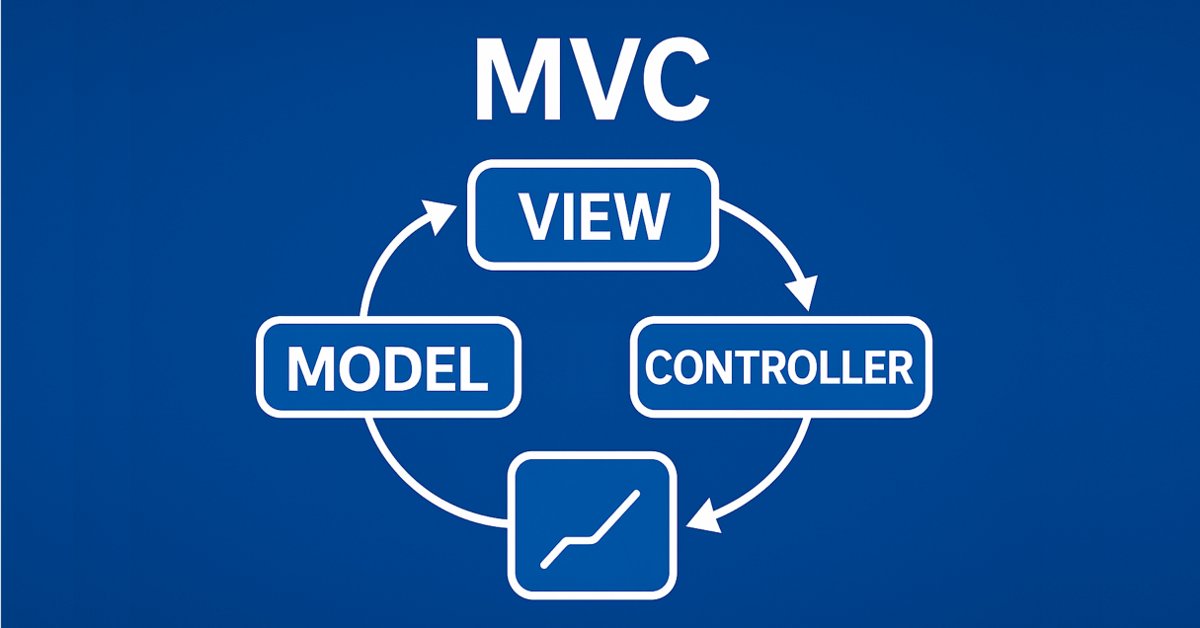
MQL5'te tablo modelini temel alan tablo ve başlık sınıfları: MVC konseptini uygulama
 708
708
 0
0

İçindekiler
Giriş
Tablo kontrolünün oluşturulmasını kapsayan ilk makalede, MVC mimari şablonunu kullanarak MQL5'te bir tablo modeli oluşturduk. Verilerin uygun ve yapılandırılmış bir biçimde düzenlenmesini sağlayan hücre, satır ve tablo modeli sınıfları geliştirdik.
Şimdi bir sonraki aşamaya geçiyoruz - tablo ve başlık sınıflarının geliştirilmesi. Bir tablonun sütun başlıkları sadece sütun etiketleri değil, tabloyu ve sütunlarını yönetmek için bir araçtır. Sütun eklemenize, silmenize ve yeniden adlandırmanıza olanak tanırlar. Elbette, bir tablo başlık sınıfı olmadan da çalışabilir, ancak bu durumda özellikleri sınırlı olacaktır. Basit bir statik tablo, sütun başlıkları olmadan ve buna bağlı olarak sütunları kontrol etme özelliği olmadan oluşturulacaktır.
Sütun kontrolü özelliğini uygulamak için tablo modelinin iyileştirilmesi gerekir. Sütunlarla çalışmamıza olanak tanıyan metotlarla destekleyeceğiz: yapılarını değiştirme, yenilerini ekleme veya mevcut olanları silme. Bu metotlar başlık sınıfı tarafından yapısının uygun kontrolünü sağlamak için kullanılacaktır.
Bu geliştirme aşaması, sonraki makalelerde ele alınacak olan Görünüm ve Kontrolcü bileşenlerinin uygulanması için temel oluşturacaktır. Bu adım, verilerle çalışmak için tam teşekküllü bir arayüz oluşturma yolunda önemli bir kilometre taşıdır.
Tablo modelinin iyileştirilmesi
Şu anda, tablo modeli iki boyutlu bir diziden oluşturulmaktadır, ancak tabloyla çalışmanın esnekliğini ve rahatlığını artırmak için ek başlatma metotları ekleyeceğiz. Bu sayede model farklı kullanım senaryolarına uyarlanabilecektir. Tablo modeli sınıfının güncellenmiş sürümü aşağıdaki metotları içerecektir:
-
İki boyutlu bir diziden model oluşturma
void CreateTableModel(T &array[][]);Bu metot, mevcut iki boyutlu bir veri dizisini temel alarak hızlı bir şekilde bir tablo modeli oluşturmamıza olanak tanır.
-
Belirli sayıda satır ve sütun içeren boş bir model oluşturma
void CreateTableModel(const uint num_rows, const uint num_columns);
Bu metot, tablo yapısının önceden bilindiği ancak verilerin daha sonra ekleneceği durumlar için uygundur.
-
Bir veri matrisinden model oluşturma
void CreateTableModel(const matrix &row_data);
Bu metot, bir tablo oluşturmak için bir veri matrisi kullanılmasına olanak tanır; bu da önceden hazırlanmış veri kümeleriyle çalışmak için kullanışlıdır.
-
Bağlantılı bir listeden model oluşturma
void CreateTableModel(CList &list_param);Bu durumda, veri depolama için bir CList nesnesinin (tablo satırlarındaki veriler) tablo hücrelerindeki verileri tutan diğer CList nesnelerini içerdiği bir diziler dizisi kullanılacaktır. Bu yaklaşım, tablonun yapısını ve içeriğini dinamik olarak kontrol etmeyi sağlar.
Bu değişiklikler, tablo modelini çeşitli senaryolarda kullanım için daha çok yönlü ve kullanışlı hale getirecektir. Örneğin, hem önceden hazırlanmış veri dizilerinden hem de dinamik olarak oluşturulan listelerden kolayca tablo oluşturmak mümkün olacaktır.
Son makalede, bir tablo modeli oluşturmak için gerekli tüm sınıfları doğrudan test komut dosyasında tanımlamıştık. Bugün bu sınıfları kendi include dosyamıza aktaracağız.
Önceki makaledeki komut dosyasının depolandığı klasörde (varsayılan olarak: \MQL5\Scripts\TableModel\), Tables.mqh adında yeni bir include dosyası oluşturalım ve aynı klasörde bulunan TableModelTest.mq5 dosyasından, dosyanın başından test komut dosyası kodunun başına kadar her şeyi - bir tablo modeli oluşturmak için tüm sınıfları - kopyalayalım. Artık Tables.mqh adında tablo modelinin sınıflarını içeren ayrı bir dosyamız var. Bu dosyada değişiklikler ve iyileştirmeler yapalım.
Oluşturulan dosyayı yeni bir klasöre taşıyalım, MQL5\Scripts\Tables\ - bu projeyi bu klasörde oluşturacağız.
Dahil edilen dosyalar/kütüphaneler bölümüne yeni sınıfların ileriye dönük bildirimini ekleyelim. Bunları bugün yapacağız; sınıfların bildirilmesi, önceki makalede oluşturulan CListObj nesne listesi sınıfının CreateElement() metodunda bu sınıfların nesnelerini oluşturabilmesi için gereklidir:
//+------------------------------------------------------------------+
//| Include libraries                                                |
//+------------------------------------------------------------------+
#include <Arrays\List.mqh>

//--- Forward declaration of classes
class CTableCell;                   // Table cell class
class CTableRow;                    // Table row class
class CTableModel;                  // Table model class
class CColumnCaption;               // Table column header class
class CTableHeader;                 // Table header class
class CTable;                       // Table class
class CTableByParam;                // Table class based on parameter array

//+------------------------------------------------------------------+
//| Macros                                                           |
//+------------------------------------------------------------------+
Makrolar bölümünde, tablo hücresi genişliğini 19 karaktere ayarlamak için bir tanım ekleyelim. Bu, tarih-saat metninin günlükteki hücre alanına, hücrenin sağ kenarlığını kaydırmadan tamamen sığdığı minimum genişlik değeridir; böylece günlükte çizilen tablonun tüm hücrelerinin boyutu eşitlenmiş olur:
//+------------------------------------------------------------------+
//| Macros                                                           |
//+------------------------------------------------------------------+
#define  MARKER_START_DATA    -1    // Data start marker in a file
#define  MAX_STRING_LENGTH    128   // Maximum length of a string in a cell
#define  CELL_WIDTH_IN_CHARS  19    // Table cell width in characters

//+------------------------------------------------------------------+
//| Enumerations                                                     |
//+------------------------------------------------------------------+
Numaralandırma bölümünde nesne türlerinin numaralandırılmasına yeni sabitler ekleyelim:
//+------------------------------------------------------------------+
//| Enumerations                                                     |
//+------------------------------------------------------------------+
enum ENUM_OBJECT_TYPE               // Enumeration of object types
  {
   OBJECT_TYPE_TABLE_CELL=10000,    // Table cell
   OBJECT_TYPE_TABLE_ROW,           // Table row
   OBJECT_TYPE_TABLE_MODEL,         // Table model
   OBJECT_TYPE_COLUMN_CAPTION,      // Table column header
   OBJECT_TYPE_TABLE_HEADER,        // Table header
   OBJECT_TYPE_TABLE,               // Table
   OBJECT_TYPE_TABLE_BY_PARAM,      // Table based on the parameter array data
  };
CListObj nesne listesi sınıfında, liste öğesi oluşturma metodunda, yeni nesne türleri oluşturmak için yeni durumlar ekleyelim:
//+------------------------------------------------------------------+
//| List element creation method                                     |
//+------------------------------------------------------------------+
CObject *CListObj::CreateElement(void)
  {
//--- Create a new object depending on the object type in m_element_type
   switch(this.m_element_type)
     {
      case OBJECT_TYPE_TABLE_CELL      :  return new CTableCell();
      case OBJECT_TYPE_TABLE_ROW       :  return new CTableRow();
      case OBJECT_TYPE_TABLE_MODEL     :  return new CTableModel();
      case OBJECT_TYPE_COLUMN_CAPTION  :  return new CColumnCaption();
      case OBJECT_TYPE_TABLE_HEADER    :  return new CTableHeader();
      case OBJECT_TYPE_TABLE           :  return new CTable();
      case OBJECT_TYPE_TABLE_BY_PARAM  :  return new CTableByParam();
      default                          :  return NULL;
     }
  }
Yeni sınıflar oluşturulduktan sonra, CListObj nesne listesi bu türlerde nesneler oluşturabilecektir. Bu, bu tür nesneleri içeren dosyalardan listelerin kaydedilmesine ve yüklenmesine olanak tanıyacaktır.
Bir hücrede, şu anda yapıldığı gibi "0" değeri olarak değil, boş bir dizge olarak görüntülenecek bir "boş" değer ayarlamak için, hangi değerin "boş" olarak kabul edilmesi gerektiğini belirlemek gerekiyor. Dize değerleri için boş bir dizgenin böyle bir değer olacağı açıktır. Sayısal değerler için ise reel türler için DBL_MAX ve tamsayılar için LONG_MAX tanımlarız.
Böyle bir değeri ayarlamak için, tablo hücresi nesne sınıfında, protected kısımda, aşağıdaki metodu yazalım:
class CTableCell : public CObject
  {
protected:
//--- Combining for storing cell values (double, long, string)
   union DataType
     {
      protected:
      double         double_value;
      long           long_value;
      ushort         ushort_value[MAX_STRING_LENGTH];

      public:
      //--- Set values
      void           SetValueD(const double value) { this.double_value=value;                   }
      void           SetValueL(const long value)   { this.long_value=value;                     }
      void           SetValueS(const string value) { ::StringToShortArray(value,ushort_value);  }

      //--- Return values
      double         ValueD(void) const { return this.double_value; }
      long           ValueL(void) const { return this.long_value; }
      string         ValueS(void) const
                       {
                        string res=::ShortArrayToString(this.ushort_value);
                        res.TrimLeft();
                        res.TrimRight();
                        return res;
                       }
     };
//--- Variables
   DataType          m_datatype_value;                      // Value
   ENUM_DATATYPE     m_datatype;                            // Data type
   CObject          *m_object;                              // Cell object
   ENUM_OBJECT_TYPE  m_object_type;                         // Object type in the cell
   int               m_row;                                 // Row index
   int               m_col;                                 // Column index
   int               m_digits;                              // Data representation accuracy
   uint              m_time_flags;                          // Date/time display flags
   bool              m_color_flag;                          // Color name display flag
   bool              m_editable;                            // Editable cell flag

//--- Set "empty value"
   void              SetEmptyValue(void)
                       {
                        switch(this.m_datatype)
                          {
                           case TYPE_LONG    :
                           case TYPE_DATETIME:
                           case TYPE_COLOR   :  this.SetValue(LONG_MAX);   break;
                           case TYPE_DOUBLE  :  this.SetValue(DBL_MAX);    break;
                           default           :  this.SetValue("");         break;
                          }
                       }
public:
//--- Return cell coordinates and properties
Bir hücrede depolanan değeri biçimlendirilmiş bir dizge olarak geri döndüren metot artık hücredeki değerin "boş" olup olmadığını kontrol eder ve değer "boş" ise boş bir dizge geri döndürür:
public:
//--- Return cell coordinates and properties
   uint              Row(void)                           const { return this.m_row;                      }
   uint              Col(void)                           const { return this.m_col;                      }
   ENUM_DATATYPE     Datatype(void)                      const { return this.m_datatype;                 }
   int               Digits(void)                        const { return this.m_digits;                   }
   uint              DatetimeFlags(void)                 const { return this.m_time_flags;               }
   bool              ColorNameFlag(void)                 const { return this.m_color_flag;               }
   bool              IsEditable(void)                    const { return this.m_editable;                 }
//--- Return (1) double, (2) long and (3) string value
   double            ValueD(void)                        const { return this.m_datatype_value.ValueD();  }
   long              ValueL(void)                        const { return this.m_datatype_value.ValueL();  }
   string            ValueS(void)                        const { return this.m_datatype_value.ValueS();  }
//--- Return the value as a formatted string
   string            Value(void) const
                       {
                        switch(this.m_datatype)
                          {
                           case TYPE_DOUBLE  :  return(this.ValueD()!=DBL_MAX  ? ::DoubleToString(this.ValueD(),this.Digits())            : "");
                           case TYPE_LONG    :  return(this.ValueL()!=LONG_MAX ? ::IntegerToString(this.ValueL())                         : "");
                           case TYPE_DATETIME:  return(this.ValueL()!=LONG_MAX ? ::TimeToString(this.ValueL(),this.m_time_flags)          : "");
                           case TYPE_COLOR   :  return(this.ValueL()!=LONG_MAX ? ::ColorToString((color)this.ValueL(),this.m_color_flag)  : "");
                           default           :  return this.ValueS();
                          }
                       }
//--- Return a description of the stored value type
   string            DatatypeDescription(void) const
                       {
                        string type=::StringSubstr(::EnumToString(this.m_datatype),5);
                        type.Lower();
                        return type;
                       }
//--- Clear data
   void              ClearData(void)                           { this.SetEmptyValue();                   }
Bir hücredeki verileri temizleme metodu artık hücrede sıfır değerini ayarlamaz, ancak hücrede boş bir değer ayarlamak için bir metot çağırır.
Tablo modeli nesnesinin oluşturulduğu tüm sınıfların, nesne açıklamasını geri döndüren metotları artık sanal hale getirildi - bu nesnelerden kalıtılması durumu için:
//--- (1) Return and (2) display the object description in the journal
   virtual string    Description(void);
   void              Print(void);
Tablo satırı sınıfında, yeni bir hücre oluşturan ve listenin sonuna ekleyen tüm CreateNewCell() metotları artık yeniden adlandırıldı:
//+------------------------------------------------------------------+
//| Table row class                                                  |
//+------------------------------------------------------------------+
class CTableRow : public CObject
  {
protected:
   CTableCell        m_cell_tmp;                            // Cell object to search in the list
   CListObj          m_list_cells;                          // List of cells
   uint              m_index;                               // Row index

//--- Add the specified cell to the end of the list
   bool              AddNewCell(CTableCell *cell);

public:
//--- (1) Set and (2) return the row index
   void              SetIndex(const uint index)                { this.m_index=index;  }
   uint              Index(void)                         const { return this.m_index; }
//--- Set the row and column positions to all cells
   void              CellsPositionUpdate(void);

//--- Create a new cell and add it to the end of the list
   CTableCell       *CellAddNew(const double value);
   CTableCell       *CellAddNew(const long value);
   CTableCell       *CellAddNew(const datetime value);
   CTableCell       *CellAddNew(const color value);
   CTableCell       *CellAddNew(const string value);
Bu, hücrelere erişimden sorumlu tüm metotların "Cell" alt dizgesiyle başlaması için yapılır. Diğer sınıflarda, örneğin bir tablo satırına erişmek için kullanılan metotlar "Row" alt dizgesiyle başlayacaktır. Bu, sınıfların metotlarına düzen getirir.
Bir tablo modeli oluşturmak için, neredeyse tüm verilerden tablolar oluşturmaya olanak tanıyacak evrensel bir yaklaşım geliştirmeliyiz. Bunlar örneğin yapılar, işlem listeleri, emirler, pozisyonlar veya başka herhangi bir veri olabilir. Buradaki fikir, her satırın bir özellik listesi olacağı bir satır listesi oluşturmaya olanak tanıyacak bir araç seti oluşturmaktır. Listedeki her özellik tablonun bir hücresine karşılık gelecektir.
Burada, MqlParam yapısının girdi parametrelerine dikkat edilmelidir. Aşağıdaki unsurlara sahiptir:
- Yapıda depolanan veri türünün belirtilmesi (ENUM_DATATYPE).
- Değerlerin üç alanda depolanması:
- integer_value - tamsayı verileri için,
- double_value - reel veriler için,
- string_value - dizge verileri için.
Bu yapı, işlemlerin parametreleri, emirler veya diğer nesneler gibi herhangi bir özelliğin depolanmasına izin verecek çeşitli veri türleriyle çalışmaya olanak tanır.
Uygun veri depolama için Standart Kütüphanedeki temel CObject sınıfından kalıtılan CMqlParamObj sınıfını oluşturalım. Bu sınıf MqlParam yapısını içerecek ve verileri ayarlamak ve elde etmek için metotlar sağlayacaktır. CObject'ten kalıtım sayesinde, bu tür nesneler CList listelerinde depolanabilir.
Tüm sınıfa göz atalım:
//+------------------------------------------------------------------+ //| Structure parameter object class | //+------------------------------------------------------------------+ class CMqlParamObj : public CObject { protected: public: MqlParam m_param; //--- Set the parameters void Set(const MqlParam ¶m) { this.m_param.type=param.type; this.m_param.double_value=param.double_value; this.m_param.integer_value=param.integer_value; this.m_param.string_value=param.string_value; } //--- Return the parameters MqlParam Param(void) const { return this.m_param; } ENUM_DATATYPE Datatype(void) const { return this.m_param.type; } double ValueD(void) const { return this.m_param.double_value; } long ValueL(void) const { return this.m_param.integer_value;} string ValueS(void) const { return this.m_param.string_value; } //--- Object description virtual string Description(void) { string t=::StringSubstr(::EnumToString(this.m_param.type),5); t.Lower(); string v=""; switch(this.m_param.type) { case TYPE_STRING : v=this.ValueS(); break; case TYPE_FLOAT : case TYPE_DOUBLE : v=::DoubleToString(this.ValueD()); break; case TYPE_DATETIME: v=::TimeToString(this.ValueL(),TIME_DATE|TIME_MINUTES|TIME_SECONDS); break; default : v=(string)this.ValueL(); break; } return(::StringFormat("<%s>%s",t,v)); } //--- Constructors/destructor CMqlParamObj(void){} CMqlParamObj(const MqlParam ¶m) { this.Set(param); } ~CMqlParamObj(void){} };
Bu, MqlParam yapısı etrafında olağan bir sarmalayıcıdır, çünkü bu tür nesneleri CList listesinde depolayabilmek için CObject'ten kalıtım alan bir nesne gereklidir.
Oluşturulan veri yapısı aşağıdaki gibi olacaktır:
- CMqlParamObj sınıfının bir nesnesi, örneğin bir işlemin fiyatı, hacmi veya açılış zamanı gibi bir özelliği temsil edecektir,
- Tek bir CList listesi, tek bir işlemin tüm özelliklerini içeren bir tablo satırını temsil edecektir,
- Ana CList listesi, her biri bir işlem, emir, pozisyon veya başka bir unsura karşılık gelen bir satır kümesi (CList listeleri) içerecektir.
Böylece, diziler dizisine benzer bir yapı elde edeceğiz:
- Ana CList listesi - bir "satır dizisidir",
- İç içe geçmiş her CList listesi - bir "hücre dizisidir" (bazı nesnelerin özellikleri).
Geçmiş işlemlerin bir listesi için böyle bir veri yapısı örneği aşağıda verilmiştir:
- Ana CList listesi - tablo satırlarını depolar. Her satır ayrı bir CList listesidir.
- İç içe listeler CList - her iç içe liste tablodaki bir satırı temsil eder ve CMqlParamObj sınıfının özellikleri depolayan nesnelerini içerir. Örneğin:
- birinci satır: 1 numaralı işlemin özellikleri (fiyat, hacim, açılış zamanı vb.),
- ikinci satır: 2 numaralı işlemin özellikleri (fiyat, hacim, açılış zamanı vb.),
- üçüncü satır: 3 numaralı işlemin özellikleri (fiyat, hacim, açılış zamanı vb.),
- vb.
- Özellik nesneleri (CMqlParamObj) - her nesne, örneğin bir işlemin fiyatı veya hacmi gibi bir özelliği depolar.
Veri yapısı (CList listeleri) oluşturulduktan sonra, tablo modelinin CreateTableModel metoduna iletilebilir (CList &list_param). Bu metot verileri aşağıdaki gibi yorumlayacaktır:
- Ana CList listesi - bir tablo satırları listesidir,
- İç içe geçmiş her CList listesi - her satırın hücreleridir,
- İç içe listeler içindeki CMqlParamObj nesneleri - hücre değerleridir.
Böylece, iletilen listeye dayalı olarak, kaynak verilere tam olarak karşılık gelen bir tablo oluşturulacaktır.
Bu tür listeleri oluşturmanın kolaylığı için özel bir sınıf geliştirelim. Bu sınıf aşağıdakiler için metotlar sağlayacaktır:
- Yeni bir satır (CList listesinin) oluşturulması ve ana listeye eklenmesi,
- Satıra yeni bir özellik (CMqlParamObj nesnesi) eklenmesi.
//+------------------------------------------------------------------+ //| Class for creating lists of data | //+------------------------------------------------------------------+ class DataListCreator { public: //--- Add a new row to the CList list_data list static CList *AddNewRowToDataList(CList *list_data) { CList *row=new CList; if(row==NULL || list_data.Add(row)<0) return NULL; return row; } //--- Create a new CMqlParamObj parameter object and add it to CList static bool AddNewCellParamToRow(CList *row,MqlParam ¶m) { CMqlParamObj *cell=new CMqlParamObj(param); if(cell==NULL) return false; if(row.Add(cell)<0) { delete cell; return false; } return true; } };
Bu, tablo modelleri oluşturma metotlarına iletmek için doğru yapıya sahip listeleri uygun bir şekilde oluşturma olanağı sağlayan statik bir sınıftır:
- Gerekli özellik belirtilir (örneğin, işlem fiyatı),
- Sınıf otomatik olarak bir CMqlParamObj nesnesi oluşturur, özellik değerini buna yazar ve satıra ekler,
- Satır ana listeye eklenir.
Sonrasında, tamamlanan liste oluşturulmak üzere tablo modeline iletilebilir.
Sonuç olarak, geliştirilen yaklaşım, herhangi bir yapı veya nesneden gelen verilerin bir tablo oluşturmak için uygun bir formata dönüştürülmesine olanak tanır. CList listelerini ve CMqlParamObj nesnelerini kullanmak esneklik ve kullanım kolaylığı sağlar ve yardımcı DataListCreator sınıfı bu tür listeleri oluşturma işlemini basitleştirir. Bu, herhangi bir veriden ve herhangi bir görev için evrensel bir tablo modeli oluşturmanın temelini teşkil edecektir.
Tablo modeli sınıfına, bir tablo modeli oluşturmak için üç yeni metot ve tablo sütunlarıyla çalışmak için üç yeni metot ekleyelim. Beş aşırı yüklenmiş parametrik yapıcı yerine bir şablon yapıcı ve bir tablo modeli oluşturmak için yeni metotların girdi parametrelerinin türlerine göre üç yeni yapıcı ekleyelim:
//+------------------------------------------------------------------+
//| Table model class                                                |
//+------------------------------------------------------------------+
class CTableModel : public CObject
  {
protected:
   CTableRow         m_row_tmp;                             // Row object to search in the list
   CListObj          m_list_rows;                           // List of table rows
//--- Create a table model from a two-dimensional array
template<typename T>
   void              CreateTableModel(T &array[][]);
   void              CreateTableModel(const uint num_rows,const uint num_columns);
   void              CreateTableModel(const matrix &row_data);
   void              CreateTableModel(CList &list_param);
//--- Return the correct data type
   ENUM_DATATYPE     GetCorrectDatatype(string type_name)
                       {
                        return
                          (
                           //--- Integer value
                           type_name=="bool" || type_name=="char"    || type_name=="uchar"   ||
                           type_name=="short"|| type_name=="ushort"  || type_name=="int"     ||
                           type_name=="uint" || type_name=="long"    || type_name=="ulong"   ?  TYPE_LONG      :
                           //--- Real value
                           type_name=="float"|| type_name=="double"                          ?  TYPE_DOUBLE    :
                           //--- Date/time value
                           type_name=="datetime"                                             ?  TYPE_DATETIME  :
                           //--- Color value
                           type_name=="color"                                                ?  TYPE_COLOR     :
                           /*--- String value */                                          TYPE_STRING    );
                       }

//--- Create and add a new empty string to the end of the list
   CTableRow        *CreateNewEmptyRow(void);
//--- Add a string to the end of the list
   bool              AddNewRow(CTableRow *row);
//--- Set the row and column positions to all table cells
   void              CellsPositionUpdate(void);

public:
//--- Return (1) cell, (2) row by index, number (3) of rows, cells (4) in the specified row and (5) in the table
   CTableCell       *GetCell(const uint row, const uint col);
   CTableRow        *GetRow(const uint index)                  { return this.m_list_rows.GetNodeAtIndex(index);   }
   uint              RowsTotal(void)                     const { return this.m_list_rows.Total();  }
   uint              CellsInRow(const uint index);
   uint              CellsTotal(void);

//--- Set (1) value, (2) precision, (3) time display flags and (4) color name display flag to the specified cell
template<typename T>
   void              CellSetValue(const uint row, const uint col, const T value);
   void              CellSetDigits(const uint row, const uint col, const int digits);
   void              CellSetTimeFlags(const uint row, const uint col, const uint flags);
   void              CellSetColorNamesFlag(const uint row, const uint col, const bool flag);
//--- (1) Assign and (2) cancel the object in the cell
   void              CellAssignObject(const uint row, const uint col,CObject *object);
   void              CellUnassignObject(const uint row, const uint col);
//--- (1) Delete and (2) move the cell
   bool              CellDelete(const uint row, const uint col);
   bool              CellMoveTo(const uint row, const uint cell_index, const uint index_to);

//--- (1) Return and (2) display the cell description and (3) the object assigned to the cell
   string            CellDescription(const uint row, const uint col);
   void              CellPrint(const uint row, const uint col);
   CObject          *CellGetObject(const uint row, const uint col);

public:
//--- Create a new string and (1) add it to the end of the list, (2) insert to the specified list position
   CTableRow        *RowAddNew(void);
   CTableRow        *RowInsertNewTo(const uint index_to);
//--- (1) Remove or (2) relocate the row, (3) clear the row data
   bool              RowDelete(const uint index);
   bool              RowMoveTo(const uint row_index, const uint index_to);
   void              RowClearData(const uint index);
//--- (1) Return and (2) display the row description in the journal
   string            RowDescription(const uint index);
   void              RowPrint(const uint index,const bool detail);

//--- (1) Add, (2) remove, (3) relocate a column, (4) clear data, set the column data (5) type and (6) accuracy
   bool              ColumnAddNew(const int index=-1);
   bool              ColumnDelete(const uint index);
   bool              ColumnMoveTo(const uint col_index, const uint index_to);
   void              ColumnClearData(const uint index);
   void              ColumnSetDatatype(const uint index,const ENUM_DATATYPE type);
   void              ColumnSetDigits(const uint index,const int digits);

//--- (1) Return and (2) display the table description in the journal
   virtual string    Description(void);
   void              Print(const bool detail);
   void              PrintTable(const int cell_width=CELL_WIDTH_IN_CHARS);

//--- (1) Clear the data, (2) destroy the model
   void              ClearData(void);
   void              Destroy(void);

//--- Virtual methods of (1) comparing, (2) saving to file, (3) loading from file, (4) object type
   virtual int       Compare(const CObject *node,const int mode=0) const;
   virtual bool      Save(const int file_handle);
   virtual bool      Load(const int file_handle);
   virtual int       Type(void)                          const { return(OBJECT_TYPE_TABLE_MODEL);  }

//--- Constructors/destructor
template<typename T> CTableModel(T &array[][])                                { this.CreateTableModel(array);                 }
                     CTableModel(const uint num_rows,const uint num_columns)  { this.CreateTableModel(num_rows,num_columns);  }
                     CTableModel(const matrix &row_data)                      { this.CreateTableModel(row_data);              }
                     CTableModel(CList &row_data)                             { this.CreateTableModel(row_data);              }
                     CTableModel(void){}
                    ~CTableModel(void){}
  };
Yeni metotları inceleyelim.
Belirtilen sayıda satır ve sütundan bir tablo modeli oluşturan metot:
//+------------------------------------------------------------------+
//| Create a table model with specified number of rows and columns   |
//+------------------------------------------------------------------+
void CTableModel::CreateTableModel(const uint num_rows,const uint num_columns)
  {
//--- In the loop based on the number of rows
   for(uint r=0; r<num_rows; r++)
     {
      //--- create a new empty row and add it to the end of the list of rows
      CTableRow *row=this.CreateNewEmptyRow();
      //--- If a row is created and added to the list,
      if(row!=NULL)
        {
         //--- In a loop by the number of columns
         //--- create all the cells, adding each new one to the end of the list of cells in the row
         for(uint c=0; c<num_columns; c++)
           {
            CTableCell *cell=row.CellAddNew(0.0);
            if(cell!=NULL)
               cell.ClearData();
           }

        }
     }
  }
Metot, belirtilen satır ve sütun sayısına sahip boş bir model oluşturur. Tablo yapısının önceden bilindiği ancak verilerin daha sonra ekleneceği durumlarda uygundur.
Belirtilen matristen bir tablo modeli oluşturan metot:
//+------------------------------------------------------------------+
//| Create a table model from the specified matrix                   |
//+------------------------------------------------------------------+
void CTableModel::CreateTableModel(const matrix &row_data)
  {
//--- The number of rows and columns
   ulong num_rows=row_data.Rows();
   ulong num_columns=row_data.Cols();
//--- In the loop based on the number of rows
   for(uint r=0; r<num_rows; r++)
     {
      //--- create a new empty row and add it to the end of the list of rows
      CTableRow *row=this.CreateNewEmptyRow();
      //--- If a row is created and added to the list,
      if(row!=NULL)
        {
         //--- In the loop by the number of columns,
         //--- create all the cells, adding each new one to the end of the list of cells in the row
         for(uint c=0; c<num_columns; c++)
            row.CellAddNew(row_data[r][c]);
        }
     }
  }
Metot, bir tablo oluşturmak için bir veri matrisi kullanılmasına olanak tanır, bu da önceden hazırlanmış veri kümeleriyle çalışmak için kullanışlıdır.
Parametre listesinden bir tablo modeli oluşturan metot:
//+------------------------------------------------------------------+
//| Create a table model from the list of parameters                 |
//+------------------------------------------------------------------+
void CTableModel::CreateTableModel(CList &list_param)
  {
//--- If an empty list is passed, report this and leave
   if(list_param.Total()==0)
     {
      ::PrintFormat("%s: Error. Empty list passed",__FUNCTION__);
      return;
     }
//--- Get the pointer to the first row of the table to determine the number of columns
//--- If the first row could not be obtained, or there are no cells in it, report this and leave
   CList *first_row=list_param.GetFirstNode();
   if(first_row==NULL || first_row.Total()==0)
     {
      if(first_row==NULL)
         ::PrintFormat("%s: Error. Failed to get first row of list",__FUNCTION__);
      else
         ::PrintFormat("%s: Error. First row does not contain data",__FUNCTION__);
      return;
     }
//--- The number of rows and columns
   ulong num_rows=list_param.Total();
   ulong num_columns=first_row.Total();
//--- In the loop based on the number of rows
   for(uint r=0; r<num_rows; r++)
     {
      //--- get the next table row from list_param
      CList *col_list=list_param.GetNodeAtIndex(r);
      if(col_list==NULL)
         continue;
      //--- create a new empty row and add it to the end of the list of rows
      CTableRow *row=this.CreateNewEmptyRow();
      //--- If a row is created and added to the list,
      if(row!=NULL)
        {
         //--- In the loop by the number of columns,
         //--- create all the cells, adding each new one to the end of the list of cells in the row
         for(uint c=0; c<num_columns; c++)
           {
            CMqlParamObj *param=col_list.GetNodeAtIndex(c);
            if(param==NULL)
               continue;

            //--- Declare the pointer to a cell and the type of data to be contained in it
            CTableCell *cell=NULL;
            ENUM_DATATYPE datatype=param.Datatype();
            //--- Depending on the data type
            switch(datatype)
              {
               //--- real data type
               case TYPE_FLOAT   :
               case TYPE_DOUBLE  :  cell=row.CellAddNew((double)param.ValueD());    // Create a new cell with double data and
                                    if(cell!=NULL)
                                       cell.SetDigits((int)param.ValueL());         // set the precision of the displayed data
                                    break;
               //--- datetime data type
               case TYPE_DATETIME:  cell=row.CellAddNew((datetime)param.ValueL());  // Create a new cell with datetime data and
                                    if(cell!=NULL)
                                       cell.SetDatetimeFlags((int)param.ValueD());  // set date/time display flags
                                    break;
               //--- color data type
               case TYPE_COLOR   :  cell=row.CellAddNew((color)param.ValueL());     // Create a new cell with color data and
                                    if(cell!=NULL)
                                       cell.SetColorNameFlag((bool)param.ValueD()); // set the flag for displaying the names of known colors
                                    break;
               //--- string data type
               case TYPE_STRING  :  cell=row.CellAddNew((string)param.ValueS());    // Create a new cell with string data
                                    break;
               //--- integer data type
               default           :  cell=row.CellAddNew((long)param.ValueL());      // Create a new cell with long data
                                    break;
              }
           }
        }
     }
  }
Bu metot, bağlantılı bir listeye dayalı bir tablo modeli oluşturmaya olanak sağlar, bu da dinamik veri yapılarıyla çalışmak için kullanışlı olabilir.
double gibi bir veri türüne sahip hücreler oluştururken, görüntüleme hassasiyetinin CMqlParamObj sınıfının param nesnesinin long değerinden alındığını belirtmek gerekir. Bu, yukarıda bahsedildiği gibi DataListCreator sınıfını kullanarak bir tablo yapısı oluştururken, gerekli açıklayıcı bilgileri parametre nesnesine ek olarak iletebileceğimiz anlamına gelir. Bir işlemin finansal sonucu için bu aşağıdaki şekilde yapılabilir:
//--- Financial result of a trade
param.type=TYPE_DOUBLE;
param.double_value=HistoryDealGetDouble(ticket,DEAL_PROFIT);
param.integer_value=(param.double_value!=0 ? 2 : 1);
DataListCreator::AddNewCellParamToRow(row,param);
Aynı şekilde, datetime türüne sahip hücreler için zaman görüntüleme bayrakları ve color türüne sahip hücreler için renk adını görüntüleme bayrağı iletilebilir.
Aşağıda, tablo hücrelerinin türleri ve CMqlParamObj nesnesi aracılığıyla bunlar için iletilen parametrelerin türleri gösterilmektedir:
| CMqlParamObj nesnesinde tür | double hücre türü | long hücre türü | datetime hücre türü | color hücre türü | string hücre türü |
|---|---|---|---|---|---|
| double_value | hücre değeri | kullanılmıyor | tarih/saat görüntüleme bayrakları | renk adı görüntüleme bayrağı | kullanılmıyor |
| integer_value | hücre değeri hassasiyeti | hücre değeri | hücre değeri | hücre değeri | kullanılmıyor |
| string_value | kullanılmıyor | kullanılmıyor | kullanılmıyor | kullanılmıyor | hücre değeri |
Yukarıdaki tabloda, bazı verilerden bir tablo yapısı oluştururken, bu veriler reel türdeyse (MqlParam double_value yapı alanına yazılır), integer_value alanına verilerin tablo hücresinde görüntüleneceği hassasiyet değerini ek olarak yazabileceğimizi görüyoruz. Aynı durum datetime ve color türlerindeki veriler için de geçerlidir, ancak tamsayı alanı özellik değerinin kendisi tarafından işgal edildiğinden bayraklar double_value alanına yazılır.
Bu isteğe bağlıdır. Bu durumda, hücredeki bayrak ve hassasiyet değerleri sıfıra ayarlanır. Bu değer daha sonra hem belirli bir hücre hem de tablonun tüm sütunu için değiştirilebilir.
Tabloya yeni bir sütun ekleyen metot:
//+------------------------------------------------------------------+
//| Add a column                                                     |
//+------------------------------------------------------------------+
bool CTableModel::ColumnAddNew(const int index=-1)
  {
//--- Declare the variables
   CTableCell *cell=NULL;
   bool res=true;
//--- In the loop based on the number of rows
   for(uint i=0;i<this.RowsTotal();i++)
     {
      //--- get the next row
      CTableRow *row=this.GetRow(i);
      if(row!=NULL)
        {
         //--- add a cell of double type to the end of the row
         cell=row.CellAddNew(0.0);
         if(cell==NULL)
            res &=false;
         //--- clear the cell
         else
            cell.ClearData();
        }
     }
//--- If the column index passed is not negative, shift the column to the specified position
   if(res && index>-1)
      res &=this.ColumnMoveTo(this.CellsInRow(0)-1,index);
//--- Return the result
   return res;
  }
Yeni sütunun indeksi metoda iletilir. İlk olarak, tablonun tüm satırlarında satırın sonuna yeni hücreler eklenir ve ardından, iletilen indeks negatif değilse, tüm yeni hücreler belirtilen indeks kadar kaydırılır.
Sütun veri türünü ayarlayan metot:
//+------------------------------------------------------------------+
//| Set the column data type                                         |
//+------------------------------------------------------------------+
void CTableModel::ColumnSetDatatype(const uint index,const ENUM_DATATYPE type)
  {
//--- In a loop through all table rows
   for(uint i=0;i<this.RowsTotal();i++)
     {
      //--- get the cell with the column index from each row and set the data type
      CTableCell *cell=this.GetCell(i, index);
      if(cell!=NULL)
         cell.SetDatatype(type);
     }
  }
Tablonun tüm satırları boyunca bir döngü içinde, her satırın bir hücresini indekse göre alır ve onun için veri türünü ayarlarız. Sonuç olarak, tüm sütunun hücrelerinde aynı veri türü ayarlanır.
Sütun veri hassasiyetini ayarlayan metot:
//+------------------------------------------------------------------+
//| Set the accuracy of the column data                              |
//+------------------------------------------------------------------+
void CTableModel::ColumnSetDigits(const uint index,const int digits)
  {
//--- In a loop through all table rows
   for(uint i=0;i<this.RowsTotal();i++)
     {
      //--- get the cell with the column index from each row and set the data accuracy
      CTableCell *cell=this.GetCell(i, index);
      if(cell!=NULL)
         cell.SetDigits(digits);
     }
  }
Tablonun tüm satırları boyunca bir döngü içinde, her satırın bir hücresini indekse göre alır ve onun için veri hassasiyetini ayarlarız. Sonuç olarak, tüm sütunun hücrelerinde aynı veri hassasiyeti ayarlanır.
Tablo modeli sınıfına eklenen metotlar, bütün bir tablo sütunu olarak bir hücre kümesiyle çalışmaya olanak sağlayacaktır. Bir tablonun sütunları yalnızca tablonun bir başlığı varsa kontrol edilebilir. Tablo, başlık olmadan statik olacaktır.
Tablo başlığı sınıfı
Tablo başlığı, dizge değerine sahip sütun başlığı nesnelerinin bir listesidir. Bunlar CListObj dinamik listesinde bulunur. Ve dinamik liste, tablo başlığı sınıfının temelini oluşturur.
Buna dayanarak, iki sınıfın oluşturulması gerekecektir:
- Sütun başlığı nesnesi sınıfı.
Başlığın metnini, sütun numarasını, tüm sütun için veri türünü ve sütun hücrelerini kontrol etme metotlarını içerir. - Tablo başlığı sınıfı.
Sütun başlığı nesnelerinin bir listesini ve tablo sütunlarını kontrol etmek için erişim metotlarını içerir.
Kodu aynı \MQL5\Scripts\Tables\Tables.mqh dosyasına yazmaya devam edelim ve sütun başlığı sınıfını yazalım:
//+------------------------------------------------------------------+
//| Table column header class                                        |
//+------------------------------------------------------------------+
class CColumnCaption : public CObject
  {
protected:
//--- Variables
   ushort            m_ushort_array[MAX_STRING_LENGTH];        // Array of header symbols
   uint              m_column;                                 // Column index
   ENUM_DATATYPE     m_datatype;                               // Data type

public:
//--- (1) Set and (2) return the column index
   void              SetColumn(const uint column)              { this.m_column=column;    }
   uint              Column(void)                        const { return this.m_column;    }

//--- (1) Set and (2) return the column data type
   ENUM_DATATYPE     Datatype(void)                      const { return this.m_datatype;  }
   void              SetDatatype(const ENUM_DATATYPE datatype) { this.m_datatype=datatype;}

//--- Clear data
   void              ClearData(void)                           { this.SetValue("");       }

//--- Set the header
   void              SetValue(const string value)
                       {
                        ::StringToShortArray(value,this.m_ushort_array);
                       }
//--- Return the header text
   string            Value(void) const
                       {
                        string res=::ShortArrayToString(this.m_ushort_array);
                        res.TrimLeft();
                        res.TrimRight();
                        return res;
                       }

//--- (1) Return and (2) display the object description in the journal
   virtual string    Description(void);
   void              Print(void);

//--- Virtual methods of (1) comparing, (2) saving to file, (3) loading from file, (4) object type
   virtual int       Compare(const CObject *node,const int mode=0) const;
   virtual bool      Save(const int file_handle);
   virtual bool      Load(const int file_handle);
   virtual int       Type(void)                          const { return(OBJECT_TYPE_COLUMN_CAPTION);  }


//--- Constructors/destructor
                     CColumnCaption(void) : m_column(0) { this.SetValue(""); }
                     CColumnCaption(const uint column,const string value) : m_column(column) { this.SetValue(value); }
                    ~CColumnCaption(void) {}
  };
Bu, tablo hücresi sınıfının oldukça basitleştirilmiş bir sürümüdür. Sınıfın bazı metotlarına bakalım.
İki nesneyi karşılaştırmak için sanal metot:
//+------------------------------------------------------------------+
//| Compare two objects                                              |
//+------------------------------------------------------------------+
int CColumnCaption::Compare(const CObject *node,const int mode=0) const
  {
   const CColumnCaption *obj=node;
   return(this.Column()>obj.Column() ? 1 : this.Column()<obj.Column() ? -1 : 0);
  }
Karşılaştırma, başlığın oluşturulduğu sütunun indeksine göre gerçekleştirilir.
Bir dosyaya kaydetme metodu:
//+------------------------------------------------------------------+
//| Save to file                                                     |
//+------------------------------------------------------------------+
bool CColumnCaption::Save(const int file_handle)
  {
//--- Check the handle
   if(file_handle==INVALID_HANDLE)
      return(false);
//--- Save data start marker - 0xFFFFFFFFFFFFFFFF
   if(::FileWriteLong(file_handle,MARKER_START_DATA)!=sizeof(long))
      return(false);
//--- Save the object type
   if(::FileWriteInteger(file_handle,this.Type(),INT_VALUE)!=INT_VALUE)
      return(false);

   //--- Save the column index
   if(::FileWriteInteger(file_handle,this.m_column,INT_VALUE)!=INT_VALUE)
      return(false);
   //--- Save the value
   if(::FileWriteArray(file_handle,this.m_ushort_array)!=sizeof(this.m_ushort_array))
      return(false);

//--- All is successful
   return true;
  }
Bir dosyadan yükleme metodu:
//+------------------------------------------------------------------+
//| Load from file                                                   |
//+------------------------------------------------------------------+
bool CColumnCaption::Load(const int file_handle)
  {
//--- Check the handle
   if(file_handle==INVALID_HANDLE)
      return(false);
//--- Load and check the data start marker - 0xFFFFFFFFFFFFFFFF
   if(::FileReadLong(file_handle)!=MARKER_START_DATA)
      return(false);
//--- Load the object type
   if(::FileReadInteger(file_handle,INT_VALUE)!=this.Type())
      return(false);

   //--- Load the column index
   this.m_column=::FileReadInteger(file_handle,INT_VALUE);
   //--- Load the value
   if(::FileReadArray(file_handle,this.m_ushort_array)!=sizeof(this.m_ushort_array))
      return(false);

//--- All is successful
   return true;
  }
Benzer metotlar önceki makalede ayrıntılı olarak ele alınmıştır. Buradaki mantık tamamen aynıdır: ilk olarak, veri başlangıcı işareti ve nesne türü kaydedilir. Ve sonra, tüm özellikleri öğe bazında yazılır. Okuma aynı sırayla gerçekleşir.
Nesne açıklamasını geri döndüren metot:
//+------------------------------------------------------------------+
//| Return the object description                                    |
//+------------------------------------------------------------------+
string CColumnCaption::Description(void)
  {
   return(::StringFormat("%s: Column %u, Value: \"%s\"",
                         TypeDescription((ENUM_OBJECT_TYPE)this.Type()),this.Column(),this.Value()));
  }
Bir açıklama dizgesi oluşturulur ve (Nesne Türü: Column XX, Value “Değer”) biçiminde geri döndürülür.
Nesne açıklamasını günlüğe yazdıran metot:
//+------------------------------------------------------------------+
//| Display the object description in the journal                    |
//+------------------------------------------------------------------+
void CColumnCaption::Print(void)
  {
   ::Print(this.Description());
  }
Günlükte sadece başlık açıklamasını yazdırır.
Şimdi bu tür nesneleri tablo başlığı olacak bir listeye yerleştirmemiz gerekiyor. Tablo başlığı sınıfını yazalım:
//+------------------------------------------------------------------+
//| Table header class                                               |
//+------------------------------------------------------------------+
class CTableHeader : public CObject
  {
protected:
   CColumnCaption    m_caption_tmp;                         // Column header object to search in the list
   CListObj          m_list_captions;                       // List of column headers

//--- Add the specified header to the end of the list
   bool              AddNewColumnCaption(CColumnCaption *caption);
//--- Create a table header from a string array
   void              CreateHeader(string &array[]);
//--- Set the column position of all column headers
   void              ColumnPositionUpdate(void);

public:
//--- Create a new header and add it to the end of the list
   CColumnCaption   *CreateNewColumnCaption(const string caption);

//--- Return (1) the header by index and (2) the number of column headers
   CColumnCaption   *GetColumnCaption(const uint index)        { return this.m_list_captions.GetNodeAtIndex(index);  }
   uint              ColumnsTotal(void)                  const { return this.m_list_captions.Total();                }

//--- Set the value of the specified column header
   void              ColumnCaptionSetValue(const uint index,const string value);

//--- (1) Set and (2) return the data type for the specified column header
   void              ColumnCaptionSetDatatype(const uint index,const ENUM_DATATYPE type);
   ENUM_DATATYPE     ColumnCaptionDatatype(const uint index);

//--- (1) Remove and (2) relocate the column header
   bool              ColumnCaptionDelete(const uint index);
   bool              ColumnCaptionMoveTo(const uint caption_index, const uint index_to);

//--- Clear column header data
   void              ClearData(void);

//--- Clear the list of column headers
   void              Destroy(void)                             { this.m_list_captions.Clear();                       }

//--- (1) Return and (2) display the object description in the journal
   virtual string    Description(void);
   void              Print(const bool detail, const bool as_table=false, const int column_width=CELL_WIDTH_IN_CHARS);

//--- Virtual methods of (1) comparing, (2) saving to file, (3) loading from file, (4) object type
   virtual int       Compare(const CObject *node,const int mode=0) const;
   virtual bool      Save(const int file_handle);
   virtual bool      Load(const int file_handle);
   virtual int       Type(void)                          const { return(OBJECT_TYPE_TABLE_HEADER); }

//--- Constructors/destructor
                     CTableHeader(void) {}
                     CTableHeader(string &array[]) { this.CreateHeader(array);   }
                    ~CTableHeader(void){}
  };
Sınıf metotlarını inceleyelim.
Yeni bir başlık oluşturan ve bunu sütun başlıkları listesinin sonuna ekleyen metot:
//+------------------------------------------------------------------+
//| Create a new header and add it to the end of the list            |
//+------------------------------------------------------------------+
CColumnCaption *CTableHeader::CreateNewColumnCaption(const string caption)
  {
//--- Create a new header object
   CColumnCaption *caption_obj=new CColumnCaption(this.ColumnsTotal(),caption);
   if(caption_obj==NULL)
     {
      ::PrintFormat("%s: Error. Failed to create new column caption at position %u",__FUNCTION__, this.ColumnsTotal());
      return NULL;
     }
//--- Add the created header to the end of the list
   if(!this.AddNewColumnCaption(caption_obj))
     {
      delete caption_obj;
      return NULL;
     }
//--- Return the pointer to the object
   return caption_obj;
  }
Başlık metni metoda iletilir. Belirtilen metin ve listedeki başlık sayısına eşit indeks ile yeni bir sütun başlığı nesnesi oluşturulur. Bu, son başlığın indeksi olacaktır. Ardından, oluşturulan nesne sütun başlıkları listesinin sonuna yerleştirilir ve oluşturulan başlığın işaretçisi geri döndürülür.
Belirtilen başlığı liste sonuna ekleyen metot:
//+------------------------------------------------------------------+
//| Add the header to the end of the list                            |
//+------------------------------------------------------------------+
bool CTableHeader::AddNewColumnCaption(CColumnCaption *caption)
  {
//--- If an empty object is passed, report it and return 'false'
   if(caption==NULL)
     {
      ::PrintFormat("%s: Error. Empty CColumnCaption object passed",__FUNCTION__);
      return false;
     }
//--- Set the header index in the list and add the created header to the end of the list
   caption.SetColumn(this.ColumnsTotal());
   if(this.m_list_captions.Add(caption)==WRONG_VALUE)
     {
      ::PrintFormat("%s: Error. Failed to add caption (%u) to list",__FUNCTION__,this.ColumnsTotal());
      return false;
     }
//--- Successful
   return true;
  }
Sütun başlığı nesnesinin işaretçisi metoda iletilir. Başlık listesinin sonuna yerleştirilmelidir. Metot, listeye bir nesne eklemenin sonucunu geri döndürür.
Bir dizge dizisinden tablo başlığı oluşturan metot:
//+------------------------------------------------------------------+
//| Create a table header from the string array                      |
//+------------------------------------------------------------------+
void CTableHeader::CreateHeader(string &array[])
  {
//--- Get the number of table columns from the array properties
   uint total=array.Size();
//--- In a loop by array size,
//--- create all the headers, adding each new one to the end of the list
   for(uint i=0; i<total; i++)
      this.CreateNewColumnCaption(array[i]);
  }
Başlıklardan oluşan bir metin dizisi metoda iletilir. Dizinin büyüklüğü, oluşturulacak sütun başlığı nesnelerinin sayısını belirler; bunlar, bir döngü içinde dizideki başlık metinlerinin üzerinden geçerken oluşturulur.
Belirtilen sütun başlığına bir değer ayarlayan metot:
//+------------------------------------------------------------------+
//| Set the value to the specified column header                     |
//+------------------------------------------------------------------+
void CTableHeader::ColumnCaptionSetValue(const uint index,const string value)
  {
//--- Get the required header from the list and set a new value to it
   CColumnCaption *caption=this.GetColumnCaption(index);
   if(caption!=NULL)
      caption.SetValue(value);
  }
Bu metot, başlık indeksi aracılığıyla ilgili başlığa yeni bir metin ayarlamaya olanak tanır.
Belirtilen sütun başlığına bir veri türü ayarlayan metot:
//+------------------------------------------------------------------+
//| Set the data type for the specified column header                |
//+------------------------------------------------------------------+
void CTableHeader::ColumnCaptionSetDatatype(const uint index,const ENUM_DATATYPE type)
  {
//--- Get the required header from the list and set a new value to it
   CColumnCaption *caption=this.GetColumnCaption(index);
   if(caption!=NULL)
      caption.SetDatatype(type);
  }
Bu metot, başlık indeksi aracılığıyla ilgili başlığın sütununda depolanan veriler için yeni bir veri türü ayarlamaya olanak tanır. Tablonun her sütunu için, sütun hücrelerinde depolanan veri türünü ayarlayabilirsiniz. Başlık nesnesine bir veri türü ayarlamak, daha sonra tüm sütun için aynı veri türünün ayarlanmasını sağlar. Ve sütunun başlığından veri türünü okuyarak tüm sütunun veri türünü öğrenebilirsiniz.
Belirtilen sütun başlığının veri türünü geri döndüren metot:
//+------------------------------------------------------------------+
//| Return the data type of the specified column header              |
//+------------------------------------------------------------------+
ENUM_DATATYPE CTableHeader::ColumnCaptionDatatype(const uint index)
  {
//--- Get the required header from the list and return the column data type from it
   CColumnCaption *caption=this.GetColumnCaption(index);
   return(caption!=NULL ? caption.Datatype() : (ENUM_DATATYPE)WRONG_VALUE);
  }
Bu metot, başlık indeksi aracılığıyla ilgili başlığın sütununda depolanan veri türünü almaya olanak tanır. Başlıktan veri türünü okumak, tablonun bu sütununun tüm hücrelerinde depolanan veri türünü öğrenmeyi sağlar.
Belirtilen sütun başlığını silen metot:
//+------------------------------------------------------------------+
//| Remove the header of the specified column                        |
//+------------------------------------------------------------------+
bool CTableHeader::ColumnCaptionDelete(const uint index)
  {
//--- Remove the header from the list by index
   if(!this.m_list_captions.Delete(index))
      return false;
//--- Update the indices for the remaining headers in the list
   this.ColumnPositionUpdate();
   return true;
  }
Belirtilen indeksteki nesne başlık listesinden silinir. Sütun başlığı nesnesinin başarılı bir şekilde silinmesinden sonra, listede kalan nesnelerin indekslerini güncellemek gerekir.
Bir sütun başlığını belirtilen konuma taşıyan metot:
//+------------------------------------------------------------------+
//| Move the column header to the specified position                 |
//+------------------------------------------------------------------+
bool CTableHeader::ColumnCaptionMoveTo(const uint caption_index,const uint index_to)
  {
//--- Get the desired header by index in the list, turning it into the current one
   CColumnCaption *caption=this.GetColumnCaption(caption_index);
//--- Move the current header to the specified position in the list
   if(caption==NULL || !this.m_list_captions.MoveToIndex(index_to))
      return false;
//--- Update the indices of all headers in the list
   this.ColumnPositionUpdate();
   return true;
  }
Başlığın belirtilen indeksten listede yeni bir konuma taşınmasını sağlar.
Tüm başlıklar için sütun konumlarını ayarlayan metot:
//+------------------------------------------------------------------+
//| Set the column positions of all headers                          |
//+------------------------------------------------------------------+
void CTableHeader::ColumnPositionUpdate(void)
  {
//--- In the loop through all the headings in the list
   for(int i=0;i<this.m_list_captions.Total();i++)
     {
      //--- get the next header and set the column index in it
      CColumnCaption *caption=this.GetColumnCaption(i);
      if(caption!=NULL)
         caption.SetColumn(this.m_list_captions.IndexOf(caption));
     }
  }
Listedeki bir nesneyi sildikten veya başka bir konuma taşıdıktan sonra, listedeki diğer tüm nesnelere indekslerini yeniden atamak gerekir, böylece indeksleri listedeki gerçek konuma karşılık gelir. Metot, bir döngü içinde listedeki tüm nesnelerin üzerinden geçer, her nesnenin gerçek indeksini alır ve bunu nesnenin bir özelliği olarak ayarlar.
Listedeki sütun başlığı verilerini temizleyen metot:
//+------------------------------------------------------------------+
//| Clear column header data in the list                             |
//+------------------------------------------------------------------+
void CTableHeader::ClearData(void)
  {
//--- In the loop through all the headings in the list
   for(uint i=0;i<this.ColumnsTotal();i++)
     {
      //--- get the next header and set the empty value to it
      CColumnCaption *caption=this.GetColumnCaption(i);
      if(caption!=NULL)
         caption.ClearData();
     }
  }
Listedeki tüm sütun başlığı nesneleri boyunca bir döngü içinde, her bir sonraki nesneyi alırız ve başlık metnini boş bir değere ayarlarız. Bu, tablonun her sütununun başlıklarını tamamen temizler.
Nesne açıklamasını geri döndüren metot:
//+------------------------------------------------------------------+
//| Return the object description                                    |
//+------------------------------------------------------------------+
string CTableHeader::Description(void)
  {
   return(::StringFormat("%s: Captions total: %u",
                         TypeDescription((ENUM_OBJECT_TYPE)this.Type()),this.ColumnsTotal()));
  }
Bir dizge oluşturulur ve (Nesne Türü: Captions total: XX) biçiminde geri döndürülür.
Nesne açıklamasını günlüğe yazdıran metot:
//+------------------------------------------------------------------+
//| Display the object description in the journal                    |
//+------------------------------------------------------------------+
void CTableHeader::Print(const bool detail, const bool as_table=false, const int column_width=CELL_WIDTH_IN_CHARS)
  {
//--- Number of headers
   int total=(int)this.ColumnsTotal();

//--- If the output is in tabular form
   string res="";
   if(as_table)
     {
      //--- create a table row from the values of all headers
      res="|";
      for(int i=0;i<total;i++)
        {
         CColumnCaption *caption=this.GetColumnCaption(i);
         if(caption==NULL)
            continue;
         res+=::StringFormat("%*s |",column_width,caption.Value());
        }
      //--- Display a row in the journal and leave
      ::Print(res);
      return;
     }

//--- Display the header as a row description
   ::Print(this.Description()+(detail ? ":" : ""));

//--- If detailed description
   if(detail)
     {
      //--- In a loop by the list of row headers
      for(int i=0; i<total; i++)
        {
         //--- get the current header and add its description to the final row
         CColumnCaption *caption=this.GetColumnCaption(i);
         if(caption!=NULL)
            res+="  "+caption.Description()+(i<total-1 ? "\n" : "");
        }
      //--- Send the row created in the loop to the journal
      ::Print(res);
     }
  }
Metot, başlık açıklamasını tablo biçiminde ve sütun başlıklarının bir listesi olarak günlüğe çıktı olarak verebilir.
Bir dosyaya kaydetme ve bir dosyadan yükleme metotları:
//+------------------------------------------------------------------+
//| Save to file                                                     |
//+------------------------------------------------------------------+
bool CTableHeader::Save(const int file_handle)
  {
//--- Check the handle
   if(file_handle==INVALID_HANDLE)
      return(false);
//--- Save data start marker - 0xFFFFFFFFFFFFFFFF
   if(::FileWriteLong(file_handle,MARKER_START_DATA)!=sizeof(long))
      return(false);
//--- Save the object type
   if(::FileWriteInteger(file_handle,this.Type(),INT_VALUE)!=INT_VALUE)
      return(false);

//--- Save the list of headers
   if(!this.m_list_captions.Save(file_handle))
      return(false);

//--- Successful
   return true;
  }
//+------------------------------------------------------------------+
//| Load from file                                                   |
//+------------------------------------------------------------------+
bool CTableHeader::Load(const int file_handle)
  {
//--- Check the handle
   if(file_handle==INVALID_HANDLE)
      return(false);
//--- Load and check the data start marker - 0xFFFFFFFFFFFFFFFF
   if(::FileReadLong(file_handle)!=MARKER_START_DATA)
      return(false);
//--- Load the object type
   if(::FileReadInteger(file_handle,INT_VALUE)!=this.Type())
      return(false);

//--- Load the list of headers
   if(!this.m_list_captions.Load(file_handle))
      return(false);

//--- Successful
   return true;
  }
Metotların mantığı kodda yorumlarda açıklanmıştır ve tablo oluşturmak için önceden oluşturulmuş diğer sınıfların benzer metotlarından farklı değildir.
Tablo sınıfının geliştirilmesine başlamak için her şey hazır. Tablo sınıfı, modeline dayalı olarak bir tablo oluşturabilmeli ve tablo sütunlarının adlandırılacağı bir başlığa sahip olmalıdır. Tabloda bir başlık belirtmezseniz, tablo sadece modele göre oluşturulacak, statik olacak ve özellikleri sadece tablonun görüntülenmesiyle sınırlı kalacaktır. Basit tablolar için bu oldukça yeterlidir. Ancak Kontrolcü bileşeni kullanılarak kullanıcı ile etkileşime geçilebilmesi için tablo başlığının belirlenmesi gerekmektedir. Bu, tabloları ve verilerini kontrol etmek için geniş bir seçenek yelpazesi sağlayacaktır. Ancak tüm bunları daha sonra yapacağız. Şimdi tablo sınıfına bakalım.
Tablo sınıfı
Kodu aynı dosyada yazmaya devam edelim ve tablo sınıfını uygulayalım:
//+------------------------------------------------------------------+
//| Table class                                                      |
//+------------------------------------------------------------------+
class CTable : public CObject
  {
private:
//--- Populate the array of column headers in Excel style
   bool              FillArrayExcelNames(const uint num_columns);
//--- Return the column name as in Excel
   string            GetExcelColumnName(uint column_number);
//--- Return the header availability
   bool              HeaderCheck(void) const { return(this.m_table_header!=NULL && this.m_table_header.ColumnsTotal()>0);  }

protected:
   CTableModel      *m_table_model;                               // Pointer to the table model
   CTableHeader     *m_table_header;                              // Pointer to the table header
   CList             m_list_rows;                                 // List of parameter arrays from structure fields
   string            m_array_names[];                             // Array of column headers
   int               m_id;                                        // Table ID
//--- Copy the array of header names
   bool              ArrayNamesCopy(const string &column_names[],const uint columns_total);

public:
//--- (1) Set and (2) return the table model
   void              SetTableModel(CTableModel *table_model)      { this.m_table_model=table_model;      }
   CTableModel      *GetTableModel(void)                          { return this.m_table_model;           }
//--- (1) Set and (2) return the header
   void              SetTableHeader(CTableHeader *table_header)   { this.m_table_header=m_table_header;  }
   CTableHeader     *GetTableHeader(void)                         { return this.m_table_header;          }

//--- (1) Set and (2) return the table ID
   void              SetID(const int id)                          { this.m_id=id;                        }
   int               ID(void)                               const { return this.m_id;                    }

//--- Clear column header data
   void              HeaderClearData(void)
                       {
                        if(this.m_table_header!=NULL)
                           this.m_table_header.ClearData();
                       }
//--- Remove the table header
   void              HeaderDestroy(void)
                       {
                        if(this.m_table_header==NULL)
                           return;
                        this.m_table_header.Destroy();
                        this.m_table_header=NULL;
                       }

//--- (1) Clear all data and (2) destroy the table model and header
   void              ClearData(void)
                       {
                        if(this.m_table_model!=NULL)
                           this.m_table_model.ClearData();
                       }
   void              Destroy(void)
                       {
                        if(this.m_table_model==NULL)
                           return;
                        this.m_table_model.Destroy();
                        this.m_table_model=NULL;
                       }

//--- Return (1) the header, (2) cell, (3) row by index, number (4) of rows, (5) columns, cells (6) in the specified row, (7) in the table
   CColumnCaption   *GetColumnCaption(const uint index)        { return(this.m_table_header!=NULL  ?  this.m_table_header.GetColumnCaption(index)  :  NULL);   }
   CTableCell       *GetCell(const uint row, const uint col)   { return(this.m_table_model!=NULL   ?  this.m_table_model.GetCell(row,col)          :  NULL);   }
   CTableRow        *GetRow(const uint index)                  { return(this.m_table_model!=NULL   ?  this.m_table_model.GetRow(index)             :  NULL);   }
   uint              RowsTotal(void)                     const { return(this.m_table_model!=NULL   ?  this.m_table_model.RowsTotal()               :  0);      }
   uint              ColumnsTotal(void)                  const { return(this.m_table_model!=NULL   ?  this.m_table_model.CellsInRow(0)             :  0);      }
   uint              CellsInRow(const uint index)              { return(this.m_table_model!=NULL   ?  this.m_table_model.CellsInRow(index)         :  0);      }
   uint              CellsTotal(void)                          { return(this.m_table_model!=NULL   ?  this.m_table_model.CellsTotal()              :  0);      }

//--- Set (1) value, (2) precision, (3) time display flags and (4) color name display flag to the specified cell
template<typename T>
   void              CellSetValue(const uint row, const uint col, const T value);
   void              CellSetDigits(const uint row, const uint col, const int digits);
   void              CellSetTimeFlags(const uint row, const uint col, const uint flags);
   void              CellSetColorNamesFlag(const uint row, const uint col, const bool flag);
//--- (1) Assign and (2) cancel the object in the cell
   void              CellAssignObject(const uint row, const uint col,CObject *object);
   void              CellUnassignObject(const uint row, const uint col);
//--- Return the string value of the specified cell
   virtual string    CellValueAt(const uint row, const uint col);

protected:
//--- (1) Delete and (2) move the cell
   bool              CellDelete(const uint row, const uint col);
   bool              CellMoveTo(const uint row, const uint cell_index, const uint index_to);

public:
//--- (1) Return and (2) display the cell description and (3) the object assigned to the cell
   string            CellDescription(const uint row, const uint col);
   void              CellPrint(const uint row, const uint col);
//--- Return (1) the object assigned to the cell and (2) the type of the object assigned to the cell
   CObject          *CellGetObject(const uint row, const uint col);
   ENUM_OBJECT_TYPE  CellGetObjType(const uint row, const uint col);

//--- Create a new string and (1) add it to the end of the list, (2) insert to the specified list position
   CTableRow        *RowAddNew(void);
   CTableRow        *RowInsertNewTo(const uint index_to);
//--- (1) Remove or (2) relocate the row, (3) clear the row data
   bool              RowDelete(const uint index);
   bool              RowMoveTo(const uint row_index, const uint index_to);
   void              RowClearData(const uint index);
//--- (1) Return and (2) display the row description in the journal
   string            RowDescription(const uint index);
   void              RowPrint(const uint index,const bool detail);

//--- (1) Add new, (2) remove, (3) relocate the column and (4) clear the column data
   bool              ColumnAddNew(const string caption,const int index=-1);
   bool              ColumnDelete(const uint index);
   bool              ColumnMoveTo(const uint index, const uint index_to);
   void              ColumnClearData(const uint index);

//--- Set (1) the value of the specified header and (2) data accuracy for the specified column
   void              ColumnCaptionSetValue(const uint index,const string value);
   void              ColumnSetDigits(const uint index,const int digits);

//--- (1) Set and (2) return the data type for the specified column
   void              ColumnSetDatatype(const uint index,const ENUM_DATATYPE type);
   ENUM_DATATYPE     ColumnDatatype(const uint index);

//--- (1) Return and (2) display the object description in the journal
   virtual string    Description(void);
   void              Print(const int column_width=CELL_WIDTH_IN_CHARS);

//--- Virtual methods of (1) comparing, (2) saving to file, (3) loading from file, (4) object type
   virtual int       Compare(const CObject *node,const int mode=0) const;
   virtual bool      Save(const int file_handle);
   virtual bool      Load(const int file_handle);
   virtual int       Type(void)                             const { return(OBJECT_TYPE_TABLE);           }

//--- Constructors/destructor
                     CTable(void) : m_table_model(NULL), m_table_header(NULL) { this.m_list_rows.Clear();}
template<typename T> CTable(T &row_data[][],const string &column_names[]);
                     CTable(const uint num_rows, const uint num_columns);
                     CTable(const matrix &row_data,const string &column_names[]);
                    ~CTable (void);
  };
Başlık ve tablo modelinin işaretçileri sınıfta bildirilir. Bir tablo oluşturmak için öncelikle sınıf yapıcılarına iletilen verilerden bir tablo modeli oluşturmamız gerekir. Tablo, her sütuna Latin harflerinden oluşan bir adın atandığı MS Excel tarzında sütun adlarıyla otomatik olarak bir başlık üretebilir.
Adları hesaplamak için kullanılan algoritma aşağıdaki gibidir:
-
Tek harfli adlar - ilk 26 sütun "A"dan "Z"ye kadar harflerle gösterilir.
-
İki harfli adlar - "Z" harfinden sonra sütunlar iki harfin birleşimiyle belirtilir. İlk harf daha yavaş değişir ve ikincisi tüm alfabeyi yineler. Örneğin:
- "AA", "AB", ..., "AZ",
- daha sonra "BA", "BB", ..., "BZ",
- vs.
-
Üç harfli adlar - "ZZ"den sonra sütunlar üç harfin kombinasyonu ile belirtilir. Prensip aynıdır:
- "AAA", "AAB", ..., "AAZ",
- daha sonra "ABA", "ABB", ..., "ABZ",
- vs.
-
Genel ilke, sütun adlarının 26 tabanlı sayı sisteminde sayılar olarak düşünülebilmesidir; burada "A" 1'e, "B" 2'ye, ..., "Z" - 26'ya karşılık gelir. Örneğin:
- "A" = 1,
- "Z" = 26,
- "AA" = 27 (1 * 26^1 + 1),
- "AB" = 28 (1 * 26^1 + 2),
- "BA" = 53 (2 * 26^1 + 1).
Böylece, algoritma sütun adlarını otomatik olarak üretir ve bunları dikkate alınan ilkeye uygun olarak artırır. Excel'deki maksimum sütun sayısı program sürümüne bağlıdır (örneğin, Excel 2007 ve sonraki sürümlerde "XFD" ile biten 16.384 sütun vardır). Burada oluşturulan algoritma bununla sınırlı değildir. INT_MAX'a eşit sütun sayısına kadar ad verebilir:
//+------------------------------------------------------------------+
//| Return the column name as in Excel                               |
//+------------------------------------------------------------------+
string CTable::GetExcelColumnName(uint column_number)
  {
   string column_name="";
   uint index=column_number;

//--- Check that the column index is greater than 0
   if(index==0)
      return (__FUNCTION__+": Error. Invalid column number passed");

//--- Convert the index to the column name
   while(!::IsStopped() && index>0)
     {
      index--;                                           // Decrease the index by 1 to make it 0-indexed
      uint  remainder =index % 26;                       // Remainder after division by 26
      uchar char_code ='A'+(uchar)remainder;             // Calculate the symbol code (letters)
      column_name=::CharToString(char_code)+column_name; // Add a letter to the beginning of the string
      index/=26;                                         // Move on to the next rank
     }
   return column_name;
  }
//+------------------------------------------------------------------+
//| Populate the array of column headers in Excel style              |
//+------------------------------------------------------------------+
bool CTable::FillArrayExcelNames(const uint num_columns)
  {
   ::ResetLastError();
   if(::ArrayResize(this.m_array_names,num_columns,num_columns)!=num_columns)
     {
      ::PrintFormat("%s: ArrayResize() failed. Error %d",__FUNCTION__,::GetLastError());
      return false;
     }
   for(int i=0;i<(int)num_columns;i++)
      this.m_array_names[i]=this.GetExcelColumnName(i+1);

   return true;
  }
Metotlar, Excel tarzı sütun adlarından oluşan bir dizinin doldurulmasına olanak sağlar.
Sınıfın parametrik yapıcılarına bakalım.
İki boyutlu bir veri dizisi ve bir başlık dizisi belirten şablon yapıcı:
//+-------------------------------------------------------------------+
//| Constructor specifying a table array and a header array.          |
//| Defines the index and names of columns according to column_names  |
//| The number of rows is determined by the size of the row_data array|
//| also used to fill the table                                       |
//+-------------------------------------------------------------------+
template<typename T>
CTable::CTable(T &row_data[][],const string &column_names[]) : m_id(-1)
  {
   this.m_table_model=new CTableModel(row_data);
   if(column_names.Size()>0)
      this.ArrayNamesCopy(column_names,row_data.Range(1));
   else
     {
      ::PrintFormat("%s: An empty array names was passed. The header array will be filled in Excel style (A, B, C)",__FUNCTION__);
      this.FillArrayExcelNames((uint)::ArrayRange(row_data,1));
     }
   this.m_table_header=new CTableHeader(this.m_array_names);
  }
Şablon yapıcısına ENUM_DATATYPE numaralandırmasından herhangi bir türde bir veri dizisi iletilir. Daha sonra, bir tablo modeli ve bir sütun başlığı dizisi oluşturmak için tablolar tarafından kullanılan veri türüne (double, long, datetime, color, string) dönüştürülecektir. Başlık dizisi boşsa, MS Excel tarzı başlıklar oluşturulacaktır.
Tablonun satır ve sütun sayısını belirten yapıcı:
//+-----------------------------------------------------------------------+
//| Table constructor with definition of the number of columns and rows.  |
//| The columns will have Excel names "A", "B", "C", etc.                 |
//+-----------------------------------------------------------------------+
CTable::CTable(const uint num_rows,const uint num_columns) : m_table_header(NULL), m_id(-1)
  {
   this.m_table_model=new CTableModel(num_rows,num_columns);
   if(this.FillArrayExcelNames(num_columns))
      this.m_table_header=new CTableHeader(this.m_array_names);
  }
Yapıcı, MS Excel tarzı bir başlığa sahip boş bir tablo modeli oluşturur.
Bir veri matrisine ve bir sütun başlığı dizisine dayalı yapıcı:
//+-----------------------------------------------------------------------+
//| Table constructor with column initialization according to column_names|
//| The number of rows is determined by row_data with matrix type         |
//+-----------------------------------------------------------------------+
CTable::CTable(const matrix &row_data,const string &column_names[]) : m_id(-1)
  {
   this.m_table_model=new CTableModel(row_data);
   if(column_names.Size()>0)
      this.ArrayNamesCopy(column_names,(uint)row_data.Cols());
   else
     {
      ::PrintFormat("%s: An empty array names was passed. The header array will be filled in Excel style (A, B, C)",__FUNCTION__);
      this.FillArrayExcelNames((uint)row_data.Cols());
     }
   this.m_table_header=new CTableHeader(this.m_array_names);
  }
Bir tablo modeli ve bir sütun başlığı dizisi oluşturmak için yapıcıya double türünde bir veri matrisi iletilir. Başlık dizisi boşsa, MS Excel tarzı başlıklar oluşturulacaktır.
Sınıf yıkıcısında, model ve tablo başlığı ortadan kaldırılır.
//+------------------------------------------------------------------+
//| Destructor                                                       |
//+------------------------------------------------------------------+
CTable::~CTable(void)
  {
   if(this.m_table_model!=NULL)
     {
      this.m_table_model.Destroy();
      delete this.m_table_model;
     }
   if(this.m_table_header!=NULL)
     {
      this.m_table_header.Destroy();
      delete this.m_table_header;
     }
  }
İki nesneyi karşılaştırma metodu:
//+------------------------------------------------------------------+
//| Compare two objects                                              |
//+------------------------------------------------------------------+
int CTable::Compare(const CObject *node,const int mode=0) const
  {
   const CTable *obj=node;
   return(this.ID()>obj.ID() ? 1 : this.ID()<obj.ID() ? -1 : 0);
  }
Programın birden fazla tablo oluşturması gerekiyorsa, her tabloya bir tanımlayıcı atanabilir. Programdaki tablolar, varsayılan olarak -1 değerine sahip olan set tanımlayıcısı ile tanımlanabilir. Oluşturulan tablolar listelere (CList, CArrayObj vb.) yerleştirilirse, karşılaştırma metodu tabloları aramak ve sıralamak için tanımlayıcılarına göre karşılaştırmaya olanak sağlar:
//+------------------------------------------------------------------+
//| Compare two objects                                              |
//+------------------------------------------------------------------+
int CTable::Compare(const CObject *node,const int mode=0) const
  {
   const CTable *obj=node;
   return(this.ID()>obj.ID() ? 1 : this.ID()<obj.ID() ? -1 : 0);
  }
Başlık adı dizisini kopyalayan metot:
//+------------------------------------------------------------------+
//| Copy the array of header names                                   |
//+------------------------------------------------------------------+
bool CTable::ArrayNamesCopy(const string &column_names[],const uint columns_total)
  {
   if(columns_total==0)
     {
      ::PrintFormat("%s: Error. The table has no columns",__FUNCTION__);
      return false;
     }
   if(columns_total>column_names.Size())
     {
      ::PrintFormat("%s: The number of header names is less than the number of columns. The header array will be filled in Excel style (A, B, C)",__FUNCTION__);
      return this.FillArrayExcelNames(columns_total);
     }
   uint total=::fmin(columns_total,column_names.Size());
   return(::ArrayCopy(this.m_array_names,column_names,0,0,total)==total);
  }
Bir başlık dizisi ve oluşturulan tablo modelindeki sütun sayısı metoda iletilir. Tabloda sütun yoksa, başlık oluşturmaya gerek yoktur. Bunu rapor eder ve false geri döndürürüz. Tablo modelinde, iletilen dizideki başlıklardan daha fazla sütun varsa, tüm başlıklar Excel tarzında oluşturulur, böylece tabloda başlıksız sütunlar olmaz.
Belirtilen hücreye bir değer ayarlayan metot:
//+------------------------------------------------------------------+
//| Set the value to the specified cell                              |
//+------------------------------------------------------------------+
template<typename T>
void CTable::CellSetValue(const uint row, const uint col, const T value)
  {
   if(this.m_table_model!=NULL)
      this.m_table_model.CellSetValue(row,col,value);
  }
Burada, tablo modeli nesnesinin aynı ada sahip metoduna başvuruyoruz.
Esasen, bu sınıfta birçok metot tablo modeli sınıfından kopyalanmıştır. Model oluşturulursa, özelliği almak veya ayarlamak için benzer metodu çağrılır.
Tablo hücreleriyle çalışma metodu:
//+------------------------------------------------------------------+
//| Set the accuracy to the specified cell                           |
//+------------------------------------------------------------------+
void CTable::CellSetDigits(const uint row, const uint col, const int digits)
  {
   if(this.m_table_model!=NULL)
      this.m_table_model.CellSetDigits(row,col,digits);
  }
//+------------------------------------------------------------------+
//| Set the time display flags to the specified cell                 |
//+------------------------------------------------------------------+
void CTable::CellSetTimeFlags(const uint row, const uint col, const uint flags)
  {
   if(this.m_table_model!=NULL)
      this.m_table_model.CellSetTimeFlags(row,col,flags);
  }
//+------------------------------------------------------------------+
//| Set the flag for displaying color names in the specified cell    |
//+------------------------------------------------------------------+
void CTable::CellSetColorNamesFlag(const uint row, const uint col, const bool flag)
  {
   if(this.m_table_model!=NULL)
      this.m_table_model.CellSetColorNamesFlag(row,col,flag);
  }
//+------------------------------------------------------------------+
//| Assign an object to a cell                                       |
//+------------------------------------------------------------------+
void CTable::CellAssignObject(const uint row, const uint col,CObject *object)
  {
   if(this.m_table_model!=NULL)
      this.m_table_model.CellAssignObject(row,col,object);
  }
//+------------------------------------------------------------------+
//| Cancel the object in the cell                                    |
//+------------------------------------------------------------------+
void CTable::CellUnassignObject(const uint row, const uint col)
  {
   if(this.m_table_model!=NULL)
      this.m_table_model.CellUnassignObject(row,col);
  }
//+------------------------------------------------------------------+
//| Return the string value of the specified cell                    |
//+------------------------------------------------------------------+
string CTable::CellValueAt(const uint row,const uint col)
  {
   CTableCell *cell=this.GetCell(row,col);
   return(cell!=NULL ? cell.Value() : "");
  }
//+------------------------------------------------------------------+
//| Delete a cell                                                    |
//+------------------------------------------------------------------+
bool CTable::CellDelete(const uint row, const uint col)
  {
   return(this.m_table_model!=NULL ? this.m_table_model.CellDelete(row,col) : false);
  }
//+------------------------------------------------------------------+
//| Move the cell                                                    |
//+------------------------------------------------------------------+
bool CTable::CellMoveTo(const uint row, const uint cell_index, const uint index_to)
  {
   return(this.m_table_model!=NULL ? this.m_table_model.CellMoveTo(row,cell_index,index_to) : false);
  }
//+------------------------------------------------------------------+
//| Return the object assigned to the cell                           |
//+------------------------------------------------------------------+
CObject *CTable::CellGetObject(const uint row, const uint col)
  {
   return(this.m_table_model!=NULL ? this.m_table_model.CellGetObject(row,col) : NULL);
  }
//+------------------------------------------------------------------+
//| Returns the type of the object assigned to the cell              |
//+------------------------------------------------------------------+
ENUM_OBJECT_TYPE CTable::CellGetObjType(const uint row,const uint col)
  {
   return(this.m_table_model!=NULL ? this.m_table_model.CellGetObjType(row,col) : (ENUM_OBJECT_TYPE)WRONG_VALUE);
  }
//+------------------------------------------------------------------+
//| Return the cell description                                      |
//+------------------------------------------------------------------+
string CTable::CellDescription(const uint row, const uint col)
  {
   return(this.m_table_model!=NULL ? this.m_table_model.CellDescription(row,col) : "");
  }
//+------------------------------------------------------------------+
//| Display a cell description in the journal                        |
//+------------------------------------------------------------------+
void CTable::CellPrint(const uint row, const uint col)
  {
   if(this.m_table_model!=NULL)
      this.m_table_model.CellPrint(row,col);
  }
Tablo satırlarıyla çalışma metotları:
//+------------------------------------------------------------------+
//| Create a new string and add it to the end of the list            |
//+------------------------------------------------------------------+
CTableRow *CTable::RowAddNew(void)
  {
   return(this.m_table_model!=NULL ? this.m_table_model.RowAddNew() : NULL);
  }
//+--------------------------------------------------------------------------------+
//| Create a new string and insert it into the specified position of the list      |
//+--------------------------------------------------------------------------------+
CTableRow *CTable::RowInsertNewTo(const uint index_to)
  {
   return(this.m_table_model!=NULL ? this.m_table_model.RowInsertNewTo(index_to) : NULL);
  }
//+------------------------------------------------------------------+
//| Delete a row                                                     |
//+------------------------------------------------------------------+
bool CTable::RowDelete(const uint index)
  {
   return(this.m_table_model!=NULL ? this.m_table_model.RowDelete(index) : false);
  }
//+------------------------------------------------------------------+
//| Move the row                                                     |
//+------------------------------------------------------------------+
bool CTable::RowMoveTo(const uint row_index, const uint index_to)
  {
   return(this.m_table_model!=NULL ? this.m_table_model.RowMoveTo(row_index,index_to) : false);
  }
//+------------------------------------------------------------------+
//| Clear the row data                                               |
//+------------------------------------------------------------------+
void CTable::RowClearData(const uint index)
  {
   if(this.m_table_model!=NULL)
      this.m_table_model.RowClearData(index);
  }
//+------------------------------------------------------------------+
//| Return the row description                                       |
//+------------------------------------------------------------------+
string CTable::RowDescription(const uint index)
  {
   return(this.m_table_model!=NULL ? this.m_table_model.RowDescription(index) : "");
  }
//+------------------------------------------------------------------+
//| Display the row description in the journal                       |
//+------------------------------------------------------------------+
void CTable::RowPrint(const uint index,const bool detail)
  {
   if(this.m_table_model!=NULL)
      this.m_table_model.RowPrint(index,detail);
  }
Yeni bir sütun oluşturan ve bunu belirtilen tablo konumuna ekleyen metot:
//+-----------------------------------------------------------------------+
//| Create a new column and adds it to the specified position in the table|
//+-----------------------------------------------------------------------+
bool CTable::ColumnAddNew(const string caption,const int index=-1)
  {
//--- If there is no table model, or there is an error adding a new column to the model, return 'false'
   if(this.m_table_model==NULL || !this.m_table_model.ColumnAddNew(index))
      return false;
//--- If there is no header, return 'true' (the column is added without a header)
   if(this.m_table_header==NULL)
      return true;

//--- Check for the creation of a new column header and, if it has not been created, return 'false'
   CColumnCaption *caption_obj=this.m_table_header.CreateNewColumnCaption(caption);
   if(caption_obj==NULL)
      return false;
//--- If a non-negative index has been passed, return the result of moving the header to the specified index
//--- Otherwise, everything is ready - just return 'true'
   return(index>-1 ? this.m_table_header.ColumnCaptionMoveTo(caption_obj.Column(),index) : true);
  }
Tablo modeli yoksa metot hemen bir hata geri döndürür. Sütun tablo modeline başarıyla eklendiyse, uygun başlığı eklemeyi deneriz. Tablonun bir başlığı yoksa, yeni bir sütunun başarıyla oluşturulduğu sonucunu geri döndürürüz. Bir başlık varsa, yeni bir sütun başlığı ekleriz ve bunu listede belirtilen konuma taşırız.
Sütunlarla çalışmak için diğer metotlar:
//+------------------------------------------------------------------+
//| Remove the column                                                |
//+------------------------------------------------------------------+
bool CTable::ColumnDelete(const uint index)
  {
   if(!this.HeaderCheck() || !this.m_table_header.ColumnCaptionDelete(index))
      return false;
   return this.m_table_model.ColumnDelete(index);
  }
//+------------------------------------------------------------------+
//| Move the column                                                  |
//+------------------------------------------------------------------+
bool CTable::ColumnMoveTo(const uint index, const uint index_to)
  {
   if(!this.HeaderCheck() || !this.m_table_header.ColumnCaptionMoveTo(index,index_to))
      return false;
   return this.m_table_model.ColumnMoveTo(index,index_to);
  }
//+------------------------------------------------------------------+
//| Clear the column data                                            |
//+------------------------------------------------------------------+
void CTable::ColumnClearData(const uint index)
  {
   if(this.m_table_model!=NULL)
      this.m_table_model.ColumnClearData(index);
  }
//+------------------------------------------------------------------+
//| Set the value of the specified header                            |
//+------------------------------------------------------------------+
void CTable::ColumnCaptionSetValue(const uint index,const string value)
  {
   CColumnCaption *caption=this.m_table_header.GetColumnCaption(index);
   if(caption!=NULL)
      caption.SetValue(value);
  }
//+------------------------------------------------------------------+
//| Set the data type for the specified column                       |
//+------------------------------------------------------------------+
void CTable::ColumnSetDatatype(const uint index,const ENUM_DATATYPE type)
  {
//--- If the table model exists, set the data type for the column
   if(this.m_table_model!=NULL)
      this.m_table_model.ColumnSetDatatype(index,type);
//--- If there is a header, set the data type for it
   if(this.m_table_header!=NULL)
      this.m_table_header.ColumnCaptionSetDatatype(index,type);
  }
//+------------------------------------------------------------------+
//| Set the data accuracy for the specified column                   |
//+------------------------------------------------------------------+
void CTable::ColumnSetDigits(const uint index,const int digits)
  {
   if(this.m_table_model!=NULL)
      this.m_table_model.ColumnSetDigits(index,digits);
  }
//+------------------------------------------------------------------+
//| Return the data type for the specified column                    |
//+------------------------------------------------------------------+
ENUM_DATATYPE CTable::ColumnDatatype(const uint index)
  {
   return(this.m_table_header!=NULL ? this.m_table_header.ColumnCaptionDatatype(index) : (ENUM_DATATYPE)WRONG_VALUE);
  }
Nesne açıklamasını geri döndüren metot:
//+------------------------------------------------------------------+
//| Return the object description                                    |
//+------------------------------------------------------------------+
string CTable::Description(void)
  {
   return(::StringFormat("%s: Rows total: %u, Columns total: %u",
                         TypeDescription((ENUM_OBJECT_TYPE)this.Type()),this.RowsTotal(),this.ColumnsTotal()));
  }
Bir dizge oluşturulur ve (Nesne Türü: Rows total: XX, Columns total: XX) biçiminde geri döndürülür.
Nesne açıklamasını günlüğe yazdıran metot:
//+------------------------------------------------------------------+
//| Display the object description in the journal                    |
//+------------------------------------------------------------------+
void CTable::Print(const int column_width=CELL_WIDTH_IN_CHARS)
  {
   if(this.HeaderCheck())
     {
      //--- Display the header as a row description
      ::Print(this.Description()+":");

      //--- Number of headers
      int total=(int)this.ColumnsTotal();

      string res="";
      //--- create a table row from the values of all table column headers
      res="|";
      for(int i=0;i<total;i++)
        {
         CColumnCaption *caption=this.GetColumnCaption(i);
         if(caption==NULL)
            continue;
         res+=::StringFormat("%*s |",column_width,caption.Value());
        }
      //--- Add a header to the left row
      string hd="|";
      hd+=::StringFormat("%*s ",column_width,"n/n");
      res=hd+res;
      //--- Display the header row in the journal
      ::Print(res);
     }

//--- Loop through all the table rows and print them out in tabular form
   for(uint i=0;i<this.RowsTotal();i++)
     {
      CTableRow *row=this.GetRow(i);
      if(row!=NULL)
        {
         //--- create a table row from the values of all cells
         string head=" "+(string)row.Index();
         string res=::StringFormat("|%-*s |",column_width,head);
         for(int i=0;i<(int)row.CellsTotal();i++)
           {
            CTableCell *cell=row.GetCell(i);
            if(cell==NULL)
               continue;
            res+=::StringFormat("%*s |",column_width,cell.Value());
           }
         //--- Display a row in the journal
         ::Print(res);
        }
     }
  }
Metot, günlüğe bir açıklama ve bunun altında başlık ve verileri içeren bir tablo çıktısı verir.
Tabloyu bir dosyaya kaydetme metodu:
//+------------------------------------------------------------------+
//| Save to file                                                     |
//+------------------------------------------------------------------+
bool CTable::Save(const int file_handle)
  {
//--- Check the handle
   if(file_handle==INVALID_HANDLE)
      return(false);
//--- Save data start marker - 0xFFFFFFFFFFFFFFFF
   if(::FileWriteLong(file_handle,MARKER_START_DATA)!=sizeof(long))
      return(false);
//--- Save the object type
   if(::FileWriteInteger(file_handle,this.Type(),INT_VALUE)!=INT_VALUE)
      return(false);

//--- Save the ID
   if(::FileWriteInteger(file_handle,this.m_id,INT_VALUE)!=INT_VALUE)
      return(false);
//--- Check the table model
   if(this.m_table_model==NULL)
      return false;
//--- Save the table model
   if(!this.m_table_model.Save(file_handle))
      return(false);

//--- Check the table header
   if(this.m_table_header==NULL)
      return false;
//--- Save the table header
   if(!this.m_table_header.Save(file_handle))
      return(false);

//--- Successful
   return true;
  }
Başarılı kaydetme yalnızca hem tablo modeli hem de başlığı oluşturulmuşsa gerçekleşir. Başlık boş olabilir, yani sütun içermeyebilir, ancak nesne oluşturulmalıdır.
Bir dosyadan tablo yükleme metodu:
//+------------------------------------------------------------------+
//| Load from file                                                   |
//+------------------------------------------------------------------+
bool CTable::Load(const int file_handle)
  {
//--- Check the handle
   if(file_handle==INVALID_HANDLE)
      return(false);
//--- Load and check the data start marker - 0xFFFFFFFFFFFFFFFF
   if(::FileReadLong(file_handle)!=MARKER_START_DATA)
      return(false);
//--- Load the object type
   if(::FileReadInteger(file_handle,INT_VALUE)!=this.Type())
      return(false);

//--- Load the ID
   this.m_id=::FileReadInteger(file_handle,INT_VALUE);
//--- Check the table model
   if(this.m_table_model==NULL && (this.m_table_model=new CTableModel())==NULL)
      return(false);
//--- Load the table model
   if(!this.m_table_model.Load(file_handle))
      return(false);

//--- Check the table header
   if(this.m_table_header==NULL && (this.m_table_header=new CTableHeader())==NULL)
      return false;
//--- Load the table header
   if(!this.m_table_header.Load(file_handle))
      return(false);

//--- Successful
   return true;
  }
Tablonun hem model verilerini hem de başlık verilerini depoladığı göz önüne alındığında, bu metotta, model veya başlık tabloda oluşturulmamışsa, önceden oluşturulur ve bundan sonra verileri dosyadan yüklenir.
Basit tablo sınıfı hazırdır.
Şimdi, basit tablo sınıfından kalıtım alma seçeneğini ele alalım - CList'te kaydedilen veriler üzerine inşa edilen bir tablo sınıfı oluşturalım:
//+------------------------------------------------------------------+
//| Class for creating tables based on the array of parameters       |
//+------------------------------------------------------------------+
class CTableByParam : public CTable
  {
public:
   virtual int       Type(void)  const { return(OBJECT_TYPE_TABLE_BY_PARAM);  }
//--- Constructor/destructor
                     CTableByParam(void) { this.m_list_rows.Clear(); }
                     CTableByParam(CList &row_data,const string &column_names[]);
                    ~CTableByParam(void) {}
  };
Burada, tablo türü OBJECT_TYPE_TABLE_BY_PARAM olarak geri döndürülür ve tablo modeli ve başlığı sınıf yapıcısında oluşturulur:
//+------------------------------------------------------------------+
//| Constructor specifying a table array based on the row_data list  |
//| containing objects with structure field data.                    |
//| Define the index and names of columns according to               |
//| column names in column_names                                     |
//+------------------------------------------------------------------+
CTableByParam::CTableByParam(CList &row_data,const string &column_names[])
  {
//--- Copy the passed list of data into a variable and
//--- create a table model based on this list
   this.m_list_rows=row_data;
   this.m_table_model=new CTableModel(this.m_list_rows);

//--- Copy the passed list of headers to m_array_names and
//--- create a table header based on this list
   this.ArrayNamesCopy(column_names,column_names.Size());
   this.m_table_header=new CTableHeader(this.m_array_names);
  }
Bu örnekten yola çıkarak başka tablo sınıfları da oluşturabiliriz, ancak bugün oluşturulan her şeyin çok çeşitli tablolar ve kapsamlı bir olası veri kümesi oluşturmak için yeterli olduğunu söyleyebiliriz.
Sahip olduğumuz her şeyi test edelim.
Sonucun test edilmesi
MQL5\Scripts\Tables\ klasöründe, TestEmptyTable.mq5 adında yeni bir komut dosyası oluşturalım, geliştirdiğimiz tablo sınıfı dosyasını buna bağlayalım ve boş bir 4x4 tablo oluşturalım:
//+------------------------------------------------------------------+
//|                                               TestEmptyTable.mq5 |
//|                                  Copyright 2025, MetaQuotes Ltd. |
//|                                             https://www.mql5.com |
//+------------------------------------------------------------------+
#property copyright "Copyright 2025, MetaQuotes Ltd."
#property link      "https://www.mql5.com"
#property version   "1.00"

//+------------------------------------------------------------------+
//| Include libraries                                                |
//+------------------------------------------------------------------+
#include "Tables.mqh"

//+------------------------------------------------------------------+
//| Script program start function                                    |
//+------------------------------------------------------------------+
void OnStart()
  {
//--- Create an empty 4x4 table
   CTable *table=new CTable(4,4);
   if(table==NULL)
      return;
//--- Display it in the journal and delete the created object
   table.Print(10);
   delete table;
  }
Komut dosyası günlükte aşağıdaki çıktıyı üretecektir:
Table: Rows total: 4, Columns total: 4:
|       n/n |         A |         B |         C |         D |
| 0         |           |           |           |           |
| 1         |           |           |           |           |
| 2         |           |           |           |           |
| 3         |           |           |           |           |
Burada, sütun başlıkları MS Excel tarzında otomatik olarak oluşturulur.
Başka bir komut dosyası yazalım (\MQL5\Scripts\Tables\TestTArrayTable.mq5):
//+------------------------------------------------------------------+
//|                                              TestTArrayTable.mq5 |
//|                                  Copyright 2025, MetaQuotes Ltd. |
//|                                             https://www.mql5.com |
//+------------------------------------------------------------------+
#property copyright "Copyright 2025, MetaQuotes Ltd."
#property link      "https://www.mql5.com"
#property version   "1.00"

//+------------------------------------------------------------------+
//| Include libraries                                                |
//+------------------------------------------------------------------+
#include "Tables.mqh"

//+------------------------------------------------------------------+
//| Script program start function                                    |
//+------------------------------------------------------------------+
void OnStart()
  {
//--- Declare and initialize a 4x4 double array
   double array[4][4]={{ 1,  2,  3,  4},
                       { 5,  6,  7,  8},
                       { 9, 10, 11, 12},
                       {13, 14, 15, 16}};

//--- Declare and initialize the column header array
   string headers[]={"Column 1","Column 2","Column 3","Column 4"};

//--- Create a table based on the data array and the header array
   CTable *table=new CTable(array,headers);
   if(table==NULL)
      return;
//--- Display the table in the journal and delete the created object
   table.Print(10);
   delete table;
  }
Komut dosyası çalışmasının bir sonucu olarak, günlükte aşağıdaki tablo görüntülenecektir:
Table: Rows total: 4, Columns total: 4:
|       n/n |  Column 1 |  Column 2 |  Column 3 |  Column 4 |
| 0         |      1.00 |      2.00 |      3.00 |      4.00 |
| 1         |      5.00 |      6.00 |      7.00 |      8.00 |
| 2         |      9.00 |     10.00 |     11.00 |     12.00 |
| 3         |     13.00 |     14.00 |     15.00 |     16.00 |
Burada, sınıf yapıcısına iletilen başlık dizisinden sütunlara zaten başlıklar verilmiştir. Bir tablo oluşturmak için verileri temsil eden iki boyutlu bir dizi ENUM_DATATYPE numaralandırmasından herhangi bir türde olabilir.
Tüm türler otomatik olarak tablo modeli sınıfında kullanılan beş türe dönüştürülür: double, long, datetime, color ve string.
Tabloyu matris verileri üzerinde test etmek için \MQL5\Scripts\Tables\TestMatrixTable.mq5 komut dosyasını yazalım:
//+------------------------------------------------------------------+
//|                                              TestMatrixTable.mq5 |
//|                                  Copyright 2025, MetaQuotes Ltd. |
//|                                             https://www.mql5.com |
//+------------------------------------------------------------------+
#property copyright "Copyright 2025, MetaQuotes Ltd."
#property link      "https://www.mql5.com"
#property version   "1.00"

//+------------------------------------------------------------------+
//| Include libraries                                                |
//+------------------------------------------------------------------+
#include "Tables.mqh"

//+------------------------------------------------------------------+
//| Script program start function                                    |
//+------------------------------------------------------------------+
void OnStart()
  {
//--- Declare and initialize a 4x4 matrix
   matrix row_data = {{ 1,  2,  3,  4},
                      { 5,  6,  7,  8},
                      { 9, 10, 11, 12},
                      {13, 14, 15, 16}};

//--- Declare and initialize the column header array
   string headers[]={"Column 1","Column 2","Column 3","Column 4"};

//--- Create a table based on a matrix and an array of headers
   CTable *table=new CTable(row_data,headers);
   if(table==NULL)
      return;
//--- Display the table in the journal and delete the created object
   table.Print(10);
   delete table;
  }
Sonuç, iki boyutlu 4x4 dizisi temelinde oluşturulana benzer bir tablo olacaktır:
Table: Rows total: 4, Columns total: 4:
|       n/n |  Column 1 |  Column 2 |  Column 3 |  Column 4 |
| 0         |      1.00 |      2.00 |      3.00 |      4.00 |
| 1         |      5.00 |      6.00 |      7.00 |      8.00 |
| 2         |      9.00 |     10.00 |     11.00 |     12.00 |
| 3         |     13.00 |     14.00 |     15.00 |     16.00 |
Şimdi, tüm geçmiş alım-satım işlemlerini saydığımız, bunlara dayalı bir işlem tablosu oluşturduğumuz ve bunu günlüğe yazdırdığımız \MQL5\Scripts\Tables\TestDealsTable.mq5 komut dosyasını yazalım:
//+------------------------------------------------------------------+
//|                                               TestDealsTable.mq5 |
//|                                  Copyright 2025, MetaQuotes Ltd. |
//|                                             https://www.mql5.com |
//+------------------------------------------------------------------+
#property copyright "Copyright 2025, MetaQuotes Ltd."
#property link      "https://www.mql5.com"
#property version   "1.00"

//+------------------------------------------------------------------+
//| Include libraries                                                |
//+------------------------------------------------------------------+
#include "Tables.mqh"

//+------------------------------------------------------------------+
//| Script program start function                                    |
//+------------------------------------------------------------------+
void OnStart()
  {
//--- Declare a list of deals, the deal parameters object, and the structure of parameters
   CList rows_data;
   CMqlParamObj *cell=NULL;
   MqlParam param={};

//--- Select the entire history
   if(!HistorySelect(0,TimeCurrent()))
      return;

//--- Create a list of deals in the array of arrays (CList in CList)
//--- (one row is one deal, columns are deal property objects)
   int total=HistoryDealsTotal();
   for(int i=0;i<total;i++)
     {
      ulong ticket=HistoryDealGetTicket(i);
      if(ticket==0)
         continue;

      //--- Add a new row of properties for the next deal to the list of deals
      CList *row=DataListCreator::AddNewRowToDataList(&rows_data);
      if(row==NULL)
         continue;

      //--- Create "cells" with the deal parameters and
      //--- add them to the created deal properties row
      string symbol=HistoryDealGetString(ticket,DEAL_SYMBOL);
      int    digits=(int)SymbolInfoInteger(symbol,SYMBOL_DIGITS);

      //--- Deal time (column 0)
      param.type=TYPE_DATETIME;
      param.integer_value=HistoryDealGetInteger(ticket,DEAL_TIME);
      param.double_value=(TIME_DATE|TIME_MINUTES|TIME_SECONDS);
      DataListCreator::AddNewCellParamToRow(row,param);

      //--- Symbol name (column 1)
      param.type=TYPE_STRING;
      param.string_value=symbol;
      DataListCreator::AddNewCellParamToRow(row,param);

      //--- Deal ticket (column 2)
      param.type=TYPE_LONG;
      param.integer_value=(long)ticket;
      DataListCreator::AddNewCellParamToRow(row,param);

      //--- The order the performed deal is based on (column 3)
      param.type=TYPE_LONG;
      param.integer_value=HistoryDealGetInteger(ticket,DEAL_ORDER);
      DataListCreator::AddNewCellParamToRow(row,param);

      //--- Position ID (column 4)
      param.type=TYPE_LONG;
      param.integer_value=HistoryDealGetInteger(ticket,DEAL_POSITION_ID);
      DataListCreator::AddNewCellParamToRow(row,param);

      //--- Deal type (column 5)
      param.type=TYPE_STRING;
      ENUM_DEAL_TYPE deal_type=(ENUM_DEAL_TYPE)HistoryDealGetInteger(ticket,DEAL_TYPE);
      param.integer_value=deal_type;

      string type="";
      switch(deal_type)
        {
         case DEAL_TYPE_BUY                     :  type="Buy";                      break;
         case DEAL_TYPE_SELL                    :  type="Sell";                     break;
         case DEAL_TYPE_BALANCE                 :  type="Balance";                  break;
         case DEAL_TYPE_CREDIT                  :  type="Credit";                   break;
         case DEAL_TYPE_CHARGE                  :  type="Charge";                   break;
         case DEAL_TYPE_CORRECTION              :  type="Correction";               break;
         case DEAL_TYPE_BONUS                   :  type="Bonus";                    break;
         case DEAL_TYPE_COMMISSION              :  type="Commission";               break;
         case DEAL_TYPE_COMMISSION_DAILY        :  type="Commission daily";         break;
         case DEAL_TYPE_COMMISSION_MONTHLY      :  type="Commission monthly";       break;
         case DEAL_TYPE_COMMISSION_AGENT_DAILY  :  type="Commission agent daily";   break;
         case DEAL_TYPE_COMMISSION_AGENT_MONTHLY:  type="Commission agent monthly"; break;
         case DEAL_TYPE_INTEREST                :  type="Interest";                 break;
         case DEAL_TYPE_BUY_CANCELED            :  type="Buy canceled";             break;
         case DEAL_TYPE_SELL_CANCELED           :  type="Sell canceled";            break;
         case DEAL_DIVIDEND                     :  type="Dividend";                 break;
         case DEAL_DIVIDEND_FRANKED             :  type="Dividend franked";         break;
         case DEAL_TAX                          :  type="Tax";                      break;
         default                                :  break;
        }
      param.string_value=type;
      DataListCreator::AddNewCellParamToRow(row,param);

      //--- Deal direction (column 6)
      param.type=TYPE_STRING;
      ENUM_DEAL_ENTRY deal_entry=(ENUM_DEAL_ENTRY)HistoryDealGetInteger(ticket,DEAL_ENTRY);
      param.integer_value=deal_entry;

      string entry="";
      switch(deal_entry)
        {
         case DEAL_ENTRY_IN      :  entry="In";    break;
         case DEAL_ENTRY_OUT     :  entry="Out";   break;
         case DEAL_ENTRY_INOUT   :  entry="InOut"; break;
         case DEAL_ENTRY_OUT_BY  :  entry="OutBy"; break;
         default                 :  break;
        }
      param.string_value=entry;
      DataListCreator::AddNewCellParamToRow(row,param);

      //--- Deal volume (column 7)
      param.type=TYPE_DOUBLE;
      param.double_value=HistoryDealGetDouble(ticket,DEAL_VOLUME);
      param.integer_value=2;
      DataListCreator::AddNewCellParamToRow(row,param);

      //--- Deal price (column 8)
      param.type=TYPE_DOUBLE;
      param.double_value=HistoryDealGetDouble(ticket,DEAL_PRICE);
      param.integer_value=(param.double_value>0 ? digits : 1);
      DataListCreator::AddNewCellParamToRow(row,param);

      //--- Stop Loss level (column 9)
      param.type=TYPE_DOUBLE;
      param.double_value=HistoryDealGetDouble(ticket,DEAL_SL);
      param.integer_value=(param.double_value>0 ? digits : 1);
      DataListCreator::AddNewCellParamToRow(row,param);

      //--- Take Profit level (column 10)
      param.type=TYPE_DOUBLE;
      param.double_value=HistoryDealGetDouble(ticket,DEAL_TP);
      param.integer_value=(param.double_value>0 ? digits : 1);
      DataListCreator::AddNewCellParamToRow(row,param);

      //--- Deal financial result (column 11)
      param.type=TYPE_DOUBLE;
      param.double_value=HistoryDealGetDouble(ticket,DEAL_PROFIT);
      param.integer_value=(param.double_value!=0 ? 2 : 1);
      DataListCreator::AddNewCellParamToRow(row,param);

      //--- Deal magic number (column 12)
      param.type=TYPE_LONG;
      param.integer_value=HistoryDealGetInteger(ticket,DEAL_MAGIC);
      DataListCreator::AddNewCellParamToRow(row,param);

      //--- Deal execution reason or source (column 13)
      param.type=TYPE_STRING;
      ENUM_DEAL_REASON deal_reason=(ENUM_DEAL_REASON)HistoryDealGetInteger(ticket,DEAL_REASON);
      param.integer_value=deal_reason;

      string reason="";
      switch(deal_reason)
        {
         case DEAL_REASON_CLIENT          :  reason="Client";           break;
         case DEAL_REASON_MOBILE          :  reason="Mobile";           break;
         case DEAL_REASON_WEB             :  reason="Web";              break;
         case DEAL_REASON_EXPERT          :  reason="Expert";           break;
         case DEAL_REASON_SL              :  reason="SL";               break;
         case DEAL_REASON_TP              :  reason="TP";               break;
         case DEAL_REASON_SO              :  reason="StopOut";          break;
         case DEAL_REASON_ROLLOVER        :  reason="Rollover";         break;
         case DEAL_REASON_VMARGIN         :  reason="VMargin";          break;
         case DEAL_REASON_SPLIT           :  reason="Split";            break;
         case DEAL_REASON_CORPORATE_ACTION:  reason="Corporate action"; break;
         default                          :  break;
        }
      param.string_value=reason;
      DataListCreator::AddNewCellParamToRow(row,param);

      //--- Deal comment (column 14)
      param.type=TYPE_STRING;
      param.string_value=HistoryDealGetString(ticket,DEAL_COMMENT);
      DataListCreator::AddNewCellParamToRow(row,param);
     }

//--- Declare and initialize the table header
   string headers[]={"Time","Symbol","Ticket","Order","Position","Type","Entry","Volume","Price","SL","TP","Profit","Magic","Reason","Comment"};

//--- Create a table based on the created list of parameters and the header array
   CTableByParam *table=new CTableByParam(rows_data,headers);
   if(table==NULL)
      return;
//--- Display the table in the journal and delete the created object
   table.Print();
   delete table;
  }
Sonuç olarak, hücre genişliği 19 karakter olan (tablo sınıfının Print metodunda varsayılan olarak) tüm işlemlerin bir tablosu yazdırılacaktır:
Table By Param: Rows total: 797, Columns total: 15:
|                n/n |               Time |             Symbol |             Ticket |              Order |           Position |               Type |              Entry |             Volume |              Price |                 SL |                 TP |             Profit |              Magic |             Reason |            Comment |
| 0                  |2025.01.01 10:20:10 |                    |         3152565660 |                  0 |                  0 |            Balance |                 In |               0.00 |                0.0 |                0.0 |                0.0 |          100000.00 |                  0 |             Client |                    |
| 1                  |2025.01.02 00:01:31 |             GBPAUD |         3152603334 |         3191672408 |         3191672408 |               Sell |                 In |               0.25 |            2.02111 |                0.0 |                0.0 |                0.0 |                112 |             Expert |                    |
| 2                  |2025.01.02 02:50:31 |             GBPAUD |         3152749152 |         3191820118 |         3191672408 |                Buy |                Out |               0.25 |            2.02001 |                0.0 |            2.02001 |              17.04 |                112 |                 TP |       [tp 2.02001] |
| 3                  |2025.01.02 04:43:43 |             GBPUSD |         3152949278 |         3191671491 |         3191671491 |               Sell |                 In |               0.10 |            1.25270 |                0.0 |            1.24970 |                0.0 |                 12 |             Expert |                    |
...
...

| 793                |2025.04.18 03:22:11 |             EURCAD |         3602552747 |         3652159095 |         3652048415 |               Sell |                Out |               0.25 |            1.57503 |                0.0 |            1.57503 |              12.64 |                112 |                 TP |       [tp 1.57503] |
| 794                |2025.04.18 04:06:52 |             GBPAUD |         3602588574 |         3652200103 |         3645122489 |               Sell |                Out |               0.25 |            2.07977 |                0.0 |            2.07977 |               3.35 |                112 |                 TP |       [tp 2.07977] |
| 795                |2025.04.18 04:06:52 |             GBPAUD |         3602588575 |         3652200104 |         3652048983 |               Sell |                Out |               0.25 |            2.07977 |                0.0 |            2.07977 |              12.93 |                112 |                 TP |       [tp 2.07977] |
| 796                |2025.04.18 05:57:48 |             AUDJPY |         3602664574 |         3652277665 |         3652048316 |                Buy |                Out |               0.25 |             90.672 |                0.0 |             90.672 |              19.15 |                112 |                 TP |        [tp 90.672] |
Buradaki örnek ilk ve son dört işlemi göstermektedir, ancak günlükte yazdırılan tablo hakkında bir fikir vermektedir.
Oluşturulan tüm dosyalar, bireysel olarak çalışabilmeniz amacıyla makaleye eklenmiştir. Arşiv dosyası terminal klasörüne açılabilir, böylece tüm dosyalar istenen klasörde yer alacaktır: MQL5\Scripts\Tables.
Sonuç
Böylece, MVC mimarisi çerçevesinde tablo modelinin (Model) temel bileşenleri üzerinde çalışmayı tamamlamış olduk. Tablolar ve başlıklarla çalışmak için sınıflar oluşturduk ve bunları farklı veri türleri üzerinde test ettik: iki boyutlu diziler, matrisler ve işlem geçmişi.
Şimdi bir sonraki aşamaya geçiyoruz - Görünüm ve Kontrolcü bileşenlerini geliştirmek. MQL5'te bu iki bileşen, nesnelerin kullanıcı eylemlerine tepki vermesini sağlayan yerleşik olay sistemi sayesinde yakından bağlantılıdır.
Bu bize tablo görselleştirmesini (Görünüm bileşeni) ve kontrolünü (Kontrolcü bileşeni) aynı anda geliştirme fırsatı sunar. Bu, Görünüm bileşeninin oldukça karmaşık ve çok seviyeli uygulamasını biraz basitleştirecektir.
Makaledeki tüm örnekler ve dosyalar indirilebilir. Gelecek makalelerde, MQL5'te tablolarla çalışmak için tam teşekküllü bir araç uygulamak üzere Kontrolcü ile birlikte Görünüm bileşenini oluşturacağız.
Projenin tamamlanmasının ardından, geliştirmelerimizde kullanmak üzere başka kullanıcı arayüzü kontrolleri oluşturmak için yeni olanaklara sahip olacağız.
Makalede kullanılan programlar:
| # | Ad | Tür | Açıklama |
|---|---|---|---|
| 1 | Tables.mqh | Sınıf kütüphanesi | Tablo oluşturma için sınıf kütüphanesi |
| 2 | TestEmptyTable.mq5 | Komut dosyası | Belirli sayıda satır ve sütun içeren boş bir tablonun oluşturulmasını test etmek için komut dosyası |
| 3 | TestTArrayTable.mq5 | Komut dosyası | İki boyutlu bir veri dizisine dayalı bir tablo oluşturulmasını test etmek için komut dosyası |
| 4 | TestMatrixTable.mq5 | Komut dosyası | Veri matrisine dayalı bir tablo oluşturulmasını test etmek için komut dosyası |
| 5 | TestDealsTable.mq5 | Komut dosyası | Kullanıcı verilerine (geçmiş işlemler) dayalı bir tablo oluşturulmasını test etmek için komut dosyası |
| 6 | MQL5.zip | Arşiv | Müşteri terminalinin MQL5 dizinine açmak için yukarıda sunulan dosyaların arşivi |
MetaQuotes Ltd tarafından Rusçadan çevrilmiştir.
Orijinal makale: https://www.mql5.com/ru/articles/17803
Uyarı: Bu materyallerin tüm hakları MetaQuotes Ltd'ye aittir. Bu materyallerin tamamen veya kısmen kopyalanması veya yeniden yazdırılması yasaktır.
Bu makale sitenin bir kullanıcısı tarafından yazılmıştır ve kendi kişisel görüşlerini yansıtmaktadır. MetaQuotes Ltd, sunulan bilgilerin doğruluğundan veya açıklanan çözümlerin, stratejilerin veya tavsiyelerin kullanımından kaynaklanan herhangi bir sonuçtan sorumlu değildir.

 MQL5'te bir piyasa yapıcı algoritma oluşturma
 MQL5'te bir tablo modelinin uygulanması: MVC konseptini uygulama
 Python kullanarak tarım ülkelerinin para birimleri üzerindeki hava durumu etkisini analiz etme
 MetaTrader 5'i kullanarak Python'da özel döviz paritesi formasyonları bulma

- Ücretsiz alım-satım uygulamaları
- İşlem kopyalama için 8.000'den fazla sinyal
- Finansal piyasaları keşfetmek için ekonomik haberler
Web sitesi politikasını ve kullanım şartlarını kabul edersiniz