Signalmatrix Trade Assistant

Combine up to 30 indicators into one signal, trail stops with 9 options, use auto currency lots, partially close positions, display 4 major candle stick patterns on your chart, break even, use risk reward and more.

Signal matrix can send alerts and notifications when all or most of the indicators you turn ON are bullish or bearish.

You get easy one-click trading, easy multi-timeframe analysis while using up to 30 indicators, and a fully minimizable non-intrusive interface.

Download the demo here https://www.mql5.com/en/blogs/post/766973 and run it on a demo account.


    How to use signal matrix

    For a better explanation you can watch the video tutorial.

    You need to make sure your broker allows algo-trading, then make sure that your Mt5 algo-trading in ON both in the Mt5 settings and on Mt5's front end.

    There are four buttons on top of the tool

    • Trader Hides an unhides the trader panel right below the four main buttons.
    • Lines off When clicked it turns to instant rr and instant risk reward lines are drawn on the chart, when any of the lines is dragged (excluding the midline) they move accordingly and all the data in the trader panel is updated in real time.

    The midline however follows the bid or ask price and it also adjusts the other lines to maintain the risk reward ratio while the data in the trader panel is updated in real-time. When instant rr is clicked, instant rr button turns to pending rr and you get pending risk reward lines.

    These lines are only for placing pending orders. They are similar to the instant risk reward lines except all the three lines can be dragged anywhere on the chart while the data in the trader panel updates in real time.

    When you click pending rr you get the lines off button again and all the risk reward lines are deleted from the chart. The buy and sell buttons at the bottom right of the trader panel automatically recognize buys, buy stops and buy limits or sells, sell stops and sell limits, all this depending on the type and positioning of the risk reward lines.

    All data on the trader panel cannot be edited manually apart from the lots, if you turned off automatic lots in the inputs, then it means you will be using manual lots and you will be able to edit the lots text field.


    NOTE: If the tool is on a lower time frame and you load the RR lines and they don’t appear, you can try clicking the reset button on the risk reward tab, you can also try going to a higher time frame, the 4hour or daily and bringing the lines close enough so they can be visible when you go back to the lower time frame. The reset button should resolve any issues with the risk reward lines.

    • Pending x Closes all pending orders.
    • Open x Closes all open orders.


    Right below the trader panel we have the main indicator panel

    Signal matrix has all the main MT5 indicators and most have been split or combined for easier use. As a result it has 55 indicators in total.

    When they are turned ON they appear bright, when they give a bullish signal in respect to your settings they glow green on their right, when they give a bearish signal they glow red on their right.

    If more of the indicators you have turned on in the settings are bullish, the green button below the main indicator panel will turn green and it will also indicate the number of indicators that are bullish out of all that are ON. The opposite is true if more indicators are bearish.

    There are three pages of indicators and you can access all of them by clicking the page like buttons on the top of the indicator panel.


    NOTE: ADX, ADX WILDER and ATR are not considered as indicators of bullish or bearish conditions, they are ON by default and do not contribute to the total number of indicators.

    The ADX and ADX WILDER will glow blue if there is a trend and yellow if there’s no trend, ATR will glow blue if the volatility is high and yellow if the volatility isn’t high, all this depends on their setting which you can adjust just like the other indicators in the settings section.

    So ADX, ADX WILDER and ATR are just meant to be periodically checked for trend and or volatility conditions.

    When you click the yellow minimize button on the main indicator panel, you go to the trade management section.

    The mini panel on the top left is just a small version of the main indicator panel that updates and shows the bullish and the bearish buttons without showing the indicators.

    Right below we have the candlestick patterns which are all customizable in the settings section, you can turn them ON or OFF using the toggles on the side.

    ON the right we have the risk reward tab responsible for all the risk reward settings. We also have the trail stop/partial close which is responsible for displaying the trail stop, partial close, break even and 'oco' settings. An important note is that you can only turn on one trail stop option at a time, you can trail stops only to break even by turning ON trail to break even, otherwise stops will be trailed all the way.

    If your position is in a loss and you would like it to break even if possible, you just turn ON 'B even' and you can set a particular number of pips beyond break even to close your position, just remember to never turn 'B even' ON when your position is in profit because it will be closed instantly.

    The partial closes when turned ON while a position is open will not interfere with the position, they will always be drawn above or below current price depending on whether the position is a buy or sell.

    Next, we have 'Min Bal' which is where you can protect your account equity by turning the toggle on the side ON. it use a percentage set in the settings and when the 'Min Bal' value is reached, signal matrix will close all open positions.


    Input settings

    Main settings

    Inpmagicnumber - This is a unique number assigned to the tool incase you have opened it on multiple charts, each variation must have a unique magic number.

    Minimum balance percentage - This is where you set the minimum equity as a percentage at which all open positions will be closed to protect the account.

    Automatic lot size - This if ON will calculate your lot size in real time as the risk reward lines are dragged. If it's off you will be using manual lots and the lots field on the trader panel will be editable.

    Automatic lot size account risk - This is where you put the percentage of your account you are willing to risk so as to calculate the automatic lot size above.

    Maximum automatic lot size - This is where you put the maximum lot size you are willing to use when automatic lot size is ON.

    Alert/notify when ALL indicators ON are bullish or bearish - This will allow you to receive alerts or notifications ONLY when ALL the indicators you turned ON are either bullish or bearish.

    Alert/notify when MOST indicators ON are bullish or bearish - This will allow you to receive alerts or notifications when MOST and not necessarily ALL the indicators you turned ON are either bullish or bearish.

    Email notifications - You turn this ON if you want to get email notifications when the chart is bullish or bearish, before you turn it ON you must set up email notifications on your MT5 which is a standard procedure and you can find the process online.

    Alerts - When this is turned ON, you will receive bullish or bearish alerts straight on your Mt5 terminal.

    Bullish alert/notification text - This is the bullish text you receive when email notifications or alerts is ON.

    Bearish alert/notification text - This is the bearish text you receive when email notifications or alerts is ON.

    Font size 10 Max - This is the font size setting of all the text on the tool, it cannot go beyond 10px and below 8px.


    Trailing stop settings

    This is where you can customize all the settings of the indicators that are used when trailing stops.


    Candlestick patterns

    This is where you can customize all the settings of the candle stick patterns.


    Indicator settings

    This is where all the indicator settings are and we cannot go through all of them, we will just explain how they work since everything is quite intuitive.

    Some of the indicators have been split or combined into two for efficiency resulting in about 55 total indicators. You can set any number or all of indicators to true. You can then choose under them, the bearish or bullish conditions you want.

    To avoid false signals, all the signals are generated on candle close.

    As highlighted earlier ADX, ADX WILDER and ATR are just meant to be periodically checked for trend and or volatility conditions. They always true/ON when signal matrix is loaded onto any chart.

    If to have set to true 10 indicators and 7 are bullish while 3 are bearish, signal matrix will give you a bullish signal and the green button bellow the main panel or in the lower mini panel will glow green. if 5 indicators are bullish while 5 are bearish then the bullish and the bearish buttons will remain dark.

    If 6 or more are bearish while 4 are bullish then the bearish button will glow red.

    NOTE: You can turn ON only one or as many indicators as you want and it doesn’t matter if ADX, ADX WILDER and ATR are ON or OFF because they don’t add to the bearish or bullish tally.

    If you set the bullish and bearish conditions without setting the indicator to true, the indicator will remain off and it won’t show anything.

    To turn an indicator ON you set it to true, then below the indicator name will be the indicator settings which you can adjust as you wish.

    below the settings, preceded by the > sign are the bullish and bearish conditions for the indicator which you can adjust accordingly. If you set an indicator to true and do not adjust its bullish and bearish conditions, it will remain off and won't show on the main panel.
    Önerilen ürünler
    Assets can behave based on repetitive patterns on specific times of the day, for example at the opens and closes of the sessions. Daily Vertical Lines helps us draw vertical lines at any given time of the day as many days as required, as simple as sliding a vertical line. This free version only draws vertical lines, while the paid version (to be published) collects and presents technical and statistical information regarding the price behavior at that time of the day.
    FREE
    Boleta RTrader
    Rubens Pergentino Da Silva
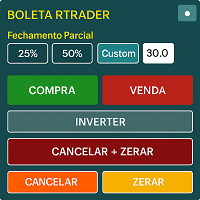
    Boleta RTrader - A Boleta Mais Completa para MetaTrader 5 A ferramenta definitiva para traders que buscam precisão, agilidade e controle total sobre suas operações no MetaTrader 5. **IMPORTANTE**: É aconselhável desabilitar no gráfico do MT5 o histórico de negociações somente quando for usar saídas parcias e precisar movimentar a ordem parcial para evitar delay. --- PRINCIPAIS FUNCIONALIDADES: EXECUÇÃO DE ORDENS **Compra e Venda Instantâneas**: Execute ordens a mercado com um único clique **
    Trade Signal Manager Ultimate - Ana Açıklama Trade Signal Manager Ultimate v7.0, sinyal sağlama ve şeffaf işlem dokümantasyonunun en zaman alıcı yönlerinden birine köklü bir çözüm sunmaktadır. Bu araç MetaTrader 5'i Telegram'a bağlayarak, yatırımcıların herhangi bir manuel giriş, biçimlendirme veya veri aktarımı olmaksızın profesyonelce biçimlendirilmiş işlem sinyallerini üç saniyeden kısa sürede izleyicileriyle paylaşmasını sağlar. Sistem, doğrudan MT5 grafiğinizde görünen temiz ve profesyonel
    FREE
    Fibonacci MT5
    Konstantin Chechnev
    Fibonacci EA MT5 is an Expert Advisor for automating trading based on Fibonacci levels. It determines the minimum and maximum prices over a specified number of bars, builds Fibonacci levels, and opens trades when the current price reaches the selected levels. The EA can trade with the trend or against it, depending on the given parameters. It also allows you to configure levels for closing trades, risk management, and time filters. Features Automatic detection of local extremes and the construct
    The Fibonacci series.  This number sequence is formed as each subsequent number is a sum of the previous two. it turns out that it refers to its neighbors in the ratio 0.618 and 1.618 The most commonly used method for measuring and forecasting the length of the price movement is along the last wave, which ended in the opposite direction The Fibonacci Waves indicator could be used by traders to determine areas where they will wish to take profits in the next leg of an Up or Down trend.
    GoldCraft EA
    Nguyen Ngoc Phuoc
    **GoldCraft EA - Advanced Gold Trading Robot** Unlock the power of automated trading with GoldCraft EA, a premium Expert Advisor designed specifically for trading XAUUSD (Gold) on the MetaTrader 5 platform. This sophisticated bot combines technical analysis with robust risk management to maximize profitability while minimizing exposure. **Key Features:** - **Trend-Following Strategy**: Utilizes Moving Averages (MA34 and MA89) on H4 and M15 timeframes, paired with RSI indicators, to identify h
    Key Features: 200+ Fully Implemented Patterns   across all categories Advanced Market Structure Analysis Smart Money Integration   (Wyckoff, Order Blocks, Liquidity) Professional Risk Management Multi-Timeframe Analysis AI-Powered Confidence Scoring Advanced Visualization Real-time Alerts Pattern Categories: Single Candle Patterns (Hammer, Doji, Marubozu, etc.) Multi-Candle Patterns (Engulfing, Stars, Harami, etc.) Chart Patterns (Head & Shoulders, Cup & Handle, Triangles, etc.) Harmonic Pattern
    FREE
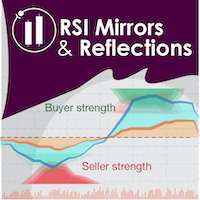
    "Battles between bulls and bears continue to influence price development long after the combat has ended, leaving behind a messy field that observant technicians can use to manage risk and find opportunities. Apply "trend mirror" analysis to examine these volatile areas, looking for past action to impact the current trend when price turns and crosses those boundaries." RSI Mirrors and Reflections is a robust technique using multiple RSI periods, mirrors and reflections based on RSI values to ind
    RRtoolbox - Professional Tools: Risk:Reward Trading Tool (SL/TP Horizontals + Pending orders + Diagonals), Alerts set on trend lines (for alerts on diagonal levels), SelfManagement (BE, partials...), close/cancelling by time, Statistics, Info and trading on chart. One-Click Trading with Visual Risk:Reward Management RRtoolbox is a comprehensive trading panel that combines one-click order execution,  statistics and  powerful visual Risk:Reward tools, alerts set with trendlines, on chart butt
    Magic EA MT5
    Kyra Nickaline Watson-gordon
    Magic EA is an Expert Advisor based on Scalping, Elliot Waves and with filters such as RSI, Stochastic and 3 other strategies managed and decided with the robot smartly. Large number of inputs and settings are tested and optimized and embedded in the program thus inputs are limited and very simple. Using EA doesn't need any professional information or Forex Trading Knowledge. EA can trade on all symbols and all time frames, using special and unique strategies developed by the author. The EA w
    Quantum Echo Breakout Expert v3.0 A smart trading expert built on advanced market logic for breakout detection. Are you looking for an automated trading strategy that combines precision and effectiveness? With Quantum Echo Breakout v3.0, you get a professional trading tool that accurately detects breakout opportunities in Forex and other financial markets. Features: Smart trading based on volatility and market calmness: The expert monitors the price range over a set period and detects if the m
    SPECIAL LAUNCH OFFER: $30 (1-Month Rent) Limited time offer to build our community and gather feedback! AmbM GOLD Institutional Scalper A high-precision M5 algorithm for XAUUSD (Gold) , engineered to trade exclusively at Institutional Liquidity Levels ($5/$10 psychological marks). PERFORMANCE DATA (BUY ONLY) • Win Rate: 87.09%. • Safe Growth: +$4,113 profit on $10k (13.75% Max Drawdown). • Extreme Stress Test: Successfully generated +$22,997 in a 5-year stress test (2020-2026), proving
    Expert. Automatic and manual trading. Ready-made trading system based on Elliott waves and Fibonacci retracement levels . It is simple and affordable. Display of the marking of Elliott waves (main or alternative option) on the chart. Construction of horizontal levels, support and resistance lines, a channel. Superposition of Fibonacci levels on waves 1, 3, 5, A Alert system (on-screen, E-Mail, Push notifications).    visual panel for opening orders in manual trading. visual panel for setting up

    SharperTrader Sync Indicator
    Valeri Colisse Dos Santos Dieizo
    SharperTrader Sync Indicator SharperTrader Sync Indicator was developed for traders seeking a professional and organized interface. It allows you to keep your price chart completely clean in one window while distributing your indicators and oscillators across separate windows, keeping them all 100% synchronized. Key Features: Clean Chart Focus: Trade with a clutter-free price chart by moving your oscillators to secondary windows without losing the connection between them. Symbol & Timeframe Sync
    Shunkan EA
    Victor Paula Oberto
    Shunkan EA Shunkan is a Japanese word meaning instant or fleeting moment — the precise, decisive point in time when something happens. This name reflects the core philosophy of this Expert Advisor: every trade decision — from entry to exit — is governed by time.  The range is defined by time, the breakout is triggered by time, and positions are managed and closed by time. In trading, as in life, the right moment is everything. Overview Shunkan EA is an automated Expert Advisor for MetaTrader 5
    AUTO FIBONACCI MULTI-TIMEFRAME TOOLKIT Technical analysis tool that automatically draws Fibonacci levels for 4H, Daily, Weekly, and Monthly sessions. AUTOMATIC FIBONACCI RETRACEMENTS (7 CLASSIC LEVELS): - 0.0% (Previous session Low - support level) - 23.6% (Fibonacci Golden Ratio - early entry level) - 38.2% (Strong retracement level) - 50.0% (Key pivot level highlighted in YELLOW - market equilibrium) - 61.8% (Main Golden Ratio - critical decision level) - 78.6% (Deep retracement level) - 100.0
    Hatori Flying Nimbus is a professional MetaTrader 5 Expert Advisor built around the classic Ichimoku Kinko Hyo methodology. It identifies trend direction using Price vs. Cloud , confirms momentum with Tenkan/Kijun alignment , validates bias with Future Cloud Color , and strengthens signal quality with Chikou confirmation . To support real trading and marketplace validation, it also includes automatic risk-based lot sizing , margin protection, and a clean on-chart dashboard panel with a Close All
    Now, you have your very own  PROP FIRM LOT SIZE CALCULATOR ! It now has BREAKEVEN and PARTIAL CLOSURE features! There's no need to go to other websites just to compute for the exact lot size. It also opens the trade with a click of a button. All inputs on the calculator can be edited. So if you want to change the SL or TP or the lot size, you can do so before placing an order. ========================================== INPUTS (Please see screenshot for reference): 1. SL PRICE TEXT . This is clic
    BREAK RETEST NON-REPAINT. WORKS BEST AT M15 AND ABOVE.  Benefits Fewer false breakouts . Combining close confirmation + retest + previous-close filter greatly reduces noise vs. raw high/low breaks. Tighter execution plans . The drawn level line gives an objective spot for entries, stop placement (just beyond the level), and partial-take-profit structure. Non-repainting confidence . Signals are placed on current bar. Flexible across markets . Works on FX, indices, metals, crypto; scalping on M15
    AI Algo
    Vasil Georgiev Todorov
    AI Algo – Intelligent Automated Trading System for Gold (XAUUSD) AI Algo is a cutting-edge algorithmic trading bot designed specifically for high-volatility, high-impulse markets — with a core focus on gold (XAUUSD) . It combines machine logic , adaptive risk management , and multi-layered signal filtration to deliver accurate entries, consistent protection, and reliable performance — both in fully automated and semi-manual operation modes. Key Features: Smart Entry Logic Precision entr
    Açıklama Easy Trader Assistant, MetaTrader 5 için tasarlanmış, daha hızlı işlem yapmayı ve net risk kontrolü sağlamayı amaçlayan manuel bir yürütme panelidir. Her şey grafik üzerinden yönetilir: giriş, çıkış ve ayarlamalar, pencereler arasında geçiş yaparak zaman kaybetmeden. Lot hesaplama, sl/tp yönetimi ve işlem açılmadan önce riskin doğrudan görselleştirilmesini entegre eder. Fikir basittir: hataları azaltmak ve yürütmeyi daha hassas hale getirmek. Yaklaşım Her girişin manuel olarak tanımland
    FREE
    Historical Pivot Zones - Fibonacci Indicator MT5 Automatically draws Fibonacci retracement and projection zones based on historical price pivots. This MT5 indicator intelligently selects pivot points from different timeframes (weekly, monthly, or 6-month ranges) and creates visual Fibonacci zones around key levels. Features include: Smart Mode Selection - Auto-adjusts based on your chart timeframe Clean Visual Zones - Highlighted areas instead of just lines Essential Fib Levels - 9 retrace
    MT4 Versiyonu : https://www.mql5.com/en/market/product/90395 MT5 versiyonu : https://www.mql5.com/en/market/product/99545 "Marti Yok Parti Yok" Uzman Danışmanı (EA) ile tanışın: Agresif ticaret stratejilerinin somut örneği. Bu EA, ciddi kazançlara veya önemli kayıplara yol açabilecek yüksek risk, yüksek ödül ilkesiyle çalıştığı için korkaklara göre değildir. Adı her şeyi söylüyor; Martingale stratejisi bu EA'nın merkezinde yer alıyor. Kaybedilen işlemleri agresif bir şekilde ikiye katlamak,
    MTM Manual Trade Manager is a professional trading dashboard designed for manual traders who want better control over risk and trade management. This Expert Advisor does NOT open trades automatically. All trading decisions and order executions are fully controlled by the trader. Main Features: - Manual Buy and Sell execution from the dashboard - Visual Stop Loss and Take Profit using drag & drop lines - Fixed Lot and Risk Percentage position sizing - Automatic Break Even management - Multiple
    FREE
    Boring Gold Stratejisi (XAUUSD) Boring Gold Stratejisinin Hikayesi: Bu EA'yı "Kutsal Kase" döngüsünden bıktığım için oluşturdum. Bir ay boyunca harika görünüp sonra yok olan yüksek frekanslı botları kovalamakla yıllarımı harcadım. Kurumsal altın ticaretinin karmaşıklıkla değil, disiplinle ilgili olduğunu anladım. Bu mantığı önce XAUUSD'deki manuel işlemlerim için geliştirdim. 14 aylık tutarlı sonuçların ardından, insani duyguları ortadan kaldırmak için her kuralı bu Uzman Danışmana kodladım. Kar
    Elliott Wave Bot – Anticipate the Market with the Power of Cycles Elliott Wave Bot is an advanced trading robot based on the renowned Elliott Wave Theory, designed to identify market structures and anticipate future price movements with strategic precision. Unlike traditional systems that react to the market, Elliott Wave Bot aims to forecast cycles and position trades ahead of major moves. A Market Approach Based on Psychology Markets move in repetitive cycles driven by investor behavior
    Quantum Queen MT5
    Bogdan Ion Puscasu
    4.97 (575)
    Merhaba yatırımcılar! Ben   Quantum Queen   , tüm Quantum ekosisteminin gözbebeği ve MQL5 tarihindeki en yüksek puanlı, en çok satan Uzman Danışmanım. 20 ayı aşkın canlı işlem deneyimim sayesinde, tartışmasız XAUUSD Kraliçesi olarak yerimi kazandım. Uzmanlık alanım mı? ALTIN. Misyonum? Tutarlı, kesin ve akıllı işlem sonuçları sunmak — hem de defalarca. IMPORTANT! After the purchase please send me a private message to receive the installation manual and the setup instructions. İndirimli   fiyat
    Aura Gold Sniper
    Mohammed Abdullah Ghaleb Farea Al-dub
    **Product Name**: Aura Gold Sniper AI **Price**: $500 for 3 month --- DESCRIPTION --- **Trade Gold (XAUUSD) With Precision & Speed!** Introducing **Aura Gold Sniper AI**, an advanced algorithmic trading system built exclusively for the mechanics of Gold. Rather than relying on lagging indicators or dangerous grid grids, Aura Gold Sniper uses a proprietary "Impulse Velocity Trigger" mechanism, scanning tick-level volume movements to snipe breakouts before they happen. **Why Choose Aura G
    By default, MetaTrader 5 only supports timeframes of one minute or higher. Ultra-short-term charts such as 1-second or 5-second timeframes are not available in the standard platform. Seconds Chart Generator is a utility EA designed to generate seconds-based charts in real time using tick data, allowing traders to observe ultra-short-term price movements with precision. Simply attach it to any standard chart, and it will automatically create a custom symbol representing the seconds-based chart. Y
    Bu ürünün alıcıları ayrıca şunları da satın alıyor
    Trade Assistant MT5
    Evgeniy Kravchenko
    4.43 (211)
    It helps to calculate the risk per trade, the easy installation of a new order, order management with partial closing functions, trailing stop of 7 types and other useful functions. Additional materials and instructions Installation instructions - Application instructions - Trial version of the application for a demo account Line function -   shows on the chart the Opening line, Stop Loss, Take Profit. With this function it is easy to set a new order and see its additional characteristics bef
    Trade Manager EA’ye hoş geldiniz! Ticaretin daha sezgisel, hassas ve verimli hale gelmesi için tasarlanmış nihai risk yönetim aracı ile tanışın. Bu sadece bir emir verme aracı değil; ticaret planlaması, pozisyon yönetimi ve risk kontrolü için kapsamlı bir çözüm. İster yeni başlayan bir yatırımcı olun, ister deneyimli bir trader ya da hızlı emir gerektiren bir scalper, Trade Manager EA ihtiyaçlarınıza uyum sağlar ve forex, endeksler, emtialar ve kripto paralar dahil tüm piyasalarda esneklik sunar
    Local Trade Copier EA MT5
    Juvenille Emperor Limited
    4.96 (136)
    Local Trade Copier EA MT5   ile olağanüstü hızlı işlem kopyalama deneyimi yaşayın. Kolay 1 dakikalık kurulumuyla bu işlem kopyalayıcısı, aynı Windows bilgisayarda veya Windows VPS'te birden fazla MetaTrader terminali arasında işlemleri kopyalamanıza olanak tanır ve 0.5 saniyenin altındaki şimşek hızında kopyalama hızları sunar. Başlangıç seviyesinde veya profesyonel bir tüccar olsanız da,   Local Trade Copier EA MT5 , spesifik ihtiyaçlarınıza göre özelleştirmek için geniş bir seçenek yelpazesi s
    TradePanel MT5
    Alfiya Fazylova
    4.87 (154)
    Trade Panel, çok işlevli bir ticaret asistanıdır. Uygulama, manuel ticaret için 50'den fazla ticaret fonksiyonu içerir ve çoğu ticaret görevini otomatikleştirmeyi mümkün kılar. Satın almadan önce demo hesapta demo sürümü test edebilirsiniz. Demo hesap için uygulamanın deneme sürümünü indirin: https://www.mql5.com/en/blogs/post/750865 . Talimatların tamamı buraya . Ticaret. Tek tıklamayla ticaret işlemleri yapmayı sağlar: Risk otomatik hesaplaması ile bekleyen emirleri ve pozisyonları açmak. Bird
    Beta Sürümü Telegram to MT5 Signal Trader resmi alfa sürümüne neredeyse hazır. Bazı özellikler hâlâ geliştirilmekte olup küçük hatalarla karşılaşabilirsiniz. Sorun yaşarsanız lütfen bildirin, geri bildiriminiz yazılımın herkes için gelişmesine yardımcı olur. Telegram to MT5 Signal Trader , Telegram kanallarından veya gruplarından gelen işlem sinyallerini otomatik olarak MetaTrader 5 hesabınıza kopyalayan güçlü bir araçtır. Herkese açık ve özel kanalları destekler ve birden fazla sinyal sağlayıc
    Farmed Hedge Yield Farming | All Markets (Manual - Hybrid - Semi/Automated EA) MULTI-ASSET SUPPORT Trade any asset available on your broker - Forex: Major, Minor, Exotic pairs - Crypto: BTC, ETH, XRP, SOL, BNB - Stocks: Apple, Tesla, Amazon, Google, etc. - Commodities: Gold, Silver, Oil, Gas - Indices: US30, NAS100, SPX500, DAX40 - Any CFD your broker offers VERIFIED TRADING RESULTS - Farmed Hedge Yield Axi Copy:  https://www.mql5.com/en/signals/2356376 - Farmed Hedge Yield Exn Copy:   https:/
    Power Candles Strateji Tarayıcısı - Kendi Kendini Optimize Eden Çoklu Sembol Kurulum Bulucu Power Candles Strateji Tarayıcısı , Power Candles göstergesini çalıştıran aynı kendinden optimize edici motoru, Piyasa İzleyicinizdeki her sembol üzerinde yan yana çalıştırır. Tek bir panel, şu anda istatistiksel olarak hangi sembollerin işlem yapılabilir olduğunu, her birinde hangi stratejinin kazandığını, en uygun Stop Loss / Take Profit çiftini gösterir ve yeni bir sinyal geldiği anda size bildirim gön
    Copy Cat More Trade Copier MT5 (Kopyalayıcı Kedi MT5) , günümüzün ticaret zorluklarına yönelik tasarlanmış yerel bir ticaret kopyalayıcısı ve eksiksiz risk yönetimi ve yürütme çerçevesidir. Prop firması zorluklarından kişisel portföy yönetimine kadar, sağlam yürütme, sermaye koruması, esnek yapılandırma ve gelişmiş ticaret işleme kombinasyonu ile her duruma uyum sağlar. Kopyalayıcı hem Master (gönderici) hem de Slave (alıcı) modunda çalışır, piyasa ve bekleyen emirlerin, ticaret değişikliklerini
    Trade Dashboard simplifies how you open, manage, and control your trades, with built-in lot size calculation. It allows you to execute trades, manage risk, and control positions directly on the chart, with tools such as partial close, breakeven, and trailing stop. Designed to reduce manual work and help you stay focused on your trading decisions. A demo version is available for testing. Detailed explanations of features are provided within the MQL5 platform. Installation instructions are include
    Telegram'dan MT5'e:   Nihai Sinyal Kopyalama Çözümü Telegram'dan MT5'e işlemlerinizi basitleştirin, DLL'lere ihtiyaç duymadan işlem sinyallerini doğrudan Telegram kanallarından ve sohbetlerinden MetaTrader 5 platformunuza kopyalayan modern araç. Bu güçlü çözüm hassas sinyal yürütme, kapsamlı özelleştirme seçenekleri sağlar, zamandan tasarruf sağlar ve verimliliğinizi artırır. [ Instructions and DEMO ] Temel Özellikler Doğrudan Telegram API Entegrasyonu Telefon numarası ve güvenli kod ile kimlik
    Exp COPYLOT CLIENT for MT5
    Vladislav Andruschenko
    3.91 (33)
    MetaTrader 5 için profesyonel işlem kopyalayıcı MetaTrader için hızlı, profesyonel ve güvenilir bir işlem kopyalayıcı . COPYLOT , MT4 ve MT5 terminalleri arasında Forex işlemlerini kopyalamanıza olanak tanır ve Hedge ile Netting hesaplarını destekler. COPYLOT MT5 sürümü şunları destekler: - MT5 Hedge → MT5 Hedge - MT5 Hedge → MT5 Netting - MT5 Netting → MT5 Hedge - MT5 Netting → MT5 Netting - MT4 → MT5 Hedge - MT4 → MT5 Netting MT4 sürümü Tam açıklama + DEMO + PDF Nasıl satın alınır Nasıl kurul
    Trade copier MT5
    Alfiya Fazylova
    4.53 (43)
    Trade Copier, ticaret hesapları arasındaki işlemleri kopyalamak ve senkronize etmek için tasarlanmış profesyonel bir yardımcı programdır. Kopyalama, tedarikçinin hesabından/terminalinden alıcının aynı bilgisayarda veya vps'de kurulu olan hesabına/terminaline gerçekleşir. KAMPANYA - Eğer zaten "Trade copier MT5" aldıysanız, "Trade copier MT4"ü ücretsiz olarak alabilirsiniz (MT4 > MT5 ve MT4 < MT5 kopyalamalar için). Koşullar hakkında daha fazla bilgi almak için lütfen bizimle özel mesaj yoluyla i
    Bir EA satın almadan önce, gerçekten dayanıklı mı yoksa sadece backtestte şanslı mı göründü, önce bunu kontrol edin. Çoğu robot güzel görünen bir backtest ile satılır. Yukarı giden bir eğri. İyi bir profit factor. Çok az şüphe. Yine de bu EA’lerin çoğu, piyasa o geçmişteki gibi hareket etmeyi bıraktığı anda dağılmaya başlar. Neden? Çünkü bir backtest yalnızca tek bir şeyi kanıtlar: o stratejinin fiyatın belirli bir yolunu izlediği durumda işe yaradığını. Başka yollarda da dayanacağını kanıtlamaz
    Timeless Charts
    Samuel Manoel De Souza
    5 (5)
    Timeless Charts , saniye grafikleri / saniye zaman dilimleri, renko grafikleri / renko çubukları, küme grafikleri / footprint grafikleri ve popüler platformlarda bulunan gelişmiş araçlar dahil olmak üzere, özel grafikler / özel zaman dilimleri arayan profesyonel traderlar için tasarlanmış gelişmiş bir grafik çözümüdür. Geleneksel çevrimdışı grafikler veya basit özel göstergelerden farklı olarak, bu çözüm gerçek zaman damgası doğruluğuna (milisaniye düzeyine kadar) sahip tamamen özel çubuklar ol
    Footprint Chart Pro — Professional OrderFlow EA for MetaTrader 5 Version 6.34 | Professional tool for real traders | Institutional-Grade Visualization DEMO USERS - PLEASE SELECT EVERY TICK / REAL TICK WHEN TESTING AND YOU HAVE DOWNLOADED HISTORICAL DATA. IF YOU SEE A WAITING SCREEN AND IT IS NOT DOWNLOADING, IT MEANS YOU HAVE LOW HISTORICAL DATA. TRY 1 MIN AND 5 MIN FIRST ON 1 DAY DATA. ONE DAY DATA SHOULD BE THE NEWEST AND MOST CURRENT DATE. PLEASE WAIT UNTIL THE MARKET HAS ROLLED OVER PERIOD.
    The product will copy all telegram signal to MT5 ( which you are member) , also it can work as remote copier.  Easy to set up, copy order instant, can work with almost signal formats, image signal,  s upport to translate other language to English Work with all type of channel or group, even channel have "Restrict Saving Content", work with  multi channel, multi MT5 Work as remote copier: with signal have ticket number, it will copy exactly via ticket number. Support to backtest signal. How to s
    HINN MAGIC ENTRY – the ultimate tool for entry and position management! Place orders by selecting a level directly on the chart! full description   ::  demo-version  :: 60-sec-video-description Key features: - Market, limit, and pending orders - Automatic lot size calculation - Automatic spread and commission accounting - Unlimited partitial take-profits  - Breakeven and trailing stop-loss and take-profit  functions - Invalidation leves - Intuitive, adaptive, and customizable interface - Works
    Seconds Chart - MetaTrader 5 için saniye bazlı grafikler oluşturmanıza olanak sağlayan eşsiz bir araçtır. Seconds Chart sayesinde saniye cinsinden zaman dilimleriyle grafik oluşturabilir, standart dakika veya saatlik grafiklerde mümkün olmayan esneklik ve analiz hassasiyetine ulaşabilirsiniz. Örneğin, S15 zaman dilimi 15 saniyelik mum çubuklarını ifade eder. Desteklenen özel sembollerle herhangi bir gösterge ve danışman kullanabilirsiniz. Onlarla çalışmak, standart grafiklerde işlem yapmak kadar
    Anchor: The EA Manager Run your full EA portfolio without conflicts, without stacked risk, and without watching every chart yourself. Anchor coordinates up to 64 Expert Advisors on a single account so only one trades at a time. Attach Anchor to any chart. Type your EA names and magic numbers in one line. Anchor handles the rest. Built for portfolios. Built for discipline. Built for prop firms. The Problem Running multiple EAs on the same account creates risk. Two gold EAs can open opposite posit
    Local Trade Copier EA , bir MAM veya PAMM hesabına ihtiyaç duymadan, harici kaynaklardan ticaret sinyalleri yürütmesi veya aynı anda birkaç hesabı yönetmesi gereken bireysel tüccarlar veya hesap yöneticileri için bir çözümdür. 8 ana hesaptan sınırsız bağımlı hesaba kopyalar [ Kurulum Kılavuzu | Güncelleme Kılavuzu | Sorun Giderme | SSS | Tüm Ürünler ] %100 kendi kendine barındırılan Kurulumu ve kullanımı kolay Hiçbir yükleyici, yapılandırma dosyası, sunucu, bellek kanalı veya DLL kullanılmadı E
    News filter, equity guard & session control for all your EAs — one tool, full protection Take a Break has evolved from a basic news filter into a comprehensive account protection solution . It pauses your other Expert Advisors during news events or based on custom filters. When trading resumes, it automatically restores your entire chart setup , including all EA settings. Why traders choose Take a Break One news filter for all your EAs — no more relying on individual built-in filters that may o
    The core idea: using the user interface, you configure the parameters the chart must meet before entering a position (or positions), choose which entry models to use, and set the rules for when trading and planning should end. Lazy Trader  handles the rest: it  takes over all the routine chart watching and execution! full description  :: 3 key videos [1] ->  [2]   ->  [3] What can it do? - Understands Larry Williams market structure - Understands swing market structure by Michael Huddleston
    This EA Utility allows you to manage (with advanced filtering) unlimited open orders (manual or EA) with 16 trailing stop methods: fixed, percent, ATR Exit, Chandelier Exit, Moving Average, Candle High Low Exit, Bollinger Bands, Parabolic, Envelope, Fractal, Ichimoku Kijun-Sen, Alligator, Exit After X Minutes or Bars, RSI and Stochastic. The trailing stop can be either real or virtual, and you can exit fully or with a partial close percent on touch or bar close.  Moreover, you can add (override
    Ultimate Extractor - Professional Trading Analytics for MT5 *****this is the local HTML version of Ultimate Extractor. !!!!!it is not compatible with Cloud!!!! For the online version please reach out to me directly****** Ultimate Extractor transforms your MetaTrader 5 trading history into actionable insights with comprehensive analytics, interactive charts, and real-time performance tracking. What It Does Automatically analyzes your MT5 trading history across all Expert Advisors and generates
    Signal TradingView to MT5 Pro Automator TradingView ve MetaTrader 5 arasında anında profesyonel uygulama TradingView alarmları ile MT5'teki gerçek uygulama arasındaki en güçlü iletişim köprüsüyle ticaret stratejinizi otomatikleştirin. Hız, esneklik ve kusursuz risk yönetimi talep eden yatırımcılar için tasarlanan bu Uzman Danışman (Expert Advisor), herhangi bir alarm mesajını hassas bir piyasa (market) veya limit emrine dönüştürür. GÜÇLÜ YÖNLER VE AVANTAJLAR Evrensel Ayrıştırma Motoru (Tescilli)
    MT4 için Expert Advisor Risk Manager çok önemli ve bence her yatırımcı için gerekli bir program. Bu Uzman Danışman ile ticaret hesabınızdaki riski kontrol edebileceksiniz. Risk ve kar kontrolü hem parasal hem de yüzdesel olarak yapılabilir. [Instruction for Risk Manager parameters] Danışman işlevleri Bu risk yöneticisi, riskleri kontrol etmenize yardımcı olacaktır: - bir anlaşma için - günlük - bir hafta için - Bir ay için Ayrıca kontrol edebilirsiniz 1) Ticaret yaparken izin verilen ma
    Bu ürün, haber saatlerinde tüm uzman danışmanları ve manüel grafikleri filtreler, böylece manüel ticaret kurulumlarınızı veya diğer uzman danışmanlar tarafından girilen işlemleri yok edebilecek ani fiyat dalgalanmaları konusunda endişelenmenize gerek kalmaz. Bu ürün, herhangi bir haber yayınlanmadan önce açık pozisyonlarınızı ve bekleyen emirlerinizi yönetebilen tam bir sipariş yönetim sistemi ile birlikte gelir.   The News Filter'ı   satın aldığınızda, gelecekteki uzman danışmanlar için yerleşi
    Grid Manual MT5
    Alfiya Fazylova
    4.9 (21)
    Grid Manual, sipariş ızgarasıyla çalışmak için kullanılan bir ticaret yardımcı programıdır. Yardımcı program evrenseldir, esnek ayarlara ve sezgisel bir arayüze sahiptir. Sadece kayıpların ortalaması yönünde değil, aynı zamanda kazanç artışı yönünde de bir emir ızgarası ile çalışır. Tüccarın bir emir ızgarası oluşturmasına ve eşlik etmesine gerek yoktur, bu yardımcı programı yapacaktır. Emri açmanız yeterlidir ve Grid manual otomatik olarak ona bir emir ızgarası oluşturacak ve kapanana kadar ona
    MT5 to Telegram Signal Provider , hesabınızı bir sinyal sağlayıcı haline getirerek belirtilen sinyalleri Telegram'ın sohbetine, kanalına veya grubuna göndermeyi sağlayan kullanımı kolay, tamamen özelleştirilebilir bir araçtır. Rakip ürünlerin çoğunun aksine, DLL içe aktarması yapmaz. [ Demo ] [ Kılavuz ] [ MT4 Versiyonu ] [ Discord Versiyonu ] [ Telegram Kanalı ]  New: [ Telegram To MT5 ] Kurulum Adım adım bir kullanıcı kılavuzu mevcuttur. Telegram API'si hakkında bilgi gerekmemektedir; ihtiyac
    MetaTrader 5 için Trading Panel — grafik ve klavyeden profesyonel tek tıkla işlem kontrolü Aktif traderlar için geliştirilmiş güçlü bir Trading Panel; işlemleri standart MetaTrader arayüzüne göre çok daha hızlı açmanıza, yönetmenize ve kapatmanıza yardımcı olur. Bu çözüm; pozisyonları, bekleyen emirleri, toplam kârı ve işlem yürütmesini tek bir profesyonel çalışma alanında kontrol etmek isteyen kullanıcılar için tasarlanmıştır. Bu sadece sıradan bir yardımcı araç değildir. MetaTrader 5 için ger
    Yazarın diğer ürünleri
    Click2EA
    Jonah Okware Obukol
    Click2EA – Advanced Alert and Notifications Robot Builder. Create custom alert and notification robots without writing or copy-pasting code. Combine any of the major MT5 indicators to get precise alerts and email notifications. Filter alerts and notifications by date, time or spread. All robot names, theme-color and alert/notification messages are customizable. You can also share the robots you create. Click2EA is meant for creating robots for accurate alerts and notifications. Auto-trading is j
    FREE
    Filtrele:
    Bernard Olida
    23
    Bernard Olida 2026.01.28 08:01 
     

    Kullanıcı değerlendirmeye herhangi bir yorum bırakmadı

    Jonah Okware Obukol
    520
    Geliştiriciden yanıt Jonah Okware Obukol 2026.01.29 06:56
    thankyou I appreciate that
    Değerlendirmeye yanıt