 MetaTrader 5
 エキスパート
 インディケータ
 ライブラリ
ライブラリ ユーティリティ
 ウィジェット
 ルール
ルール
YouTubeにあるマーケットチュートリアルビデオをご覧ください
ロボットや指標を購入する
仮想ホスティングで
EAを実行
EAを実行
ロボットや指標を購入前にテストする
マーケットで収入を得る
販売のためにプロダクトをプレゼンテーションする方法

「Signalmatrix Trade Assistant」は購入できなくなりました。
以前にこの製品を購入された方は、残りのアクティベーションがある限り、引き続きこの製品を制限なく使用し、新しいコピーをインストールできます。
- MetaTrader 5ターミナルを開きます。
- 設定でMQL5.communityのアカウント情報を入力します([ツール]>[オプション]>[コミュニティ])。
- [ナビゲータ]>[マーケット]>[購入済み]に移動します。
- 製品名の右側にある[インストール]ボタンをクリックします。
詳しくは、ドキュメントをご覧ください。
他のMetaTrader 5アプリをご確認ください

Quantum Titanは、Quantumエコシステムに機関投資家レベルの取引機能をもたらし、精度、規律、そして実績のあるライブマーケットパフォーマンスにおいて新たな基準を打ち立てます。 GOLDエキスパートアドバイザーにさらなる性能を求めるトレーダーのために開発されたTitanは、Quantumトレーディングテクノロジーの次なる進化を象徴するものです。
全世界で生涯ライセンスは1,000個限定です。 1,000部すべてが完売次第、Quantum Titanは入手できなくなります。
発売記念特別割引価格。最終価格1999ドル。
初期投資5万ドルでLive Signalに参加しよう: こちらをクリック
Quantum Titan MQL5 公開チャンネル: こちらをクリック
***Quantum Titan MT5 を購入すると、Quantum Emperor、Quantum King、Quantum Bitcoin、Quantum Baron、Quantum Valkyrie、Quantum OmniGold、Quantum Athena X、Quantum

MoonDog EA は、MetaTrader 5 上の XAUUSD 向けに特別に開発された、複数戦略型のブレイクアウト Expert Advisor です。 このシステムは、異なるブレイクアウト条件や価格拡大の局面を検出するために設計された、5つの独立したブレイクアウト戦略を組み合わせています。 MoonDog は、マーチンゲール、Recovery モード、Grid Recovery、ロット倍率の増加、損失ポジションのナンピンを使用しません。 すべての取引は、あらかじめ設定された独自の Stop Loss と Take Profit を持って開始されます。損失が発生した後に、より大きなロットで回復を狙う取引を行うことはありません。 Break-even、Trailing、MoonLock は、既存ポジションを保護するための管理機能です。これらは保護レベルを調整できますが、ロットサイズを増やしたり、過去の損失を回復するための追加ポジションを開いたりすることはありません。 公式ライブシグナル MoonDog の実際の取引状況は、公式 MQL5 Signal で確認できます。 https

クォンタム・エコシステムは新たな戦場へと突入し、新たな司令官が指揮を執ります。US30指数専用に開発されたクォンタム・コマンダーは、世界で最もダイナミックな市場の一つである米国市場向けに構築された、完全自動化されたエキスパートアドバイザーです。
数多くのゴールドEAが溢れる世界において、Quantum Commanderは際立った存在です。 これまでGOLDに特化したリリースを何度か行ってきた後、私たちはUS30という新たな領域へと踏み出します。これは新しい金融商品であり、異なる戦略に基づき、量子エコシステムに真の多様化をもたらす強力な機会となるでしょう。
発売記念特別割引価格。最終価格1999ドル。
ライブ信号: こちらをクリック
Quantum Commander MQL5 公開チャンネル: こちらをクリック
***Quantum Commander MT5 を購入すると Quantum Emperor、Quantum King、Quantum Bitcoin、Quantum Baron、Quantum OmniGold、Quantum Athena X、Quan

伝説は続く。女王は進化する。 Quantum Queen Xへようこそ。これは、Quantum Queenの実績ある成功を基盤とした、伝説的なゴールド取引システムの次世代版です。 Quantum Queen Xは、Quantum Queenと同じ実績のあるコアエンジンをベースに構築されており、トレーダーがどの戦略を有効または無効にするかを正確に選択できる強力な新しいカスタムモードが導入されています。 すべての戦略は個別にレビュー、改良、最適化され、さまざまな市場状況においてさらに優れたパフォーマンスと適応性を発揮します。デフォルトのプリセットも強化され、7つの戦略ではなく厳選された9つの戦略を組み合わせることで、より広い市場範囲とより多くの取引機会を提供すると同時に、Quantum Queen XをMQL5で最も成功したGOLDエキスパートアドバイザーにした規律ある取引哲学を維持しています。 IMPORTANT! After the purchase please send me a private message to receive the installation manual

小道具会社準備完了!( セットファイルをダウンロード ) 警告: 現在の価格で販売できるのは残りわずかです! 最終価格:990ドル EAを1つ無料でゲット(3つの取引アカウント分)→購入後ご連絡ください 究極のコンボセット は こちらをクリック 公開グループに参加する: こちらをクリック
ライブシグナル クライアントシグナル YouTubeレビュー 最新マニュアル
ゴールドリーパーへようこそ! 非常に成功を収めたGoldtrade Proをベースに開発されたこのEAは、複数の時間枠で同時に動作するように設計されており、取引頻度を非常に保守的なものから極めて変動の激しいものまで設定できるオプションを備えています。 このEAは、複数の確認アルゴリズムを使用して最適なエントリー価格を見つけ出し、内部で複数の戦略を実行して取引のリスクを分散します。 すべての取引にはストップロスとテイクプロフィットが設定されていますが、リスクを最小限に抑え、各取引の潜在的な利益を最大化するために、トレーリングストップロスとトレーリングテイクプロフィットも使用されます。 このシステムは、非常に人

Aikon は Expert Advisor の運用方法を変えます。 現在価格 — 10件中あと7件 24時間のローンチ期間は終了しました。現在の Market 価格で購入できる10件のうち、残りは8件です。その10件の購入後、価格は最終価格 $4,997 に向けて再び引き上げられます。 すぐに始められます。システムと自然な言葉で会話できます。取引がどのようにリスクを取るかを選択できます。運用を許可する資本額を管理できます。不要なAPI呼び出しに費用をかけず、運用全体でAIを活用できます。 QUICK START — AIが初めてでも問題ありません。 Aikon は高度な機能を備えながら、最初の設定を難しくしないよう設計されています。 統合AIセットアップは、1つのプロバイダー、1つのモデル、1つのAPIキーから開始できます。最初の接続によって、Aikon の主要なインテリジェンス役割が自動的に初期設定されます。必要に応じて、後から高度なモデルルーティングを使用できます。 Quick Start では次の3つの方法を選べます。 最適化されたワンボタンの初期プロファイルを使用する。 As

重要 : この商品は、ごく少数の数量のみ、現行価格で販売されます。 価格はまもなく1999ドルになります! 300 以上の戦略を収録 !さらに追加予定!
ボーナス : 私の他のEAの中から5つ を無料で 選んでください! すべての設定ファイル + 完全なセットアップおよび最適化ガイド ビデオガイド ライブシグナル レビュー(第三者による)
新登場 - 44種類の戦略ライブシグナル
究極のブレイクアウトシステムへようこそ! この度、8年の歳月をかけて綿密に開発された、洗練された独自のエキスパートアドバイザー(EA)である「アルティメット・ブレイクアウト・システム」をご紹介できることを嬉しく思います。 このシステムは、MQL5市場で高いパフォーマンスを発揮するEAの基盤となっており、その中には高く評価されているGold Reaper EAも含まれています。 7か月以上にわたり1位の座を維持したほか、Goldtrade Pro、Goldbot One、Indicement、Daytrade Proもランクインした。
Ultimate Breakout Systemは

100K Real Signal: https://www.mql5.com/en/signals/2386516
ギミックなし。空虚な主張なし。 Iron Stopsは、1つの重要な側面に焦点を合わせたトレーダーに対応しています:一貫性。プロップチャレンジに取り組んでいるか、顧客資金を管理しているかに関わらず、このEAは設定された境界内で活動し、信頼性のある結果を提供します。 ポジションは 36 時間 以内に決済。 一つのチャートで実行: XAUUSDにM30タイムフレームを使用して適用するだけです。それが必要なすべてです。一つのチャート。一つの強力なツール。
正しい設定が正確なバックテストに不可欠です! 詳細な指示とともに、私の.iniファイルを取得するために連絡してください。 注意:このEAの現在の価格は580です。30ライセンスが購入されると、価格は629に上昇します。現時点で29部が販売されています。価格変更の前にお見逃しなく。 ブログリンク = https://www.mql5.com/en/blogs/post/763583 チャンネルリンク = https:

No Grid / No Martingale / No Recovery / No Hedging / Single Entry with SL / One Shot Smart Gold Hunter は、MetaTrader 5 上で XAUUSD / Gold を取引するための Expert Advisor です。グリッドなし、マーチンゲールなし、本物の Stop Loss と Take Profit のロジック、そして管理されたリスク管理を好むトレーダー向けに設計されています。 決定を下す前にライブシグナルを確認できます: Live Main Signal : https://www.mql5.com/en/signals/2365400?source=Site Smart Gold Hunter はグリッド EA でもマーチンゲール EA でもありません。無制限のリカバリーポジションや損失後のロット倍増には依存しません。主なアイデアは、危険な平均化ではなく、管理されたロジック、保護設定、そして本物の取引管理で Gold を取引することです。 この EA は主に XAUUSD

Scalping Robot Pro is a professional trading system designed specifically for fast and precise scalping on XAUUSD using the M1 timeframe. The system is built to capture short term market movements with accurate execution and controlled risk management. It focuses on real time price behavior, momentum shifts, short term volatility, and selective grid based trade management techniques to identify high probability trading opportunities in the gold market. Scalping Robot Pro is optimized for traders

Ghost Scalper MT5 Ghost Scalper MT5 は、 MetaTrader 5 の XAUUSD / Gold 向けに開発された完全自動のエキスパートアドバイザーです。 Ghost は、ゴールド市場の選択的な ブレイクアウトとモメンタムの動き を狙うために開発されています。EA は内部の市場条件が整うまで待機し、常にトレードを行うわけではありません。 価格モデル: 10件販売されるごとに100 USDずつ価格が上昇 し、最終価格は 1,499 USD です。 ライブシグナル Ghost は複数のリアル口座および異なるブローカーで公開追跡されています。さらに、複合ポートフォリオのライブシグナルも利用できます。ライブ結果は随時変動し、将来の成績を保証するものではありません。 Ghost Scalper MT5 TMGM – ライブシグナルを見る Ghost Scalper MT5 VT Market – ライブシグナルを見る Ghost Scalper MT5 Vantage – ライブシグナルを見る Ghost Scalper MT5 Future Lab Ult

Less than 24hours for 169 USD -> 199 USD next / 399 USD final price. The earlier you decide, the less you pay.
Check the live signal / Read the manual / Why are the back-test numbers that good - is it real or over-fitted? One shot. One target. Zero recovery. GoldenShot is a single-position gold EA built for controlled, long-term trading. It waits for a qualified setup, takes one clean shot with a real stop loss, and if the idea does not work, it manages the trade instead of rescuing

ThunderGold Scalper ThunderGold Scalperは、MetaTrader 5でゴールドを自動売買するために開発されたエキスパートアドバイザーです。 このEAは、M15時間足のXAUUSDおよびGOLD向けに設計されています。独自の多要素意思決定エンジンを使用して、条件を満たした取引機会を検出し、ポジションを自動管理します。 市場構造、トレンド方向、ローソク足の品質、出来高、モメンタム、約定条件を組み合わせて分析します。常に取引するのではなく、適切な市場条件を待つように設計されています。 Live Signal — TMGM 主な機能 XAUUSDおよびGOLD向け 推奨時間足:M15 完全自動売買 グリッド戦略を使用しない 自動Stop LossおよびTake Profit ダイナミックトレーリングストップ リスク率または固定ロットによるポジションサイズ計算 トレンドおよびモメンタムフィルター ローソク足品質および出来高フィルター 重要経済指標ニュースフィルター 祝日および市場休場時の保護 スリッページ調整システム 1日の取引回数制限およびクールダウン 情

Neo Delta は、ゴールド(XAUUSD)のみを取引する MetaTrader 5 用の自動売買システム(EA)です。判断は出来高デルタのモメンタム——各ローソク足内の買い圧力と売り圧力のバランス——に基づきます。機械学習フィルターが、ポジションを建てる前にすべての潜在的なエントリーを検証します。 サポート 当チームでは業務を分担しています:一部は開発を、一部は顧客対応を担当します。インストール、設定、その他のご質問は、ご購入後にモデレーターの Zolia までご連絡ください: https://www.mql5.com/ja/users/zolia 本 EA は 4 つの独立したモジュールを備え、それぞれ個別にオン/オフできます: ライブシグナル 検証済みの MQL5 シグナルで、この EA のライブパフォーマンスをご覧ください:
ライブシグナルを見る → 5m Long — 5分足での短期ロング取引 20m Long — 20分足でのスイングロング取引 5m Short — 5分足での短期ショート取引 20m Short — 20分足でのスイングショート取引 各ポジションは E

ONLY 24 HOURS LEFT AT 149$! After that price goes up to 199$ , then 299$
User manual Live signals
Cepheus Loyalty Cepheus Ultimate (both breakout engines
Cepheus Discipline Two Synergistic Engines. Zero Grid. Zero Martingale. Defined Risk. Cepheus is a dual-engine algorithmic trading system developed specifically for XAUUSD (Gold) . Instead of relying on a single trading model, Cepheus combines two independent strategies designed to identify different types of market opportunities. Each eng

よりスマートな制御。洗練された精度。
Quantum Athena Xへようこそ。Quantum Athenaの精度、効率性、そして規律ある実行力を基盤とした、次世代の集中型金取引システムです。
Quantum Athena Xは、Quantum Athenaと同じ合理化されたコアエンジンと、厳選された6つの戦略に基づいて構築されています。各戦略は、現在の金市場の状況に合わせて個別に改良および最適化されており、新しい強力なカスタムモードでは、トレーダーがどの戦略を有効または無効にするかを正確に選択できます。
完全に準備されたプラグアンドプレイ体験を好むトレーダー向けに、最適化された元の構成は引き続き利用可能です。一方、カスタムモードでは、独自の戦略の組み合わせを作成したいトレーダー向けに、より高い柔軟性が提供されます。 IMPORTANT! After the purchase please send me a private message to receive the installation manual and the setup instructions.
割引価格

小細工なし。空虚な主張もなし。 Silent Exitは、ただ一つの目標に集中するトレーダーのために設計されています: 安定したパフォーマンス。 すべての主要通貨ペアに対応: EURUSD,USDCAD,USDJPY,NZDUSD,USDCHF,AUDUSD,GBPUSD プロップトレーディングの チャレンジに挑戦している場合でも、顧客資金を運用している場合でも、このEAは規律あるトレードを維持し、確かな結果を生み出します。
SIGNALリンク: https://www.mql5.com/en/signals/2388541 これは100kのDarwinex Zero口座であり、私が100kを入金したわけではありません。ライブ結果を表示するためだけに使用しています。
戦略の仕組み ボリューム加速: この機能は、ブレイクアウトの発生を示すことが多い急激なボリューム変化を検出します。今回は、主要通貨ペア専用に複数のインジケーターを追加しました。 戦略の仕組み ボリューム加速: Iron Stopと同様に、この機能は、ブレイクアウトの発生を示すことが多い急激なボリューム変化を検出

Quantum King EA — あらゆるトレーダーのために洗練されたインテリジェントパワー
IMPORTANT! After the purchase please send me a private message to receive the installation manual and the setup instructions.
発売記念特別価格 ライブ信号: ここをクリック
MT4バージョン: こちらをクリック
クォンタムキングチャンネル: ここをクリック
***Quantum King MT5 を購入すると、Quantum StarMan を無料で入手できます!*** 詳細についてはプライベートでお問い合わせください!
正確さと規律をもって取引を管理します。
Quantum King EA は、 構造化グリッドの強さと適応型マーチンゲールのインテリジェンスを 1 つのシームレスなシステムに統合します。M5 の AUDCAD 用に設計されており、安定した制御された成長を望む初心者とプロの両方のために構築されています。

リアルタイム取引シグナル
取引活動の公開リアルタイム監視:
https://www.mql5.com/ja/signals/2372719
公式情報
出品者プロフィール
公式チャンネル
ユーザーマニュアル
セットアップ手順および使用ガイド:
ユーザーマニュアルを開く
Zerqon EA は、XAUUSD 取引専用に設計された適応型エキスパートアドバイザーです。
この戦略は、ONNX を通じて統合された Deep LSTM ニューラルネットワークモデルに基づいており、市場の連続的な動きを処理し、価格変動を構造的に分析することを可能にしています。
モデルは、金価格の動き、ボラティリティ、および時間的条件における特定のパターンを識別することに重点を置いています。
固定的な従来型シグナルを使用する代わりに、EA は学習済みニューラルネットワークフレームワークを通じて市場を分析し、適切な条件が検出された場合にのみ取引を実行します。
Zerqon EA は継続的に取引を行うわけではありません。
まったく取引が行われない期間もあれば、適した XAUUSD 市場局面では短時間に

Lizard とは Lizard は MetaTrader 5 の XAUUSD(ゴールド)専用の全自動エキスパートアドバイザーです。複数戦略によるスイングブレイクアウトシステムを採用し、チャート上の重要な構造レベルを検出して、算出したエントリーポイントに逆指値のペンディングオーダーを設置します。 マーチンゲールなし、グリッドなし、含み損のナンピンなし。 すべての取引は明確なストップロスとテイクプロフィットを伴って発注され、その後は多層のイグジットシステムが二十四時間、手動操作なしで管理します。 サポート 当チームでは役割を分担しており、開発担当と顧客サポート担当が分かれています。ご購入後のインストール、設定、その他のご質問は、モデレーターの Zolia までご連絡ください: https://www.mql5.com/ja/users/zolia ライブシグナル Normal Standard: https://www.mql5.com/ja/signals/2372821 動作の仕組み Lizard は一時間足の XAUUSD チャートを継続的に監視し、意味のあるスイングハイとスイン

取引は少なく。質は高く。一貫性がすべて。 • ライブシグナル モード1 ライブシグナル モード 2
Twister Pro EA は、XAUUSD(ゴールド)のM15タイムフレーム専用に開発された高精度スキャルピングEAです。取引回数は少なめ——しかし、取引する時は必ず目的を持って行います。 すべてのエントリーは注文が出される前に5つの独立した検証レイヤーを通過し、デフォルト設定では極めて高い勝率を実現します。 2つのモード: • モード1(推奨)— 非常に高い精度、週数回の取引。資金保護と規律ある取引のために設計。 • モード2(ショートSL)— ストップロスが大幅に短く、モード1より多くの取引。個々の損失は最小限。リスクを管理しながら市場への露出を増やしたいトレーダーに最適。 仕様: シンボル:XAUUSD | タイムフレーム:M15 最低入金:$100 | 推奨:$250 RAW SPREADアカウントは必須 VPS強く推奨 グリッドなし!すべての取引にTPとSLあり! 推奨ブローカー: Exness Raw | Vantage | Fusion Markets 購入後、以下

更新情報:次期価格:699ドル、最終価格:999ドル
もしあなたが、誠実さと、単に見た目は完璧な直線的なバックテスト結果だけで口座を破綻させるようなものではなく、実際の取引のために構築された真のトレーディングシステムを重視するなら、これはあなたにぴったりかもしれません。 マーチンゲール法なし/グリッド法なし 22ヶ月間ライブ信号 ライブ成長率+300% 【ライブシグナル】 | 【FTMO実績】 | 【メインポートフォリオ】 | 【バックテストガイド】 Range Breakout EAがこれほど安定している理由とは? Range Breakout EAは、よく知られた市場の動向、すなわち取引セッション間のボラティリティの変化に基づいています。
通常、アジアセッション中はボラティリティが低く、価格レンジが狭くなります。ロンドンセッションが始まるとボラティリティが上昇し、価格はこのレンジを突破して
ブレイクアウト方向に動き続けることがよくあります。
このシステムはこのブレイクアウトをトレードし、ボラティリティが低下し始めた時点でポジションを決済します。

取引 ごとのリスクの 計算、新規注文 の 簡単 な 設置、部分的 な 決済機能 を 持 つ 注文管理、 7 種類 のトレーリングストップなど 、便利 な 機能 を 備 えています 。
追加の資料と説明書
インストール手順 - アプリケーションの手順 - デモアカウント用アプリケーションの試用版
ライン機能 チャート上にオープニングライン、ストップロス、テイクプロフィットを表示します。この機能により、新規注文を簡単に設定することができ、注文を出す前にその特徴を確認することができます。 リスク計算 リスク計算機能は、設定されたリスクとストップロス注文のサイズを考慮して、新規注文のボリュームを計算します。ストップロスの大きさを自由に設定できると同時に、設定したリスクを守ることができます。 Lot calc ボタン - リスク 計算 を 有効 / 無効 にします 。 Risk フィールドでは 、必要 なリスクの 値 を 0 から 100 までのパーセンテージまたは 預金通貨 で 設定 します 。 設定」 タブで 、 リスク 計算 の 種類 を 選択 します :「 $ 通

Adaptive Gold Scalper Important Pre-notice: This strategy requires a long period of practical verification, and favorable trading returns cannot be guaranteed in the short run. Traders must select brokers with ultra-low order latency, minimal slippage and zero/low stop level requirement; poor broker conditions will lead to disastrous trading results.
I have over 14 years of professional trading experience. With proper brokerage conditions and sufficient running time, this fully automated scalpi

これは、MetaTrader 5 向けに開発された完全自動型の Expert Advisor(EA)で、 US30 指数 の取引に特化して設計されています。取引ロジックは、主要株価指数に見られる強い方向性のある値動き、日中の押し目・戻り、そして高ボラティリティ局面といった市場特性を考慮して構築されています。EA は、約定スピード、規律ある取引、効率的なポジション管理が重要となる環境で、自動売買を実行します。 本システムは、規律あるトレード管理、市場変化への素早い対応、そしてコントロールされた決済に重点を置いています。基本的な考え方はシンプルです。利益が出ているポジションは Trailing Stop によってできるだけ伸ばし、一方で損失中のポジションは、M1 時間足で反対シグナルが発生した場合に早期決済できるようにします。 https://www.mql5.com/en/signals/2376781 基本コンセプト この Expert Advisor は、明確で実用的なポジション管理システムを備えた US30 自動売買ソリューションを求めるトレーダー向けに設計されています。 EA は

この製品は 2026 年の市場向けに更新され、最新の MT5 ビルドに最適化されています。 価格更新のお知らせ:
Smart Trend Trading System は現在 $99 で提供されています。
次の 30 件の購入 後、価格は $199 に上がります。 特別オファー: Smart Trend Trading System を購入後、私にプライベートメッセージを送ることで、 Smart Universal EA を無料 で受け取り、Smart Trend のシグナルを自動売買に変えることができます。 Smart Trend Trading System は、リペイントなし、再描画なし、遅延なしの完全なトレーディングシステムです。よりクリーンなシグナル、より明確なトレンド方向、そしてより整理された取引方法を求めるトレーダー向けに作られています。 Learn Smart Trend Trading System Everything you need to learn, install, and use the product is available here: Online

金市場を支配するために作られた。 公式情報 出品者プロフィール 公式チャンネル ユーザーガイド 期間限定価格 — $799
Aura Gold Pro Edition は9月末まで $799 でご購入いただけます。 10月1日から価格は $999 に値上がりします — 値上げ前にぜひご購入ください。 ライブ取引シグナル Roboforex https://www.mql5.com/en/signals/2366593 FPMarkets https://www.mql5.com/en/signals/2358523 ICTrading https://www.mql5.com/en/signals/2380859 説明 Aura Gold PRO Editionは、金市場向けに綿密に設計された信頼性の高い取引アルゴリズムです。長期的な安定性と資本保護に重点を置き、不当なリスクを回避するシステムを構築しました。EAのライブシグナルは優れた結果と着実な成長を示しており、その基盤となるロジックの有効性を証明しています。このシステムの最大の強みの一つは、高い回復力です。これにより

このアドバイザーは私の 独自インジケーター に基づいています。 AI やその他のナンセンスなものは一切使用していません。 インジケーターの組み合わせ、レベル、価格アクションのみです。 危険な取引手法は使用せず、 XAUUSD M1 通貨ペアでも! 常に ストップロス と テイクプロフィット を設定します。 リアルシグナル: https://www.mql5.com/en/signals/2388322 購入後は必ず私に連絡して、アドバイザーを有効化するために取引口座番号を送ってください!私の許可なしに使用しないでください! -------------------------------- Installation instructions: Click
特別ローンチ価格:現在の価格は最初の10コピーのみ有効です。10コピー販売後は価格が 999$ に値上がりします 技術仕様: 取引シンボル: XAUUSD
時間足: M1
推奨最小入金 200 $( できれば500$)
レバレッジ: 1:500
口座タイプ: 任意

Live Signal
Angels Eye Manual
Best Broker to use with Angels Eye After purchasing send me a message for community link. Angels Eye is a fully automated Expert Advisor developed for Gold (XAUUSD) trading. It combines multiple price-action and breakout-based strategies across several timeframes to identify trading opportunities in different market conditions. The EA includes automatic lot management, basket-based trailing stop logic, news protection, configurable trading windows and advanced

LIVE SIGNAL REACHED NEW HIGH Live Signal on Vantage https: // www.mql5.com/en/signals/2378090 https: // www.mql5.com/en/signals/2378091 live signal is running mode/option 1 with autolot 2 % risk. Join telegram group https://t.me/+UaALtDiYMb4xYTk1 Overview: The Gold Space is a fully automated, professional-grade Expert Advisor specifically engineered for the XAUUSD (Gold) market. Designed natively for MetaTrader 5, this EA capitalizes on high-probability volatility expansions using a precise,

Scalping Index Pro is a professional trading system designed specifically for fast and precise scalping on US30 and DE40 using the M1 timeframe . The system has been developed specifically for the unique behavior of major stock indices, focusing on short term price movements, rapid momentum changes, market volatility, and selective grid based trade management techniques to identify high probability trading opportunities . Scalping Index Pro is optimized for traders who prefer dynamic trading wit

SwingForge Gold MT5 — Multi-Zone Breakout Engine
4 Copies left then the price will be increased to: $299 — Current Price: $249
If you’ve traded Gold (XAUUSD), you already know the problem: most automated EAs rely on dangerous grids, martingale, or cost-averaging that look great until one big trend wipes out the account. SwingForge Gold was built on the opposite philosophy: strict risk management and pure price action. It trades confirmed swing breakouts using pending stop orders. Every sin

Gold Snap — ゴールド向け高速利益獲得システム Gold Snap v2.1リリース記念キャンペーン:先着10本限定(残り7本)で、無期限ライセンスを1本599米ドルでご提供します。さらに、個人利用向けの自社開発EAを無料でプレゼントします。限定数に達し次第、キャンペーンは終了します。通常価格は999米ドルです。 EAの初期導入費用を抑えられるよう、月単位のレンタルをご用意しました。最初から無期限ライセンスを購入する必要はありません。取引回数、ドローダウン、実際の約定状況を総合的に評価するため、3か月以上を目安に運用状況を観察することをおすすめします。短期的な利益や損失だけでは、長期的なパフォーマンスを判断することはできません。 ライブシグナル:
https://www.mql5.com/en/signals/2362714 ライブシグナル2:
https://www.mql5.com/en/signals/2372603 実績シグナル 3:
https://www.mql5.com/en/signals/2379945 購入後、ユーザーガイド、推奨設定、インストールおよび

リリース記念プロモーション価格:今後24時間限定 149.00 USD Janus Zone — マルチエンジン・ゾーン・トレーディングシステム Live Signal1 / Live Signal2 / Live Signal 3 ごまかしなし、偽のバックテストなし、カーブフィッティング(過剰最適化)なし、グリッドなし、マーチンゲールなし! Janus Zone は、このリストに掲載されるまでに数ヶ月のライブテストを経て構築・改良されました。現在3つの独立したライブシグナルで2ヶ月以上稼働しており、数十の内部バージョンをテスト、測定、破棄した上で、現在のバージョンが採用されました。 単一のチャートで稼働:XAUUSDのH1に適用してください。必要なのはそれだけです — 1つのチャート、1つのEA。 主な利点 10の独立して切り替え可能なストラテジー — コード編集不要で、設定メニューからそれぞれをON/OFFできます。 自動リスク計算 — 口座残高、リスク%、最大ドローダウン (max DD)、または自動複利に基づくロットサイズ。選択はあなた次第です。 デイリータ

ライブシグナル: https://www.mql5.com/en/signals/2382857 誇張なし。空約束なし。 Diamond Scalperは、ゴールド(XAUUSD)専用のMetaTrader 5 EAで、2つの独立した戦略 (トレンドフォロー+ブレイクアウト)、11種類のカスタマイズ可能なリスクモード、ニュースフィルター、金曜自動決済、そして 残高/ドローダウンによる口座保護機能を1つに統合しています——マーチンゲールなし、グリッドなし、両建てなし。 規律ある自動売買・管理されたリスク・長期にわたる安定運用を重視するトレーダーのために開発され、内部のエントリーロジックは 非公開のままです。 ローンチキャンペーン: 現在表示されている価格は 期間限定の割引価格 です。 10ライセンス販売ごと に段階的に値上がりし、最終的に $999 まで上昇します。 値上がり前にぜひお早めにご購入ください。 !!! この価格での残り枠はわずか3枠です!28時間後に価格は299ドルに上がります
特典: Diamond Scalper EAをご購入いただくと、 Nonstop EA 、 D

SomaGold は MetaTrader 5 専用のマルチストラテジー・ブレイクアウト型エキスパートアドバイザーで、ゴールド(XAUUSD)のみに対応しています。1 枚のチャートに 1 つの EA で、32 の独立戦略が単一の分散ポートフォリオとして同時に稼働します。 ライブシグナル。 MQL5 で公開する初の EA です。ローンチ時に手に取りやすくするため、透明性のある段階的価格モデルを採用しています: ローンチ価格:100 USD 10 ライセンス販売ごとに価格が 100 USD 上がります 早期購入者は、製品のライフサイクル全体を通じ最安価格を確保できます。 コンセプト 単一のセットアップで狭い市場レジームに過剰適合しがちなのではなく、SomaGold は厳選された 32 のプリチューン戦略を 1 枚のゴールドチャート上の単一 EA で並列実行します。 各戦略は独自のマジックナンバー、コメント、時間足、スイング検出パラメータ、決済、ニュース距離、ロット刻みを持ちます。実行エンジンは共通ですが取引は独立しており、多数のチャートを管理せずに時間足とブレイクアウト幅にわたる真の分散が

グリッドなし / マーチンゲールなし / DCAなし / リカバリーなし Smart Gold Impulseは特別な早期ローンチフェーズで利用可能になりました。 情報提供を目的として、こちらのシグナル結果を参照できます。 https://www.mql5.com/en/signals/2390103 。結果はブローカー、口座タイプ、スリッページ、スプレッド条件、VPS設定によって大きく異なる場合があります。現在稼働中のシグナル口座の設定ファイルとライブチャットアクセスリンクは、購入者がコメントセクションから短いコメントを送信した後、Smart Gold Impulseの購入者とのみ共有されます。 同時に、これはまだローンチバージョンであり、完全に大量プロモーションされた最終段階の製品ではありません。特別ローンチ価格の理由は簡単です。初期ユーザーにテストしてもらい、結果をフォローし、フィードバックを共有し、Smart Gold Impulseがさまざまなブローカーや口座条件でどのように機能するかを理解する手助けをしてもらいたいからです。 ガイドに正確に従ってください。まずデモ設定ファ

Trend Sniper X は、トレードの方向性と潜在的な反転ポイントを明確かつ正確に特定するのに役立つ、MetaTrader 5 用のマルチタイムフレーム・トレンドフォロー指標です。 MT4用: https://www.mql5.com/en/market/product/193245 価格情報: 現在の価格はプロモーション価格であり、今後のアップデートや新機能のリリースに伴い変更される場合があります。
ボーナス特典: このインジケーター用の無料自動売買アシスタントEAを入手するには、購入後に an 著者(開発者)へメッセージをお送りください。 Code2Profit チャンネル マルチタイムフレーム分析で相場をマスターしよう! Trend Sniper X で勝率を最大化する方法:重要なルールとセッションのコツ 技術仕様 プラットフォーム MetaTrader 5 インジケータータイプ マルチタイムフレーム・トレンドインジケーター 操作タイムフレーム あらゆるチャートタイムフレームに対応。個別に選択可能な上位タイムフレーム (M1–MN1) を搭載 主要銘柄 FX、ゴールド (X

The XG Gold Robot MT5 is specially designed for Gold. We decided to include this EA in our offering after extensive testing . XG Gold Robot and works perfectly with the XAUUSD, GOLD, XAUEUR pairs. XG Gold Robot has been created for all traders who like to Trade in Gold and includes additional a function that displays weekly Gold levels with the minimum and maximum displayed in the panel as well as on the chart, which will help you in manual trading. It’s a strategy based on Price Action, Cycle S

Scalper speed with sniper entries. Built for Gold. Limited sale - 399 USD only instead of 499 USD Tired of all the fake EAs that eventually disappear? Most authors just create another EA when it fails - I wanted to do it differently.
Wave Rider is my personal project built out of passion - honest, transparent EA without any fake AI or manipulated back-test that's been continuously updated for more than 6 months, that I am using myself from very first day. Check the Manual or Broker performance

Now $399 — Only 10 Copies Available
Secure your copy at $399 before the next price increase to $599.
DeMoore Expert Advisor is a high-precision scalping Expert Advisor developed exclusively for XAUUSD (Gold) on the M5 timeframe. The De Moore Expert Advisor performs market analysis based on trend-following and price action concepts. The analysis is also based on multi-timeframe analysis. Live Signal My Setfile on ICM How De Moore EA Works for You
Buy the EA on MQL5 Market Install on MetaTr

AETHERION ZENITH AI EA 精密なゴールド自動売買の進化 リアルタイム監視用の公開ライブシグナル: https://www.mql5.com/ru/signals/2381671 限定ローンチオファー 最初の 7本のみ $259 で提供されます。 これらのライセンスが販売完了した後、価格は即座に $100 上昇し、$359 になります。 この導入オファーは、Aetherion Zenith AI EA に初期段階から参加し、公開ライブ監視を通じてシステムの進化を最初から追跡したいトレーダー向けです。 Prime から Zenith へ Aetherion Zenith AI EA は、単に以前のシステムの名称を変更したものではありません。 これは次の開発段階を表しています。より高度で、より構造化され、より洗練された Aetherion 取引アーキテクチャの新世代です。 当初の Aetherion Prime のコンセプトは、ゴールドにおける精密性、規律、そして制御された自動実行を中心に構築されていました。 Aetherion Zenith AI EA は、その基盤をさ

Trade Manager EAへようこそ。これは、取引をより直感的、正確、そして効率的にするために設計された究極の リスク管理ツール です。これは単なるオーダー実行ツールではなく、包括的な取引計画、ポジション管理、リスク管理のためのソリューションです。初心者から上級者、迅速な実行を必要とするスキャルパーまで、Trade Manager EAはあらゆるニーズに対応し、為替、指数、商品、暗号通貨などさまざまな市場で柔軟に対応します。 Trade Manager EAを使用すると、複雑な計算が過去のものになります。市場を分析し、エントリーポイント、ストップロス、テイクプロフィットのレベルをチャート上のラインでマークし、リスクを設定するだけで、Trade Managerが最適なポジションサイズを即座に計算し、SLとTPをピップ、ポイント、口座通貨でリアルタイムに表示します。すべての取引が簡単かつ効果的に管理されます。 主な機能: ポジションサイズ計算機 :定義されたリスクに基づいて取引サイズを瞬時に決定します。 簡単な取引計画 :エントリー、ストップロス、テイクプロフィットを設定するためのド

ほとんどのエキスパートアドバイザーがバックテストのパフォーマンスは完璧でも、実際の取引では効果的でない理由について考えたことはありますか?
最もありそうな答えは過学習です。多くのEAは利用可能な過去のデータに完璧に適応するように作成されていますが、構築されたモデルに一般化能力がないため、将来を予測することができません。 一部の開発者は、過学習の存在を知らないか、知っていても防止する方法を持っていません。他の人はそれをバックテスト結果を美化するためのツールとして利用し、統計的な有意性を考慮せずに数十の入力パラメータを追加し、取引戦略を過去のデータに過度に合わせ、自分の EA が将来において同様のパフォーマンスを達成できると他の人に納得させようとします。 もし興味があって、過学習についてより深く理解したい場合は、こちらの私の記事を参照してください。 Avoiding Over-fitting in Trading Strategy (Part 1): Identifying the Signs and Causes Avoiding Over-fitting in Trading St

Quantum Bitcoin EA : 不可能なことは何もありません。やり方を見つけ出すだけの問題です。
トップ MQL5 販売業者の 1 つによる最新の傑作、 Quantum Bitcoin EA で ビットコイン 取引の未来に足を踏み入れましょう。パフォーマンス、精度、安定性を求めるトレーダー向けに設計された Quantum Bitcoin は、不安定な暗号通貨の世界で何が可能かを再定義します。
重要! 購入後、インストールマニュアルとセットアップ手順を受け取るために私にプライベートメッセージを送信してください。
10 回購入するごとに価格が 50 ドル上がります。最終価格 1999 ドル
残り100部のうち80部のみ
Quantum Bitcoin/Queen チャンネル: ここをクリック
***Quantum Bitcoin EA を購入すると、Quantum StarMan を無料で入手できます!*** 詳細についてはプライベートでお問い合わせください! Quantum Bitcoin EA は H1 時間枠で成功し、市場の勢いの本質を捉

TYCOON Breakout MT5 TYCOON Breakout MT5 は、MetaTrader 5 の XAUUSD / Gold 向け完全自動 Expert Advisor です。 Tycoon はゴールド市場のより大きなブレイクアウトとモメンタムの動きを狙うために開発されています。明確な市場変動、より大きな値幅、堅牢なトレード管理を重視します。 EA は内部市場条件が満たされるまで待機し、常に取引を行うわけではありません。 LIVE TRADING SIGNALS 以下の MQL5 シグナルでは、実際の市場環境での TYCOON を確認できます。 TYCOON Breakout MT5 ARMAGEDDON – Live Signal Colosseum + Ghost Scalper + Tycoon Breakout – Multi-EA Live Signal 4つの独立した戦略 Tycoon は4つの独立した取引戦略を組み合わせています。 PARK PLAZA TOWER ESTATE 各戦略は独自のエントリーロジック、市場条件、個別のトレード管理を持ちます。 各
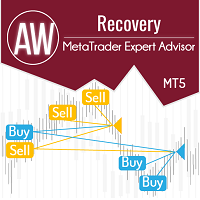
Expert Advisor は、不採算ポジションを回復するために設計されたシステムです。 著者のアルゴリズムは、負けポジションをロックし、それを多くの別々の部分に分割し、それぞれを別々に決済します。簡単なセットアップ、ドローダウンの場合のローンチ遅延、ロック、他の Expert Advisor の無効化、トレンド フィルタリングによる平均化、負けポジションの部分決済が 1 つのツールに組み込まれています。 グループ全体でのみ注文をクローズするグリッド戦略とは対照的に、より低い預金負荷で損失を減らすことができ、損失をより安全に処理できるようにするのは、部分的に損失をクローズすることです。 注文が復元される方法: 1 EA は、選択した商品の他のウィンドウを閉じて、不採算の EA をオフにします (オプション)。 2 EA は、処理されたすべての注文のテイクプロフィットとストップロスのレベルをリセットし、対応する識別子を持つ保留中の注文を削除します。 3 EA は、利益を利用して不採算注文の一部をカバーし、総ポジション量を減らすために、すべての処理された採算性のある注文をクローズします

リアルトレード口座 — LIVE SIGNAL | IC MARKETS: https://www.mql5.com/en/signals/2339082 GoldWave Ultra は、上記の MQL5 上で公開されている検証済みライブシグナルと同じコア取引ロジックおよび執行フレームワークを使用しています。 推奨される最適化設定を使用し、信頼性の高い ECN / RAW スプレッドブローカー( 例:TMGM )で運用する場合、EA のライブ取引動作は、ライブシグナルで確認できる取引構造、リスク管理、執行特性に可能な限り近づくよう設計されています。 ただし、ブローカーごとの価格配信、スプレッド、スリッページ、約定速度、流動性、サーバー所在地、VPS 環境などの違いにより、個々の取引結果には差が生じる場合があります。 現在、GoldWave Ultra は 厳格な数量限定販売となっており、USD 699 で残り 2 本のみ です。 購入後、プライベートメッセージでご連絡いただければ、 完全版ユーザーマニュアルおよび推奨最適化設定 をお送りします。 過剰なグリッドなし、危険なマーチンゲー

AMG Gold — XAUUSD スキャルパー — グリッドなし。マーチンゲールなし。全トレードに固定ストップロス。 購入前にライブシグナルをご覧ください。 中期 戦略のシグナル: H1-スイングモメンタムブレイクアウトモジュール
ICMarkets Live: High Risk Level 1 VTMarkets Live: Low Risk 短期 戦略のシグナル: Tick Scalper モジュール GlobalPrime-Trade Live リソースとドキュメント リソース 説明 AMG Gold 公式チャンネル 最新のアップデート、setファイル、お知らせ リスクプロファイルの選び方 6つのプロファイルの違いと、どれがあなたの口座に適しているか AMG Gold のセットアップ方法 ステップバイステップのインストールガイド Setファイル 各リスクプロファイル用の事前設定 取引戦略の理解 AMG Gold は XAUUSD(ゴールド) を取引する完全自動のエキスパートアドバイザーです。重要な過去の価格レベルに Buy Stop と Sell Stop の指値(待機)

BYRDI - ポートフォリオ全体を連携させる分散型トレーディングネットワーク。 多くのExpert Advisorが見ているのは、1つのターミナル、1つの口座、そしてその口座内のポジションだけです。 BYRDIは、より広いネットワーク全体を見ます。 BYRDIは、複数のMetaTrader 5ターミナルを1つの連携型トレーディングメッシュとして接続します。各ノードは、それぞれ独自の口座、ブローカー、市場、戦略、AIモデル、資金配分、リスク設定を維持しながら、ポートフォリオ全体を把握するために必要な情報を共有できます。 ネットワークは、執行の調整、重複したエクスポージャーの制限、適格なノード間での機会配分、そして別の対応ノードが利用可能な場合のフェイルオーバーを行えます。 1つのノードだけでも完全なトレーディングシステムとして動作できます。複数のノードを連携させれば、1つの分散型ネットワークとして運用できます。 BYRDIができること BYRDIは、複数のターミナル、ブローカー、口座、市場、戦略にまたがる取引活動を調整するために設計されています。 ネットワーク全体で、次の情報を共有・

XAU Master is a multi-system Expert Advisor designed specifically for gold (XAUUSD) trading. It combines 5 trading systems running simultaneously, each with different parameters to capture different market conditions. The EA includes advanced risk management features, prop firm spoofing features, and a simple info panel for real-time monitoring.
Download manual version 1.9: here Setfiles download version 1.9: here Live signal: here
Trading Approach & Strategies The EA employs a diversi

金(XAUUSD)におけるプロップファームの課題に対応するために構築されました 簡単な プラグアンドプレイセットアップ リスクのないマーチンゲール/グリッド ライブシグナル | FTMOの結果 | 公開コミュニティ 警告 :現在の価格で入手できる在庫はごくわずかです!最終価格: 990ドル 戦略
Prop Firm Gold EAは、MT5プラットフォーム上で金(XAUUSD)専用に設計されたマルチストラテジー取引システムです。
このシステムは、ブレイクアウトベースのコンセプトと日中価格パターンを組み合わせることで、日中の主要な方向性を捉える複数のロジックを統合しています。
これにより、単一の設定に依存するのではなく、さまざまな日中市場状況に適応できます。
この戦略は、インジケーターや固定時間枠に基づかず、カーブフィッティングを減らし堅牢性を向上させるために最小限の最適化を使用しています。Prop
Firm Gold EAは、分散取引ポートフォリオの一部として効果的に機能するように設計されています。日中取引に特化したロジックにより、異なるアプローチを使用する

最新情報 - 現在の価格で入手できるのは残りわずかです! このシステムの主な目的は、リスクの高いマルチンゲールやグリッドを使用せずに、長期的なライブパフォーマンスを実現することです。 現在の価格での販売部数は非常に限られています。 最終価格 1499ドル 【ライブシグナル】 | 【バックテスト結果】 | 【設定ガイド】 | 【FTMO結果】 取引への新たなアプローチ Pulse Engineは、インジケーターや特定の時間枠を一切使用しません。MQL5上の他のどのトレーディングシステムも採用していない、非常にユニークなアプローチを採用しています。 この手法は、日中の方向性パターンに基づいて取引を行います。これらのパターンは、私が長年開発・改良を重ねてきた独自のパターン認識ソフトウェアを用いて発見したものです。
このソフトウェアにより、市場が過去に特定の方向に強い動きを示した時間帯を特定することができます。
市場ごと、そして曜日ごとに、それぞれ独自の動きがあります。 この手法が非常に強力な理由は、市場がトレンドにあるのか、反転しているのか、あるい

Gold House — ゴールド・スイングブレイクアウト取引システム 1つのEA、3つの取引モード。あなたのスタイルに合ったモードを選べます。ナンピンなし。マーチンゲールなし。
10件のご購入ごとに、価格は50米ドルずつ値上がりします。最終予定価格:1,999米ドル。 ライブシグナル:
利益優先モード: https://www.mql5.com/en/signals/2359124
BE(損益分岐)優先モード: https://www.mql5.com/en/signals/2372604
重要:購入後、推奨パラメータ、使用説明、注意事項、使用のヒントを受け取るために、必ずプライベートメッセージをお送りください。
(MQL5 メッセージ): https://www.mql5.com/en/users/walter2008 最新情報をお届け — MQL5チャンネルに参加して、製品アップデートやトレードのヒントを受け取りましょう。 リンクを開き、ページ上部の「購読」ボタンをクリックしてください: Click to Join このEAは、私たちのチームの内部リアル取引口座から生ま

ArtQuant Gold — XAUUSD専用マルチモジュール型エキスパートアドバイザー ArtQuant Goldは、MetaTrader 5でゴールドを取引するために専用設計された自動売買システムです。 本EAは、複数の独立した取引モジュールに加え、ポートフォリオの一元管理、エクスポージャー制限、約定フィルター、仮想取引管理、口座保護機能を統合しています。インジケーターや各戦略の内部パラメータを個別に設定することなく、XAUUSD専用の自動売買システムを利用したいトレーダー向けに設計されています。 ArtQuant Goldは、標準的なXAUUSDシンボルに加え、ブローカーが使用する一般的なゴールドシンボルのバリエーションにも対応しています。プレフィックス、サフィックス、または別名が付いたゴールドシンボルも認識できます。 重要: ArtQuant Goldは、Gold / XAUUSD、またはブローカーが提供する同等のゴールドシンボル専用です。ゴールド以外の金融商品に適用した場合、EAは取引を開始しません。 EAの動作はチャートの時間足に依存しません。必要な市場データと構造は内部

INSTITUTIONAL SMC ROBOT 1.0 MetaTrader 5用 スマート・マネー・コンセプト(SMC)自動売買システム システム概要 Institutional SMC Robot 1.0 は、現代の金融市場向けに開発された高度な自動売買ソリューションです。機関投資家のロジックである「スマート・マネー・コンセプト(SMC)」アーキテクチャをベースに構築され、オーダーフロー、市場構造の転換、流動性の動向を分析して勝率の高いトレードを特定・実行します。 従来の一般的なインジケーターとは異なり、Institutional SMC Robot 1.0 は大口投資家や機関投資家の実際の足跡を追跡します。構造破壊(BOS)、トレンド転換(CHoCH)、オーダーブロック(OB)、適正価格ギャップ(FVG)、クアシモドレベル(QML)を正確に分析します。 プロップファーム(Prop Firm)の厳格な審査ルールのクリアを目指す場合でも、個人資金の運用拡大を目指す場合でも、本Expert Advisor(EA)はプロフェッショナルな約定、高度なリスク管理、多種多様な銘柄への対応力を単

Quantum iGold MT5 — 高度なAIトレーディングシステム(XAUUSD) Quantum iGold MT5 は、高度な人工知能技術を用いて構築された完全自動売買システムです。 このシステムは、LSTM と Transformer モデルを統合したハイブリッド型ニューラルアーキテクチャを採用し、XAUUSD の価格動向を分析します。 この構造により、市場パターンの検出、ボラティリティ変化への適応、そしてリアルタイムでの技術的に洗練された取引シグナルの生成が可能になります。 購入後、セットアップファイルとインストールガイドを受け取るために、MQL5のプライベートメッセージでご連絡ください
Core Features Dedicated AI Engine XAUUSD 向けに開発された専用AIフレームワークにより、システムは市場の動きを理解し、構造化された取引判断を行うことができます。
Dynamic Risk Management 内蔵モジュールが現在のボラティリティに基づいてポジションサイズとエクスポージャーを自動的に調整し、バランスの取れた運用をサポートします。
P

AI駆動型ゴールドトレーディング革命 -------------------------------------------------------------------------------- My AI Gold は単なる自動売買ツールではありません。高度なニューラルネットワーク技術、独自のカスタムアーキテクチャ、そして実際の市場環境における厳格な最適化を結集して開発されたシステムです。GitHub 上の最先端リポジトリと最新の機械学習フレームワークを活用し、ゼロから構築された My AI Gold は、ディープデータ分析によって XAUUSD(ゴールド)市場の複雑な動きを解析します。 十分な検証を行わずに急いでリリースされた製品とは異なり、My AI Gold は実際の市場サイクルを通じて徹底的なテスト、検証、改善を重ねています。安定し、検証可能なパフォーマンスを確認した後にのみ正式リリースされています。
リアル運用実績 +1000% https://www.mql5.com/en/signals/2389616
IC Markets ライブモニタリング — 10,000

Prop Firm Ready! Chiroptera is a non-martingale, non-grid, multi-currency Expert Advisor that operates in the quiet hours of the night. It uses single-placed trades (of all 28 pairs!) with tactically placed Take Profits and Stop Losses, that are continuously adjusted to maximize gains and minimize losses. It keeps track of past and upcoming news reports to ensure impacts are minimized and carefully measures real-time volatility to prevent impacts due to unpredictable geo-political disturbances c

最新情報:現行価格での販売は数量限定です! 完璧な直線を描くような偽のバックテストを行うために作られたものではありません。 実際の長期取引のために作られました。 マーチンゲール法なし/グリッド法なし/くだらないことなし ライブ結果: ライブシグナル | メインポートフォリオ | FTMO結果 | パブリックコミュニティ 不動産会社設立準備完了! マーケットアノマリーEAとは何ですか?
Market Anomalies EAは USDJPY 専用に設計されており 、 MT5 プラットフォーム向けに構築されています。
複数の戦略を組み合わせたアプローチを採用し、ブレイクアウトロジックを適用してその日の主要な日中トレンドを捉えるとともに、日中の価格パターンも考慮に入れています。 このシステムは指標や固定された時間枠に基づいておらず、曲線フィッティングを減らすために最小限の最適化のみを使用しています。 MQL5市場は競争が激しく、ほとんどのシステムが金(XAUUSD)に焦点を当てているが、USDJPYをベースとした戦略は、トレーディングポートフォリオ内の分散化を向上させる非常

Colosseum MT5 Colosseum MT5 は、 MetaTrader 5 の XAUUSD / Gold 向け完全自動 Expert Advisor です。 Colosseum は、ゴールド市場のより大きな ブレイクアウト、トレンド、モメンタムの動き を狙うために開発されています。 高速スキャルパーではありません。各戦略は、対応するトレード管理とトレーリングを用いて、より大きな市場変動を狙います。 Colosseum は各戦略の内部条件が満たされるまで待機し、常に取引を行うわけではありません。 LIVE TRADING SIGNALS 以下の MQL5 シグナルでは、実際の市場環境での Colosseum を確認できます。 Colosseum MT5 – Live Signal Colosseum + Ghost Scalper + Tycoon Breakout – Multi-EA Live Signal 7つの独立した WARRIOR 戦略 Colosseum は7つの独立した取引戦略を組み合わせています。 Gladius Spartacus Maximus Leg

注意:199ドルのコピーは残り1点のみです!
売り切れ次第、価格は自動的に299ドルに値上がりします。本製品の最終価格は1999ドルになります。
ゴールド(XAUUSD)は最も利益率の高い資産の1つですが、同時に最も危険な資産の1つでもあります。標準的な自動売買ロボットは、相場環境が変化すると必然的に資金を失います。トレンドフォロー型システムはレンジ相場(フラット)で「死に」、チャネルブレイクアウト型システムは、押し目のない最初の一方的な強い動きで焼き尽くされます。 そこで、H1(1時間足)タイムフレームでのゴールド取引向けに設計された次世代のトレーディング・エキスパートアドバイザー、 Fortuna Gold をご紹介します。これは単に古典的なインジケーターを組み合わせたスクリプトではなく、高度なニューラルネットワークによって駆動されるインテリジェントなトレーディングマシンです。 当社のエキスパートアドバイザーの秘密とは? このアルゴリズムは、「トレンド+反発(バウンス)」という独自のハイブリッド戦略に基づいています。内蔵されたニューラルネットワークが継続的にチャートをスキャンし、

Farmed Hedge Yield Farming | All Markets
(Manual - Hybrid - Semi/Automated EA)
VERIFIED TRADING RESULTS - Farmed Hedge Yield Axi Copy: https://www.mql5.com/en/signals/2356376 - Farmed Hedge Yield Exn Copy: https://www.mql5.com/en/signals/2356404
- Farmed Hedge Yield V Copy: https://www.mql5.com/en/signals/2357156
IMPORTANT NOTICE: FarmedHedge is a MANUAL-FOCUSED TRADING UTILITY ,not a fully automated EA.
Results shown on this Signal include manual trades and overall strategic management.

まず正直に言いましょう。
どんなインジケーターも、それ単体であなたを利益化させることはできません。もしそう言う人がいるなら、それは夢を売っているだけです。完璧な売買シグナル(矢印)を表示するインジケーターは、いくらでも“完璧に見せる”ことができます。正しい過去の区間を拡大して、勝ちトレードだけを切り取ればいいだけです。私たちはそれをしません。 SMC Intraday Formula はツールです。 市場構造を読み取り、最も高い確率の価格ゾーンを特定し、今この瞬間のスマートマネーの痕跡をシンプルな言葉で正確に示します。最終判断はあなたが行います。トレードを実行するのもあなたです。しかし今は「希望」ではなく「精度」でエントリーできます。 私たちはこのインジケーターを、ゴールド(XAUUSD)および主要FX通貨ペアで約3年間、日々のスキャルピングに使用してきました。M1、M5、M15、M30の主要ツールです。これは未来を予測しようとするのではなく、今まさに形成されている高確率セットアップを示し、その理由を説明します。 他のすべてのインジケーターと何が違うのか? ほとんどのトレーディングイ