Trading Email Alert

1. Overview
Trading Email Alert monitors the trading account and automatically sends an email whenever a buy or sell
position is opened and/or closed on the symbol (instrument) it is attached to. The email subject line is fully

configurable, along with several filters that determine which events trigger a notification.

Key features:

• Separate email subject line for trade opening and trade closing.
• Filter to notify only openings, only closings, or both.
• Filter to notify only buy trades, only sell trades, or both.
• Optional filtering by chart symbol and by Magic Number (EA/robot identifier).
• On closing, the email includes profit/loss, swap, commission and net result.
• Option to include account details (balance, equity, broker) in the email body.
Important: pending orders (Buy Stop, Sell Stop, Buy Limit, Sell Limit) do not trigger an email when they are
created. The opening email is only sent once the pending order is triggered and becomes an actual open buy or
sell position.
2. Prerequisite: Configuring Email in the Terminal
Before using the EA, you must enable and configure email sending directly in the MetaTrader 5 (MQL5)
terminal:
•1. From the top menu, go to Tools ® Options.
•2. Open the Email tab.
•3. Check the Enable box.
•4. Fill in your email account's SMTP server details (server, login, password, port) — for example, for Gmail:
smtp.gmail.com:465, using an app password rather than your regular account password.
•5. Fill in the From (sender email) and To (recipient email) fields.
•6. Click Test to confirm that a test email is delivered correctly.
•7. Click OK to save.
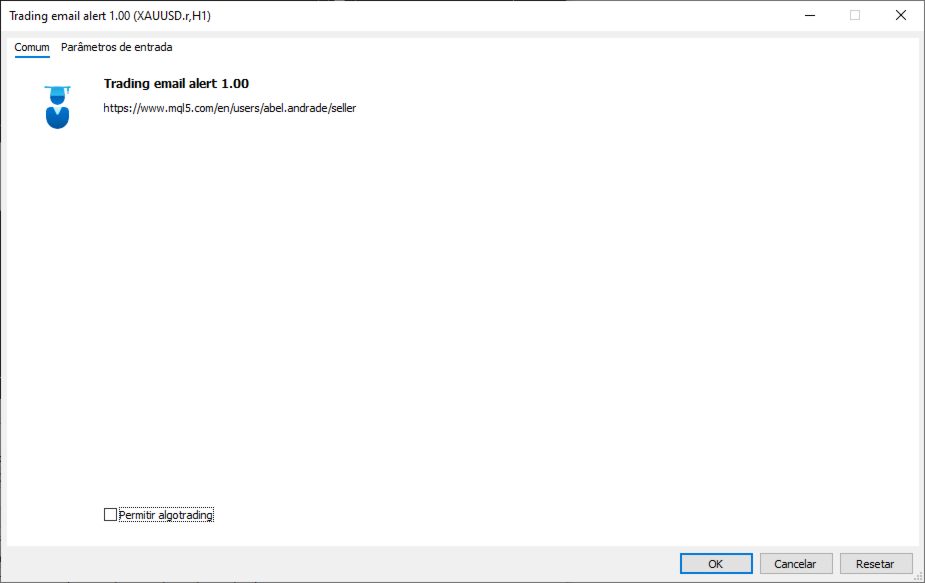
In addition, when attaching the EA to a chart, you must check the "Allow Email" option in the Common tab of the
Expert Advisor's properties window. Without this permission, the email command is blocked even if the EA is
running normally.
Email sending (the SendMail function) does not work inside the Strategy Tester — it only works on a live or demo
account, with the terminal open and connected to the internet.
3. Installation and Compilation (MetaTrader 5 (MQL5))
•1. Copy the Trading email alert.mq5 file to the MQL5/Experts/ folder of your MetaTrader 5 installation (in
MT5, right-click "Expert Advisors" in the Navigator ® "Open Folder" to locate the correct directory).
•2. Open the MetaEditor (press F4 in MT5, or Tools ® MetaQuotes Language Editor).
•3. Open the .mq5 file inside the MetaEditor.
•4. Press F7 (or click "Compile") to generate the .ex5 file. Check the "Errors" tab to confirm it shows "0
error(s), 0 warning(s)".
•5. Back in MT5, open the Navigator (Ctrl+N), locate the EA under "Expert Advisors" and drag it onto the
chart of the desired symbol.
•6. In the properties window, adjust the settings under the "Inputs" tab and check "Allow Email" under the
"Common" tab.
4. Settings Reference Table
Setting Default Description
InpEmailSubjectOpen "New Trade
Opened"
Email subject line sent when a position is OPENED.
InpEmailSubjectClose "Trade
Closed"
Email subject line sent when a position is CLOSED.
InpIncludeAccount true If enabled, adds account details to the email body: account
number, broker, balance and equity.
InpNotifyOnOpen true Controls whether the EA sends an email when a position is
OPENED.
InpNotifyOnClose true Controls whether the EA sends an email when a position is
CLOSED (includes profit/loss, swap and commission).
InpNotifyOnBuy true Controls whether BUY trades trigger a notification.
InpNotifyOnSell true Controls whether SELL trades trigger a notification.
InpOnlyThisSymbol false If enabled, only notifies trades on the same symbol as the
chart the EA is attached to.
InpOnlyThisEA false If enabled, only notifies trades carrying the Magic Number
set below (useful to ignore manual trades or trades from
other EAs).
InpMagicNumber 0 Magic Number used as a filter when InpOnlyThisEA = true.
5. How Trade Events Are Detected
The MT5 version uses the native OnTradeTransaction event, which is fired by the terminal itself on every
account activity. The EA identifies whether the transaction is an entry (DEAL_ENTRY_IN, opening) or an exit
(DEAL_ENTRY_OUT / DEAL_ENTRY_OUT_BY, closing) and builds the corresponding email.
6. How the Open/Close and Buy/Sell Filters Work
The EA combines two independent filter groups that work together (a logical AND). A trade only triggers an
email if it passes both groups at the same time:
Filter group What it controls
Notify on OPEN / Notify on CLOSE Controls WHEN the email should be sent: at the start of the
trade, at the end, both, or neither.
Notify BUY / Notify SELL Controls the DIRECTION of the trade that should trigger an
email: buys only, sells only, or both.
For example, if you set Notify on OPEN = true, Notify on CLOSE = false, Notify BUY = true and Notify
SELL = false, you will only receive an email when a BUY trade is opened — no sell trade triggers an email,
and no closing triggers an email, regardless of direction.
7. Ready-to-Use Configuration Scenarios
Get an email only when buying and selling (ignore closings)
You want to be notified as soon as a position is opened, whether buy or sell, but you don't want an email when it is
closed.
• Notify on OPEN = true
• Notify on CLOSE = false
• Notify BUY = true
• Notify SELL = true
Get an email only with the final result of each trade
You only want to know the outcome (profit/loss) of each trade, without being notified at entry time.
• Notify on OPEN = false
• Notify on CLOSE = true
• Notify BUY = true
• Notify SELL = true
Track sell trades only, from start to finish
You mostly trade short and want to follow the full life cycle of those trades only, ignoring buy trades entirely.
• Notify on OPEN = true
• Notify on CLOSE = true
• Notify BUY = false
• Notify SELL = true
Track the full life cycle of every trade (default)
Get an email on every opening and every closing, for both buy and sell trades.
• Notify on OPEN = true
• Notify on CLOSE = true
• Notify BUY = true
• Notify SELL = true
Temporarily disable all emails without removing the EA from the chart
Useful during testing, adjustments or maintenance, without having to delete the EA.
• Notify on OPEN = false
• Notify on CLOSE = false
8. Frequently Asked Questions
Q: Does the EA send an email when I simply place a pending order (Buy Stop, Sell Stop, Buy Limit,
Sell Limit)?
A: No. The email is only sent once the pending order is triggered and becomes an actual open position in the market.
Q: Why isn't the email arriving?
A: Check, in this order: (1) whether email sending is enabled and tested under Tools ® Options ® Email; (2) whether
"Allow Email" is checked in the EA's properties; (3) the "Experts" or "Journal" tab of the terminal, where the EA logs an
error message if sending fails; (4) the recipient's spam folder.
Q: Does the EA work inside the Strategy Tester?
A: No. Email sending (SendMail) is not supported inside the tester — it only works on a live or demo account with the
terminal running.
Q: Can I use the Magic Number filter to ignore manual trades?
A: Yes. Manual trades normally have Magic Number equal to 0. Enable "Notify only this EA's trades" and set your
automated strategy's Magic Number so that only its trades trigger emails.
Q: Do the MT4 and MT5 versions have the exact same settings?
A: Almost all of them are identical. The MT4 version has one extra setting, InpNotifyExistingOnStart, which is not
available in MT5 since MT5 can reliably distinguish new transactions from pre-existing ones without needing this extra
option.
Manual generated for the Trading email alert.mq5 file (MetaTrader 5 (MQL5)).
Рекомендуем также
MTF Lines PRO
Renato Fiche Junior
3 (2)
This indicator was developed to support multiple timeframe analysis. In the indicator settings, the user can set the color, width, and style of the horizontal lines for each timeframe. This way, when the horizontal lines are inserted into the chart, they will be plotted with the timeframe settings. MTF Lines also allows visibility control of another objets like rectangles, trend lines and texts. This is a product developed by Renato Fiche Junior and available to all MetaTrader 4 and 5 users!
FREE
Volume profile CVD Frato
Francisco Felipe Alves Da Silva Rocha
5 (2)
Frato Volume Profile Pro v7.5 Разработано Frato Academy Этот индикатор отображает профиль объема торгов для MetaTrader 5. Он рассчитывает распределение объема торгов по уровням цен за настраиваемый период и отображает результаты непосредственно на основном графике. Особенности: Профиль объема с цветовым градиентом Индикатор делит ценовой диапазон на уровни и присваивает каждому уровню соответствующий объем. Цвет каждого уровня изменяется в непрерывном градиенте в зависимости от объема: уровн
FREE
Overtrading Stopper MT5 1. Overview Overtrading Stopper MT5 is a MetaTrader 5 utility EA that helps discretionary traders follow their own trading rules. You can set rules in advance, such as: how many times you may trade today, how many consecutive losses should make you stop, how many minutes to pause after a loss, and how to avoid entering several trades in rapid succession. When a configured limit or condition is reached, the EA displays the reason for the protection state on the chart. Depe
FREE
SMC Visual indicator
Gabriel Balbino De Oliveira
SMC Visual Indicator v6 – Торгуйте как Smart Money Большинство трейдеров тратят часы на поиск структуры рынка, зон ликвидности, Fair Value Gap и возможных разворотов. К моменту завершения анализа рынок уже ушел. SMC Visual Indicator v6 выполняет эту работу за вас. Созданный на основе передовых концепций Smart Money Concepts (SMC) и ICT, этот индикатор автоматически определяет ключевые области, где действуют крупные институциональные участники рынка. Представьте, что вы открываете график и мгнове
BLZ Candle TImer
Moustapha Boulouz
4.48 (21)
BLZ Candle Timer: открывая будущее трейдинга Перейдите в мир передовых технологий торговли с помощью BLZ Candle Timer - продвинутого таймера обратного отсчета, который показывает время, оставшееся до окончания текущего бара и появления нового. Ощутите силу точности: этот индикатор показывает время, оставшееся до последнего бара на вашем графике, позволяя вам не отставать от ритма рынка. Своевременное уведомление о появлении нового бара позволит вам быть начеку и придаст динамику вашей торгов
FREE
FiveStarFX Gold Reversal Edge Professional automated trading solution designed for structured execution and controlled risk management in the Gold market. Built for traders who value discipline, precision, and consistency. Key Features Fully automated trading One trade at a time (controlled exposure) Fixed Stop Loss and Take Profit Smart Break-Even protection Profit lock with buffer Step-based trailing management Spread protection system Works on any broker Trade Management The E
FREE
This indicator is especially for the binary trading. Time frame is 1 minutes and exp time 5 or 3 minutes only. You must be use martingale 3 step. So you must put lots size is 10 % at most. You should use Mt2 trading platform to connect with my indicator to get more signal without human working. This indicator wining rate is over 80% but you may get 100% of profit by using martingale 3 step. You should use MT2 Trading Platform to connect meta trader platform and binary platform . You can get mt2
FREE
Scan a fixed list of assets (Ibovespa) in the chosen timeframe (TimeFrame). For each pair and for various periods. Calculate a regression model between the two assets (and, if desired, using the bova11 index as a normalizer). Generate the spread of this relationship, its mean, standard deviation, speculative deviation, and betas (B1 and B2). Apply an ADF test without exclusion (cointegration/stationarity). Calculate the Z-score of the current exclusion (how many standard deviations are away from
FREE
Общая информация Утилита URL html and xml to csv предназначена для получения содержимого формата html или xml из URL-адресов и для загрузки его в выходной файл формата txt или csv. Она позволяет получать веб-страницы целиком, начиная с протокола http, в виде документа для дальнейшего в мобильном приложении или в терминале MetaTrader. Это полезно для получения наибольшей пользы из данных о событиях и экономических календарях, а также публикаций, связанных с инструментами, доступными на торговом т
FREE
XCalper CandleTimer
Aecio de Feo Flora Neto
4.64 (14)
Этот вспомогательный постоянно обновляющийся индикатор отображает время, оставшееся до закрытия на текущем таймфрейме. Также он показывает цену последней сделки и отклонение от уровня закрытия предыдущего дня. Индикатор полезен дневным трейдерам и скальперам, которые пристально следят за открытием и закрытием свечей. Настройки индикатора Show in shifted end - по умолчанию: False. Отображение времени и значения на экране. При значении True отображается только время до закрытия возле последней св
FREE
Descrição Este Expert Advisor (EA) implementa uma estratégia baseada na divergência de preços entre o mini dólar (WDO$N) e o dólar cheio (DOL$N). Ele monitora, segundos antes da abertura do mercado ou ao longo do dia (conforme o modo escolhido), possíveis discrepâncias entre esses dois ativos e efetua ordens no mini dólar, apostando na convergência futura. Principais Recursos Divergência Mínima Configurável: A estratégia utiliza um parâmetro de divergência mínima de 10 pontos, ajustável de acor
FREE
THE       MAC Trade Panel       It is an advanced trading utility designed for manual traders (scalpers and day traders) seeking speed, precision, and professional risk management in MetaTrader 4. Forget about time-consuming lot calculations: define your risk and let the dashboard do all the heavy lifting. Fully interactive, resizable, and with a modern design, it allows you to trade directly from the chart with order previews, manage multiple partial exits, and automatically protect your capita
RandomChoice
Aleksei Lesnikov
5 (1)
Эксперт, способный приносить прибыль при открытии позиций случайным образом. Показывает хорошие результаты при долгосрочном трейдинге – на периодах от H12. Особенности Доступен полностью автоматический режим работы. Открытие позиций производится случайным образом. Применяется Мартингейл – в случае, если предыдущая позиция закрылась с убытком, текущая открывается с объемом, компенсирующим данный убыток.   Параметры Mode – режим работы Эксперта: Automatic – автоматический (рекомендуется); Manual
FREE
Индикатор Crypto_Forex "WPR с 2 скользящими средними" для MT5, без перерисовки. - Сам по себе WPR является одним из лучших осцилляторов для скальпинга. - Индикатор "WPR и 2 скользящие средние" позволяет видеть быстрые и медленные скользящие средние осциллятора WPR. - Индикатор дает возможность увидеть коррекцию цены на очень ранней стадии. - Этот индикатор очень легко настроить через параметры, его можно использовать на любом таймфрейме. - Условия входа на покупку и продажу показаны на изображ
Тикер, который показывает среднюю курс биткоина к выбранной валюте с регулярным обновлением через определенные промежутки. Версия PRO обновляет данные чаще и отображает подробную информацию об изменении цены! Для работы утилиты необходимо добавить адрес http://metakod.com/mk/api в список разрешенных URL на вкладке Сервис → Настройки → Эксперты. Все поддерживаемые валюты и адрес API указаны на скриншотах ниже. Входные параметры Logging level - контроль количества подробностей, указываемых в журн
FREE
High Low Open Close
Alexandre Borela
4.98 (45)
Если вам нравится этот проект, оставьте 5-звездочный обзор. Данный показатель рисует открытые, высокие, низкие и закрывающие цены на указанные период и его можно отрегулировать для специфического часового пояса. Это важные уровни, которые выглядят многие институциональные и профессиональные трейдеры и могут быть полезны для вас, чтобы знать места, где они могут быть больше активный. Доступные периоды: Предыдущий день. Предыдущая неделя. Предыдущий месяц. Предыдущий квартал. Предыдущий год. Или
FREE
Price Ray
Keni Chetankumar Gajanan -
5 (7)
Price Ray indicator is a utility that will improve the way you trade. Primarily, it shows the Bid, Ask or Last price as a line ray which beams till the current candle, last visible chart candle or extended to all candle bars. The enhanced features in this indicator provide information in an area where you focus most, right next to the current candle. You can select text to be shown above or below the Price ray. The indicator is fully customizable, allowing it to fit any strategy requirements. Th
FREE
Donchian Channel is an indicator created by Richard Donchian. It is formed by taking the highest high and the lowest low of the last specified period in candles. The area between high and low is the channel for the chosen period. Its configuration is simple. It is possible to have the average between the upper and lower lines, plus you have alerts when price hits one side. If you have any questions or find any bugs, please contact me. Enjoy!
FREE
Launch price: 30 USD - price will increase after the first purchases, so early buyers lock in this rate. Reversal Magnet Lines plots the closing price of each of the last N trading days (configurable from 15 to 180 days) as horizontal lines directly on the chart. These prior-day close levels frequently act as short-term support and resistance, where price either reverses or breaks through with momentum. Based on an analysis of 52 trading days on JPN225, price interacted with these levels in mo
OB FVG Trade Copier: Unified Master & Slave EA Version: 2.00 Type: Trade Copier / Risk Management Utility Compatibility: MetaTrader 4 & MetaTrader 5 (Cross-compatible codebase) Overview The OB FVG Trade Copier is a professional-grade, unified trade copying system designed to mirror trades between Master and Slave accounts seamlessly. Built with a unified architecture, a single EA file serves as both the sender (Master) and receiver (Slave) simply by toggling the EA Mode in the settings. It uti
FREE
EMarket AI
Sant Clear Ali Costa
The wait is over, the AI for Traders has arrived! The Elite Market AI is an Expert Advisor powered by one of the most advanced generative AI models available today. It processes the price and indicator data displayed on the screen, providing traders with valuable insights into the current market situation. This analysis can be crucial for making informed buy or sell decisions, assisting in trading strategy, and enhancing the accuracy of operations. Configurations Country Code Description: Def
RBM EA Deluxe
Renato Brendim Medici
An XAUUSD-focused robot that only enters when several market conditions line up at once: trend, volume, price structure and session. It shows you exactly what it’s analyzing on the chart, and why it decided to trade or wait. Most gold robots you’ll find out there run on something simple: a moving average cross, or a channel breakout, and that’s it. The problem is gold doesn’t trade that way. It sweeps liquidity, traps early entries, and usually only moves for real after shaking everyone out fir
Summary of the Advanced Account Monitoring for MT5 The Advanced Account Monitoring for MT5 is a powerful tool designed for advanced account monitoring, offering traders detailed insights into their trading performance. This indicator provides a comprehensive dashboard to track drawdowns, profits, and trading volumes across different timeframes. Below is an overview of its key functions: Account and Robot Monitoring The indicator allows users to monitor either the entire account or a specific Ex
TradePulseMonitor for MetaTrader 4 & 5 Overview: TradePulseMonitor is a comprehensive, real-time dashboard indicator designed for MetaTrader 4 and MetaTrader 5. It provides traders with an at-a-glance overview of their account's financial health, risk exposure, position metrics, and historical performance. By consolidating critical data into a single, customizable on-chart dashboard, it eliminates the need to constantly check the Terminal window, allowing for faster and more informed trading de
FREE
Ping-Monitor — Never Miss a Tick Again! Do you run EAs and worry about silent chart freezes or data feed stalls ?  This utility is your ultimate watchdog, alerting you the moment your charts stop receiving updates. Ping-Monitor is designed to detect when a chart freezes or the data feed stalls, even if MT5 still shows that the connection is active. It works by tracking the time of the last incoming tick. Every time the chart receives a new price update, the EA records the timestamp. Then, on a
Want to AUTOMATE this strategy? We have released the fully automated Expert Advisor based on this logic. Check out Range Vector Fibo Logic EA here:  https://www.mql5.com/en/market/product/158065 UPGRADE AVAILABLE: Tired of manual trading? I just released the Automated MTF Version with Mobile Alerts and Auto-Targets. Get the Pro Version here: https://www.mql5.com/en/market/product/159350 Range Vector Fibo Logic (Indicator) One Candle Strategy Stop waking up at 3 AM to draw lines manually. Range
FREE
QM FlowVision X1 Visual Multi-Factor Trading Indicator with Historical Probability, Market Flow, Momentum, Divergence and Multi-Timeframe Context QM FlowVision X1 is a visual decision-support indicator for MetaTrader 5 designed to transform multiple market conditions into a simple and readable trading state. Instead of displaying isolated oscillators without interpretation, FlowVision combines momentum, money flow, RSI, Stochastic RSI, divergence and higher-timeframe context into a unified 0–100
FREE
Trade Copier Local MT5 is a fast local trade copier for copying trades between multiple MT4 and MT5 accounts. One EA works in both Master and Slave modes. Simply select the required Copier Mode and use the same product on your MetaTrader terminals. Copy trades between: • MT5 → MT5 • MT5 → MT4 • MT4 → MT5 • MT4 → MT4 Perfect for: • Trading multiple accounts at once • Linking multiple trading accounts • Personal account mirroring • Signal providers • Account managers • Prop trading setups #
MAGIC PROTECTOR — Advanced Equity Protection EA Magic Protector   is a utility built for traders who want better control over daily, weekly, or monthly risk exposure. The EA continuously monitors trading performance based on your selected protection period and helps prevent further losses or overtrading once your defined limits are reached. It can work with either the entire account or only trades belonging to a specific Magic Number, making it suitable for traders running multiple Expert Ad
FREE
SessionSync   is a smart and elegant timing tool for MetaTrader 5, created to keep traders fully synchronized with the market. It shows the remaining time of the current candle in real time and displays the main trading clocks, including server time, local time, New York, and London. With a clean floating panel and an intuitive layout, SessionSync helps you track candle expiration and market sessions quickly and efficiently, without overloading your chart. Whether you trade price action, intrada
С этим продуктом покупают
Trade Assistant MT5
Evgeniy Kravchenko
4.43 (216)
Помогает рассчитать риск на сделку, простая установка нового ордера с помощью линий, управление ордерами с функциями частичного закрытия, 7 типов трейлинг-стопа и другие полезные функции. Дополнительные материалы и инструкции Инструкция по установке - Инструкция к приложению - Пробная версия приложения для демо счета Функция Линии   - отображает на графике линию открытия, стоп-лосс, тейк-профит. С помощью этой функции легко установить новый ордер и увидеть его дополнительные характеристики пе
Добро пожаловать в Trade Manager EA — лучший инструмент для управления рисками, предназначенный для упрощения, точности и эффективности торговли. Это не просто инструмент для размещения ордеров; это комплексное решение для удобного планирования торгов, управления позициями и усиленного контроля над рисками. Независимо от того, начинающий вы трейдер, опытный специалист или скальпер, нуждающийся в быстром исполнении, Trade Manager EA адаптируется к вашим потребностям и работает с любыми активами:
Local Trade Copier EA MT5
Juvenille Emperor Limited
4.94 (149)
Local Trade Copier EA MT5 — это быстрый и гибкий копировщик сделок для копирования и управления сделками между несколькими счетами MetaTrader 5 на одном компьютере с Windows или Windows VPS. Он сочетает локальную синхронизацию сделок с настройками на стороне Receiver для управления размером лота, рисками, фильтрацией сделок, сопоставлением символов, управлением сделками и защитой счета. Настройте терминалы Transmitter и Receiver примерно за 1 минуту и копируйте ручные сделки или сделки, открыты
Strategy Ledger Pro
Abdullah Uygar Tuna
5 (6)
Теперь доступно на русском языке. Strategy Ledger Pro — панель анализа счёта для MetaTrader 5, работающая только на чтение. Она разделяет результаты счёта по советникам, стратегиям, символам и magic-номерам, чтобы было видно, что на самом деле вносит каждый из них. Панель доступна на 11 языках: English, Français, Deutsch, Español, Italiano, Português, Русский, Türkçe, 中文, 日本語 и 한국어. Перед загрузкой демоверсии. Маркет запускает демоверсию любого платного продукта только в тестере стратегий. Эта
================================================================================ POC BREAKOUT - V20.72. Full Professional Grade Toolkit ================================================================================ POC Breakout is a full MetaTrader 5 trading dashboard for discretionary traders who want breakout signals, Point of Control (POC) context, volume profiles, order flow, market structure, news, alerts, and advanced trade planning in one professional workspace. Attached directly to you
Telegram to MT5 Multi-Channel Copier   автоматически копирует торговые сигналы из ваших Telegram-каналов прямо в MetaTrader 5. Без ботов, без браузерных расширений, без ручного копирования. Сигнал приходит в Telegram — и советник открывает сделку в вашем терминале за считанные секунды. А перед тем как копировать канал, встроенный бэктестер покажет, что этот канал сделал бы на вашем счёте. Продукт состоит из двух компонентов: приложения для Windows, которое слушает ваши Telegram-каналы, и этого с
TradePanel MT5
Alfiya Fazylova
4.88 (169)
Trade Panel — это многофункциональный торговый помощник. Приложение содержит более 50 торговых функций для ручной торговли и позволяет автоматизировать большинство торговых операций. Инструкция к приложению + видео-инструкции: https://www.mql5.com/ru/blogs/post/771695 Пробная версия приложения для демо-счета: https://www.mql5.com/ru/blogs/post/750864 Как установить приложение: https://www.mql5.com/ru/blogs/post/750096 Как тестировать приложение в визуальном режиме: https://www.mql5.com/ru/blogs/
Копируйте сигналы из Telegram по своим торговым правилам Telegram to MT5 Signal Trader автоматически копирует текстовые торговые сигналы из открытых и закрытых каналов и групп Telegram в MetaTrader 5. Управляйте несколькими поставщиками сигналов и счетами MT5 из одного приложения для компьютера, задавая индивидуальные параметры риска и торговли для каждого поставщика . Для копирования не нужны бот Telegram и настройка API. Просто войдите в свой аккаунт Telegram по номеру телефона или QR-коду и в
Farmed Hedge Yield Farming | All Markets (Manual - Hybrid - Semi/Automated EA) VERIFIED TRADING RESULTS - Farmed Hedge Yield Axi Copy:  https://www.mql5.com/en/signals/2356376 - Farmed Hedge Yield Exn Copy:   https://www.mql5.com/en/signals/2356404 - Farmed Hedge Yield V Copy:  https://www.mql5.com/en/signals/2357156 IMPORTANT NOTICE: FarmedHedge is a MANUAL-FOCUSED TRADING UTILITY ,not a fully automated EA. Results shown on this Signal include manual trades and overall strategic management.
Power Candles Strategy Scanner — самооптимизирующийся инструмент для поиска настроек по нескольким инструментам Power Candles Strategy Scanner использует тот же самооптимизирующийся движок, что и индикатор Power Candles — для всех символов в вашем Market Watch, одновременно. На одной панели отображается информация о том, какие символы в данный момент являются статистически торгуемыми, какая стратегия выигрывает на каждом из них, оптимальная пара Stop Loss / Take Profit, а также отправляется увед
Exp COPYLOT CLIENT for MT5
Vladislav Andruschenko
3.97 (35)
Профессиональный копировщик сделок для MetaTrader 5 Быстрый, профессиональный и надежный копировщик сделок для MetaTrader . COPYLOT позволяет копировать сделки Forex между терминалами MT4 и MT5 с поддержкой счетов Hedge и Netting . Версия COPYLOT для MT5 поддерживает: - MT5 Hedge → MT5 Hedge - MT5 Hedge → MT5 Netting - MT5 Netting → MT5 Hedge - MT5 Netting → MT5 Netting - MT4 → MT5 Hedge - MT4 → MT5 Netting Версия MT4 Полное описание + DEMO + PDF Как купить Как установить Как получить файлы жур
Signal TradingView to MT5 Pro Automator Мгновенное профессиональное исполнение между TradingView и MetaTrader 5 Автоматизируйте свою торговую стратегию с помощью самого надежного моста связи между алертами TradingView и реальным исполнением в MT5. Разработанный для трейдеров, которым требуются скорость, гибкость и безупречное управление рисками, этот советник (Expert Advisor) превращает любое сообщение с алертом в точный рыночный или лимитный ордер. ПРЕИМУЩЕСТВА И СИЛЬНЫЕ СТОРОНЫ Универсальный д
Premium Trade Manager - Торговая панель со встроенным коучем Premium Trade Manager помещает торгового коуча прямо в ваш график, а под ним работает полноценный движок исполнения. Настройте сделку так, как вы всегда это делаете, затем позвольте Max, вашему ИИ-наставнику по трейдингу, прочитать именно эту настройку с учётом вашего живого счёта и дать чёткое заключение до того, как вы входите: соответствует ли стоп дисциплинированному подходу, разумен ли риск, не выходит ли высоковолатильный релиз ч
HINN MAGIC ENTRY - лучший инструмент для входа и менеджмента позиций! ПРОСТО. БЫСТРО. ИНТУИТИВНО. МАКСИМАЛЬНО АВТОМАТИЗИРОВАНО. Выставляет ордера через выбор уровня на графике! полное описание    ::    demo-версия    ::   60-sec-video-description Основные функции: - Рыночные, лимитные и отложенные ордера -  Автоматический подсчет лоттажа  -  Автоматический учет спреда и комиссий -  Неограниченное количество промежуточных тейков для позиций - Перевод в безубыток и трейл стоп-лосса и тейк-проф
MT5 to Telegram Signal Provider — это простой в использовании полностью настраиваемый инструмент, который позволяет отправлять определённые сигналы в чат, канал или группу Telegram, превращая вашу учётную запись в провайдера сигналов . В отличие от большинства конкурирующих продуктов, он не использует импорт DLL. [ Демо ]   [ Руководство ] [ Версия MT4 ] [ Версия для Discord ] [ Канал в Telegram ]  New: [ Telegram To MT5 ] Настройка Доступно пошаговое руководство пользователя . Никаких знаний A
MT5 Trading Deck
Manuel Michiels
5 (2)
One button. One trade. MT5 Trading Deck is a hotkey trading panel for MetaTrader 5 that turns the platform into a keyboard-driven execution cockpit. Stop loss, take profit and lot size are pre-calculated for every key; the moment you press, a market order is live on the broker. A complete technical user manual is attached in the product Comments section. It documents every input parameter, the full hotkey map, the recommended Stream Deck XL layout, and the advanced workflows for Pre-Limit orders
Напишите мне после покупки, чтобы получить полный комплект руководств + 3-дневный пробный доступ к API OpenAI для тестирования функций ИИ + ещё один бонусный подарок Текущая цена — ограниченная скидка в рамках августовского обновления и повторного запуска — успейте приобрести свою версию до повышения цены. Следующая цена: $340 Это совершенно не похоже ни на одну торговую панель, которую вы пробовали или видели на рынке. Это одна из самых инновационных торговых панелей с поддержкой ИИ, доступных
Grid Manual MT5
Alfiya Fazylova
4.73 (22)
Grid Manual — это торговая панель для работы с сеточными стратегиями. Утилита универсальная, имеет гибкие настройки и понятный интерфейс. Работает с сеткой ордеров не только в сторону усреднения убытков, но и в сторону наращивания прибыли. Трейдеру не нужно создавать и сопровождать сетку ордеров, это сделает утилита. Достаточно открыть ордер и Grid manual автоматически создаст ему сетку ордеров и будет сопровождать его до самого закрытия. Полная инструкция и демо-версия здесь . Основные особенно
Trade copier MT5
Alfiya Fazylova
4.61 (56)
Trade Copier — это профессиональная утилита, предназначенная для копирования и синхронизации сделок между торговыми счетами. Копирование происходит от счета/терминала поставщика к счету/терминалу получателя, которые установлены на одном компьютере или vps. АКЦИЯ - Если вы уже приобрели "Trade copier MT5", вы можете получить "Trade copier MT4" бесплатно (для копирования MT4 > MT5 и MT4 < MT5). Для получения более подробной информации об условиях, пожалуйста, свяжитесь с нами через личные сообщени
EA Overfitter
Stephen J Martret
5 (1)
Бэктест выглядит отлично. Но будет ли советник зарабатывать завтра, через неделю, через месяц? EA Overfitter прогоняет вашего советника по 100 историям цены, которых он никогда не видел. Одна оценка показывает, реально ли преимущество. Бэктест показывает, что советник сделал на одной истории цены — на той, которая случайно произошла. Из него невозможно понять, какая часть результата была заслугой стратегии, а какая — конкретного пути цены. EA Overfitter отвечает на этот вопрос. Он строит до 10
Trade Manager DaneTrades
Levi Dane Benjamin
4.23 (30)
Trade Manager, который поможет вам быстро входить и выходить из сделок, автоматически рассчитывая риск. Включает функции, которые помогут предотвратить чрезмерную торговлю, торговлю из мести и эмоциональную торговлю. Сделками можно управлять автоматически, а показатели эффективности счета можно визуализировать в виде графика. Эти функции делают эту панель идеальной для всех трейдеров, занимающихся ручной торговлей, и помогают улучшить платформу MetaTrader 5. Многоязычная поддержка. Версия для МТ
Trade Dashboard MT5
Fatemeh Ameri
4.94 (134)
Trade Dashboard simplifies how you open, manage, and control your trades, with built-in lot size calculation. It allows you to execute trades, manage risk, and control positions directly on the chart, with tools such as partial close, breakeven, and trailing stop. Designed to reduce manual work and help you stay focused on your trading decisions. A demo version is available for testing. Detailed explanations of features are provided within the MQL5 platform. Installation instructions are include
Telegram To MT5 Ultra
Mirel Daniel Gheonu
5 (5)
Telegram To MT5 — копировщик сигналов Превратите торговые сигналы из ваших Telegram-каналов в реальные ордера MT5 — автоматически, на любом количестве счетов, с полным контролем над риском и правилами. Telegram To MT5 связывает VIP / сигнальные каналы, на которые вы уже подписаны в Telegram, с вашим терминалом MetaTrader 5. Бесплатное приложение-компаньон для ПК читает сообщения (даже из каналов, которые не допускают ботов), а этот советник исполняет их на вашем счёте — применяя ваши настройки р
EA Slipstream
Stephen J Martret
5 (1)
EA Slipstream — описание для MQL5 Маркета (русский) Ваш бэктест исполнил каждый ордер по той цене, которую запросил. Ваш счёт — нет. EA Slipstream измеряет, во что обходится исполнение вашему советнику, используя ваши собственные исполнения, проскальзывания и спреды, и показывает реальную результативность советника. В бэктесте каждая сделка рассчитывается по цене, которую назвал советник. В реальной торговле отложенный ордер исполняется по той цене, которая доступна в момент срабатывания, стоп з
Представляем последнюю версию Dynamic Fibonacci Grid Dashboard для MT5. Теперь с множеством новых функций, этот обновлённый дашборд полностью меняет ваш торговый опыт и позволяет увидеть рынок и ценовое движение с совершенно иной перспективы. Откройте новые возможности благодаря одновременному анализу нескольких таймфреймов и множества инструментов. Удобный интерфейс для ручной торговли и управления позициями, а также расширенные возможности применения предопределённых автоматических стратегий.
Welcome to ENTRY IN THE ZONE AND SMC MULTI TIMEFRAME Entry In The Zone and SMC Multi Timeframe is a real-time market analysis tool based on Smart Money Concepts (SMC), designed to analyze market structure, price direction, and key trading zones. It supports both Single-Timeframe Analysis and Multi-Timeframe Analysis, providing a clearer view of the overall market structure across multiple timeframes, with real-time BUY / SELL signals that do not repaint. It is designed to help filter trading opp
Basket EA MT5
Juvenille Emperor Limited
5 (7)
Basket EA MT5 — мощный инструмент для фиксации прибыли и комплексная система защиты счёта, объединённые в простое и удобное решение. Его основная цель — обеспечить полный контроль над общей прибылью и убытками вашего торгового счёта, управляя всеми открытыми позициями как корзиной, а не по отдельности. Усовершённый набор функций включает уровни тейк-профита, стоп-лосса, безубытка и трейлинг-стоп. Эти параметры можно задавать как процент от баланса, фиксированную сумму в валюте счёта или в виде
The News Filter MT5
Leolouiski Gan
4.78 (23)
Этот продукт фильтрует всех экспертных советников и ручные графики во время новостей, так что вам не нужно беспокоиться о внезапных скачках цены, которые могут разрушить ваши ручные торговые настройки или сделки, введенные другими экспертными советниками. Этот продукт также поставляется с полной системой управления ордерами, которая может обрабатывать ваши открытые позиции и ордера на ожидание перед выпуском новостей. После покупки   The News Filter   вам больше не придется полагаться на встроен
The product will copy all telegram signal to MT5 ( which you are member) , also it can work as remote copier.  Easy to set up, copy order instant, can work with almost signal formats, image signal,  s upport to translate other language to English Work with all type of channel or group, even channel have "Restrict Saving Content", work with  multi channel, multi MT5 Work as remote copier: with signal have ticket number, it will copy exactly via ticket number. Support to backtest signal. How to s
Anchor Trade Manager
Kalinskie Gilliam
5 (9)
Your EAs cannot see each other, but Anchor can. Anchor gives you one place to coordinate your EAs, manage risk, and decide when trading is allowed. It works alongside the trading bots you already use without any changes to them. The Problem One EA opens a trade. Then another starts trading. The next thing you know, you wake up to multiple grids built across your account. Each EA may be doing exactly what it was designed to do, but together they can place far more risk on your account than you in
Другие продукты этого автора
1. Overview Trading Email Alert monitors the trading account and automatically sends an email whenever a buy or sell position is opened and/or closed on the symbol (instrument) it is attached to. The email subject line is fully configurable, along with several filters that determine which events trigger a notification. Key features: • Separate email subject line for trade opening and trade closing. • Filter to notify only openings, only closings, or both. • Filter to notify only buy trades, onl
Фильтр:
Нет отзывов
Ответ на отзыв