Overtrading Stopper MT5

  • Утилиты
  • Kosuke Noguchi
    Kosuke Noguchi
    I'm an independent MT5 developer based in Japan. My products are built around clear, testable logic and
    conservative risk control rather than promising high win rates or unrealistic returns.
    Current products:
  • Версия: 1.103
Overtrading Stopper MT5

1. Overview

Overtrading Stopper MT5 is a MetaTrader 5 utility EA that helps discretionary traders follow their own trading rules.

You can set rules in advance, such as: how many times you may trade today, how many consecutive losses should make you stop, how many minutes to pause after a loss, and how to avoid entering several trades in rapid succession.

When a configured limit or condition is reached, the EA displays the reason for the protection state on the chart. Depending on your settings, it can close new positions or delete pending orders.

This tool is not a signal-generating EA. It does not make trading decisions. It is designed to make it easier to apply the risk-management and trading-discipline rules you decide in advance.

2. Who It Is For

Overtrading Stopper MT5 is for discretionary traders who want to:

  • Keep a planned daily trade cap.
  • Avoid rapid re-entry after a loss or a losing streak.
  • Control entry intervals for scalping or short-term trading.
  • Separate manual and EA trading with Magic Number scope.
  • Apply rules per symbol or across all symbols.
  • Keep the day's protection state after reattaching the EA or restarting MT5.
  • Review rule activation in a CSV log.

It supports rule-based trading discipline instead of emotion-driven decisions.

3. What It Can and Cannot Do

What It Can Do

  • Monitor trade count, losing streaks, entry gaps, and post-loss cooldowns.
  • Show the protection reason on the chart and, when enabled, close new monitored positions or delete monitored pending orders.
  • Monitor manual trades, all trades, or a specified Magic Number; monitor the current chart symbol or all symbols.
  • Save and restore the lock state and active cooldown after EA reattachment or MT5 restart.
  • Record important events in a CSV log.

Limits and Requirements

  • It does not generate signals or guarantee profit, win rate, or loss avoidance.
  • It cannot reject a manual order before placement; it detects the order afterward and performs enabled actions.
  • Closing or deletion can be affected by connectivity, broker conditions, and trading hours.
  • Keep MT5 or a VPS running and enable Algo Trading while using protection actions.

Confirm suitability on a demo account before purchase or live use.

4. Main Features

Daily Trade Limit

The EA counts new entries in the monitored scope and enters the protection state when the specified limit is reached.

Set a limit that fits your trading rules, such as "up to five trades per day" or "three trades during the London session." The daily reset time is set in your broker's server time.

Losing Streak Limit

The EA enters the protection state when consecutive losing closed trades in the monitored scope reach the specified number.

For example, set the limit to 3 when you want to review your trading for the day after three consecutive losses.

Minimum Entry Gap

The EA enters the protection state when consecutive entries are made closer together than the specified interval.

This is useful if you tend to repeat orders in a short time. For example, with a setting of 10 minutes, the EA detects a new monitored entry made less than 10 minutes after the previous monitored entry.

Loss Cooldown

After a losing trade closes, the EA keeps the protection state active for the specified time.

The chart panel shows the remaining cooldown time. For example, a setting of 30 minutes applies the configured protection actions for 30 minutes after a losing trade closes. Set it to 0 to disable this feature.

Selectable Protection Actions

You can choose each action to apply after the protection state starts:

  • Close new positions.
  • Delete new pending orders.
  • Also delete pending orders that already existed before protection started.

These settings let you choose between stronger protection and preserving your existing trade plan as much as possible.

Monitoring Scope

Choose whether to monitor only the current chart symbol or all symbols.

You can also use the Magic Number condition to monitor manual trades only, all trades, or trades from a specific EA only.

Status Panel and CSV Event Log

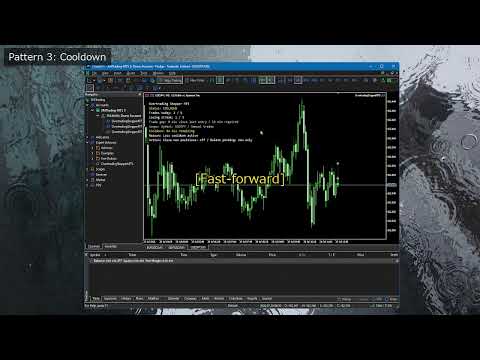
The on-chart status panel shows the current status, entry count, losing streak, cooldown, monitoring scope, protection reason, and enabled protection actions.

The CSV event log records important events. Use it to confirm why protection was triggered, what action was taken, and whether settings should be reviewed.

Protection-State Persistence

The current day's lock state and any active post-loss cooldown are saved.

If you remove and reattach the EA or restart MT5, the saved protection state is restored when the account, monitoring scope, and Magic Number settings are the same. The day's state is cleared at the daily reset time.

5. What Happens When Protection Is Active

The protection state becomes active when any of the following conditions is met:

  • The daily trade limit is reached.
  • The losing streak limit is reached.
  • Consecutive entries closer than the minimum entry gap are detected.
  • A post-loss cooldown is active.

The chart panel displays the reason when protection is active.

The subsequent behavior is determined by the Protection Actions settings.

Close new positions after protection starts

When enabled, the EA closes monitored positions opened after protection starts.

Positions that were already open before protection started are not closed by this setting alone.

Delete new pending orders after protection starts

When enabled, the EA deletes monitored pending orders created after protection starts.

Use this when you want to preserve pending orders already included in an existing trading plan but delete only pending orders newly placed after the lock.

Also delete existing pending orders

When enabled, the EA also deletes monitored pending orders that existed before protection started.

This provides stronger protection, but it also makes previously placed limit and stop orders eligible for deletion. Enable it only after understanding this effect.

6. Initial Settings Example

Start with conservative settings that minimize effects on existing positions and pending orders.

Daily trade limit: 5 (Maximum number of monitored entries allowed before the daily reset.)
Losing streak limit: 3 (Protection starts when this number of losing closed trades occurs consecutively.)
Minimum entry gap: 10 minutes (Detects consecutive entries made closer together than this interval.)
Loss cooldown: 30 minutes (Time to keep protection active after a losing trade closes.)
Close new positions: false (Closes monitored positions opened after protection starts.)
Delete new pending orders: true (Deletes monitored pending orders created after protection starts.)
Delete existing pending orders: false (Also deletes monitored pending orders that existed before protection started.)
Symbols to monitor: Current chart (Monitors only the symbol of the chart where the EA is attached.)
Magic scope: 0 (Magic Number scope: 0 monitors manual trades.)
Daily reset hour: 0 (Hour to reset the day's state in broker server time.)

These settings manage manual trading with a five-trade limit, a three-loss streak limit, a 10-minute entry gap, and a 30-minute post-loss pause. Existing open positions are kept, while new pending orders are deleted after protection starts. Confirm the behavior on a demo account before live use.

7. How to Use It

1. Check Before Use

First test the EA on a demo account, not on your live trading account.

Keep MT5 or a VPS running and enable Algo Trading on the toolbar while using EA protection actions. When Algo Trading is disabled, the EA cannot close positions or delete pending orders.

Also decide in advance which trades to monitor.

  • To monitor manual trades only, set Magic scope to 0.
  • To monitor all trades, set Magic scope to -1.
  • To monitor only a specific EA, set that EA's Magic Number.

2. Attach the EA to a Chart

  1. Open a chart in MT5. When using Current chart, open the chart of the symbol you want to monitor.
  2. Drag and drop Overtrading Stopper MT5 from the Navigator onto the chart.
  3. On the Common tab, enable "Allow Algo Trading."
  4. Set the required values on the Inputs tab.
  5. Confirm that the EA icon appears in the chart's upper-right corner and that the status panel appears on the chart.

To monitor all symbols, attach the EA to any one chart and set Symbols to monitor to All symbols.

3. Set Your Trading Rules

First, set your rules under Discipline Limits.

  1. Enter the maximum number of monitored entries per day in Daily trade limit.
  2. Enter the number of consecutive losses after which you want to stop in Losing streak limit.
  3. Enter, in minutes, the interval you want to require between consecutive entries in Minimum entry gap.
  4. Enter, in minutes, how long you want to pause after a losing trade in Loss cooldown. Set 0 when you do not want to use it.
  5. Enter the time to reset daily counts and protection state in Daily reset hour, based on broker server time.

Start with the example in section 6. After you understand the behavior, change the values to match your own rules.

4. Choose Protection Actions

Under Protection Actions, choose what the EA should do after protection starts.

  • Set Close new positions after protection starts to false if you want to keep positions that are already open.
  • Set Delete new pending orders after protection starts to true if you want to delete pending orders added after protection starts.
  • Set Also delete existing pending orders to true only if you also want to delete pending orders that existed before protection started.

For first use, the following conservative settings are recommended: Close new positions after protection starts = false, Delete new pending orders after protection starts = true, and Also delete existing pending orders = false.

5. Check the Monitoring Scope

Symbols to monitor and Magic scope are important settings because they determine which trades protection actions can affect.

  • With Symbols to monitor set to Current chart, only the symbol of the chart where the EA is attached is monitored.
  • With Symbols to monitor set to All symbols, trades on all symbols matching the monitored Magic Number are included.
  • With Magic scope set to 0, ordinary manual orders are monitored.
  • With Magic scope set to -1, all trades, including manual and EA orders, are monitored.
  • With a positive number in Magic scope, only EA orders with that Magic Number are monitored.

Especially when using All symbols or Magic scope = -1, verify on a demo account that unintended trades are not included.

6. Check the Status Panel

When the EA is attached, a status panel appears on the chart. Check at least the following:

  • Whether the current status is OK or protection is active.
  • The symbol scope and Magic Number scope being monitored.
  • Today's entry count and losing streak.
  • The remaining time when a loss cooldown is active.
  • The reason protection started.
  • Whether closing new positions and deleting pending orders are enabled.

If the text is too small or too large, adjust Status panel text size. To hide the panel, set Show status panel on chart to false.

7. Verify Protection on a Demo Account

Before live use, verify at least the following on a demo account:

  1. Open a small monitored trade and confirm that the entry count appears on the panel.
  2. Create conditions that trigger Daily trade limit or Minimum entry gap, and confirm that the status changes to the protection state.
  3. When using Loss cooldown, close a monitored trade at a loss and confirm the cooldown starts and its remaining time is displayed.
  4. When Delete new pending orders after protection starts is enabled, create a monitored pending order after protection starts and confirm that it is deleted.
  5. When using Close new positions after protection starts, always confirm its behavior on a monitored new position in a demo account.
  6. Remove and reattach the EA and confirm that the protection state or cooldown is restored.

When changing settings, check the monitoring scope and protection actions shown on the chart panel again.

8. Check the CSV Log

When Write CSV event log is set to true, the event log is saved in the following file inside the MT5 data folder:

MQL5\Files\OvertradingStopperMT5_log.csv

After demo testing, check this CSV for records such as LOCK, COOLDOWN_START, COOLDOWN_END, RESET, STATE_RESTORED, position closes, and pending-order deletions.

9. Daily Use

Before trading, check the chart panel for the monitored scope, today's trade count, and enabled protection actions. The saved state is restored after reattachment or restart, but resets at the configured daily reset time.

8. Parameter Details

Discipline Limits

  • Daily trade limit: maximum monitored entries in one daily reset period.
  • Losing streak limit: consecutive monitored losing closed trades that activate protection.
  • Minimum entry gap (minutes): entries closer than this interval activate protection.
  • Loss cooldown (minutes, 0 = off): protection time after a losing trade closes; 0 disables it.

Protection Actions

  • Close new positions after protection starts: closes monitored positions opened after protection starts, not already-open positions.
  • Delete new pending orders after protection starts: deletes monitored pending orders created after protection starts.
  • Also delete existing pending orders: also deletes monitored pending orders that existed before protection started.
  • Symbols to monitor: Current chart or All symbols.
  • Magic scope (-1 all, 0 manual, >0 EA): all eligible trades, manual trades, or one EA Magic Number.
  • Daily reset hour (server time): broker-server hour that resets daily count, losing streak, and lock state.

Display and Event Log

  • Write CSV event log: records initialization, locks, resets, cooldowns, closes, and pending-order deletions.
  • Show status panel on chart: shows the monitoring and protection state.
  • Status panel text size: adjusts panel font size.

9. Usage Examples

Example 1: Limit Daily Manual Trades

Use these settings when your rule is "up to five trades per day."

Daily trade limit: 5 Losing streak limit: 0 or a value you do not use Minimum entry gap: 0 or a value you do not use Loss cooldown: 0 Symbols to monitor: Current chart Magic scope: 0

This is suitable when you mainly want to manage trade count. Choose what happens after protection starts under Protection Actions.

Example 2: Pause for 30 Minutes After Three Consecutive Losses

Use these settings when you want to avoid trading immediately after a losing streak and make time to review the market and your decisions.

Losing streak limit: 3 Loss cooldown: 30 minutes Close new positions: false Delete new pending orders: true Delete existing pending orders: false Magic scope: 0

This is a conservative setting that deletes only pending orders added after protection starts.

Example 3: Reduce Rapid-Fire Entries

Use these settings when you want to avoid emotional consecutive entries during scalping or other short-term trading.

Minimum entry gap: 10 minutes Loss cooldown: 15 minutes Magic scope: 0

When consecutive entries less than 10 minutes apart are detected, protection becomes active and a 15-minute cooldown begins.

Example 4: Monitor Only a Specific EA

Use these settings when you use several EAs and want to impose trading limits only on the EA with a specific Magic Number.

Symbols to monitor: All symbols Magic scope: 12345 Daily trade limit: 10

In this case, only trades with Magic Number 12345 are monitored. Manual trades and EA trades with other Magic Numbers are excluded.

10. State Persistence, Daily Reset, and CSV Log

The EA saves the day's lock state and active cooldown end time. It restores them after EA reattachment, an MT5 restart, or a chart reopen when the account, scope, and Magic Number settings match.

Daily trade count, losing streak, and lock state reset at the broker server time set in Daily reset hour.

With CSV logging enabled, this file records initialization, restoration, resets, protection activation, cooldown start/end, position closes, pending-order deletions, and deletion failures:

MQL5\Files\OvertradingStopperMT5_log.csv

Use the log for setting review, demo confirmation, or support requests.

11. Notes and Operating Requirements

  • Always confirm behavior on a demo account before first use.
  • Keep MT5 or a VPS running while using EA protection actions.
  • Enable Algo Trading in MT5.
  • A connection loss, broker trading halt, or symbol trading conditions may prevent a position close or pending-order deletion from completing immediately.
  • Manual orders are detected after placement. This is not a feature that locks the order window before an order is sent.
  • Confirm the symbol and Magic Number scope before enabling Close new positions or pending-order deletion.
  • When Also delete existing pending orders is enabled, monitored pending orders placed before protection started are also eligible for deletion.
  • The daily reset time uses broker server time and can differ from your PC's local time.
  • Perform sufficient demo testing for your actual trading environment, account type, and symbol specifications.

12. Support and Updates

For questions, feature clarifications, or problem reports, contact us through MQL5 product comments or MQL5 messages. Include MT5 build, broker and account type, symbol, settings, issue time, relevant Experts/Journal messages, CSV rows, and steps to reproduce.

Future updates are distributed through MQL5 Market. Back up current settings or logs before updating if needed.

13. Free Demo Version: What It Can and Cannot Do

The free demo runs only in the MT5 Strategy Tester.

  • Review and change the input parameters.
  • Use visual mode to view the on-chart status panel.

The demo does not run on a normal chart. Live-chart monitoring, protection actions for manual or pending orders, and state restoration after EA reattachment or an MT5 restart should be confirmed with the full Market version on a demo account first.
Рекомендуем также
Constructor Pro
Aleksei Sarychev
5 (1)
EA Constructor Pro Создавайте такого торгового робота, какого хотите EA Constructor Pro — бесплатный модульный конструктор торговых систем для MetaTrader 5. Это не один советник с одной заранее заданной стратегией. Вы сами выбираете, как ваш робот должен входить в рынок, какие фильтры использовать, как рассчитывать торговый объём, каким образом управлять позициями, нужен ли Grid или Dollar Cost Averaging, как должна закрываться корзина и какие ограничения риска должны применяться. Измените неско
FREE
Donchian Channel is an indicator created by Richard Donchian. It is formed by taking the highest high and the lowest low of the last specified period in candles. The area between high and low is the channel for the chosen period. Its configuration is simple. It is possible to have the average between the upper and lower lines, plus you have alerts when price hits one side. If you have any questions or find any bugs, please contact me. Enjoy!
FREE
Friend of the Trend: Ваш Трекер Трендов Освойте рынок с помощью Friend of the Trend — индикатора, который упрощает анализ трендов и помогает определить лучшие моменты для покупки, продажи или ожидания. С интуитивно понятным и визуально привлекательным дизайном, Friend of the Trend анализирует движения цен и предоставляет четкие сигналы через цветной гистограмму: Зеленые полосы : Указывают на восходящий тренд, сигнализируя о возможностях для покупки. Красные полосы : Предупреждают о нисходящем тр
FREE
Apex Point is a trend-following indicator for MetaTrader 5, transforming complex market data into signals for traders. It displays blue dots for uptrends, red dots for downtrends, and yellow crosses at potential reversals, helping users identify momentum shifts quickly. Key features include a confirmation system requiring multiple bars (default: 3) to validate changes, reducing false signals; dynamic ATR-based offsets for adaptive trailing, with instant ratcheting in the trend direction and smo
FREE
This indicator is especially for the binary trading. Time frame is 1 minutes and exp time 5 or 3 minutes only. You must be use martingale 3 step. So you must put lots size is 10 % at most. You should use Mt2 trading platform to connect with my indicator to get more signal without human working. This indicator wining rate is over 80% but you may get 100% of profit by using martingale 3 step. You should use MT2 Trading Platform to connect meta trader platform and binary platform . You can get mt2
FREE
Free automatic Fibonacci is an indicator that automatically plots a Fibonacci retracement based on the number of bars you select on the BarsToScan setting in the indicator. The Fibonacci is automatically updated in real time as new highest and lowest values appears amongst the selected bars. You can select which level values to be displayed in the indicator settings. You can also select the color of the levels thus enabling the trader to be able to attach the indicator several times with differe
FREE
Daily Entry M1 – Индикатор MT5 Daily Entry M1 — это индикатор MetaTrader 5, созданный для трейдеров, которые сосредоточены на краткосрочных внутридневных торговых возможностях на таймфрейме M1. Индикатор анализирует рыночные условия и отображает четкие стрелки BUY и SELL непосредственно на графике, когда подтверждаются его внутренние условия входа. Индикатор предназначен для поиска потенциальных зон разворота рынка и пытается определять точки входа вблизи внутридневной вершины или основания, по
FREE
High Low Open Close
Alexandre Borela
4.98 (46)
Если вам нравится этот проект, оставьте 5-звездочный обзор. Данный показатель рисует открытые, высокие, низкие и закрывающие цены на указанные период и его можно отрегулировать для специфического часового пояса. Это важные уровни, которые выглядят многие институциональные и профессиональные трейдеры и могут быть полезны для вас, чтобы знать места, где они могут быть больше активный. Доступные периоды: Предыдущий день. Предыдущая неделя. Предыдущий месяц. Предыдущий квартал. Предыдущий год. Или
FREE
MACD Enhanced
Nikita Berdnikov
4 (4)
Представляем   MACD  Enhanced  – усовершенствованный индикатор MACD (Moving Average Convergence Divergence), который предоставляет трейдерам расширенные возможности для анализа тренда и момента на финансовых рынках. Индикатор использует разницу между быстрой и медленной экспоненциальными скользящими средними для определения импульса, направления и силы тренда, создавая четкие визуальные сигналы для потенциальных точек входа и выхода. Внимание!   Для достижения наилучших результатов рекомендуется
FREE
STAMINA HUD – Advanced Market & Trend Dashboard (MT5) STAMINA HUD   is a professional   market information panel   designed for traders who want   clarity, speed, and control   directly on the chart. It provides a   clean heads-up display (HUD)   with essential market data and   multi-timeframe trend direction , without cluttering the chart or generating trading signals. What STAMINA HUD Shows   Current Price   Spread (in real pips)   Today High–Low range (pips)   Average D


FREE
IMPORTANT NOTE: This is a professional Trade Management Utility and on-chart assistant. It is NOT an automated trading robot. It does not open trades on its own. The UltraFast Trade Manager MT5 is the ultimate execution and risk-management suite designed to give you absolute control over your manual and algorithmic trades. When managing multiple positions, calculating complex net break-even points, or constantly monitoring the economic calendar, hesitation can lead to costly mistakes. This utili
FREE
Данный информационный индикатор будет полезен тем, кто всегда хочет быть в курсе текущей ситуации на счете. VERSION MT 4 -  Больше полезных индикаторов Индикатор отображает такие данные, как прибыль в пунктах, процентах и валюте, а также спред по текущей паре и время до закрытия бара на текущем таймфрейме. Существует несколько вариантов расположения информационной строки на графике: Справа от цены (бегает за ценой); Как комментарий (в левом верхнем углу графика); В выбранном углу экрана. Так же
FREE
PositionMap Pro — Account Overview Panel for MT5 A real-time panel that groups all open positions by symbol and shows Buy lots, Sell lots and net profit/loss directly on your chart — the whole account at a glance. Instead of counting lots symbol by symbol in the Terminal tab, PositionMap Pro groups everything automatically. You instantly see how much exposure you have on each symbol, split by direction. Panel example Symbol Buy Lot Sell Lot Net P/L EURUSD 0.50 — +12.30 XAUUSD — 1.00 −45.00 GBPUS
FREE
Общее описание Этот индикатор — усовершенствованная версия классического канала Дончия с добавлением практических функций для реальной торговли. Помимо стандартных трёх линий (верхняя, нижняя и средняя), система определяет пробои и отображает их на графике стрелками, показывая только линию, противоположную текущему направлению тренда для более чистого восприятия. Индикатор включает: Визуальные сигналы : цветные стрелки при пробое Автоматические уведомления : всплывающие окна, push и email Фильтр
FREE
Суть системы заключается в идентификации момента формирования "разворотной" композитной свечи с заданными характеристиками (размер свечи в пунктах, структура теней). В анализе японских свечей аналогами подобных разворотных моделей являются "Молот" (Hammer) и "Повешенный" (Hanging Man), но в данной системе тело свечи не обязательно должно быть маленьким, а результирующая свеча строится из нескольких свечей. Входные параметры системы: Range - задает максимальное количество баров, которые будут уча
FREE
Key Market Zones and Levels — автоматическое определение ключевых ценовых зон для MetaTrader 5 Key Market Zones and Levels — аналитический индикатор для MetaTrader 5, который автоматически определяет значимые зоны поддержки и сопротивления, оценивает их качество и анализирует текущий контекст рынка. Вместо отображения десятков отдельных горизонтальных линий на каждом локальном максимуме и минимуме индикатор объединяет близкие ценовые уровни в значимые зоны на основе рыночной структуры, историчес
FREE
Rainbow MT5
Jamal El Alama
4 (1)
Description : Rainbow MT5 is a technical indicator based on Moving Average with period 34 and very easy to use. When price crosses above MA and MA changes color to green, then this is a signal to buy. When price crosses below MA and MA changes color to red, then this is a signal to sell. The Expert advisor ( Rainbow EA MT5 ) based on Rainbow MT5 indicator is now available here . MT4 version is available here .
FREE
GOM Trade Manager
Wannapach Chinnaprapa
GOM Trade Manager helps you execute trades the way you want it. Works on all instruments Forex, Commodities, & Crypto. It helps you with lot calculations, spread addition and balance calculations so you can just focus on actual trading. For full automatic planned management, stackable triggers and spread widening protection >> check out GOM Trade Manager Pro . ------------------------------------------NOTABLE FEATURES------------------------------------------ You set everything based on bid
FREE
ZumikoFX Trading Stats - Professional Account Dashboard Overview ZumikoFX Trading Stats is a comprehensive, real-time account monitoring dashboard designed for serious traders who need complete visibility of their trading performance. This indicator displays all crucial trading statistics in an elegant, easy-to-read panel positioned in the top-right corner of your chart. Key Features Complete Account Monitoring Balance & Equity - Real-time account status with current balance and equity includ
FREE
Smart Trendline Detector Smart Trendline Detector is an automatic multi-timeframe trendline analysis indicator for MetaTrader 5 that detects and ranks rising support and falling resistance structures using market swing points. Instead of filling the chart with every possible trendline, the indicator evaluates qualifying structures and displays only a controlled number of the strongest candidates according to configurable ranking criteria. The result is a cleaner chart with relevant trendline str
FREE
Follow The Line MT5
Oliver Gideon Amofa Appiah
4.6 (35)
This indicator obeys the popular maxim that: "THE TREND IS YOUR FRIEND" It paints a GREEN line for BUY and also paints a RED line for SELL. (you can change the colors). It gives alarms and alerts of all kinds. IT DOES NOT REPAINT and can be used for all currency pairs and timeframes. Yes, as easy and simple as that. Even a newbie can use it to make great and reliable trades. NB: For best results, get my other premium indicators for more powerful and reliable signals. Get them here: https://www.m
FREE
Indicator measures strength of each currency in your list. Main idea: It simply iterates through all combinations of pairs and adds difference between open and close in percent. Parameters: List of currencies - what currencies will be calculated (maximum is 8) Calculation type - from which data will be strength calculated Calculation data input - used as input related to calculation type Symbol suffix - used in case of suffix on symbols, e.g: when your symbols look like EURUSDm, EURUSDmicro etc
FREE
Core function Intelligent transaction management one-click opening and closing operation, which supports user-defined lots to set multiple closing modes: all closing, closing by direction and closing by profit and loss status. Professional risk control, real-time risk monitoring and spread control to avoid high-cost trading environment. Visual control panel has an intuitive graphical interface, and all functions can be operated with one button to display position information, profit and loss sta
FREE
XAU VWAP Mean Reversion H4 Expert Advisor for MetaTrader 5 — Gold / XAUUSD focus Version: 1.00 What it is XAU VWAP Mean Reversion H4 is an Expert Advisor for gold on the H4 chart. Intraday VWAP mean-reversion style participation on gold H4. Built for structured automated participation — not grid , not martingale . Evaluate on your broker and risk profile before any live use. This product is a technical system . Exact thresholds and entry equations remain internal product design and are not publ
FREE
# DAILY SUPPORT AND RESISTANCE LEVELS - SEO OPTIMIZED DESCRIPTION ## SHORT DESCRIPTION (160 characters max) ``` Free pivot points indicator with daily support resistance levels for MT5. Perfect for intraday forex day trading and scalping strategies. ``` **Character count:** 159 **Keywords included:** pivot points, support, resistance, MT5, forex, day trading, scalping, free --- ## FULL DESCRIPTION (HTML Formatted for MQL5) ### Main Title **Daily Support and Resistance Levels - Free Pivot
FREE
Blahtech VWAP - Volume Weighted Average Price (VWAP) is the ratio of price to total volume. It provides an average price over a specified time interval.  Links [  Install  |  Update  |  Documentation   ] Feature Highlights Configurable VWAP Line Sessions, intervals, anchored or continuous Previous day settlement line Standard Deviation bands Alerts at bar close or real time Automatic Broker or Tick volumes Significantly reduced CPU usage Input Parameters Expert Advisor Mode  - Reserved for iCu
FREE
The Horizontal Ray Tool is a lightweight, professional charting utility designed to streamline support and resistance mapping on MetaTrader 5. It brings rapid, one-click horizontal level placement directly to your live chart, eliminating the workspace clutter associated with infinite horizontal lines or manually drawn trendlines. Key Features: Interactive On-Screen Button: Spawns a clean, responsive "DRAW RAY" button docked directly on your chart canvas. A single click drops an independent hor
FREE
NHK Local Time Scale NHK Local Time Scale displays your PC/local time directly on the MT5 chart , alongside the broker's native chart time. The trader can easily compare both time zones for any candle. Benefits for Traders: Quickly convert Broker Time ↔ Local/PC Time . Helps accurately set News Stop/News Filter times. Makes London, New York, Asian and other trading sessions easier to identify in your local time. Helps verify that EA session and news time settings are correct. Reduces mistakes ca
FREE
Click Trading
Jawad Tauheed
5 (2)
One Click Trading – Auto TP SL Developer TraderLinkz Version 1.00 Category Utility What it does Adds missing TP and SL to your manual trades and pending orders Sets them once per ticket Lets you move TP and SL afterward Works on hedging and netting accounts Scans on every tick and reacts on trade events Why you want it You place faster entries You get consistent risk and exit targets You reduce fat finger errors You keep full manual control Quick start Attach the EA to any chart Keep TP and SL e
FREE
Important Lines
Terence Gronowski
4.88 (24)
Индикатор отображает линии пивот, уровни максимума, минимума и закрытия предыдущего дня, а также минимум и максимум предыдущего часа. Нужно просто установить этот индикатор на график, чтобы отобразить все эти важные линии, нет необходимости настраивать множество отдельных индикаторов. Почему важны определенные линии Максимум и минимум предыдущего дня : эти уровни используются для торговли на дневном графике. Очень часто, если цена становится выше или ниже минимума/максимума предыдущего дня, про
FREE
С этим продуктом покупают
Trade Assistant MT5
Evgeniy Kravchenko
4.43 (216)
Помогает рассчитать риск на сделку, простая установка нового ордера с помощью линий, управление ордерами с функциями частичного закрытия, 7 типов трейлинг-стопа и другие полезные функции. Дополнительные материалы и инструкции Инструкция по установке - Инструкция к приложению - Пробная версия приложения для демо счета Функция Линии   - отображает на графике линию открытия, стоп-лосс, тейк-профит. С помощью этой функции легко установить новый ордер и увидеть его дополнительные характеристики пе
Добро пожаловать в Trade Manager EA — лучший инструмент для управления рисками, предназначенный для упрощения, точности и эффективности торговли. Это не просто инструмент для размещения ордеров; это комплексное решение для удобного планирования торгов, управления позициями и усиленного контроля над рисками. Независимо от того, начинающий вы трейдер, опытный специалист или скальпер, нуждающийся в быстром исполнении, Trade Manager EA адаптируется к вашим потребностям и работает с любыми активами:
Local Trade Copier EA MT5
Juvenille Emperor Limited
4.94 (149)
Local Trade Copier EA MT5 — это быстрый и гибкий копировщик сделок для копирования и управления сделками между несколькими счетами MetaTrader 5 на одном компьютере с Windows или Windows VPS. Он сочетает локальную синхронизацию сделок с настройками на стороне Receiver для управления размером лота, рисками, фильтрацией сделок, сопоставлением символов, управлением сделками и защитой счета. Настройте терминалы Transmitter и Receiver примерно за 1 минуту и копируйте ручные сделки или сделки, открыты
================================================================================ POC BREAKOUT - V20.72. Full Professional Grade Toolkit ================================================================================ POC Breakout is a full MetaTrader 5 trading dashboard for discretionary traders who want breakout signals, Point of Control (POC) context, volume profiles, order flow, market structure, news, alerts, and advanced trade planning in one professional workspace. Attached directly to you
Telegram to MT5 Multi-Channel Copier   автоматически копирует торговые сигналы из ваших Telegram- и Discord -каналов прямо в MetaTrader 5. Без ботов, без браузерных расширений, без ручного копирования. Сигнал приходит в Telegram или Discord — и советник открывает сделку в вашем терминале за считанные секунды. А перед тем как копировать канал, встроенный бэктестер покажет, что этот канал сделал бы на вашем счёте. Продукт состоит из двух компонентов: приложения для Windows, которое слушает ваши Te
Strategy Ledger Pro
Abdullah Uygar Tuna
5 (11)
Теперь доступно на русском языке. Strategy Ledger Pro — панель анализа счёта для MetaTrader 5, работающая только на чтение. Она разделяет результаты счёта по советникам, стратегиям, символам и magic-номерам, чтобы было видно, что на самом деле вносит каждый из них. Панель доступна на 11 языках: English, Français, Deutsch, Español, Italiano, Português, Русский, Türkçe, 中文, 日本語 и 한국어. Перед загрузкой демоверсии. Маркет запускает демоверсию любого платного продукта только в тестере стратегий. Эта
TradePanel MT5
Alfiya Fazylova
4.88 (170)
Trade Panel — это многофункциональный торговый помощник. Приложение содержит более 50 торговых функций для ручной торговли и позволяет автоматизировать большинство торговых операций. Инструкция к приложению: https://www.mql5.com/ru/blogs/post/756476 Пробная версия приложения для демо-счета: https://www.mql5.com/ru/blogs/post/750864 Как установить приложение: https://www.mql5.com/ru/blogs/post/750096 Как тестировать приложение в визуальном режиме: https://www.mql5.com/ru/blogs/post/770274 Как уст
Копируйте сигналы из Telegram по своим торговым правилам Telegram to MT5 Signal Trader автоматически копирует текстовые торговые сигналы из открытых и закрытых каналов и групп Telegram в MetaTrader 5. Управляйте несколькими поставщиками сигналов и счетами MT5 из одного приложения для компьютера, задавая индивидуальные параметры риска и торговли для каждого поставщика . Для копирования не нужны бот Telegram и настройка API. Просто войдите в свой аккаунт Telegram по номеру телефона или QR-коду и в
Farmed Hedge Yield Farming | All Markets (Manual - Hybrid - Semi/Automated EA) VERIFIED TRADING RESULTS - Farmed Hedge Yield Axi Copy:  https://www.mql5.com/en/signals/2356376 - Farmed Hedge Yield Exn Copy:   https://www.mql5.com/en/signals/2356404 - Farmed Hedge Yield V Copy:  https://www.mql5.com/en/signals/2357156 IMPORTANT NOTICE: FarmedHedge is a MANUAL-FOCUSED TRADING UTILITY ,not a fully automated EA. Results shown on this Signal include manual trades and overall strategic management.
The product will copy all telegram signal to MT5 ( which you are member) , also it can work as remote copier.  Easy to set up, copy order instant, can work with almost signal formats, image signal,  s upport to translate other language to English Work with all type of channel or group, even channel have "Restrict Saving Content", work with  multi channel, multi MT5 Work as remote copier: with signal have ticket number, it will copy exactly via ticket number. Support to backtest signal. How to s
Power Candles Strategy Scanner — самооптимизирующийся инструмент для поиска настроек по нескольким инструментам Power Candles Strategy Scanner использует тот же самооптимизирующийся движок, что и индикатор Power Candles — для всех символов в вашем Market Watch, одновременно. На одной панели отображается информация о том, какие символы в данный момент являются статистически торгуемыми, какая стратегия выигрывает на каждом из них, оптимальная пара Stop Loss / Take Profit, а также отправляется увед
Entry In The Zone with SMC Multi Timeframe is a real-time market analysis tool based on Smart Money Concepts (SMC), designed to analyze market structure, price direction, and key trading zones. It supports both Single-Timeframe and Multi-Timeframe Analysis, providing a clearer view of overall market structure across multiple timeframes, with real-time BUY / SELL signals designed with a strict focus on No-Repaint principles.   The signals are designed to help filter unclear setups and evaluate tr
Quant AI Agents
Ho Tuan Thang
5 (1)
Quant AI Agents are independent trading Expert Advisors. Instead of trading using a fixed strategy like other conventional EAs, Quant AI Agents   is a   multi-agent AI trading framework   that turns natural-language strategy prompts into live.  WANT THE SAME RESULTS AS MY LIVE SIGNAL?   Use the exact same brokers I do:   IC MARKETS , IC TRADING   .  Unlike the centralized stock market, Forex has no single, unified price feed.  Every broker sources liquidity from different providers, creating un
Exp COPYLOT CLIENT for MT5
Vladislav Andruschenko
3.97 (35)
Профессиональный копировщик сделок для MetaTrader 5 Быстрый, профессиональный и надежный копировщик сделок для MetaTrader . COPYLOT позволяет копировать сделки Forex между терминалами MT4 и MT5 с поддержкой счетов Hedge и Netting . Версия COPYLOT для MT5 поддерживает: - MT5 Hedge → MT5 Hedge - MT5 Hedge → MT5 Netting - MT5 Netting → MT5 Hedge - MT5 Netting → MT5 Netting - MT4 → MT5 Hedge - MT4 → MT5 Netting Версия MT4 Полное описание + DEMO + PDF Как купить Как установить Как получить файлы жур
Grid Manual MT5
Alfiya Fazylova
4.73 (22)
Grid Manual — это торговая панель для работы с сеточными стратегиями. Утилита универсальная, имеет гибкие настройки и понятный интерфейс. Работает с сеткой ордеров не только в сторону усреднения убытков, но и в сторону наращивания прибыли. Трейдеру не нужно создавать и сопровождать сетку ордеров, это сделает утилита. Достаточно открыть ордер и Grid manual автоматически создаст ему сетку ордеров и будет сопровождать его до самого закрытия. Полная инструкция и демо-версия здесь . Основные особенно
Trade Indicator Assistant   is a powerful MT5 utility designed to turn indicators into automated trading systems. Its main feature is the ability to automatically detect an indicator’s   BUY and SELL signal buffers , without requiring you to know the buffer numbers, search through indicator settings, or modify the indicator source code. Bonus Indicator:   After purchasing Trade Indicator Assistant, contact me to receive   Trade Signal Pro   completely free as a bonus indicator. [Download Demo V
Footprint Chart Pro — Professional OrderFlow EA for MetaTrader 5 Version 6.34 | Professional tool for real traders | Institutional-Grade Visualization DEMO USERS - PLEASE SELECT EVERY TICK / REAL TICK WHEN TESTING AND YOU HAVE DOWNLOADED HISTORICAL DATA. IF YOU SEE A WAITING SCREEN AND IT IS NOT DOWNLOADING, IT MEANS YOU HAVE LOW HISTORICAL DATA. TRY 1 MIN AND 5 MIN FIRST ON 1 DAY DATA. ONE DAY DATA SHOULD BE THE NEWEST AND MOST CURRENT DATE. PLEASE WAIT UNTIL THE MARKET HAS ROLLED OVER PERIOD.
Signal TradingView to MT5 Pro Automator Мгновенное профессиональное исполнение между TradingView и MetaTrader 5 Автоматизируйте свою торговую стратегию с помощью самого надежного моста связи между алертами TradingView и реальным исполнением в MT5. Разработанный для трейдеров, которым требуются скорость, гибкость и безупречное управление рисками, этот советник (Expert Advisor) превращает любое сообщение с алертом в точный рыночный или лимитный ордер. ПРЕИМУЩЕСТВА И СИЛЬНЫЕ СТОРОНЫ Универсальный д
Trade copier MT5
Alfiya Fazylova
4.61 (57)
Trade Copier — это профессиональная утилита, предназначенная для копирования и синхронизации сделок между торговыми счетами. Копирование происходит от счета/терминала поставщика к счету/терминалу получателя, которые установлены на одном компьютере или vps. Перед покупкой вы можете протестировать демо-версию на демо-счете. Демо-версия здесь . Полная инструкция здесь . Основной функционал и преимущества: Русифицированный интерфейс, поддержка на русском языке. Поддерживает копирование МТ5 > МТ5, МТ
Telegram To MT5 Ultra
Mirel Daniel Gheonu
5 (5)
Telegram To MT5 — копировщик сигналов Превратите торговые сигналы из ваших Telegram-каналов в реальные ордера MT5 — автоматически, на любом количестве счетов, с полным контролем над риском и правилами. Telegram To MT5 связывает VIP / сигнальные каналы, на которые вы уже подписаны в Telegram, с вашим терминалом MetaTrader 5. Бесплатное приложение-компаньон для ПК читает сообщения (даже из каналов, которые не допускают ботов), а этот советник исполняет их на вашем счёте — применяя ваши настройки р
Trade Dashboard MT5
Fatemeh Ameri
4.94 (135)
Trade Dashboard simplifies how you open, manage, and control your trades, with built-in lot size calculation. It allows you to execute trades, manage risk, and control positions directly on the chart, with tools such as partial close, breakeven, and trailing stop. Designed to reduce manual work and help you stay focused on your trading decisions. A demo version is available for testing. Detailed explanations of features are provided within the MQL5 platform. Installation instructions are include
The Patch
Mian Rameez Ali
The Patch It never opens a trade. It walks behind the ones that did. Every open position, every pending order — checked twice a second for the one thing that's easy to forget: a stop, a target. Found bare, it doesn't ask. It writes the missing number in, measured in points from wherever the position began, and moves on to the next. No strategy, no opinion on direction. Just the quiet assumption that nothing should ever sit on the market unprotected — not because someone decided it shouldn't,
FUTURES ORDERFLOW FOOTPRINT CHART Professional OrderFlow EA for MetaTrader 5 Version 1.01| Professional tool for real traders | Institutional-Grade Visualization STRATEGY TESTER USERS - PLEASE SELECT EVERY REAL TICK WHEN TESTING AND YOU HAVE DOWNLOADED HISTORICAL DATA. IF YOU SEE A WAITING SCREEN AND IT IS NOT DOWNLOADING, IT MEANS YOU HAVE LOW HISTORICAL DATA. TRY 1 MIN AND 5 MIN FIRST ON 1 DAY DATA. ONE DAY DATA SHOULD BE THE NEWEST AND MOST CURRENT DATE. PLEASE WAIT UNTIL THE MARKET HAS ROL
HINN MAGIC ENTRY - лучший инструмент для входа и менеджмента позиций! ПРОСТО. БЫСТРО. ИНТУИТИВНО. МАКСИМАЛЬНО АВТОМАТИЗИРОВАНО. Выставляет ордера через выбор уровня на графике! полное описание    ::    demo-версия    ::   60-sec-video-description Основные функции: - Рыночные, лимитные и отложенные ордера -  Автоматический подсчет лоттажа  -  Автоматический учет спреда и комиссий -  Неограниченное количество промежуточных тейков для позиций - Перевод в безубыток и трейл стоп-лосса и тейк-проф
Seconds Chart MT5
Boris Sedov
4.61 (18)
Seconds Chart - уникальный инструмент для создания секундных графиков в MetaTrader 5 . С помощью Seconds Chart вы можете построить график с таймфреймом, заданным в секундах, получая идеальную гибкость и точность анализа, недоступную на стандартных минутных или часовых графиках. Например, таймфрейм S15 обозначает график со свечами продолжительностью 15 секунд. Вы можете использовать любые индикаторы и советники с поддержкой пользовательских символов. Работать с ними так же удобно, как и на станда
Anchor Trade Manager
Kalinskie Gilliam
5 (9)
Your EAs cannot see each other, but Anchor can. Anchor gives you one place to coordinate your EAs, manage risk, and decide when trading is allowed. It works alongside the trading bots you already use without any changes to them. The Problem One EA opens a trade. Then another starts trading. The next thing you know, you wake up to multiple grids built across your account. Each EA may be doing exactly what it was designed to do, but together they can place far more risk on your account than you in
The News Filter MT5
Leolouiski Gan
4.79 (24)
Этот продукт фильтрует всех экспертных советников и ручные графики во время новостей, так что вам не нужно беспокоиться о внезапных скачках цены, которые могут разрушить ваши ручные торговые настройки или сделки, введенные другими экспертными советниками. Этот продукт также поставляется с полной системой управления ордерами, которая может обрабатывать ваши открытые позиции и ордера на ожидание перед выпуском новостей. После покупки   The News Filter   вам больше не придется полагаться на встроен
Floor Watch
Syed Tauqeer Hussain Shah
Floor Watch One number, watched every thirty seconds: how far equity has fallen since the day began — or since its highest point, if it's told to trail the peak instead of the open. Cross the line and it doesn't argue. Every open position closes, every pending order vanishes, and anything that slips through afterward gets shut the moment it appears. Not asked. Removed. The floor holds until the clock turns 5 AM Pakistan time — then, and only then, does the day start over. One rule. No except
Торговая панель для MetaTrader 5 — профессиональная торговля в один клик с графика и клавиатуры Мощная торговая панель для активного ручного трейдинга, которая позволяет открывать, сопровождать и закрывать сделки значительно быстрее и удобнее, чем стандартными средствами MetaTrader. Панель создана для тех, кто хочет получить полный контроль над позициями, ордерами, прибылью и торговыми сценариями в одном рабочем пространстве. Это не просто вспомогательная утилита. Это полноценный торговый интер
MT5 to Discord Signal Provider — это удобный, полностью настраиваемый инструмент, предназначенный для отправки торговых сигналов напрямую в Discord. Этот инструмент превращает ваш торговый счет в эффективного поставщика сигналов. Настройте формат сообщений под свой стиль! Для удобства выберите из предварительно разработанных шаблонов и решите, какие элементы сообщения включить или исключить. [ Демо ] [ Руководство ] [ Версия MT4] [ Версия Telegram ]  New: [ Telegram To MT5 ] Настройка Следуйте
Другие продукты этого автора
Tokyo-Gold-Breakout-EA Gold-only Tokyo/Asia range breakout Expert Advisor for MetaTrader 5. Tokyo-Gold-Breakout-EA is a low-frequency, selective trading robot designed specifically for GOLD / XAUUSD. It waits for the Tokyo/Asia session range to complete, then looks for confirmed upside breakout opportunities on M15. This EA is built for traders who prefer fewer, more selective setups with defined risk management. It is not designed to trade every day and it is not a high-frequency scalping robot
FREE
Фильтр:
Нет отзывов
Ответ на отзыв