Trading Email Alert MT4

1. Overview
Trading Email Alert monitors the trading account and automatically sends an email whenever a buy or sell
position is opened and/or closed on the symbol (instrument) it is attached to. The email subject line is fully
configurable, along with several filters that determine which events trigger a notification.
Key features:
• Separate email subject line for trade opening and trade closing.
• Filter to notify only openings, only closings, or both.
• Filter to notify only buy trades, only sell trades, or both.
• Optional filtering by chart symbol and by Magic Number (EA/robot identifier).
• On closing, the email includes profit/loss, swap, commission and net result.
• Option to include account details (balance, equity, broker) in the email body.
Important: pending orders (Buy Stop, Sell Stop, Buy Limit, Sell Limit) do not trigger an email when they are
created. The opening email is only sent once the pending order is triggered and becomes an actual open buy or
sell position.
2. Prerequisite: Configuring Email in the Terminal
Before using the EA, you must enable and configure email sending directly in the MetaTrader 4 (MQL4)
terminal:
•1. From the top menu, go to Tools ® Options.
•2. Open the Email tab.
•3. Check the Enable box.
•4. Fill in your email account's SMTP server details (server, login, password, port) — for example, for Gmail:
smtp.gmail.com:465, using an app password rather than your regular account password.
•5. Fill in the From (sender email) and To (recipient email) fields.
•6. Click Test to confirm that a test email is delivered correctly.
•7. Click OK to save.
In addition, when attaching the EA to a chart, you must check the "Allow Email" option in the Common tab of the
Expert Advisor's properties window. Without this permission, the email command is blocked even if the EA is
running normally.
Email sending (the SendMail function) does not work inside the Strategy Tester — it only works on a live or demo
account, with the terminal open and connected to the internet.
3. Installation and Compilation (MetaTrader 4 (MQL4))
•1. Copy the Trading email alert.mq4 file to the MQL4/Experts/ folder of your MetaTrader 4 installation.
•2. Open the MetaEditor (press F4 in MT4).
•3. Open the .mq4 file inside the MetaEditor.
•4. Press F7 to compile and generate the .ex4 file. Check the "Errors" tab to make sure there were no
failures.
•5. In MT4, open the Navigator (Ctrl+N), locate the EA under "Expert Advisors" and drag it onto the desired
chart.
•6. Adjust the settings under the "Inputs" tab and check "Allow Email" under the "Common" tab.
4. Settings Reference Table
Setting Default Description
InpEmailSubjectOpen "New Trade
Opened"
Email subject line sent when a position is OPENED.
InpEmailSubjectClose "Trade
Closed"
Email subject line sent when a position is CLOSED.
InpIncludeAccount true If enabled, adds account details to the email body: account
number, broker, balance and equity.
InpNotifyOnOpen true Controls whether the EA sends an email when a position is
OPENED.
InpNotifyOnClose true Controls whether the EA sends an email when a position is
CLOSED (includes profit/loss, swap and commission).
InpNotifyOnBuy true Controls whether BUY trades trigger a notification.
InpNotifyOnSell true Controls whether SELL trades trigger a notification.
InpOnlyThisSymbol false If enabled, only notifies trades on the same symbol as the
chart the EA is attached to.
InpOnlyThisEA false If enabled, only notifies trades carrying the Magic Number
set below (useful to ignore manual trades or trades from
other EAs).
InpMagicNumber 0 Magic Number used as a filter when InpOnlyThisEA = true.
InpNotifyExistingOnStart false MT4-exclusive setting. If enabled, the EA also sends an
opening email for orders that were already open before the
EA was attached to the chart. If disabled (default), those
pre-existing orders are silently registered without triggering
an email.
5. How Trade Events Are Detected
Unlike MT5, classic MQL4 has no native trade-transaction event. Because of this, the MT4 version checks
the list of open orders on every tick and compares it against the previous check: a new ticket is treated as an
opening; a ticket that was previously in the list and is no longer among the open orders is treated as a closing
(the final details are then retrieved from the account history).
Partial closes of an order are a special case in MT4: the original ticket remains open with the remaining lot size,
while the closed portion appears separately in the history. The EA handles this safely, but if you use partial closes
frequently and want a dedicated email for that case, the code can be adapted further.
6. How the Open/Close and Buy/Sell Filters Work
The EA combines two independent filter groups that work together (a logical AND). A trade only triggers an
email if it passes both groups at the same time:
Filter group What it controls
Notify on OPEN / Notify on CLOSE Controls WHEN the email should be sent: at the start of the
trade, at the end, both, or neither.
Notify BUY / Notify SELL Controls the DIRECTION of the trade that should trigger an
email: buys only, sells only, or both.
For example, if you set Notify on OPEN = true, Notify on CLOSE = false, Notify BUY = true and Notify
SELL = false, you will only receive an email when a BUY trade is opened — no sell trade triggers an email,
and no closing triggers an email, regardless of direction.
7. Ready-to-Use Configuration Scenarios
Get an email only when buying and selling (ignore closings)
You want to be notified as soon as a position is opened, whether buy or sell, but you don't want an email when it is
closed.
• Notify on OPEN = true
• Notify on CLOSE = false
• Notify BUY = true
• Notify SELL = true
Get an email only with the final result of each trade
You only want to know the outcome (profit/loss) of each trade, without being notified at entry time.
• Notify on OPEN = false
• Notify on CLOSE = true
• Notify BUY = true
• Notify SELL = true
Track sell trades only, from start to finish
You mostly trade short and want to follow the full life cycle of those trades only, ignoring buy trades entirely.
• Notify on OPEN = true
• Notify on CLOSE = true
• Notify BUY = false
• Notify SELL = true
Track the full life cycle of every trade (default)
Get an email on every opening and every closing, for both buy and sell trades.
• Notify on OPEN = true
• Notify on CLOSE = true
• Notify BUY = true
• Notify SELL = true
Temporarily disable all emails without removing the EA from the chart
Useful during testing, adjustments or maintenance, without having to delete the EA.
• Notify on OPEN = false
• Notify on CLOSE = false
8. Frequently Asked Questions
Q: Does the EA send an email when I simply place a pending order (Buy Stop, Sell Stop, Buy Limit,
Sell Limit)?
A: No. The email is only sent once the pending order is triggered and becomes an actual open position in the market.
Q: Why isn't the email arriving?
A: Check, in this order: (1) whether email sending is enabled and tested under Tools ® Options ® Email; (2) whether
"Allow Email" is checked in the EA's properties; (3) the "Experts" or "Journal" tab of the terminal, where the EA logs an
error message if sending fails; (4) the recipient's spam folder.
Q: Does the EA work inside the Strategy Tester?
A: No. Email sending (SendMail) is not supported inside the tester — it only works on a live or demo account with the
terminal running.
Q: Can I use the Magic Number filter to ignore manual trades?
A: Yes. Manual trades normally have Magic Number equal to 0. Enable "Notify only this EA's trades" and set your
automated strategy's Magic Number so that only its trades trigger emails.
Q: Do the MT4 and MT5 versions have the exact same settings?
A: Almost all of them are identical. The MT4 version has one extra setting not present in MT5: InpNotifyExistingOnStart,
which controls whether orders that were already open before the EA was attached to the chart should trigger a retroactive
opening email.
Рекомендуем также
MTF Lines PRO for MT4
Renato Fiche Junior
3.67 (3)
This indicator was developed to support multiple timeframe analysis. In the indicator settings, the user can set the color, width, and style of the horizontal lines for each timeframe. This way, when the horizontal lines are inserted into the chart, they will be plotted with the timeframe settings. MTF Lines also allows visibility control of another objets like rectangles, trend lines and texts. This is a product developed by Renato Fiche Junior and available to all MetaTrader 4 and 5 users!
FREE
Reverse copier is a tool that will open opposite buy/sell orders from your master account. It will help you with low profit EA's that lose consistenly and turn it to wins. Feel free to ask for new functions/features and I will add it. Now it's a simple MT5 to MT4 bridge with straightforward logic of one position open/close.  How to install: https://www.mql5.com/en/market/product/141604
FREE
Общая информация Утилита URL html and xml to csv предназначена для получения содержимого формата html или xml из URL-адресов и для загрузки его в выходной файл формата txt или csv. Она позволяет получать веб-страницы целиком, начиная с протокола http, в виде документа для дальнейшего в мобильном приложении или в терминале MetaTrader. Это полезно для получения наибольшей пользы из данных о событиях и экономических календарях, а также публикаций, связанных с инструментами, доступными на торговом т
FREE
SMC Visual Indicator  – Торгуйте как Smart Money Большинство трейдеров тратят часы на поиск структуры рынка, зон ликвидности, Fair Value Gap и возможных разворотов. К моменту завершения анализа рынок уже ушел. SMC Visual Indicator v6 выполняет эту работу за вас. Созданный на основе передовых концепций Smart Money Concepts (SMC) и ICT, этот индикатор автоматически определяет ключевые области, где действуют крупные институциональные участники рынка. Представьте, что вы открываете график и мгновенн
Scalper RS - торгово-аналитический индикатор предназначенный для выявления наиболее вероятных разворотных моментов на ценовом графике. Алгоритм индикатора проводящий структуризацию цены позволяет определить разворотные комбинации цены на различных торговых инструментах и тайм-фреймах. С помощью изменяемого параметра " Structuring " можно подобрать оптимальные настройки для нужного торгового графика и тайм-фрейма. Изначально индикатор создавался для получения сигналов на тайм-фреймах M1 - M5 - M
Общая информация Утилита URL html and xml to csv предназначена для получения содержимого формата html или xml из URL-адресов и для загрузки его в выходной файл формата txt или csv. Она позволяет получать веб-страницы целиком, начиная с протокола http, в виде документа для дальнейшего в мобильном приложении или в терминале MetaTrader. Это полезно для получения наибольшей пользы из данных о событиях и экономических календарях, а также публикаций, связанных с инструментами, доступными на торговом т
Утилита позволяет вручную тестировать ваши стратегии в тестере стратегий. Торговля в один клик на графике визуализации. Последняя версия утилиты предлагает трейдерам расширенные функции для ручного тестирования своих торговых стратегий. С помощью тестера стратегий вы теперь можете оценить эффективность своих торговых стратегий в смоделированной среде. Эта функция позволяет вам анализировать эффективность ваших торговых методов и совершенствовать их, чтобы улучшить свои торговые навыки. Более тог
FREE
Индикатор показывает потенциальный направление тренда по циклично-волновой зависимости. Таким образом, все лучи пересечения будут оптимальными лучами, в направлении которых ожидается движение цены с учетом периода индикатора. Лучи можно использовать как направление потенциального движения рынка. Но не надо забывать, что подход должен быть комплексным, сигналы индикатора требуют дополнительной информации для входа в рынок.
Если вам нравится этот проект, оставьте 5-звездочный обзор. Данный показатель рисует открытые, высокие, низкие и закрывающие цены на указанные период и его можно отрегулировать для специфического часового пояса. Это важные уровни, которые выглядят многие институциональные и профессиональные трейдеры и могут быть полезны для вас, чтобы знать места, где они могут быть больше активный. Доступные периоды: Предыдущий день. Предыдущая неделя. Предыдущий месяц. Предыдущий квартал. Предыдущий год. Или
FREE
Close at time - это очень полезный советник для закрытия определенных позиций в определенное время. В нем также можно настроить дополнительные условия. Закрытие определенных позиций в указанное время. Закрытие определенных прибыльных позиций. Закрытие только определенных длинных сделок. Закрытие только определенных коротких сделок. Закрытие определенных отложенных ордеров. Он полезен поддержки ваших торговых стратегий. Описание параметров magic : магический номер позиций для закрытия. close_tim
FREE
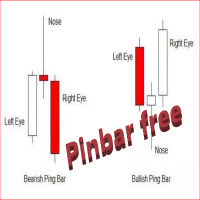
The Free  Pin Bar MT4  indicator  identifies Pin Bars  It will even give you sound or email alerts if want them. If you download it and like it please leave a review! It would be wonderful Pin Bars are purely based on price action as reflected by the candle formations created by Forex price movements. input Parameters are maximum allowed body/length ratio for the Nose bar. Nose body should be position in top (bottom for bearish pattern) part of the Nose bar.  tells the indicator that the Left Ey
FREE
Price Ray MT4
Keni Chetankumar Gajanan -
4 (2)
Price Ray indicator is a utility that will improve the way you trade. Primarily, it shows the Bid, Ask or Last price as a line ray which beams till the current candle, last visible chart candle or extended to all candle bars. The enhanced features in this indicator provide information in an area where you focus most, right next to the current candle. You can select text to be shown above or below the Price ray. The indicator is fully customizable, allowing it to fit any strategy requirements. Th
FREE
TradePulseMonitor for MetaTrader 4 & 5 Overview: TradePulseMonitor   is a comprehensive, real-time dashboard indicator designed for MetaTrader 4 and MetaTrader 5. It provides traders with an at-a-glance overview of their account's financial health, risk exposure, position metrics, and historical performance. By consolidating critical data into a single, customizable on-chart dashboard, it eliminates the need to constantly check the Terminal window, allowing for faster and more informed trading
FREE
SIRR Scalper for PipFinite is a robot that has been designed to work with the PipFinite Trend PRO Indicator. It is a dynamic EA that is very active with trades and capital management. The EA can trade the popular symbols EURUSD, GBPUSD, USDCHF, USDJPY, USDCAD, AUDUSD, EURGBP, EURCHF, EURJPY, AUDNZD, AUDCAD, EURNZD. Check our   Blogs   where we share news and set files When you buy my robot, you are welcome to drop me a message to discuss the best setup in combination with the set files 2 purchas
PZ Trade Pad EA
PZ TRADING SLU
4.29 (31)
Clos Утилита PZ Trade Pad EA позволяет торговать с помощью панели прямо на ценовом графике. Продукт имеет встроенное управление риском и может работать с уже открытыми сделками. Возможность совершать сделки прямо на ценовом графике Управление капиталом Возможность установки стоп-уровней Закрытие всех открытых сделок в один клик Удаление всех отложенных ордеров в один клик Частичное закрытие прибыльных сделок в один клик Без входных параметров. Применение Утилита проста в использовании. Выберите
FREE
Индикатор представляет собой внутринедельный почасовой фильтр. При совершении торговых операций индикатор позволяет учесть временные особенности каждой из торговых сессий. Разрешительные и запретительные интервалы фильтра задаются в строковой форме. Формат строки: [first day]-[last day]:[first hour]-[last hour]. Примеры смотри на скриншотах. Параметры: Good Time for trade - интервалы разрешенной торговли. Bad Time for trade - интервалы запрещенной торговли. time filter shift (hours) - почасовой
Trade Copier Local MT4 is a fast local trade copier for copying trades between multiple MT4 and MT5 accounts. One EA works in both Master and Slave modes. Simply select the required Copier Mode and use the same product on your MetaTrader terminals. Copy trades between: • MT5 → MT5 • MT5 → MT4 • MT4 → MT5 • MT4 → MT4 Perfect for: • Trading multiple accounts at once • Linking multiple trading accounts • Personal account mirroring • Signal providers • Account managers • Prop trading setups #
Shogun RX
Thamini De Oliveira Feitosa Puntel
10 COPIES AT $ 99 ! After that, the price will be raised to $ 150 . After years of painstaking research and development, we are offering the opportunity for you to have this incredible tool in your automated trading portfolio. SHOGUN RX is a strategy that has a very advanced secret trading algorithm. It is a safe EA that trades using pending orders with a defined Stop Loss, Take Profit and 2 smart Trailing capabilities. LIVE ACCOUNT ---> CLICK HERE Pair: USDJPY TimeFrame: H4. Minimum deposit
Simple indicator that supports decision makers. You will have the candles directions for different timeframes on your screen. That will allowed you to be one more scenario to analyze before you open your orders. In case you would like to have more details, just let me know.. so we can add it to the chart. Multicurrency that in inform you the directions for multi-timeframes!
LordChannel is an indicator for META TRADER 4 for all forex pairs and financial market metals. The indicator is used to make detections of high/low channels, implementing a technical analysis on possible breakouts and making correct order entries. LordChannel sends signals such as buy and sell in the graphical analysis, it is important to emphasize that the importance of these signals are safe in TIME FRAMES M30, H1, H4. The indicator was created for using bullish/downtrend channels to compl
Pivot Point Fibo RSJ - это индикатор, который отслеживает линии поддержки и сопротивления дня с использованием ставок Фибоначчи. Этот впечатляющий индикатор создает до 7 уровней поддержки и сопротивления через точку разворота с использованием ставок Фибоначчи. Замечательно, как цены уважают каждый уровень этой поддержки и сопротивления, где можно определить возможные точки входа / выхода из операции. Функции До 7 уровней поддержки и 7 уровней сопротивления Устанавливайте цвета уровней индивид
FREE
Smart Equity Protector (PropFirm Edition) Smart Equity Protector (PropFirm Edition) is a professional account equity protection and risk-management utility for MetaTrader 4. This Expert Advisor is designed to protect trading accounts from excessive losses by monitoring account equity in real time and automatically closing trades when predefined risk limits are reached. ️ This product does NOT open trades and does NOT generate trading signals . It works as a safety and protection system for manu
FREE
Quantum Falcon Signal Free is a smart visual trading indicator for MetaTrader 4 designed for Forex and Gold traders. The indicator combines: • Trend analysis • RSI momentum confirmation • MACD momentum filtering • ATR volatility filtering • Higher timeframe confirmation • Smart exit signal detection Main Features: • Smart Buy and Sell signals • Exit Buy / Exit Sell alerts • Real-time dashboard on chart • Professional candle arrows • Multi-timeframe trend confirmation • ATR market volatility filt
FREE
Telegram Sender Osw MT4
William Oswaldo Mayorga Urduy
Руководство пользователя: Telegram Sender Osw Telegram Sender Osw — это экспертный помощник (EA), предназначенный для автоматизации отправки торговых сигналов из MetaTrader в Telegram. Идеально подходит для поставщиков сигналов и управления счетами, мгновенно и профессионально отправляет важные данные (цена, стоп-лосс, тейк-профит, объем). 1. Настройка параметров Общие и подключение Включить EA: Активирует (true) или приостанавливает (false) работу системы. Токен бота: Буквенно-цифровой код,
Wild Baboon Zone Recovery - бесплатная версия Wild Baboon Zone Recovery - это бесплатный торговый советник для MetaTrader 4, предназначенный для тестирования структурированных методов зонального восстановления и управления корзиной позиций. Этот советник позволяет трейдерам оценить торговую логику на основе восстановления в Тестере стратегий или на демо-счетах перед рассмотрением полной коммерческой версии. Основная функциональность Использует логику зонального восстановления для управления сдел
FREE
R Factor EA
Raphael Minato
4.7 (40)
R FACTOR Multi Strategy Expert Advisor with Proprietary Dynamic Portfolio Management System After 4 years of development and more than    3    years  of real positive results , R Factor is available for MQL5 community! It has always been important for us that the strategies performed positively for the creator before it could be shared.     Skin In The Game  is essential to demonstrate the belief in the strategy and also to provide a continuous improvement of it. Anyone who has been in this m
Swap Detector
Dustin Ricardo Pierenz
The Swap Detector is an essential MQL4 utility that displays the swap costs of any instrument when applied to a chart. It helps traders make informed decisions by visually indicating the swap value in customizable colors— green for positive (good) and red for negative (bad) by default. This tool ensures transparency in overnight holding costs, enabling better trade planning and risk management
FREE
Индикатор показывает какие торговые пары, стратегии, роботы и сигналы, которые Вы используете, являются прибыльными, а какие нет. Статистика сделок и график баланса отображаются в валюте счета и пипсах - для переключения просто кликните на график. кнопка "$"(вверху слева) - свернуть\развернуть и перемещение панели индикатора кнопка ">"(внизу справа) - растягивание и сброс к изначальному размеру Статистика сделок 1 строка - баланс счета, текущая прибыль и лот открытых торгов; 2 строка - количест
Скрипт предназначен для качественного анализа первичной информации при выборе сигнала для подписки. Производится расчет совместимости котировок между торговым сервером провайдера сигнала и торговым сервером подписчика. Этот расчет производится на данных расхождения в котировках на конкретных сделках осуществленных провайдером в истории. Если процент совместимости котировок менее 90%, то данный сигнал несет в себе дополнительные риски при копировании. Скрипт производит расчет коэффициента качеств
Эксперт  MACD_LevelTrader создан для торговле валютной пары XAUUSD. Данная версия это наработки того, что можно извлечь  из  индикатора MACD и Moving Average.   Важно перед тестированием изменить настройку с 1000 на 5000                       Offset in points UP from SMA200 for sell            5000                       Offset in points DOWN from SMA200 for buy        5000   Тайм фрейм  М5. Два варианта логики, П араметр  true=вход по уровню  MACD + SMA200, false=вход по MACD  Тестируйте на демо
FREE
С этим продуктом покупают
Добро пожаловать в Trade Manager EA — лучший инструмент для управления рисками, предназначенный для упрощения, точности и эффективности торговли. Это не просто инструмент для размещения ордеров; это комплексное решение для удобного планирования торгов, управления позициями и усиленного контроля над рисками. Независимо от того, начинающий вы трейдер, опытный специалист или скальпер, нуждающийся в быстром исполнении, Trade Manager EA адаптируется к вашим потребностям и работает с любыми активами:
Trade Indicator Assistant is a powerful MT4 utility designed to turn indicators into automated trading systems. Its main feature is the ability to automatically detect an indicator’s   BUY and SELL signal buffers , without requiring you to know the buffer numbers, search through indicator settings, or modify the indicator source code. Bonus Indicator: After purchasing Trade Indicator Assistant, contact me to receive Trade Signal Pro completely free as a bonus indicator. [Download Demo Version]
Telegram to MT4 Multi-Channel Copier   автоматически копирует торговые сигналы из ваших Telegram-каналов прямо в MetaTrader 4. Без ботов, без браузерных расширений, без ручного копирования. Сигнал приходит в Telegram — и советник открывает сделку в вашем терминале за считанные секунды. А перед тем как копировать канал, встроенный бэктестер покажет, что этот канал сделал бы на вашем счёте. Продукт состоит из двух компонентов: приложения для Windows, которое слушает ваши Telegram-каналы, и этого с
Exp COPYLOT CLIENT for MT4
Vladislav Andruschenko
4.69 (65)
Профессиональный копировщик сделок для MetaTrader 4 Быстрый, профессиональный и надежный копировщик сделок для MetaTrader 4 . COPYLOT позволяет копировать сделки Forex между терминалами MetaTrader 4 и MetaTrader 5 , обеспечивая гибкую синхронизацию для разных типов счетов и сценариев торговли. Версия COPYLOT MT4 поддерживает: MetaTrader 4 → MetaTrader 4 MetaTrader 5 Hedge → MetaTrader 4 MetaTrader 5 Netting → MetaTrader 4   Версия MT5 Полное описание + DEMO + PDF Как купить Как установить Как по
Local Trade Copier EA MT4
Juvenille Emperor Limited
4.96 (112)
Local Trade Copier EA MT4 — это быстрый и гибкий копировщик сделок для копирования и управления сделками между несколькими счетами MetaTrader 4 на одном компьютере с Windows или Windows VPS. Он сочетает локальную синхронизацию сделок с настройками на стороне Receiver для управления размером лота, рисками, фильтрацией сделок, сопоставлением символов, управлением сделками и защитой счета. Настройте терминалы Transmitter и Receiver примерно за 1 минуту и копируйте ручные сделки или сделки, открыты
Trade Assistant MT4
Evgeniy Kravchenko
4.43 (197)
Помогает рассчитать риск на сделку, простая установка нового ордера с помощью линий, управление ордерами с функциями частичного закрытия, 7 типов трейлинг-стопа и другие полезные функции. Дополнительные материалы и инструкции Инструкция по установке   -   Инструкция к приложению   -   Пробная версия приложения для демо счета Функция Линии   - отображает на графике линию открытия, стоп-лосс, тейк-профит. С помощью этой функции легко установить новый ордер и увидеть его дополнительные характери
Telegram to MT4 Coppy
Sergey Batudayev
4.09 (11)
Telegram to MT4: Идеальное решение для копирования сигналов Упростите свою торговлю с Telegram to MT4 — современным инструментом, который копирует торговые сигналы прямо из каналов и чатов Telegram на вашу платформу MetaTrader 4, без необходимости использования DLL. Это мощное решение обеспечивает точное исполнение сигналов, широкие возможности настройки, экономит время и повышает вашу эффективность. [ Instructions and DEMO ] [ FAQ ] [ How atach logs properly ] [ Settings descrition ] Ключевые
MT4 к Telegram Signal Provider - это простой в использовании и полностью настраиваемый инструмент, который позволяет отправлять сигналы в Telegram, превращая ваш аккаунт в поставщика сигналов. Формат сообщений полностью настраиваем! Однако для простого использования вы также можете выбрать предопределенный шаблон и включать или отключать определенные части сообщения. [ Демо ]  [ Руководство ] [ Версия для MT5 ] [ Версия для Discord ] [ Телеграм-канал ]  New: [ Telegram To MT5 ] Настройка Шаг за
Trade copier MT4
Alfiya Fazylova
4.61 (36)
Trade Copier — это профессиональная утилита, предназначенная для копирования и синхронизации сделок между торговыми счетами. Копирование происходит от счета/терминала поставщика к счету/терминалу получателя, которые установлены на одном компьютере или vps. АКЦИЯ - Если вы уже приобрели "Trade copier MT4", вы можете получить "Trade copier MT5" бесплатно (для копирования MT4 > MT5 и MT4 < MT5). Для получения более подробной информации об условиях, пожалуйста, свяжитесь с нами через личные сообщени
Take a Break
Eric Emmrich
5 (31)
Take a Break pauses your Expert Advisors when trading is a bad idea: before news, after a daily loss, outside your trading hours, or when a rule you wrote yourself says so. When the pause is over, your EAs simply continue. Account protection for all your EAs in one tool: news filter, drawdown and equity protection, time filter and custom rules. One EA on one chart protects the whole account, the free indicator gives every chart its own rules on top. Free demo | What is new in 26.09 | Support Ass
VirtualTradePad mt4 Extra
Vladislav Andruschenko
4.85 (61)
Торговая Панель для торговли в 1 клик.  Работа с позициями и ордерами!  Торговля с  чарта  (график) или с  клавиатуры . С помощью нашей торговой панели Вы можете торговать   в один клик с графика   и совершать торговые операции в   30   раз быстрее стандартного управления в MetaTrader.  Автоматические расчеты параметров и функции, которые облегчают жизнь трейдеру и помогают трейдеру вести свою торговую деятельность в разы быстрее и удобнее. Графические подсказки и полная информация по торговым с
Partial Closure EA MT4
Juvenille Emperor Limited
5 (3)
Partial Closure EA MT4 позволяет частично закрывать любую сделку на вашем счёте вручную, по выбранному проценту от объёма лота и/или по номеру тикета, либо автоматически — на указанных уровнях TP/SL, закрывая определённый процент от первоначального объёма лота на до 10 уровнях take profit и 10 уровнях stop loss. Он может управлять всеми или выбранными сделками на вашем счёте, указывая или исключая определённые magic-номера, комментарии или символы. Совет: Загрузите бесплатную демо-версию совет
CloseIfProfitorLoss with Trailing
Vladislav Andruschenko
4.88 (32)
Close If Profit or Loss with Trailing для MetaTrader 4 — автоматическое закрытие по общей прибыли или убытку Надёжная торговая утилита для MetaTrader 4, которая автоматически закрывает позиции, когда общая прибыль или общий убыток достигает заданного уровня. Советник контролирует открытые сделки, считает плавающий результат, может использовать трейлинг прибыли и помогает закрывать позиции быстрее, чем ручная реакция трейдера. MetaTrader 4 до сих пор активно используют ручные трейдеры, скальперы
Smart Copy Local MT4
Kyra Nickaline Watson-gordon
5 (7)
Smart Copy is an Easy-to-Use EA that supports Multi Copying Metatrader4 and Metatrader5 and Local/Remote Copying. (Remote Version is coming soon) Free version is available on Smart Copy Local Free MT4 Specifications :     Real Time, Multi Terminal - Multi Account - MT4/MT5 trade copying     Copy from netting to hedge and hedge to netting is supported.     Fast and instant copy     All settings are input visually.     Easy modifying symbol names, prefix, suffix     Enable/Disable copying s
Want automatically to put the pending order, take profit and stop loss? This EA will do it on your behalf! The Fibo Heart EA strategy will place limit order after the ‘check point’ breakout. The position will be triggered when the price make a successful retest. If not, the pending order will automatically deleted after price hit certain level. You also have option to enable market order (instant execution) and custom take profit in the inputs setting. This EA must be attached with Fibo Heart In

The product will copy all telegram signal to MT4   ( which you are member  ) , also it can work as remote copier.  Easy to set up, copy order instant, can work with almost signal formats, image signal, s upport to translate other language to English Work with all type of channel or group, even channel have "Restrict Saving Content", work with  multi channel, multi MT5 Work as remote copier: with signal have ticket number, it will copy exactly via ticket number. Support to backtest signal. How to
Скачать рабочую пробную версию Copy Cat More (Копи Кэт Мор) — копировщик сделок (Trade Copier) MT4 — это не просто локальный копировщик сделок; это полноценная система управления рисками и исполнения (risk management and execution framework), созданная для современных торговых задач. От челленджей проп-фирм (prop firm) до управления личным портфелем — он адаптируется к любой ситуации благодаря сочетанию надёжного исполнения, защиты капитала, гибкой настройки и продвинутой обработки сделок. Ко
TradePanel MT4
Alfiya Fazylova
4.84 (95)
Trade Panel — это многофункциональный торговый помощник. Приложение содержит более 50 торговых функций для ручной торговли и позволяет автоматизировать большинство торговых операций. Инструкция к приложению + видео-инструкции: https://www.mql5.com/ru/blogs/post/771695 Пробная версия приложения для демо-счета: https://www.mql5.com/ru/blogs/post/750864 Как установить приложение: https://www.mql5.com/ru/blogs/post/750096 Как тестировать приложение в визуальном режиме: https://www.mql5.com/ru/blogs/
King Trade Copier MT4
Mohammed Maher Al-sayed Mohammed Ahmed Saleh
5 (1)
King Trade Copier соединяет терминалы MetaTrader, запущенные на одном компьютере или VPS. Сделки, открытые на одном счёте, появляются на остальных. Файл содержит обе роли, поэтому одна и та же загрузка становится отправителем или получателем в зависимости от значения, которое вы зададите параметру Mode. На каждом графике панель показывает, отправляет этот терминал сигналы или принимает их, называет счёт на другой стороне, считает получателей, которые ответили, и показывает возраст последнего си
Индикатор силы валют для MetaTrader 4 Этот индикатор силы валют анализирует до 28 основных пар и выводит одно значение по каждой из 8 валют: USD, EUR, GBP, JPY, CHF, CAD, AUD и NZD. Вместо того чтобы открывать график за графиком, вы читаете одну панель на графике MetaTrader 4 и видите, какую валюту покупают, а какую продают. Что показывает панель Ранжированную шкалу силы для каждой из 8 валют с процентом Мультитаймфреймовую матрицу: три таймфрейма на валюту рядом, чтобы увидеть, согласны ли M15,
Это программа в виде советника, которая устанавливается на график MetaTrader 4. Затем, используя API с сайта Bittrex и Binance, он загружает историю альткоинов (altcoin). После выбора названия пары советник автоматически загружает всю историю по всем таймфреймам (Daily,H12,H4,H2,H1,M30,M15,M5,M3,M1), поэтому нет необходимости устанавливать несколько копий советника на разные графики. Вы можете выбрать одну пару Bittrex и 4 пары Binance при запуске одной копии советника и создать до 15 таймфреймо
Копир->Удобное и быстрое взаимодействие с интерфейсом, пользователи могут использовать его сразу       ->>>> Рекомендуется использовать на компьютерах Windows или VPS Windows Функции: Разнообразные и персонализированные настройки копирования сделок: 1. Различные режимы лота могут быть установлены для различных источников сигналов. 2. Различные источники сигналов могут быть установлены для прямого и обратного копирования сделок. 3. Сигналы могут быть установлены с комментариями. 4. Следует ли ка
News Filter EA: Advanced Algo Trading Assistant News Filter EA is an advanced algo trading assistant designed to enhance your trading experience. By using the   News Filter EA , you can integrate a Forex economic news filter into your existing expert advisor, even if you do not have access to its source code. In addition to the news filter, you can also specify   trading days   and   hours   for your expert. The News Filter EA also includes   risk management   and   equity protection   features
Prop Guardian Risk Manager MT4 – Drawdown, Risk & Hedge Protection for Prop Firm and Managed Accounts Prop Guardian Risk Manager is a professional risk-control utility for MetaTrader 4, designed for prop firm traders, money managers and anyone who wants strict account-level risk protection. It does not generate trading signals, strategy entries or trading decisions. Instead, it runs in the background, monitors your account risk and can automatically block new exposure, close managed trades or ac
EA Local Trade Copier Pro MT4: Ультимативный дубликатор сделок без DLL Вы устали от сложных копировщиков сделок, которые требуют небезопасных внешних DLL, приводят к сбоям в работе терминала или сбивают с толку отдельными файлами «Master» и «Client»? Оцените новое поколение копирования сделок с EA Local Trade Copier Pro MT4. Созданная для максимальной стабильности, молниеносного исполнения и невероятной простоты, эта утилита позволяет беспрепятственно копировать сделки между несколькими терминал
X2 Copy MT4
Liubov' Shkandrii
Быстрый. Точный. Инновационный. Технологичный. Откройте для себя мгновенное копирование сделок с революционным X2 Copy MT4. Всего за 10 секунд простой установки вы получите мощный инструмент для синхронизации сделок между терминалами MetaTrader на одном компьютере или Windows VPS с беспрецедентной скоростью. Управляете несколькими счетами, следуете сигналам или масштабируете свою стратегию — X2 Copy MT4 адаптируется к вашему рабочему процессу с непревзойдённой точностью и контролем. Работайте бы
Multi Copy
Kaijun Wang
5 (1)
Копир->Удобное и быстрое взаимодействие с интерфейсом, пользователи могут использовать его сразу       ->>>> Рекомендуется использовать на компьютерах Windows или VPS Windows Основные функции: Нормальная скорость взаимодействия при копировании сделок составляет менее 0,5 с. Автоматически определять источники сигнала и отображать список учетных записей источников сигнала Автоматически сопоставлять символы, 95% наиболее часто используемых торговых символов на разных платформах (особые случаи, таки
Trend Line Optimizer
Evgenii Aksenov
4.11 (19)
Это автоматический оптимизатор параметров для индикатора   Trend Line PRO Легко и быстро вы подберете оптимальные параметры для вашего любимого индикатора Trend Line PRO.  Оптимизация занимает всего несколько секунд. Оптимизатор позволяет находит лучшие параметры для каждой пары и периода: Amplitude, TP1-TP3, StopLoss, а так же значения для Time Filter и HTF Filter на выбранном участке истории (Days)  Для оптимизации разных таймфреймов вам нужен разный диапазон истории: M5-M15 установите парам
Trade Dashboard MT4
Fatemeh Ameri
4.96 (54)
Trade Dashboard simplifies how you open, manage, and control your trades, with built-in lot size calculation. It allows you to execute trades, manage risk, and control positions directly on the chart, with tools such as partial close, breakeven, and trailing stop. Designed to reduce manual work and help you stay focused on your trading decisions. A demo version is available for testing. Detailed explanations of features are provided within the MQL5 platform. Installation instructions are include
Риск менеджер Риск менеджер - упростит отслеживание просадки и оповестит при критическом достижении указанного риска, а также закроет ордера при достижении критического (указанного) уровня риска. При превышении указанной просадки, можно выбрать два варианта событий Все ордера закрываются и фиксируется убыток. Терминал также полностью закрывается Вместо фиксирования убытка открывается противоположный ордер - и происходит локирование. Ни один ордер не закрывается. Логику раскрытия локов можно п
Другие продукты этого автора
Trading Email Alert
Abel De Andrade Junior
1. Overview Trading Email Alert monitors the trading account and automatically sends an email whenever a buy or sell position is opened and/or closed on the symbol (instrument) it is attached to. The email subject line is fully configurable, along with several filters that determine which events trigger a notification. Key features: • Separate email subject line for trade opening and trade closing. • Filter to notify only openings, only closings, or both. • Filter to notify only buy trades, onl
Фильтр:
Нет отзывов
Ответ на отзыв