EngineV12
- Эксперты
-
Sif-eddine Tabet
 Allow me to introduce myself. my name is sif i'm from algeria founder of V12 Team start trading since 2015 up to date. My team and I specialize in trading for both forex and binary options also for creating powerfull tools and ea's '' life is too short to stay all day trying to find a good trade
 - Версия: 2.42
- Обновлено: 10 января 2026
- Активации: 5
EngineV12 – Quantitative Grid and Recovery EA for MT5
EngineV12 is an automated Expert Advisor developed for trading AUDCAD and NZDCAD on MetaTrader 5 using the H1 timeframe.
The EA combines price-based mathematical calculations, statistical market evaluation and structured grid execution with a configurable martingale-style recovery mechanism.
The trading system does not rely on traditional indicators such as RSI, MACD, Bollinger Bands or moving averages.
Each position is managed using individual Stop Loss and Take Profit levels.
Main Features
-
Fully automated trading and position management.
-
Supports AUDCAD and NZDCAD.
-
Developed specifically for the H1 timeframe.
-
Price-based mathematical trading logic.
-
Statistical evaluation of market conditions.
-
Adaptive execution based on market volatility.
-
Structured grid position management.
-
Controlled martingale-style recovery mechanism.
-
Individual Stop Loss and Take Profit for every position.
-
Internal spread and execution filters.
-
Magic Number support for position identification.
-
Configurable position sizing and recovery parameters.
Trading Strategy
EngineV12 analyzes price movements and market conditions using mathematical calculations rather than traditional indicator signals.
The EA incorporates a grid-based execution system that can open additional positions according to its configured trading rules.
A martingale-style recovery component adjusts position exposure during certain trading sequences.
Trade execution and position management are handled automatically based on the selected parameters and current market conditions.
The system may temporarily pause new entries when its internal execution or market-condition filters are activated.
Recommended Setup
Platform: MetaTrader 5
Symbols: AUDCAD and NZDCAD
Timeframe: H1 (Mandatory)
Account Type: Hedging recommended
Recommended Starting Balance: $1,000
Parameters: Configurable through EA inputs
The EA is developed for the specified currency pairs and timeframe. Operation on other instruments or timeframes is not recommended without additional testing.
Trade and Risk Management
EngineV12 includes several configurable controls for managing trading activity.
These include:
-
Lot sizing and risk parameters.
-
Grid execution settings.
-
Recovery and position-scaling limits.
-
Spread and execution filters.
-
Operational safety settings.
-
Individual Stop Loss and Take Profit management.
Users should configure these parameters according to their account balance, available margin and preferred trading exposure.
Installation
-
Open MetaTrader 5.
-
Select AUDCAD or NZDCAD.
-
Set the chart timeframe to H1.
-
Attach EngineV12 to the chart.
-
Enable Algo Trading.
-
Configure the desired lot sizing and risk parameters.
-
Allow the EA to manage trading automatically.
A stable internet connection or VPS is recommended for continuous operation.
Important Risk Information
EngineV12 uses grid execution combined with a martingale-style recovery mechanism.
These strategies can increase position exposure, floating drawdown and margin requirements during prolonged unfavorable market movements.
Although individual positions use Stop Loss and Take Profit levels, losses remain possible, and the recovery mechanism does not guarantee that losing trading sequences will recover.
The recommended starting balance does not guarantee protection against margin calls or account liquidation.
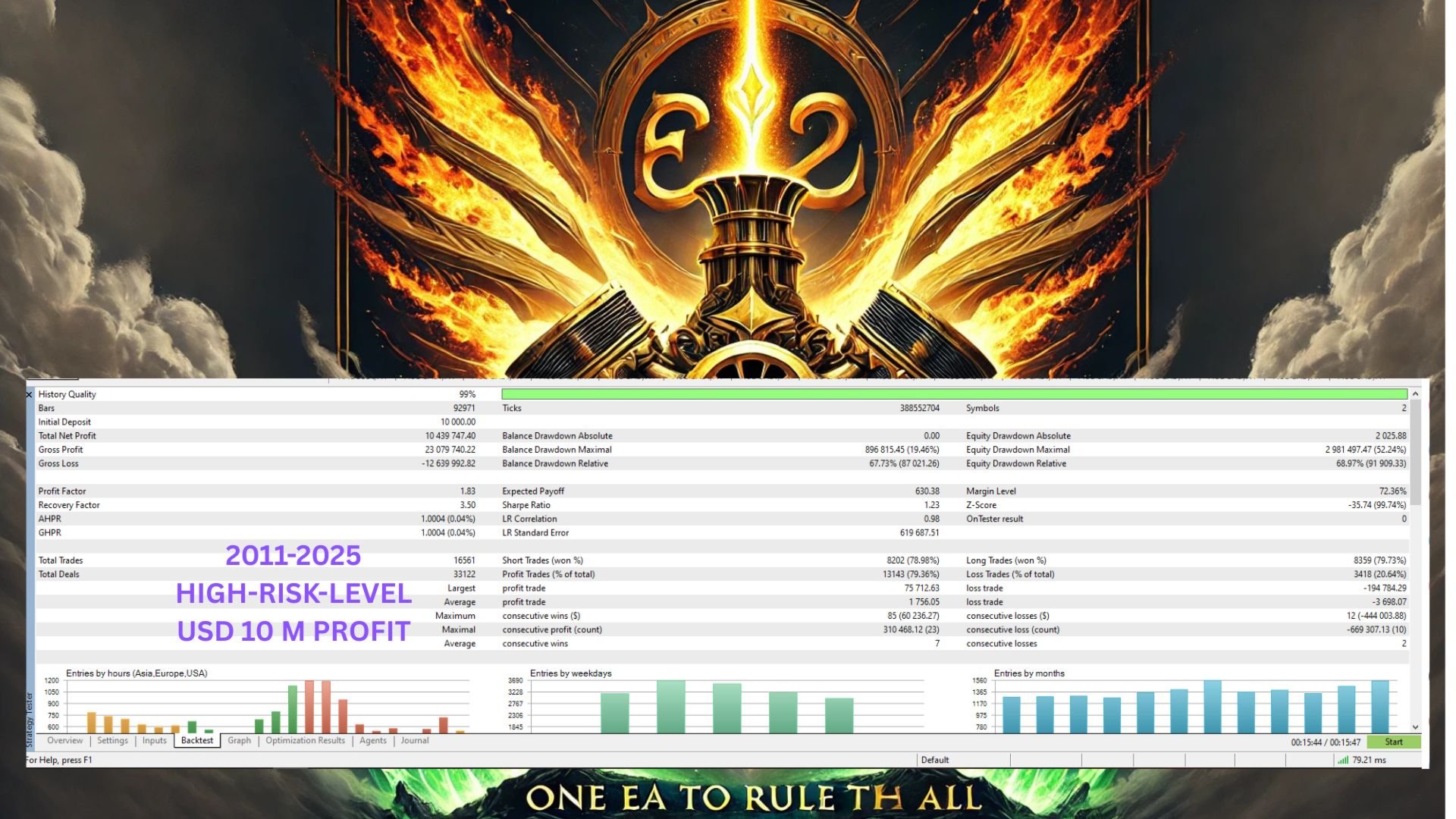
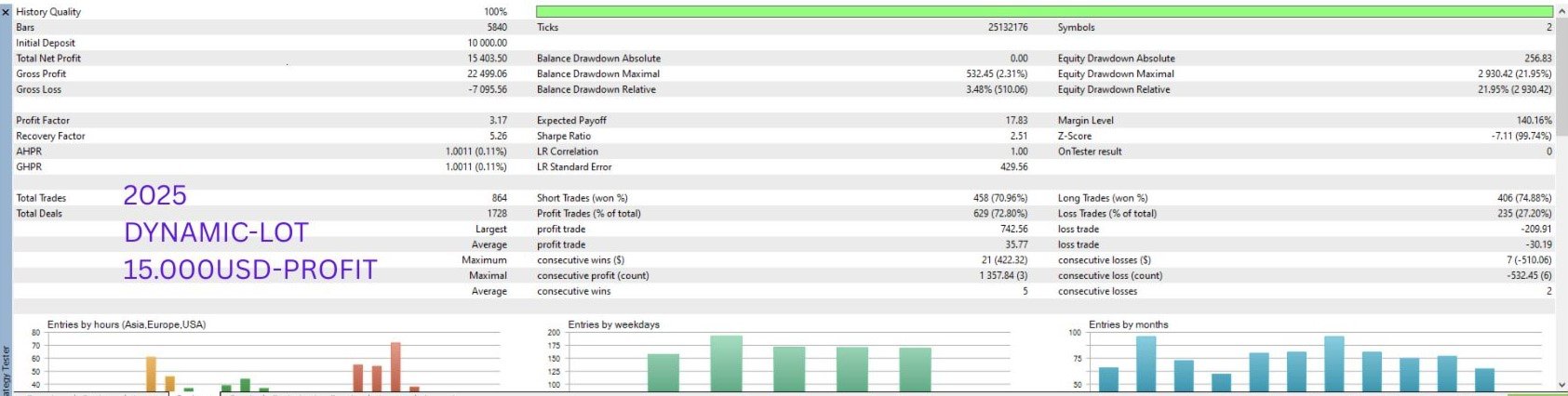
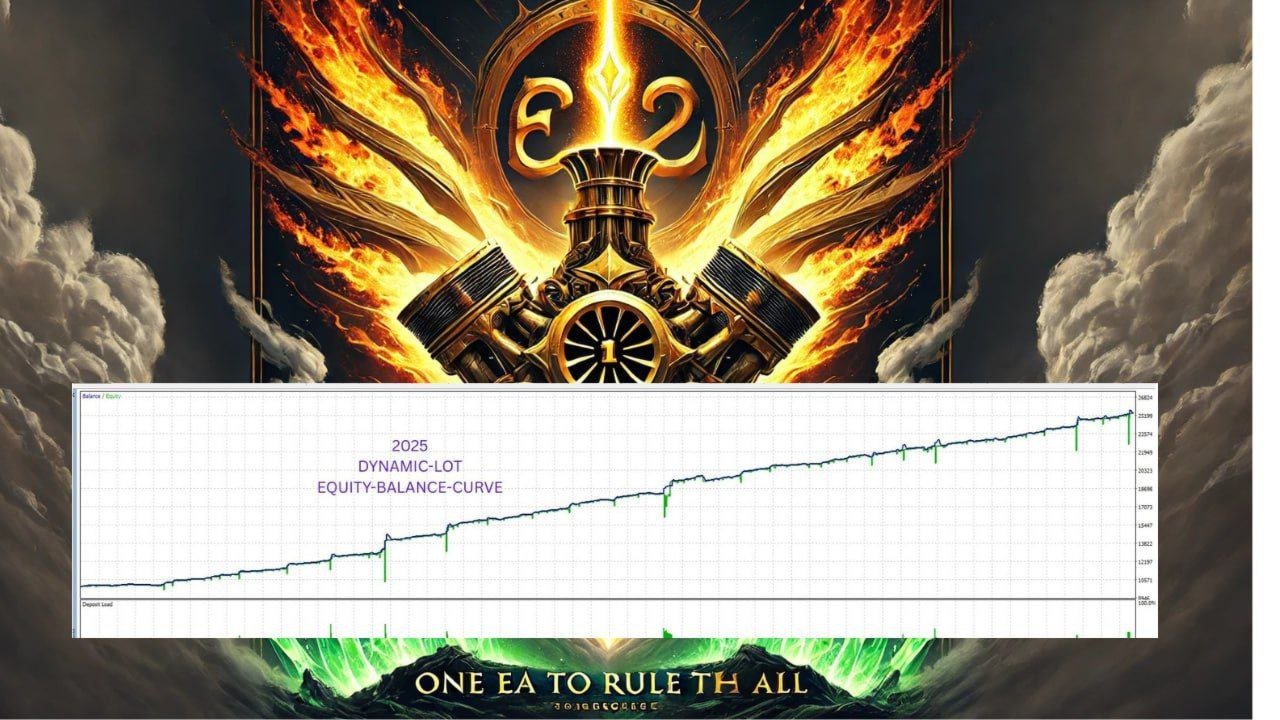
Historical results and backtests do not guarantee future profitability.
Users are encouraged to evaluate the EA in the MetaTrader 5 Strategy Tester and on a demo account before enabling live trading.
Support
For installation assistance, configuration questions or product-related information, please use the MQL5 product comments section or contact the developer through the MQL5 messaging system.