Sync Crosshair

4.78
Sync Crosshair — Professional Multi-Chart Analysis Station for MT5

See everything, everywhere, at the same time. Sync Crosshair is a professional-grade indicator for MetaTrader 5 that synchronizes your crosshair across all charts where it is installed. Move your mouse on one chart, and every other chart follows instantly — same moment in time, perfectly aligned.

Whether you analyze one instrument across different timeframes — such as Daily, H4, M15, and M1 — or monitor several correlated pairs side by side — such as EURUSD, GBPUSD, DXY, and XAUUSD — every chart responds to your movement on any single chart.

🚀 What's New in V2

This update could have been released as a separate paid product. Instead, we chose to deliver it as an upgrade to Sync Crosshair — because the traders who downloaded, tested, reviewed, and supported this indicator from the beginning deserve to benefit from every improvement we make. We stand by those who stand by us.

✦ Smart Magnet — Hold CTRL to snap precisely to candle shadows (High/Low). Hold SHIFT to snap to candle bodies (Open/Close). No more guessing — your crosshair locks onto exact price levels.

✦ Global Jump — Click while in Leader mode to freeze the crosshair. All charts automatically scroll and center on that exact moment. This is the core feature for deep multi-timeframe and cross-pair analysis.

✦ Dynamic Leader Transfer — Click on any chart to take control instantly. Switch your analysis perspective without reactivating.

✦ Adjustable Refresh Rate — From 25ms (ultra-smooth) to 200ms (CPU-friendly). Tune it for your setup.

✦ Customizable Line Thickness & Style — 1 to 5 pixels, solid/dash/dot and combinations.

🎯 Use Cases

Multi-Timeframe Analysis
Spot a setup on the Daily chart, freeze with Smart Magnet on the exact High or Low, and all charts jump to that moment. Drill down through H4, M5, and M1 to find your precise entry — in seconds, not minutes.

Cross-Pair Correlation
Place EURUSD, GBPUSD, USDJPY, DXY, and XAUUSD on your screen. Freeze on a sharp move in one pair and instantly see how every other instrument reacted at that exact moment. Identify which pairs led, which followed, and which diverged. Without this tool, this process takes minutes of manual scrolling and is often practically impossible to do accurately.

News Event Review
Jump to the moment of NFP, FOMC, or CPI across all your charts simultaneously. Compare how Gold, Dollar Index, Euro, and equities responded to the same event — candle by candle.

Session Analysis
Align London Open, New York Open, or Asian session boundaries across all charts with a single freeze.

🎛 Controls

✦ Activate: Hold Ctrl + Shift + Click on any chart
✦ Sync: Move your mouse — all charts follow
✦ Smart Magnet: Hold CTRL for High/Low, hold SHIFT for Open/Close
✦ Freeze + Jump: Click (while Leader) — all charts lock and scroll to that moment
✦ Unfreeze + Transfer: Click on any chart — unfreeze and become the new Leader
✦ Deactivate: Press ESC

⚙️ Settings

✦ Sync Color — Crosshair color during live tracking (default: Light Steel Blue)
✦ Freeze Color — Crosshair color when frozen (default: Tomato)
✦ Line Thickness — 1 to 5 pixels (default: 2)
✦ Line Style — Solid, Dash, Dot, Dash-Dot, Dash-Dot-Dot (default: Dash)
✦ Refresh Rate — 25 to 200 milliseconds (default: 100ms)

⚙️ Installation & Setup

The indicator must be running on every chart where you want the crosshair to appear.

Method 1 — Manual: Apply Sync Crosshair to each chart individually.

Method 2 — Template (recommended): Apply the indicator to one chart, adjust the settings to your preference (colors, line style, thickness, refresh rate), then save it as a template named "Default" (right-click chart → Templates → Save Template → name it "Default"). Now close your other charts and reopen them — every chart will automatically load with Sync Crosshair and your preferred settings. Any new chart you open from this point will also have the indicator pre-installed.

No DLLs required. No WebRequest. No external connections. No special permissions. Works on any broker, any account, out of the box.

🌟 Features

✦ Instant crosshair synchronization across all active charts
✦ Smart Magnet — snap to High/Low (CTRL) or Open/Close (SHIFT)
✦ Global Jump — freeze and auto-scroll all charts to the selected moment
✦ Dynamic Leader transfer between charts
✦ Works with different symbols and timeframes simultaneously
✦ Adjustable refresh rate (25-200ms)
✦ Customizable color, thickness, and line style for both live and frozen states
✦ Ultra-lightweight — optimized for long trading sessions with many charts
✦ Rock-solid stability — tested with 15+ simultaneous charts

📚 FAQ

Does it install on all charts automatically?
No. The indicator must be applied to each chart you want in the sync group — manually or via a template. This ensures maximum stability and minimum resource usage. Save your template as Default.tpl to auto-load on every new chart.

Does it slow down MT5?
No. The code is fully optimized. The refresh rate is adjustable — set it to 200ms if you want minimal CPU usage, or 25ms for the smoothest experience.

Can I use it across multiple monitors?
Yes, as long as all charts belong to the same MT5 terminal.

Does Smart Magnet work on all timeframes?
Yes. CTRL snaps to the High or Low of the candle nearest to your cursor, SHIFT snaps to the Open or Close — on any timeframe.

Can I use it with different symbols on each chart?
Yes. You can have XAUUSD, EURUSD, DXY, and US30 all synced together. The vertical line aligns the same moment in time across all instruments.

I froze on a higher timeframe but the lower timeframe chart is empty or doesn't scroll. Why?
When you freeze on a Weekly or Daily candle and jump to that moment, the lower timeframe charts (M5, M1) need to have that historical data already loaded. If the candles don't exist on your chart, the jump will not work for that timeframe. To fix this: first scroll back manually on the lower timeframe chart to load the history for that period, or increase the maximum bars in chart by going to Tools → Options → Charts → Max bars in chart. Also note that some brokers provide limited history on lower timeframes — for example, M1 data may only be available for the last 3-6 months. If the data is not available from your broker, the lower timeframe chart will not display candles for that period regardless of settings.

🔧 Compatibility

✦ Platform: MetaTrader 5
✦ Accounts: Real & Demo
✦ Assets: All symbols (Forex, Indices, Stocks, Commodities, Crypto)

📌 Changelog

✦ v2.00 — Major Update: Smart Magnet, Global Jump, Dynamic Leader Transfer, adjustable refresh rate, customizable line thickness and style, improved rendering engine.
✦ v1.00 — Initial release: stable multi-chart synchronization, user-friendly controls, minimal resource footprint.

💬 A Note to Our Community

If Sync Crosshair has made a difference in your analysis workflow, your reviews and ratings help other traders discover the tool — and motivate us to keep building and delivering future products the same way. We grow with our community, not apart from it.

💡 Sync Crosshair — When everything must be seen in perfect sync.
Video Sync Crosshair
Отзывы 16
H3llopanda
15
H3llopanda 2026.09.08 16:30 

Downloaded your program just a couple days before the 2.0 update and the new version(2.0) is amazing, well done. Thank you!

GBenke
14
GBenke 2026.08.16 22:19 

Excellent

Aria Ordouei
18
Aria Ordouei 2026.07.31 08:37 

mersiii dada

Рекомендуем также
Все правила челленджа проп-компании в одном советнике: дневной лимит убытка, максимальная просадка (статическая или трейлинговая), цель по прибыли, максимум сделок в день, максимальный лот, максимум открытых позиций, обязательный стоп-лосс, торговые часы и закрытие в пятницу. Когда сделка нарушает правило, она закрывается автоматически. Большинство челленджей проигрывают не из-за плохой стратегии, а из-за одного нарушения: дневной убыток на несколько долларов больше лимита, одна слишком большая
ZF Equity Protector Premium v2.0 The Ultimate Daily Loss Breaker for Smart Traders & Prop Firm Hunters Have you ever blown a Prop Firm account just because of "one bad day"? Or has emotional revenge trading destroyed weeks of hard-earned profits in a matter of hours? Put an end to account destruction right now. ZF Equity Protector Premium v2.0 is an advanced automated safety system (EA) specifically engineered to be your capital's ultimate line of defense. This EA acts as a cold, calculated circ
ClickDrag легко рисует линии и перемещает объекты на графике. Нажмите и затем перетащите мышь, чтобы начать рисовать линию тренда. Перемещение мыши по горизонтали рисует линию цены. Перемещение мыши по вертикали рисует линию даты. Существующие линии и объекты можно перемещать с помощью щелчка и перетаскивания. Отображает цену и разницу во времени между начальной и конечной точкой. После запуска Нажмите и перетащите, Встряхните влево и вправо, чтобы изменить цвет. Встряхните вверх и вн
FREE
Session Box And Timer Внутридневная торговля требует постоянного контроля переходов между основными рыночными сессиями, однако ручное наложение графиков часто приводит к ошибкам в расчетах. Без четких маркеров ключевые ценовые уровни и зоны ликвидности предыдущих сессий могут быть легко упущены. Session Box And Timer визуализирует торговые сессии, тенденции волатильности и таймеры обратного отсчета прямо на вашем графике. Что он показывает: - Коробки сессий (Session Boxes): Наглядные цветные пр
FREE
Pulsar X
Dmitriq Evgenoeviz Ko
PULSAR X — Контроль импульса на рынке золота Рынок XAUUSD не прощает примитивных решений. Высокая волатильность, ложные пробои и агрессивная реакция на новости делают классические индикаторные стратегии уязвимыми. PULSAR X — это алгоритмическая система нового поколения, разработанная для точной работы в условиях рыночного перегруза и импульсного истощения. Это не тренд-бот и не усредняющий механизм. PULSAR X анализирует момент, когда давление толпы теряет силу, а рынок переходит из хаоса в фазу
Amazing XAU Edge Maker Overview Amazing XAU Edge Maker is an Expert Advisor for MetaTrader 5 designed to automate trading using configurable entry methods, position management, and risk management tools. It is optimized for XAU/USD (Gold) but can also be configured for other symbols supported by your broker. The EA combines signal-based trading with flexible trade management, allowing traders to customize its behavior according to their trading strategy. Main Features Trading Modes Signal Tradin
NEXA Pivot Rebound Basic 1. Обзор NEXA Pivot Rebound Basic — это торговый советник (Expert Advisor), предназначенный для поиска возможных разворотных точек цены вблизи дневных уровней Pivot (S1 и R1). Советник работает на платформе MetaTrader 5 и оптимизирован для таймфрейма M15. Дневные уровни Pivot рассчитываются на основе максимума, минимума и закрытия предыдущего дня. Эти уровни используются совместно с индикаторами RSI и Stochastic для формирования торговых сигналов. Продукт предназначен дл
Close Trade
Farzad Saadatinia
Close Trade A simple, fast, and practical tool for managing and closing trades in MetaTrader In the trading world, there are countless methods and strategies for opening and closing positions. Sometimes, due to volatile market conditions or multiple open trades, you need a tool that allows you to close all or specific trades instantly and efficiently. Close Trade is designed precisely for that, a lightweight, reliable, and easy-to-use tool for complete trade and order management in MetaTrader.
FREE
Perfect VWAP Pro
Mohamed Amr Mohamed Osama Abdelwahab
Perfect VWAP Pro - Заякоренный VWAP, привязка к сессии и определение сжатия полос Большинство индикаторов VWAP считают только одно: скользящее среднее за последние N баров. Perfect VWAP Pro добавляет два расчёта, которые действительно нужны профессиональным трейдерам, настоящий заякоренный VWAP и сессионный VWAP, а затем измеряет поведение полос отклонения, а не просто рисует их. ТРИ РЕЖИМА РАСЧЁТА Заякоренный. Выберите любую дату, и среднее накапливается вперёд от этой точки и никогда не сб
FX Robotic Trading Panel
Koswattage Sampath Dinesha Perera
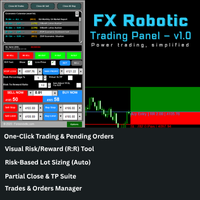
FX Robotic Trading Panel — v1.0 by Forex Robotic   All-in-one MT5 panel for one-click execution, visual R:R control, risk-based lot sizing, partial closes (incl. virtual TPs), news, and MA signals—right on your chart. Overview FX Robotic Trading Panel is a professional, on-chart control center for MetaTrader 5 that blends lightning-fast trade execution , visual Risk/Reward management , auto lot sizing from risk% , staged partial take-profits (real or virtual ), an economic calendar , and a multi
FREE
CYP Trade Manager Pro MT5: The Trader's Edge in Position Management Transform How You Manage Trades - Focus on What Matters Why Most Traders Fail - And How CYP Trade Manager Pro Solves It Many traders have solid entry strategies but lack proper trade management - the key difference between professionals and amateurs. CYP Trade Manager Pro handles the critical "after entry" phase of trading that most EAs ignore, giving you the edge that institutional traders use every day. Who Is It For Manual
Fibonacci Auto Levels Pro MT5 – Уровни коррекции, расширения и точки разворота (Pivot Points) Fibonacci Auto Levels Pro MT5 — это продвинутый инструмент технического анализа, который автоматически определяет точки разворота рынка и рисует полные структуры Коррекции (Retracement), Расширения (Extension) и Точек разворота (Pivot Point) Фибоначчи на графике. Этот индикатор объединяет несколько независимых систем в один унифицированный аналитический инструмент: Точки разворота (Pivot Points) (Режим
Auto SL & TP for Manual Trades – MT5 Application Overview Auto SL & TP for Manual Trades is a simple and practical Expert Advisor for the MetaTrader 5 platform that automatically applies Stop Loss and Take Profit levels to manually opened trades as well as pending orders. The EA is designed primarily for traders who execute trades manually but want the assurance that every position is immediately protected with predefined Stop Loss and Take Profit levels. The Expert Advisor works in points and
Название: Auto Multi Support & Resistance Pro - Умные линии поддержки и сопротивления [Описание] Хватит рисовать линии поддержки и сопротивления вручную! Позвольте алгоритму «Auto Multi Support & Resistance Pro» автоматически находить самые точные ключевые уровни для вашего скальпинга и дейтрейдинга. Индикатор идеально оптимизирован для коротких таймфреймов (M1, M5, M15) и высоковолатильных активов, таких как золото (XAUUSD) и индексы, где часто встречаются ложные пробои. [Ключевые особенност
FREE
EAs Manager
Abdeljalil El Kedmiri
5 (2)
Are you running multiple EAs on the same MT5 account and losing sleep over stacked risk? EAs Manager Pro is the central risk-control layer for your entire MT5 account. Attach it to one chart, and it automatically detects every EA you're running by  Magic Number — no source code changes, no per-EA setup. It then monitors every  position, automated or manual, and enforces the risk rules you set across your whole account, not just one strategy at a time. Built for traders running scalpers, breakout
CashTrail One — Risk. Execute. Trail. | MT5 Manual Trading Manager PLAN THE RISK. SEE THE CASH. PLACE THE TRADE. CashTrail One is an on-chart manual trading manager for MetaTrader 5. Before placing a trade, you can preview the projected loss at Stop Loss, projected profit at Take Profit, estimated margin, position size and reward-to-risk ratio. Choose an equity-risk percentage or a fixed lot size, then select a market or pending order from the panel. No trade is opened until you explicitly ar
FREE
A robot that real-time supervise your open position and close it once the price level touches (or is close to touch) a previously selected trendline. You don't have to constantly watch your open position and wait for the proper time to close it. It automatically does this entire process and gives you time to spot new market opportunities. It can be attached to multiple charts and assist multiple open positions at the same time. Setup steps D raw   a trendline on chart  (using your mouse) Allow
До 7 уровней пивота Фибоначчи с каждой стороны. Для зон спроса и предложения с градацией и подсчетом ретестов: Supply Demand RSJ PRO Pivot Point Fibo RSJ строит дневную точку пивота и уровни поддержки и сопротивления, рассчитанные по коэффициентам Фибоначчи. Индикатор отображает до 7 уровней поддержки и 7 уровней сопротивления на основе максимума, минимума и цены закрытия предыдущего дня. Трейдеры используют эти уровни как ориентиры для планирования входов, выходов и размещения стопов в течение
FREE
O Touch VWAP é um indicador que permite calcular uma Média Ponderada por Volume (VWAP) apenas apertando a tecla 'w' no seu teclado e após clicando no candle do qual deseja realizar o calculo, clicando abaixo do candle é calculada a VWAP baseado na minima dos preços com o volume, clicando sobre o corpo do candle é calculado uma VWAP sobre o preço medio com o volume e clicando acima do candle é calculado uma VWAP baseado na máxima dos preços com o volume, voce tambem tem a opção de remover a VWAP
Chart Sync MT5 Trading Capital P
Cristian Camilo Gomez Diaz
5 (1)
Chart Sync MT5 Trading Capital P связывает ваши графики в цветные группы, подобно связанным окнам рабочей области торговой платформы. Смените символ на одном графике, и остальные последуют за ним; двигайте мышь, и перекрестие будет следовать на других графиках; прокрутите историю назад, и другие графики перейдут к той же дате; нарисуйте уровень, и он появится на каждом связанном графике этого символа. Индикатор бесплатный и полнофункциональный, без ограничений. Что синхронизируется Символ: смени
FREE
Sniper Boleta Pro
Paulo Barros Pereira
SNIPER BOLETA PRO Watch the Official Product Video Demo Professional Manual Trading Panel for MetaTrader 5 Execute Faster. Manage Risk Smarter. Stay in Full Control. A Professional Trading Assistant SNIPER BOLETA PRO is a professional manual trading panel designed to simplify order execution and improve trade management in MetaTrader 5. Instead of manually calculating position size, configuring Stop Loss and Take Profit, and monitoring account information across different windows, everything
Gann Matrix Ultra is an advanced analytical tool for MetaTrader 5 that combines WD Gann's Sacred Geometry, Dow Theory, Volume Profile, and Anchored VWAP into a dynamic decision-making ecosystem. ​Designed for traders who, upon drawing the trendline according to the last validated swing high or swing low pivot, benefit from the indicator automatically projecting the geometric matrix onto the chart alongside its primary volume regions. ​1. GANN THEORY AND DYNAMIC GEOMETRY ​WD Gann discovered that
FREE
Start Display N Bars
Ricardo Almeida Branco
5 (1)
Do you already know Display N Bars? Do you already know the Start tool (from Midas indicators)? In this indicator, we unified the two tools, allowing you to define which candle will start counting, or use the automatic numbering that was already available in the previous version. Description of the utility follows: Display N Bars The Display N Bars utility is a simple tool that aims to help identify candles. If a trader tries to share the knowledge with a colleague but it is difficult t
Auto Fibonacci draws Fibonacci retracement and extension levels on your chart automatically, and can alert you every time price touches a Fibonacci level. Each alert has its own on/off switch. Free to use. Download it directly from the MQL5 Market. Drawing Fibonacci by hand has one practical problem: you pick the swing. Two traders on the same chart pick different points and get different levels. This indicator finds the swing high and swing low itself, so the levels appear without any drawing,
FREE
PHOENIX VANTA Стартовое предложение — лучшие цены для первых покупателей PHOENIX VANTA GOLD доступен по специальной стартовой цене. После каждых 10 покупок цена будет увеличиваться на $50 , пока не достигнет окончательной стоимости $699 . Адаптивная торговая система для современного рынка золота XAUUSD Phoenix Vanta — полностью автоматизированный торговый советник (Expert Advisor), разработанный специально для XAUUSD / золота . Основное внимание уделяется адаптивному восстановлению убытков, конт
Trade Manager — Risk-Based Trade Panel Trade Manager is a MetaTrader 5 Expert Advisor that provides an on-chart panel for planning and executing trades with precise risk control. It is designed for traders who want to define their risk in advance and have their lot size calculated automatically before each trade. Core Functionality The panel sits on your chart and lets you set a risk amount either as a percentage of your account balance or as a fixed dollar amount. Both fields stay in sync — ch
FULL AUTO RISK MANAGEMENT EA – PRO + ACCOUNTING — это профессиональный советник для полного автоматического управления рисками. Основные возможности: Прогрессивный Stop Loss Частичное закрытие позиций при 50% и 70% убытка Автоматический Break Even при 50% Take Profit Фиксация прибыли на уровнях 50% и 70% Take Profit Учёт начального риска и сохранённого капитала Работает с любыми стратегиями (ручными и автоматическими) Не открывает сделки – только управление риском Советник в реальном времени ана
ZigZag Confirmation EA – Smart Swing Trading with Risk Management Overview ZigZag Confirmation EA is an automated trading system for MetaTrader 5 designed to identify potential market swing points using the ZigZag indicator and trade confirmed reversal setups. The EA combines swing-point analysis, configurable entry confirmation, stop-loss protection, trailing stops, daily profit and loss limits, and customizable trading-time filters to help traders implement a structured trading approach. It is
"Statistics by magic pro" is a program that provides statistics after entering a magic number. You can simultaneously track up to 10 statistics for different magic numbers in one chart window. The program is very easy to use. The program should be run on any free chart. In the EDIT field on the chart, you should enter the magic number. Entering "0" will erase the statistics in that window. The operation of the program can be stopped by selecting the statistics off option. After selecting it, the
FREE
С этим продуктом покупают
Trade Assistant MT5
Evgeniy Kravchenko
4.43 (216)
Помогает рассчитать риск на сделку, простая установка нового ордера с помощью линий, управление ордерами с функциями частичного закрытия, 7 типов трейлинг-стопа и другие полезные функции. Дополнительные материалы и инструкции Инструкция по установке - Инструкция к приложению Функция Линии   - отображает на графике линию открытия, стоп-лосс, тейк-профит. С помощью этой функции легко установить новый ордер и увидеть его дополнительные характеристики перед открытием. Управление риском   -   функ
Добро пожаловать в Trade Manager EA — лучший инструмент для управления рисками, предназначенный для упрощения, точности и эффективности торговли. Это не просто инструмент для размещения ордеров; это комплексное решение для удобного планирования торгов, управления позициями и усиленного контроля над рисками. Независимо от того, начинающий вы трейдер, опытный специалист или скальпер, нуждающийся в быстром исполнении, Trade Manager EA адаптируется к вашим потребностям и работает с любыми активами:
Farmed Hedge Yield Farming | All Markets (Manual - Hybrid - Semi/Automated EA) VERIFIED TRADING RESULTS - Farmed Hedge Yield Axi Copy:  https://www.mql5.com/en/signals/2356376 - Farmed Hedge Yield Exn Copy:   https://www.mql5.com/en/signals/2356404 - Farmed Hedge Yield V Copy:  https://www.mql5.com/en/signals/2357156 IMPORTANT NOTICE: FarmedHedge is a MANUAL-FOCUSED TRADING UTILITY ,not a fully automated EA. Results shown on this Signal include manual trades and overall strategic management.
Telegram to MT5 Multi-Channel Copier   автоматически копирует торговые сигналы из ваших Telegram- и Discord -каналов прямо в MetaTrader 5. Без ботов, без браузерных расширений, без ручного копирования. Сигнал приходит в Telegram или Discord — и советник открывает сделку в вашем терминале за считанные секунды. А перед тем как копировать канал, встроенный бэктестер покажет, что этот канал сделал бы на вашем счёте. Продукт состоит из двух компонентов: приложения для Windows, которое слушает ваши Te
Local Trade Copier EA MT5
Juvenille Emperor Limited
4.94 (150)
Local Trade Copier EA MT5 — это быстрый и гибкий копировщик сделок для копирования и управления сделками между несколькими счетами MetaTrader 5 на одном компьютере с Windows или Windows VPS. Он сочетает локальную синхронизацию сделок с настройками на стороне Receiver для управления размером лота, рисками, фильтрацией сделок, сопоставлением символов, управлением сделками и защитой счета. Настройте терминалы Transmitter и Receiver примерно за 1 минуту и копируйте ручные сделки или сделки, открыты
EA Overfitter
Stephen J Martret
5 (4)
Бэктест выглядит отлично. Но будет ли советник зарабатывать завтра, через неделю, через месяц? EA Overfitter прогоняет вашего советника по 100 историям цены, которых он никогда не видел. Одна оценка показывает, реально ли преимущество. Бэктест показывает, что советник сделал на одной истории цены — на той, которая случайно произошла. Из него невозможно понять, какая часть результата была заслугой стратегии, а какая — конкретного пути цены. EA Overfitter отвечает на этот вопрос. Он строит до 10
TradePanel MT5
Alfiya Fazylova
4.89 (174)
Trade Panel — это многофункциональный торговый помощник. Приложение содержит более 50 торговых функций для ручной торговли и позволяет автоматизировать большинство торговых операций. Инструкция к приложению: https://www.mql5.com/ru/blogs/post/756476 Пробная версия приложения для демо-счета: https://www.mql5.com/ru/blogs/post/750864 Как установить приложение: https://www.mql5.com/ru/blogs/post/750096 Как тестировать приложение в визуальном режиме: https://www.mql5.com/ru/blogs/post/770274 Как уст
Копируйте сигналы из Telegram по своим торговым правилам Telegram to MT5 Signal Trader автоматически копирует текстовые торговые сигналы из открытых и закрытых каналов и групп Telegram в MetaTrader 5. Управляйте несколькими поставщиками сигналов и счетами MT5 из одного приложения для компьютера, задавая индивидуальные параметры риска и торговли для каждого поставщика . Для копирования не нужны бот Telegram и настройка API. Просто войдите в свой аккаунт Telegram по номеру телефона или QR-коду и в
Strategy Ledger Pro
Abdullah Uygar Tuna
5 (17)
Теперь доступно на русском языке. Strategy Ledger Pro — панель анализа счёта для MetaTrader 5, работающая только на чтение. Она разделяет результаты счёта по советникам, стратегиям, символам и magic-номерам, чтобы было видно, что на самом деле вносит каждый из них. Панель доступна на 11 языках: English, Français, Deutsch, Español, Italiano, Português, Русский, Türkçe, 中文, 日本語 и 한국어. Перед загрузкой демоверсии. Маркет запускает демоверсию любого платного продукта только в тестере стратегий. Эта
Exp COPYLOT CLIENT for MT5
Vladislav Andruschenko
3.97 (35)
Профессиональный копировщик сделок для MetaTrader 5 Быстрый, профессиональный и надежный копировщик сделок для MetaTrader . COPYLOT позволяет копировать сделки Forex между терминалами MT4 и MT5 с поддержкой счетов Hedge и Netting . Версия COPYLOT для MT5 поддерживает: - MT5 Hedge → MT5 Hedge - MT5 Hedge → MT5 Netting - MT5 Netting → MT5 Hedge - MT5 Netting → MT5 Netting - MT4 → MT5 Hedge - MT4 → MT5 Netting Версия MT4 Полное описание + DEMO + PDF Как купить Как установить Как получить файлы жур
News Trade EA MT5
Konstantin Kulikov
4.55 (11)
Представляю полезного робота, которым пользуюсь сам уже несколько лет. Может использоваться как в полуавтоматическом, так и в полностью автоматическом режиме. >>> Chat <<< Программа содержит гибкие настройки торговли на новостях экономического календаря. В тестере стратегий проверить нельзя. Только реальная работа. Скачайте последний архив настроек: https://www.mql5.com/en/blogs/post/747929 Мониторинг сигналов: https://www.mql5.com/ru/signals/author/test-standart При создании своих собственных
Power Candles Strategy Scanner: самооптимизирующийся поиск сетапов по множеству символов Сканер, который пищит на каждое шевеление, приучает вас его игнорировать. Одно оживлённое закрытие свечи, оповещение за оповещением, и тот единственный сетап, который вы действительно торгуете, тонет в шуме. Power Candles Strategy Scanner запускает самооптимизирующийся движок Power Candles на каждом символе вашего Market Watch и оповещает только о том, что прошло ваши собственные фильтры: силу последней закр
================================================================================ POC BREAKOUT - V20.72. Full Professional Grade Toolkit ================================================================================ POC Breakout is a full MetaTrader 5 trading dashboard for discretionary traders who want breakout signals, Point of Control (POC) context, volume profiles, order flow, market structure, news, alerts, and advanced trade planning in one professional workspace. Attached directly to you
The product will copy all telegram signal to MT5 ( which you are member) , also it can work as remote copier.  Easy to set up, copy order instant, can work with almost signal formats, image signal,  s upport to translate other language to English Work with all type of channel or group, even channel have "Restrict Saving Content", work with  multi channel, multi MT5 Work as remote copier: with signal have ticket number, it will copy exactly via ticket number. Support to backtest signal. How to s
Unlimited Trade Copier Pro - это мощный инструмент для удаленного копирования сделок между несколькими счетами MetaTrader 4/MetaTrader 5, расположенными удаленно друг от друга, по сети интернет. Это идеальное решение для провайдеров сигналов, которые хотят поделиться своей торговлей с другими трейдерами по всему миру. Один поставщик может копировать сделки на неограниченное количество счетов-получателей, а один получатель также может копировать сделки неограниченного количества провайдеров. Пост
Советник order block, BOS и ChoCH для MetaTrader 5, с оповещениями в Telegram SMC Trade Pilot MT5 читает структуру рынка на вашем графике и отправляет сигнал в Telegram. Он отмечает пробой структуры (BOS) и смену характера (ChoCH), рисует order blocks с оценкой силы , отслеживает fair value gaps (FVG) и liquidity sweeps, показывает volume profile с point of control, value area high и value area low, и сводит всё в компактную панель с мультитаймфреймовым блоком, оценкой конфлюэнса и сессиями kill
VirtualTradePad PRO SE MT5 — профессиональный торговый центр управления для MetaTrader 5 VirtualTradePad PRO SE — это премиальная торговая панель и рабочая среда управления сделками на графике для MetaTrader 5 . Она создана для трейдеров, которым нужны более быстрое исполнение, более понятный контроль позиций, структурированное управление сделками, визуальное планирование уровней и профессиональный рабочий процесс прямо с графика. Это не просто панель BUY / SELL. PRO SE объединяет ручную торговл
Timeless Charts
Samuel Manoel De Souza
5 (9)
Timeless Charts is an all-in-one trading utility for professional traders. It combines custom chart types such as Seconds Charts and Renko with advanced order flow analysis using Footprints , Clusters , Volume Profiles , VWAP studies, and anchored analysis tools for deeper market insight. Trading and position management are handled directly from the chart through an integrated trade management panel , while Market Replay and Virtual Accounts provide environments for practicing trading skills and
Equity Protect Pro: Ваш эксперт по комплексной защите счетов для спокойной торговли Если вы ищете такие функции, как защита счета, защита капитала, защита портфеля, защита мультистратегий, защита прибыли, сбор прибыли, безопасность торговли, программы контроля рисков, автоматический контроль рисков, автоматическая ликвидация, условная ликвидация, запланированная ликвидация, динамическая ликвидация, скользящий стоп-лосс, закрытие в один клик, ликвидация в один клик и восстановление в один клик,
HINN MAGIC ENTRY - лучший инструмент для входа и менеджмента позиций! ПРОСТО. БЫСТРО. ИНТУИТИВНО. МАКСИМАЛЬНО АВТОМАТИЗИРОВАНО. Выставляет ордера через выбор уровня на графике! полное описание    ::    demo-версия    ::   60-sec-video-description Основные функции: - Рыночные, лимитные и отложенные ордера -  Автоматический подсчет лоттажа  -  Автоматический учет спреда и комиссий -  Неограниченное количество промежуточных тейков для позиций - Перевод в безубыток и трейл стоп-лосса и тейк-проф
Strategy Builder offers an incredible amount of functionality. It combines a trade panel with configurable automation (covert indicators into an EA), real-time statistics (profit & draw down) plus automatic optimization of SL, TP/exit, trading hours, indicator inputs. Multiple indicators can be combined into an single alert/trade signal and can include custom indicators, even if just have ex4 file or purchased from Market. The system is easily configured via a CONFIG button and associated pop-u
News Filter EA
Rashed Samir
5 (2)
News Filter EA: Advanced Algo Trading Assistant News Filter EA is an advanced algo trading assistant designed to enhance your trading experience. By using the News Filter EA , you can integrate a Forex economic news filter into your existing expert advisor, even if you do not have access to its source code. In addition to the news filter, you can also specify trading days and hours for your expert. The News Filter EA also includes risk management  and equity protection features. MT4 Version Ma
Trade copier MT5
Alfiya Fazylova
4.61 (57)
Trade Copier — это профессиональная утилита, предназначенная для копирования и синхронизации сделок между торговыми счетами. Копирование происходит от счета/терминала поставщика к счету/терминалу получателя, которые установлены на одном компьютере или vps. Перед покупкой вы можете протестировать демо-версию на демо-счете. Демо-версия здесь . Полная инструкция здесь . Основной функционал и преимущества: Русифицированный интерфейс, поддержка на русском языке. Поддерживает копирование МТ5 > МТ5, МТ
Торговая панель для MetaTrader 5 — профессиональная торговля в один клик с графика и клавиатуры Мощная торговая панель для активного ручного трейдинга, которая позволяет открывать, сопровождать и закрывать сделки значительно быстрее и удобнее, чем стандартными средствами MetaTrader. Панель создана для тех, кто хочет получить полный контроль над позициями, ордерами, прибылью и торговыми сценариями в одном рабочем пространстве. Это не просто вспомогательная утилита. Это полноценный торговый интер
Trade Dashboard MT5
Fatemeh Ameri
4.94 (135)
Trade Dashboard simplifies how you open, manage, and control your trades, with built-in lot size calculation. It allows you to execute trades, manage risk, and control positions directly on the chart, with tools such as partial close, breakeven, and trailing stop. Designed to reduce manual work and help you stay focused on your trading decisions. A demo version is available for testing. Detailed explanations of features are provided within the MQL5 platform. Installation instructions are include
Telegram To MT5 Ultra
Mirel Daniel Gheonu
5 (5)
Telegram To MT5 — копировщик сигналов Превратите торговые сигналы из ваших Telegram-каналов в реальные ордера MT5 — автоматически, на любом количестве счетов, с полным контролем над риском и правилами. Telegram To MT5 связывает VIP / сигнальные каналы, на которые вы уже подписаны в Telegram, с вашим терминалом MetaTrader 5. Бесплатное приложение-компаньон для ПК читает сообщения (даже из каналов, которые не допускают ботов), а этот советник исполняет их на вашем счёте — применяя ваши настройки р
Trade Manager DashPlus
Henry Lyubomir Wallace
4.85 (13)
DashPlus – это продвинутое средство для управления торговлей, разработанное для повышения эффективности и результативности торговли на платформе MetaTrader 5. Оно предлагает широкий набор функций, включая расчет рисков, управление ордерами, продвинутые системы сеток, инструменты на основе графиков и аналитику производительности. Основные функции Восстановительная Сетка Внедряет систему усреднения и гибкую сетку для управления сделками в неблагоприятных рыночных условиях. Позволяет стратегически
Нашли отличный сигнал, но лот провайдера маловат? Вам нужен больший объем позиции, но настройки терминала слишком плохие? Signal Lot Manager увеличит объем позиции провайдера за счет дублирования ордера нужного объема. Просто задайте размер лота и имя сигнала, с которого будет копироваться ордер. Signal Lot Manager — это утилита для умножения лотов для дублирования ордеров на вашем терминале. В качестве источника можно выбрать любой советник, ручная торговля, отдельный торговый сигнал. Обладает
Boleta Scalper Ultra
Nelson Lopes De Paula Neto
ScalperBoleta Ultra — Торговая панель для MetaTrader 5 ScalperBoleta Ultra — панель для ручной торговли в MetaTrader 5, предназначенная для скальпинга и внутридневной торговли. Она объединяет функции исполнения ордеров, управления позициями и контроля рисков непосредственно на графике, обеспечивая удобство и оперативность торговли. Основные функции: Покупка и продажа: Открытие торговых ордеров с помощью кнопок или горячих клавиш. Управление позициями: Полное или частичное закрытие открытых позиц
Trade Manager DaneTrades
Levi Dane Benjamin
4.13 (31)
Trade Manager, который поможет вам быстро входить и выходить из сделок, автоматически рассчитывая риск. Включает функции, которые помогут предотвратить чрезмерную торговлю, торговлю из мести и эмоциональную торговлю. Сделками можно управлять автоматически, а показатели эффективности счета можно визуализировать в виде графика. Эти функции делают эту панель идеальной для всех трейдеров, занимающихся ручной торговлей, и помогают улучшить платформу MetaTrader 5. Многоязычная поддержка. Версия для МТ
Другие продукты этого автора
Pip Scope
Mohammadreza Bahreyninejad Kermani
Pip Scope – Accurate Chart Perception for Smarter Trades The Problem: MetaTrader automatically adjusts the vertical scale of charts to keep all candles visible. While this is helpful for keeping price action on screen, it can distort your perception of movement size. A small move may suddenly appear huge, while a large move may look minor. This can mislead traders—especially scalpers and intraday traders—into poor risk assessment, incorrect position sizing, and misplaced stop-loss levels. T
FREE
Zone Eraser
Mohammadreza Bahreyninejad Kermani
Zone Eraser MT5 от Forex Persian Trading Легкая очистка вашего графика в один клик! Ваш торговый график загроможден ненужными объектами? Устали вручную удалять линии истории сделок, инструменты технического анализа и фигуры по одному? Zone Eraser MT5 – это идеальный скрипт, который упрощает вашу работу, помогая поддерживать чистый и организованный график всего за одно действие. Забудьте о рутинном удалении объектов вручную и начните торговать с комфортом и точностью! Почему стоит выбрат
FREE
Фильтр:
rostislav.kononenko
14
rostislav.kononenko 2026.11.04 18:35 

Все ОК. Единственно чтобы я поменял -это я бы изменил цвет (на менее яркий) и толщину линий курсора (на более тонкую). Сейчас, когда наводишь курсор на свечу, совершенно не видно теней. Это не удобно. Everything is fine. The only things I would change are the color (to something less bright) and the thickness of the cursor lines (making them thinner). Right now, when you hover the cursor over a candle, the shadows become completely invisible. That’s inconvenient. Alles in Ordnung. Das Einzige, was ich ändern würde, ist die Farbe (etwas weniger grell) und die Stärke der Cursor-Linien (etwas dünner). Wenn man den Cursor aktuell auf eine Kerze bewegt, sind die Schatten überhaupt nicht mehr zu sehen. Das ist unpraktisch.

Mohammadreza Bahreyninejad Kermani
2773
Ответ разработчика Mohammadreza Bahreyninejad Kermani 2026.11.06 19:30
Thank you for the kind words and the useful feedback! You can change both right in the indicator settings (Inputs tab):
- Line Thickness: set it to "1 Pixel (Thin)"
- Line Style: choose Dot or Dash
- Sync Color: pick a softer colour that suits your chart Note: MetaTrader draws dotted and dashed lines only at 1 pixel thickness;
at 2 pixels or more the line is always solid. So the thickness is the key -
at 1 pixel with a dotted style, the candle shadows stay visible between
the dots, and the price and time labels on the axes remain. Happy trading!
Mark Ahrens
1511
Mark Ahrens 2026.10.25 00:29 

Пользователь не оставил комментарий к оценке

Mohammadreza Bahreyninejad Kermani
2773
Ответ разработчика Mohammadreza Bahreyninejad Kermani 2026.10.28 17:06
Thank you, Mark! Glad the MT5 version is doing the job for you after years on MT4. If you ever run into anything or have an idea for a feature, leave a note here and I'll look into it. Happy trading!
kaxas04
14
kaxas04 2026.10.12 20:31 

Downloaded version 2.1 of the sync crosshair. It is exactly what I was looking for and beyond. It exceeded all expectations. Love it. My weekends are now more productive. Thank you.

Mohammadreza Bahreyninejad Kermani
2773
Ответ разработчика Mohammadreza Bahreyninejad Kermani 2026.10.14 14:54
Hi! Thank you so much for the fantastic review and feedback! I'm thrilled to hear that the Sync Crosshair exceeded your expectations and is helping make your weekend analysis more productive. Knowing it brings real value to your workflow makes all the effort worth it. Wish you great trading and continued success!
Colapinto2025
24
Colapinto2025 2026.10.11 23:35 

Ya está funcionando! cómo es que se configura para que sincronice el cursor? Crtl+shift+clic en cualqiiera de los gráficos en pantalla, y sincroniza...Gracias

Mohammadreza Bahreyninejad Kermani
2773
Ответ разработчика Mohammadreza Bahreyninejad Kermani 2026.10.14 14:51
Hola, Para que el indicador sincronice el cursor entre varios gráficos, debes instalarlo y activarlo en cada uno de los gráficos que quieras sincronizar, no solo en uno. El indicador necesita estar activo en cada ventana para leer y transmitir las coordenadas. Por favor, consulta la documentación adjunta donde se explica el proceso paso a paso. Si después de seguir las instrucciones sigues teniendo dudas, puedes enviarme un mensaje privado para ayudarte directamente. ¡Gracias! Hello, For the indicator to synchronize the crosshair across multiple charts, you must install and activate it on every single chart you want to sync, not just on one. The indicator needs to be active on each window to read and transmit the coordinates. Please check the attached documentation where the setup is explained step by step. If you still have questions after following the instructions, feel free to send me a private message so I can assist you directly. Thank you!
H3llopanda
15
H3llopanda 2026.09.08 16:30 

Downloaded your program just a couple days before the 2.0 update and the new version(2.0) is amazing, well done. Thank you!

Mohammadreza Bahreyninejad Kermani
2773
Ответ разработчика Mohammadreza Bahreyninejad Kermani 2026.09.08 18:13
Thank you, that's good to hear. 2.0 was a big rewrite, so it's reassuring
to know it works well in practice. If anything comes up or you'd like to
see a feature added, just let me know here.
GBenke
14
GBenke 2026.08.16 22:19 

Excellent

Mohammadreza Bahreyninejad Kermani
2773
Ответ разработчика Mohammadreza Bahreyninejad Kermani 2026.08.19 16:16
Hey, thank you for your feedback! Just wanted to let you know that a huge update is right around the corner. Keep an eye out for it and once you’ve tested it out, please let us know what you think! Your feedback helps us make the app even better :)
Aria Ordouei
18
Aria Ordouei 2026.07.31 08:37 

mersiii dada

Mohammadreza Bahreyninejad Kermani
2773
Ответ разработчика Mohammadreza Bahreyninejad Kermani 2026.08.19 16:15
Thank you so much for your feedback! We’re working on a massive update packed with incredible new features, and we can’t wait to share it with you. Stay tuned it’s dropping very soon! Once the update is live and you’ve had a chance to test it out, we’d love to hear your thoughts and feedback.
Pankaja Kaushalya
18
Pankaja Kaushalya 2026.07.28 06:26 

Пользователь не оставил комментарий к оценке

Mohammadreza Bahreyninejad Kermani
2773
Ответ разработчика Mohammadreza Bahreyninejad Kermani 2026.08.19 16:13
Thank you for your priceless feedback! You joined at the perfect time. We are gearing up to launch our biggest update yet, and it’s going to take your experience to a whole new level. Stay tuned and after you give the new version a spin, hit us back and let us know what you think!
Dinazarv
14
Dinazarv 2026.04.20 18:06 

Пользователь не оставил комментарий к оценке

Mohammadreza Bahreyninejad Kermani
2773
Ответ разработчика Mohammadreza Bahreyninejad Kermani 2026.04.21 17:00
Thank you for your valuable feedback and support. We’re glad to hear that Sync Crosshair has been useful for you. Based on the strong positive feedback from users, we are currently preparing a major update with significantly enhanced features. Important note:
The upcoming version will be a paid release. However, all users who have already downloaded the current version will receive this update completely free of charge. If you’re satisfied with the product, we would greatly appreciate it if you could leave a review and share your experience. Your feedback directly helps us improve and continue developing more advanced tools. Thank you for your support.
Shahrzad Atlas
18
Shahrzad Atlas 2026.03.22 15:26 

Пользователь не оставил комментарий к оценке

Mohammadreza Bahreyninejad Kermani
2773
Ответ разработчика Mohammadreza Bahreyninejad Kermani 2026.03.30 10:32
Thank you so much for the 5-star review and your kind words! I'm thrilled to hear that the latest version is running smoothly and adding real value to your trading. Building practical, high-performance tools is my top priority. Make sure to follow my MQL5 profile or check out my other products, as I have some exciting new tools in the pipeline. Happy trading!
poliihor
591
poliihor 2026.02.26 13:28 

Пользователь не оставил комментарий к оценке

Mohammadreza Bahreyninejad Kermani
2773
Ответ разработчика Mohammadreza Bahreyninejad Kermani 2026.03.04 09:46
Hi poliihor, thank you so much for your kind words! I'm glad to hear the tool is working well for you. Happy trading!
Stefan P.
26
Stefan P. 2025.11.13 14:14 

First of all, thank you very much for this indicator! I am delighted to be able to use it! However, I have a small suggestion for improvement: the indicator lags a little behind which also looks somewhat jittery. That is why I would like to ask whether the query time for the cursor position could be increased? Enough so that the crosshairs always remain on the cursor, even when fast mouse movements occurs. It would be great if users could enter the value themselves in the settings (in ms) according to their own needs (precision in consideration of performance). It would be greatly appreciated if you would implement this.

Mohammadreza Bahreyninejad Kermani
2773
Ответ разработчика Mohammadreza Bahreyninejad Kermani 2025.11.21 10:45
First of all, thank you very much for your kind words and positive feedback! I am delighted that you find this tool useful. Regarding the lag you mentioned, the indicator is currently designed to update more than 50 times per second (approx. every 20ms), which is typically sufficient for a smooth experience. The jitter or lag is likely caused by high system resource usage or having a very large number of charts open simultaneously, which can bottleneck the terminal's event queue. I have personally tested this on 15 charts simultaneously without any issues. Could you please test it with different numbers of open charts and let me know the results? Your feedback is valuable, and I will definitely consider adding a customizable update interval in the next version based on your findings.
Chello Trader
247
Chello Trader 2025.11.03 10:42 

Пользователь не оставил комментарий к оценке

Mohammadreza Bahreyninejad Kermani
2773
Ответ разработчика Mohammadreza Bahreyninejad Kermani 2025.11.07 03:33
Olá!
Ficamos muito felizes em saber que a Ferramenta está funcionando maravilhosamente bem em todos os tempos gráficos para você! Seu feedback positivo é o nosso maior incentivo.
Agradecemos por dedicar seu tempo para compartilhar sua experiência conosco. Caso tenha alguma sugestão ou queira nos mostrar seus resultados, será um prazer receber sua mensagem. Sucesso nas suas operações! Atenciosamente,
bld5
14
bld5 2025.09.05 07:50 

Simple and effective tool, works great!

Mohammadreza Bahreyninejad Kermani
2773
Ответ разработчика Mohammadreza Bahreyninejad Kermani 2025.09.05 09:42
Thank you for your review! I’m glad to hear the tool works great for you.
Ân Lê
38
Ân Lê 2025.09.02 11:19 

Awesome

Mohammadreza Bahreyninejad Kermani
2773
Ответ разработчика Mohammadreza Bahreyninejad Kermani 2025.09.03 06:27
Thank you for your feedback! I’m glad you found Sync Crosshair useful.
Ati30
14
Ati30 2025.08.25 13:19 

Пользователь не оставил комментарий к оценке

Mohammadreza Bahreyninejad Kermani
2773
Ответ разработчика Mohammadreza Bahreyninejad Kermani 2025.09.03 06:33
Thank you! My goal was to keep it simple yet powerful, glad it helped you.
Ответ на отзыв