Sync Crosshair

4.5
Sync Crosshair — Professional Multi-Chart Analysis Station for MT5

See everything, everywhere, at the same time. Sync Crosshair is a professional-grade indicator for MetaTrader 5 that synchronizes your crosshair across all charts where it is installed. Move your mouse on one chart, and every other chart follows instantly — same moment in time, perfectly aligned.

Whether you analyze one instrument across different timeframes — such as Daily, H4, M15, and M1 — or monitor several correlated pairs side by side — such as EURUSD, GBPUSD, DXY, and XAUUSD — every chart responds to your movement on any single chart.

🚀 What's New in V2

This update could have been released as a separate paid product. Instead, we chose to deliver it as an upgrade to Sync Crosshair — because the traders who downloaded, tested, reviewed, and supported this indicator from the beginning deserve to benefit from every improvement we make. We stand by those who stand by us.

✦ Smart Magnet — Hold CTRL to snap precisely to candle shadows (High/Low). Hold SHIFT to snap to candle bodies (Open/Close). No more guessing — your crosshair locks onto exact price levels.

✦ Global Jump — Click while in Leader mode to freeze the crosshair. All charts automatically scroll and center on that exact moment. This is the core feature for deep multi-timeframe and cross-pair analysis.

✦ Dynamic Leader Transfer — Click on any chart to take control instantly. Switch your analysis perspective without reactivating.

✦ Adjustable Refresh Rate — From 25ms (ultra-smooth) to 200ms (CPU-friendly). Tune it for your setup.

✦ Customizable Line Thickness & Style — 1 to 5 pixels, solid/dash/dot and combinations.

🎯 Use Cases

Multi-Timeframe Analysis
Spot a setup on the Daily chart, freeze with Smart Magnet on the exact High or Low, and all charts jump to that moment. Drill down through H4, M5, and M1 to find your precise entry — in seconds, not minutes.

Cross-Pair Correlation
Place EURUSD, GBPUSD, USDJPY, DXY, and XAUUSD on your screen. Freeze on a sharp move in one pair and instantly see how every other instrument reacted at that exact moment. Identify which pairs led, which followed, and which diverged. Without this tool, this process takes minutes of manual scrolling and is often practically impossible to do accurately.

News Event Review
Jump to the moment of NFP, FOMC, or CPI across all your charts simultaneously. Compare how Gold, Dollar Index, Euro, and equities responded to the same event — candle by candle.

Session Analysis
Align London Open, New York Open, or Asian session boundaries across all charts with a single freeze.

🎛 Controls

✦ Activate: Hold Ctrl + Shift + Click on any chart
✦ Sync: Move your mouse — all charts follow
✦ Smart Magnet: Hold CTRL for High/Low, hold SHIFT for Open/Close
✦ Freeze + Jump: Click (while Leader) — all charts lock and scroll to that moment
✦ Unfreeze + Transfer: Click on any chart — unfreeze and become the new Leader
✦ Deactivate: Press ESC

⚙️ Settings

✦ Sync Color — Crosshair color during live tracking (default: Light Steel Blue)
✦ Freeze Color — Crosshair color when frozen (default: Tomato)
✦ Line Thickness — 1 to 5 pixels (default: 2)
✦ Line Style — Solid, Dash, Dot, Dash-Dot, Dash-Dot-Dot (default: Dash)
✦ Refresh Rate — 25 to 200 milliseconds (default: 100ms)

⚙️ Installation & Setup

The indicator must be running on every chart where you want the crosshair to appear.

Method 1 — Manual: Apply Sync Crosshair to each chart individually.

Method 2 — Template (recommended): Apply the indicator to one chart, adjust the settings to your preference (colors, line style, thickness, refresh rate), then save it as a template named "Default" (right-click chart → Templates → Save Template → name it "Default"). Now close your other charts and reopen them — every chart will automatically load with Sync Crosshair and your preferred settings. Any new chart you open from this point will also have the indicator pre-installed.

No DLLs required. No WebRequest. No external connections. No special permissions. Works on any broker, any account, out of the box.

🌟 Features

✦ Instant crosshair synchronization across all active charts
✦ Smart Magnet — snap to High/Low (CTRL) or Open/Close (SHIFT)
✦ Global Jump — freeze and auto-scroll all charts to the selected moment
✦ Dynamic Leader transfer between charts
✦ Works with different symbols and timeframes simultaneously
✦ Adjustable refresh rate (25-200ms)
✦ Customizable color, thickness, and line style for both live and frozen states
✦ Ultra-lightweight — optimized for long trading sessions with many charts
✦ Rock-solid stability — tested with 15+ simultaneous charts

📚 FAQ

Does it install on all charts automatically?
No. The indicator must be applied to each chart you want in the sync group — manually or via a template. This ensures maximum stability and minimum resource usage. Save your template as Default.tpl to auto-load on every new chart.

Does it slow down MT5?
No. The code is fully optimized. The refresh rate is adjustable — set it to 200ms if you want minimal CPU usage, or 25ms for the smoothest experience.

Can I use it across multiple monitors?
Yes, as long as all charts belong to the same MT5 terminal.

Does Smart Magnet work on all timeframes?
Yes. CTRL snaps to the High or Low of the candle nearest to your cursor, SHIFT snaps to the Open or Close — on any timeframe.

Can I use it with different symbols on each chart?
Yes. You can have XAUUSD, EURUSD, DXY, and US30 all synced together. The vertical line aligns the same moment in time across all instruments.

I froze on a higher timeframe but the lower timeframe chart is empty or doesn't scroll. Why?
When you freeze on a Weekly or Daily candle and jump to that moment, the lower timeframe charts (M5, M1) need to have that historical data already loaded. If the candles don't exist on your chart, the jump will not work for that timeframe. To fix this: first scroll back manually on the lower timeframe chart to load the history for that period, or increase the maximum bars in chart by going to Tools → Options → Charts → Max bars in chart. Also note that some brokers provide limited history on lower timeframes — for example, M1 data may only be available for the last 3-6 months. If the data is not available from your broker, the lower timeframe chart will not display candles for that period regardless of settings.

🔧 Compatibility

✦ Platform: MetaTrader 5
✦ Accounts: Real & Demo
✦ Assets: All symbols (Forex, Indices, Stocks, Commodities, Crypto)

📌 Changelog

✦ v2.00 — Major Update: Smart Magnet, Global Jump, Dynamic Leader Transfer, adjustable refresh rate, customizable line thickness and style, improved rendering engine.
✦ v1.00 — Initial release: stable multi-chart synchronization, user-friendly controls, minimal resource footprint.

💬 A Note to Our Community

If Sync Crosshair has made a difference in your analysis workflow, your reviews and ratings help other traders discover the tool — and motivate us to keep building and delivering future products the same way. We grow with our community, not apart from it.

💡 Sync Crosshair — When everything must be seen in perfect sync.
Video Sync Crosshair
Değerlendirmeler 14
H3llopanda
15
H3llopanda 2026.09.08 16:30 

Downloaded your program just a couple days before the 2.0 update and the new version(2.0) is amazing, well done. Thank you!

GBenke
14
GBenke 2026.08.16 22:19 

Excellent

Aria Ordouei
18
Aria Ordouei 2026.07.31 08:37 

mersiii dada

Önerilen ürünler
ZF Equity Protector Premium v2.0 The Ultimate Daily Loss Breaker for Smart Traders & Prop Firm Hunters Have you ever blown a Prop Firm account just because of "one bad day"? Or has emotional revenge trading destroyed weeks of hard-earned profits in a matter of hours? Put an end to account destruction right now. ZF Equity Protector Premium v2.0 is an advanced automated safety system (EA) specifically engineered to be your capital's ultimate line of defense. This EA acts as a cold, calculated circ
ClickDrag grafik üzerinde kolayca çizgiler çizer ve nesneleri taşır. Bir trend çizgisi çizmeye başlamak için tıklayın ve ardından Sürükleyin. Fareyi yatay olarak hareket ettirmek bir fiyat çizgisi çizer. Fareyi dikey olarak hareket ettirmek bir tarih çizgisi çizer. Mevcut çizgiler ve nesneler Tıkla ve Sürükle ile taşınabilir. Başlangıç noktası ile bitiş noktası arasındaki fiyat ve zaman farkını görüntüler. Başladıktan sonra Tıkla ve Sürükle, Rengi değiştirmek için sola ve sağa sallayın
FREE
Session Box And Timer Gün içi işlem (intraday trading) yapmak, ana piyasa seansları arasındaki geçişlerin izlenmesini gerektirir, ancak seans çalışma saatlerini manuel olarak grafik üzerine yerleştirmek hesaplama hatalarına açıktır. Net işaretleyiciler olmadan, önceki seansların temel fiyat seviyeleri ve likidite bölgeleri kolayca gözden kaçabilir. Session Box And Timer; işlem seanslarını, oynaklık (volatilite) eğilimlerini ve geri sayım sayaçlarını doğrudan grafiğiniz üzerinde görselleştirir. N
FREE
Pulsar X
Dmitriq Evgenoeviz Ko
PULSAR X — Gold Market Momentum Monitoring The XAUUSD market doesn't forgive simple decisions. High volatility, false breakouts, and aggressive reactions to news make classic indicator-based strategies vulnerable. PULSAR X is a next-generation algorithmic system designed to accurately operate in market congestion and impulse exhaustion conditions. This is not a trend bot or an averaging mechanism. PULSAR X analyzes the moment when crowd pressure loses its force and the market moves from chaos t
Amazing Edge Maker
Satendra Kumar Gupta
Amazing XAU Edge Maker Overview Amazing XAU Edge Maker is an Expert Advisor for MetaTrader 5 designed to automate trading using configurable entry methods, position management, and risk management tools. It is optimized for XAU/USD (Gold) but can also be configured for other symbols supported by your broker. The EA combines signal-based trading with flexible trade management, allowing traders to customize its behavior according to their trading strategy. Main Features Trading Modes Signal Tradin
DCA Buddy: Advanced Price Visualiser Take control of your multi-position trading with DCA Buddy , an advanced indicator for MetaTrader 5. It provides a clear and accurate visualisation of the average break-even price for all your open trades on the current chart symbol. This powerful tool goes beyond simple averages, correctly handling both one-sided and complex hedged scenarios, and features a sophisticated alert system to notify you precisely when your net position achieves its goals. Core Fun
FREE
NEXA Pivot Rebound Basic 1. Genel Bakış NEXA Pivot Rebound Basic, günlük Pivot seviyeleri (S1 ve R1) yakınında olası fiyat dönüşlerini tespit etmek için tasarlanmış bir Expert Advisor’dır. Sistem MetaTrader 5 platformunda çalışır ve M15 zaman dilimi için optimize edilmiştir. Günlük Pivot seviyeleri, bir önceki günün en yüksek, en düşük ve kapanış fiyatlarına göre hesaplanır. Bu seviyeler, RSI ve Stochastic göstergeleri ile birlikte kullanılarak işlem sinyalleri oluşturulur. Bu ürün, işlem strate
Close Trade A simple, fast, and practical tool for managing and closing trades in MetaTrader In the trading world, there are countless methods and strategies for opening and closing positions. Sometimes, due to volatile market conditions or multiple open trades, you need a tool that allows you to close all or specific trades instantly and efficiently. Close Trade is designed precisely for that, a lightweight, reliable, and easy-to-use tool for complete trade and order management in MetaTrader.
FREE
Perfect VWAP Pro
Mohamed Amr Mohamed Osama Abdelwahab
Perfect VWAP Pro - Sabitlenmiş VWAP, seans sabitlemesi ve bant sıkışması tespiti Çoğu VWAP göstergesi tek bir şey hesaplar: son N mum üzerinden hareketli bir ortalama. Perfect VWAP Pro, profesyonel yatırımcıların gerçekten talep ettiği iki hesaplamayı ekler, yani gerçek bir sabitlenmiş VWAP ile seansa sabitlenmiş VWAP, ve ayrıca sapma bantlarını yalnızca çizmek yerine ne yaptıklarını ölçer. ÜÇ HESAPLAMA MODU Sabitlenmiş. Herhangi bir tarih seçin, ortalama o noktadan itibaren ileriye doğru bi
FX Robotic Trading Panel
Koswattage Sampath Dinesha Perera
FX Robotic Trading Panel — v1.0 by Forex Robotic   All-in-one MT5 panel for one-click execution, visual R:R control, risk-based lot sizing, partial closes (incl. virtual TPs), news, and MA signals—right on your chart. Overview FX Robotic Trading Panel is a professional, on-chart control center for MetaTrader 5 that blends lightning-fast trade execution , visual Risk/Reward management , auto lot sizing from risk% , staged partial take-profits (real or virtual ), an economic calendar , and a multi
FREE
CYP Trade Manager Pro MT5: The Trader's Edge in Position Management Transform How You Manage Trades - Focus on What Matters Why Most Traders Fail - And How CYP Trade Manager Pro Solves It Many traders have solid entry strategies but lack proper trade management - the key difference between professionals and amateurs. CYP Trade Manager Pro handles the critical "after entry" phase of trading that most EAs ignore, giving you the edge that institutional traders use every day. Who Is It For Manual
Fibonacci Auto Levels Pro MT5 – Geri Çekilmeler, Uzatmalar ve Pivot Noktaları (Pivot Points) Fibonacci Auto Levels Pro MT5, piyasa salınım (swing) noktalarını otomatik olarak tespit eden ve grafikte eksiksiz Fibonacci Geri Çekilme (Retracement), Uzatma (Extension) ve Pivot Noktası (Pivot Point) yapılarını çizen gelişmiş bir teknik analiz aracıdır. Bu gösterge, birkaç bağımsız sistemi tek bir birleşik analiz aracında birleştirir: Pivot Noktaları (Fibonacci Modu) Pivot Noktaları, önceki dönemin fi
Auto SL & TP for Manual Trades – MT5 Application Overview Auto SL & TP for Manual Trades is a simple and practical Expert Advisor for the MetaTrader 5 platform that automatically applies Stop Loss and Take Profit levels to manually opened trades as well as pending orders. The EA is designed primarily for traders who execute trades manually but want the assurance that every position is immediately protected with predefined Stop Loss and Take Profit levels. The Expert Advisor works in points and
Başlık: Auto Multi Support & Resistance Pro - Akıllı Destek Direnç Çizgileri [Açıklama] Destek ve direnç çizgilerini manuel olarak çizmeyi bırakın! "Auto Multi Support & Resistance Pro" algoritmamızın scalping ve günlük işlemleriniz için en doğru pivot noktalarını bulmasına izin verin. Altın (XAUUSD) ve Endeksler gibi yüksek volatiliteli ve yanıltıcı kırılmaların (whipsaw) yaygın olduğu varlıkların kısa zaman dilimleri (M1, M5, M15) için mükemmel bir şekilde optimize edilmiştir. [Önemli Özell
FREE
EAs Manager
Abdeljalil El Kedmiri
5 (2)
Are you running multiple EAs on the same MT5 account and losing sleep over stacked risk? EAs Manager Pro is the central risk-control layer for your entire MT5 account. Attach it to one chart, and it automatically detects every EA you're running by  Magic Number — no source code changes, no per-EA setup. It then monitors every  position, automated or manual, and enforces the risk rules you set across your whole account, not just one strategy at a time. Built for traders running scalpers, breakout
A robot that real-time supervise your open position and close it once the price level touches (or is close to touch) a previously selected trendline. You don't have to constantly watch your open position and wait for the proper time to close it. It automatically does this entire process and gives you time to spot new market opportunities. It can be attached to multiple charts and assist multiple open positions at the same time. Setup steps D raw   a trendline on chart  (using your mouse) Allow
O Touch VWAP é um indicador que permite calcular uma Média Ponderada por Volume (VWAP) apenas apertando a tecla 'w' no seu teclado e após clicando no candle do qual deseja realizar o calculo, clicando abaixo do candle é calculada a VWAP baseado na minima dos preços com o volume, clicando sobre o corpo do candle é calculado uma VWAP sobre o preço medio com o volume e clicando acima do candle é calculado uma VWAP baseado na máxima dos preços com o volume, voce tambem tem a opção de remover a VWAP
SNIPER BOLETA PRO Watch the Official Product Video Demo Professional Manual Trading Panel for MetaTrader 5 Execute Faster. Manage Risk Smarter. Stay in Full Control. A Professional Trading Assistant SNIPER BOLETA PRO is a professional manual trading panel designed to simplify order execution and improve trade management in MetaTrader 5. Instead of manually calculating position size, configuring Stop Loss and Take Profit, and monitoring account information across different windows, everything
Start Display N Bars
Ricardo Almeida Branco
5 (1)
Do you already know Display N Bars? Do you already know the Start tool (from Midas indicators)? In this indicator, we unified the two tools, allowing you to define which candle will start counting, or use the automatic numbering that was already available in the previous version. Description of the utility follows: Display N Bars The Display N Bars utility is a simple tool that aims to help identify candles. If a trader tries to share the knowledge with a colleague but it is difficult t
AutoFibonacci draws Fibonacci retracement and extension levels automatically. It finds the significant swing high and low on the chart itself, so the levels appear without you drawing anything, and they update as new highs and lows form. Drawing Fibonacci by hand has a practical problem: you choose the swing. Two traders looking at the same chart pick different points and get different levels. This indicator removes that step. It works on any symbol and any timeframe. How the range is chosen Thr
FREE
Trade Manager — Risk-Based Trade Panel Trade Manager is a MetaTrader 5 Expert Advisor that provides an on-chart panel for planning and executing trades with precise risk control. It is designed for traders who want to define their risk in advance and have their lot size calculated automatically before each trade. Core Functionality The panel sits on your chart and lets you set a risk amount either as a percentage of your account balance or as a fixed dollar amount. Both fields stay in sync — ch
FULL AUTO RISK MANAGEMENT EA – PRO + ACCOUNTING is an advanced Expert Advisor designed to protect your trading capital through fully automated risk control. Key Features: Progressive Stop Loss adjustment Partial position close at predefined loss levels (50% / 70%) Automatic Break Even at 50% Take Profit Profit Lock system at 50% and 70% of Take Profit Smart accounting of initial risk and saved capital Works with any trading strategy (manual or automated) No entry signals – risk management only T
"Statistics by magic pro" is a program that provides statistics after entering a magic number. You can simultaneously track up to 10 statistics for different magic numbers in one chart window. The program is very easy to use. The program should be run on any free chart. In the EDIT field on the chart, you should enter the magic number. Entering "0" will erase the statistics in that window. The operation of the program can be stopped by selecting the statistics off option. After selecting it, the
FREE
MT5 işlemlerinin açılması, kapanması, kısmi kapanması ve değiştirilmesi hakkında gerçek zamanlı bildirimleri Discord’a otomatik olarak gönderir. Araç 16 dili destekler : İngilizce, Fransızca, Almanca, Hintçe (Hindi), Endonezce, İtalyanca, Kazakça, Korece, Felemenkçe, Lehçe, Portekizce, Rusça, İspanyolca, Türkçe, Ukraynaca ve Vietnamca. Bildirim metnini özelleştirerek başka herhangi bir dili de kullanabilirsiniz. Ürün, terminali sürekli izlemek zorunda kalmadan Discord bildirimleri almak isteyen
FREE
MT5 işlemlerinin açılması, kapanması, kısmi kapanması ve değiştirilmesi hakkında gerçek zamanlı bildirimleri Slack’a otomatik olarak gönderir. Araç 16 dili destekler : İngilizce, Fransızca, Almanca, Hintçe (Hindi), Endonezce, İtalyanca, Kazakça, Korece, Felemenkçe, Lehçe, Portekizce, Rusça, İspanyolca, Türkçe, Ukraynaca ve Vietnamca. Bildirim metnini özelleştirerek başka herhangi bir dili de kullanabilirsiniz. Ürün, terminali sürekli izlemek zorunda kalmadan Slack bildirimleri almak isteyen yat
FREE
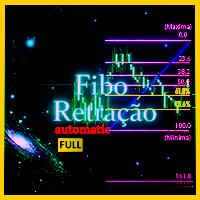
Günün en yüksek ve en düşük değerine dayalı olarak otomatik çizilen RETRACEMENT ve SAVUNMA bölgelerini "Maximum and Minimum Fibonacci Retracement Full" göstergesi ile keşfedin Bu göstergede, retracement seviyeleri günün en yüksek ve en düşük değerine göre otomatik olarak ayarlanır, böylece işlemci önemli retracement noktalarını, örneğin Altın Bölgeler (61,8%) analiz edebilir. Birçok kişi için Fibonacci teknik göstergesi çok önemlidir ve piyasa hareketlerini tahmin etmenin temelini oluşturur.
**Forex Trade Manager Pro MT5** **Trade Manager MT5** , MetaTrader 5 için kapsamlı bir işlem yönetim yardımcı programıdır ve bir işlemi planladığınız andan kapattığınız ana kadar pozisyonunuzun her yönü üzerinde size tam kontrol sağlar. Riski ciddiye alan yatırımcılar için tasarlanmıştır; disiplin oluşturan acemiden, birden çok pozisyonda anında işlem yapması gereken profesyonel skalpera kadar herkes için uygundur. Araç herhangi bir grafiğe eklenir ve temiz, kompakt bir panel sunar. Grafik üz
Levels Map
AL MOOSAWI ABDULLAH JAFFER BAQER
Levels Map See the market through its most important price levels. Levels Map is a professional MetaTrader utility that automatically identifies and displays significant market price levels directly on your chart. Designed to help traders visualize key areas of support, resistance, and market structure, Levels Map provides a clearer understanding of where price is likely to react before making trading decisions. Instead of manually drawing horizontal lines and constantly updating your charts, Le
Fibonacci seviyeleri, giriş kuralları ve otomatik emir yürütme tek grafikte. MetaTrader 5 için Dynamic Fibonacci Levels EA, doğrulanmış iki fiyat dönüş noktası seçer, aralarında Fibonacci seviyelerini çizer ve seçilen seviyelerin yakınında işlem yapar. Robot; fiyat yapısını, momentumu, dönüş noktalarının ne kadar önce oluştuğunu, fiyat aralığını ve oynaklığı değerlendirir. Piyasa yapısı değiştiğinde kullanılan Fibonacci çizimi yeniden oluşturulabilir. Çizimin dayanak noktaları elle de taşınabili
Boleta RTrader
Rubens Pergentino Da Silva
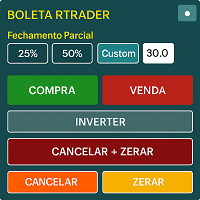
Boleta RTrader - A Boleta Mais Completa para MetaTrader 5 A ferramenta definitiva para traders que buscam precisão, agilidade e controle total sobre suas operações no MetaTrader 5. **IMPORTANTE**: É aconselhável desabilitar no gráfico do MT5 o histórico de negociações somente quando for usar saídas parcias e precisar movimentar a ordem parcial para evitar delay. --- PRINCIPAIS FUNCIONALIDADES: EXECUÇÃO DE ORDENS **Compra e Venda Instantâneas**: Execute ordens a mercado com um único clique **
Bu ürünün alıcıları ayrıca şunları da satın alıyor
Trade Assistant MT5
Evgeniy Kravchenko
4.43 (216)
It helps to calculate the risk per trade, the easy installation of a new order, order management with partial closing functions, trailing stop of 7 types and other useful functions. Additional materials and instructions Installation instructions - Application instructions - Trial version of the application for a demo account Line function -   shows on the chart the Opening line, Stop Loss, Take Profit. With this function it is easy to set a new order and see its additional characteristics bef
Trade Manager EA’ye hoş geldiniz! Ticaretin daha sezgisel, hassas ve verimli hale gelmesi için tasarlanmış nihai risk yönetim aracı ile tanışın. Bu sadece bir emir verme aracı değil; ticaret planlaması, pozisyon yönetimi ve risk kontrolü için kapsamlı bir çözüm. İster yeni başlayan bir yatırımcı olun, ister deneyimli bir trader ya da hızlı emir gerektiren bir scalper, Trade Manager EA ihtiyaçlarınıza uyum sağlar ve forex, endeksler, emtialar ve kripto paralar dahil tüm piyasalarda esneklik sunar
Local Trade Copier EA MT5
Juvenille Emperor Limited
4.94 (149)
Local Trade Copier EA MT5, aynı Windows bilgisayarı veya Windows VPS üzerinde çalışan birden fazla MetaTrader 5 hesabı arasında işlemleri kopyalamak ve yönetmek için hızlı ve esnek bir işlem kopyalayıcıdır. Yerel işlem senkronizasyonunu, Receiver tarafında lot büyüklüğü, risk yönetimi, işlem filtreleme, sembol eşleştirme, işlem yönetimi ve hesap koruması kontrolleriyle birleştirir. Transmitter ve Receiver terminallerinizi yaklaşık 1 dakika içinde ayarlayın ve aynı veya farklı brokerlardaki hesa
================================================================================ POC BREAKOUT - V20.72. Full Professional Grade Toolkit ================================================================================ POC Breakout is a full MetaTrader 5 trading dashboard for discretionary traders who want breakout signals, Point of Control (POC) context, volume profiles, order flow, market structure, news, alerts, and advanced trade planning in one professional workspace. Attached directly to you
Telegram to MT5 Multi-Channel Copier   , Telegram ve Discord kanallarınızdaki alım-satım sinyallerini doğrudan MetaTrader 5'e otomatik kopyalar. Bot yok, tarayıcı uzantısı yok, elle kopyalama yok. Sinyal Telegram'a veya Discord'a düşer ve EA birkaç saniye içinde terminalinizde işlemi açar. Ve bir kanalı kopyalamadan önce, yerleşik backtester o kanalın hesabınızda ne yapmış olacağını gösterir. Ürün iki bileşenden oluşur: Telegram kanallarınızı dinleyen bir Windows uygulaması ve sinyalleri MT5 ter
Strategy Ledger Pro
Abdullah Uygar Tuna
5 (11)
Şimdi Türkçe dil desteği ile. Strategy Ledger Pro , MetaTrader 5 için salt okunur bir hesap analiz panelidir. Hesap sonuçlarını Uzman Danışman (EA), strateji, sembol ve magic numaraya göre ayırır; böylece her birinin gerçekte ne kattığını görürsünüz. Panel 11 dilde kullanılabilir: English, Français, Deutsch, Español, Italiano, Português, Русский, Türkçe, 中文, 日本語 ve 한국어. Demoyu indirmeden önce. Market, her ücretli ürünün demosunu yalnızca Strateji Test Cihazında çalıştırır. Bu panel kendi hesabı
The Patch It never opens a trade. It walks behind the ones that did. Every open position, every pending order — checked twice a second for the one thing that's easy to forget: a stop, a target. Found bare, it doesn't ask. It writes the missing number in, measured in points from wherever the position began, and moves on to the next. No strategy, no opinion on direction. Just the quiet assumption that nothing should ever sit on the market unprotected — not because someone decided it shouldn't,
Telegram sinyallerini kendi işlem kurallarınızla kopyalayın Telegram to MT5 Signal Trader , herkese açık ve özel Telegram kanallarındaki ve gruplarındaki metin tabanlı işlem sinyallerini otomatik olarak MetaTrader 5'e kopyalar. Tek bir masaüstü uygulamasından birden fazla sinyal sağlayıcısını ve MT5 hesabını yönetin; her sağlayıcı için ayrı risk ve işlem ayarları belirleyin. Sinyal kopyalamak için Telegram botu veya API kurulumu gerekmez. Kendi Telegram hesabınızla telefon numarası veya QR kod k
TradePanel MT5
Alfiya Fazylova
4.88 (170)
Trade Panel, çok işlevli bir ticaret asistanıdır. Uygulama, manuel ticaret için 50'den fazla ticaret fonksiyonu içerir ve çoğu ticaret görevini otomatikleştirmeyi mümkün kılar. Uygulama talimatları: https://www.mql5.com/en/blogs/post/756482 Demo hesabı için uygulamanın deneme sürümü: https://www.mql5.com/en/blogs/post/750865 Uygulamayı nasıl kurulur: https://www.mql5.com/en/blogs/post/756239 Uygulamayı görsel modda nasıl test edilir: https://www.mql5.com/en/blogs/post/770277 Uygulamayı VPS MetaT
Power Candles Strateji Tarayıcısı - Kendi Kendini Optimize Eden Çoklu Sembol Kurulum Bulucu Power Candles Strateji Tarayıcısı , Power Candles göstergesini çalıştıran aynı kendinden optimize edici motoru, Piyasa İzleyicinizdeki her sembol üzerinde yan yana çalıştırır. Tek bir panel, şu anda istatistiksel olarak hangi sembollerin işlem yapılabilir olduğunu, her birinde hangi stratejinin kazandığını, en uygun Stop Loss / Take Profit çiftini gösterir ve yeni bir sinyal geldiği anda size bildirim gön
The product will copy all telegram signal to MT5 ( which you are member) , also it can work as remote copier.  Easy to set up, copy order instant, can work with almost signal formats, image signal,  s upport to translate other language to English Work with all type of channel or group, even channel have "Restrict Saving Content", work with  multi channel, multi MT5 Work as remote copier: with signal have ticket number, it will copy exactly via ticket number. Support to backtest signal. How to s
Entry In The Zone with SMC Multi Timeframe is a real-time market analysis tool based on Smart Money Concepts (SMC), designed to analyze market structure, price direction, and key trading zones. It supports both Single-Timeframe and Multi-Timeframe Analysis, providing a clearer view of overall market structure across multiple timeframes, with real-time BUY / SELL signals designed with a strict focus on No-Repaint principles.   The signals are designed to help filter unclear setups and evaluate tr
Quant AI Agents are independent trading Expert Advisors. Instead of trading using a fixed strategy like other conventional EAs, Quant AI Agents   is a   multi-agent AI trading framework   that turns natural-language strategy prompts into live.  WANT THE SAME RESULTS AS MY LIVE SIGNAL?   Use the exact same brokers I do:   IC MARKETS , IC TRADING   .  Unlike the centralized stock market, Forex has no single, unified price feed.  Every broker sources liquidity from different providers, creating un
Exp COPYLOT CLIENT for MT5
Vladislav Andruschenko
3.97 (35)
MetaTrader 5 için profesyonel işlem kopyalayıcı MetaTrader için hızlı, profesyonel ve güvenilir bir işlem kopyalayıcı . COPYLOT , MT4 ve MT5 terminalleri arasında Forex işlemlerini kopyalamanıza olanak tanır ve Hedge ile Netting hesaplarını destekler. COPYLOT MT5 sürümü şunları destekler: - MT5 Hedge → MT5 Hedge - MT5 Hedge → MT5 Netting - MT5 Netting → MT5 Hedge - MT5 Netting → MT5 Netting - MT4 → MT5 Hedge - MT4 → MT5 Netting MT4 sürümü Tam açıklama + DEMO + PDF Nasıl satın alınır Nasıl kurul
Grid Manual MT5
Alfiya Fazylova
4.73 (22)
Grid Manual, sipariş ızgarasıyla çalışmak için kullanılan bir ticaret yardımcı programıdır. Yardımcı program evrenseldir, esnek ayarlara ve sezgisel bir arayüze sahiptir. Sadece kayıpların ortalaması yönünde değil, aynı zamanda kazanç artışı yönünde de bir emir ızgarası ile çalışır. Tüccarın bir emir ızgarası oluşturmasına ve eşlik etmesine gerek yoktur, bu yardımcı programı yapacaktır. Emri açmanız yeterlidir ve Grid manual otomatik olarak ona bir emir ızgarası oluşturacak ve kapanana kadar ona
Signal TradingView to MT5 Pro Automator TradingView ve MetaTrader 5 arasında anında profesyonel uygulama TradingView alarmları ile MT5'teki gerçek uygulama arasındaki en güçlü iletişim köprüsüyle ticaret stratejinizi otomatikleştirin. Hız, esneklik ve kusursuz risk yönetimi talep eden yatırımcılar için tasarlanan bu Uzman Danışman (Expert Advisor), herhangi bir alarm mesajını hassas bir piyasa (market) veya limit emrine dönüştürür. GÜÇLÜ YÖNLER VE AVANTAJLAR Evrensel Ayrıştırma Motoru (Tescilli)
Trade Dashboard simplifies how you open, manage, and control your trades, with built-in lot size calculation. It allows you to execute trades, manage risk, and control positions directly on the chart, with tools such as partial close, breakeven, and trailing stop. Designed to reduce manual work and help you stay focused on your trading decisions. A demo version is available for testing. Detailed explanations of features are provided within the MQL5 platform. Installation instructions are include
Seconds Chart - MetaTrader 5 için saniye bazlı grafikler oluşturmanıza olanak sağlayan eşsiz bir araçtır. Seconds Chart sayesinde saniye cinsinden zaman dilimleriyle grafik oluşturabilir, standart dakika veya saatlik grafiklerde mümkün olmayan esneklik ve analiz hassasiyetine ulaşabilirsiniz. Örneğin, S15 zaman dilimi 15 saniyelik mum çubuklarını ifade eder. Desteklenen özel sembollerle herhangi bir gösterge ve danışman kullanabilirsiniz. Onlarla çalışmak, standart grafiklerde işlem yapmak kadar
Telegram To MT5 — Sinyal Kopyalayıcı Telegram kanallarınızdaki işlem çağrılarını gerçek MT5 emirlerine dönüştürün — otomatik olarak, istediğiniz kadar hesapta ve risk ile kurallar tamamen sizin kontrolünüzde. Telegram To MT5, Telegram'da zaten takip ettiğiniz VIP / sinyal kanallarını MetaTrader 5 terminalinize bağlar. Ücretsiz bir eşlik eden masaüstü uygulaması mesajları okur (botlara izin vermeyen kanallardan bile), ve bu Expert Advisor bunları hesabınızda yürütür — kendi risk ayarlarınızı, sem
FUTURES ORDERFLOW FOOTPRINT CHART Professional OrderFlow EA for MetaTrader 5 Version 1.01| Professional tool for real traders | Institutional-Grade Visualization STRATEGY TESTER USERS - PLEASE SELECT EVERY REAL TICK WHEN TESTING AND YOU HAVE DOWNLOADED HISTORICAL DATA. IF YOU SEE A WAITING SCREEN AND IT IS NOT DOWNLOADING, IT MEANS YOU HAVE LOW HISTORICAL DATA. TRY 1 MIN AND 5 MIN FIRST ON 1 DAY DATA. ONE DAY DATA SHOULD BE THE NEWEST AND MOST CURRENT DATE. PLEASE WAIT UNTIL THE MARKET HAS ROL
HINN MAGIC ENTRY – the ultimate tool for entry and position management! SIMPLE. FASTEST. INTUITIVE. MAX AUTOMATED. Place orders by selecting a level directly on the chart! full description   ::  demo-version  :: 60-sec-video-description Key features: - Market, limit, and pending orders - Automatic lot size calculation - Automatic spread and commission accounting - Unlimited partitial take-profits  - Breakeven and trailing stop-loss and take-profit  functions - Invalidation leves - Intuitive, a
Your EAs cannot see each other, but Anchor can. Anchor gives you one place to coordinate your EAs, manage risk, and decide when trading is allowed. It works alongside the trading bots you already use without any changes to them. The Problem One EA opens a trade. Then another starts trading. The next thing you know, you wake up to multiple grids built across your account. Each EA may be doing exactly what it was designed to do, but together they can place far more risk on your account than you in
Trade copier MT5
Alfiya Fazylova
4.61 (57)
Trade Copier, ticaret hesapları arasındaki işlemleri kopyalamak ve senkronize etmek için tasarlanmış profesyonel bir yardımcı programdır. Kopyalama, tedarikçinin hesabından/terminalinden alıcının aynı bilgisayarda veya vps'de kurulu olan hesabına/terminaline gerçekleşir. Satın almadan önce demo sürümünü bir demo hesabında test edebilirsiniz. Demo versiyonu burada . Tüm talimatlar burada . Ana işlevler ve avantajlar: Emirlerin kopyalanmasını destekler: МТ5> МТ5, МТ4> МТ5, МТ5> МТ4. Emirlerin kopy
Daily Trading Limiter
AL MOOSAWI ABDULLAH JAFFER BAQER
5 (8)
• Please test the product in the Strategy Tester before purchasing to understand how it works. • If you face any issues, contact me via private message—I’m always available to help. • After purchase, send me a screenshot of your order to receive a FREE EA as a gift. Daily Trading Limiter — the rule you cannot break Every trader knows the number. Three trades. Two percent. One bad day and stop. And every trader has watched themselves take the fourth trade anyway. The problem was never knowing th
Bu ürün, haber saatlerinde tüm uzman danışmanları ve manüel grafikleri filtreler, böylece manüel ticaret kurulumlarınızı veya diğer uzman danışmanlar tarafından girilen işlemleri yok edebilecek ani fiyat dalgalanmaları konusunda endişelenmenize gerek kalmaz. Bu ürün, herhangi bir haber yayınlanmadan önce açık pozisyonlarınızı ve bekleyen emirlerinizi yönetebilen tam bir sipariş yönetim sistemi ile birlikte gelir.   The News Filter'ı   satın aldığınızda, gelecekteki uzman danışmanlar için yerleşi
Trade Indicator Assistant   is a powerful MT5 utility designed to turn indicators into automated trading systems. Its main feature is the ability to automatically detect an indicator’s   BUY and SELL signal buffers , without requiring you to know the buffer numbers, search through indicator settings, or modify the indicator source code. Bonus Indicator:   After purchasing Trade Indicator Assistant, contact me to receive   Trade Signal Pro   completely free as a bonus indicator. [Download Demo V
Floor Watch
Syed Tauqeer Hussain Shah
Floor Watch One number, watched every thirty seconds: how far equity has fallen since the day began — or since its highest point, if it's told to trail the peak instead of the open. Cross the line and it doesn't argue. Every open position closes, every pending order vanishes, and anything that slips through afterward gets shut the moment it appears. Not asked. Removed. The floor holds until the clock turns 5 AM Pakistan time — then, and only then, does the day start over. One rule. No except
YuClusters
Yury Kulikov
4.93 (43)
Attention: You can view the program operation in the free version  YuClusters DEMO .  YuClusters is a professional market analysis system. The trader has unique opportunities to analyze the flow of orders, trade volumes, price movements using various charts, profiles, indicators, and graphical objects. YuClusters operates on data based on Time&Sales or ticks information, depending on what is available in the quotes of a financial instrument. YuClusters allows you to build graphs by combining da
MT4 to Discord Signal Provider , ticaret sinyallerini doğrudan Discord'a göndermek için tasarlanmış kullanıcı dostu ve tamamen özelleştirilebilir bir araçtır. Bu araç, ticaret hesabınızı etkili bir sinyal sağlayıcısına dönüştürür. Mesaj formatlarını tarzınıza uyacak şekilde özelleştirin! Kolay kullanım için önceden tasarlanmış şablonlardan seçim yapın ve hangi mesaj öğelerini dahil etmek veya çıkarmak istediğinize karar verin. [ Demo ] [ Kullanım Kılavuzu ] [ MT4 Versiyonu ] [ Telegram Versiyonu
OrderManager 'ı Tanıtıyoruz: MT5 için Devrim Niteliğinde Bir Yardımcı Program Yepyeni Order Manager yardımcı programı ile MetaTrader 5 için işlemlerinizi bir profesyonel gibi yönetin. Basitlik ve kullanım kolaylığı göz önünde bulundurularak tasarlanmış olan Order Manager, her işlemle ilişkilendirilen riski kolayca tanımlamanıza ve görselleştirmenize olanak tanır, böylece bilinçli kararlar alabilir ve ticaret stratejinizi optimize edebilirsiniz. OrderManager hakkında daha fazla bilgi için lütfen
Yazarın diğer ürünleri
Pip Scope
Mohammadreza Bahreyninejad Kermani
Pip Scope – Grafik Ölçek Farkındalığı ile Daha Doğru İşlemler! Sorun: MetaTrader, fiyat grafiğinin dikey ölçeğini otomatik olarak ayarlayarak tüm mumları görünür kılar. Ancak bu özellik, fiyat hareketlerinin boyutuna dair algınızı ciddi şekilde bozabilir. Küçük bir hareket büyük görünebilir, ya da büyük bir hareket önemsizmiş gibi durabilir. Bu da özellikle scalping ve günlük işlem yapan trader'lar için yanlış risk değerlendirmesi, hatalı pozisyon büyüklüğü ve uygunsuz stop-loss seviyelerin
FREE
Zone Eraser
Mohammadreza Bahreyninejad Kermani
Zone Eraser MT5 – Forex Persian Trading’den Grafiğinizi Tek Tıkla Temizleyin! Grafiğiniz gereksiz nesnelerle mi dolu? İşlem geçmişi çizgilerini, teknik analiz araçlarını ve şekilleri tek tek silmekten yoruldunuz mu? Zone Eraser MT5 , grafik yönetiminizi kolaylaştırmak ve işlem ortamınızı daha düzenli hale getirmek için tasarlanmış mükemmel bir script’tir. Artık manuel silme işlemlerine vakit kaybetmeyin – hız, verimlilik ve hassasiyetin keyfini çıkarın! Zone Eraser MT5 Neden Tercih Edil
FREE
Filtrele:
kaxas04
14
kaxas04 2026.10.12 20:31 

Downloaded version 2.1 of the sync crosshair. It is exactly what I was looking for and beyond. It exceeded all expectations. Love it. My weekends are now more productive. Thank you.

Mohammadreza Bahreyninejad Kermani
2566
Geliştiriciden yanıt Mohammadreza Bahreyninejad Kermani 2026.10.14 14:54
Hi! Thank you so much for the fantastic review and feedback! I'm thrilled to hear that the Sync Crosshair exceeded your expectations and is helping make your weekend analysis more productive. Knowing it brings real value to your workflow makes all the effort worth it. Wish you great trading and continued success!
Colapinto2025
14
Colapinto2025 2026.10.11 23:35 

No funciona! cómo es que se configura para que sincronice el cursor? hay que instalar algo más? pruebo de usarlo en tres temporalidades del mismo indice y no sincroniza...

Mohammadreza Bahreyninejad Kermani
2566
Geliştiriciden yanıt Mohammadreza Bahreyninejad Kermani 2026.10.14 14:51
Hola, Para que el indicador sincronice el cursor entre varios gráficos, debes instalarlo y activarlo en cada uno de los gráficos que quieras sincronizar, no solo en uno. El indicador necesita estar activo en cada ventana para leer y transmitir las coordenadas. Por favor, consulta la documentación adjunta donde se explica el proceso paso a paso. Si después de seguir las instrucciones sigues teniendo dudas, puedes enviarme un mensaje privado para ayudarte directamente. ¡Gracias! Hello, For the indicator to synchronize the crosshair across multiple charts, you must install and activate it on every single chart you want to sync, not just on one. The indicator needs to be active on each window to read and transmit the coordinates. Please check the attached documentation where the setup is explained step by step. If you still have questions after following the instructions, feel free to send me a private message so I can assist you directly. Thank you!
H3llopanda
15
H3llopanda 2026.09.08 16:30 

Downloaded your program just a couple days before the 2.0 update and the new version(2.0) is amazing, well done. Thank you!

Mohammadreza Bahreyninejad Kermani
2566
Geliştiriciden yanıt Mohammadreza Bahreyninejad Kermani 2026.09.08 18:13
Thank you, that's good to hear. 2.0 was a big rewrite, so it's reassuring
to know it works well in practice. If anything comes up or you'd like to
see a feature added, just let me know here.
GBenke
14
GBenke 2026.08.16 22:19 

Excellent

Mohammadreza Bahreyninejad Kermani
2566
Geliştiriciden yanıt Mohammadreza Bahreyninejad Kermani 2026.08.19 16:16
Hey, thank you for your feedback! Just wanted to let you know that a huge update is right around the corner. Keep an eye out for it and once you’ve tested it out, please let us know what you think! Your feedback helps us make the app even better :)
Aria Ordouei
18
Aria Ordouei 2026.07.31 08:37 

mersiii dada

Mohammadreza Bahreyninejad Kermani
2566
Geliştiriciden yanıt Mohammadreza Bahreyninejad Kermani 2026.08.19 16:15
Thank you so much for your feedback! We’re working on a massive update packed with incredible new features, and we can’t wait to share it with you. Stay tuned it’s dropping very soon! Once the update is live and you’ve had a chance to test it out, we’d love to hear your thoughts and feedback.
Pankaja Kaushalya
18
Pankaja Kaushalya 2026.07.28 06:26 

Kullanıcı değerlendirmeye herhangi bir yorum bırakmadı

Mohammadreza Bahreyninejad Kermani
2566
Geliştiriciden yanıt Mohammadreza Bahreyninejad Kermani 2026.08.19 16:13
Thank you for your priceless feedback! You joined at the perfect time. We are gearing up to launch our biggest update yet, and it’s going to take your experience to a whole new level. Stay tuned and after you give the new version a spin, hit us back and let us know what you think!
Dinazarv
14
Dinazarv 2026.04.20 18:06 

Kullanıcı değerlendirmeye herhangi bir yorum bırakmadı

Mohammadreza Bahreyninejad Kermani
2566
Geliştiriciden yanıt Mohammadreza Bahreyninejad Kermani 2026.04.21 17:00
Thank you for your valuable feedback and support. We’re glad to hear that Sync Crosshair has been useful for you. Based on the strong positive feedback from users, we are currently preparing a major update with significantly enhanced features. Important note:
The upcoming version will be a paid release. However, all users who have already downloaded the current version will receive this update completely free of charge. If you’re satisfied with the product, we would greatly appreciate it if you could leave a review and share your experience. Your feedback directly helps us improve and continue developing more advanced tools. Thank you for your support.
Shahrzad Atlas
18
Shahrzad Atlas 2026.03.22 15:26 

Kullanıcı değerlendirmeye herhangi bir yorum bırakmadı

Mohammadreza Bahreyninejad Kermani
2566
Geliştiriciden yanıt Mohammadreza Bahreyninejad Kermani 2026.03.30 10:32
Thank you so much for the 5-star review and your kind words! I'm thrilled to hear that the latest version is running smoothly and adding real value to your trading. Building practical, high-performance tools is my top priority. Make sure to follow my MQL5 profile or check out my other products, as I have some exciting new tools in the pipeline. Happy trading!
poliihor
591
poliihor 2026.02.26 13:28 

Kullanıcı değerlendirmeye herhangi bir yorum bırakmadı

Mohammadreza Bahreyninejad Kermani
2566
Geliştiriciden yanıt Mohammadreza Bahreyninejad Kermani 2026.03.04 09:46
Hi poliihor, thank you so much for your kind words! I'm glad to hear the tool is working well for you. Happy trading!
Stefan P.
26
Stefan P. 2025.11.13 14:14 

First of all, thank you very much for this indicator! I am delighted to be able to use it! However, I have a small suggestion for improvement: the indicator lags a little behind which also looks somewhat jittery. That is why I would like to ask whether the query time for the cursor position could be increased? Enough so that the crosshairs always remain on the cursor, even when fast mouse movements occurs. It would be great if users could enter the value themselves in the settings (in ms) according to their own needs (precision in consideration of performance). It would be greatly appreciated if you would implement this.

Mohammadreza Bahreyninejad Kermani
2566
Geliştiriciden yanıt Mohammadreza Bahreyninejad Kermani 2025.11.21 10:45
First of all, thank you very much for your kind words and positive feedback! I am delighted that you find this tool useful. Regarding the lag you mentioned, the indicator is currently designed to update more than 50 times per second (approx. every 20ms), which is typically sufficient for a smooth experience. The jitter or lag is likely caused by high system resource usage or having a very large number of charts open simultaneously, which can bottleneck the terminal's event queue. I have personally tested this on 15 charts simultaneously without any issues. Could you please test it with different numbers of open charts and let me know the results? Your feedback is valuable, and I will definitely consider adding a customizable update interval in the next version based on your findings.
Chello Trader
247
Chello Trader 2025.11.03 10:42 

Kullanıcı değerlendirmeye herhangi bir yorum bırakmadı

Mohammadreza Bahreyninejad Kermani
2566
Geliştiriciden yanıt Mohammadreza Bahreyninejad Kermani 2025.11.07 03:33
Olá!
Ficamos muito felizes em saber que a Ferramenta está funcionando maravilhosamente bem em todos os tempos gráficos para você! Seu feedback positivo é o nosso maior incentivo.
Agradecemos por dedicar seu tempo para compartilhar sua experiência conosco. Caso tenha alguma sugestão ou queira nos mostrar seus resultados, será um prazer receber sua mensagem. Sucesso nas suas operações! Atenciosamente,
bld5
14
bld5 2025.09.05 07:50 

Simple and effective tool, works great!

Mohammadreza Bahreyninejad Kermani
2566
Geliştiriciden yanıt Mohammadreza Bahreyninejad Kermani 2025.09.05 09:42
Thank you for your review! I’m glad to hear the tool works great for you.
Ân Lê
38
Ân Lê 2025.09.02 11:19 

Awesome

Mohammadreza Bahreyninejad Kermani
2566
Geliştiriciden yanıt Mohammadreza Bahreyninejad Kermani 2025.09.03 06:27
Thank you for your feedback! I’m glad you found Sync Crosshair useful.
Ati30
14
Ati30 2025.08.25 13:19 

Kullanıcı değerlendirmeye herhangi bir yorum bırakmadı

Mohammadreza Bahreyninejad Kermani
2566
Geliştiriciden yanıt Mohammadreza Bahreyninejad Kermani 2025.09.03 06:33
Thank you! My goal was to keep it simple yet powerful, glad it helped you.
Değerlendirmeye yanıt