Trade Manager Console
- Утилиты
- Версия: 14.5
- Обновлено: 6 июля 2026
- Активации: 10

Trade Manager Console
Institutional-Grade Multi-Strategy Trade Management Cockpit for MetaTrader 5
Product Overview and Capability
Description
Product Summary
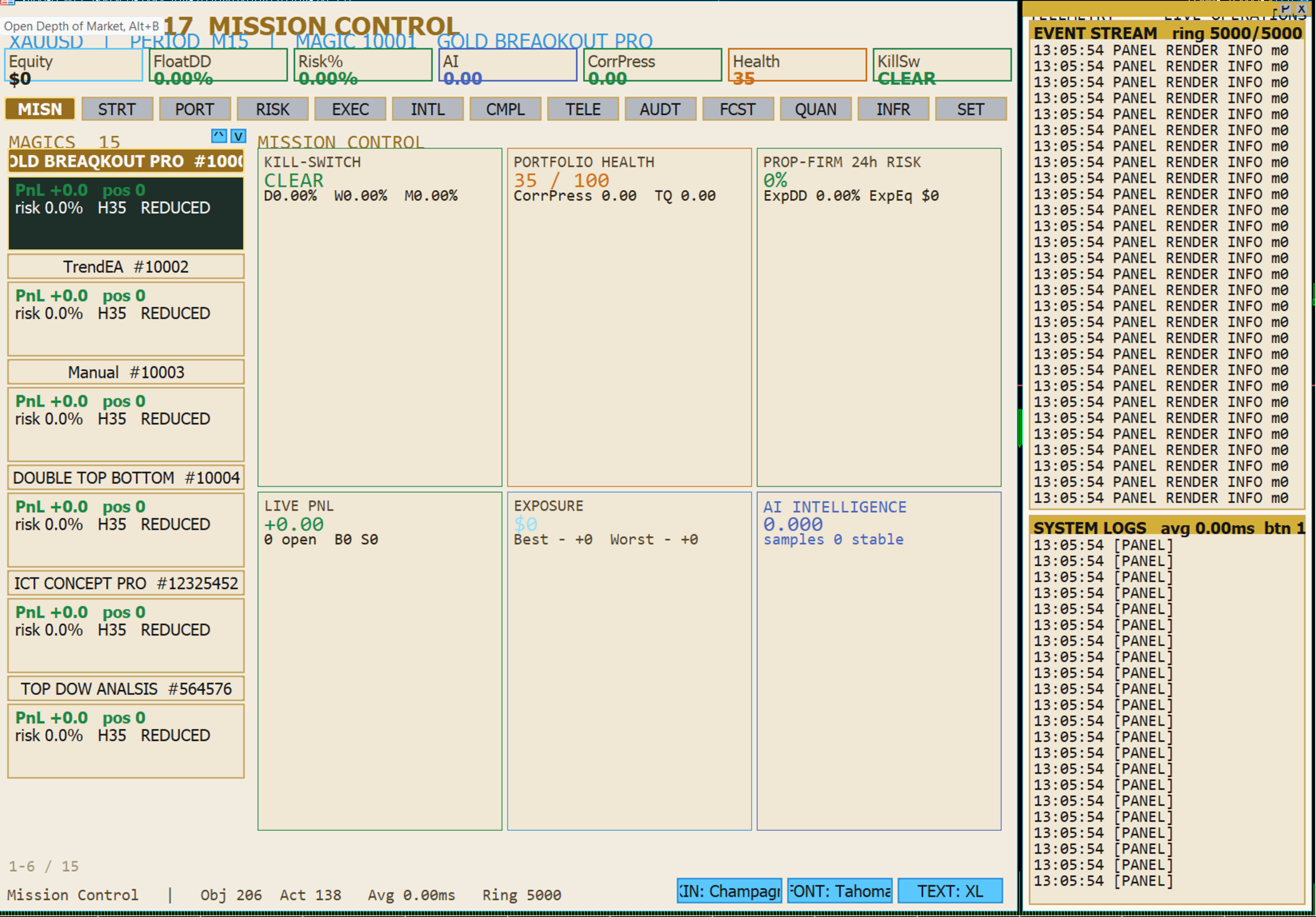
Trade Manager Console is a unified control environment for active and systematic traders operating on the MetaTrader 5 platform. It consolidates execution, position management, risk governance, analytics, forecasting, and reporting into a single on-chart cockpit, allowing an operator to supervise many strategies and instruments at the same time without leaving the trading terminal.
The product is built around a principle of separation of concerns: strategy logic, execution routing, risk control, and visualization are handled by distinct modules that communicate through a shared data layer. This architecture keeps the interface responsive while a large number of magic numbers, open positions, and live data streams are monitored concurrently.
Trade Manager Console is designed for desks that require structured oversight: prop-firm participants working within defined drawdown rules, multi-strategy portfolio operators, and discretionary traders who want disciplined, repeatable management of every position.
Commercial Niche
The product occupies the professional trade-management segment of the MetaTrader 5 ecosystem, positioned above simple one-click trade panels and below full institutional order-management systems. It targets the operator who has outgrown basic buy and sell scripts but does not have access to a dedicated trading desk infrastructure.
Intended Users
Multi-strategy operators: individuals or teams running several expert advisors and manual systems side by side, each identified by its own magic number.
Prop-firm participants: traders who must operate within explicit daily, weekly, and overall drawdown limits and require continuous visibility of remaining allowances.
Discretionary manual traders: users who want automated stop-loss, break-even, partial, and trailing management applied consistently to manual entries.
Portfolio supervisors: operators who need exposure, correlation, and concentration views across currencies, symbols, and asset classes.
Positioning
Where typical panels provide isolated controls, Trade Manager Console provides an integrated operations center. Every action is logged, every metric is sourced from live account data, and every strategy can be inspected, adjusted, and governed from one surface.
Main Capabilities
Execution and Manual Trading
One-click market execution with automatic lot sizing derived from a selectable risk percentage.
Quick-set risk presets and incremental risk adjustment, recomputed against live margin at the moment of execution.
Close controls for buy-side, sell-side, all positions, and basket-level closing.
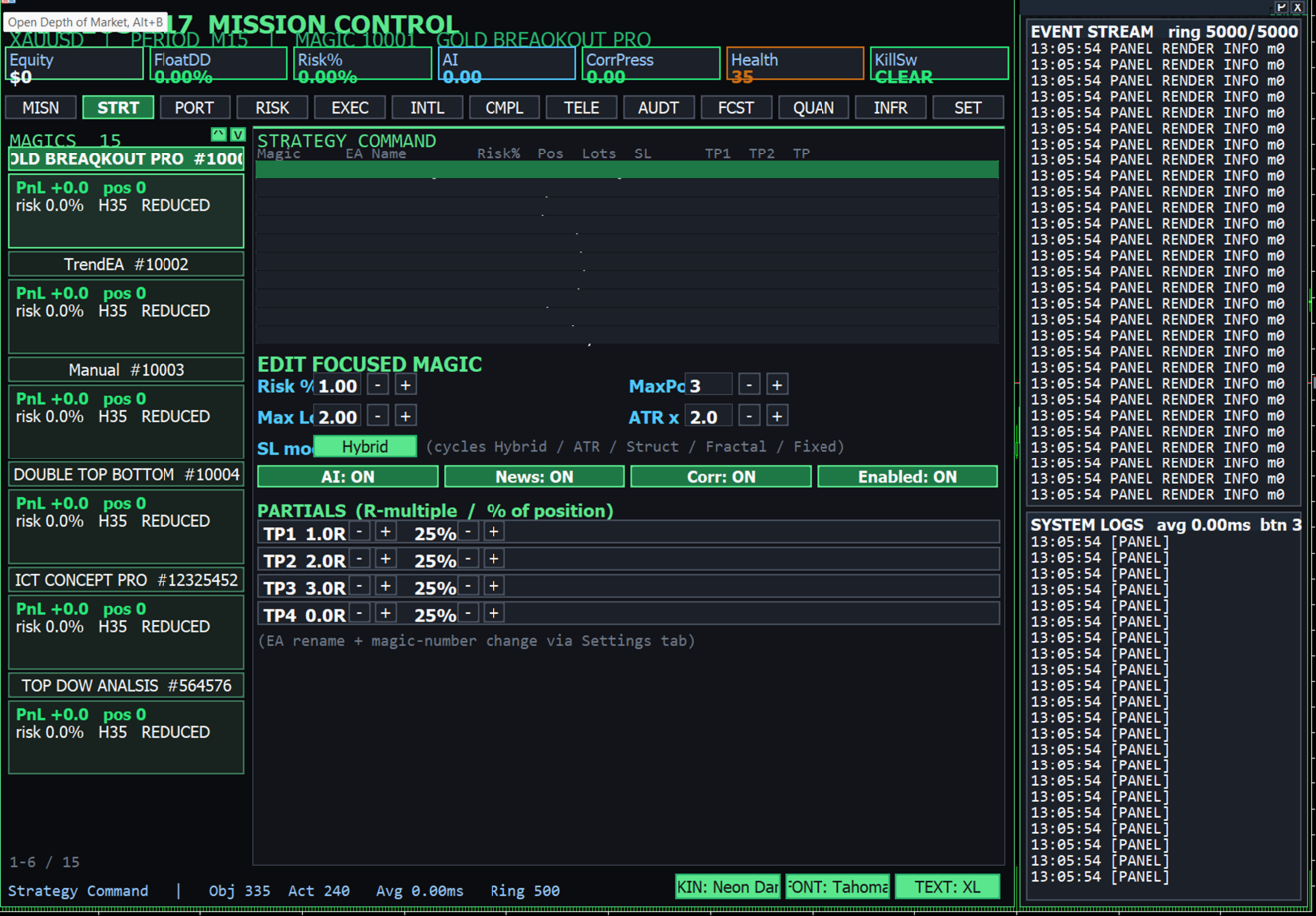
Partial-close ladder with configurable take-profit levels expressed as risk multiples and percentage of position.
Break-even, trailing, and hybrid stop-loss toggles applied per strategy.
Each manual order is tagged to the active magic number so it is tracked and managed alongside automated strategies.
Multi-Strategy Management
Simultaneous supervision of many strategies, each represented by a magic number with its own name, status, and live metrics.
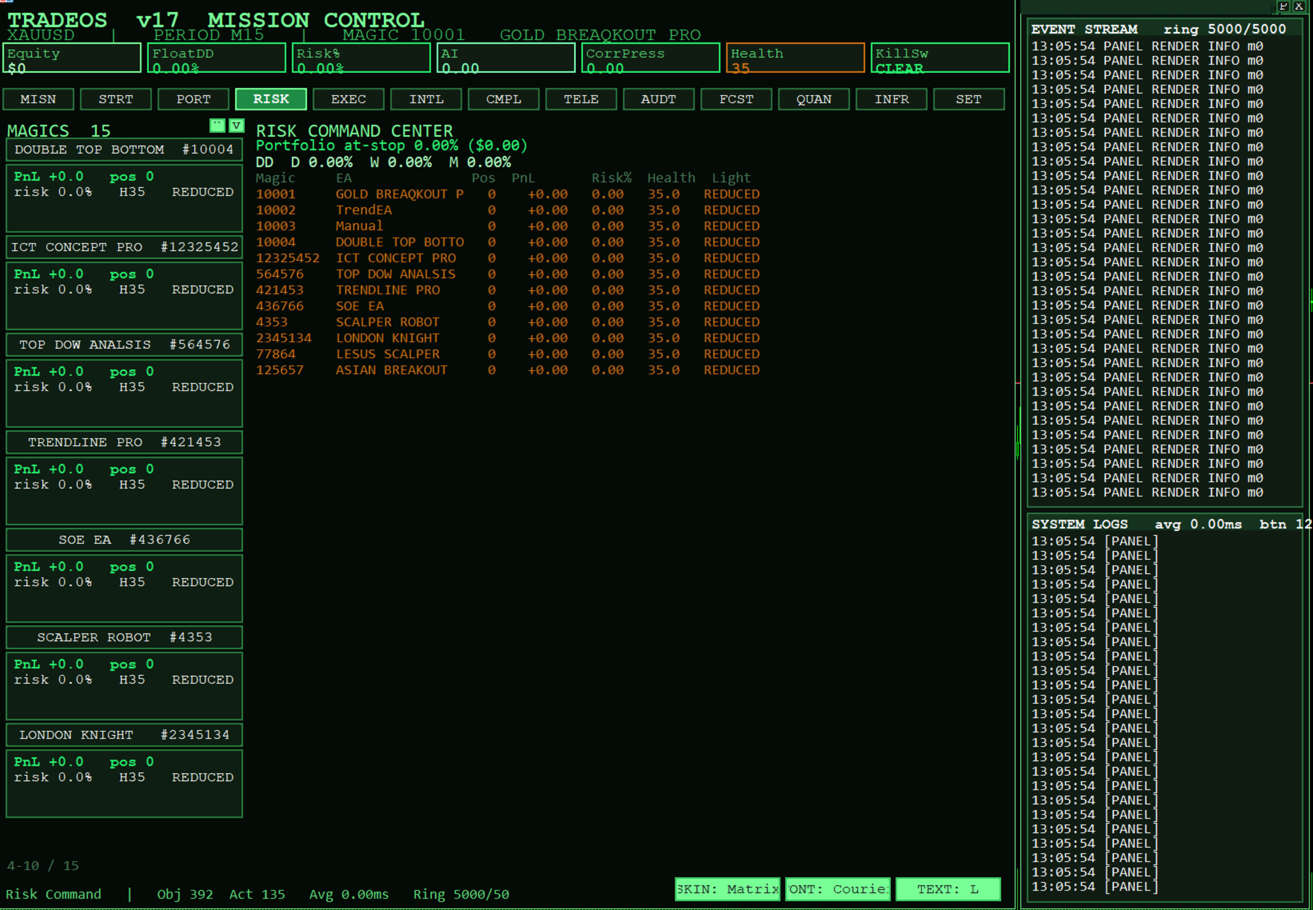
A scrollable strategy navigator showing the expert advisor name, magic number, open result, position count, risk, and health state for each strategy.
Live editing of strategy settings without restarting the terminal, including name, risk percentage, maximum positions, maximum lots, stop-loss mode, and partial ladder.
Per-strategy enable and disable control, with artificial-intelligence weighting, news filtering, and correlation filtering switches.
Risk and Compliance Governance
Continuous calculation of portfolio risk at stop, expressed both in account currency and as a percentage of equity.
Daily, weekly, and monthly drawdown tracking with a multi-gate protective kill-switch state.
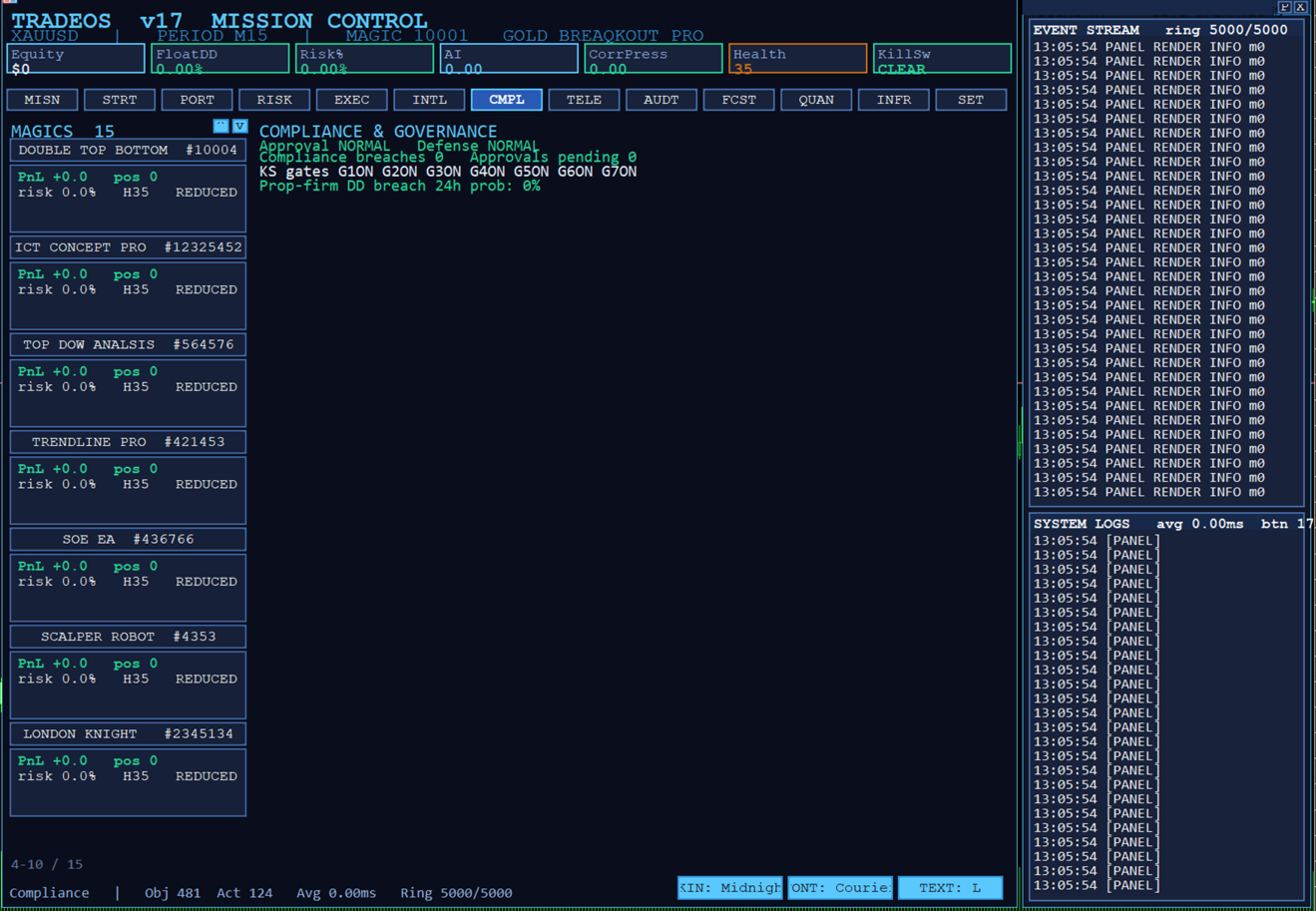
Prop-firm rule monitoring that reports remaining allowance against configured limits.
Cross-instrument correlation pressure measurement to highlight concentrated exposure.
Approval and compliance states surfaced directly in the cockpit.
Analytics
Trade Manager Console includes a dedicated analytics layer that processes closed-trade history and live positions on a throttled schedule, so that detailed computation does not interfere with execution responsiveness.
Strategy Analytics
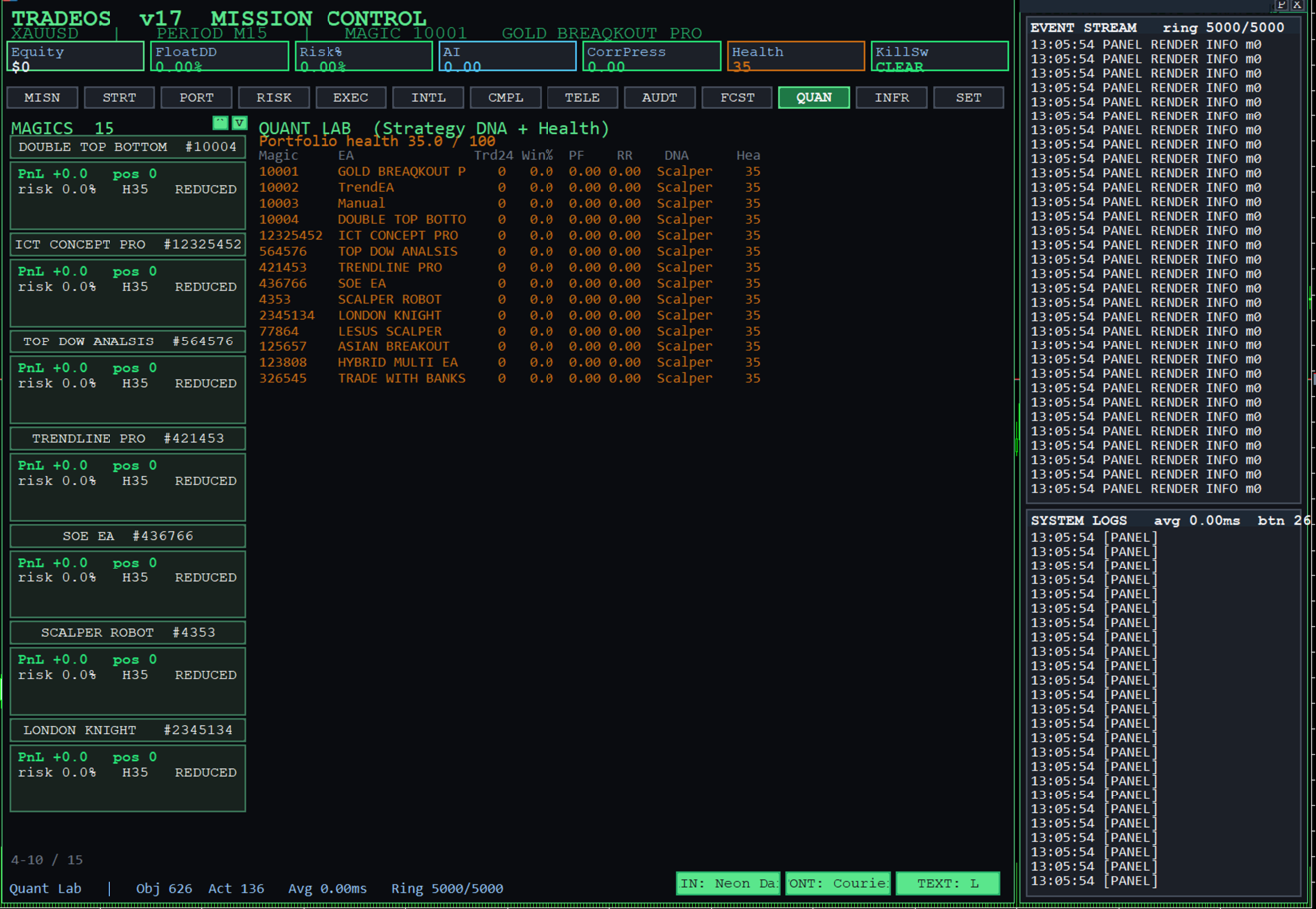
Per-strategy statistics including win rate, profit factor, recovery factor, and average risk-to-reward.
Automatic strategy classification into behavioural categories such as scalping, momentum, mean reversion, breakout, liquidity, swing, and hybrid.
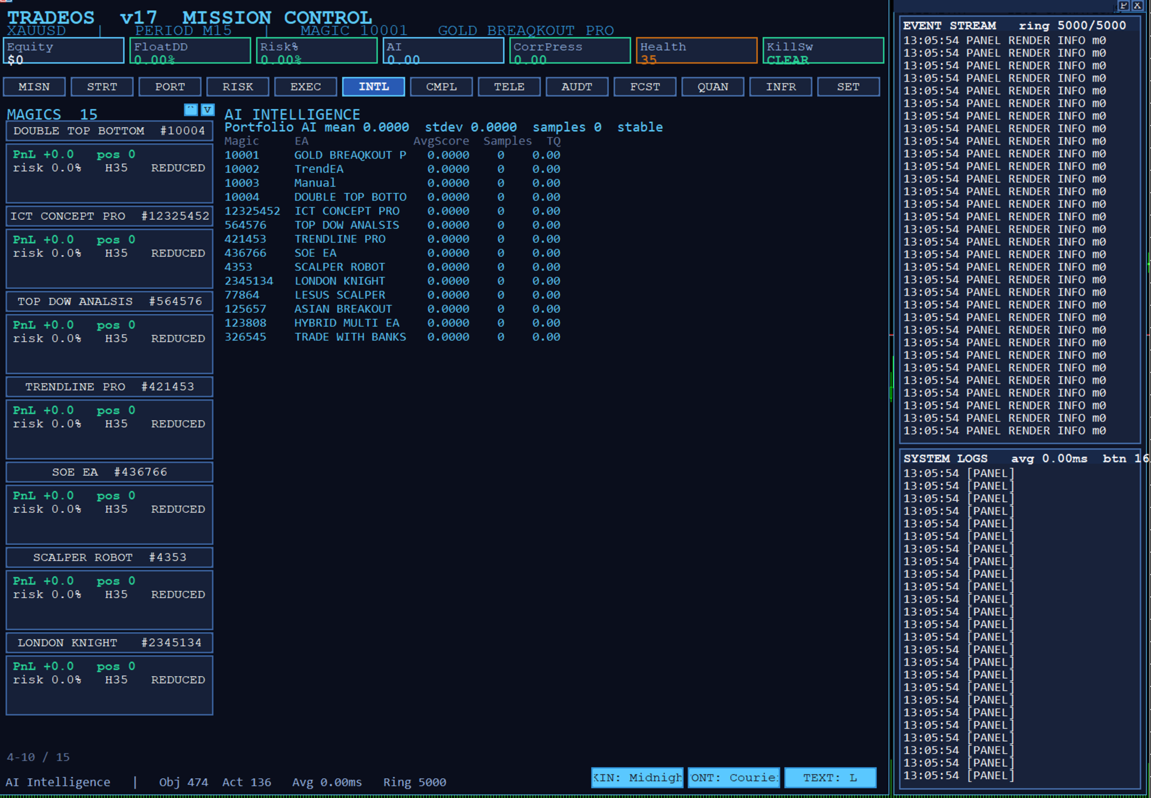
A composite health score for each strategy, combining win rate, profit factor, drawdown discipline, model confidence, correlation isolation, and execution efficiency, presented with a four-state traffic-light indicator.
Session attribution that separates results across the Asian, London, and New York trading sessions.
Portfolio Analytics
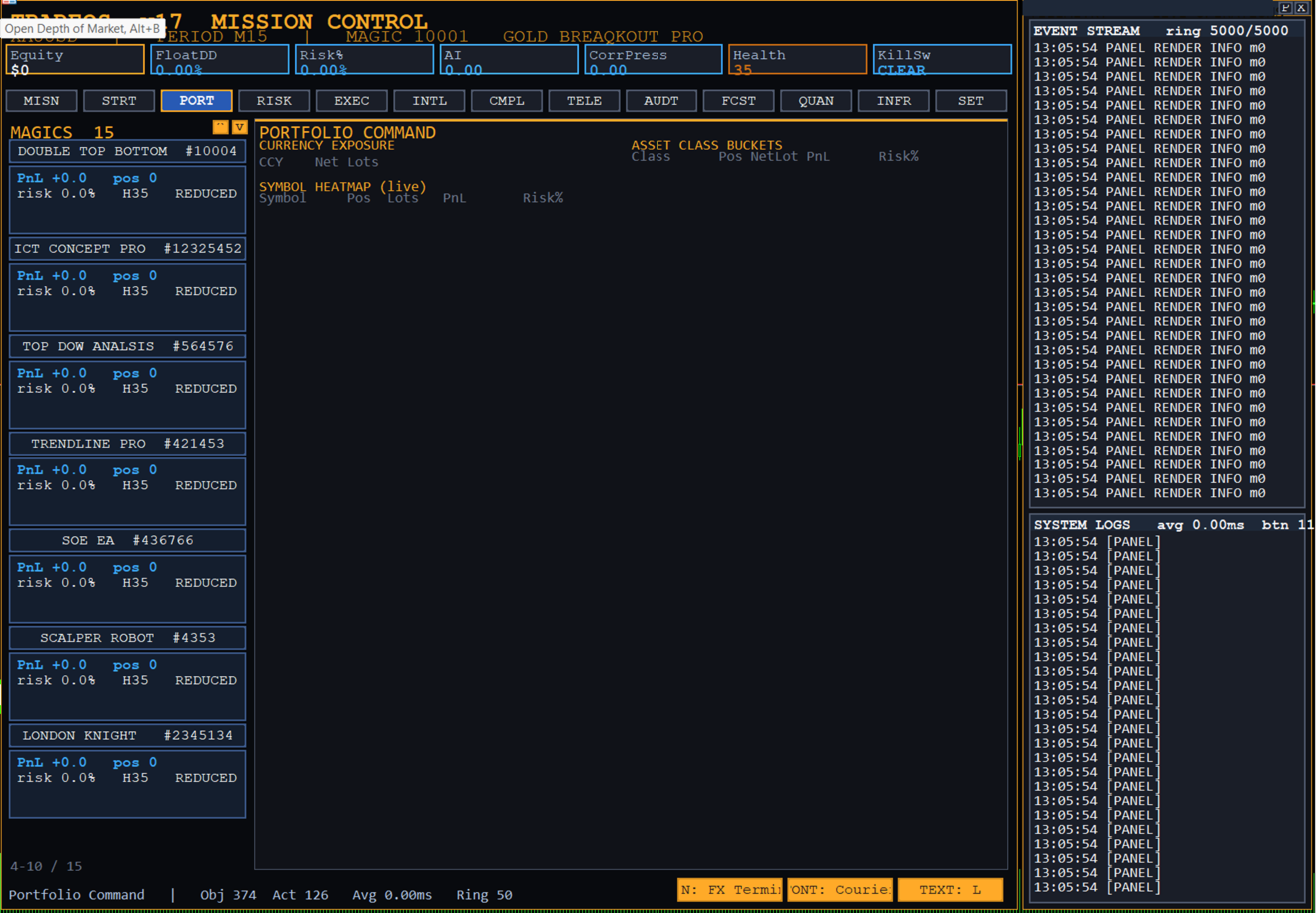
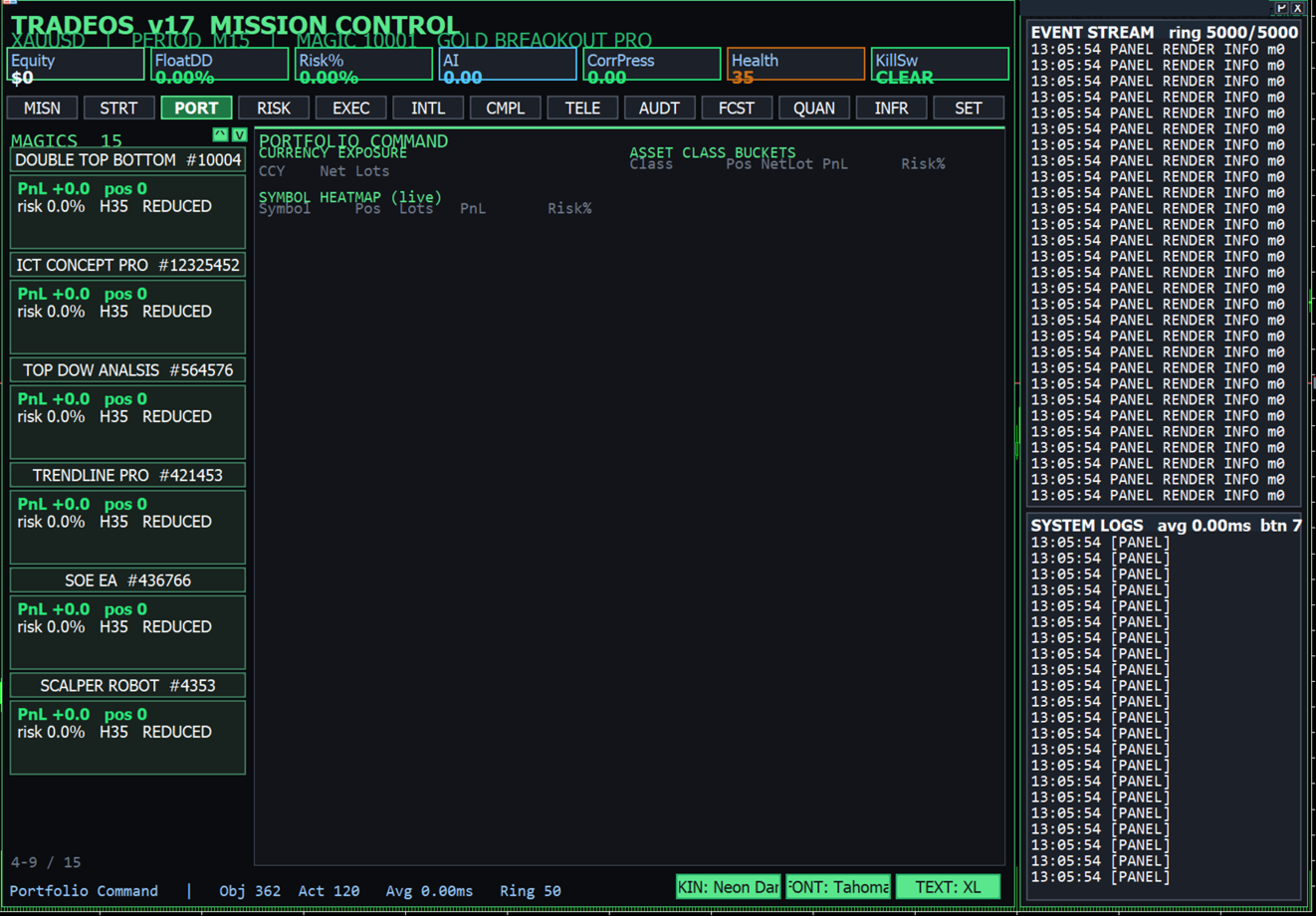
Currency exposure matrix showing net long and short positioning per currency.
Asset-class buckets covering foreign-exchange majors and crosses, metals, indices, energy, and digital assets.
Symbol heat map summarizing position count, net lots, open result, and risk per instrument.
Forecast Analytics
Monte Carlo projection of expected equity paths over twenty-four-hour, seven-day, and thirty-day horizons.
Expected drawdown bands and probability-of-loss estimates derived from each strategy's own historical behaviour.
A survival score per strategy and a prop-firm breach-probability estimate for the portfolio.
Reporting and PDF Generation
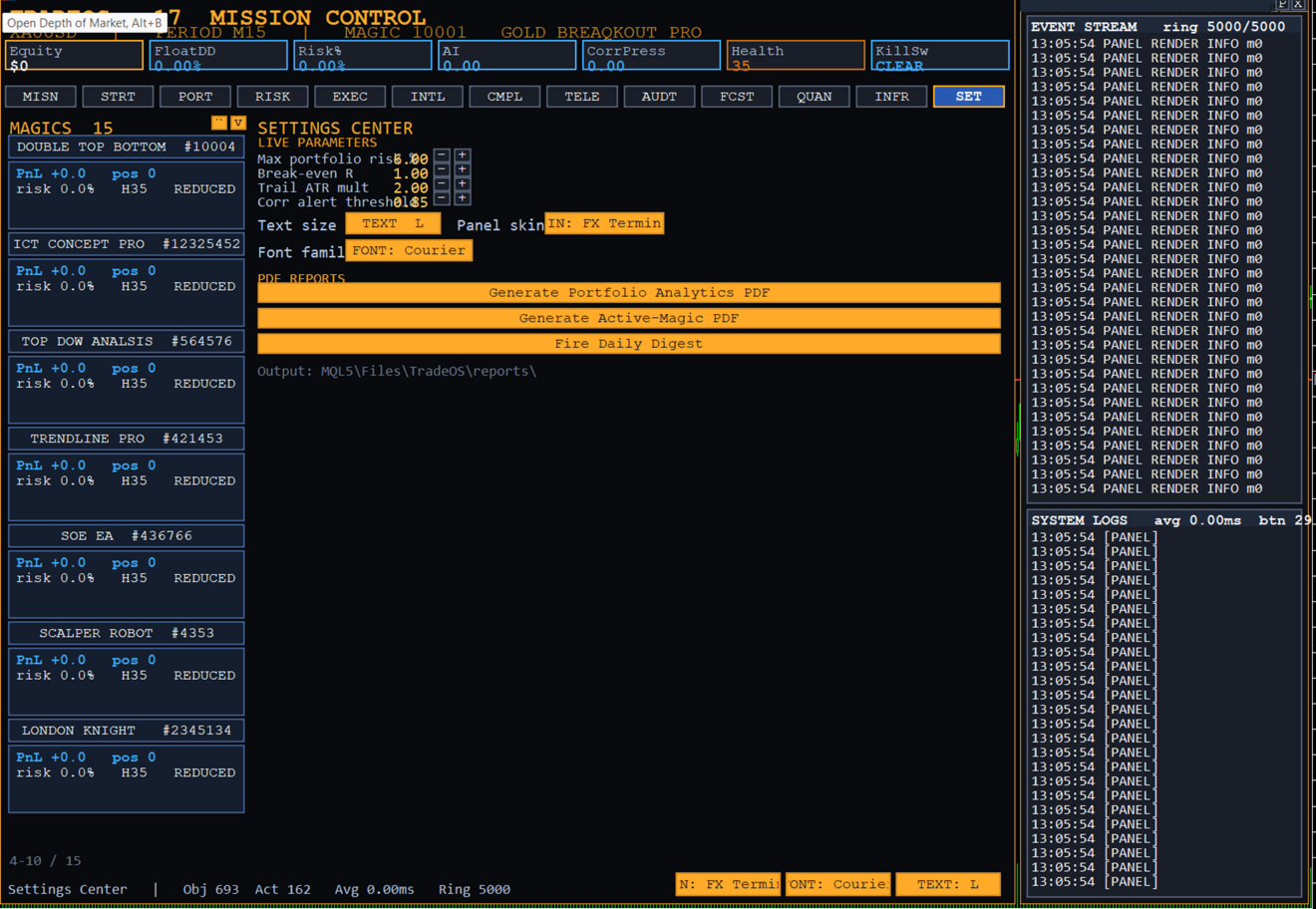
The product can produce formatted documents from live and historical data for record-keeping, review, and distribution. Reports are generated on demand from the cockpit and written to the terminal's file directory.
Portfolio report: a consolidated view of exposure, risk, correlation, and per-strategy analytics.
Strategy report: a focused document covering a single magic number, including its statistics, classification, and recent activity.
Daily digest: a scheduled summary of the trading session suitable for archiving.
Reporting is driven by the same data layer that feeds the on-screen panels, so the figures in a generated document match what the operator sees live.
Reporting Matrices
Several structured matrices are maintained and can be exported. The following summarizes the principal matrices and the dimensions they organize.
Matrix
Organized By
Primary Use
Correlation Matrix
Instrument against instrument
Identify concentrated and offsetting exposure
Currency Exposure
Net lots per currency
Assess directional currency bias
Asset-Class Buckets
Positions per class
Review allocation across markets
Symbol Heat Map
Result and risk per symbol
Spot best and worst contributors
Strategy Health
Score per magic number
Prioritize attention by traffic-light state
Forecast Grid
Horizon against strategy
Compare projected outcomes and drawdown
Interface and Visualization
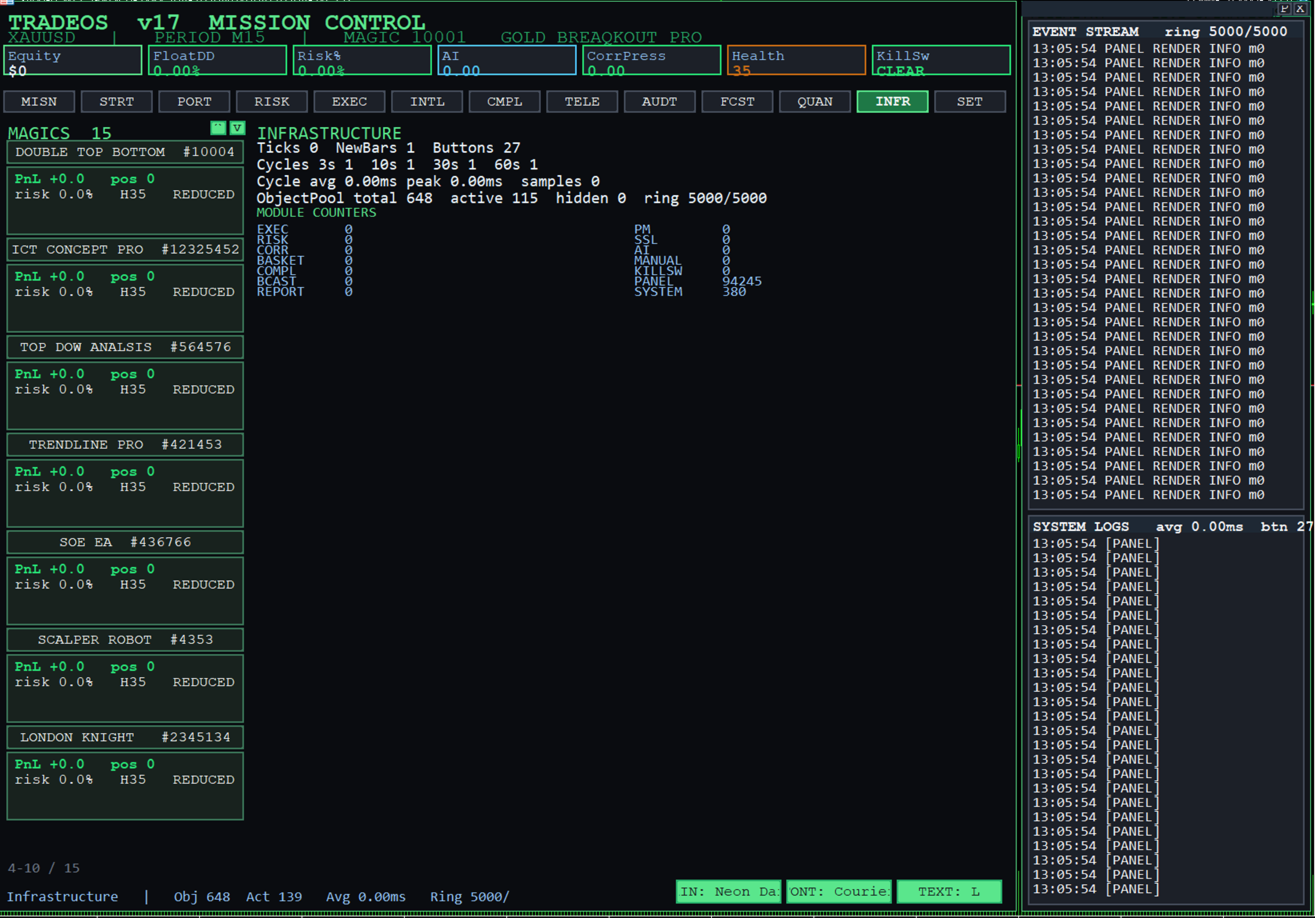
A multi-tab cockpit covering mission control, strategy command, portfolio command, risk, execution, intelligence, compliance, telemetry, audit, forecast, quant lab, infrastructure, and settings.
An independent telemetry column that runs the full height of the chart and presents a live event stream above a system-log feed.
A selectable skin engine with multiple light and dark themes, an adjustable text-size control, and selectable font families.
Auto-contrast labelling so on-screen values remain readable on any theme, and a clear indicator when a data source has not yet populated.
Telemetry and Audit
A continuous event stream that records execution, modification, risk, and system events as they occur.
An audit center that isolates operator actions such as risk changes, strategy enable and disable, and parameter edits.
Centralized, structured logging through a single routing function with configurable verbosity, suitable for review and export.
Architecture and Performance
Heavy calculations are offloaded to cache layers that refresh on staggered schedules, including three-second, ten-second, thirty-second, and sixty-second cadences, alongside new-bar evaluation. The visualization layer reads exclusively from these caches, which keeps the interface responsive even when many strategies, positions, and data streams are active at once.
All displayed figures originate from live account and market data or from the product's own computed analytics. Where a value has not yet been populated, the interface indicates that the data is loading rather than displaying a placeholder figure.
Platform and Deployment
Platform: MetaTrader 5.
Operation: runs on the chart as an integrated panel and management engine.
Configuration: most parameters are adjustable live from the settings surface without restarting the terminal.
Output: generated reports are written to the terminal file directory for archiving and distribution.
Trade Manager Console
Multi-strategy management, analytics, forecasting, and reporting in one MetaTrader 5 cockpit.