Bulk Order
- 유틸리티
- 버전: 3.4
- 업데이트됨: 16 9월 2026
- 활성화: 5

Bulk Order - Your one-click MT5 control panel for managing multiple trades.
When markets move quickly, managing positions one ticket at a time is slow, repetitive, and error-prone. Bulk Order puts the actions you use most on the chart: open multiple market orders, manage pending orders, apply Stop Loss and Take Profit levels, and close positions in bulk.
It is built for traders who make their own decisions and want a faster way to execute them. You choose every action; Bulk Order simply makes the workflow easier to control.
What you can do from one panel
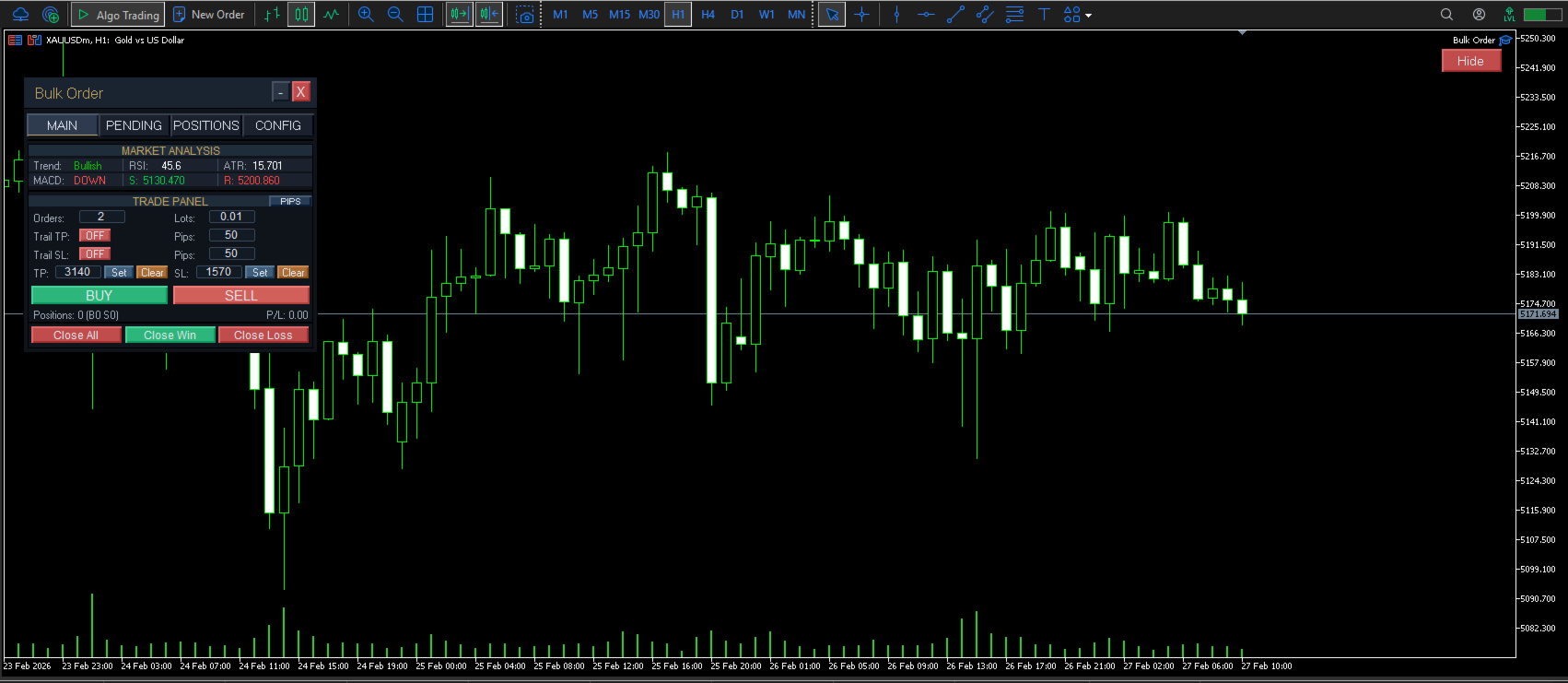
- Open a block of market orders: Set your volume, order count, Stop Loss, and Take Profit, then send Buy or Sell orders from the chart.
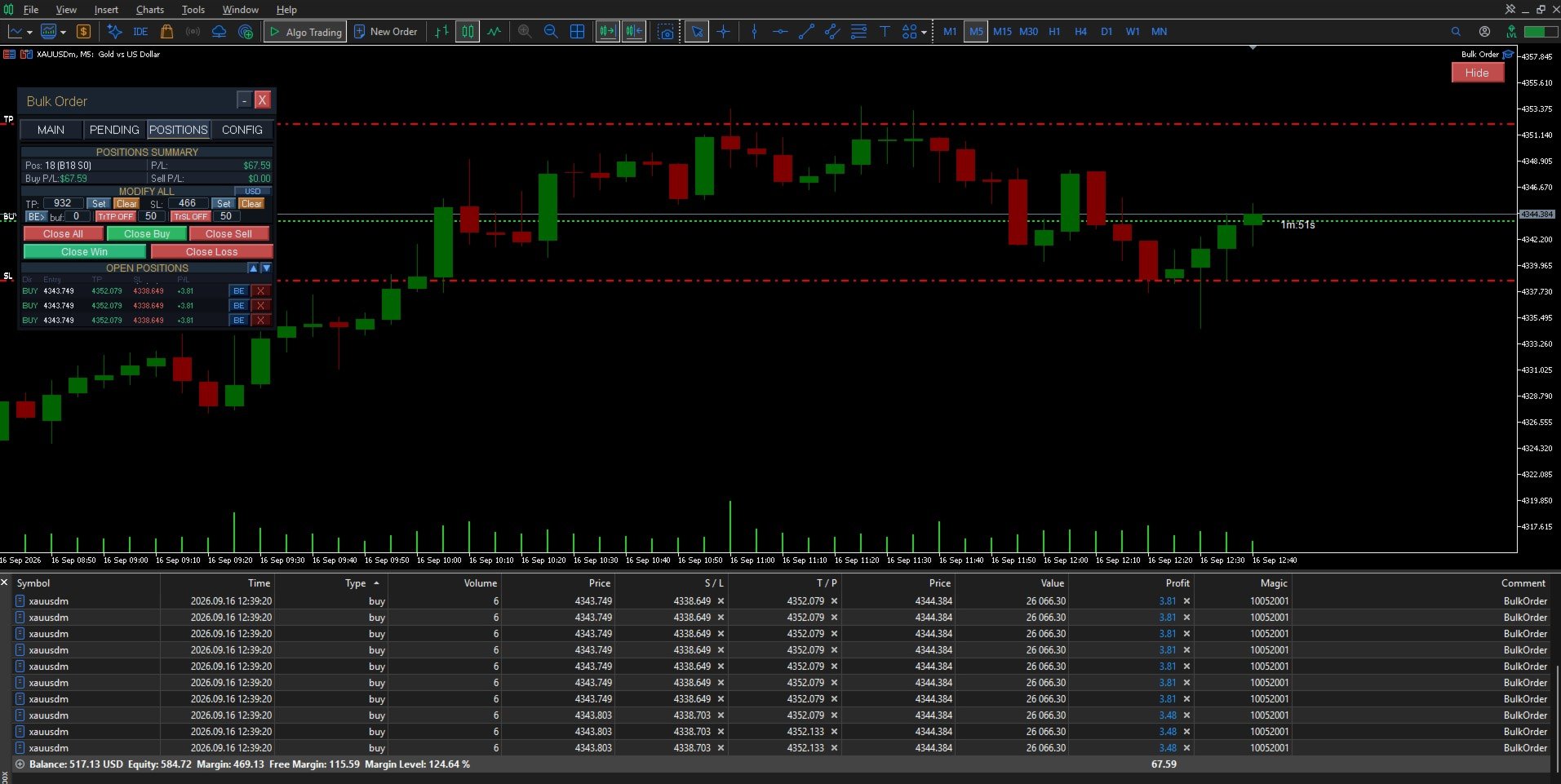
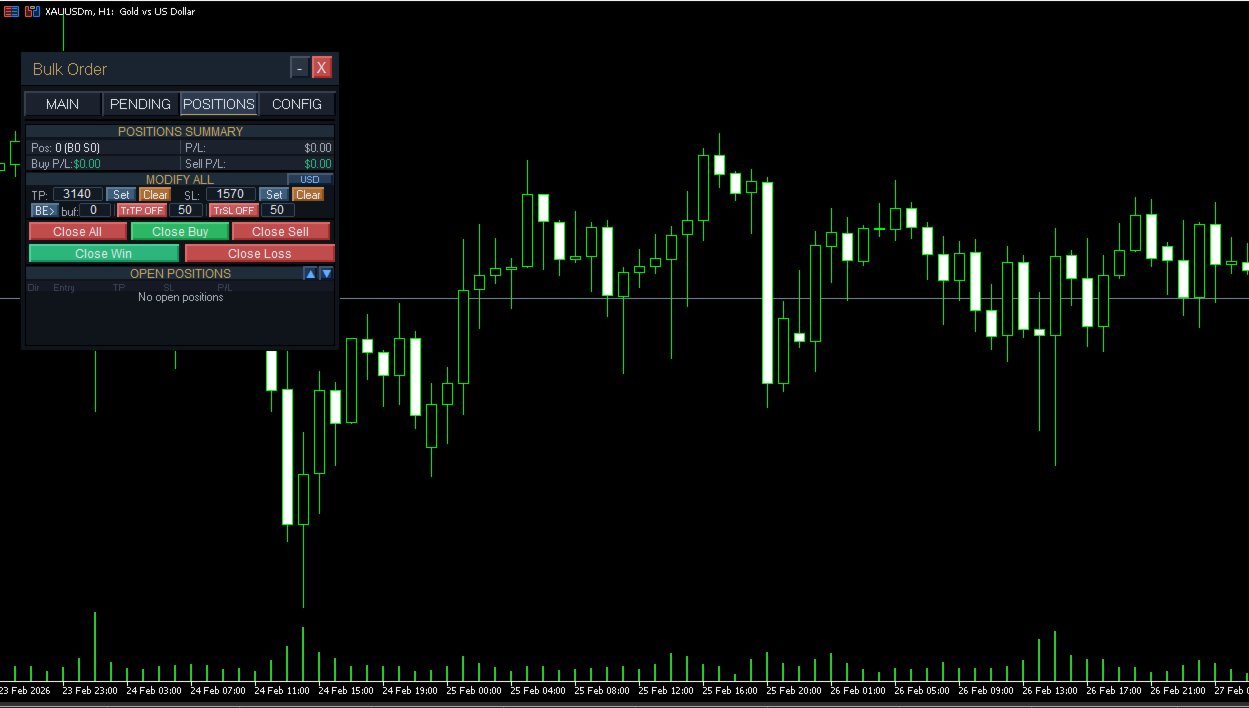
- Control open positions in bulk: Close all positions, close by direction, close winners or losers, and apply or remove SL/TP across the selected trades.
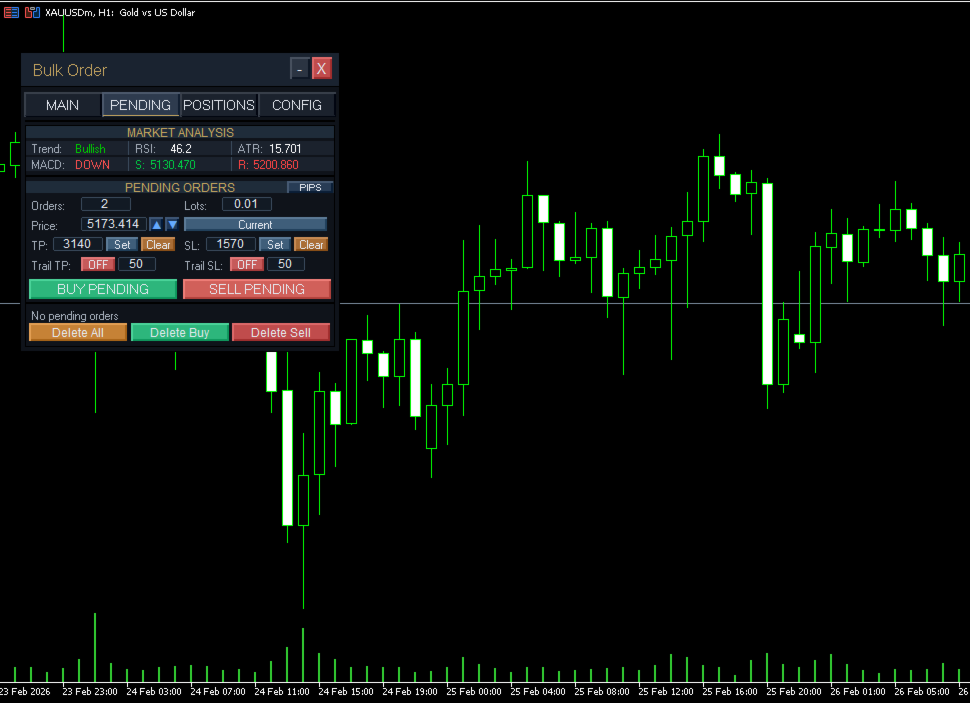
- Build pending-order setups quickly: Work with Buy Limit, Sell Limit, Buy Stop, and Sell Stop orders, then remove pending orders in bulk when the setup is no longer valid.
- Keep risk settings consistent: Use standard SL/TP settings or enable trailing management for open positions.
- See the essential details at a glance: Monitor open positions, ticket numbers, direction, lot size, entry price, and live profit/loss without leaving the chart.
Designed for active manual traders
Whether you scale into a trade, manage several entries, trade news manually, or oversee an account with many open positions, Bulk Order reduces the number of repeated clicks between your decision and your execution.
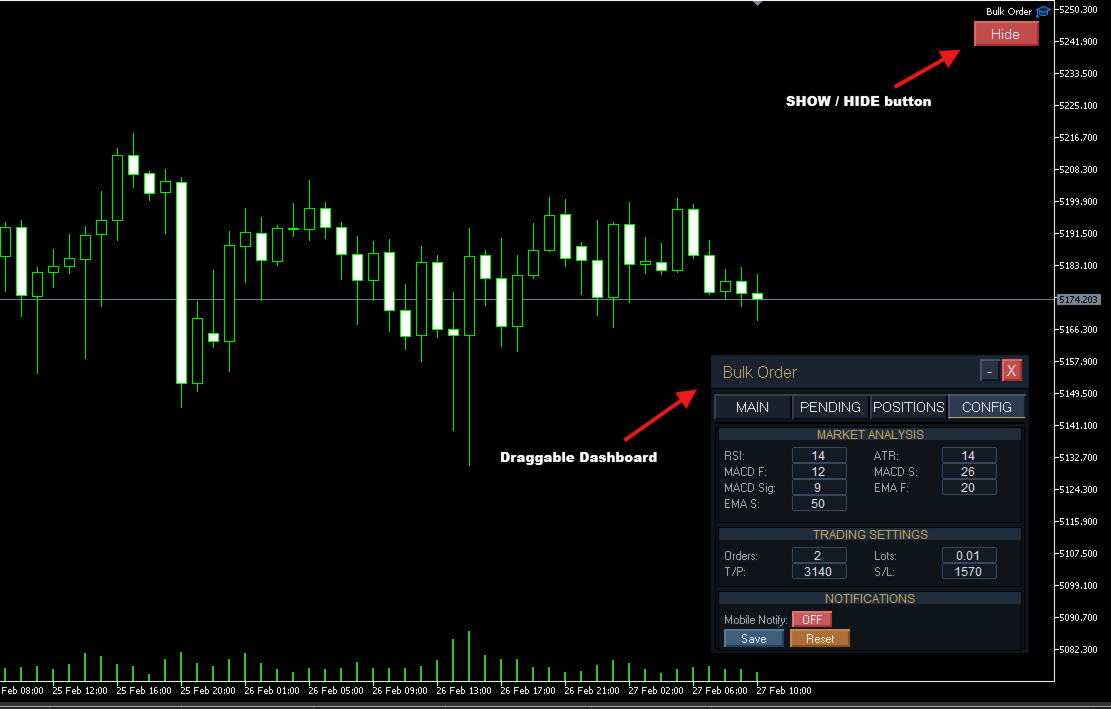
Four focused tabs
- Main: Market execution, bulk position controls, and the live trading dashboard.
- Pending: Create, configure, and delete pending-order setups.
- Positions: Review active trades with pagination for larger position lists.
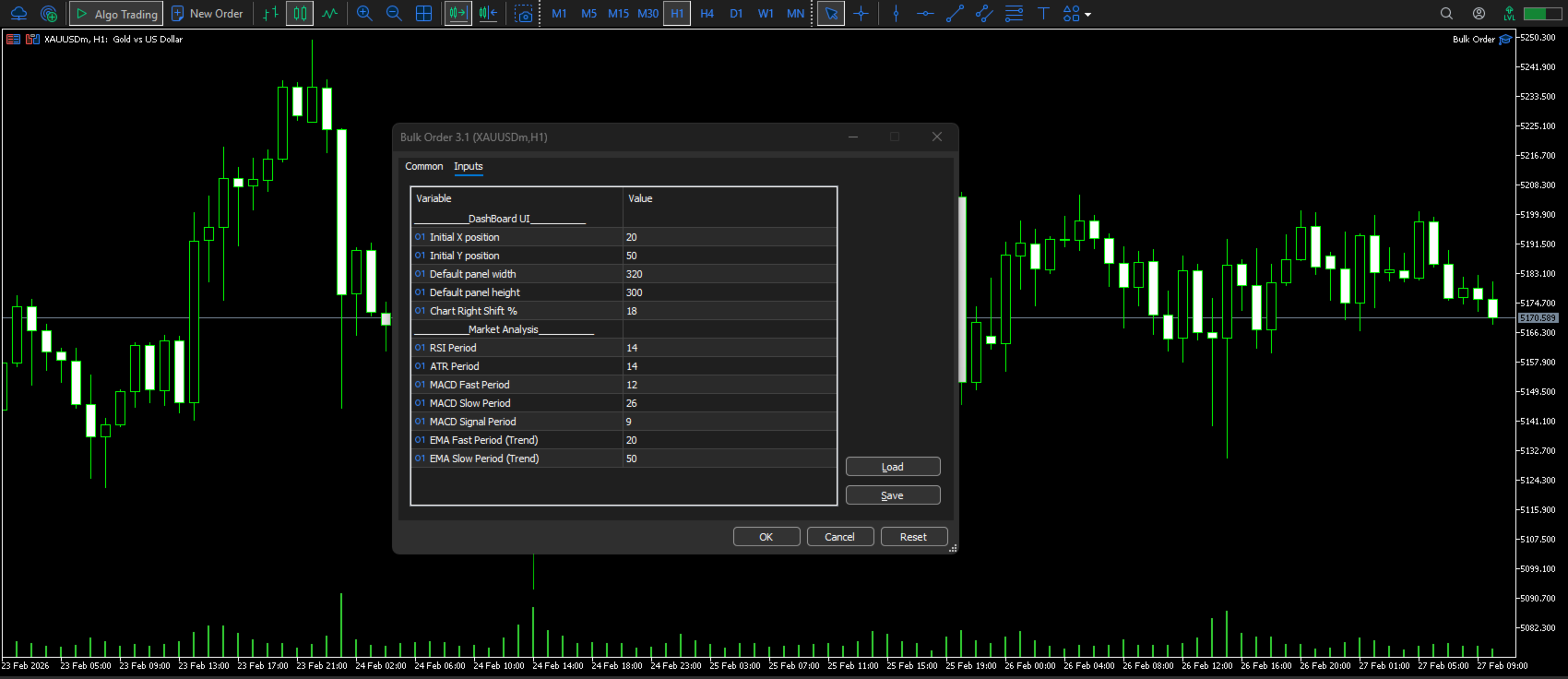
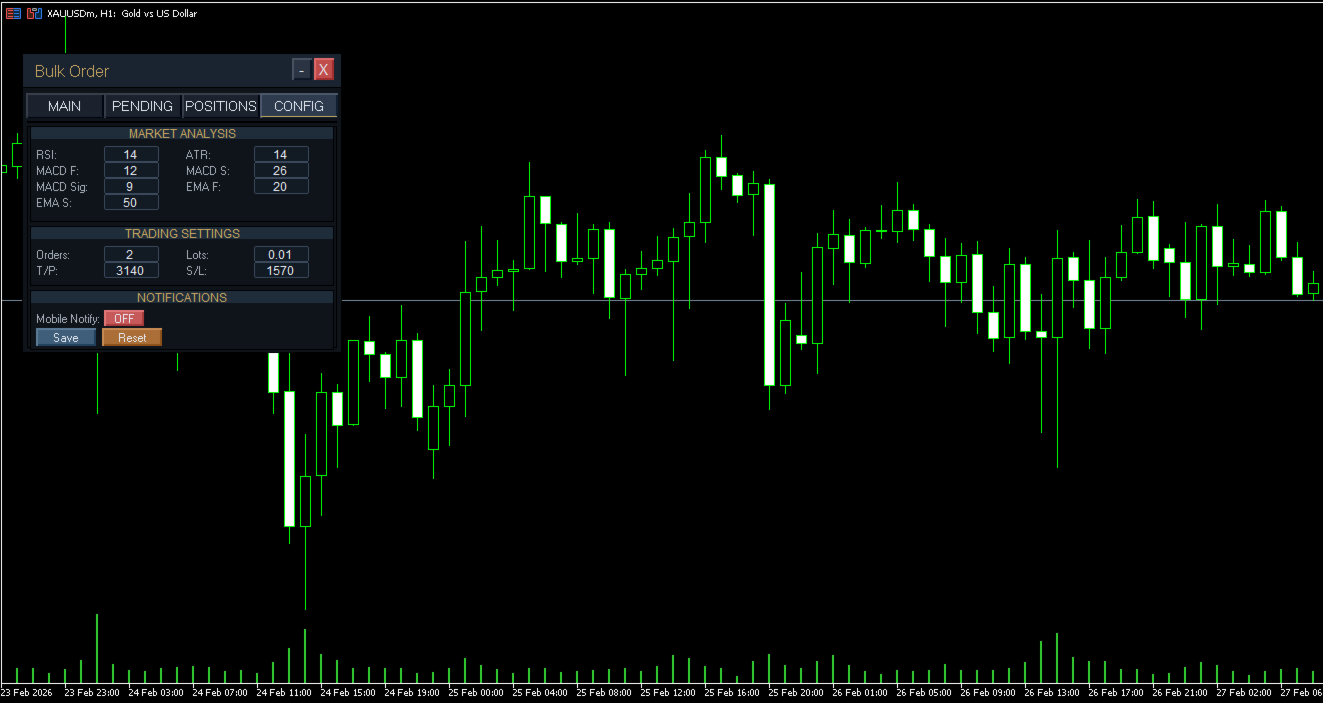
- Config: Save your preferred defaults, panel settings, and risk parameters.
Compatibility
- MetaTrader 5
- Continuous Profit fetcher
- Hedging and netting accounts
- Forex, indices, metals, commodities, crypto, and other MT5 symbols
- No Martingale, Grid, Arbitrage, or DLL dependency
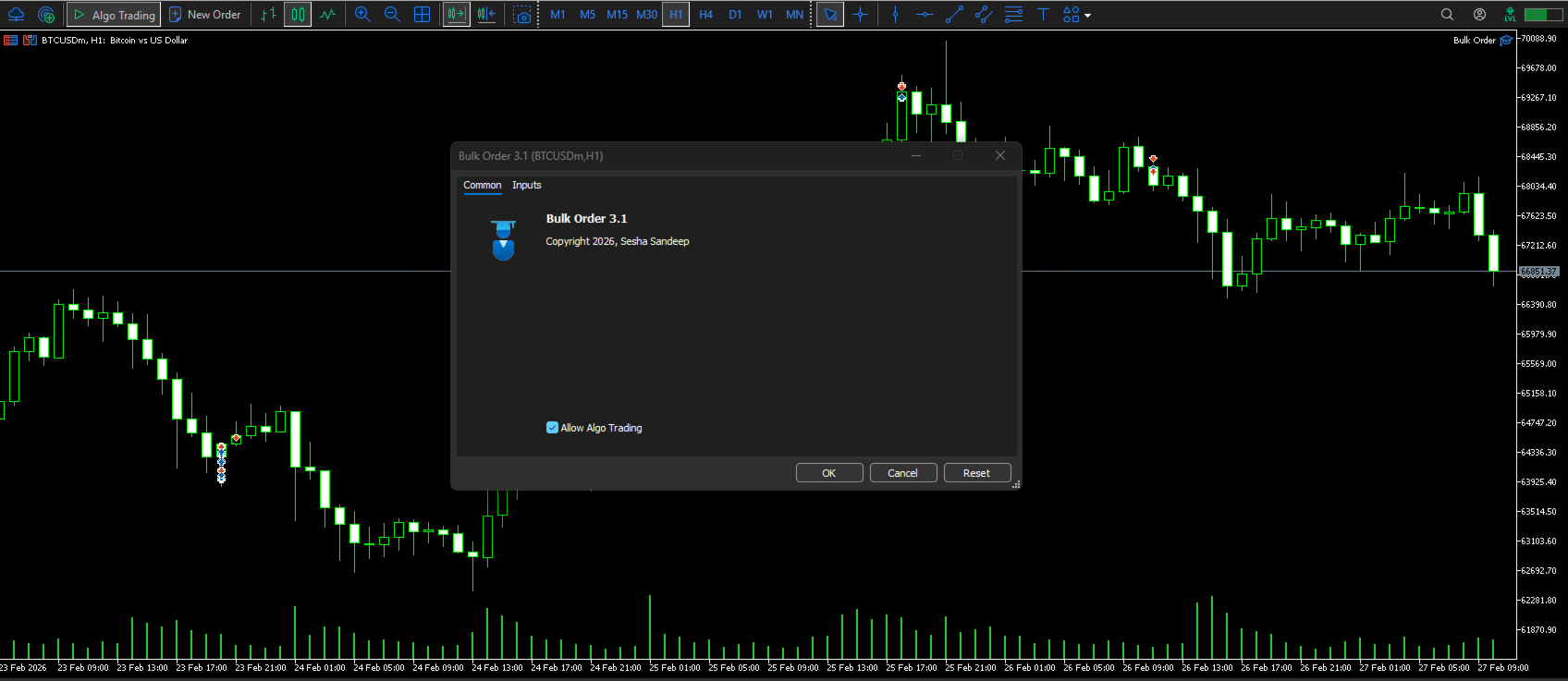
- Saved settings are restored after terminal restarts or chart changes
Try it in the Strategy Tester
Download the demo and test the panel with your own symbols, broker conditions, and workflow before purchasing.
Trading involves risk. Bulk Order is a manual trade-management utility and does not provide trading signals or guarantee results.