 MetaTrader 5
 エキスパート
 インディケータ
 ライブラリ
ライブラリ ユーティリティ
 ウィジェット
 ルール
ルール
YouTubeにあるマーケットチュートリアルビデオをご覧ください
ロボットや指標を購入する
仮想ホスティングで
EAを実行
EAを実行
ロボットや指標を購入前にテストする
マーケットで収入を得る
販売のためにプロダクトをプレゼンテーションする方法

「News Trading Panel」は購入できなくなりました。
以前にこの製品を購入された方は、残りのアクティベーションがある限り、引き続きこの製品を制限なく使用し、新しいコピーをインストールできます。
- MetaTrader 4ターミナルを開きます。
- 設定でMQL5.communityのアカウント情報を入力します([ツール]>[オプション]>[コミュニティ])。
- [マーケット]タブを開き、[購入済み]タブに移動します。
- 製品名の右側にある[インストール]ボタンをクリックします。
詳しくは、ドキュメントをご覧ください。
他のMetaTrader 4アプリをご確認ください

プロップしっかり準備完了! ( SETFILEをダウンロード ) ローンチプロモーション: 現在の価格で残りわずかです! 最終価格: 990ドル EA を 1 つ無料で入手 (2 取引アカウント用) -> 購入後に連絡してください Ultimate Combo Deal -> click here JOIN PUBLIC GROUP: Click here Live Signal LATEST MANUAL
ゴールドリーパーへようこそ! 非常に成功した Goldtrade Pro を基にして構築されたこの EA は、複数の時間枠で同時に実行できるように設計されており、取引頻度を非常に保守的なものから非常に不安定なものまで設定するオプションがあります。 EA は複数の確認アルゴリズムを使用して最適なエントリー価格を見つけ、内部で複数の戦略を実行して取引のリスクを分散します。 すべての取引にはストップロスとテイクプロフィットがありますが、リスクを最小限に抑え、各取引の可能性を最大化するために、トレーリングストップロスとトレーリングテイプロフィットも使用します。 こ

Scalping Robot Pro is a professional trading system designed specifically for fast and precise scalping on XAUUSD using the M1 timeframe. The system is built to capture short term market movements with accurate execution and controlled risk management. It focuses on real time price behavior, momentum shifts, short term volatility, and selective grid based trade management techniques to identify high probability trading opportunities in the gold market. Scalping Robot Pro is optimized for tra

Quantum King EA — あらゆるトレーダーのために洗練されたインテリジェントパワー
IMPORTANT! After the purchase please send me a private message to receive the installation manual and the setup instructions.
発売記念特別価格 ライブ信号: ここをクリック
MT5バージョン: こちらをクリック
クォンタムキングチャンネル: ここをクリック
***Quantum King MT4 を購入すると、Quantum StarMan を無料で入手できます!*** 詳細についてはプライベートでお問い合わせください!
ルール 正確さと規律をもって取引を行ってください。
クォンタムキング EA 構造化グリッドの強さと適応型マーチンゲールのインテリジェンスを 1 つのシームレスなシステムに統合しました。M5 上の AUDCAD 用に設計されており、安定した制御された成長を望む初心者とプロフェッショナルの両

Xyron Edge is a Professional breakout Expert Advisor (EA) designed to trade market structures by utilizing swing high and swing low levels.
The EA places pending orders above resistance areas and below support areas to capture breakout movements while maintaining controlled risk management. ---------
EA Setting & Preset : EA Input Settings Guide Live Performance : https://www.mql5.com/en/signals/2380162
Live Signal : https://www.mql5.com/en/signals/2385451
--------- Key Features Fully a

Expert Advisor は、不採算ポジションを回復するために設計されたシステムです。 著者のアルゴリズムは、負けポジションをロックし、それを多くの別々の部分に分割し、それぞれを別々に決済します。簡単なセットアップ、ドローダウンの場合のローンチ遅延、ロック、他の Expert Advisor の無効化、トレンド フィルタリングによる平均化、負けポジションの部分決済が 1 つのツールに組み込まれています。 グループ全体でのみ注文をクローズするグリッド戦略とは対照的に、より低い預金負荷で損失を減らすことができ、損失をより安全に処理できるようにするのは、部分的に損失をクローズすることです。 注文が復元される方法: 1 EA は、選択した商品の他のウィンドウを閉じて、不採算の EA をオフにします (オプション)。 2 EA は、処理されたすべての注文のテイクプロフィットとストップロスのレベルをリセットし、対応する識別子を持つ保留中の注文を削除します。 3 EA は、利益を利用して不採算注文の一部をカバーし、総ポジション量を減らすために、すべての処理された採算性のある注文をクローズします

現在のプロモーション: 残り 1 個 549$ 最終価格: 999$ NEW: Choose 1 EA for free! (for 2 trade account numbers) プロモーション ブログ で「 究極の EA コンボ パッケージ」 をチェックしてください 。
LIVE SIGNAL
Bitcoin Scalp Pro は市場で唯一の取引システムです。 サポートとレジスタンスレベルのブレイクアウトを取引することにより、ビットコイン市場のボラティリティを悪用することに完全に焦点を当てています. EA の焦点は安全性にあります。これは、極端に低いドローダウンと取引の非常に優れたリスク/報酬比につながります。 EA は、ビットコインの実際の価格に基づいて、ストップロス、テイクプロフィット、トレーリングSL だけでなく、エントリーとロットサイズも計算する「スマート適応パラメーター システム」を内部で使用します。 つまり、ビットコインが 6000 または 30000 で取引されている場合、すべてのパラメーターの値が異なります。
EA は 2022 年 6 月以降、実

ONE OF THE FEW ROBOTS WITH A SIGNAL HISTORY OF MORE THAN 3 YEARS AND AMONG THE TOP 10. LINK TO MY ROBOTS AND SIGNAL PRESETS: In my profile there is a link to download the PRESETS that I use in my SIGNALS, you can download and Backtest for free, there are explanations in the my WebSite. https://www.mql5.com/en/users/tec_daniel LINK TO OTHER ROBOT VERSIONS: MT4: https://www.mql5.com/en/market/product/97963 MT5: https://www.mql5.com/en/market/product/97962 SOME EXAMPLES OF SIGNALS ON “mql5.

Real Trading Account LIVE SIGNAL VT MARKETS: https://www.mql5.com/en/signals/2363526 Join SmiteFX Algos MQL5 Public Chat : https://www.mql5.com/en/messages/03e4dab0b20bdd01
Fortune is an automated breakout Expert Advisor for MetaTrader 4 & 5, developed primarily for XAUUSD. The EA identifies potential breakout and breakdown zones based on recent market structure, then manages each trade according to the risk percentage set by the user. Every position is opened with predefined Stop Loss and

M1 SNIPER は使いやすいトレーディングインジケーターシステムです。M1時間足向けに設計された矢印インジケーターです。M1時間足でのスキャルピングのためのスタンドアロンシステムとして、また既存のトレーディングシステムの一部としても使用できます。このトレーディングシステムはM1時間足での取引に特化して設計されていますが、他の時間足でも使用できます。元々、この手法はXAUUSDとBTCUSDの取引用に設計しましたが、他の市場においても役立つと考えています。 インジケーターのシグナルは、トレンドの方向と逆方向に取引できます。インジケーターのシグナルを利用して両方向に取引するのに役立つ特別な取引テクニックをご紹介します。この手法は、特別な動的なサポートとレジスタンスの価格帯を利用することに基づいています。 ご購入後、M1 SNIPER矢印インジケーターをすぐにダウンロードできます。さらに、M1 SNIPERツールのすべてのユーザーに、以下のスクリーンショットに表示されているApollo Dynamic SRインジケーターを無料で提供しています。この2つのインジケーターを組み合わせることで

SR Liquidity は、市場の流動性が集中し、価格が最も強く反応する「隠れたゾーン」を可視化するために設計されたトレーディング指標です。こうした流動性の高いエリアは強力なサポート(支持)およびレジスタンス(抵抗)レベルとして機能し、市場が反転する可能性が最も高いポイントを明確に示してくれます。 単なる一般的なサポートラインやレジスタンスラインを描画するのではなく、「SR Liquidity」は実際の価格変動を分析し、売りと買いの圧力が集中するゾーンを特定します。これらは、市場の真の動きを牽引する「流動性のプール(溜まり場)」そのものです。それらをチャート上に直接可視化することで、価格が実際に反応する前に、その動きを予測することが可能になります。つまり、このインジケーターは価格の方向性が変わる可能性を予測するのです。生のプライスアクションを、市場の重要な水準(転換点となり得るポイント)を示す、明確で実用的なロードマップへと変換してくれます。 このインジケーターは、FX、株価指数、貴金属、仮想通貨など、あらゆる銘柄や時間足で使用可能です。 ご購入後、取引手順や無料の優れた追加インジケ

Expert Advisor Sailing Gold is a fully automated Expert Advisor designed exclusively for trading Gold (XAUUSD) on MetaTrader 4. The EA combines momentum analysis, volatility-based market modeling, and an advanced scalping algorithm to identify high-probability trading opportunities while applying intelligent position management for consistent execution and disciplined risk control. To improve trade quality, Sailing Gold includes an optional Moving Average (MA) trend filter, enabling the EA to tr

Neuro Poseidon is a new indicator by Daria Rezueva. It combines precise trading signals with adaptive TP/SL levels - creating best possible trades as a result! Message me and get Neuro Poseidon Assistant as a gift to automize your trading process!
What makes it stand out?
1. Proven profitability on all assets and timeframes
2. Only confirmed BUY and SELL signals present on the chart
3. Adaptive TP & SL levels generated by the software for each trade
4. Easy to understand - suitable for all

DayTrader PRO DayTrader PROは、ジョン・エリュース(John Ehlers)のラグuerreフィルターと強力な自動最適化エンジンを組み合わせた、高度なトレーディング・インジケーターです。固定されたパラメーターを使用するのではなく、直近の市場状況に基づいて最適な設定を自動的に検索するため、手動による絶え間ない調整をすることなく、変化する市場のボラティリティに適応できます。 本インジケーターは、明確な「買い(BUY)」および「売り(SELL)」シグナルを生成し、現在の市場ボラティリティから算出された適応型のストップロス(Stop Loss)およびテイクプロフィット(Take Profit)レベルを表示します。トレンド、効率レシオ(Efficiency Ratio)、ボラティリティ、およびローソク足フィルターが内蔵されており、精度の低いセットアップを排除し、シグナルの精度を向上させます。 リアルタイム・パフォーマンスパネルには、現在最適化されている設定、プロフィットファクター(Profit Factor)、勝率(Win Rate)、ドローダウン(Drawdown)、

We proudly present our cutting-edge robot, the Big Forex Players EA designed to maximize your trading potential, minimize emotional trading, and make smarter decisions powered by cutting-edge technology. The whole system in this EA took us many months to build, and then we spent a lot of time testing it. This unique EA includes three distinct strategies that can be used independently or in together. The robot receives the positions of the biggest Banks (positions are sent from our database t

Long Beach EAは、ケルトナーチャネル指標を用いてエントリーを行うトレンドフォロー型EAです。このEAは、ケルトナーチャネルの上限、中間、下限を監視します。価格が上限チャネルの境界に到達または突破すると買い、下限チャネルの境界に到達または突破すると売りを行います。上昇トレンドと下降トレンドの開始を正確に検知し、テイクプロフィット(TP)に到達するまでマーチンゲール/グリッド方式でポジションを管理します。
推奨通貨ペア:金で好成績を上げていますが、EUR/USD、AUD/USD、GBP/USD、NZ/USDなどの主要通貨ペアでも取引可能です。推奨時間足は15分足です。 設定: 開始時間 – EA の開始時間 開始分 – EA の開始分 終了時間 – EA の終了時間 終了分 – EA の終了分 ロット – 取引を開始する最初のロット 可変ロットの使用 – True/False – 資金管理を使用する True/False 0.01 ロットごとのフリー マージン – 0.01 ロットごとのフリー マージン 乗算 – 1.5 などの乗数 最大ロット – 許可される最大ロット 利

プロモーションを開始します! 449ドルで残りわずかです! 次の価格: 599ドル 最終価格: 999ドル EA を 1 つ無料で入手 (2 取引アカウント用) -> 購入後に連絡してください Ultimate Combo Deal -> click here
New live signal: https://www.mql5.com/en/signals/2084890 Live Signal high risk : https://www.mql5.com/en/signals/2242498
Live Signal Set Prop Firm Set JOIN PUBLIC GROUP: Click here Parameter overview
Gold Trade Pro はゴールド取引 EA の仲間入りですが、大きな違いが 1 つあります。それは、これが本物の取引戦略であるということです。 「実際の取引戦略」とは何を意味しますか? おそらくお気づきかと思いますが、市場に出回っているほぼすべてのゴールド EA は単純なグリッド/マーチンゲール

Trade Manager EAへようこそ。これは、取引をより直感的、正確、そして効率的にするために設計された究極の リスク管理ツール です。これは単なるオーダー実行ツールではなく、包括的な取引計画、ポジション管理、リスク管理のためのソリューションです。初心者から上級者、迅速な実行を必要とするスキャルパーまで、Trade Manager EAはあらゆるニーズに対応し、為替、指数、商品、暗号通貨などさまざまな市場で柔軟に対応します。 Trade Manager EAを使用すると、複雑な計算が過去のものになります。市場を分析し、エントリーポイント、ストップロス、テイクプロフィットのレベルをチャート上のラインでマークし、リスクを設定するだけで、Trade Managerが最適なポジションサイズを即座に計算し、SLとTPをピップ、ポイント、口座通貨でリアルタイムに表示します。すべての取引が簡単かつ効果的に管理されます。 主な機能: ポジションサイズ計算機 :定義されたリスクに基づいて取引サイズを瞬時に決定します。 簡単な取引計画 :エントリー、ストップロス、テイクプロフィットを設定するためのド

Gann Made Easy は、ミスター・ギャンの理論を使用した取引の最良の原則に基づいた、プロフェッショナルで使いやすい外国為替取引システムです。 W・D・ガン。このインジケーターは、ストップロスとテイクプロフィットレベルを含む正確な買いと売りのシグナルを提供します。 PUSH通知を利用して外出先でも取引可能です。 ご購入後、取引方法の説明と優れた追加インジケーターを無料で入手するには、私にご連絡ください! おそらく、ギャンの取引手法についてはすでに何度も聞いたことがあるでしょう。通常、ギャンの理論は初心者のトレーダーだけでなく、すでにある程度の取引経験がある人にとっても非常に複雑なものです。なぜなら、ギャンの取引手法は理論的にはそれほど簡単に適用できるものではないからです。私はその知識を磨き、最良の原則を私の外国為替インジケーターに組み込むために数年を費やしました。 このインジケーターは非常に簡単に適用できます。必要なのは、それをチャートに添付し、簡単な取引推奨事項に従うだけです。このインジケーターは常に市場分析の仕事を行い、取引の機会を探します。適切なエントリーポイントを検出す

One Gold EA をご紹介します。これは、Meta Trader プラットフォーム上の洗練された金取引ロボットで、高度な市場分析でトレーダーを支援するために開発されました。当社の独自のテクノロジーは、ニューラル ネットワークとデータ駆動型アルゴリズムを活用して、過去およびリアルタイムの金市場データを分析し、意思決定に役立つ洞察を提供します。従来の手動戦略とは異なり、One Gold EA は最小限の介入で動作し、取引プロセスを合理化し、関連するリスクの削減を目指しています。高度なニューラル プラグインの使用によりロボットの分析機能が強化されますが、他の取引ツールと同様に、One Gold EA は利益を保証するものではないことに留意することが重要です。ただし、より情報に基づいたデータに裏打ちされた洞察を提供することで、取引パフォーマンスを向上させる可能性を考慮して設計されています。One Gold EA は、金市場を継続的に監視して、人間のトレーダーが見つけるのが難しいパターンや傾向を検出します。このシステムはさまざまな市場状況に適応できるため、特に金取引のような非常に不安定な環

現在30%OFF!
初心者やエキスパートトレーダーのためのベストソリューション!
このダッシュボードソフトウェアは、28の通貨ペアで動作しています。それは私達の主要な指標(高度な通貨の強さ28と高度な通貨インパルス)の2に基づいています。それは全体の外国為替市場の大きい概観を与えます。それは、すべての(9)時間枠で28の外国為替ペアのための高度な通貨の強さの値、通貨の動きの速度と信号を示しています。チャート上で1つのインディケータを使用して市場全体を観察し、トレンドやスキャルピングの機会をピンポイントで見つけることができたら、あなたのトレードがどのように改善されるか想像してみてください。
このインディケータには、強い通貨と弱い通貨の識別、潜在的な取引の識別と確認がより簡単になるような機能が搭載されています。このインディケータは、通貨の強さや弱さが増加しているか減少しているか、また、すべての時間枠でどのように機能しているかをグラフィカルに表示します。
新機能として、現在の市場環境の変化に適応するダイナミックなマーケットフィボナッチレベルが追加され、すでに当社のAdvanced

この製品は 2026 年の市場向けに更新され、最新の MT5 ビルドに最適化されています。 価格更新のお知らせ:
Atomic Analyst は現在 $99 で提供されています。
次の 30 件の購入 後、価格は $199 に上がります。 特別オファー: Atomic Analyst を購入後、私にプライベートメッセージを送ることで、 Smart Universal EA を無料 で受け取り、Atomic Analyst のシグナルを自動売買に変えることができます。 Atomic Analyst は、リペイントなし、再描画なし、遅延なしの Price Action トレーディングインジケーターで、手動取引、シグナルの明確化、EA 自動化のために設計されています。 User manual: settings, inputs and strategy. & User Manual PDF . 価格行動、強さ、モメンタム、マルチタイムフレーム方向、高度なフィルターを分析し、トレーダーがノイズを減らし、弱いセットアップを避け、より構造化された取引判断を行えるようにします。 こ

BTMM State Engine Pro by G-Labs — Beat The Market Maker indicator for MetaTrader 4. Asian session range, London and New York kill zones, level progression (L1/L2/L3), peak formation detection (PFH/PFL), entry signals, and a multi-pair scanner from one chart.
Stop scanning charts one pair at a time. The State Engine tracks the BTMM daily cycle automatically — Asian box, room boundaries, level blocks, peak formations, and filtered entries — while the scanner dashboard shows level, peak status,

割引は 24 時間後に終了します — 次の価格は$ 69 ZORYK — MetaTrader 4専用 XAUUSDシグナル・トレードプランニングシステム
このような経験はありませんか。
ゴールドを分析し、エントリーを待ち、ようやくポジションを持った直後に価格が逆方向へ動く。
早すぎる決済をしてしまったり、Stop Lossを動かしたり、数秒迷っている間にチャンスを逃したりする。
その後、相場は自分が最初に予想していた方向へ進み、目標へ到達する。
問題は常に方向判断ではありません。
本当の問題は、明確な計画がなかったことです。
どこでエントリーすべきか。
どこでトレードの前提が無効になるのか。
近い利益を確保すべきか、より大きな値動きを待つべきか。
現在のsetupが本当に強いのか、それとも無理にトレードを探しているだけなのか。
ゴールドは非常に速く動きます。
正しい分析でも、明確なプランがなければ数秒で悪い判断に変わることがあります。
ZORYKは、その問題を解決するために開発されました。
ZORYKとは
ZORYKは、MetaTrader 4とXAU

NEURON CORTEX Live: https://www.mql5.com/en/signals/2385985?source=Unknown
The swarm decides. The swarm learns. The swarm knows when to stay out. try the 5M and 15m backtest ; better in real EXEPTIONAL STARTING BID BEFORE THE WORLD FINDS OUT Most neural EAs sell you one network and call it artificial intelligence. Neuron Cortex runs five independent recurrent networks in parallel — a swarm — and refuses to touch the market unless four of them agree. One net is an opinion. Five nets in agreeme

ほとんどのエキスパートアドバイザーがバックテストのパフォーマンスは完璧でも、実際の取引では効果的でない理由について考えたことはありますか?
最もありそうな答えは過学習です。多くのEAは利用可能な過去のデータに完璧に適応するように作成されていますが、構築されたモデルに一般化能力がないため、将来を予測することができません。 一部の開発者は、過学習の存在を知らないか、知っていても防止する方法を持っていません。他の人はそれをバックテスト結果を美化するためのツールとして利用し、統計的な有意性を考慮せずに数十の入力パラメータを追加し、取引戦略を過去のデータに過度に合わせ、自分の EA が将来において同様のパフォーマンスを達成できると他の人に納得させようとします。 もし興味があって、過学習についてより深く理解したい場合は、こちらの私の記事を参照してください。 Avoiding Over-fitting in Trading Strategy (Part 1): Identifying the Signs and Causes Avoiding Over-fitting in Trading St

EA Gold Stuffは、金取引のために特別に設計されたExpert Advisorです。 この作業は、ゴールドスタッフインジケーターを使用した注文の開始に基づいているため、アドバイザーはトレンドに従うことを意味する"トレンドフォロー"戦略に従って動作します。
重要! 指示とボーナスを得るために購入後すぐに私に連絡してください! トレンド スキャナーの強力なサポートを利用して、無料のインジケーターを入手し、プライバシーを守ります。あーみー! リアルタイムの結果はここで見ることができます
パラメータ
新しいシリーズを開く-新しいシリーズの注文の開始をオン/オフします。 開始ロット-開始ロット。 トレードバイ-Expert Advisorが購入できるようにします。 トレード売り-Expert Advisorが売ることを許可します。 ヘッジを使用する-機能が有効になっている場合、アドバイザーは買いと売りの両方の方向を取引し、機能が無効になっている場合、アドバイザーは一方向 マネー Manadgementを使用-オン/自動ロット計算の使用をオフにします。 オートロットオー

Recovery Manager Pro は、他のアドバイザーまたは手動でオープンされた注文からのドローダウンを回復するためのシステムです。 RM Pro には、自動的に動的に調整する機能があります。トレーダーはリスクレベルを選択する必要があり、アドバイザーは完全自動モードで動作します。 ドローダウンリカバリモードとスタンバイモードで動作可能!別のアドバイザーがドローダウンを生成した場合、RM Proはそれを無効にし、ポジションをロックし、部分クロージャを使用してデポジットを復元するプロセスを開始します。取引では、アドバイザーはスマートな平均化、ロック、部分クロージングを使用します。アドバイザーはカスタム トレンド インジケーターに取り組んでおり、アドバイザーのすべての購入者がギフトとして受け取ります。 Advisor の主な機能は、スタンバイ モードで動作できることです。別のアドバイザーがドローダウンを生成するとすぐに、RM Pro が注文管理を引き継ぎ、平均注文をオープンし、その後部分的にクローズします。 セットアップ手順: リンク MT5のバージョン:

Real Trading Account LIVE SIGNAL VT MARKETS: https://www.mql5.com/en/signals/2378166 Join SmiteFX Algos MQL5 Public Chat : https://www.mql5.com/en/messages/03e4dab0b20bdd01
Fortress is an automated breakout Expert Advisor for MetaTrader 4 & 5, developed primarily for XAUUSD. The EA utilizes multiple confirmation algorithms and internal strategies to identify optimal breakout points at key support and resistance levels. Position sizing and trade frequency automatically adjust to the user's

MULTI SNIPER EA は、MT4プラットフォームで約90%の精度を誇る高精度自動取引システムです。
この収益性の高いスキャルピングEAは、現在市場で最も安定したシステムの一つです。 No grid! No martingale!
このMQL5ウェブサイトでのみ提供されるオリジナル製品です。 テストと取引用の EA Set_files をダウンロードします 。 GBPAUD Set_file GBPCAD Set_file - 複利法とスキャルピングテクニックを実装しています。 - システムは市場のボラティリティに応じて動的SLを自動的に設定します。 - EAはデフォルトで自動(ロット計算)リスク管理機能を備えており、固定ロットオプションも利用可能です。 - 取引エントリー感度パラメータを調整可能。 - 週末の取引ギャップを回避。 - 1分単位の高精度な動作時間フィルター。 - スプレッド表示機能搭載。 - ロボットには損益分岐点機能があります。 - 口座レバレッジ:1:30~1:2000の範囲で設定可能。 - 最も推奨される通貨ペアはGBPCADとGBPAUD

Local Trade Copier EA MT4 による、驚くほど高速な取引コピーを体験してください。1分で簡単にセットアップできるこの取引コピー機は、同じWindowsコンピュータまたはWindows VPS上の複数のMetaTrader端末間で取引をコピーすることができ、0.5秒未満の高速コピースピードを実現します。
初心者であろうとプロのトレーダーであろうと、 Local Trade Copier EA MT4 には、あなたの特定のニーズに合わせてカスタマイズするための幅広いオプションが用意されています。これは、利益の可能性を高めたい人にとって究極のソリューションです。 今すぐ試してみて、これが市場で最も速くて簡単なトレードコピー機である理由を理解してください。 ヒント: デモアカウントで Local Trade Copier EA MT4 デモバージョンをダウンロードして試すことができます: ここ ダウンロードした無料のデモ ファイルを MT4 >> ファイル >> データ フォルダを開く >> MQL4 >> Experts フォルダに貼り付けて、ターミナルを再起動しま

PRO Renko Systemは、特別にRENKOチャートを取引するために設計された高精度の取引システムです。
これは、様々な取引商品に適用することができる普遍的なシステムです。 システムは効果的に正確な逆転信号へのアクセスを与えるいわゆる市場の騒音を中和する。
表示器は非常に使いやすく、信号の生成に責任がある1つの変数だけがあります。 あなたは簡単にお好みの任意の取引ツールとレンコバーのサイズにツールを適応させることができます。
私はいつもあなたが私のソフトウェアで収益性の高い取引を支援するために余分なサポートを提供する準備ができています!
私はあなたに幸せで収益性の高い取引をしたいです!
ご購入後にご連絡ください! 私はあなたに私のレンコチャートジェネレータを送信します。 私はまた、私の個人的な推奨事項やシステムの他のモジュールを無料で共有します!

BUY 1 and GET 1 FREE - Promotion!
Buy Infinity Trader EA with a huge –60% discount and GET 1 FREE EA by your choice! Promo Price: $217
(Regular Price: $547 — You Save $330!) After purchase contact me to get your GIFT EA! You can also contact me to get the list of available GIFT EAs! Infinity Trader EA Live Results: https://www.mql5.com/en/signals/2290275 Infinity Trader EA seamlessly integrates the strengths of Chat GPT and Gemini AI, providing unparalleled market insights and in-depth funda

Mirror EAは、単純移動平均線(SMA)と相対力指数(RSI)を組み合わせたSmaSRS196インジケーターに基づき、96期間の最適化フレームワークを用いて取引を実行する自動取引システムです。このEAは、SMAでトレンドの方向を確認し、RSIでモメンタムの強さや買われすぎ・売られすぎの状態を検出することで、市場状況を継続的に分析し、高確率の取引機会を特定します。インジケーターが赤色の場合はMAの下で売り、緑色の場合はMAの上で買います。
この戦略は、ポジションを開始する前にトレンドとモメンタムの整合性を要求することで、誤ったシグナルを減らすように設計されています。設定可能なパラメーターにより、さまざまな金融商品と時間枠に合わせて最適化しながら、実行の一貫性を維持できます。このEAはあらゆる通貨ペアと時間枠に適していますが、M15時間枠のxauusdのような強いトレンドのある銘柄で特に優れたパフォーマンスを発揮します。これはマーチンゲール/グリッドEAです。 リアルタイムの結果はここで確認できます。 個人ボーナスを獲得するには、購入後すぐにご連絡ください。 設定・マニュアルはこ

Presenting one-of-a-kind Gann Indicator for XAUUSD
IQ Gold Gann Levels is a non-repainting, precision tool designed exclusively for XAUUSD intraday trading. It uses W.D. Gann’s square root method to plot real-time support and resistance levels, helping traders spot high-probability entries with confidence and clarity. William Delbert Gann (W.D. Gann) was an exceptional market analyst whose trading technique was based on a complex blend of mathematics, geometry, astrology, and ancient calculation

XGen Scalper MT4 - プロフェッショナル自動取引システム
XGen Scalperは、高度なアルゴリズム構造と実証済みのテクニカル分析を組み合わせ、あらゆる市場で一貫した結果を提供する最先端のエキスパートアドバイザーです。この強力な取引システムは、外国為替ペア、金や銀などの貴金属、暗号通貨、商品指数で問題なく動作します。
高度なアルゴリズム技術
独自の波動スキャンアルゴリズムは、市場データをリアルタイムで処理し、手動の投資家が見逃しがちな、可能性の高い取引機会を特定します。このシステムは、変化する市場の状況に絶えず適応し、トレンド、レンジ、ボラティリティの高い環境でも効果的に機能します。
ユニバーサルな互換性
特定のペア向けに設計された従来の EA とは異なり、XGen はすべての商品で優れたパフォーマンスを発揮します。
プロフェッショナルなコントロールパネル
リアルタイムの口座指標、詳細な取引統計、システムステータスを表示する洗練されたインターフェースで、取引パフォーマンスを監視します。統合された波形視覚化により、システムが市場の状況をどのように解釈し

BUY 1 and GET 1 FREE - Promotion!
Buy Forex GOLD Investor with a huge –60% discount and GET 1 FREE EA by your choice! Promo Price: $217
(Regular Price: $547 — You Save $330! ) After purchase contact me to get your GIFT EA! You can also contact me to get the list of available GIFT EAs! Forex GOLD Investor is one of the best expert advisors developed to trade on GOLD(XAUUSD) in the forex market. Forex GOLD Investor consists of 3 trading systems . The first one is based on scalping trading strat

PRO ADVANCED MULTI SCALPING EA は、完全自動のマルチペア取引システムで、非常に安全で着実な成長を遂げています。
この収益性の高いスキャルピングEAは、現在市場で最も安定したシステムの一つです。月間約60~90回の取引で運用可能です。
テストと取引用のEA設定ファイルをダウンロードしてください: USDCHF Set_file GBPCHF Set_file GBPCAD Set_file GBPAUD Set_file EURCHF Set_file EURCAD Set_file EURAUD Set_file AUDCAD Set_file
EAの特徴: - 調整可能なボラティリティ - 適応型ストップロス - 固定ストップロスオプション - システムは安全で、グリッドやマーチンゲール法などの危険な手法は使用していません。各注文には、アカウント保護のための独自のストップロスが設定されています。 - このEAは非常に使いやすく、FXのプロと初心者の両方が使用できます。 - ロボットがすべてを自動的に実行します。必要なのは、適切なリスク(デフォルト

Vortex - 未来への投資
Vortex Gold EAはメタトレーダープラットフォーム上で金(XAU/USD)を取引するために特別に作られたエキスパートアドバイザーです。独自の指標と作者の秘密のアルゴリズムを用いて構築されたこのEAは、金市場の有益な動きを捉えるように設計された包括的な取引戦略を採用しています。その戦略の主要な構成要素には、CCIやパラボリックインジケーターなどの古典的なインジケーターが含まれており、これらは理想的なエントリーポイントとエグジットポイントを正確に知らせるために連動します。Vortex Gold EAの核心は、高度なニューラルネットワークと機械学習テクノロジーです。これらのアルゴリズムは、過去のデータとリアルタイムのデータの両方を継続的に分析し、EAがより高い精度で進化する市場トレンドに適応し対応することを可能にします。ディープラーニングを活用することで、Vortex Gold EAはパターンを認識し、指標パラメーターを自動的に調整し、時間の経過とともにパフォーマンスを向上させます。Vortex Gold EAは、独自の指標、機械学習、適応可能な取

Trend Catcher EAは、開発者独自のカスタマイズされた適応型トレンド分析指標を用いて市場価格の動きを分析します。短期的なノイズを除去し、根底にあるモメンタムの強さ、ボラティリティの拡大、価格構造の挙動に焦点を当てることで、真の市場方向性を特定します。移動平均線、RSI、ボラティリティフィルターなどの独自のカスタマイズ指標の平滑化機能とトレンドフィルタリング機能を組み合わせることで、EAは事前に定義された取引条件に基づいて自動的に取引を実行します。
このシステムは、あらゆる価格変動に反応するのではなく、トレンドの形成を確認するまで待ち、その後、支配的なトレンドの方向にエントリーする前に、動的な均衡ゾーンへの制御されたプルバックを探します。これはマーチンゲール/グリッドEAです。
対応通貨ペアと時間枠: このEAは、XAUUSD、またはEUR/USD、GBP/USD、USD/CAD、AU/USD、AUD/CAD、NZ/CADなどの主要通貨ペアで効果的に機能します。 NZDUSDなどの銘柄は、M15以上の時間足(H1など)で取引すると、より正確な取引が可能になります。
設

Quantum Gold Miner
完全自動 XAUUSD ブレイクアウト・トレード — MetaTrader 4 & 5 対応
勘に頼らない、高精度なゴールドのブレイクアウト・トレード。
Quantum Gold Minerは、XAUUSD専用に開発された完全自動エキスパート・アドバイザー(EA)です。固定されたサポート&レジスタンスラインに頼るのではなく、リアルタイムの市場構造——価格が何度も反応したスイングハイやスイングロー——から直接、高確率な供給(サプライ)ゾーンおよび需要(ディマンド)ゾーンを特定し、厳格なルールに基づいた実行でそれらのゾーンからのブレイクアウトをトレードします。
トレードの仕組み
H1ローソク足が確定するごとに、Quantum Gold Minerはチャートを再スキャンして現在価格の上にある最も近い未突破の供給ゾーンと、下にある最も近い未突破の需要ゾーンを特定します。供給ゾーンに買いストップ(Buy Stop)注文、需要ゾーンに売りストップ(Sell Stop)注文の逆指値注文を配置するため、事後に価格を追いかけるのではなく、市場が動き出す前に

取引 ごとのリスクの 計算、新規注文 の 簡単 な 設置、部分的 な 決済機能 を 持 つ 注文管理、 7 種類 のトレーリングストップなど 、便利 な 機能 を 備 えています 。
追加の資料と説明書
インストール手順 - アプリケーションの手順 - デモアカウント用アプリケーションの試用版
ライン機能 チャート上にオープニングライン、ストップロス、テイクプロフィットを表示します。この機能により、新規注文を簡単に設定することができ、注文を出す前にその特徴を確認することができます。 リスク計算 リスク計算機能は、設定されたリスクとストップロス注文のサイズを考慮して、新規注文のボリュームを計算します。ストップロスの大きさを自由に設定できると同時に、設定したリスクを守ることができます。 Lot calc ボタン - リスク 計算 を 有効 / 無効 にします 。 Risk フィールドでは 、必要 なリスクの 値 を 0 から 100 までのパーセンテージまたは 預金通貨 で 設定 します 。 設定」 タブで 、 リスク 計算 の 種類 を 選択 します :「 $ 通貨」、「 % 残

Forex Breath System は、あらゆる市場で使用できるトレンドベースの取引システムです。このシステムは、通貨、金属、商品、指数、仮想通貨、さらには株式でも使用できます。任意の時間枠でも使用できます。システムは普遍的です。トレンドを示し、トレンドに伴う矢印シグナルを提供します。このインジケーターは、シグナルがトレンドの方向に現れたときに特別なタイプのアラートを提供することもできるため、トレンド取引が簡単になります。 このインジケーターは、理解しにくい設定に対処する必要がないため、非常に使いやすいです。 チャートに添付するだけで取引の準備が完了します。どのような取引スタイルを好む場合でも、このシステムは市場の方向性とトレンド方向への可能なエントリーポイントを確認するのに役立ちます。 このインジケーターは、PUSH 通知を含むあらゆる種類のアラートを提供します。 取引手順と素晴らしいボーナスを入手するには、購入後に私にご連絡ください。 幸せで収益性の高い取引をお祈りします!

EAブラックドラゴンはブラックドラゴンインジケーターで動作します。エキスパートアドバイザーはインジケーターの色で取引を開始し、注文のネットワークを構築したり、ストップロスで作業したりすることができます。
実際の作業の監視、およびその他の開発については、https:// www.mql5.com/en/users/mechanic/sellerを参照してください 。
ここですべての設定を見つけることができます!推奨事項
通貨ペアEURUSDGBPUSD 時間枠M15 推奨保証金1000ドルまたはセント 推奨設定デフォルト設定入力パラメータ 初期ロット-初期ロット; ロット乗数-後続の注文のロット乗数。 自動ロット-自動ロット計算を有効/無効にします。 自動ロットサイズ-自動ロットが有効になっている場合にアドバイザーがロットを使用するデポジットの金額。 距離-注文間の距離。 最大ロット-アドバイザーが開くことができる最大ロット。 利益を得る-利益を得る; ストップロス-ポイントでストップロス。 トレイルスタート-トレーリングストップがアクティブ化されたポイントでの利益。
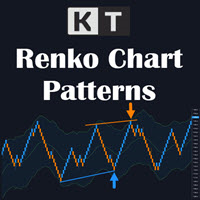
KT Renko Patterns は、すでに開いているライブのレンコチャート上で8種類のパターンを検出し、パターンの形、ストップロスの目安、フィボナッチ目標をチャートに直接描画します。 最初にレンコチャートを準備してください。 MetaTrader は標準ではレンコチャートを生成しません。任意のジェネレーターでライブのレンコチャートを開き、そのチャートに本インジケーターを追加してください。本インジケーターはレンコブリックを分析します。ブリックの生成や注文の発注は行いません。 新しいブリックが形成されるたびに、W-M、Power Pennant、AB=CD、Triple Top と Triple Bottom、Double Top と Double Bottom、Two Back Strike、ZigZag Bricks、Swing Breakout を探します。検出されたセットアップには名前が付き、構造がチャートに描画されるため、すべてのブリックを手作業で確認する必要がありません。検出済みのパターンはチャートに残り、再描画されません。 チャートに表示される内容 パターン構造: 色分け

KURAMA GOLD SIGNAL PRO(MT4版)— 7層フィルター・自動TP/SL・品質スコア・サイン履歴保存搭載 XAUUSD完全トレードシステム
リアルタイムでリペイントしません。サインが出た瞬間、矢印・エントリー・TP・SLはその場で固定され、後から動きません。あなたがトレードするのは、この「リアルタイムで出たサイン」です。さらにv7.20では、実際に通知されたサインを自動保存し、再起動後もそのまま復元します。
購入者限定特典 買い切りライセンスをご購入いただいた方に、AI Zone Radar($59相当)+完全PDFマニュアルを無料プレゼント。本体価格に$59相当の特典が付いてきます。購入後にMQL5でメッセージをお送りください。 AI Zone Radar: https://www.mql5.com/en/market/product/175834
ゴールドトレーダーのコミュニティで実際に使用され、精度と使いやすさで高く評価されています。
あな
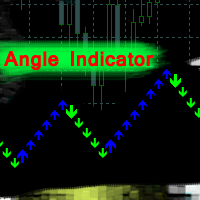
Angle Iindicator - ターは、方向転換とトレンド確認のためのインジケーターです。
価格の動きを分析し、チャート上のピークとトラフを特定することで、反転ポイントを検出します。
トレンド方向をサポートします。
あらゆる金融商品と時間枠で使用できます。
内部パラメーターは既に設定済みです。インジケーターをチャートに配置し、「乗数」パラメーターを希望の結果に合わせて設定するだけで使用できます。
インジケーターは現在のローソク足上に矢印を生成します。ローソク足の形成中は、矢印が点滅することがあります。ローソク足が確定しても、矢印は過去の履歴には再描画されません。
方向転換のアラートが提供されます。
単独で使用することも、トレーディングシステムと組み合わせて使用することもできます。
インジケーターを正しく使用するには、「乗数」パラメーターを設定する必要があります。
インジケーターの結果は、チャート上で反転角度がどのように生成されるかによって異なります。
「乗数」パラメーターは連続するローソク足の構造を決定し、反転ポイントの頻度を決定します。 0.1から100

この製品は 2026 年の市場向けに更新され、最新の MT5 ビルドに最適化されています。 価格更新のお知らせ:
Smart Trend Trading System は現在 $99 で提供されています。
次の 30 件の購入 後、価格は $199 に上がります。 特別オファー: Smart Trend Trading System を購入後、私にプライベートメッセージを送ることで、 Smart Universal EA を無料 で受け取り、Smart Trend のシグナルを自動売買に変えることができます。 Smart Trend Trading System は、リペイントなし、再描画なし、遅延なしの完全なトレーディングシステムです。よりクリーンなシグナル、より明確なトレンド方向、そしてより整理された取引方法を求めるトレーダー向けに作られています。 Online course , manual and [download presets] . このシステムは、トレンド検出、反転ゾーン、Smart Cloud、トレーリングストップロジック、サポートとレジスタンス、ローソク足の色分け

- Final real price is 1000$ - Discount and price is 99$ (Next price is 200$), Price will be increased after 2 purchases. Welcome, Gold GANN Expert opens automatically trade with Highly profit, Fixed small Stop loss. - Lifetime update free No Martingale, No Grid, No Scam I am focused on help my clients, not just earn. The Gann Gold EA is High safety by small fix Stop Loss, which sets trades based on good risk to reward ratio(1:3). It is fully worked on exploiting the volatility of the Gold mark

Prop Firm Sniper MT4 is a professional market structure indicator that automatically identifies high-probability BUY and SELL opportunities using BOS and CHoCH analysis.
Recommended Timeframes: For backtesting, use the indicator on M5 or M15 for Gold (XAUUSD), and M15 or H1 for more volatile Forex pairs such as GBPUSD, USDJPY, EURGBP , and similar markets.
CONTACT ME AFTER PURCHASE TO CLAIM YOUR FREE BONUSES!
Prop Firm Sniper is a professional market structure indicator designed t
A. A2SR とは何ですか ? * 先行テクニカル指標です (塗り直しなし、ラグなし)。
-- ガイダンス : -- https://www.mql5.com/en/blogs/post/734748/page4#comment_16532516 -- そして https://www.mql5.com/en/users/yohana/blog .. MT5 version: https://www.mql5.com/en/market/product/140111
A2SR には、サポート (需要) とレジスタンス (供給) のレベルを決定する特別な手法があります。 ネットで見かける通常の方法とは異なり、A2SR は実際の SR レベルを決定する独自のコンセプトを持っています。 元の手法はインターネットから取得されたものではなく、インターネット上で公開されたこともありません。 A2SR は、取引スタイルに応じて SR レベルを自動選択します。 時間枠を変更しても、SR レベルはその位置にとどまります。 実際のSRは、使用する時間枠から取得されるわけではないため. A2SR

プロモーションを開始: 399ドルで1部のみ入手可能 最終価格: 2000ドル この EA の販売数は限られています
市場で最も先進的な「ミーンリバース」取引ロボットである Luna AI Pro EA を使用して 、人工知能の力を解き放ち、取引を前例のない高みに引き上げましょう。 経験豊富なトレーダーと初心者の両方に対応するように設計されたこの最先端の AI 駆動システムには、取引戦略を最適化し、利益を最大化するための幅広い機能が装備されています。 Luna AI Pro を使用して、取引戦略の可能性を最大限に引き出します。 トレーディングの未来を受け入れ、高度な人工知能があなたの投資の旅に革命を起こしましょう。 今すぐ AI のパワーを体験し、世界中で成功したトレーダーの仲間入りをしましょう。
この EA が他と異なる理由: OneChartSetup -> 1 つの単一チャートからすべてのペアを実行 個別のパフォーマンス モニター: 各ペアのパフォーマンスが良くない場合はリスクが自動的に削減され、再び収益が上がる場合はリスクが再び増加します。 マーチンゲール法、グリッド法、

IQ FX Gann Levels a precision trading indicator based on W.D. Gann’s square root methods . It plots real-time, non-repainting support and resistance levels to help traders confidently spot intraday and scalping opportunities with high accuracy. William Delbert Gann (W.D. Gann) was an exceptional market analyst, whose trading technique was based on a complex blend of mathematics, geometry, astrology, and ancient mathematics which proved to be extremely accurate. Setup & Guide:
Download MT5 Ver

Price Action Sniper is designed to trade the Price Action on the desired chart time frame. - Trend Reversals. - Trend Continuation. - Brekaouts. - Good tool for Binary Options
Price action forms the basis for all technical analysis of a currency pair, commodity or other asset chart. Many short-term traders rely exclusively on price action and the formations and trends extrapolated from it to make trading decisions. Technical analysis as a practice is a derivative of price action since it uses p

Universal Indicator EA, your ultimate solution to automate your trading strategy without any coding requirements. This powerful expert advisor is designed to work with any indicator that gives Buy and Sell Signals, making it a versatile tool for traders of all levels. With Universal Indicator EA, you can easily read signals from both Indicator Buffers and Objects on the Chart. You can also test your indicator on the demo account before purchasing to ensure that the EA is compatible with your ind

アップデート — 2025年12月 2024年11月末、Aurumは正式に販売開始されました。
それ以来、ニュースフィルターや追加の防御条件、複雑な制限なしで、実際の相場環境にて継続的に稼働してきましたが、安定して利益を維持してきました。 Live Signal (launch April 14, 2026)
この1年間のリアル運用により、トレーディングシステムとしての信頼性が明確に証明されました。
そしてその実績と統計データを基に、2025年12月に大規模アップデートを実施しました:
プレミアムパネルを全面刷新、すべての画面解像度に最適化 取引保護システムを大幅に強化 Forex Factoryを基にした高性能ニュースフィルターを追加 シグナル精度を向上させる2つの追加フィルター 最適化の強化、動作速度と安定性の向上 損失後に安全に回復するRecovery機能を搭載 プレミアムスタイルの新しいチャートテーマを採用
AURUMについて
Aurum — ゴールド(XAU/USD)専用プレミアム自動売買EA
Aurumはゴールド市場において、安定性と安全性を重視して開発されたプロ

BB Return — ゴールド(XAUUSD)取引のためのエキスパートアドバイザー(EA)です。このトレードアイデアは、以前に 裁量トレード で使用していたものを基にしています。戦略の中核は Bollinger Bands(ボリンジャーバンド) のレンジへの価格回帰ですが、機械的でも毎回のタッチでもありません。ゴールド市場ではバンドだけでは不十分なため、EA には弱い・機能しない相場状況を排除する追加フィルターが組み込まれています。回帰のロジックが本当に妥当な場合にのみ取引が行われます。 Global update on June 14th 取引原則 — 本戦略ではグリッド、マーチンゲール、ナンピン(平均化)を使用しません。EA は 固定ロット または AutoRisk モードで動作します。BB Return はスプレッド、スリッページ、ブローカーの価格配信の違いに影響されにくく、 Standard、ECN、Pro、Raw、Razor など、あらゆるブローカー・口座タイプで使用できます。取引セッションに依存せず、 24時間稼働 します。 $ 359 は

Finesia Scalper - High Probability & Non-Repainting System
Discounted Price !! Secure the Lowest Price Today. Next The price will increase to 250 USD . Are you looking for a powerful, high-probability trading indicator that removes the guesswork from your chart? Finesia Scalper is a professional-grade, 100% non-repainting trading tool designed to provide you with ultimate precision. Built on a proven algorithm, this indicator seamlessly combines three highly effective trading methodolo

Quantum Nexus は、定量分析、多段階検証、トレンドフォローアルゴリズム、ポジション追跡機構、統計モニタリングを、統合された自動売買システム内で組み合わせた革新的なエキスパートアドバイザーです。 この製品を実現するために、数十年にわたる開発経験と1年間の準備を費やしてQuant v5を構築しました。Quant v5は、戦略の統計的優位性を数学的に証明するための継続的なローリングOOSテストを備えた、ヘッジファンド水準の定量分析ツールです。 価格ポリシー 最初のお客様を対象とした30%の期間限定割引は、2026年7月31日から8月5日まで利用できます。 価格は10件の購入ごとに100 USD引き上げられます。価格の引き上げは恒久的です。 最終価格:30 000 USD。
実績 実運用では、高リスクおよびULTRAモードで、Quantum Nexusは現在250%を超える利益を示しています。 追加の実運用口座では、中程度のリスクおよびMEDIUMモードで、現在の結果は30%を超えています。 ヒストリカルテストでは、エキスパートアドバイザーは2021年以降に100億USDを超える

Scalper Inside PRO は日中トレンドの分析を助け、エントリー前にトレードを組み立てられるインジケーターです。中核となるのは、相場をより正確に読むための3つの専用ストラテジー。シグナルが出た瞬間に方向を自動で判断し、主要な価格帯を計算するので、想定エントリーポイント、予想ストップロス、複数の利確レベルを前もって確認できます。詳細なパフォーマンス統計が、各銘柄とストラテジーが過去にどう機能したかを示し、今の相場に合った資産選びを助けます。単体のスキャルピングツールとしても、あなたのシステムの一部としても、自作 EA のベースとしても使えます。MetaTrader 4 プラットフォームで動作します。 インジケーターはエントリー、3つの利確レベル - TP1、TP2、TP3、そして任意のストップロスをチャート上に直接表示します。自作の矢印インジケーターを接続し、その統計と収益性を検証することも可能です。 ご購入後は直接ご連絡ください。専用のボーナス add-ons、実トレードでの活用に関する追加情報、そしてご自身のトレードシステムや EA への正しい接続のサポートをお渡しします

現在30%オフ 初心者にもエキスパートトレーダーにも最適なソリューション このインジケーターは独自の機能と新しい公式を多数内蔵しており、ユニークで高品質かつ手頃な取引ツールです。このアップデートでは、2つの時間枠ゾーンを表示できるようになります。より長いTFだけでなく、チャートTFとより長いTF(ネストゾーンを表示)の両方を表示できます。すべてのSupply Demandトレーダーの皆さんのお気に召すはずです。:)
重要情報の公開 Advanced Supply Demandの可能性を最大化するには、 https://www.mql5.com/ja/blogs/post/720245 にアクセスしてください。 エントリーまたはターゲットの正確なトリガーポイントを正確に特定できれば取引がどのように改善されるか想像してみてください。新しい基盤となるアルゴリズムに基づいて構築されているため、買い手と売り手の間の潜在的な不均衡をさらに簡単に特定できます。これは、最も強い需要と供給のゾーンと、過去のパフォーマンス(古いゾーンを表示)がグラフィカルに表現されるためです。これらの機能は、最適な

!! 最新バージョン2.05にアップデートして、さらに高速なパフォーマンスを実現してください!! スマートファンデッドHFTは、2024年1月29日の市場オープンで、低ボラティリティにもかかわらず、KORTANA FXの100Kチャレンジを突破しました。 スクリーンショットセクションをチェックしてください。証拠をそこに置きました。 重要:2024年1月29日までのKORTANA FXの暗号支払いに対する40%の独占割引をお見逃しなく。 スマートファンデッドHFT EAでトレーディングの可能性を解き放ちましょう! VPS不要 / 設定ファイル不要 / プラグアンドプレイを楽しむ 限定時間のプロモーション価格 2024年2月1日に価格が上がります!! https://www.youtube.com/watch?v=56FKxI-noI4 最初の満足なクライアントの結果が添付されています。今日、自分自身でFAST FOREX FUNDINGの50Kチャレンジを突破しました。以下に結果を添付しました)) トレーダーの皆さん、こんにちは、 私のトレーディングの

このインディケータは、異なる期間のフラクタルの価格構造を調べて、市場で起こり得る反転ポイントを決定し、すでに基本的または技術的な評価モデルを持っているポジショントレーダーにタイミングを提供します。弟の リバーサルフラクタル とは異なり、このインジケーターは選択された期間のためにリバーサルを逃すことはなく、ジグザグ形式でリバーサルフラクタルを見つけます。 [ インストールガイド | 更新ガイド | トラブルシューティング | よくある質問 | すべての製品 ] ターニングポイントは長いトレンドを開始できます インジケーターは再描画されていません
あらゆる種類のアラートを実装します カスタマイズ可能な色とサイズ フラクタルは奇数番目のバーのフォーメーションであり、フォーメーションの最上位または最下位の中間バーであり、フラクタル内のすべてのバーが閉じるとインディケーターが描画されるため、このインジケーターはリアクティブまたは遅れ信号です。ただし、既存の方向バイアスを持つトレーダーは、この指標が非常に有用であり、早期のエントリポイントを取得します。 このインディケーターは、ボイルダウンされた
Friends, we present to your attention our new Forex Gump Laser indicator. Since there are no designers in our team, but mainly mathematicians, financiers, programmers and traders, we did not make any special changes in the indicator design. In appearance, it resembles the usual Forex Gump. On the other hand, Forex Gump has become not just the name of an indicator, it is a brand. And we try to preserve the corporate identity in all its varieties. The whole essence of the indicator in its operatio
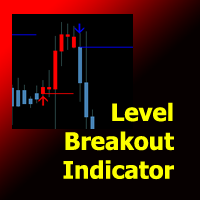
Level Breakout Indicator is a technical analysis product that works from upper and lower boundaries, which can determine the direction of the trend. Works on candle 0 without redrawing or delays.
In its work, it uses a system of different indicators, the parameters of which have already been configured and combined into a single parameter - “ Scale ”, which performs gradation of periods.
The indicator is easy to use, does not require any calculations, using a single parameter you need to select