 MetaTrader 5
 Experts
 Indicatori
 librerie
 Utilità
 Widget
 Regole
Guarda i video tutorial del Market su YouTube
Come acquistare un Robot di Trading o un indicatore
Esegui il tuo EA
hosting virtuale
hosting virtuale
Prova un indicatore/robot di trading prima di acquistarlo
Vuoi guadagnare nel Market?
Come presentare un prodotto per venderlo con successo
Utilità di trading per MetaTrader 4
 Di seguito sono riportati i programmi di trading che semplificano il trading in MetaTrader 4. Passa il mouse su un'utilità nella lista qui sotto per leggerne la descrizione e la sua funzione.
Benvenuto a Trade Manager EA, lo strumento definitivo per la gestione del rischio , progettato per rendere il trading più intuitivo, preciso ed efficiente. Non è solo uno strumento per l'esecuzione degli ordini, ma una soluzione completa per la pianificazione delle operazioni, la gestione delle posizioni e il controllo del rischio. Che tu sia un principiante, un trader avanzato o uno scalper che necessita di esecuzioni rapide, Trade Manager EA si adatta alle tue esigenze, offrendo flessibilità s

Sperimenta una copia di trading eccezionalmente veloce con il Local Trade Copier EA MT4 . Con la sua facile configurazione in 1 minuto, questo copiatore di trading ti consente di copiare i trades tra diversi terminali di MetaTrader sullo stesso computer Windows o su Windows VPS con velocità di copia ultra veloci inferiori a 0.5 secondi. Che tu sia un trader principiante o professionista, Local Trade Copier EA MT4 offre una vasta gamma di opzioni per personalizzarlo alle tue esigenze specifiche.

It helps to calculate the risk per trade, the easy installation of a new order, order management with partial closing functions, trailing stop of 7 types and other useful functions.
Additional materials and instructions
Installation instructions - Application instructions - Trial version of the application for a demo account
Line function - shows on the chart the Opening line, Stop Loss, Take Profit. With this function it is easy to set a new order and see its additional characteris

Copiatore professionale di operazioni per MetaTrader 4 Un copiatore di operazioni veloce, affidabile e professionale per MetaTrader 4 . COPYLOT consente di copiare operazioni Forex tra i terminali MetaTrader 4 e MetaTrader 5 , offrendo una sincronizzazione flessibile per diversi tipi di conto e modalità operative. La versione COPYLOT MT4 supporta: MetaTrader 4 → MetaTrader 4 MetaTrader 5 Hedge → MetaTrader 4 MetaTrader 5 Netting → MetaTrader 4 Versione MT5 Descrizione completa + DEMO + PDF Com

Copy Cat More Trade Copier MT4 (Copia Gatto MT4) non è solo un semplice copiatore locale di operazioni; è un quadro completo di gestione del rischio ed esecuzione, progettato per le sfide del trading moderno. Dai challenge delle prop firm alla gestione dei conti personali, si adatta a ogni situazione grazie a una combinazione di esecuzione robusta, protezione del capitale, configurazione flessibile e gestione avanzata delle operazioni. Il copiatore funziona sia in modalità Master (mittente) che

Trade Panel è un assistente commerciale multifunzionale. L'applicazione contiene più di 50 funzioni di trading per il trading manuale e permette di automatizzare la maggior parte delle attività commerciali. Prima dell'acquisto, è possibile testare la versione dimostrativa su un conto demo. Scaricare la versione di prova dell'applicazione per un account dimostrativo: https://www.mql5.com/it/blogs/post/762419 . Istruzioni complete qui . Commercio. Consente di effettuare operazioni di trading con u

Trade Copier è un'utilità professionale progettata per copiare e sincronizzare le transazioni tra conti di trading. La copiatura avviene dal conto/terminale del fornitore al conto/terminale del destinatario, che sono installati sullo stesso computer o vps. PROMOZIONE - Se avete già acquistato il "Trade copier MT5", potete ottenere gratuitamente il "Trade copier MT4" (per la copia MT4 > MT5 e MT4 < MT5). Per maggiori informazioni sulle condizioni, vi preghiamo di contattarci tramite messaggi priv

Custom Alerts AIO: Monitora tutti i mercati — senza alcuna configurazione Panoramica
Custom Alerts AIO è una soluzione di monitoraggio dei mercati pronta all’uso che non richiede alcuna configurazione. Tutti gli indicatori necessari — FX Power, FX Volume, FX Dynamic, FX Levels, IX Power — sono integrati internamente. Non vengono mostrati grafici, rendendolo ideale per generare alert in tempo reale in modo discreto ed efficiente. Supporta tutte le classi di asset offerte dal tuo broker: Forex,

Trade Dashboard simplifies how you open, manage, and control your trades, with built-in lot size calculation. It allows you to execute trades, manage risk, and control positions directly on the chart, with tools such as partial close, breakeven, and trailing stop. Designed to reduce manual work and help you stay focused on your trading decisions. A demo version is available for testing. Detailed explanations of features are provided within the MQL5 platform. Installation instructions are include

Duplicator per MetaTrader 4 — sistema professionale di duplicazione di operazioni e ordini all'interno di un solo terminale Un Expert Advisor potente pensato per i trader che vogliono duplicare automaticamente operazioni già aperte, aumentare il volume, applicare la propria logica sui lotti e gestire i duplicati con regole precise. È uno strumento pratico per il trading manuale, per i sistemi automatici e per la gestione flessibile di posizioni già presenti nel terminale. Duplicator non apre op

Telegram to MT4 Multi-Channel Copier copia automaticamente i segnali di trading dai tuoi canali Telegram direttamente in MetaTrader 4. Niente bot, niente estensioni del browser, niente copia manuale. Ricevi un segnale su Telegram e l'EA apre l'operazione sul tuo terminale in pochi secondi. Il prodotto include due componenti: un'applicazione Windows che ascolta i tuoi canali Telegram, e questo Expert Advisor che esegue i segnali sul tuo terminale MT4. È disponibile anche la versione MT5. Guida di

Il MT4 to Telegram Signal Provider è uno strumento facile da usare e completamente personalizzabile che consente l'invio di segnali a Telegram, trasformando il tuo account in un fornitore di segnali. Il formato dei messaggi è completamente personalizzabile! Tuttavia, per un uso semplice, puoi anche optare per un modello predefinito e abilitare o disabilitare parti specifiche del messaggio. [ Dimostrativo ] [ Manuale ] [ Versione MT5 ] [ Versione Discord ] [ Canale Telegram ] New: [ Telegram To

Da Telegram a MT4: la soluzione definitiva per la copia del segnale Semplifica il tuo trading con Telegram su MT4 , l'utility all'avanguardia progettata per copiare i segnali di trading direttamente dai canali e dalle chat di Telegram sulla tua piattaforma MetaTrader 4, senza bisogno di DLL. Questa soluzione affidabile garantisce un'esecuzione impeccabile dei segnali con una precisione e opzioni di personalizzazione senza pari, risparmiando tempo e aumentando la tua efficienza. [ Instruction

Unlimited Trade Copier Pro is a tool to copy trade remotely to multiple MT4, MT5 and cTrader accounts at different computers/locations over internet. This is an ideal solution for you if you are a signal provider and want to copy your trades to other receivers globally on your own rules. One provider can copy trades to multiple receivers and one receiver can get trade from multiple providers as well. The provider can even set the subscription expiry for each receiver, so that receiver will not b

RS Trade Copier - il local trade copier ultra-veloce con una vera interfaccia grafica. Smetti di inserire i numeri di conto manualmente. Addio alle interminabili liste di oltre 200 parametri nelle impostazioni. Uno strumento affidabile e flessibile per copiare operazioni di trading tra multipli terminali MT4 e MT5. È adatto sia a trader esperti e servizi di segnali, sia a investitori privati. Permette di sincronizzare il trading da uno o più Fornitori a uno o più Clienti con elevata precisione e

The product will copy all telegram signal to MT4 ( which you are member ) , also it can work as remote copier. Easy to set up, copy order instant, can work with almost signal formats, image signal, s upport to translate other language to English Work with all type of channel or group, even channel have "Restrict Saving Content", work with multi channel, multi MT5 Work as remote copier: with signal have ticket number, it will copy exactly via ticket number. Support to backtest signal. How to
KT Renko Live Chart è un'utilità che crea grafici Renko su MT5, utili per la speculazione, l’analisi tecnica o il trading live. Il grafico Renko generato è compatibile con la maggior parte degli indicatori personalizzati e degli Expert Advisor automatizzati. Completamente compatibile con il nostro indicatore Renko Patterns e il Renko Patterns EA.
Funzionalità
Un tool Renko semplice e diretto che fornisce un grafico Renko su MT5 senza impostazioni complicate. Supporta la maggior parte degli indi

Il MT4 to Discord Signal Provider è uno strumento facile da usare e completamente personalizzabile, progettato per inviare segnali di trading direttamente a Discord. Questo strumento trasforma il tuo account di trading in un efficiente fornitore di segnali. Personalizza i formati dei messaggi secondo il tuo stile! Per facilitarne l'uso, seleziona tra i modelli pre-progettati e scegli quali elementi del messaggio includere o escludere. [ Demo ] [ Manuale ] [ Versione MT5 ] [ Versione Telegram ]

VirtualTradePad PRO SE MT4 — pannello di trading avanzato e workspace grafico per MetaTrader 4 VirtualTradePad PRO SE è un pannello di trading professionale e un ambiente di gestione delle operazioni per MetaTrader 4 . Aiuta i trader ad aprire, gestire, proteggere, chiudere e analizzare le operazioni più rapidamente da un’unica interfaccia basata sul grafico. Il prodotto è stato creato per trader manuali attivi che hanno bisogno di qualcosa di più di un semplice insieme di pulsanti. PRO SE combi

The trend in the market can be predicted using trend lines but the problem is you don’t know where exactly the price is going to touch the trend line where you can put your pending orders on. Smart Channel Expert Advisor makes it possible to put an advanced channel around the price data, which can be configured to handle placing orders, opening and closing positions, managing risk per trade, spread, slippage, and trailing stop-loss and take-profit automatically. Features Money Management (Calcul

Close If Profit or Loss with Trailing per MetaTrader 4 — chiusura automatica per profitto totale o perdita totale Un’utilità pratica per MetaTrader 4 che chiude automaticamente le posizioni quando il profitto totale o la perdita totale raggiunge il livello impostato. L’Expert Advisor monitora le operazioni aperte, calcola il risultato flottante, può usare Trailing Profit e aiuta a gestire le posizioni più rapidamente rispetto a una reazione manuale. MetaTrader 4 è ancora molto utilizzato da tra

THIS EA IS A SEMI-AUTO EA, IT NEEDS USER INPUT. Manual & Test Version Please TEST this product before BUYING and watch my video about it. Contact me for user support or bug reports, or if you want the MT5 version! MT5 Version I do not guarantee any profits or financial success using this EA.
With this Expert Advisor, you can: Implement your own Zone Recovery strategy to capitalize on trending markets. Create Grid trading strategies, to profit from ranging markets. Place orders easil

Seconds Chart - uno strumento unico per creare grafici in secondi su MetaTrader 4 . Con Seconds Chart , puoi generare grafici con timeframe definiti in secondi, ottenendo una flessibilità e una precisione d'analisi ideali, non disponibili nei grafici standard in minuti o ore. Ad esempio, il timeframe S15 indica un grafico con candele di 15 secondi. Puoi utilizzare qualsiasi indicatore, expert advisor e script. È facile utilizzarli proprio come nei grafici standard. A differenza degli strumenti s

Trading History - A program for trading and money management on the history of quotes in stratagy tester. It can work with pending and immediate orders, and is equipped with trailing stop, breakeven and take profit functions. Very good for training and testing different strategies.
Manual (Be sure to read before purchasing)
Advantages
1. Allows you to test any trading strategy in the shortest possible time
2. An excellent simulator for trading training. You can gain months of trading experience

Copy Master MT4 è uno strumento di copia delle transazioni per i terminali MetaTrader 4 e MetaTrader 5. Supporta la copia in entrambe le direzioni:
da MT4 a MT5, da MT5 a MT4, nonché tra conti dello stesso tipo MT4 a MT4. Per funzionare correttamente, tutti i terminali devono essere in esecuzione sullo stesso PC o VPS.
[ Instruction and Demo ] Per la copia su MetaTrader 4, una versione separata — Copy Master MT5 - è obbligatorio. Caratteristiche principali: Modalità di copia

News Filter EA: Advanced Algo Trading Assistant News Filter EA is an advanced algo trading assistant designed to enhance your trading experience. By using the News Filter EA , you can integrate a Forex economic news filter into your existing expert advisor, even if you do not have access to its source code. In addition to the news filter, you can also specify trading days and hours for your expert. The News Filter EA also includes risk management and equity protection features

Potenzia i tuoi Segnali di Trading con il nostro avanzato Telegram Bridge EA È giunto il momento di affascinare il tuo pubblico con aggiornamenti di trading in tempo reale, professionali e visivamente accattivanti.
Contattami per ricevere una prova gratuita e vedere il canale demo! Abbiamo investito significativamente in funzionalità intuitive che creano un'esperienza unica per clienti e provider. SIGNAL BRIDGE è in grado di fornire SEGNALI 100% COMPATIBILI CON I COPIER per tutti i casi d'uso,

SAFETYLOCK for MetaTrader 4 è una utility premium di protezione del trading progettata per difendere le posizioni aperte dalle improvvise inversioni del mercato, posizionando automaticamente un ordine di sicurezza opposto.
Non appena un trader o un Expert Advisor (EA) apre una posizione, SAFETYLOCK for MT4 crea un corrispondente ordine pendente (Buy Stop o Sell Stop) nella direzione opposta. Se il mercato si muove contro il trade originale, l'ordine pendente viene attivato e crea un lock protett

Equity Protect Pro: Il tuo esperto di protezione del conto completo per un trading senza preoccupazioni Se stai cercando funzionalità come protezione del conto, protezione del capitale proprio, protezione del portafoglio, protezione multi-strategia, protezione dei profitti, raccolta dei profitti, sicurezza del trading, programmi di controllo del rischio, controllo automatico del rischio, liquidazione automatica, liquidazione condizionale, liquidazione programmata, liquidazione dinamica, trailin

Strumento di Posizione di Trading e Backtesting:
Lo "Strumento di Posizione di Trading e Backtesting", anche conosciuto come "Strumento Rapporto Rischio/Rendimento", è un indicatore completo e innovativo progettato per migliorare la tua analisi tecnica e le tue strategie di trading. Lo strumento di Rischio è una soluzione completa e user-friendly per una gestione efficace del rischio nel trading forex. Con la possibilità di visualizzare le posizioni di trading, inclusi il prezzo di ingresso, l
FREE

Pannello di trading per il trading in 1 clic. Lavorare con posizioni e ordini! Trading dal grafico o dalla tastiera.
Utilizzando il nostro pannello di trading, puoi fare trading con un clic dal grafico ed eseguire operazioni di trading 30 volte più velocemente rispetto al controllo MetaTrader standard. Calcoli automatici di parametri e funzioni che semplificano la vita di un trader e lo aiutano a condurre le proprie attività di trading in modo molto più rapido e conveniente. Suggerimenti gra

Il Risk/Reward Tool è un Expert Advisor di livello professionale progettato per rivoluzionare il modo in cui pianifichi, visualizzi ed esegui le operazioni in MetaTrader 4. Che tu sia un trader discrezionale che apprezza una gestione precisa del rischio o uno sviluppatore di strategie che ha bisogno di testare visivamente le configurazioni di trading, questo strumento fornisce tutto ciò di cui hai bisogno in un'interfaccia elegante e intuitiva. A differenza dei calcolatori di posizione di base,

Questo prodotto filtra tutti gli esperti consulenti e i grafici manuali durante il periodo delle notizie, così non dovrai preoccuparti di improvvisi picchi di prezzo che potrebbero distruggere le tue impostazioni di trading manuali o le negoziazioni effettuate da altri esperti consulenti. Questo prodotto viene fornito anche con un sistema completo di gestione degli ordini che può gestire le tue posizioni aperte e gli ordini in sospeso prima della pubblicazione di qualsiasi notizia. Una volta che

Partial Closure EA MT4 ti consente di chiudere parzialmente qualsiasi operazione sul tuo conto, manualmente tramite una percentuale scelta della dimensione del lotto e/o per numero di ticket, oppure automaticamente a percentuali specifiche dei livelli di TP/SL, chiudendo una percentuale della dimensione iniziale del lotto su un massimo di 10 livelli di take profit e 10 di stop loss. Può gestire tutte o alcune delle operazioni nel tuo conto specificando o escludendo determinati numeri magici, co

Trade Manager per aiutarti a entrare e uscire rapidamente dalle operazioni calcolando automaticamente il tuo rischio. Incluse funzionalità che ti aiutano a prevenire l'eccessivo trading, il vendetta trading e il trading emotivo. Le operazioni possono essere gestite automaticamente e i parametri di performance del conto possono essere visualizzati in un grafico. Queste caratteristiche rendono questo pannello ideale per tutti i trader manuali e aiuta a migliorare la piattaforma MetaTrader 4. Suppo

Easy Trade – Gestione Operativa Intelligente, Semplice e Potente Easy Trade è la soluzione tutto-in-uno per la gestione delle operazioni su MetaTrader, ideale per chi desidera mantenere il rischio sotto controllo e garantire un’esecuzione fluida.
Progettato da zero con il feedback reale dei trader, Easy Trade rende semplice eseguire, monitorare e gestire operazioni su più simboli – senza complicare il tuo flusso di lavoro. Che tu faccia scalping manuale o gestisca un piccolo portafoglio di str

L’unico EA che ogni trader MetaTrader dovrebbe avere in esecuzione, ma che molti ancora non usano.
La maggior parte dei conti non viene bruciata perché la strategia era sbagliata. Viene bruciata perché, in un momento difficile, il trader lascia correre una perdita, aumenta l’esposizione, mantiene operazioni aperte durante il weekend, restituisce al mercato una settimana profittevole o dimentica il limite giornaliero di una prop firm per un singolo clic sbagliato. KT Equity Protector è il guardia

The Trade Manager Interface is a free utility designed to simplify manual trading in MetaTrader. Please leave a review, if you like the trade manager. It allows traders to visualize trades directly on the chart, calculate position size automatically, and manage orders with advanced features such as partial take profits, automatic breakeven, and trailing stops.
This tool focuses on risk control and execution precision, making trade management faster and more efficient. For the advanced trade
FREE

Presentazione del OrderManager : un rivoluzionario strumento per MT4 Gestisci le tue operazioni come un professionista con il nuovissimo utility Order Manager per MetaTrader 4. Progettato pensando alla semplicità e alla facilità d'uso, Order Manager ti permette di definire e visualizzare senza sforzo il rischio associato a ogni operazione, consentendoti di prendere decisioni informate e ottimizzare la tua strategia di trading. Per ulteriori informazioni sull'OrderManager, si prega di consultare
Presentiamo Local Trade Copier Pro MT4, l'utility definitiva per i trader che desiderano copiare efficientemente le operazioni tra diversi account MT4. Questo potente strumento è progettato per i trader che vogliono automatizzare la propria strategia di trading e migliorare le proprie performance sfruttando più account senza soluzione di continuità. Scopri i vantaggi della copia delle operazioni in tempo reale con un ritardo minimo, assicurandoti di non perdere mai un'opportunità redditizia. Che

This is a simple utility which will put Automatic Stop Loss and Take Profit. It also has Trailing Stop Loss and Break Even features. The input value of the Stop Loss and Take Profit is in Pips. Whenever you open a trade it will put stop loss and take profit in pips automatically. *If you need a more practical stop loss and take profit for your trades then you may like this ATR based stop loss utility, Here! Inputs: 1. SL and Trailing SL - This is the Stop Loss value in Pips. Also used as Traili

Short Description:
FTMO Protector PRO MT4 is an EA designed to protect your funded account by managing risk and ensuring compliance with the Prop Firm's trading rules. This EA automatically monitors equity levels, closes trades when profit targets or drawdown limits are reached, and provides a visual display of key account metrics. EA w orks with all different Prop Firm service providers.
Overview:
FTMO Protector PRO MT4 is an Drawdown Safeguard Expert Advisor meticulously crafted for traders

Protect your EA from unauthorized use. With EA Locker you can generate individual licenses for your EA to your customers.
Product blog page You can download MT5 version here
Protection consists of three parts: 1. Your Unique EA identifier 2. User Identifier 3. Expiration date
Description of parts: 1. EA ID is your internal EA identifier. Itcan be the short name of the EA. (MyGridEA, TradeCopierEA...) 2. User identifier can be anything user specific data (Mt4 account number, Account number + U

The Expert Advisor will help you forward all pop-up alert with screenshot from MetaTrader 4 to Telegram channel/ group, also forward all notifications to Telegram. Parameters - Telegram Bot Token - create bot on Telegram and get token. - Telegram Chat ID - input your Telegram user ID, group / channel ID - Forward Alert - default true, to forward alert. - Send message as caption of Screenshot - default false, set true to send message below Screenshot How to setup and guide - Telegram

"AW_Grids_Maker" viene utilizzato per creare griglie a partire da ordini in sospeso. L'utilità è universale, offre impostazioni flessibili e un'interfaccia intuitiva. Il programma crea reti a partire da ordini STOP e LIMIT con i passaggi necessari, utilizzando il moltiplicatore di volume della posizione. Versione MT5 -> QUI / Risoluzione dei problemi -> QUI
Vantaggi: Utilizza ordini in sospeso di tutti i tipi. Configurazione semplice e flessibile. Un pannello di utilità ben progettato e multifu

Trendline EA MT4 Trendline EA MT4 es un Asesor Experto (Expert Advisor) semiautomático para MetaTrader 4 diseñado para ejecutar acciones de trading o generar alertas basadas en líneas de tendencia dibujadas por el usuario. MetaTrader 4 no ofrece de forma nativa la posibilidad de colocar o gestionar operaciones directamente desde líneas de tendencia. Este Asesor Experto amplía el comportamiento estándar de la plataforma al monitorear las líneas de tendencia definidas por el usuario y ejecutar acc

Ciao ragazzi
Un altro strumento gratuito per i trader.
Rapporto rischio/rendimento:
È utile per ogni trader calcolare l'entità della perdita rispetto all'entità del profitto in modo da poter giudicare se si tratta di un buon trade o meno. Inoltre, mostra la perdita e il profitto in pip e percentuali.
Puoi impostare i colori di ogni parte che desideri. E se potessi fare trading anche con questo pannello?! Vedi il link qui sotto Trader Assistant Mini MT4 Puoi vedere la versione MT5 al link so
FREE

Price Action Trade Panel MT4 calcola il saldo del livello della forza di acquisto/vendita di qualsiasi simbolo/strumento, sulla base dei dati puri sull'azione del prezzo delle candele passate specificate (8 per impostazione predefinita). Questo ti darà il sentimento di mercato più vicino possibile monitorando l'azione del prezzo di 32 simboli/strumenti disponibili sul pannello dell'indicatore. Un livello di forza di acquisto/vendita superiore al 60% fornisce un livello abbastanza solido per l'a

Crystal Trade Manager PRO – Sistema Avanzato di Gestione del Rischio e Controllo delle Operazioni per MT4 Versione Gratuita: https://www.mql5.com/en/market/product/150632 Panoramica Crystal Trade Manager PRO (CTM) è uno strumento professionale progettato per la gestione del rischio, il controllo delle operazioni e l’automazione avanzata su MetaTrader 4.
È ideato per i trader che richiedono un'esecuzione disciplinata, una forte protezione del capitale e un sistema di controllo affidabile. Il sist

News filter, equity guard & session control for all your EAs — one tool, full protection — Free Demo | Latest Updates Take a Break has evolved from a basic news filter into a comprehensive account protection solution . It pauses your other Expert Advisors during news events or based on custom filters. When trading resumes, it automatically restores your entire chart setup , including all EA settings.
Why traders choose Take a Break One news filter for all your EAs — no more relying on individua

Scalper Pal è uno strumento di trading potente ma facile da usare, progettato per potenziare il tuo trading manuale con un'esecuzione fulminea, una gestione flessibile del rischio e funzionalità di automazione intelligenti. Perfetto per scalper, day trader e chiunque apprezzi la velocità e la precisione nel trading. Versione MT5: Clicca qui Perché Scalper Pal? Il trading manuale può essere impegnativo quando devi: Eseguire operazioni rapidamente durante i movimenti veloci del mercato Calcolare

Introduction This powerful MT4 trade mangement EA offers a way potentially to aggressively multiply trade profits in a riskfree manner. Once a trade has been entered with a defined stoploss and take profit target then the EA will add three pyramid add-on trades in order to increase the overall level of profit. The user sets the total combined profit target to be gained if everything works out. This can be specified either as a multiple of the original trade profit or as a total dollar amount. Fo

X1 Copy MT4 è una soluzione semplice e affidabile per la sincronizzazione rapida delle operazioni tra i terminali MetaTrader su un singolo computer o VPS Windows. In solo un minuto, avrai uno strumento pronto all'uso che gestisce tutta la routine tecnica della copia, permettendoti di concentrarti sul trading. Che si tratti di copiare segnali o gestire i propri conti, X1 garantisce un'elevata velocità e precisione di esecuzione. X1 Copy MT4 è un prodotto completamente autonomo che include tutti g
FREE

The product will copy all Discord signal to MT4 ( which you are member ) , also it can work as remote copier. Easy to set up. Work with almost signal formats, support to translate other language to English Work with multi channel, multi MT4. Work with Image signal. Copy order instant, auto detect symbol. Work as remote copier: with signal have ticket number, it will copy exactly via ticket number.
How to setup and guide: Let read all details about setup and download Discord To MetaTrader

Trade Simulator non è solo un pannello di trading. Ti consente di esercitarti nel trading realistico utilizzando dati storici, con un controllo interattivo del grafico. Puoi aprire operazioni, regolare i livelli di stop e monitorare i risultati come se stessi facendo trading reale. È anche possibile gestire gli ordini direttamente nello Strategy Tester di MT4. Lo stesso strumento e la stessa interfaccia possono essere utilizzati anche su grafici live per il trading reale. Per informazioni dettag
FREE

This tool adds alerts to your Fibo Retracement and Fibo Expansion objects on the chart. It also features a handy menu to change Fibo settings easily and quickly!
Features Alert for Fibo Retracement and Fibo Expansion levels. Sound, Mobile and Email alert. Up to 20 Fibo Levels. Continuous sound alert every few seconds till a user clicks on the chart to turn it OFF. Single sound alert with pop-up window. Keeping all user settings even after changing timeframes. New handy menu to change Fibo setti

EchoTrade Telegram to MT5 Copier Seamless, Instant, and Reliable Signal Copying - Direct from Telegram to MetaTrader 4! The product does not run in the strategy tester but you can get free trial version here for testing before purchase.
Tired of manually executing trades from Telegram signals? EchoTrade automates the process, instantly copying trades from any Telegram channel or group directly into your MT5 account—accurately, efficiently, and without delay. Key Features: Universal Compatib

RRBCTC uses real Tick data to create custom Range, Time, Renko and Volume bar charts for MT4. Tick data use is RRBCTC unique feature, which allows highest quality charting of current and historical price movement. Custom inputs provide option to create range bars with sizes from 0.1 pip all the way to 100+ pip and time bars periods from second all the way to a month. Charts are updated with new data in real time, allowing user use of MT4 indicators and advisors (EA). RRBCTC greatly extends MT4 c

Copiatore commerciale per МetaТrader 4. Copia le operazioni, le posizioni e gli ordini forex da qualsiasi conto.
# È una delle migliori fotocopiatrici commerciali МТ4 - МТ4, МТ5 - МТ5, МТ4 - МТ5, МТ5 - МТ4 oggi. # L'algoritmo di copia unico copia esattamente tutte le operazioni dal conto principale al conto cliente. Elevata velocità di funzionamento. Difficile gestione degli errori. Un potente set di funzionalità. # Tutte queste qualità sono combinate in un unico
FREE

Auto Trade Copier is designed to copy trades to multiple MT4, MT5 and cTrader accounts/terminals with 100% accuracy. The provider and receiver accounts must be on the same PC/VPS. With this tool, you can copy trades to receiver accounts on the same PC/VPS. All trading actions will be copied from provider to receiver perfectly. This version can be used on MT4 accounts only. For MT5 accounts, you must use Auto Trade Copier for MT5 . Reference: - For MT4 receiver, please download Trade Receiver Fre

Pannello di trading per aprire ordini in 1 click! Per aiutare il trader, i set prendono profitti, fermano le perdite, gli ordini Stop e Limit pendenti, i trasferimenti al pareggio, i trail. C'è anche una chiusura parziale dell'ordine in %
Tutti i parametri sono personalizzabili. Installato negli esperti!
Impostazioni
Lotti -- 0,02 Lotto Stop Loss --- 700 Stop Loss Take Profit --- 400 Take Profit UseBreekeven ---- false Pareggio disattivato
FREE

StopLoss and TakeProfit Utility MT4 for automatic setting of stop loss and take profit levels. Created by a professional trader for traders. The utility works with any market orders opened by a trader manually or using advisors. Can filter trades by magic number. The utility can work with any number of orders simultaneously.
WHAT THE UTILITY CAN DO: Set virtual stop loss and take profit from 1 pip Real stop loss and take profit W ork with each order separately ( stop loss and take prof

Grid Manual è un pannello di trading per lavorare con una griglia di ordini. L'utilità è universale, ha impostazioni flessibili e un'interfaccia intuitiva. Funziona con una griglia di ordini non solo nella direzione delle perdite, ma anche nella direzione dell'aumento dei profitti. Il trader non ha bisogno di creare e mantenere una griglia di ordini, lo farà l'utilità. È sufficiente aprire un ordine e il manuale di Grid creerà automaticamente una griglia di ordini per esso e lo accompagnerà fino
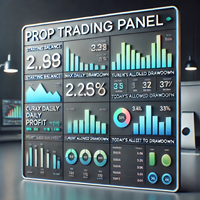
Product Description: The Prop Trading Panel is a powerful MetaTrader 4 utility designed specifically for prop firm traders and individual traders who want to enforce strict risk management rules, limit drawdowns, and secure profits based on their initial balance. This utility provides a dynamic interface on the chart that monitors account performance in real-time, automatically halts trading when predefined risk thresholds are breached, and displays vital trade statistics for informed decision-

Blog MQL5: https://www.mql5.com/en/blogs/post/770814 Versione MT4: https://www.mql5.com/en/market/product/107986
RALLY BASE RALLY (RBR), DROP BASE RALLY (DBR), DROP BASE DROP (DBD), RALLY BASE DROP (RBD), FAIR VALUE GAP (FVG) / IMBALANCE, HIDDEN BASE
Presentiamo l'Expert Advisor "Supply and Demand Assistant" (EA): il tuo strumento definitivo per navigare nel dinamico mondo dei mercati finanziari con precisione e sicurezza. Questo Expert Advisor all'avanguardia è stato progettato meticolosamen
FREE

Drawdown Limiter EA You are in the right place if you were searching for Drawdown control, Drawdown limiter, Balance protection, Equity Protection or Daily Drawdown Limit related to Prop Firm, FTMO, or Funded account trading, or if you want to protect your trading account. Have you suffered from controlling your drawdown when trading funded accounts? This EA is meant for you. Prop firms usually set a rule called “Trader Daily Drawdown”, and if it is not respected, you are disqualified. I am an

如果产品有任何问题或者您需要在此产品上添加功能,请联系我 Contact/message me if you encounter any issue using the product or need extra feature to add on the base version.
Close Button provides you an intuitive, effective, and handy way to close your orders based on their type. The utility provides seven close options: Close All: close all orders, including trading and pending ones. Close Profit: close all orders which are in profit. Close Loss: close all orders which are in loss. Close Stop: close all stop orders. Close L
FREE

Speciale Trading – SCONTO DEL 40%
Advanced Trade Manager – La soluzione completa definitiva per un trading manuale più veloce, intelligente e sicuro.
Trasforma il tuo trading manuale con NextGen Trade Manager AI, il pannello professionale su grafico che combina esecuzione istantanea, pianificazione visiva delle operazioni e una potente gestione del rischio in un unico strumento intuitivo. Esegui ordini, gestisci il rischio e proteggi i profitti più velocemente che mai, il tutto senza uscire d

RSI Divergence Scanner is a multi-timeframe and multi-symbol dashboard and alert that checks all timeframes and symbols to find divergences between price chart and RSI indicator. This divergence scanner is integrated with support and resistance zones so you can check the RSI divergences in the most important areas of the chart to find trend reversals in the price chart. Download demo version (works on M 1,M5,M30,W1 timeframes) Full description of scanner parameters -> click here . How to get

Questo è un ottimizzatore automatico dei parametri per l'indicatore Trend Line PRO Facilmente e rapidamente si selezionerà i parametri ottimali per il vostro indicatore preferito Trend Line PRO. L'ottimizzazione richiede solo pochi secondi. L'ottimizzatore consente di trovare i migliori parametri per ogni coppia e periodo: Ampiezza, TP1-TP3, StopLoss, nonché i valori per Filtro tempo e filtro HTF nella sezione cronologia selezionata (Giorni)
Per ottimizzare tempi diversi, è necessario un div
MetaTrader Market - i robot di trading e gli indicatori tecnici per trader sono disponibili nel tuo terminale di trading.
Il sistema di pagamento MQL5.community è disponibile per tutti gli utenti registrati sul sito MQL5.com che effettuano transazioni su MetaTrader Services. Puoi depositare e prelevare denaro usando WebMoney, PayPal o una carta di credito.

Ti stai perdendo delle opportunità di trading:
- App di trading gratuite
- Oltre 8.000 segnali per il copy trading
- Notizie economiche per esplorare i mercati finanziari
Registrazione
Accedi
Accetti la politica del sito e le condizioni d’uso
Se non hai un account, registrati