 MetaTrader 5
 Experts
 Indicatori
 librerie
 Utilità
 Widget
 Regole
Guarda i video tutorial del Market su YouTube
Come acquistare un Robot di Trading o un indicatore
Esegui il tuo EA
hosting virtuale
hosting virtuale
Prova un indicatore/robot di trading prima di acquistarlo
Vuoi guadagnare nel Market?
Come presentare un prodotto per venderlo con successo
Utilità di trading per MetaTrader 4 - 2
 Di seguito sono riportati i programmi di trading che semplificano il trading in MetaTrader 4. Passa il mouse su un'utilità nella lista qui sotto per leggerne la descrizione e la sua funzione.
XA Risk Reward Ratio Tool MT4 tool is a professional algorithm, that calculates risk of every transaction before it is finalized. It allows you to precisely estimate gain and possible loss. The professional tool can estimate levels of Take Profit and Stop Loss incredibly precisely, making investments more effective and safer. Using Risk Reward Ratio Tool, you can with one click carry out transactions, cancel position, set position rate, set opening point, TP, SL and many other features. List of
FREE

AW Shepherd Safety EA è un Expert Advisor per la gestione delle posizioni aperte. Il primo ordine lo apre il trader dal pannello, poi l'EA gestisce il basket da solo: aggiunge ordini di recupero con filtro del trend, chiude il lato su TakeProfit, trailing o stop e mostra i livelli di chiusura sul grafico. Acquisti e vendite sono gestiti separatamente, entrambi i lati possono essere aperti contemporaneamente. L'ordine di recupero non si apre semplicemente al raggiungimento del passo di prezzo, ma

Livelli di Gamma Exposure (GEX) dal mercato delle opzioni in tempo reale sul grafico SP500. Aggiornamento ogni 30 minuti.
Full description: GammaOrderBook Free — EA tutto-in-uno che scarica e visualizza i dati GEX direttamente sul grafico. Nessun indicatore separato necessario.
Cosa viene visualizzato
• GEX Bars — Livelli gamma Call/Put come barre orizzontali, divisi per fonte ETF/Index (colori diversi) • Zero Gamma Line — Livello critico dove cambia la direzione di copertura dei dealer • Pa
FREE

Trading History - A program for trading and money management on the history of quotes in stratagy tester. It can work with pending and immediate orders, and is equipped with trailing stop, breakeven and take profit functions. Very good for training and testing different strategies.
Manual (Be sure to read before purchasing)
Advantages
1. Allows you to test any trading strategy in the shortest possible time
2. An excellent simulator for trading training. You can gain months of trading experience

Introduction This powerful MT4 trade mangement EA offers a way potentially to aggressively multiply trade profits in a riskfree manner. Once a trade has been entered with a defined stoploss and take profit target then the EA will add three pyramid add-on trades in order to increase the overall level of profit. The user sets the total combined profit target to be gained if everything works out. This can be specified either as a multiple of the original trade profit or as a total dollar amount. Fo
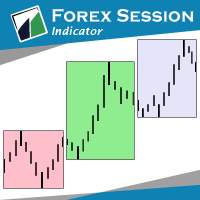
The indicator Forex Session displays official forex session times for Asia, Europe, America.
Main features shows Asian, European and American sessions shows the session volatility it can also be used for breakout trading
Indicator parameters 01: Sessions Session value - number of sessions Last session in developing mode - the session will be progressively displayed Adapts the size session to range - session size adjusts to volatility
02: Display Asia - on/off Europe - on/off America - on/of
FREE

Feel free to contact me for any extra features :) [SEE MT5 VERSION https://www.mql5.com/en/market/product/128846
The Local Reverse Copier is an Expert Advisor designed to synchronize positions between a Master account and a Slave account with a twist: it reverses the trades. When a buy position is opened on the Master account, the EA opens a sell position on the Slave account, and vice versa. This allows for a unique form of trade copying where positions are mirrored in opposite directions bet

This product can be used to synchronize multiple Charts, and each Chart can be set to a different sync mode. With this product you can better view and manipulate charts: different time frames for a single Symbol, the same time frame for multiple Symbols... and more. PS: The link below is the FreeDemo product, you can use it on EURUSD/XUAUSD/USDCNH symbol: https://www.mql5.com/en/market/product/38557
Feature: Chart settings can be synchronized, including : background, indentation, size, etc. M

Questo prodotto filtra tutti gli esperti consulenti e i grafici manuali durante il periodo delle notizie, così non dovrai preoccuparti di improvvisi picchi di prezzo che potrebbero distruggere le tue impostazioni di trading manuali o le negoziazioni effettuate da altri esperti consulenti. Questo prodotto viene fornito anche con un sistema completo di gestione degli ordini che può gestire le tue posizioni aperte e gli ordini in sospeso prima della pubblicazione di qualsiasi notizia. Una volta che

Visualizza immediatamente la cronologia delle tue operazioni chiuse per giorno e settimana, le tue operazioni aperte correnti e l'esposizione forex su un grafico! Utilizza la mappa di calore per identificare le operazioni redditizie e dove si trova il tuo drawdown attuale all'interno del tuo portafoglio di trading.
Pulsanti di chiusura rapida Utilizza i pulsanti di chiusura rapida per chiudere ogni operazione su un singolo simbolo, chiudere singole operazioni per intero o ottenere profitti o p

Простая в управлении Торговая панель обеспечит безопасную торговлю. Вычислит объём сделки от заданного уровня Stop Loss и величины убытка. Поможет рассчитать сейф, и в ноль закрыть неверную сделку. Интуитивно понятный интерфейс делает панель удобной в управлении, освобождая внимание трейдера для принятия решения о входе в сделку. Программа сделает все расчёты за вас. Поэтому работа с помощью панели Снайпер - оптимальное решение для торговли с соблюдением Мани-менеджмента. А это главный ключ к по

Prop Guardian Risk Manager MT4 – Drawdown, Risk & Hedge Protection for Prop Firm and Managed Accounts Prop Guardian Risk Manager is a professional risk-control utility for MetaTrader 4, designed for prop firm traders, money managers and anyone who wants strict account-level risk protection. It does not generate trading signals, strategy entries or trading decisions. Instead, it runs in the background, monitors your account risk and can automatically block new exposure, close managed trades or ac

Blocco automatico del profitto al raggiungimento del profitto target EquityTargetCloser — è un consulente esperto utility per MetaTrader 5 che chiude automaticamente tutte le posizioni di mercato ed elimina gli ordini pendenti non appena l'equity supera il saldo corrente dell'importo di profitto specificato . Dopo la chiusura di tutte le posizioni, l'obiettivo aumenta automaticamente: la nuova soglia = nuovo saldo + profitto specificato. L'EA non apre operazioni, ma gestisce solo le posizion

Position Calculator calculates how many lots to trade based on: Entry and stop-loss levels Risk tolerance Account size (balance, equity, or even your savings account) Account currency Currency exchange rates - The main tab of the panel provides the primary control over the EA's functions and serves to output the most important calculation results: the position size, risk, reward, and risk-to-reward ratio. - The risk tab can help you assess current and potential risk and reward profile. Using a s
FREE

CandleCloseTimer — controllo completo del tempo rimanente fino alla chiusura della candela CandleCloseTimer è una compatta utility per MetaTrader 4 che mostra direttamente sul grafico il conto alla rovescia fino alla chiusura della candela corrente. Il timer è posizionato vicino al prezzo attuale, così l’informazione necessaria rimane sempre nel punto osservato più spesso dal trader — accanto alla scala dei prezzi. L’utility non apre operazioni, non fornisce segnali di trading e non interferisce
FREE

One Click Close MT4 is an EA which allows you close orders quickly. EA display on chart two buttons. The first button "Close All Positions" is using to close all opened orders. The second button "Close Profit Positions" is using to close only profitable orders. EA is closing orders for all available symbols, not only for chart symbol. In EA params you can set distance from upper chart frame (Y Offset) and from left chart frame (X Offset). For installation EA it is only need to copy One Click Clo
FREE

Kalifx Trade Manager is a smart on-chart trading and risk-management panel for MetaTrader 4. It replaces manual order tickets and spreadsheet risk math with a compact, draggable panel that lets you place, size, and manage trades directly from the chart — including automatic breakeven, trailing stops, and a 3-level partial close (multi-TP) system with draggable on-chart lines. Built for discretionary traders who want the speed of a one-click panel with the discipline of automated risk rules runn

EA Local Trade Copier Pro MT4: Il duplicatore di operazioni definitivo senza DLL Sei stanco di copiatori di operazioni complicati che richiedono DLL esterne non sicure, bloccano il tuo terminale o ti confondono con file "Master" e "Client" separati? Sperimenta la prossima generazione di copia di operazioni con EA Local Trade Copier Pro MT4. Progettata per la massima stabilità, esecuzione fulminea e massima semplicità, questa utility ti consente di copiare senza interruzioni operazioni tra più te

VR Trade Panel è un pannello di trading professionale, sviluppato per aumentare la comodità e ridurre i rischi nel trading. Grazie alla semplicità dell'interfaccia e a una guida dettagliata, per i principianti sarà più facile apprendere le basi del trading e iniziare a fare pratica. Principi fondamentali del pannello: Comfort, Velocità, Funzionalità. Istruzioni: [ Come installare ], [ Come usare ], [ Versione demo ]. L'interfaccia del programma è intuitiva e semplice, consente di aprire una posi
FREE

" Trader Evolution " - A utility designed for traders who use wave and technical analysis in their work. One tab of the utility is capable of money management and opening orders, and the other can help in making Elliott wave and technical analysis.
Manual (Be sure to read before purchasing) | Version for MT5
Advantages
1. Trading in a few clicks. Immediate and pending orders are available in the panel
2. Money management. The program automatically selects the appropriate lot size
3. Simplifies

Fully functional manual trade panel with risk/reward, auto SL, lot size calculation, one-click trading, hidden (virtual) stop loss/take profit and pending orders, scale in and out of trades (partial close), news events and more. Works with all symbols not just currency pairs. Brings an incredible amount of functionality to MetaTrader for free and for both demo and live accounts. Features Lot size calculation - based on % of account to risk, fixed amount or dynamic lots Automatic take profit base
FREE

Visualizza l'attuale sessione dei principali mercati e il tempo rimanente per iniziare quelli successivi.
Mercati
New York Londra Francoforte Tokio Sidney Un'altra sessione con nome personalizzato, orario di apertura e chiusura
Ora dell'orologio
GMT/UTC Locale (dal computer) Broker (ora del server) L'ora predefinita nelle impostazioni è GMT. Dopo aver cambiato l'ora locale o dell'intermediario, è necessario regolare manualmente l'ora di apertura e chiusura di ciascuna sessione in base al tipo
FREE

Un semplice player di grafici per la riproduzione dei grafici storici.
Consente di analizzare il mercato avanzando le candele una alla volta. La riproduzione può essere messa in pausa e ripresa in qualsiasi momento.
[Caratteristiche] Riproduzione automatica dal passato al futuro Avanzamento di una candela a intervalli fissi Pausa disponibile durante la riproduzione [Specifiche di riproduzione] Direzione di riproduzione: Passato → Futuro Velocità di riproduzione: Fissa Barre per movimento: 1 b
FREE

ATC Trading Sessions disegna le sessioni di Sydney, Tokyo, Londra e New York sul tuo grafico come scatole che coprono il massimo e il minimo di ogni sessione, e aggiunge un piccolo pannello con lo stato live di ogni mercato. Gli orari delle sessioni sono impostati nell'ora locale di ogni mercato, e l'ora legale per Europa, Stati Uniti e Australia viene applicata automaticamente. Le scatole rimangono corrette tutto l'anno, qualunque fuso orario usi il tuo broker.
Questo strumento fa anche parte
FREE
Presentiamo il Ea TrailingStop BreakEven MT4, un potente Expert Advisor progettato per migliorare la tua efficienza di trading automatizzando la gestione dei tuoi livelli di stop-loss. Perfetto sia per trader principianti che esperti, questo EA garantisce che i tuoi profitti siano massimizzati mentre si minimizza il rischio attraverso aggiustamenti dinamici ai livelli di breakeven e trailing stop. Guida all'installazione per i prodotti MQL | Aggiornamento dei prodotti MQL acquistati su MT4/MT5 |
FREE

Tandem è un copiatore di operazioni locale per MetaTrader. Copia le operazioni tra terminali che girano sullo stesso computer o VPS: da MT4 a MT4, da MT4 a MT5, da MT5 a MT5 e da MT5 a MT4. Esiste una versione per ciascuna piattaforma, e le due lavorano insieme. Ho messo entrambi i lati in un unico Expert Advisor. Lo applichi a un grafico in ogni terminale, fai clic su MASTER sul conto che opera e lasci SLAVE sui conti che devono seguirlo. Finché usano lo stesso numero di canale, gli slave ripre
FREE

ATC Candle Timer mette il tempo rimanente della candela corrente e le informazioni chiave del simbolo in un piccolo pannello.
Questo strumento fa anche parte di All In One Trade Management Panel MT4 , insieme allo strumento di posizione, alla gestione delle operazioni e all'analisi delle prestazioni. Timer della candela: Conto alla rovescia fino alla chiusura della candela per il timeframe del grafico o qualsiasi timeframe tu scelga, inclusi settimanale e mensile.
Una barra di progresso che mo
FREE

Indicador SMART MONEY CONCEPTS DRAW Este indicador te permitirá dibujar de forma sencilla, rápida y fácil todos los conceptos de Trading Institucional e Smart Money Concepts basados en la terminología de The Inner Circle Trader (ICT) necesarios para realizar análisis técnico en tus gráficos de Metatrader.
Este indicador ha sido desarrollado por el equipo de TradingForexTV y lo entregamos totalmente gratis para toda nuestra comunidad y seguidores de nuestro canal y redes sociales.
Algunos de lo
FREE

La protezione dal prelievo viene utilizzata per gestire il prelievo massimo giornaliero desiderato. È uno strumento di grande valore per i trader, in particolare per i trader di società di prop, è necessario fare attenzione ai limiti di prelievo. È un EA efficace e semplice da utilizzare per scopi di gestione del prelievo di capitale. Funziona bloccando nuove operazioni e chiudendo operazioni esistenti, quando il capitale fluttuante (non il saldo) supera il limite di perdita giornaliera impo

Averager per MetaTrader 4 — sistema professionale di recupero posizioni e gestione di serie di operazioni Un Expert Advisor progettato per i trader che vogliono gestire in modo intelligente posizioni in drawdown, migliorare il prezzo medio di entrata e controllare l’intero paniere di operazioni come una struttura unica e coordinata. Averager non è un semplice strumento di mediazione. È una soluzione pratica per ricostruire posizioni in perdita, riorganizzare il prezzo medio e portare l’intera s

Copiatrice->Interazione dell'interfaccia comoda e veloce, gli utenti possono utilizzarla subito ->>>> Si consiglia di utilizzarlo su computer Windows o VPS Windows Funzioni di base: La velocità di interazione normale del copy trading è inferiore a 0,5 s Rileva automaticamente le sorgenti del segnale e visualizza un elenco degli account delle sorgenti del segnale Abbinamento automatico dei simboli, il 95% dei simboli di trading comunemente utilizzati su diverse piattaforme (casi speciali co

Trade Copier Professional — Soluzione di Copia Locale
Trade Copier Professional è un sistema affidabile di copia locale delle operazioni per MetaTrader 4/5. Consente ai trader di replicare istantaneamente posizioni su più conti nello stesso computer, con controlli di sicurezza integrati e un pannello professionale.
Panoramica L’EA funziona sia in modalità Master che Slave da un unico file, con passaggio fluido tra le due. Le operazioni possono essere copiate tra terminali MT4 e MT5 senza

VR Stealth Pro è un pannello di trading gratuito specializzato, progettato per migliorare la comodità e l'efficienza del trading. Lo scopo principale dello strumento è quello di nascondere i livelli di Stop Loss e Take Profit, consentendo di ridurre al minimo i rischi di fuga di informazioni sui livelli di trading Stop Loss e Take Profit. Sono disponibili file di set, versioni demo del prodotto, istruzioni e bonus [blog]
Versione per [MetaTrader 5] VR Stealth Pro è un pannello di trading gratui
FREE

DrawDown Limiter v5.0 — Advanced Account Protection Controller DrawDown Limiter v5.0 is a client-side account protection controller designed to supervise your trading account and automatically react when configured risk, profit, news, schedule, rollover, or position limits are reached. It can monitor manual trades, automated strategies, multiple Expert Advisors, pending orders and floating positions from one dedicated chart. It can protect the complete account or be configured to supervise a spe

Risk manager
Risk manager - it will simplify the tracking of drawdown and will notify you (alert) when the specified risk is reached, and close/lock orders when the critical DD risk level is reached.
If the specified drawdown is exceeded, you can choose two options for actions: All orders will be closed that mean loss will be fixed on depo. The terminal also closes. Instead of fixing the loss on depo, the opposite order will be opened - orders locking will occure. Not a single order will be c

Trendline EA MT4 Trendline EA MT4 es un Asesor Experto (Expert Advisor) semiautomático para MetaTrader 4 diseñado para ejecutar acciones de trading o generar alertas basadas en líneas de tendencia dibujadas por el usuario. MetaTrader 4 no ofrece de forma nativa la posibilidad de colocar o gestionar operaciones directamente desde líneas de tendencia. Este Asesor Experto amplía el comportamiento estándar de la plataforma al monitorear las líneas de tendencia definidas por el usuario y ejecutar acc

Il pannello di trading Lot by Risk è progettato per il trading manuale. È un mezzo alternativo per inviare ordini.
La prima caratteristica del pannello è la comoda emissione di ordini utilizzando linee di controllo. La seconda caratteristica è il calcolo del volume della transazione per un determinato rischio in presenza di una linea stop loss.
Le linee di controllo sono impostate utilizzando i tasti di scelta rapida:
take profit-tasto T predefinito;
price-tasto P predefinito;
stop loss-tasto
FREE

ATC Currency Strength Meter misura USD, EUR, GBP, JPY, AUD, NZD, CAD e CHF su un unico pannello e li classifica dal più forte al più debole.
Questo strumento fa anche parte di All In One Trade Management Panel MT4 , insieme allo strumento di posizione, alla gestione delle operazioni e all'analisi delle prestazioni. Come viene calcolato: La forza è la variazione percentuale dall'apertura della candela scelta, presa dalle 7 principali coppie con USD.
La forza dell'USD è la media dei movimenti de
FREE

Trendline PRO MT4 Trendline PRO MT4 è un Expert Advisor semi-automatizzato per MetaTrader 4 che esegue operazioni, gestisce ordini o invia avvisi da trendline e livelli del grafico creati dall'utente. L'Expert Advisor non genera segnali di trading e non include una strategia integrata. Tutte le entrate, uscite, impostazioni di rischio e regole di gestione sono definite dall'utente sul grafico. Il prodotto è progettato per trader che usano già trendline, livelli di breakout, supporto e resistenza

L'utilità ti consente di testare manualmente le tue strategie nel tester di strategia. Trading con un clic sul grafico di visualizzazione.
L'ultima versione dell'utilità offre funzionalità avanzate che consentono ai trader di testare manualmente le proprie strategie di trading. Con il tester di strategia ora puoi valutare l'efficacia delle tue strategie di trading in un ambiente simulato. Questa funzionalità ti consente di analizzare le prestazioni delle tue tecniche di trading e di perfezionarl
FREE

Prop Trade Assistant — Panoramica di un gestore intelligente di conti di trading Prop Trade Assistant è uno strumento pensato per trader sistematici e per chi applica rigorosamente un corretto money management. È adatto sia agli utenti di prop firm (FTMO, MFF, The Funded Trader, MyForexFunds, ecc.) sia ai trader con conti privati che desiderano un controllo completo del rischio e delle regole operative. Funziona come utilità di gestione del rischio e dashboard di monitoraggio, tracciando in temp
FREE

Hello friends. I wrote this utility specifically for use in my profile with a large number of Expert Advisors and sets ("Joint_profiles_from_grid_sets" https://www.mql5.com/en/blogs/post/747929 ). Now, in order to limit losses on the account, there is no need to change the "Close_positions_at_percentage_of_loss" parameter on each chart. Just open one additional chart, attach this utility and set the desired percentage for closing all trades on the account. The utility has the following function

A complete Session Timer that shows the current time, session information with remaining time, chart display of range (high-low) and open price, of current and previous sessions for major markets, and option to add an additional city. A friendly user interface with clickable icons, customizable panel location and format, selection of colors and text. It automatically handles the DST (daylight saving) settings. It also shows the GMT/UTC and server (broker) time. And includes a Candle timer option
FREE

Auto Trade Copier is designed to copy trades to multiple MT4, MT5 and cTrader accounts/terminals with 100% accuracy. The provider and receiver accounts must be on the same PC/VPS. With this tool, you can copy trades to receiver accounts on the same PC/VPS. All trading actions will be copied from provider to receiver perfectly. This version can be used on MT4 accounts only. For MT5 accounts, you must use Auto Trade Copier for MT5 . Reference: - For MT4 receiver, please download Trade Receiver Fre

Second and Custom Timeframe Charts See the market between standard timeframes. Second and Custom Timeframe Charts is a professional chart utility for MetaTrader 4 that creates synthetic candles for non-standard timeframes directly from market data. It is designed for traders who need more flexibility than the default MT4 timeframe set can provide. Standard charts show only fixed periods. But the market does not always move in standard blocks. Sometimes the most important structure is visible on

50% Off Today Only! Price Goes Back Up at 11 PM (EST)
Marketkeys Trade Manager EA for MT5: Your Pathway to Forex Trading Mastery
What Traders Are Saying: " I just bought the product and I like it ..." – AntonioBorrero " Very good EA I would 100% recommend.. ." – Vijohn Efficiency and precision are paramount in Forex trading. Marketkeys Trade Manager EA for MT5 offers just that - a seamless interface combined with robust risk management tools. It's designed to be your essential trading compan

MACD Divergence Scanner is a multi-timeframe and multi-symbol dashboard and alert that checks all timeframes and symbols to find regular and hidden divergences between price chart and MACD indicator. This divergence scanner is integrated with support and resistance zones so you can check the MACD divergences in the most important areas of the chart to find trend reversals in the price chart. Download demo version (works on M 1,M5,M30,W1 timeframes) Full description of scanner parameters ->

Trade Simulator With this toolbar you have both: a compact surface, which simultaneously shows you the most important information you need for trading.
You can use it with your real account or also in the strategytester mode. This toolbar allows you to trade in the strategytester as real as possible with every option available from the MT4 platform. Settings available: Magic Number - When the 'MagicNumber' number is 0, the toolbar will watch all orders without a 'MagicNumber'. If th
FREE

Lot Architect — Trade Panel and Position Size Calculator for MT4 Lot Architect is a trade panel and risk-based position size calculator for MetaTrader 4. It helps calculate lot size from the selected risk, displays trade parameters before entry, and supports Market, Limit and Stop orders from the chart. The utility is designed for traders who want a structured workflow for position sizing, stop-loss placement, take-profit planning and order execution. Purpose Before opening a trade, a trader nee

KALIFX Trailing Stop Utility for MetaTrader 4 The KALIFX Trailing Stop Utility is a tool for automated stop-loss management on the MetaTrader 4 platform.
It monitors open positions and dynamically adjusts the stop-loss level as the price moves in favor of the trade.
The utility can also place initial stop-loss and take-profit levels and apply breakeven rules once the trade reaches a defined profit distance. Core Functionality 1. Trailing Stop Logic When the market moves in the direction of an o
FREE

Basket EA MT4 è un potente strumento per la presa di profitto e un sistema completo di protezione del conto, tutto in una soluzione semplice e intuitiva. Il suo scopo principale è quello di offrire un controllo totale sul profitto e la perdita complessiva del conto, gestendo tutte le posizioni aperte a livello di "cestino" (basket) e non singolarmente. L’EA offre una serie completa di funzionalità a livello di basket, come take profit, stop loss, break even e trailing stop. Questi possono essere

Forex Trade Manager MT4 simplifies managing open orders in MetaTrader 4. If you open a new order, the manager automatically sets Stop Loss and Take Profit. When price will move, then the program could move Stop Loss to Break Even (stop loss = open price) or continuously moving Stop Loss (Trailing Stop) to protect your profits. Forex Trading Manager is able to control orders for only current symbols (where EA works) or for all opened orders (regardless symbol) and hide the Stop Loss and Take Prof
FREE
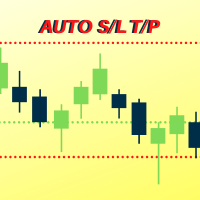
Number one rule to investing is to protect your capital. Never worry about trading without stop loss or take profit with Auto S/L T/P. Auto S/L T/P will automatically add your preset default stop loss and take profit to any order on the chart it's installed. Be sure to enable auto trading in order for the EA to work.
Entering a trade on the go from your mobile is breeze with Auto S/L T/P running on the chart on your desktop. Just enter a trade and your default stop loss and take profit will be
FREE

Candle Remaining Time per MetaTrader 4
Non perdere mai la chiusura di una candela. Opera con tempismo perfetto. Strumento di Precisione Candle Remaining Time per MT4 Candle Remaining Time è uno strumento leggero e preciso per MetaTrader 4 che mostra il tempo rimanente esatto della candela corrente in tempo reale. Ideale per trader che attendono la conferma alla chiusura della candela migliorando l'esecuzione ed evitando ingressi anticipati o ritardati. Se la tua strategia dipende dalla chiusur
FREE

Support and Resistance Dashboard for MT4 is a multi-timeframe and multi-symbol scanner and alert system that finds S/R zones and pivot points for all timeframes and symbols and alerts when price has interaction with them. If you are using support and resistance (or supply and demand) zones in your trading strategy, this dashboard and its alert and filtering system is a big time saver for you. Download demo version (works on M 1,M5,M30,W1 timeframes) Full description of scanner parameters ->

Rivoluziona il tuo trading con il nostro Advanced Trade Manager per MT4 e MT5 Versione MT5: https ://www .mql5 .com /en /market /product /107253 Potenzia la tua strategia di trading con lo strumento definitivo per precisione e controllo: il nostro Advanced Trade Manager per MT4 e MT5. A differenza dei trade manager convenzionali, il nostro non solo si adatta dinamicamente alle condizioni di mercato, ma imposta anche automaticamente livelli di stop-loss e take-profit nel momento in cui entri in
FREE

This trading panel has been developed for fast and comfortable operation of the financial markets. It is equipped with the necessary functions for manual and semi-automated trading. Due to the presence of the order trailing feature, trailing stop and automatic closure by equity, profit, time. You can use it to automate your trading system. All you have to do is open a position and set the parameters for maintenance, everything else will be handled by the EA. If you want to limit your losses, set

LMBFWatchlist is an interactive tool for Metatrader 4 that lets you create and manage watch lists directly on your Metatrader charts. Functionality includes: Add an unlimited number of watch lists with names of your choice Add different groups of watchlists for different time frames Add comments for symbols that always appear on the chart when that symbol is selected. Easily identify which symbols have comments against them. See watch lists instantly synchronise across all open charts that hav

Free indicator, that displays the remaining time until the current candle closes directly on the chart. Designed for traders who demand precision and timing, this lightweight and fully customizable tool enhances your trading experience. It is easy to install, compatible with all assets, markets, and timeframes, and provides real-time updates to support smarter decision-making.
FREE

Che cos’è Telegram to MT4 Pro? Telegram to MT4 Pro copia automaticamente i segnali da canali e gruppi Telegram privati, pubblici e limitati direttamente sul tuo account MetaTrader 4 . Telegram to MT4 Pro è un copiatore di segnali professionale che copia automaticamente i segnali di trading da qualsiasi canale o gruppo Telegram direttamente sul tuo account MetaTrader 4 in tempo reale, con pieno controllo su ogni operazione. Il sistema è composto da due parti che lavorano insieme: Questo Expert Ad

Transform Your Trading with SmartFastTrade AI: Speed and Ease at Your Fingertips! Introduction Are you a trader struggling with slow order execution? Do you want a tool that can assist you in making quick and accurate trading decisions? If yes, then SmartFastTrade AI is the answer to all your trading needs. With its unique combination of speed, user-friendliness, and advanced features, SmartFastTrade AI will help you unlock your full trading potential. Let's delve deeper into why this innovativ

Candlestick Pattern Scanner is a multi-timeframe and multi-symbol dashboard and alert system that checks all timeframes and currency pairs for different candlestick patterns that are formed in them. Scanner is integrated with support and resistance zones so you can check the candlestick patterns in the most important areas of the chart to find breakout and reversal patterns in the price chart. Download demo version (works on M30,D1,W1 timeframes and 20 symbols of Market Watch window) Read the
TimeZone In Chart - Scala Orizzontale Personalizzata del Fuso Orario per MT4 Panoramica Presentiamo TimeZone In Chart - Scala Orizzontale Personalizzata del Fuso Orario per MT4, uno strumento utilitario progettato per migliorare la tua esperienza di trading personalizzando la scala temporale orizzontale in base al tuo fuso orario preferito. Perfetto per i trader che devono allineare le loro attività di trading con diversi fusi orari, questo indicatore assicura che tu non perda mai un momento im
FREE

Se ti piace questo progetto, lascia una recensione a 5 stelle. Questo indicatore disegna un orologio di conto alla rovescia compatto del tempo
di rimaning per il
candela da chiudere e: Può essere posizionato su qualsiasi angolo del grafico; Tempi multipli; È possibile aggiungerlo a una finestra di indicatore trascinandolo dal
navigatore MT5. Colore diverso quando la candela ha 10 secondi per chiudere. Colori personalizzabili per una migliore integrazione con il grafico.
FREE

IceFX’s TradeInfo is an utility indicator which displays the most important information of the current account and position.
Displayed information: Information about the current account (Balance, Equity, Free Margin). Current spread, current drawdown (DD), planned profit, expected losses, etc. Number of open position(s), volume (LOT), profit. Today’s and yesterday’s range. Remaining time to the next candle. Last day profit information (with integrated IceFX ProfitInfo indicator). Risk-based LOT
FREE

Livelli GEX in tempo reale da dati opzioni CBOE. ES, NQ, RTY, Gold. Aggiornamento ogni 2 minuti.
Full description: GammaOrderBook — EA tutto-in-uno che scarica e visualizza dati GEX live direttamente sul grafico. Nessun indicatore separato necessario.
Cosa viene visualizzato
• GEX Bars — Livelli gamma Call/Put come barre orizzontali, divisi per fonte ETF/Index • Zero Gamma Line — Livello critico di cambio direzione copertura • Panorama V4 — Posizionamento gamma multi-timeframe • Supporto/Res
Drawdown Manager MT4 è un'utilità essenziale per i trader che utilizzano MetaTrader 4, progettata per proteggere il tuo capitale di trading gestendo attivamente i drawdown e salvaguardando i tuoi investimenti. Ideale sia per trader individuali che per società di trading proprietarie, questo strumento fornisce una soluzione robusta per mantenere l'integrità della tua strategia di trading e la sicurezza del capitale. Con funzionalità avanzate come avvisi in tempo reale e parametri di rischio perso

TP SL Bot - un'utilità che imposta automaticamente Stop Loss e Take Profit per gli ordini appena aperti in vari modi secondo le tue indicazioni. È inoltre disponibile una funzione per calcolare il volume con cui aprire un trade per ottenere l'importo desiderato con la dimensione specificata di Stop Loss/Take Profit. Ci sono diversi modi per calcolare la dimensione e impostare i parametri: 1. Impostazione basata sull'importo specificato dall'utente come percentuale del saldo corrente del conto. 2

VirtualTradePad PRO SE MT4 — pannello di trading avanzato e workspace grafico per MetaTrader 4 VirtualTradePad PRO SE è un pannello di trading professionale e un ambiente di gestione delle operazioni per MetaTrader 4 . Aiuta i trader ad aprire, gestire, proteggere, chiudere e analizzare le operazioni più rapidamente da un’unica interfaccia basata sul grafico. Il prodotto è stato creato per trader manuali attivi che hanno bisogno di qualcosa di più di un semplice insieme di pulsanti. PRO SE combi

Master Close via Telegram can help you perform some management tasks on MT4/MT5 remotely via your Telegram by one click, easy to set up & use. Demo here (see more Master Notify Master Control ) ************************************************************************************ LIST OF COMMANDS: info_acc - Get account info info_pen - Get pending orders details info_pos - Get positions details info_pos_sum - Get positions summary
close_pen - Delete all pending orders close_pos_all -
Il MetaTrader Market è un negozio online unico di robot di trading e indicatori tecnici.
Leggi il promemoria utente di MQL5.community per saperne di più sui servizi unici che offriamo ai trader: copia dei segnali di trading, applicazioni personalizzate sviluppate da freelance, pagamenti automatici tramite il Sistema di Pagamento e il MQL5 Cloud Network.

Ti stai perdendo delle opportunità di trading:
- App di trading gratuite
- Oltre 8.000 segnali per il copy trading
- Notizie economiche per esplorare i mercati finanziari
Registrazione
Accedi
Accetti la politica del sito e le condizioni d’uso
Se non hai un account, registrati