
Trade Copier MT5 Copy Trade Orders
- Utilità
-
Nurhidaya Tullah
 Trader e sviluppatore MQL4/MQL5 con oltre 5 anni di esperienza, specializzato in trade copier, automazione del trading e soluzioni multi-account.
Esempio del mio prodotto:
MT5 Trade Copier – Local Trade Replication System - Versione: 12.9
- Aggiornato: 29 luglio 2026
- Attivazioni: 20
Panoramica
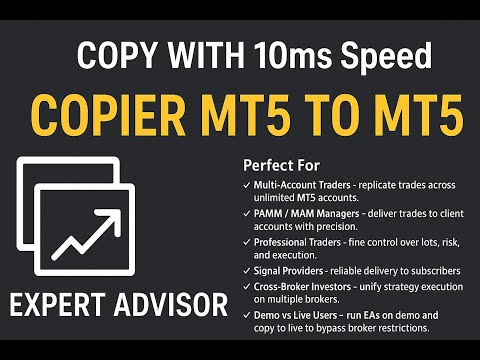
Un copiatore di trade locale professionale progettato per MetaTrader 5 che sincronizza le operazioni tra più terminali in esecuzione sullo stesso computer o in ambiente VPS.
Il sistema è pensato per trader che gestiscono più conti e necessitano di una replica delle operazioni coerente, con funzionamento stabile e opzioni di configurazione flessibili.
Il sistema funziona in modo affidabile in diversi ambienti informatici, inclusi PC personali e VPS, con prestazioni che dipendono dalle risorse del sistema e dei terminali.
✔ Casi d’uso tipici
- Gestione di più conti con dashboard grafico in tempo reale
- Gestione di conti prop firm con monitoraggio dei terminali slave e controllo della sincronizzazione
- Replica di segnali di trading tra terminali MT5 con esecuzione rapida e stabile
- Distribuzione del portafoglio su più conti
- Ambienti VPS o locali che richiedono copia trade stabile e monitoraggio del sistema
- Ambienti di trading professionali con monitoraggio in tempo reale dello stato del sistema e dei terminali
✔ Funzionalità principali
- Copia locale delle operazioni tra terminali MT5
- Modalità di trading inversa (Reverse Trade Mode)
- Supporto per più terminali Master e Slave
- Replica di ordini a mercato e ordini pendenti
- Sincronizzazione di Stop Loss e Take Profit
- Sistema di filtro per Magic Number
- Filtro solo Buy / solo Sell
- Sistema flessibile di gestione dei lotti
- Dashboard sul grafico
- Notifiche push, popup ed email
- Nessuna DLL o dipendenza esterna
✔ Mappatura dei simboli (importante)
I broker possono utilizzare formati diversi per i simboli di trading, quindi è necessario configurarli correttamente per una sincronizzazione adeguata.
Esempio:
Broker A:
XAUUSD
Broker B:
XAUUSD.m
Esempio di mapping:
XAUUSD.m
Il sistema supporta:
- Mappatura manuale dei simboli
- Gestione di prefissi e suffissi
- Configurazione multi-simbolo per diversi broker
Una corretta configurazione dei simboli è essenziale per garantire una replica accurata delle operazioni.
✔ Dashboard professionale sul grafico (UI)
Il sistema include una dashboard integrata nel grafico che mostra informazioni chiave direttamente su MetaTrader 5.
Permette di visualizzare lo stato del sistema in modo chiaro senza dover cambiare terminale.
Funzioni della dashboard
- Pannello informativo strutturato sul grafico
- Aggiornamenti in tempo reale
- Indicatori visivi di connessione e sincronizzazione
- Layout chiaro e leggibile
- Tutte le informazioni essenziali in un unico punto
✔ Informazioni in tempo reale
La dashboard mostra:
- Terminali slave connessi
- Stato attuale della copia
- Ultimo tempo di sincronizzazione
- Informazioni su conto e terminale
- Stato della connessione
- Attività di base del sistema
✔ Scopo della dashboard
La dashboard aiuta i trader a:
- Monitorare il sistema direttamente dal grafico
- Controllare la sincronizzazione tra terminali
- Verificare lo stato dei terminali slave
- Ridurre la necessità di cambiare tra più istanze MT5
✔ Monitoraggio in tempo reale di connessione, slave e salute del sistema
Il sistema include un monitoraggio in tempo reale della connessione, dei terminali slave e dello stato generale del sistema per garantire una sincronizzazione stabile.
Rileva:
- Disconnessione o riavvio del terminale
- Interruzioni internet
- Terminali slave bloccati o inattivi
- Ritardi o stati non reattivi
Quando si verifica un problema:
- Stato aggiornato nella dashboard
- Stato degli slave aggiornato in tempo reale
- Monitoraggio continuo della salute del sistema
- Rilevamento automatico della riconnessione
✔ Opzioni di gestione dei lotti
- Lotto fisso
- Moltiplicatore di lotto
- Calcolo basato sul saldo del conto
- Scalatura del rischio in base al saldo
- Limite massimo del lotto
✔ Tipi di operazioni supportate
- Ordini a mercato
- Ordini pendenti:
- Buy Limit
- Sell Limit
- Buy Stop
- Sell Stop
- Sincronizzazione Stop Loss e Take Profit
- Sincronizzazione multi-account
- Filtro opzionale delle operazioni
✔ Guida all’installazione
Terminale Master
- Aggiungere l’EA al grafico
- Impostare CopyMode = MASTER
- Assegnare un MasterID univoco
- Abilitare il trading automatico (Algo Trading)
Terminale Slave
- Aggiungere l’EA al grafico
- Impostare CopyMode = SLAVE
- Configurare lo stesso MasterID
- Assegnare un SlaveID univoco
- Abilitare il trading automatico (Algo Trading)
✔ Nota importante di installazione
Si consiglia di applicare l’EA su un solo grafico per terminale.
Il sistema gestisce automaticamente tutti i simboli, quindi non è necessario usare più grafici.
Un solo grafico è sufficiente per il funzionamento completo e la corretta sincronizzazione delle operazioni.
✔ Note importanti
- Tutti i terminali devono essere in esecuzione
- I simboli necessari devono essere presenti su tutti i conti
- La mappatura dei simboli deve essere configurata correttamente
- Gli ID devono essere univoci
- Dopo le modifiche si consiglia il riavvio dei terminali
✔ FAQ
Supporta più conti slave?
Sì, possono essere utilizzati più terminali slave contemporaneamente.
Copia gli ordini pendenti?
Sì, supporta ordini a mercato e ordini pendenti.
Funziona con broker diversi?
Sì, con una corretta configurazione della mappatura dei simboli.
Richiede DLL?
No, non richiede DLL esterne.
È possibile filtrare le operazioni?
Sì, filtro per Magic Number e direzione.
Cosa succede se un terminale si disconnette?
Il sistema rileva il problema e aggiorna lo stato fino alla riconnessione.
✔ Nota finale
Questo strumento è progettato per trader che necessitano di un sistema strutturato e sincronizzato di copia operazioni tra terminali MetaTrader 5, con gestione del rischio flessibile e stabilità in ambienti di trading live.
















































I'd been searching for a trade copier like this for ages. It's reliable, easy to use, and packed with useful features. What I like most is the connection status display between linked accounts—it makes monitoring everything much easier. Overall, it's an excellent trade copier and definitely worth recommending.