Signalator Local Trade Copier MT5

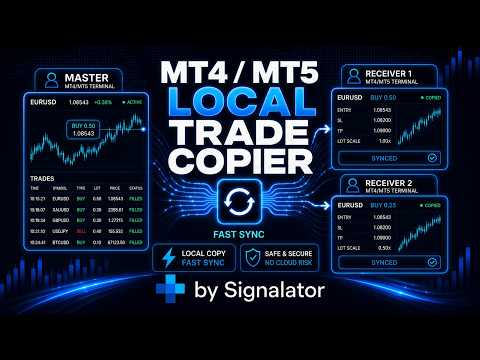
Signalator Local Trade Copier MT5 è un copier locale veloce per eseguire terminali Master e Receiver sullo stesso computer o VPS. Supporta la copia cross-platform tra terminali MT4, MT5 e cTrader in qualsiasi direzione: MT4 ↔ MT5 ↔ cTrader e tutte le altre combinazioni.

Copia le operazioni localmente senza relay cloud esterni. Il Master pubblica l'attività di trading tramite un bridge locale e ogni Receiver controlla cosa copiare, quali conti Master accettare, come mappare i simboli, come dimensionare i lotti e come gestire SL/TP, chiusure parziali, ordini pendenti, avvisi Telegram, log ed esportazione.

Il bridge locale può funzionare con polling rapido, configurabile fino a 0,1 secondi quando supportato dalla configurazione. La velocità di esecuzione effettiva dipende comunque dal carico dei terminali, dalle prestazioni del VPS, dall'esecuzione del broker e dalle condizioni di mercato.

MT4 Local Copier - Guide di configurazione e istruzioni pratiche

Funzioni principali

  • Copia locale MT5 / MT4 - copia le operazioni tra i tuoi terminali MT5 / MT4 sullo stesso computer o VPS.
  • Bridge locale veloce - polling configurabile fino a 0,1 secondi in base alle impostazioni e all'ambiente.
  • Ruoli Master e Receiver - utilizza un conto sorgente e uno o più conti Receiver.
  • Configurazioni multi-Receiver - copia un conto Master verso più conti Receiver.
  • Struttura multi-Master - organizza diversi Master tramite valori BridgeName separati o filtri conto lato Receiver.
  • Conti Master selezionati - consenti ai Receiver di accettare solo i conti sorgente specificati.
  • Supporto Master in sola lettura - il Master può pubblicare attività anche quando il trading è disabilitato su quel terminale. I conti Receiver devono comunque avere il permesso di trading.


Controllo della copia

  • Ordini a mercato - copia operazioni BUY e SELL.
  • Sincronizzazione della chiusura completa - chiude le operazioni Receiver collegate quando il Master chiude.
  • Copia delle chiusure parziali - mantiene allineata l'esposizione del Receiver dopo chiusure parziali.
  • Sincronizzazione SL/TP - copia SL/TP iniziali e successive modifiche SL/TP quando abilitata.
  • Gestione degli ordini pendenti - copia inserimento, modifica, cancellazione e follow-up dell'esecuzione degli ordini pendenti.
  • Filtro Buy/Sell - accetta entrambe le direzioni, solo BUY o solo SELL.
  • Modalità Reverse - copia intenzionalmente nella direzione opposta quando richiesto.


Mappatura simboli e dimensionamento lotti

  • Mappatura automatica dei simboli - gestisce suffissi, prefissi e varianti di simbolo comuni dei broker.
  • Mappatura manuale - sovrascrive la mappatura quando serve un abbinamento personalizzato, ad esempio XAUUSD=GOLD.
  • Dashboard di mapping - verifica dall'interfaccia mapping attivi, in attesa e accettati.
  • Modalità lot Same, Fixed e Multiplier - scegli un semplice dimensionamento lato Receiver.
  • Scalatura per balance ed equity - scala i lotti Receiver in base alla dimensione del conto.
  • Limiti dei lotti - applica limiti minimi e massimi ai lotti Receiver.


Protezione e diagnostica

  • Protezione stesso conto - blocca la copia quando Master e Receiver sono lo stesso conto di trading.
  • Protezione loop - impedisce che le operazioni copiate sul Receiver vengano ripubblicate come nuove operazioni Master.
  • Validazione Receiver - controlla bridge, conto sorgente, simbolo, dimensione del lotto e condizioni di trading del broker.
  • Gestione riconnessione - dopo un riavvio o una perdita di connessione, il Receiver controlla lo stato corrente del Master prima di agire su dati vecchi.
  • Report di esecuzione - mostra operazioni saltate, ordini rifiutati, simboli non validi, trading disabilitato, errori di mercato chiuso, errori di volume e retcode del broker.


Monitoraggio, avvisi ed esportazione

  • Avvisi Telegram - ricevi eventi Master, risultati di copia, azioni saltate, errori e avvisi.
  • Opzioni privacy - nascondi dimensione dei lotti o dettagli del conto nei messaggi Telegram quando necessario.
  • Log del copier - consulta eventi copiati, saltati, di avviso, errore e sistema.
  • Esportazione CSV e HTML - esporta l'attività del copier per revisione, reportistica e confronto tra conti.


Interfaccia

  • Dashboard sul grafico - monitora stato Master, stato Receiver, mapping, attività copiata, stato Telegram ed errori.
  • Pannelli dashboard spostabili - organizza i moduli affiancati sul grafico.
  • Cambio vista - utilizza un singolo modulo attivo oppure un layout dashboard con più pannelli visibili.
  • Trade Panel - apri e gestisci operazioni direttamente dall'interfaccia del copier.
  • Tiny mode - vista di monitoraggio compatta per piccoli schermi VPS o layout multi-terminale.
  • Scalatura UI - regola la dimensione del pannello per laptop, finestre VPS e monitor ad alta risoluzione.
  • Temi e lingue - temi Dark, Light e Dune con interfacce in inglese, spagnolo, russo e cinese.


Assistenza clienti

Se riscontri problemi durante la configurazione o l'utilizzo, contattaci direttamente. La maggior parte dei problemi del copier è causata da semplici dettagli di configurazione come BridgeName non corrispondenti, mapping dei simboli, limiti di lotto del broker, trading disabilitato, autorizzazione WebRequest mancante o livelli stop non validi. Di solito vengono risolti rapidamente controllando il log del copier e i dettagli di configurazione.


Ecosistema Signalator

Signalator Local Trade Copier MT5 fa parte dell'ecosistema di utility di trading Signalator, che include strumenti per notifiche istantanee delle operazioni, riepiloghi, report Telegram, workflow di esecuzione multi-terminale, licensing, controllo degli accessi e software di gestione utenti.

Potrebbe interessarti anche Multi TF Trade Symbol Scanner Alerts, uno strumento Signalator per scansionare simboli selezionati, confrontare la direzione del trend su più timeframe e ricevere avvisi sulle condizioni di mercato.
Prodotti consigliati
COPYLATOR – MT5 Trade Copier Key Highlights Multi-Sender / Multi-Receiver Trade Replication – supports one-to-many, many-to-one, and many-to-many configurations, with complete real-time copying of market orders, pending orders, SL, and TP. Advanced drawdown protection – closing, blocking, pending-order deletion, manual and automatic reset mechanisms. Automatic symbol mapping – finds correct symbols, alerts if missing, allows manual override. Hedging & Netting support – auto-detected, no manual s
Trade Copier Simple Guide Trade Copier is an Expert Advisor (EA) for MetaTrader 5 (MT5) that lets you automatically copy trades from one account (the "Master") to another (the "Receiver"). It's designed for users who want to duplicate trading strategies across multiple accounts on the  same computer . No internet or external servers are needed—it uses a shared file on your machine to transfer trade info securely and quickly. How It Works Master Mode : Attach the EA to a chart on your main tradin
Volatility Regime Monitor is a professional MetaTrader 5 dashboard for classifying current volatility with transparent, measurable context. It combines ATR, recent bar-range statistics and historical percentiles to show whether the market is compressed, normal or expanding without generating entry signals. MAIN FEATURES • ATR and recent range context • Historical volatility percentile state • Compression, normal and expansion classification • Historical regime table • Transparent thresholds and
Telegram to mt5 pro
Janet Abu Khalil
4 (4)
Telegram to MT5 Pro — Advanced Telegram Signal Copier with Auto-Fix, Multi-TP, Risk Control and Full Trade Management Telegram to MT5 Pro — Copiatore di segnali Telegram professionale Telegram to MT5 Pro è un copiatore di trading ad alte prestazioni che esegue automaticamente i segnali da Telegram direttamente nel tuo account MetaTrader 5, con pieno controllo su rischio, esecuzione e gestione del trading. Il sistema è composto da due componenti: • L’Expert Advisor (EA) che gira all’interno di M
"Quick Copier" is designed to copy trading without any complicated settings. It copies master orders faster than "Just Copier" (https://www.mql5.com/en/market/product/20920). Please also check this product at fxina.hostingerapp.com.  The copy can be done in one PC. One EA can be set as master (provider) or slave (receiver). The receiver lot can be set to multiple providers lots. Any type of copy is available. MT4 -> MT5 MT4 -> MT4 MT5 -> MT5 MT5 -> MT4 If you want to copy MT4 -> MT5 or MT5 -> MT
You can see Binance Spot data instantly in Metatrader 5 and it allows you to use all the features that Metatrader has provided to you. You can access the data of all symbols listed on Binance Futures. Don't forget to set the timezone. Binance it's 00:00 UTC. You need to fix it according to your own country You need to install the free Binance Spot Symbol List plugin. https://www.mql5.com/tr/market/product/83507 After loading, it automatically downloads the data of the cryptos in the market obser
Blog di MQL5: https://www.mql5.com/en/blogs/post/761446 Versione MT4: https://www.mql5.com/en/market/product/136790 Versione MT5: https://www.mql5.com/en/market/product/136791 Time Wizard è un assistente di trading professionale pensato per i trader che necessitano di velocità, tempismo e controllo dell'esecuzione in un'unica dashboard intuitiva. Questo Expert Advisor è progettato per il trading basato su eventi, l'esecuzione programmata e la gestione semiautomatica rapida degli ordini. Conse
OB FVG Trade Copier: Unified Master & Slave EA Version: 2.00 Type: Trade Copier / Risk Management Utility Compatibility: MetaTrader 4 & MetaTrader 5 (Cross-compatible codebase) Overview The OB FVG Trade Copier is a professional-grade, unified trade copying system designed to mirror trades between Master and Slave accounts seamlessly. Built with a unified architecture, a single EA file serves as both the sender (Master) and receiver (Slave) simply by toggling the EA Mode in the settings. It uti
FREE
Have you ever take a long time to watch a Symbol when the network link is not good ? Have you ever wait for a long time when you switch chart between different Symbols or different TimeFrames ? If you do long-term backtesting , Have you ever to be downloaded datas for a long time ? Yes, If there is no data in the system, those will happen.  1. What is this: Download all the Symbol data in Market Watch to the system. PS: This is not outputting data to Files. This Link go to Demo version: https:/
Just Copier MT5
Agung Imaduddin
4.75 (4)
"Just copier" is designed to copy trading without any complicated settings. The copy can be done in one PC. One EA can be set as master (provider) or slave (receiver). The receiver lot can be set to multiple providers lots. Please also check this product at fxina.hostingerapp.com.  Any type of copy is available. MT4 -> MT5 MT4 -> MT4 MT5 -> MT5 MT5 -> MT4 If you want to copy MT4 -> MT5 or MT5 -> MT4, please purchase "Just copier" for MT4 and "Just copier" for MT5 separately. Just Copier can copy
Trade Replay Exit Optimizer Fai il backtest delle tue operazioni con un'uscita diversa I tuoi ingressi possono essere corretti. Le tue uscite potrebbero costarti caro senza che tu te ne accorga. Trade Replay Exit Optimizer legge lo storico reale del tuo account MetaTrader 5, mantiene esattamente gli stessi ingressi , e li riproduce nello Strategy Tester con una regola di uscita diversa, così puoi finalmente scoprire se uno stop, un target, un trailing o un'uscita basata sul tempo migliori avrebb
​Notification Spy Protector is a MetaTrader 5 Expert Advisor (Utility) that monitors your trading activity and sends real-time alerts to your mobile device (via MT5 Push) and/or Telegram. Equipped with a solid and reliable Account Protector, this utility is fully compatible and highly recommended for Prop Firm trading to safeguard your accounts from violating drawdown limits. It also provides advanced transaction filters and a clean on-chart dashboard. Never miss a trade. Protect your account f
Spread Control MT5
Nikita Chernyshov
Spread Control è un indicatore compatto per MetaTrader 5 che consente di monitorare lo spread attuale e la sua dinamica direttamente sul grafico dello strumento. Funzionalità Spread attuale in tempo reale Grafico delle variazioni dello spread con lo storico degli ultimi valori Calcolo di LOW / AVG / HIGH per il periodo visualizzato Indicazione a colori dello stato dello spread: livello normale; livello di avviso; livello critico Scala visiva del valore corrente Visualizzazione dei valori attuali
Why this Telegram copier is better than the rest! Creates a new position for every TP. Can add multiple layers and positions. Can run a Runner for maximum profit! Questions and special offers: Telegram @Fxmelvin You can automatick trade like MO Automatic copying from Telegram — we have developed free software for use on a VPS. Contact us for more information. This makes trading fully automated. Telegram Setup instruction Open your Telegram APP and search for "BotFather". Type  /start  and click
Chart Date Jump Chart Date Jump is a lightweight MetaTrader 5 utility that helps you open historical chart context in seconds. Enter a target Day / Month / Year / Hour / Minute , press Go to datetime , and the chart scrolls to the matching bar and centers it in the window. A vertical marker is drawn on the located candle so you can instantly see the exact time you jumped to. Key features Jump to an exact date and time on the current symbol/period Center the found bar in the visible chart area Ma
Telegram to mt5 signal copier
Chukwuemeka Kingsley Anyanwu
5 (2)
**COPIA I SEGNALI DA QUALSIASI CANALE TELEGRAM ED ESEGUE IMMEDIATAMENTE L'OPERAZIONE SU MT5 SENZA DIRITTI DI AMMINISTRATORE!** Ricevi segnali di trading su Telegram e desideri che vengano eseguiti istantaneamente su MetaTrader 5? **Telegram to MT5 Signal Copier** è un potente ponte tra i tuoi canali di segnali Telegram e MetaTrader 5. Ascolta i messaggi da un canale Telegram specifico ed estrae automaticamente i segnali di trading — inclusi simbolo, direzione, prezzo di entrata, stop loss e t

Real-Time Spread Display Tool A   real-time spread display tool   is a specialized software or application designed to provide traders and investors with instant, live data on the   spread —the difference between the bid price (the price at which buyers are willing to purchase an asset) and the ask price (the price at which sellers are willing to sell it)—for various financial instruments. This tool is critical in markets such as forex (FX), stocks, futures, and cryptocurrencies, where price f
You have 5 positions open on XAUUSD. Net floating is +$30 - looks fine. But look closer: 3 buys, 2 sells. The buys are carrying 0.60 lots, the sells only 0.20. One of those buys has been sitting underwater for 90 minutes. Margin level is at 390% and drifting down. Stress is building - quietly, invisibly - while the terminal just shows you a list of rows. Current price: $59 - increases by $10 after every 20 purchases until reaching the final price of $119 . Next price: $69 . Complete Buyer Kit: 4
# Ronin Copier - Tactical Prop Sync **Zero-Latency, Zero-DLL Local Trade Copier Built for Serious Prop Traders.** **EARLY ADOPTER PROMOTION (LIMITED COPIES):** - **First 10 copies:** **$99** (Current Stage) - **Next 10 copies:** **$149** - **Final Price:** **$199** *Price increases automatically as review milestones are reached.* --- Managing multiple MT5 accounts across prop firms (FTMO, FundedNext, Alpha Capital, etc.) or private brokers? **Ronin Copier** provides seamless, millisecond
QBrain Strategy Auditor
Nesrine Emilie Darragi
QBrain Strategy Auditor helps users identify incomplete or weak evidence before drawing conclusions from closed MetaTrader 5 outcomes. The utility is designed for strategy review. It does not open, modify, or close trades. It does not predict returns and does not certify a strategy. Main functions - Reads closed terminal account history in a selected date range or a normalized CSV placed in the MT5 file sandbox. - Checks whether the available evidence is sufficient for analysis. - Displays k
OneClickOrderMT5
R Firman Sulistyo Pribadi
OneClickOrderMT5 ( OneClick Order MT5 )  is designed to be optimal, informative, and practical, serving as a navigation aid for daily trading activities—particularly manual trading and scalping. It is especially useful for traders participating in prop‑firm programs. Technically, the tool simplifies complex tasks in order management and bulk position operations, which would otherwise take significantly longer using the standard MetaTrader 5 interface. This tool functions solely as an execution
A ticker that shows the average bitcoin price of the selected currency and keeps updating it at regular intervals. PRO version updates more often and displays details about the price change! Make sure you have added the API address http://metakod.com/mk/api in the list of allowed URLs on tab Tools → Options → Expert Advisors. All of the supported currencies and the API address are listed in the screenshots below. Inputs Logging level - Controls the amount of details written to the log (default:
Ofir Blue exporter is a handy utility to export your orders history to a JSON file . You'll need it if you want to back-test Ofir blue or Ofir Hedging , using your own trading history. How it works: Install the indicator on a chart Press export all or export <current symbol> (for example GBPUSD) The indicator will create the json file in the directory files/ofirblue/export. This directory is in the common file area. The file will be automatically taken in charge by Ofir blue strategy tester
FREE
Telegram EA Manager
Ebunoluwa Abimb Owodunni
All in one Multipurpose Telegram Trade Management , Manage and Copy Trades on the go From Telegram Pro Version MT5:  www.mql5.com/en/market/product/95742 Pro Version MT4:  www.mql5.com/en/market/product/85691 Execute Trades on mobile with fast execution When away from desktop MT5, or scalping the market with mobile device, or needed to copy trades from telegram groups while away, or doing some other activities, Telegram EA Manager is an effective tool to perform any trade operation with swift
FREE
Safety Control: Your Ultimate Balance Management Solution for Prop Firm Challenges Overview Tired of manually monitoring your trading activities in prop trading challenges? Meet Safety Control, an advanced Expert Advisor for MetaTrader 5 that will change the way you trade forever. This proprietary software aims to help you manage your balance effortlessly during prop firm challenges. Features Automated Drawdown Control : Safety Control continuously monitors your account's balance and equity in r
ProBridger
Marius Ovidiu Sunzuiana
How Traders and Analysts Can Use the Data Export Bridge to Improve Their Analytics The MQL Data Export Bridge unlocks a new level of analytical power by transforming MetaTrader into a real‑time data provider for any external research environment. Here are the most impactful ways different users can apply the bridge to enhance their trading performance. Build Predictive Models with Machine Learning Who benefits: Quantitative traders, data scientists, algorithm developers How it helps: Export t
Fast copier for sending trades to multiple MT4 / MT5 accounts. MT5 Trade Copier Master EA sends trades instantly from your master account to one or multiple slave accounts. Supports copying to: • MT5 accounts • MT4 accounts Perfect for: • Multi-account traders • Signal providers • Account managers • Personal account mirroring Main Features • Fast local trade copying • Low latency execution • Multiple slave accounts support • Copy open positions on startup • Stable file-based communication • Easy
This tool allows you to export MetaTrader indicator data (buffers) for any financial instrument available in your MetaTrader 5. You can export multiple Symbols and Timeframes into a single CSV file. You can also schedule the export frequency (every 1 minute, 5 minutes, 60 minutes, etc.). There is no need to open multiple charts to retrieve recent data—the tool downloads the data directly. The CSV file will be saved in the folder: \MQL5\Files . How it works Report Tab Select the indicators and o
FREE
MT5 to Delta Exchange API Bridge EA Connector allows your expert advisor with mq5 file to integrate and communicate with Delta Exchange using API Keys You can place order, check balance and other order managements using Delta Exchange API - Place Limit, SL Limit and Take Profit Limit Orders - Place Market, SL-Market, TP-Market orders - Cancel Order - Query Orders - Change Leverage, margin - Get Position info and many more, details available at demo script Script Documentation 
AW Metatrader to Telegram MT5
AW Trading Software Limited
5 (1)
Un sistema automatizzato per l'invio di notifiche in modo che nessuno dei tuoi abbonati perda i tuoi eventi di trading dal tuo terminale di trading. Un'utilità che invia notifiche al messenger di Telegram su qualsiasi operazione di trading sul tuo account. Istruzioni passo passo per collegare l'utility a un canale in Telegram ->   QUI   / MT4 ->   QUI vantaggi: Installazione semplice e istruzioni dettagliate, Possibilità di inviare screenshot regolabili, Testo di notifica personalizzabile tramit
Gli utenti di questo prodotto hanno anche acquistato
Trade Assistant MT5
Evgeniy Kravchenko
4.43 (216)
It helps to calculate the risk per trade, the easy installation of a new order, order management with partial closing functions, trailing stop of 7 types and other useful functions. Additional materials and instructions Installation instructions - Application instructions - Trial version of the application for a demo account Line function -   shows on the chart the Opening line, Stop Loss, Take Profit. With this function it is easy to set a new order and see its additional characteristics bef
Forex Trade Manager MT5
InvestSoft
4.98 (686)
Benvenuto a Trade Manager EA, lo strumento definitivo per la gestione del rischio , progettato per rendere il trading più intuitivo, preciso ed efficiente. Non è solo uno strumento per l'esecuzione degli ordini, ma una soluzione completa per la pianificazione delle operazioni, la gestione delle posizioni e il controllo del rischio. Che tu sia un principiante, un trader avanzato o uno scalper che necessita di esecuzioni rapide, Trade Manager EA si adatta alle tue esigenze, offrendo flessibilità s
Local Trade Copier EA MT5
Juvenille Emperor Limited
4.94 (149)
Local Trade Copier EA MT5 è un trade copier rapido e flessibile per copiare e gestire operazioni tra più conti MetaTrader 5 sullo stesso computer Windows o Windows VPS. Combina la sincronizzazione locale delle operazioni con controlli lato Receiver per dimensione del lotto, gestione del rischio, filtraggio delle operazioni, mappatura dei simboli, gestione delle operazioni e protezione del conto. Configura i terminali Transmitter e Receiver in circa 1 minuto e copia operazioni manuali o aperte d
Telegram to MT5 MultiChannel Copier
Sergio Marquez Uroz
4.63 (19)
Telegram to MT5 Multi-Channel Copier   copia automaticamente i segnali di trading dai tuoi canali Telegram e Discord direttamente su MetaTrader 5. Niente bot, niente estensioni del browser, niente copia manuale. Il segnale arriva su Telegram o Discord e l'EA apre l'operazione nel tuo terminale in pochi secondi. E prima di copiare un canale, il backtester integrato ti mostra cosa avrebbe fatto quel canale sul tuo conto. Il prodotto include due componenti: un'applicazione Windows che ascolta i tuo
================================================================================ POC BREAKOUT - V20.72. Full Professional Grade Toolkit ================================================================================ POC Breakout is a full MetaTrader 5 trading dashboard for discretionary traders who want breakout signals, Point of Control (POC) context, volume profiles, order flow, market structure, news, alerts, and advanced trade planning in one professional workspace. Attached directly to you
TradePanel MT5
Alfiya Fazylova
4.88 (170)
Trade Panel è un assistente commerciale multifunzionale. L'applicazione contiene più di 50 funzioni di trading per il trading manuale e permette di automatizzare la maggior parte delle attività commerciali. Istruzioni per l'applicazione: https://www.mql5.com/it/blogs/post/762331 Versione di prova dell'applicazione per un conto demo: https://www.mql5.com/it/blogs/post/762419 Come installare l'applicazione: https://www.mql5.com/it/blogs/post/762362 Come testare l'applicazione in modalità visuale:
The Patch
Mian Rameez Ali
The Patch It never opens a trade. It walks behind the ones that did. Every open position, every pending order — checked twice a second for the one thing that's easy to forget: a stop, a target. Found bare, it doesn't ask. It writes the missing number in, measured in points from wherever the position began, and moves on to the next. No strategy, no opinion on direction. Just the quiet assumption that nothing should ever sit on the market unprotected — not because someone decided it shouldn't,
Copia i segnali Telegram con le tue regole di trading Telegram to MT5 Signal Trader copia automaticamente i segnali di trading testuali dai canali e gruppi Telegram pubblici e privati in MetaTrader 5. Gestisci più fornitori e conti MT5 da un'unica applicazione desktop, con impostazioni di rischio e di trading specifiche per ogni fornitore . Per copiare i segnali non servono bot Telegram né configurazioni API. Accedi semplicemente con il tuo account Telegram tramite numero di telefono o codice QR
Floor Watch
Syed Tauqeer Hussain Shah
Floor Watch One number, watched every thirty seconds: how far equity has fallen since the day began — or since its highest point, if it's told to trail the peak instead of the open. Cross the line and it doesn't argue. Every open position closes, every pending order vanishes, and anything that slips through afterward gets shut the moment it appears. Not asked. Removed. The floor holds until the clock turns 5 AM Pakistan time — then, and only then, does the day start over. One rule. No except
Un solo acquisto. Tutti i miei indicatori MT4 e MT5, disponibili oggi e pubblicati in futuro, senza costi aggiuntivi. Dopo l’acquisto, contattami per sapere come riceverli. È previsto un aumento di 50$ ogni 10 acquisti, fino a 999$. Si applica il prezzo del Market al momento del pagamento. Mantieni l’indicatore di cui ti fidi. Automatizza il lavoro che lo circonda. Il tuo segnale. Le tue regole. La tua esecuzione. Hai già un indicatore MT5 su cui fai affidamento, ma devi ancora sorvegliare il g
Power Candles Strategy Scanner - Strumento di ricerca configurazioni multi-simbolo con ottimizzazione automatica Power Candles Strategy Scanner utilizza lo stesso motore di auto-ottimizzazione che alimenta l'indicatore Power Candles, applicandolo a tutti i simboli presenti nel tuo Market Watch, uno accanto all'altro. Un unico pannello ti indica quali simboli sono statisticamente negoziabili in questo momento, quale strategia è vincente su ciascuno di essi, la coppia ottimale di Stop Loss / Take
Grid Manual MT5
Alfiya Fazylova
4.73 (22)
Grid Manual è un pannello di trading per lavorare con una griglia di ordini. L'utilità è universale, ha impostazioni flessibili e un'interfaccia intuitiva. Funziona con una griglia di ordini non solo nella direzione delle perdite, ma anche nella direzione dell'aumento dei profitti. Il trader non ha bisogno di creare e mantenere una griglia di ordini, lo farà l'utilità. È sufficiente aprire un ordine e il manuale di Grid creerà automaticamente una griglia di ordini per esso e lo accompagnerà fino
MT5 to Telegram Signal Provider è un'utilità facile da usare e completamente personalizzabile che consente l'invio di segnali specificati a una chat, canale o gruppo Telegram, rendendo il tuo account un fornitore di segnali. A differenza della maggior parte dei prodotti concorrenti, non utilizza importazioni DLL. [ Dimostrativo ] [ Manuale ] [ Versione MT4 ] [ Versione Discord ] [ Canale Telegram ]  New: [ Telegram To MT5 ] Configurazione Una guida utente passo-passo è disponibile. Nessuna cono
Daily Trading Limiter
AL MOOSAWI ABDULLAH JAFFER BAQER
5 (8)
• Please test the product in the Strategy Tester before purchasing to understand how it works. • If you face any issues, contact me via private message—I’m always available to help. • After purchase, send me a screenshot of your order to receive a FREE EA as a gift. Daily Trading Limiter — the rule you cannot break Every trader knows the number. Three trades. Two percent. One bad day and stop. And every trader has watched themselves take the fourth trade anyway. The problem was never knowing th
Footprint Chart Pro — Professional OrderFlow EA for MetaTrader 5 Version 6.34 | Professional tool for real traders | Institutional-Grade Visualization DEMO USERS - PLEASE SELECT EVERY TICK / REAL TICK WHEN TESTING AND YOU HAVE DOWNLOADED HISTORICAL DATA. IF YOU SEE A WAITING SCREEN AND IT IS NOT DOWNLOADING, IT MEANS YOU HAVE LOW HISTORICAL DATA. TRY 1 MIN AND 5 MIN FIRST ON 1 DAY DATA. ONE DAY DATA SHOULD BE THE NEWEST AND MOST CURRENT DATE. PLEASE WAIT UNTIL THE MARKET HAS ROLLED OVER PERIOD.
Welcome to ENTRY IN THE ZONE with SMC MULTI TIMEFRAME SPECIAL BENEFIT / FOR OUR MQL5 CUSTOMERS FREE ACCESS TO THE NEW TOOL  — COMING SOON — Learn more on our official website  : https://www.fableedge.net Entry In The Zone with SMC Multi Timeframe is a real-time market analysis tool based on Smart Money Concepts (SMC), designed to analyze market structure, price direction, and key trading zones. It supports both Single-Timeframe and Multi-Timeframe Analysis, providing a clearer view of overall ma
Exp5 VirtualTradePad PRO SE for MT5
Vladislav Andruschenko
5 (1)
VirtualTradePad PRO SE MT5 — centro di controllo professionale per il trading su MetaTrader 5 VirtualTradePad PRO SE è un pannello di trading premium basato sul grafico e un ambiente di gestione delle operazioni per MetaTrader 5 . È progettato per i trader che desiderano esecuzione più rapida, controllo più chiaro delle posizioni, gestione strutturata delle operazioni, pianificazione visiva dei livelli e un workflow professionale direttamente dal grafico. Non è soltanto un semplice pannello BUY
Trading Chaos Expert
Hennadii Stanilevych
5 (11)
This software has no equals in the world and represents a universal trade "console" covering trading signals, automated market entry, setting of Stop Loss and Take Profit, as well as Trailing Profit for multiple trades at the same time in a single open window. Intuitive control of the Expert Advisor in "three clicks" ensures a comprehensive use of all its functions on different computers, including tablets PCs. Interacting with additional signal indicators that mark the chart to give a real mark
Copy your MT5 trades to Interactive Brokers You keep using MT5. Every order you open or close is sent to your IB account. In real time. No coding. No changes to your strategy or EA. Try it first Rent 1 month: $30. Test on a live or paper account. What it does Real-time copying: same direction, reverse, or one side only. Map any MT5 symbol to any IB symbol. Set a lot ratio for each. Forex, Futures, Stocks, CFDs, Metals and Crypto. Position sync: both accounts checked, any difference fixed. Optio
Exp COPYLOT CLIENT for MT5
Vladislav Andruschenko
3.97 (35)
Copiatore professionale di trade per MetaTrader 5 Un copiatore di trade veloce, professionale e affidabile per MetaTrader . COPYLOT consente di copiare operazioni Forex tra terminali MT4 e MT5 con supporto per conti Hedge e Netting . La versione MT5 di COPYLOT supporta: - MT5 Hedge → MT5 Hedge - MT5 Hedge → MT5 Netting - MT5 Netting → MT5 Hedge - MT5 Netting → MT5 Netting - MT4 → MT5 Hedge - MT4 → MT5 Netting Versione MT4 Descrizione completa + DEMO + PDF Come acquistare Come installare Come ot
HINN MagicEntry Extra
ALGOFLOW OÜ
4.74 (19)
HINN MAGIC ENTRY – the ultimate tool for entry and position management! SIMPLE. FASTEST. INTUITIVE. MAX AUTOMATED. Place orders by selecting a level directly on the chart! full description   ::  demo-version  :: 60-sec-video-description Key features: - Market, limit, and pending orders - Automatic lot size calculation - Automatic spread and commission accounting - Unlimited partitial take-profits  - Breakeven and trailing stop-loss and take-profit  functions - Invalidation leves - Intuitive, a
Trade Copier Ultimate
Janitha Sandaruwan Amaradasa Wickramasingha Arachchilage
5 (5)
Trade Copier Ultimate - Telegram to MT5 Signal Copier Trade Copier Ultimate automatically copies Telegram trading signals into MetaTrader 5. The EA can read signal messages, detect the symbol, order type, entry price, Stop Loss, Take Profit levels and selected update commands, then execute or manage the trade in MT5 using your lot and risk settings. It is more than a basic Telegram to MT5 copier. TCU also supports Bot API and user-account Bridge workflows, Discord signal routing, local MT5 to MT
Trade Manager DaneTrades
Levi Dane Benjamin
4.23 (30)
Trade Manager per aiutarti a entrare e uscire rapidamente dalle operazioni calcolando automaticamente il tuo rischio. Incluse funzionalità che ti aiutano a prevenire l'eccessivo trading, il vendetta trading e il trading emotivo. Le operazioni possono essere gestite automaticamente e i parametri di performance del conto possono essere visualizzati in un grafico. Queste caratteristiche rendono questo pannello ideale per tutti i trader manuali e aiuta a migliorare la piattaforma MetaTrader 5. Suppo
Premium Trade Manager - Il pannello di trading con un coach integrato Premium Trade Manager porta un coach di trading direttamente nel tuo grafico, con un motore di esecuzione completo al di sotto. Imposta il trade come fai sempre, poi lascia che Max, il tuo coach di trading IA, legga esattamente quel setup rispetto al tuo conto live e ti dia un verdetto chiaro prima che tu confermi: lo stop rispetta un approccio disciplinato, il rischio è ragionevole, c'è un evento ad alto impatto tra pochi min
Signal Trading View to MT5 Pro
Mirel Daniel Gheonu
4.5 (2)
Signal TradingView to MT5 Pro Automator Esecuzione professionale istantanea tra TradingView e MetaTrader 5 Automatizza la tua strategia di trading con il ponte di comunicazione più robusto tra gli alert di TradingView e l'esecuzione reale in MT5. Progettato per i trader che richiedono velocità, flessibilità e una gestione del rischio impeccabile, questo Expert Advisor trasforma qualsiasi messaggio di avviso in un preciso ordine a mercato o limite. PUNTI DI FORZA E VANTAGGI Motore di Parsing Univ
Trade Indicator Assistant   is a powerful MT5 utility designed to turn indicators into automated trading systems. Its main feature is the ability to automatically detect an indicator’s   BUY and SELL signal buffers , without requiring you to know the buffer numbers, search through indicator settings, or modify the indicator source code. Bonus Indicator:   After purchasing Trade Indicator Assistant, contact me to receive   Trade Signal Pro   completely free as a bonus indicator. [Download Demo V
Anchor Trade Manager
Kalinskie Gilliam
5 (9)
Your EAs cannot see each other, but Anchor can. Anchor gives you one place to coordinate your EAs, manage risk, and decide when trading is allowed. It works alongside the trading bots you already use without any changes to them. The Problem One EA opens a trade. Then another starts trading. The next thing you know, you wake up to multiple grids built across your account. Each EA may be doing exactly what it was designed to do, but together they can place far more risk on your account than you in
EA Overfitter
Stephen J Martret
5 (1)
That backtest looks great. But will it still be making money tomorrow, next week, next month? EA Overfitter re-runs your EA on 100 price histories it has never seen. One score tells you if the edge is real. A backtest tells you what an EA did on one price history — the one that happened to occur. What you cannot tell from it is how much of that result was the strategy and how much was the particular path. EA Overfitter answers that. It builds up to 100 synthetic price histories your EA has n
Astro Trade MT5
Indra Maulana
5 (8)
25% discount on the release of the tool: only for the next 3 buyers Send a message to receive a demo version. AstroTrade Trading Assistant AstroTrade is a comprehensive multi-functional trading utility developed for the MetaTrader 5 platform. It integrates essential tools for trade execution, risk management, and technical monitoring into a single unified interface. The application is designed to assist traders in managing their daily operations through a visual and structured environment. Vi
The News Filter MT5
Leolouiski Gan
4.78 (23)
Questo prodotto filtra tutti gli esperti consulenti e i grafici manuali durante il periodo delle notizie, così non dovrai preoccuparti di improvvisi picchi di prezzo che potrebbero distruggere le tue impostazioni di trading manuali o le negoziazioni effettuate da altri esperti consulenti. Questo prodotto viene fornito anche con un sistema completo di gestione degli ordini che può gestire le tue posizioni aperte e gli ordini in sospeso prima della pubblicazione di qualsiasi notizia. Una volta che
Altri dall’autore
Signalator Renko MT5
SIGNALATOR LIMITED
Signalator Renko MT5 è un'utilità gratuita per MetaTrader 5 che visualizza l'azione del prezzo come un grafico Renko pulito e personalizzabile direttamente nel terminale. L'utilità sostituisce la visualizzazione standard basata sul tempo con una vista Renko dedicata, in cui il movimento del prezzo è organizzato in blocchi di dimensione fissa. Questo può aiutare il trader a concentrarsi sui movimenti direzionali e a filtrare le oscillazioni minori che non raggiungono la dimensione del blocco sele
FREE
Signalator Trade Summary Panel MT5 è un'utilità locale gratuita per MetaTrader 5 che mostra direttamente sul grafico una chiara panoramica di conto, posizioni, simboli e rischio. Fa parte del Signalator Trading and Analysis Ecosystem — una raccolta in crescita di strumenti MetaTrader pratici per monitoraggio del conto, analisi di mercato, scansione simboli, avvisi e miglioramento del workflow del trader. Il pannello combina il monitoraggio di conto e posizioni con un Symbol Inspector integrato e
FREE
Signalator Lot Size Evaluator MT5 è un'utility locale gratuita per MetaTrader 5 dedicata ai trader manuali che desiderano calcolare una dimensione stimata della posizione prima di aprire un'operazione. Consente di pianificare un'operazione utilizzando il simbolo selezionato, la direzione BUY o SELL, il prezzo di ingresso previsto, lo Stop Loss, un Take Profit opzionale e la percentuale di rischio. Il calcolatore utilizza le informazioni correnti del conto insieme alle specifiche del simbolo forn
FREE
Signalator Trade Summary Panel MT4 is a free local MetaTrader 4 utility that gives traders a clear account and open-trade overview directly on the chart. The standard Trade tab shows individual positions, but it can be difficult to quickly understand the whole account situation when several trades or symbols are open. This panel summarizes the most important information in one compact dashboard. The panel shows current floating profit or loss, floating P/L as a percentage of account balance,
FREE
Signalator Lot Size Evaluator MT4 is a free local MetaTrader 4 utility for manual traders. It helps calculate an estimated lot size before opening a trade manually. The calculation is based on account size, trade direction, entry price, stop loss, risk percentage or fixed money risk, and broker symbol settings. The main purpose is simple: Enter your setup → define your risk → get the suggested lot size. The panel also shows useful pre-trade information such as spread, risk amount, SL/TP distance
FREE
Signalator Symbol Inspector is a local MetaTrader 5 utility that displays practical symbol and broker conditions directly on the chart. It helps traders inspect the real trading parameters of the current symbol before using manual trades, Expert Advisors, panels, scripts, or other trading tools. The utility does not open, modify, or close trades. It does not provide trading signals. It does not connect to any external server. Main features: • Current Bid / Ask and spread • Spread cost estim
FREE
Signalator Notify MT4 Avvisi di trading, connessione, linee di prezzo e Telegram per MetaTrader 4 Signalator Notify MT4 è un Expert Advisor di utilità per MetaTrader 4 che monitora eventi importanti di trading e del terminale, inviando notifiche chiare quando qualcosa cambia. È progettato per trader che desiderano essere informati rapidamente su attività di trading, modifiche agli ordini pendenti, aggiornamenti di Stop Loss / Take Profit, obiettivi di profitto, eventi su linee di prezzo, stat
Signalator Symbol Inspector is a local MetaTrader 4 utility that displays practical symbol and broker conditions directly on the chart. It helps traders inspect the real trading parameters of the current symbol before using manual trades, Expert Advisors, panels, scripts, or other trading tools. The utility does not open, modify, or close trades. It does not provide trading signals. It does not connect to any external server. Main features: • Current Bid / Ask and spread • Spread cost estim
FREE
Trade Export Manager MT4 is an advanced MetaTrader 4 utility for highly customizable trade and account exports, structured CSV/HTML/TSV/JSON/XML reports, Telegram report delivery, live trade notifications, and scheduled daily, weekly, or monthly trading reports from one dashboard. Setup guides and practical instructions Installation guide - Telegram setup guide  - Trade Export Manager MT5 Export features and options Highly customizable exports - choose the report type, required fields, columns,
Signalator Local Trade Copier MT4 is a fast local trade copier for running Master and Receiver terminals on the same computer or VPS. It supports cross-platform copying between MT4, MT5 and cTrader terminals in any direction: MT4 ↔ MT5 ↔ cTrader , and all other combinations. Copy trades locally without an external cloud relay. The Master publishes trade activity into a local bridge, and each Receiver controls what to copy, which Master accounts to accept, how to map symbols, how to size lots, an
Multi TF Symbol Trend Scanner Alerts helps you scan selected symbols, compare trend direction across multiple timeframes, and receive alerts when important market conditions appear. You attach it to a MetaTrader chart and get a clean dashboard where you can see the current symbol trend, monitor a symbol watchlist, check cross-timeframe confirmation, and control alert delivery from one place. The goal is simple: less manual chart switching, faster market overview, and a clearer notification work
Trade Export Manager MT5 is an advanced MetaTrader 5 utility for highly customizable trade and account exports, structured CSV/HTML/TSV/JSON/XML reports, Telegram report delivery, live trade notifications, and scheduled daily, weekly, or monthly trading summaries from one dashboard. Setup guides and practical instructions Installation guide - Telegram setup guide   Export features and options Highly customizable exports - choose the report type, required fields, columns, filters, formats, file l
The Golden Trend
SIGNALATOR LIMITED
The Golden Trend è un Expert Advisor automatizzato sviluppato specificamente per XAUUSD (Oro) . Il sistema è progettato per identificare e seguire i movimenti direzionali dell'Oro, mantenendo al tempo stesso un approccio selettivo durante condizioni di mercato meno favorevoli. La strategia combina analisi del trend basata su Renko con filtri di mercato basati sui timeframe , consentendo all'EA di valutare sia il movimento del prezzo sia le condizioni generali del mercato prima di aprire un'opera
Signalator Charts MT5 è un'utilità per grafici e trading per MetaTrader 5 che combina diversi tipi di grafici alternativi, stile professionale e strumenti pratici di trading in un'unica interfaccia. Signalator Charts MT5 consente di lavorare con Renko, Point & Figure, Kagi, Heikin Ashi e i tipi di grafico standard di MT5 da un unico pannello. Costruzione del grafico, aspetto, cronologia e overlay analitici possono essere configurati direttamente dal grafico senza utilizzare software esterno. Det
Filtro:
Nessuna recensione
Rispondi alla recensione