All Moving Averages MT4
- Indicatori
- Versione: 1.1
- Attivazioni: 5

- Supports multiple moving average types (e.g., SMA, EMA, HMA, TEMA, etc.).
- Allows customization of the price type (e.g., Close, Open, High, Low, Heiken Ashi variants).
- Displays a colored MA line (yellow for neutral, blue for uptrend, red for downtrend when ShowInColor is enabled).
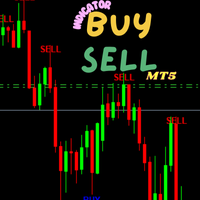
- Generates buy (lime arrows) and sell (red arrows) signals based on trend direction changes.
- Configurable alerts for trend changes (sound, email, push notifications).
- Supports multi-timeframe (MTF) analysis.
General Settings
- TimeFrame: Select the timeframe for the indicator (e.g., M1, M5, H1, D1, or 0 for the current chart timeframe).
- Price: Choose the price type for calculations:
- Options include Close, Open, High, Low, Median, Typical, Weighted Close, Heiken Ashi variants, etc.
- Example: Select close for standard close price or haClose for Heiken Ashi close.
- MA_Period: Set the period for the moving average (default: 14). This determines the number of bars used in the calculation.
- MA_Shift: Shift the MA line forward or backward on the chart (default: 0). Positive values shift forward, negative values shift backward.
- MA_Method: Select the moving average type:
- Options include SMA, EMA, Wilder, LWMA, HMA, TEMA, T3, Laguerre, etc. (see ENUM_MA_MODE in the code for the full list).
- Example: SMA for Simple Moving Average, HMA for Hull Moving Average.
- ShowInColor: Enable/disable color changes for the MA line (default: true).
- Yellow: Neutral trend.
- DeepSkyBlue: Uptrend (MA rising).
- OrangeRed: Downtrend (MA falling).
- CountBars: Number of bars to calculate (default: 0, meaning all available bars).
Alert Settings
- AlertOn: Enable/disable sound alerts for trend changes (default: false).
- AlertShift: Bar to check for signals (0 = current bar, 1 = previous bar, default: 1).
- SoundsNumber: Number of times to play the sound alert (default: 5).
- SoundsPause: Pause in seconds between sound alerts (default: 5).
- UpTrendSound: Sound file for uptrend signals (default: "alert.wav").
- DnTrendSound: Sound file for downtrend signals (default: "alert2.wav").
- EmailOn: Enable/disable email alerts (default: false).
- EmailsNumber: Number of email notifications to send (default: 1).
- PushNotificationOn: Enable/disable push notifications to mobile devices (default: false).
4. How the Indicator Works
- Moving Average Line:
- The indicator plots a single MA line on the chart based on the selected MA_Method and Price.
- The line changes color if ShowInColor is enabled:
- Yellow: Neutral (no clear trend).
- DeepSkyBlue: Uptrend (current MA value > previous MA value).
- OrangeRed: Downtrend (current MA value < previous MA value).
- Buy/Sell Signals:
- Buy Signal: A lime arrow (symbol code 233) appears below the candle when the trend changes from downtrend (trend = 2) to uptrend (trend = 1).
- Sell Signal: A red arrow (symbol code 234) appears above the candle when the trend changes from uptrend (trend = 1) to downtrend (trend = 2).
- Signals are generated when the MA direction changes, indicating a potential trend reversal.
- Multi-Timeframe (MTF):
- If a higher timeframe is selected (e.g., H1 on an M15 chart), the indicator calculates the MA based on the higher timeframe data.
- Alerts:
- When a trend change occurs, the indicator can trigger:
- Sound Alerts: Plays the specified sound file (UpTrendSound or DnTrendSound) up to SoundsNumber times with a pause of SoundsPause seconds.
- Email Alerts: Sends an email with the signal details (up to EmailsNumber times).
- Push Notifications: Sends a notification to your mobile device via the MT5 app.
- When a trend change occurs, the indicator can trigger:
1. Example Configuration
For a trend-following strategy on a daily chart (D1):
- TimeFrame: D1 (or 0 for current chart).
- Price: close.
- MA_Period: 21.
- MA_Shift: 0.
- MA_Method: HMA (Hull Moving Average, for smoother and faster trend detection).
- ShowInColor: true.
- CountBars: 0 (calculate all bars).
- AlertOn: true.
- AlertShift: 1 (signals on the previous bar for confirmation).
- UpTrendSound: "alert.wav".
- DnTrendSound: "alert2.wav".
- EmailOn: false.
- PushNotificationOn: true.
Expected Behavior:
- The chart displays a Hull MA (HMA) line that changes color based on trend direction.
- Lime arrows appear below candles for buy signals (trend turns up).
- Red arrows appear above candles for sell signals (trend turns down).
- Push notifications are sent to your mobile device when a new signal occurs.