Soft Dozer
- Indicators
- Version: 1.5
- Activations: 5

Soft Dozer MT5 — A Professional Trend-Channel Indicator with Higher-Timeframe Filtering
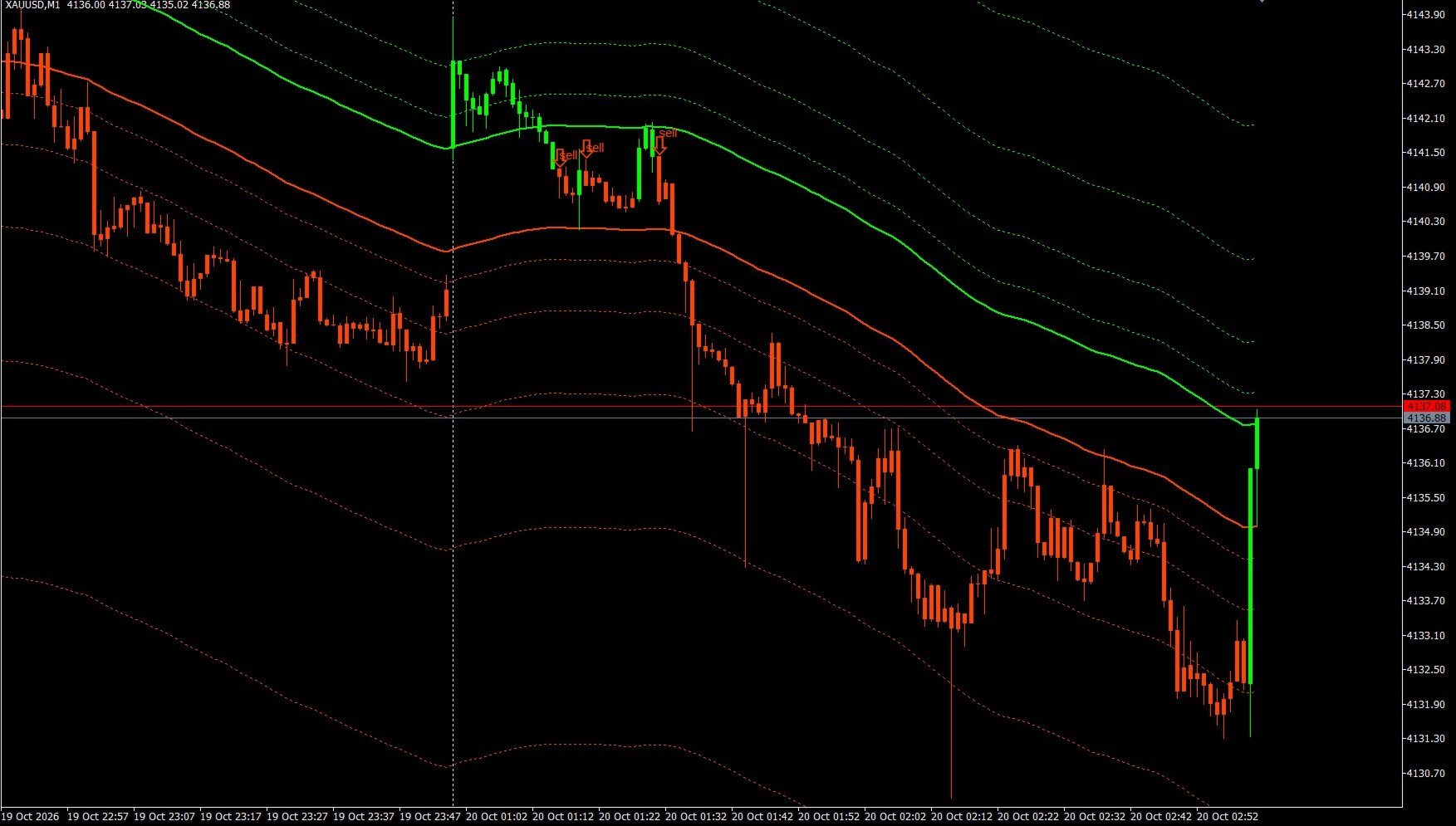
Soft Dozer MT5 is a powerful and flexible trading system, implemented as a single technical indicator designed specifically for the MetaTrader 5 platform. Its algorithm is based on a classic Fibonacci fan, constructed around a dynamic, smoothed core (Smoothed MA). This tool is perfectly suited for trading gold (XAUUSD), major currency pairs, indices, and cryptocurrencies across any timeframe.
The indicator effectively eliminates visual noise on the chart, providing traders with clear, intuitive signals while handling the routine task of identifying the global market trend.
💎 KEY ADVANTAGES
• 100% NO REPAINT: The indicator generates signals strictly at the close of a candle. Once they appear, the arrows and bar colors remain fixed, even when looking back at historical data.
• Built-in MTF (Multi-Timeframe) Filter: A unique feature that filters out up to 70% of market noise. The indicator assesses the trend on a higher timeframe (e.g., H4) and displays signals on your active trading chart (e.g., M5) only in the direction of the dominant market trend.
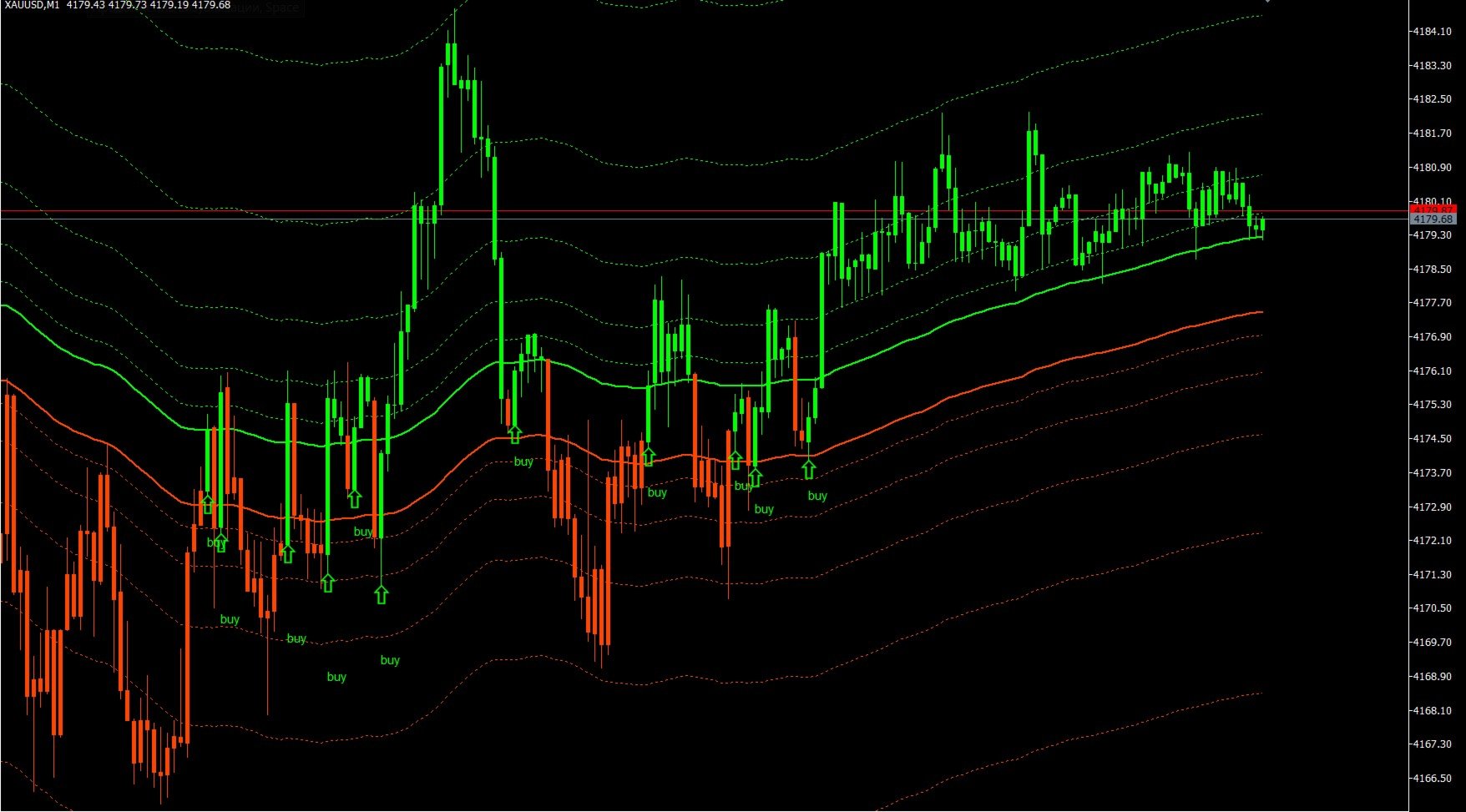
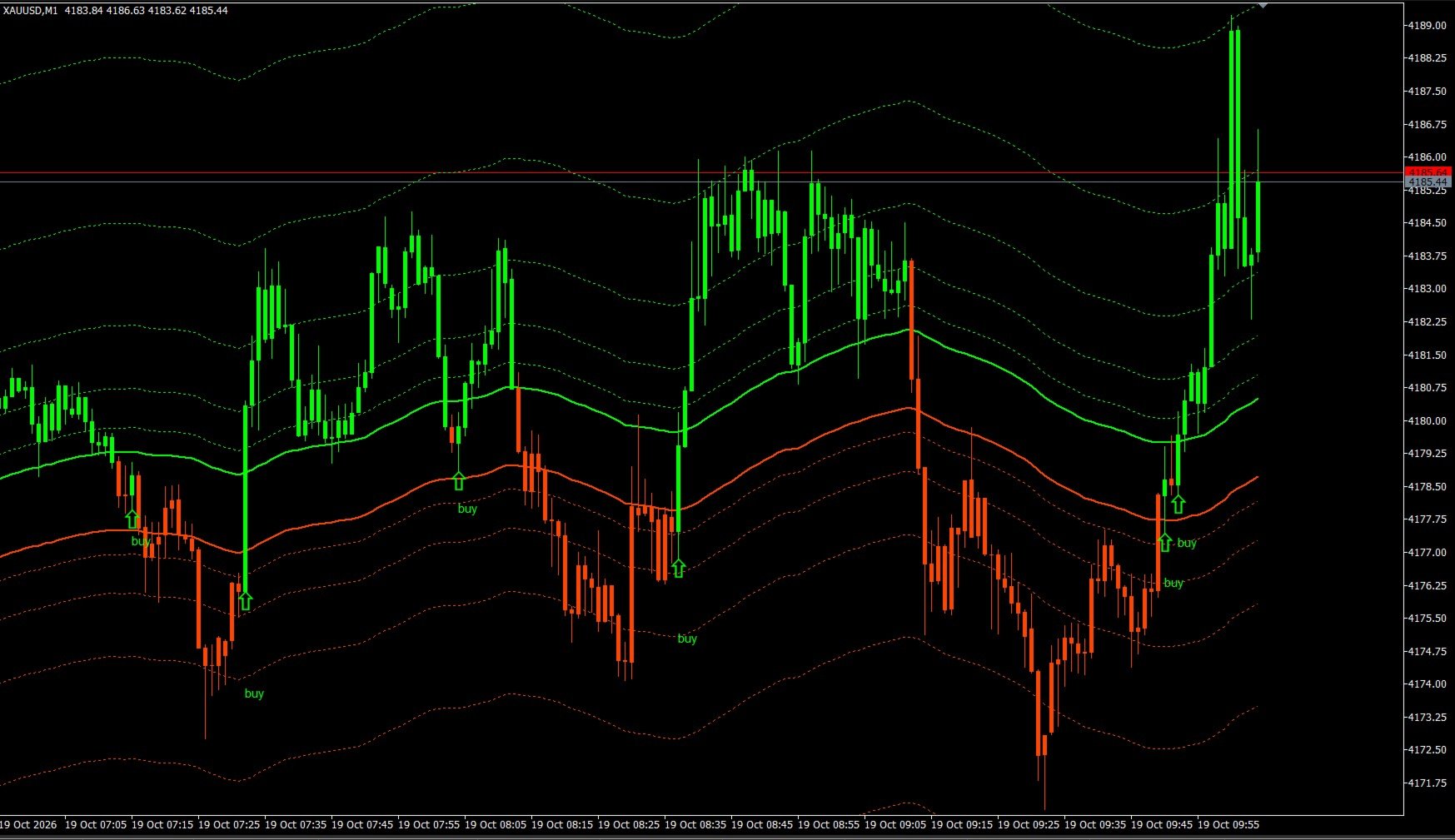
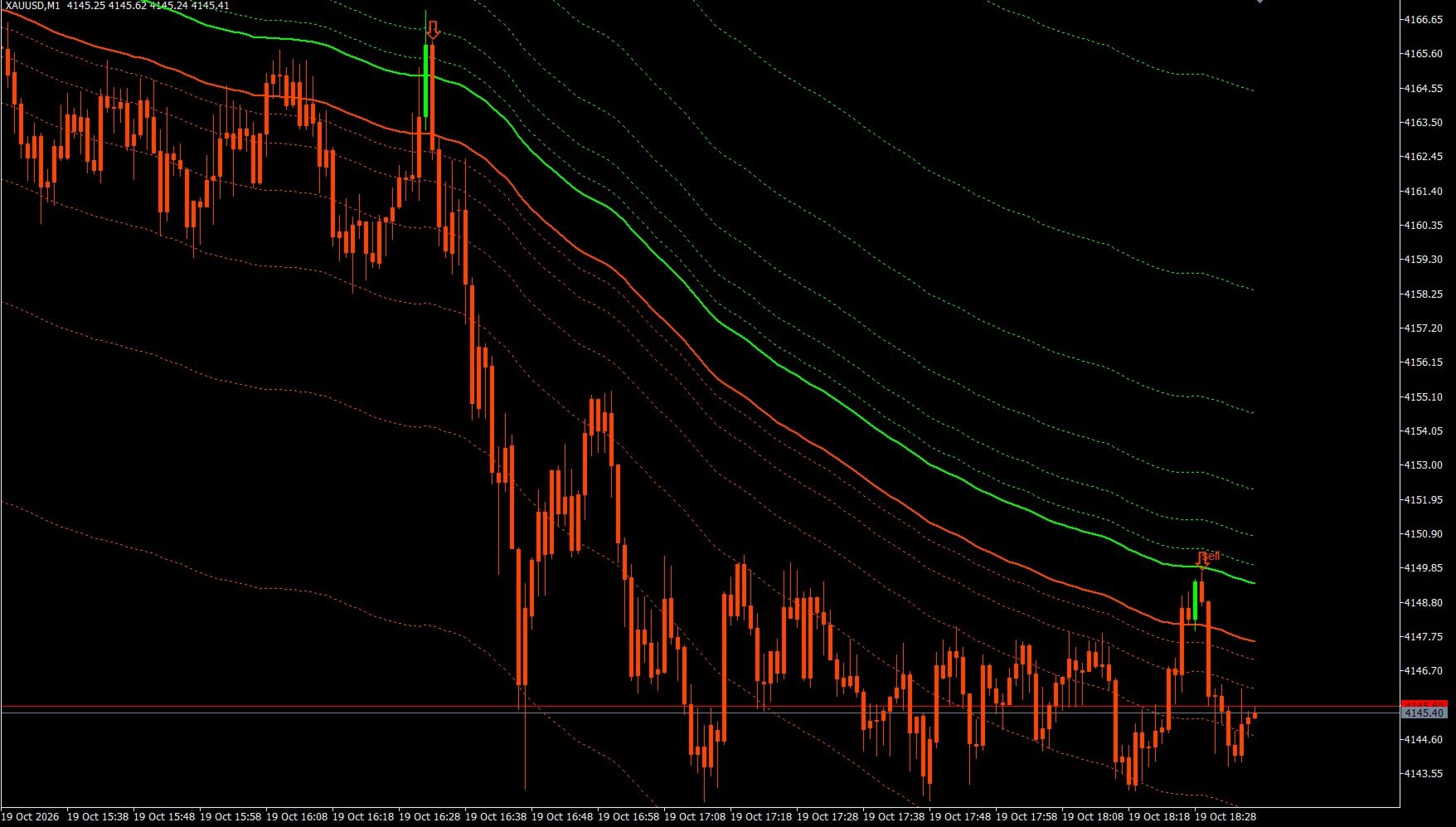
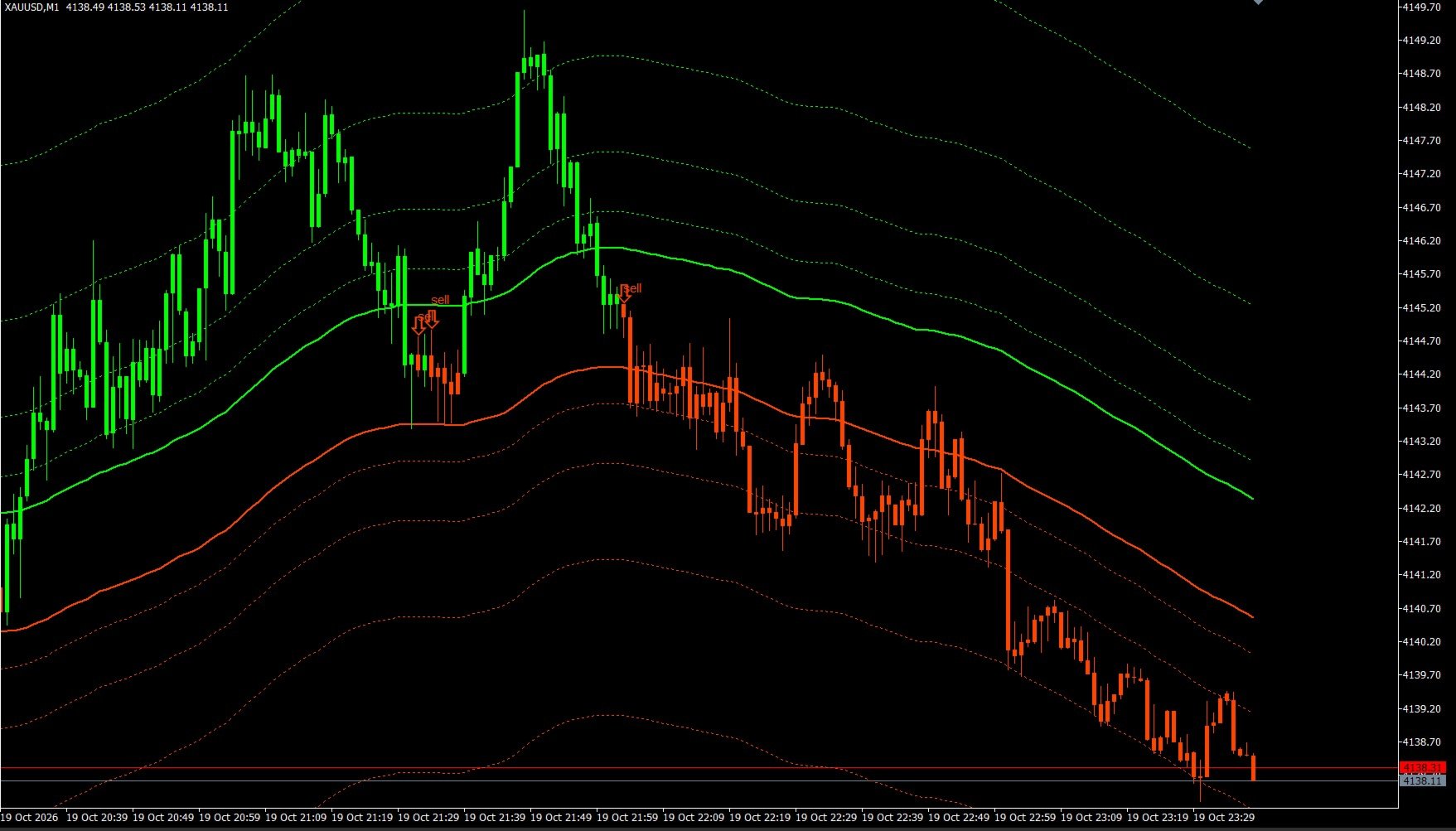
• Hybrid Signal Display: For maximum convenience, signals are presented both through changes in the color of the Japanese candlesticks and via large, prominent arrows accompanied by "buy" or "sell" text labels.
• Comprehensive Notification System: You will never miss an entry point, thanks to a built-in system for instant alerts (on-screen alerts, push notifications to your smartphone, and email alerts). • Ultra-fast code: The algorithm is optimized for distributed computing and does not overload the terminal's processor, making it ideal for use in Expert Advisors (EAs).
📈 OPERATIONAL LOGIC AND SIGNALS
1. Trend Identification: When the price breaks through the central axis of the channel from bottom to top, the candles turn bright green (Lime), signaling a bullish trend. When the price breaks through the axis from top to bottom, the candles turn orange-red (OrangeRed), indicating a bearish trend.
2. BUY Signal: Occurs when the trend shifts from bearish to bullish at the close of a candle. At the opening of the next bar, a large arrow (▲) labeled "buy" appears below the wick of the signal candle.
3. SELL Signal: Occurs when the trend shifts from bullish to bearish at the close of a candle. At the opening of the next bar, a large arrow (▼) labeled "sell" appears above the wick of the signal candle.
🛠️ KEY SETTINGS (INPUT PARAMETERS)
General Settings Block:
• CountedBars — the number of historical bars used for indicator calculations (default is 1000 bars for maximum performance).
• Alert — enables/disables pop-up alerts with sound in the terminal.
• Push Notification — sends signals to the MT5 mobile app (iOS/Android).
• Mail — sends notifications via email.
• Up Bars Color — the color used for the bullish trend, BUY arrows, and labels.
• Down Bars Color — the color used for the bearish trend, SELL arrows, and labels.
• Show arrows — allows you to display or completely hide the arrows and text on the chart.
• MAPeriod — the base period for the moving average (the channel's central axis). • MAMode — the moving average smoothing method (defaults to the stable "Smoothed" setting).
Higher Timeframe (MTF) Filter Block:
• UseMTFFilter — enables filtering based on a higher timeframe (true / false).
• MTFPeriod — selects the timeframe to be used as a filter (H1, H4, D1, Weekly, etc.). When enabled, the indicator will only process signals from the lower timeframe that align with the trend direction of the selected higher timeframe.
💡 TRADING RECOMMENDATIONS
• For scalping and intraday trading: Apply the indicator to an M1 or M5 timeframe. Set `UseMTFFilter = true` and choose `MTFPeriod = PERIOD_H1` or `PERIOD_H4`. Enter the market strictly following the arrows that appear in the direction of the higher-timeframe trend.
• Exiting a position: It is recommended to take profit at the outer dashed Fibonacci lines (fan extension levels) or when an opposing signal appears.
💼 Information for Expert Advisor (EA) Developers (iCustom)
The indicator features accessible data buffers, allowing for easy integration into any trading robot.
• Buffer 18 — stores the trend color (0 = Lime, 1 = OrangeRed).
• Buffer 19 — stores the price of a BUY arrow (`EMPTY_VALUE` if no signal is present).
• Buffer 20 — stores the price of a SELL arrow (`EMPTY_VALUE` if no signal is present).