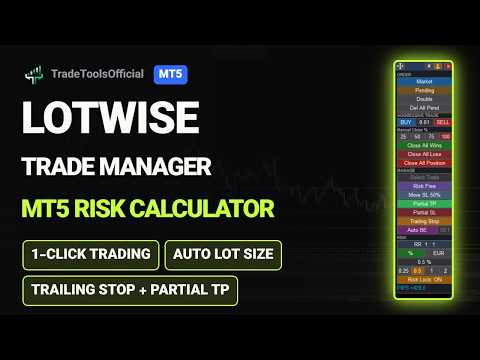
Lotwise Trade Manager MT5 Risk Calculator
- Utilities
-
Hossein Radmehr
 Mechanical engineer with 25 years of experience in manufacturing and production, now an independent developer of trading tools for MetaTrader 5.
 - Version: 1.46
- Updated: 24 September 2026
- Activations: 5
Launch price: 30 USD for the first 10 copies. Next price: 59 USD.
Lotwise Trade Manager MT5 Risk Calculator is a simple trade panel and lot size calculator for MetaTrader 5.
You choose how much money you want to risk. You move your stop loss. The panel calculates the lot size (position size) for you.
Then you can protect, manage and close your trade with one click: breakeven, trailing stop, partial close and more.
MAKE THE PANEL YOURS
- Click "#" to see all buttons. They are in five groups: Order, Aggressive Trade, Close, Manage, Risk.
- Turn off the buttons you don't need. The panel gets smaller and shows only your tools.
- The panel remembers your choice.
- Move the panel anywhere on the chart. Lock it with the anchor button.
- Click "x" and the panel becomes a small "LW" button. Click "LW" and the full panel comes back.
SET YOUR RISK
- Risk a percent of your account, or a fixed amount of money.
- Four quick buttons for your favourite risk values (you can change them).
- Set your reward to risk once (for example 1:2). Every take profit follows it.
- The lot size is calculated from your risk and your stop loss. Your commission is included.
- The lot is never bigger than your risk allows.
OPEN TRADES FAST
- Market (or key M): a red stop loss line follows your mouse and shows the lot size. Click where your stop loss should be. Below the price = BUY, above the price = SELL. The trade opens at once, with a take profit from your R:R.
- Pending (or key P): click where you want to enter, then click where your stop loss should be. Stop below the entry = BUY, above = SELL. The order is placed at once. The panel chooses limit or stop for you.
- No SET button and no confirmation window. Press Esc, or click the button again, to cancel.
- Aggressive Trade: type your lot size once. Then one click on BUY or SELL opens the trade. (There is no stop loss yet - add it right after.)
- Double: open one more trade with the same stop loss and the same take profit as your trade. The lot comes from your risk. With several trades open, select one first.
MANAGE YOUR TRADES
- Every trade and every pending order has its own box on the chart, with a close button and a small gold arrow.
- Drag the arrow: drop it on the profit side for a take profit, on the loss side for a stop loss.
- Many trades? Click "Select Trade" and pick one. Every button then works only on that trade.
- A green line shows the price where all your trades together are at zero.
- Risk Free (breakeven): move the stop loss to your entry price with one click.
- Move SL 50%: cut your risk in half with one click.
- Auto BE (auto breakeven): put a line on the chart. When the price reaches it, the stop loss moves to your entry price.
TRAILING STOP
- Choose when it starts, for example when your profit is as big as your risk.
- Then it follows the price by a number of pips, or by a percent of your risk.
- Or use "R Steps": the stop loss moves up one full step at a time.
- The stop loss only moves forward, never back.
PARTIAL TAKE PROFIT AND PARTIAL STOP LOSS
- Close your trade in parts, up to 8 targets.
- The targets are placed for you, based on how much the market moved in the last five candles.
- You choose how much to close at each target.
- Move any line with its own arrow.
- Partial SL does the same on the losing side.
- Both work on pending orders too.
CLOSE TRADES
- Close 25%, 50%, 75% or 100% of a trade.
- Close all winning trades, all losing trades, or everything, with one click.
Works on any symbol your broker offers: forex, gold, indices, crypto.
Useful for prop firm traders who must keep a fixed risk on every trade.
Press Esc to cancel anything that is open.
Lotwise Trade Manager MT5 Risk Calculator only does what you tell it. It does not trade by itself and it does not predict the market.