 MetaTrader 5
 Experts
 Indicators
 Libraries
 Utilities
 Widgets
 Rules
Rules
Watch the Market tutorial videos on YouTube
How to buy а trading robot or an indicator
Run your EA on
virtual hosting
virtual hosting
Test аn indicator/trading robot before buying
Want to earn in the Market?
How to present a product for a sell-through
Expert Advisors and Indicators for MetaTrader 5 - 163
 Use trading robots and indicators to make Forex trading more profitable. Trading robots allow you to automate opening and closing deals, while indicators help you predict market behavior more accurately.
The page features the catalog of MetaTrader 5 applications.
Use trading robots and indicators to make Forex trading more profitable. Trading robots allow you to automate opening and closing deals, while indicators help you predict market behavior more accurately.
The page features the catalog of MetaTrader 5 applications. 
If you like this product, please give it a 5 star rating as a token of appreciation.
This indicator calculates and draws pivot points and support/resistance levels for both daily and weekly timeframes: Pivot (central) level Support levels S1, S2, S3 Resistance levels R1, R2, R3 It allows showing daily, weekly, or both sets of pivots , giving traders visual references for potential support/resistance areas.
Pivot mode: Choose which pivots to display (weekly, daily, or both). Colors and style: C
FREE

"️ Your opinion matters! Share your comments and product rating to help us improve and make it better for everyone. " " Your feedback counts! Leave a comment and rating to help enhance the product and meet your needs. " In trading, timing is not an advantage — it is everything . The difference between a winning trade and a losing one often comes down to seconds .
Candle Sentinel gives you total control over time by showing you exactly how much life is left in the current candle — in real
FREE

Lot Dashboard is a trade execution and position-management panel for MetaTrader 5. It is designed for traders who want faster entries, clearer exposure visibility, and more flexible manual exit planning directly on the chart. The dashboard combines one-click market entries, quick management tools, live open-position metrics, and scenario-based exit lines in one compact panel. It is suitable for traders who scale in, manage multiple open positions, and want more control over how exits are planne
FREE

Standard PVSR is based on Pivot Points.
Steps to Setup the Indicator: Install the Custom Indicator; Set all the Lines Color, Width and Styles; Set visualization to All Timeframe; and DONE
It can be used for: All Pairs: Forex, Cryptocurrencies, Metals, Stocks, Indices etc. All Timeframe All Brokers All type of Trading Style like Scalping, Swing, Intraday, Short-Term, Long-Term etc. Multiple Chart
-->> For any Type of Support, Guidance, Setup Issue, EA Optimization, Input Setup etc. etc
FREE

SVS Assistant SVS Assistant is the execution half of Smart Volatility Squeeze MT5. It carries out the orders you request from that indicator's 1-Click Trading Desk, applies your risk rules to them, and manages the resulting positions. It is published free of charge. Please read this before downloading: it does not analyse the market and it produces no signals of its own. Without the Smart Volatility Squeeze indicator running on the same chart there is nothing for it to listen to, and it will do
FREE

Special Offer: The first 100 downloads are completely FREE! After that, the price will increase to $30. ️ 1. POSITION SIZING Sizing_Method: Choose the lot calculation method (SIZING_LOTS for manual, SIZING_PCT_EQUITY for risk percentage, SIZING_FIXED_CASH for fixed USD risk). Sizing_ManualLots: Fixed lot size (Active when SIZING_LOTS is selected). Sizing_RiskPercent: Risk per trade as a percentage of account equity. Sizing_RiskCash: Fixed risk amount per trade in USD. 2. TARGETS & STOP LO
FREE
The best No Nonsense Forex EA for testing and real time trading your NNFX algorithm. This is a demo version, get the full version from mt5.karelnagel.com .
Demo version Full version Test whole NNFX algo Yes Yes Chart testing Partly Yes Multiple pairs One pair at a time All pairs that you need at once Optimization No Yes Strategy tester Yes Yes Live trading No Yes
FREE

Market Analysis, Market Structure, Price Action, Trend Analysis, Bullish, Bearish, Range Market, Directional Bias, Market Dashboard, Trading Dashboard, Trend Detection, Market Scanner, Market Context, Breakout Analysis, Consolidation Analysis, Trend Filter, Technical Analysis, Real Time Analysis
This indicator analyzes price behavior in real time and classifies market conditions into Bullish , Bearish , Range , and Neutral scenarios. Price is continuously evaluated relative to a dynamic referen
FREE

FRONTIER PIVOTS - Geometric Levels Indicator This indicator plots support and resistance levels/ranges on the chart using mathematical calculations. It helps traders identify potential price reaction zones based on geometric patterns. Main Features: Automatically calculates and displays key price levels Plots both support and resistance lines Uses daily price data for level calculation Clean visual presentation with different colors for different level types No repainting - levels remain static
FREE
Clean Reversal Signals is a clean and efficient visual tool designed to highlight when price touches the upper or lower extremes of a Donchian channel (120 periods) — zones that are often critical for potential reversals or price reactions. This indicator does not generate buy or sell signals and should not be used to enter trades by itself . As the name implies, it’s an indicator — its job is to indicate , not confirm. Use it as an extra layer of confirmation within your own trading strategy .
FREE

The Missed Opportunity Analyzer is a professional historical analysis tool that identifies and visualizes high probability trading opportunities you missed in the past. Unlike predictive indicators, it provides 100% non-repainting hindsight analysis to help you study price behavior, refine your strategy, and improve your trading discipline. Core Concept The indicator scans historical data to find confirmed price swings where:
Price moved to your target (TP) before hitting your sto
FREE

# ️ VUI LÒNG ĐỌC KỸ TRƯỚC KHI SỬ DỤNG CÔNG CỤ NÀY!
**Trước khi sử dụng chỉ báo logic xu hướng này, vui lòng dành thời gian đọc kỹ tất cả các chi tiết, hướng dẫn đa khung thời gian và cảnh báo rủi ro bên dưới. Sự an toàn vốn của bạn hoàn toàn phụ thuộc vào việc bạn hiểu rõ các quy tắc này. Cảm ơn bạn đã dành thời gian và sự tận tâm!**
---
### MỨC ĐỘ THANH KHOẢN XU HƯỚNG — CÔNG CỤ ĐỘNG LỰC ĐA KHUNG THỜI GIAN NÂNG CAO
**Trend Liquidity Levels** là một công cụ phân tích mạnh mẽ được thiết k
FREE

"Elder Ray" or "Ray" indicator is based on the Dr. Alexander Elder's oscillators: Bulls & Bears Power. Both of them works with an EMA. This indicator is used by traders to identify divergence, market directions and more... Dr. Elder's method generally uses a 13-day EMA Period but this can be modified based on your personal demand. The calculations are: Bulls Power= high candle - EMA close Bears Poder= low candle - EMA close Lime line represents Bulls Power and OrangeRed line, shows Bears Power
FREE

The ATR Indicator Based on Heiken Ashi is a unique volatility analysis tool that combines the Average True Range (ATR) with Heiken Ashi candlestick calculations to provide a smoother and more reliable measure of market volatility. Unlike the traditional ATR, which uses standard candlesticks, this indicator applies the Heiken Ashi formula to filter out market noise and deliver a clearer volatility signal.
Key Features: • ATR Calculation Based on Heiken Ashi Candlesticks – Offers a more stable v
FREE

RiskCalculator — Professional Risk Management Panel for MT5 RiskCalculator is a fully-featured, floating panel EA for MetaTrader 5 that automates risk management, position sizing, and trade monitoring — all from a single draggable interface directly on your chart. Designed for active traders who need fast, accurate lot sizing and real-time position oversight without switching between windows or doing manual math. Core Features ️ Risk Calculator (Calculate Tab) Enter your desired risk percentage
FREE
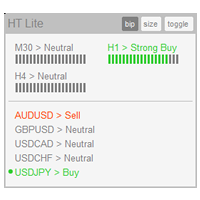
The indicator High Trend Lite monitors 5 symbols in up to 3 timeframes simultaneously and calculates the strength of their signals. The indicator notifies you when a signal is the same in different timeframes. The indicator can do this from just one chart. Therefore, High Trend Lite is a multicurrency and multitimeframe indicator. With the High Trend Pro , available at this link , you will have an unlimited number of symbols, 4 timeframes, a colourful chart of the primary MACD indicator, several
FREE

Triple Trend Core (EMA 50, 100, 200): * Dynamic trend tracking across three timeframes. * Ultra-thin visualisation to avoid overlapping with candlesticks. Thermal Fibonacci Retracement (Dynamic Heat Map): * Temperature Levels: Retracements are intuitively coloured. Shallow levels (0% - 23.6%) in Red/Orange indicate high-tension zones and quick continuation, while deep levels (76.4% - 100%) in Blue signal cooling zones or extreme value. * Dynamic Adaptation: Automatically calculates the maximum a
FREE

Highlights a specific candle after a designated time interval. This feature is particularly useful for evaluating the potential profitability of breakout strategies that are triggered at specific candle intervals. It allows traders to visually assess whether a breakout strategy, set to activate at a certain candle, would have been successful in past market conditions.
FREE

CandleCat is a small animated companion that lives in the corner of your chart. It is not a trading system, not a signal generator and not an advisor. It never places, closes or modifies any order. It simply keeps you company while you work.
The cat sits on its cushion, breathes, blinks, stretches, and falls asleep during quiet hours. When something happens, it notices.
REACTS TO PRICE Perks up on an unusually large bullish candle. Startles on a sharp bearish candle. Looks at unusually long wi
FREE

LZ Spread Monitor is a professional utility designed to help traders monitor transaction costs and execution quality in real-time.
It provides instant feedback on current market conditions, helping you avoid trading during high-spread periods (news releases, rollovers, low liquidity).
Key Features - Spread Analytics: Monitor Current, Minimum, Maximum, and Average spread for the session. - Cost Calculator: Instantly see the monetary cost of the spread for a specific lot size (e.g., 1.0 Lot = $
FREE

Eexibe níveis de preço de referência diretamente na janela do gráfico. A sua função principal é projetar automaticamente pontos de preço importantes baseados em dados diários.
O indicador plota linhas horizontais que correspondem aos preços de abertura, máxima, mínima e fechamento do dia de negociação anterior (D-1).
Adicionalmente, exibe os níveis de abertura, máxima e mínima para o dia de negociação atual.
Os níveis de máxima e mínima do dia atual são atualizados dinamicamente durante o anda
FREE

MT5 Trade Alerts to Telegram Send your MetaTrader 5 trade activity to Telegram automatically. MT5 Trade Alerts to Telegram is an account-wide monitoring and notification utility for MetaTrader 5. It detects trade events on the trading account and publishes clear, customizable Telegram alerts without opening, modifying or managing trades. Use it for manual trading, Expert Advisors, signal channels, account monitoring or simply to keep a real-time record of trade activity on your phone. Main Featu
FREE
O indicador grafico de rompimento foi desenvolvido para elevar a precisão e confiabilidade na identificação de oportunidades de rompimento no mercado financeiro. Projetado com algoritmos avançados, este indicador destaca barras de rompimento com uma precisão notável, permitindo que traders identifiquem pontos de entrada e saída estratégicos. Recursos Principais: Precisão Aprimorada: Utiliza algoritmos avançados para identificar barras de rompimento com uma precisão excepcional. Alertas em Tempo
FREE

Spire - показывает трендовый, сигнальный, свечной прорыв в сторону верхней или нижней границы канала, а так же временную или долгую консолидацию в виде прямоугольного канала. Сигналы тренда не перерисовываются. В основу идеи индикатора входит Bollinger Bands.
Изменяемые параметры Signal trend -изменение цветовой гаммы сигнального символа тренда Lower limit - изменение цветовой гаммы нижней границы канала Upper limit - изменение цветовой гаммы верхней границы канала Internal field -изменение ц
FREE

Elevate your trading with this Metatrader 5 expert – the Position Volume Calculator. This tool takes the guesswork out of risk management and profit optimization. Simply input your desired stop-loss points with dragging the stop-loss line, and let the expert advisor compute the optimal position volume for your trade. Plus, with customizable reward ratios, it's easier than ever to set your take-profit points for maximum gains. Trade with confidence and precision. Try the Position Volume Calculat
FREE

VWAP BAR It´s power full indicator of candle by candle when lined up with greate analysis, you have great opportunity, finder defense candle. Is a good ideia from order flow method, now your meta trader 5 inside you time frame chart .
What is the Volume Weighted Average Price (VWAP)?
The volume weighted average price (VWAP) is a trading benchmark used by traders that gives the average price a security has traded at throughout the day, based on both volume and price. It is important be
FREE

Exact Countdown Timer — shows the remaining time before the current bar closes and a new bar forms. A fast and exact countdown timer will help you find the best moment to open a position. For example, it can be used on a seconds chart built using the Seconds Chart utility. Inputs Base corner — the chart corner to which an timer Is attached. X distance — the horizontal distance from the chart corner. Y distance — the vertical distance from the chart corner. Text font — font name Font size — font
FREE

A2 Trade Manager Finale EA is an EA that made for you that like SCALPING, HEDGING, or LONG TIME TRADING. FREE FOR DEMO ACCOUNT ONLY!!!!
Features : TRADING INFORMATION Total Equity information Running Total Profit / Loss information Margin Level information Running Profit / Loss each trade BUY and SELL (if Hedging) Total Lots information Current timeframe remaining Daily Profit / Loss information All time Profit / Loss information Local Currency conversion
TRADE MANAGER BUTTON Order Sell / Buy
FREE

AIX Notifier — Telegram and Discord alerts for AIX Analyst
AIX Notifier is a free companion utility for the AIX Analyst indicator. MetaTrader 5 indicators cannot access the internet by themselves, so AIX Notifier does it for them: it delivers AIX Analyst alerts, reports and the morning overview to Telegram and Discord, with a screenshot of the chart. It does not open, modify or close trades.
What it does • Sends AIX Analyst alerts to Telegram and Discord: price in a scenario zone, objective r
FREE

News Indicator. Shows the interest rate of 12 countries (Australia, Brazil, Canada, Mexico, euro zone, UK, India, New Zealand, Switzerland, United States, South Korea, Japan). It will help to analyze the impact of the interest rate on the exchange rate. It makes sense to set an indicator on large timeframes. To improve the information content, it makes sense to change the settings style of the indicator of the desired country, so that the line stands out from the total mass of indicators, as ind
FREE
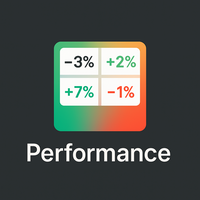
Overview
Performance Indicator shows a heatmap of percentage returns for a list of symbols over configurable time intervals. It is used to visually compare relative strength and weakness , without giving any guarantee of results. Configuration
SymbolsList: comma-separated symbols; must match exactly the names in the terminal.
BaseTF: base timeframe for calculations.
UpdateSeconds: interval in seconds for automatic refresh.
CapPercent: normalization value for color intensity.
PeriodsList: stri
FREE

Day Close Hunter Why This Matters Every trader knows the situation: Friday evening, the market is closing, and you forgot to close your positions before the weekend. On Monday, the market opens with a gap, and your deposit takes a loss that could have been avoided. Many automated trading systems do not have a built-in Friday close function. They continue to hold positions over the weekend, leaving you vulnerable to market gaps. Day Close Hunter solves this problem once and for all. Simply set th
FREE

Magic Number Manager (OrderByMagic) Magic Number Manager (OrderByMagic) is a display-only MetaTrader 5 indicator that reads all open positions and groups them by magic number directly on the chart, refreshed every couple of seconds. It never opens, closes or modifies any trade. Features Live grouping by magic number: instantly see which positions belong to which EA. Per-group overview: total lots and profit/loss for each magic number. Collision detection: spot when two EAs share a magic number,
FREE
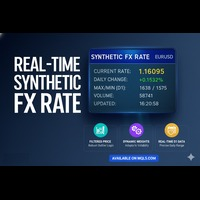
Real-Time Synthetic FX Rate Real-Time Synthetic FX Rate is an advanced indicator designed to calculate a robust, synthetic exchange rate estimate for any currency pair available on your broker (including Majors, Minors, and Exotics). Its goal is to offer a dynamic reference that reflects price formation minute-by-minute , providing an orientational guide before the publication of official rates or institutional validations. How It Works: The Robust Hybrid Model The indicator generates its synthe
FREE

Entering a trade when the spread has quietly widened costs more than expected, and that's easy to miss when you're only watching one symbol's chart.
Phoenix Spread Panel shows a live table of spread across multiple symbols at once, colour-coded against each symbol's own average, so a widening spread is visible before you place the order.
How it keeps spread costs visible
- Live current, minimum, maximum and average spread for up to 15 symbols at once - Display in pips or points - Sortable by
FREE

Fundamental Bias Dashboard for MetaTrader 5 Overview MacroEdge Pro is a comprehensive fundamental analysis panel that surfaces macro data, institutional positioning, and session timing in a single clean dashboard — directly on your chart. Designed for discretionary traders who need economic context without switching between tabs, terminals, or external tools. Rather than displaying raw numbers, MacroEdge Pro interprets them: beats vs misses, consecutive streaks, COT trend direction, kill zone ti
FREE

The Expert Advisor allows you to simulate the execution of transactions made by another expert and saved in a csv file. This can be useful for checking the results of a trading strategy on another server.
Use another program, for example, Account History Exporter to export the history of transactions on the account to a csv file of the desired format, or connect the program code from Expert History Exporter to your expert to export the history.
At the beginning of the file there should be s
FREE

MetaTrader utility MTI (Main Trading Info) – shows the basic trading information for a trader, namely: average and current spread size Swap size for short and long positions Cost of 1 pip for 1 trading lot Stop Level size (minimum distance for placing pending orders) Time until the end of the current (red) and time until the start of the next (gray) trading session Recommended Robot Scalper - https://www.mql5.com/en/market/product/77108
The time until the end of the current trading session is
FREE

Overview Advanced MT5 EA that automatically detects, scores, and visualizes support/resistance levels with integrated trading panel, risk management, and multi-channel alerts. Installation (3 Steps) Copy EA File : Place Saturno_Smart_SR_PRO_EA.ex5 in MQL5\Experts\ folder Refresh : Right-click "Expert Advisors" in Navigator → "Refresh" Attach : Drag EA to chart → Click "OK" → Enable AutoTrading button Note : Ensure "Allow Automated Trading" is checked and the EA shows a smiley face Qu
FREE

If you are Looking Best indicators in Mql5 Market. Check these out!
SSS Scalping Smart Signals MT5 Indicator
Scalping Winning Signals Pro SWS
LTL Long Trend Locator The Ultimate Rule Protection Dashboard for FundingPips Traders Never Fail Another FundingPips Challenge Because of Rule Violations Most traders don't lose FundingPips challenges because they can't trade. They fail because they accidentally violate one of the firm's rules. A single mistake...
One oversized loss...
One overlooked d
FREE

The MT5 CCI Dashboard Scanner is a tool that helps track the Commodity Channel Index (CCI) levels across different timeframes and instruments while providing real-time alerts when a new signal is detected. It's user-friendly and light on computational power, ensuring smooth performance on any computer.
Key Features Automatic Instrument Grouping: The scanner collects all instruments from your Market Watch list and organizes them into categories (Majors, Minors, Exotics, Others). Easily select w
FREE

Candle Data HTTP Exporter NZDUSD This free version exports NZDUSD only; the full version, Candle Data HTTP Exporter , exports any symbol. Description The EA turns your terminal into a historical/realtime rates (OHLC, candles) data provider for your application.
There are many market data providers on the internet, but in practice, the data provided is not always of good quality. Moreover, these services are often more expensive and typically require monthly subscription fees per each symbol.
Wit
FREE

FastCloser - Simple Profit-Taking Utility Description: FastCloser is a lightweight tool that automatically closes all open positions when total profit reaches a predefined target (in USD). Ideal for profit-taking without manual market monitoring. How It Works: Calculates the combined profit of all active trades. If profit ≥ TargetProfit (e.g., $100), it instantly closes all positions . Works as a one-click script (manual execution) or continuously as an Expert Advisor (auto-trading). Key Featur
FREE

TradeJournal DRP Connector is a listen-only Expert Advisor for MetaTrader 5, designed to synchronize trading events with the TradeJournal DRP web application.
This Expert Advisor does not open, modify, close or manage trades. It is not a trading strategy, not a signal provider and not an automated trading robot.
Its only purpose is to detect trading activity on your MetaTrader 5 account and send event data to your TradeJournal DRP account through a secure API connection.
Main features: - Det
FREE

//////////////////////////////////////////////// //////////////////////////////////
An improved version of the standard Bulls Power and Bears Power indicators.
Now it's two in one.
The setup is simple - you just need to specify the period. It is also very easy to understand the readings of this indicator, a signal above zero is a buy, and below it is a sell.
//////////////////////////////////////////////// ///////////////////////////////////
I hope this indicator will be very useful to you
FREE

"This indicator was designed so that you don't trade against the trend, the price strength helps you have more confidence in your entries. Note: The indicator can be used on any currency pairs, don't worry if you don't have all the indicators it uses installed, it will be calculated from the indicators you already have on the platform.With an interface that changes color for buy (blue), sell (red), and neutral
FREE
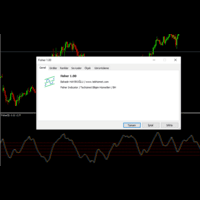
With Fisher level indicator. Many settings can be changed by the user, indicator created with original calculation. You can adjust the levels you create according to yourself and provide more stable displays. What is Fisher indicator: It transforms data that does not normally show a normal distribution, such as market prices. In essence, the transformation helps to better identify price reversals on a chart by making peak swings relatively rare events.
FREE

Kito Horizon Forecast is a closed-bar analytical indicator for MetaTrader 5. It combines current-chart conditions with confirmation and macro-timeframe context to present a directional forecast and a fixed planning roadmap.
The indicator does not open, modify or close trades. It is designed to support discretionary analysis and EA integration.
Main features
Long and short confidence The panel displays separate directional confidence scores and classifies the current state as LONG, SHORT or W
FREE

"Are you tired of losing money on unsuccessful trades? Look no further than EA Trailing Stop! Our program is designed to help you prevent losses and control your trades efficiently. With features such as adjustable stop loss and more, you can rest assured that your trades are in good hands. Don't wait any longer to start making successful trades. Try EA Trailing Stop today!"
You can use this as a starting point and tailor it to your audience and the platform you're using. This EA Trailing Stop
FREE

Protect your funded accounts and personal capital with military-grade precision. This utility continuously monitors your floating equity against your daily starting balance. The moment your custom drawdown threshold is breached, it instantly liquidates all open positions, deletes pending orders, and completely unloads from the chart. Stop revenge trading and never fail a prop firm evaluation due to a margin breach again.
FREE
Pivot Points are used by Forex traders to find support and resistance levels based on the previous day's price action. There are various ways to calculate pivot points, including averaging the open, high, low, and close of the previous day's chart price.
Forex Traders use a combination of pivot points with moving averages to find trading opportunities in the currency markets.
Pivot points are very useful tools that use the previous bars' highs, lows and closings to project support and resist
FREE
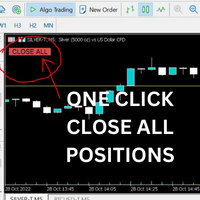
Just Attach to the Chart to be able to Click Button to Close all Open Positions in your Trading Account. Change Horizontal And Vertical Pixel based positioning for Button placement on chart. Appreciate your feedback and reviews. Note: All open positions on your trading account will be closed when button pressed.
If you need help with any simple utility happy to help.
FREE
https://www.mql5.com A double moving average indicator This indicator uses the system's own two different time period of moving average indicators to reflect the movement of market prices. It is recommended that you use the default parameter Settings, which you can set according to your own experience to get the best predictive power. I hope it can provide some help for your trading.
FREE

Profit & Loss Display - MT5 Panel
On chart panel to display profit and loss per product over specified time period View P/L for EA trades only or also with manual trades Note this is a panel, not an indicator or algorithm, it simply displays profit and loss from account history
//---- Install ----// After download, attach indicator to chart from the markets folder which is in navigator window (Cntrl N)
//---- Study ----//
Set target profit for product per week/specified period Set loss limi
FREE

PERFECT.... Based on the professional MQL5 code you've provided, here are the top 10 reasons why your implementation is superior to standard trading scripts: High-Performance UI Throttling : By using GetTickCount() to limit UI updates to 200ms in OnTick , you prevent the terminal from freezing during high-volatility news events. Bulletproof Order Closing : Your HandleCloseAll uses a reverse loop ( i = PositionsTotal() - 1 ). This is the industry standard for ensuring no positions are skip
FREE

Title Prop Firm Risk Guardian Short description (one line) Real-time daily-loss and max-drawdown protection that automatically closes your trades and locks trading before you breach your prop firm limits. Full description Passing a prop firm challenge is hard enough — losing a funded account to a single careless trade is worse. Prop Firm Risk Guardian watches your account in real time and steps in before your daily-loss or maximum-drawdown limit is breached. It sits on your chart as a clean, mod
FREE
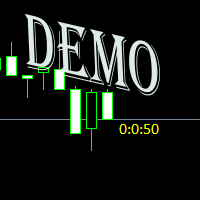
Простая утилита показывающая время до формирования свечи. Может быть очень полезна, если вход в сделку завязан на начале/завершении свечи. Демо версия работает на валюте EURUSD Входные параметры FontColor - Цвет текста. FontSize - Размер текста. FontName - Шрифт текста. TimeOnly - Указывать только время, без дополнительного текста. TypeOfDrawing - Тип отображения информации Важно : возможна задержка в 1 сек.
FREE
WPR Scalper Indicator for MetaTrader 5 Now for free! The WPR Scalper is a powerful indicator designed for traders seeking precise entry and exit signals based on the Williams %R oscillator. Optimized for volatile markets like BTCUSD on the H1 timeframe, it combines three Williams %R calculations (Fast, Slow, and Tortle) to identify overbought and oversold conditions with high accuracy. In the context of the WPR Scalper indicator, “Tortle” refers to a user-defined term for a third, slow Williams
FREE

Smart money is a powerful currency. This money is available to major investors who can identify, predict or even generate capital movements ahead of others. This money can flow into financial and capital markets and create dramatic price changes in various stocks. Therefore, detecting smart cash flow, which usually enters the market in a coherent manner and confronts the volume and value of transactions in a market with high returns, is one of the methods that some investors use to invest. But h
FREE

El AO Hybrid MA Master es un sistema de análisis de momentum avanzado para MQL5 que integra el Awesome Oscillator (AO) de Bill Williams con un modelo de confirmación basado en medias móviles duales . 1. Núcleo del Indicador (Core) Utiliza el algoritmo estándar del AO para medir la fuerza del mercado mediante la diferencia entre una SMA de 5 periodos y una SMA de 34 periodos del precio medio ( $High+Low/2$ ). El histograma está codificado cromáticamente para identificar la aceleración o desaceler
FREE

Risk Guardian Lite - Institutional Risk Monitor MT5 Are you trading blind? Most traders fail because they don't know their real-time exposure. Risk Guardian Lite is a high-performance monitoring tool designed for institutional traders who demand precision without visual clutter. Why choose Risk Guardian Lite? Unlike generic monitors, this version focuses on the "Golden Triad" of profitability: Net Profit, Real Exposure, and Efficiency Ratio (R:R). Elite Features: ️ Capital at Risk Monito
FREE

Full Description (Professional MQL5 Version) Range Scanner Pro is a lightweight and efficient MT5 indicator that scans price action to monitor market ranging conditions and potential breakout setups. Markets spend most of their time in consolidation. Identifying these range zones early allows traders to prepare for high-probability breakout trades. This tool is ideal for breakout traders, scalpers, intraday traders, and volatility-based strategy users. Key Features Detects market consoli
FREE

Elsna Alert (MT5 EA) is a lightweight Expert Advisor that monitors your trading account in real time and alerts you whenever a trade is opened or closed . It uses MetaTrader 5’s built-in OnTradeTransaction event to instantly detect any new executed deals—manual or automated—and plays a custom sound for each event.
You can choose whether it tracks all symbols or only the chart’s symbol . Key features: Instant audio alert when a trade opens or closes. Works with both manual and EA-driven trades. O
FREE

ST Flow Context: The Professional Trader’s Compass ST Flow Context is a macro analysis tool developed to identify the predominant direction of institutional money. It filters out intraday noise and delivers the real market context, helping the trader never to trade against the main tide. Key Features: Trend Alignment: Identifies whether the daily flow is bullish or bearish based on multiple timeframes. Interest Zones: Maps where institutional volume is defending positions. Entry Filter: Use Flow
FREE
Swap Monitor Indicator v1.0 by @marekfleisi Swap Monitor is a clean, lightweight MetaTrader 5 indicator that displays real-time swap values and open position swap data for the current symbol — directly on your chart. Whether you're a swing trader optimizing overnight holds or just want clear insight into swap costs and income, Swap Monitor gives you instant transparency on: LONG & SHORT swap values Color-coded swap profitability Open positions summary (including total swap profit/loss)
FREE

️ RISK MANAGER — Risk Management Indicator Indicator version: 1.70 · Style: QuikTrade · Position: bottom-left corner of the chart 1. What it is Risk Manager is an informational indicator for MetaTrader 5 that shows the daily risk budget in real time and helps calculate the recommended lot , taking into account: risk per single trade (% of balance); daily risk (% of balance); losses and profits already realized today; risk of open positions (based on their Stop Loss); distance
FREE

Copy Trade PRO - Slave EA (FREE with Master EA) Receive Trades Automatically from Your Master Account Copy Trade PRO - Slave EA is a professional trade receiver designed for MetaTrader 5. It automatically mirrors trades from the Copy Trade PRO Master EA with fast execution, intelligent symbol matching, and flexible risk management. Telegram Support Link : @GoldBotXSupport Need help or have questions? Contact me on WhatsApp: https://wa.me/447378910922
This Slave EA is complete
FREE
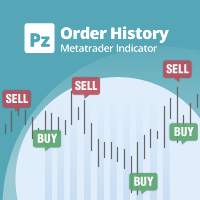
See beyond the numbers: visualize your trade history for smarter decisions General purpose indicator that displays the trade/order history of any live chart, very much alike the visual mode of the strategy tester. It allows you to examine the real trading history of any particular symbol for educative, improvement, reverse-engineering or diagnostic purposes. It can be used successfully with both the master and investor password.
[ Installation Guide | Update Guide | Troubleshooting | FAQ | All P
FREE

Product Name: Sinwl Signal – Premium Price Action & Swing Trade Indicator (WinWiFi Robot Series) Overview: Unlock professional trading performance with "Sinwl Signal" , the latest innovation from the WinWiFi Robot Series . Specifically engineered for the CFD markets (Forex, Indices, Energy, and Crypto), this indicator solves the trader's biggest challenge: distinguishing between Trend and Sideway markets. Sinwl Signal filters out market noise, allowing you to catch profitable moves with precisio
FREE

Never Lose Your FundedNext Challenge Again UZFX FundedNext Guardian PRO is an advanced MT5 account monitoring indicator built exclusively for FundedNext traders . If you are Looking Best indicators in Mql5 Market. Check these out!
SSS Scalping Smart Signals MT5 Indicator
Scalping Winning Signals Pro SWS
LTL Long Trend Locator
It is a professional account monitoring and risk management dashboard specifically designed for FundedNext traders. This powerful dashboard continuously monitors your t
FREE
The MetaTrader Market is a unique store of trading robots and technical indicators.
Read the MQL5.community User Memo to learn more about the unique services that we offer to traders: copying trading signals, custom applications developed by freelancers, automatic payments via the Payment System and the MQL5 Cloud Network.

You are missing trading opportunities:
- Free trading apps
- Over 8,000 signals for copying
- Economic news for exploring financial markets
Registration
Log in
You agree to website policy and terms of use
If you do not have an account, please register