 MetaTrader 5
 Experts
 Indicators
 Scripts
 Libraries
 Storage
Join our fan page

VoltyChannel_Stop_HTF - indicator for MetaTrader 5

- Views:
- 5846
- Rating:
- Published:
- Updated:
-
 You are missing trading opportunities:
- Free trading apps
- Over 8,000 signals for copying
- Economic news for exploring financial markets
Registration Log inYou agree to website policy and terms of use
If you do not have an account, please register -
 Need a robot or indicator based on this code? Order it on Freelance
Go to Freelance
Need a robot or indicator based on this code? Order it on Freelance
Go to Freelance
The VoltyChannel_Stop indicator with the timeframe selection option available in input parameters.
input ENUM_TIMEFRAMES TimeFrame=PERIOD_H4; //Indicator chart period
Place the indicator compiled file VoltyChannel_Stop.mq5 to the terminal_data_folder\MQL5\Indicators\ of the client terminal.
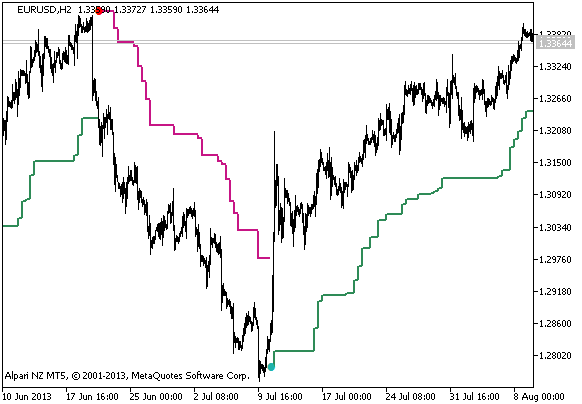
Figure 1. The VoltyChannel_Stop_HTF indicator
Translated from Russian by MetaQuotes Ltd.
Original code: https://www.mql5.com/ru/code/1983
X2MA_HTF_Signal_BG
X2MA_HTF_Signal_BG shows information about trend direction (based on the X2MA indicator data) as a graphic object with a colored indication of trend or deal direction and gives alerts or audio signals and sends push notifications to a smartphone.
Median
A channel built using the values of the ATR deviation from the middle of the range calculated on extremes.
Ang_AutoCh_HL-v1
The indicator plots an equidistant channel with the calculation period defined in input parameters.
Ang_AutoCh_HL-v1x3
The indicator plots three equidistant channels with the calculation periods defined in input parameters.