How prop firms count daily loss and max loss - and the open-stop trap that fails accounts

Most prop firm accounts are not lost on a bad trade. They are lost on a rule the trader did not count the way the firm counts it. This guide explains how the two loss limits are usually measured, the open-stop trap that catches good traders, and a simple way to work out the biggest lot you can take today without risking the account.

1. Daily loss: it is measured from a number set at the reset
A daily loss limit of 5 % on a $100,000 account means $5,000 - but $5,000 from what? Firms use different starting points, taken at the moment the firm day resets (often midnight server time, sometimes another hour):
- Balance at the reset - open trades are ignored when the day starts.
- Equity at the reset - open profit or loss counts.
- The higher of balance and equity - the strictest one, and very common.
- The initial balance - the same floor every day.
Example. The balance is $100,000 and you hold a trade that is $1,000 in profit when the day resets. With "higher of balance and equity" the day starts at $101,000, so the daily floor is $96,000. If that trade turns around and closes at break-even, you have already used $1,000 of today's room without losing a cent of balance.
2. Max loss: static or trailing
- Static - the floor never moves. $100,000 with 10 % max loss: the account fails at $90,000.
- Trailing - the floor follows the highest equity. Equity reaches $104,000, so the floor moves up to $94,000.
- Trailing that locks - it trails until it reaches the start balance and then stays there.
- End-of-day trailing - it follows the closing balance of each day instead of every tick.
Trailing limits hurt the most when you give back open profit: the floor moved up while you were winning, and it does not move back down.
3. The open-stop trap
Most traders check the loss they have now. The firm only cares where the equity goes. If every open trade hits its stop at the same time - which happens on news and on correlated pairs - the loss is the sum of all those stops.
Example. Daily limit $5,000. You are down $1,000 today. You hold three trades and each stop would cost $1,200. The worst case is $1,000 + 3 x $1,200 = $4,600. Your real room for a new trade is only $400, even though the screen shows you are "only" $1,000 down.
Two more things eat the room quietly: pending orders (a buy stop that fills and then stops out counts like any other trade) and commission plus spread, which you pay even on a trade that closes at once.
4. Work out the safe lot before you click
The question is not "what lot do I usually trade?" but "what is the biggest lot that keeps me inside the room if the stop is hit?"
Safe lot = room left today / (loss per lot at the stop + commission per lot)
Example on XAUUSD. One lot is 100 ounces, so a $1.00 move is $100 per lot. A 200-point stop (a $2.00 move) costs $200 per lot. With $400 of room and $7 commission per lot, the safe lot is 400 / 207 = 1.93 - round down to the lot step and keep a small buffer, so 1.80 or 1.90, not 2.00.

5. The rules that fail accounts after the target is hit
- Minimum trading days - the target is reached but the account is not passed until enough days have a trade.
- Consistency (best-day) rule - one day may not be more than a set share of the total profit. A huge day can delay a payout.
- Minimum hold time - very short trades may not count.
- Inactivity - many firms close an account after about 30 days without a trade.
- News and weekend rules - some accounts may not hold trades through high-impact news or over the weekend.
Read your firm's rules page for every one of these - the numbers differ between firms and even between account types of the same firm.
6. A checklist for every trading day
- Write down today's floor: the starting point at the reset minus the daily limit.
- Before each trade, add up every open stop and every pending order - that is your worst case.
- Room left = today's limit - today's loss - the worst case. Size the new trade from that room only.
- Never hold a trade with no stop; it has no worst case, so it has no limit.
- Stop early: keep a buffer of a few tenths of a percent below the real limit.
- Decide in advance what happens at 80 % of a limit (slow down) and at 90 % (stop for the day).
Doing all of this automatically
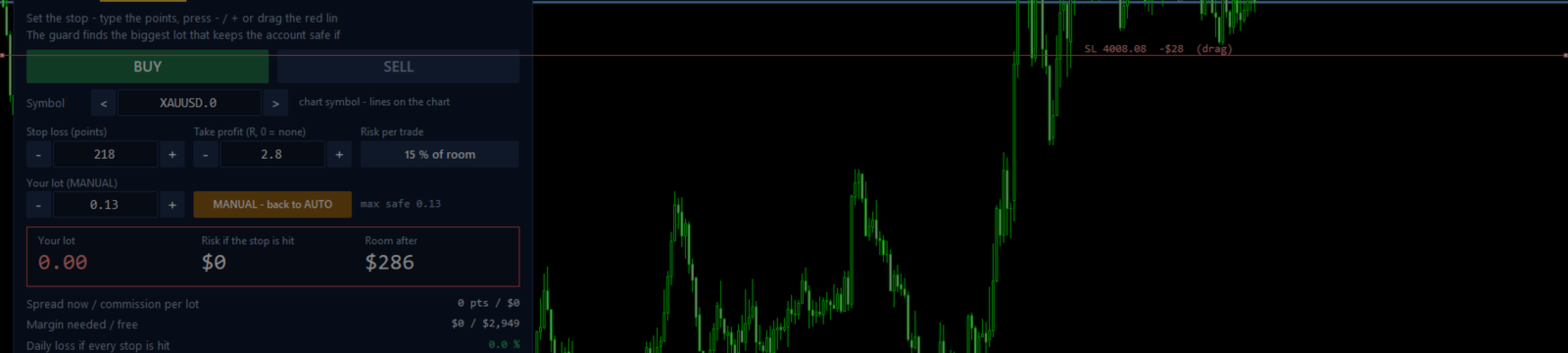
Counting stops, pending orders and commission on every trade is easy to forget in a fast market. I built GTM Prop Guard for MetaTrader 5 to do it on every tick, for every symbol on the account - trades from other EAs and the phone included. It shows ROOM LEFT TODAY and SAFE LOT NOW, draws the price where the account would fail, and steps in when a limit gets close: warn at 80 %, close new trades at 90 %, close everything and lock at 95 % (all three can be changed).


The JOURNEY tab tracks the road to the payout - target, trading days, the consistency rule and the days since the last trade.

This is what it looks like when a limit is really hit - on my own demo account the max loss was reached, and the guard locked the account and shows the reason everywhere:

Honest limits: MetaTrader 5 cannot stop an order before it reaches the broker, so a blocked trade is closed right after it opens and can still cost the spread and commission. The guard only works while MetaTrader 5 is running, so use a VPS for round-the-clock protection. And your firm's rules page always wins - check every number.
The full user guide (PDF) is attached to this post. GTM Prop Guard on the MQL5 Market: https://www.mql5.com/en/market/product/204334. Questions are welcome in the comments.




