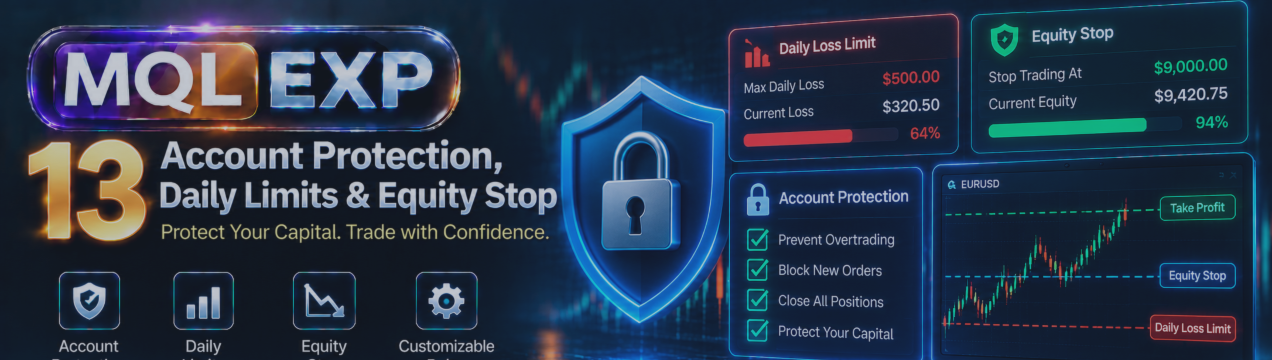
Account Protection in Multi Risk Manager Pro: Daily Limits, Consecutive Losses, Equity Stop and Trading Sessions

One of the biggest challenges in trading is knowing when to stop.
A trader may begin the day with a clear strategy and reasonable risk limits, but a series of losses, unexpected volatility, or emotional decisions can gradually change the trading plan.
This is why account protection deserves as much attention as trade entry and position sizing.
Multi Risk Manager Pro for MetaTrader 5 / 4 includes account-protection features designed to help traders monitor risk, enforce selected trading limits, and manage exposure according to predefined rules.
In this article, we explore the main account-protection tools, including daily and periodic limits, consecutive-loss restrictions, equity protection, maximum open risk, basket management, and trading-session controls.
MT5 : https://www.mql5.com/en/market/product/201074
MT4 : https://www.mql5.com/en/market/product/201075
Public channel : https://www.mql5.com/en/channels/mqlexp
MT4 : https://www.mql5.com/en/market/product/201075
1. What Is Account Protection?
Account protection refers to a collection of rules intended to control trading activity and account exposure.
Unlike a stop-loss, which generally protects an individual position, account-level controls consider broader conditions such as total losses, overall exposure, or trading activity within a particular period.
For example, a trader might have rules such as:
-
Stop opening new positions after reaching a daily loss limit.
-
Avoid additional entries after several consecutive losing trades.
-
Restrict trading to specific hours.
-
Prevent total planned risk from exceeding a defined threshold.
-
Apply protection when account equity reaches a specified condition.
These rules can reduce reliance on discretionary decisions during stressful market conditions.
However, no automated protection system can eliminate trading risk or guarantee that a particular financial threshold will never be exceeded.
2. Daily Profit and Loss Limits
Daily limits are useful for traders who want to control how much profit or loss they are willing to accept during one trading day.
Multi Risk Manager Pro includes daily profit and loss protection settings.
A daily loss limit can help discourage attempts to recover losses through increasingly aggressive trades.
A daily profit target can help traders follow a predetermined stopping rule after reaching a planned result.
Practical example
Imagine a trader establishes a maximum daily loss equal to 2% of the relevant account reference value.
If the protection logic identifies that the configured threshold has been reached, the applicable restriction or action can be triggered according to the EA's settings.
This example illustrates a possible trading rule; it is not a recommended limit for every trader.
The actual calculation depends on the EA's implementation, its selected settings, and the account information available to the terminal.
Important considerations
Before enabling daily limits, verify:
-
Which balance or equity value is used as the reference.
-
When the daily calculation resets.
-
Whether floating profit and loss are included.
-
Which positions or orders are covered.
-
What action is taken when the threshold is reached.
The documented daily reference used in the EA's prop firm drawdown logic is based on broker midnight. Do not assume that every other daily protection feature necessarily uses the same calculation without verifying its specific behavior.
3. Weekly and Monthly Protection
Trading performance should not be evaluated only one day at a time.
A trader can stay within a daily loss limit while still accumulating significant losses over several sessions.
Multi Risk Manager Pro also documents weekly and monthly profit and loss targets.
These controls can support trading plans that define risk limits over longer periods.
For example, a weekly loss limit may help prevent the continuation of trading activity after a difficult series of sessions.
Similarly, a monthly target can help traders compare results against a broader performance plan.
The important step is to understand exactly how each period is defined and reset in the installed version.
A weekly limit, for instance, is only useful when the trader understands how the system determines the beginning and end of that week.
4. Consecutive Loss Limits
A sequence of losing trades can affect decision-making.
After several unsuccessful positions, some traders become more aggressive, increase lot sizes, or abandon their original entry criteria.
Multi Risk Manager Pro documents consecutive-loss controls and cooldown functionality.
These tools can help create a rule-based response to a losing sequence.
Example workflow
Consider a trading plan that allows no more than three consecutive losses before a pause.
The trader can configure the relevant restriction, where supported, and test how the EA responds when the condition is met.
The purpose is not to predict whether the next trade would win or lose.
Instead, the rule creates a deliberate interruption in trading activity.
Why cooldown periods matter
A cooldown period separates a triggering event from the next permitted trading opportunity.
This can be useful when the strategy requires traders to reassess conditions after a series of losses.
Before relying on the feature, confirm:
-
What the EA counts as a losing trade.
-
Whether partially closed positions affect the count.
-
Whether the sequence is tracked across symbols.
-
How the cooldown period begins and ends.
-
Which new trades are restricted during the cooldown.
These implementation details should be verified in the current version rather than assumed.
5. Maximum Open Risk
Position-level risk controls are useful, but they do not always describe the total risk of an account.
For example, opening several positions with individually acceptable stop-loss levels may produce a combined exposure that exceeds the trader's intended risk budget.
Multi Risk Manager Pro documents a maximum-open-risk restriction.
This feature is intended to help limit additional exposure based on the risk calculation used by the EA.
Example
Suppose a trader has three positions with planned risks equivalent to 1%, 1.5%, and 2% of the applicable account reference.
Their combined nominal planned risk would be 4.5%, assuming the values can be added consistently and no other calculation adjustments apply.
A maximum-open-risk rule can be used as an additional check before accepting more exposure.
However, planned stop-loss risk is not a guarantee of the eventual loss.
Gaps, slippage, execution conditions, and correlated market movement can lead to outcomes different from the planned amount.
Positions without stop-loss levels
An important documented limitation is that positions without a stop-loss can be treated as zero risk by the relevant open-risk calculation.
That does not mean such positions have no financial risk.
Traders should not use the calculated open-risk figure as a complete measure of account exposure unless every relevant position is covered appropriately.
6. Equity Stop
Account equity generally reflects the current value of the account, including floating profit and loss.
Multi Risk Manager Pro includes an Equity Stop feature.
An equity-based protection condition can be useful when traders want to respond to changes in the account's overall value rather than monitoring completed trades alone.
For example, a trading plan may specify an equity threshold that requires a protective response.
Before using Equity Stop, test:
-
The condition that activates the protection.
-
The reference equity value used.
-
Whether the EA blocks new entries or performs another configured action.
-
Which open positions are eligible for any closing operation.
-
Whether the condition resets automatically or requires further intervention.
The precise behavior depends on the current implementation and configuration.
Do not assume that an equity threshold guarantees execution at that exact account value.
7. Equity Lock
Multi Risk Manager Pro also documents an Equity Lock function.
Equity Lock and Equity Stop should not be treated as identical simply because both operate at the account level.
The purpose and activation logic of each tool should be reviewed separately in the current settings reference.
When evaluating Equity Lock, consider these questions:
-
Which account value or condition establishes the lock?
-
Does the reference change as account performance changes?
-
What happens when the lock condition is reached?
-
Which positions and symbols are affected?
-
What happens after restarting the terminal?
Understanding these details is essential before using Equity Lock as part of a live risk-management plan.
8. Basket Take Profit and Stop Loss
Sometimes traders manage several positions as a group rather than evaluating each trade independently.
Multi Risk Manager Pro includes basket take-profit and stop-loss functionality.
Basket-level controls can help implement rules based on the combined result of eligible positions.
For example, a trader may want to manage the combined result of a particular group of positions instead of setting an independent account-level target for every trade.
However, the definition of the basket matters.
Before configuring a basket rule, verify which positions are included and whether the calculation accounts for relevant trading costs.
Also confirm how the EA handles partial closures, different symbols, and positions opened outside its own interface.
Basket protection does not remove the execution risk of the underlying trades.
9. Trading Hours, Dates and Weekdays
A trading strategy may be designed to operate only during particular market sessions.
For example, some traders avoid low-liquidity hours, while others restrict their activity to a defined period of the trading day.
Multi Risk Manager Pro documents restrictions based on trading time, date, and weekday.
These controls can help traders define when eligible new trading activity is permitted.
Practical uses
A trader might choose to:
-
Trade only during selected sessions.
-
Avoid opening new positions during a particular time window.
-
Disable entries on selected weekdays.
-
Restrict trading during specific calendar periods.
These are examples of possible trading rules, not claims about particular default settings.
When configuring schedules, pay close attention to the time reference used by the EA and the broker.
Broker-server time, local computer time, and the time displayed by external trading services may differ.
A schedule that appears correct in one timezone can operate at an unintended hour if the reference is misunderstood.
10. Combining Account Protection Rules
The strongest risk-management process often uses several complementary rules rather than relying on one threshold.
Consider a hypothetical trading plan:
Rule 1 — Position risk: Every new trade must have an acceptable planned risk.
Rule 2 — Total exposure: Combined open risk must remain within a defined budget.
Rule 3 — Daily limit: New trading stops after reaching a daily loss threshold.
Rule 4 — Losing sequence: A cooldown follows a specified number of consecutive losses.
Rule 5 — Trading schedule: New entries are permitted only during selected hours.
Rule 6 — Equity protection: An additional account-level condition provides a separate protective boundary.
Multi Risk Manager Pro includes tools corresponding to these categories, but the trader must verify which combinations are supported and how their actions interact.
For example, one protection rule may block entries while another is configured to close eligible positions.
These differences matter when several conditions are active simultaneously.
11. Testing Account Protection Before Live Trading
A structured test can help identify unexpected behavior.
Recommended checklist
-
Configure one protection rule at a time.
-
Verify its reference value and activation condition.
-
Confirm the action triggered when the condition is reached.
-
Test BUY and SELL positions where relevant.
-
Check whether manual trades and trades from other EAs are covered.
-
Test positions across multiple symbols.
-
Verify the interaction with pending orders.
-
Check behavior when multiple protection conditions are triggered.
-
Restart MetaTrader 5 / 4 and review the resulting protection state.
-
Compare the observed results with the installed EA's documentation.
Use a demo account or another suitable controlled environment for these tests.
Avoid deliberately triggering risk limits on a live account simply to confirm that a feature works.
12. Important Limitations
Account protection relies on more than configuration alone.
Market gaps, spread changes, execution delays, broker restrictions, and platform interruptions can affect outcomes.
Some operations require the EA and MetaTrader 5 / 4 to remain active. If the terminal is closed or disconnected, EA-managed actions may not operate as intended.
Furthermore, not every protection feature necessarily applies to every position, symbol, pending order, or trade generated by another EA.
A protective setting should therefore be treated as one layer of risk management rather than an absolute safety guarantee.
Conclusion
Multi Risk Manager Pro provides several tools designed to support account-level risk management in MetaTrader 5 / 4.
Daily, weekly, and monthly limits can help define performance boundaries. Consecutive-loss controls and cooldown periods can support trading discipline. Maximum-open-risk restrictions, Equity Stop, Equity Lock, basket controls, and trading-session filters provide additional ways to structure trading activity.
The most important principle is to define the trading rules first, configure the corresponding tools carefully, and test their behavior before using them with real capital.
Consistent account protection begins with clear limits and a well-tested process—not with the assumption that automation can eliminate risk.
Risk-management features can help enforce selected rules, but they cannot guarantee execution outcomes, prevent every loss, or ensure future profitability.




