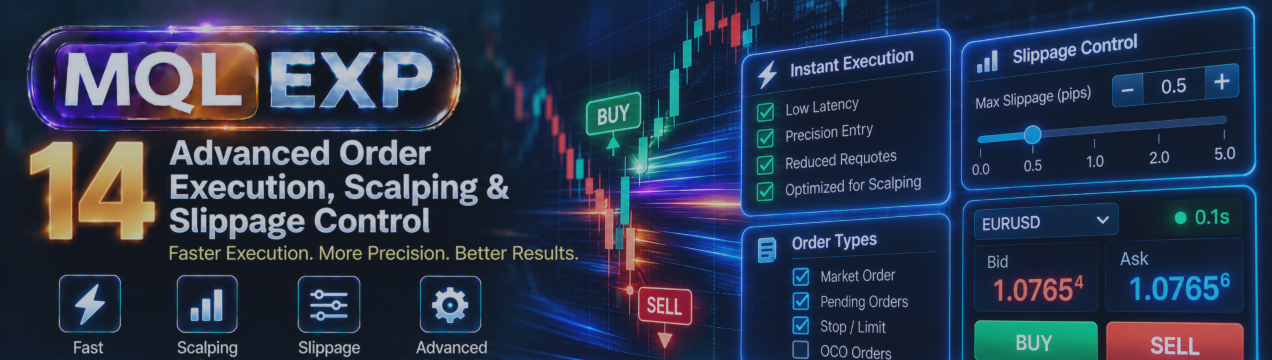
Advanced Order Execution in Multi Risk Manager Pro: Scalping Mode, Confirmation, Slippage and Broker Compatibility

Order execution is one of the most important parts of a trading workflow.
A trader may identify a valid opportunity, calculate the correct position size, and define an appropriate stop-loss, but the final result still depends on how the order is submitted and executed.
Execution speed, broker restrictions, spread changes, available margin, and slippage can all influence the outcome.
Multi Risk Manager Pro for MetaTrader 5 / 4 includes execution-related tools designed to help traders place orders, manage confirmation steps, and apply selected checks before sending trading requests.
In this article, we explore scalping mode, order confirmation, slippage controls, filling modes, and broker compatibility.
MT5 : https://www.mql5.com/en/market/product/201074
MT4 : https://www.mql5.com/en/market/product/201075
Public channel : https://www.mql5.com/en/channels/mqlexp
MT4 : https://www.mql5.com/en/market/product/201075
1. Understanding Order Execution in MT5 / 4
Placing a trade involves more than clicking BUY or SELL.
Before an order can be executed, several conditions may need to be satisfied:
-
Automated trading must be permitted where required.
-
The trading symbol must be available.
-
The requested order direction must be allowed.
-
Trading volume must meet the broker's minimum, maximum, and step requirements.
-
Sufficient margin must be available.
-
Stop-loss and take-profit levels must respect applicable broker restrictions.
-
The requested execution and filling policies must be supported.
A trading panel can help organize these checks, but it cannot override the broker's trading rules.
Multi Risk Manager Pro includes execution checks intended to identify selected problems before or during order submission.
2. Standard Trading Mode
In its standard workflow, Multi Risk Manager Pro supports trade planning through its Risk-to-Reward Box and related chart lines.
The trader can define entry, stop-loss, and take-profit levels before submitting a trade.
The documented workflow distinguishes between selecting a direction and executing an order when the planning box or lines are active.
For example, BUY or SELL may select the intended direction, while EXECUTE submits the planned order.
However, the behavior depends on the current interface state and configuration.
When the planning box or lines are not displayed, BUY or SELL may submit an order directly using the configured default stop-loss approach.
For this reason, traders should become familiar with the exact behavior of the current version before using the panel with real funds.
3. Scalping Mode
Scalping strategies often involve shorter holding periods and a greater emphasis on execution efficiency.
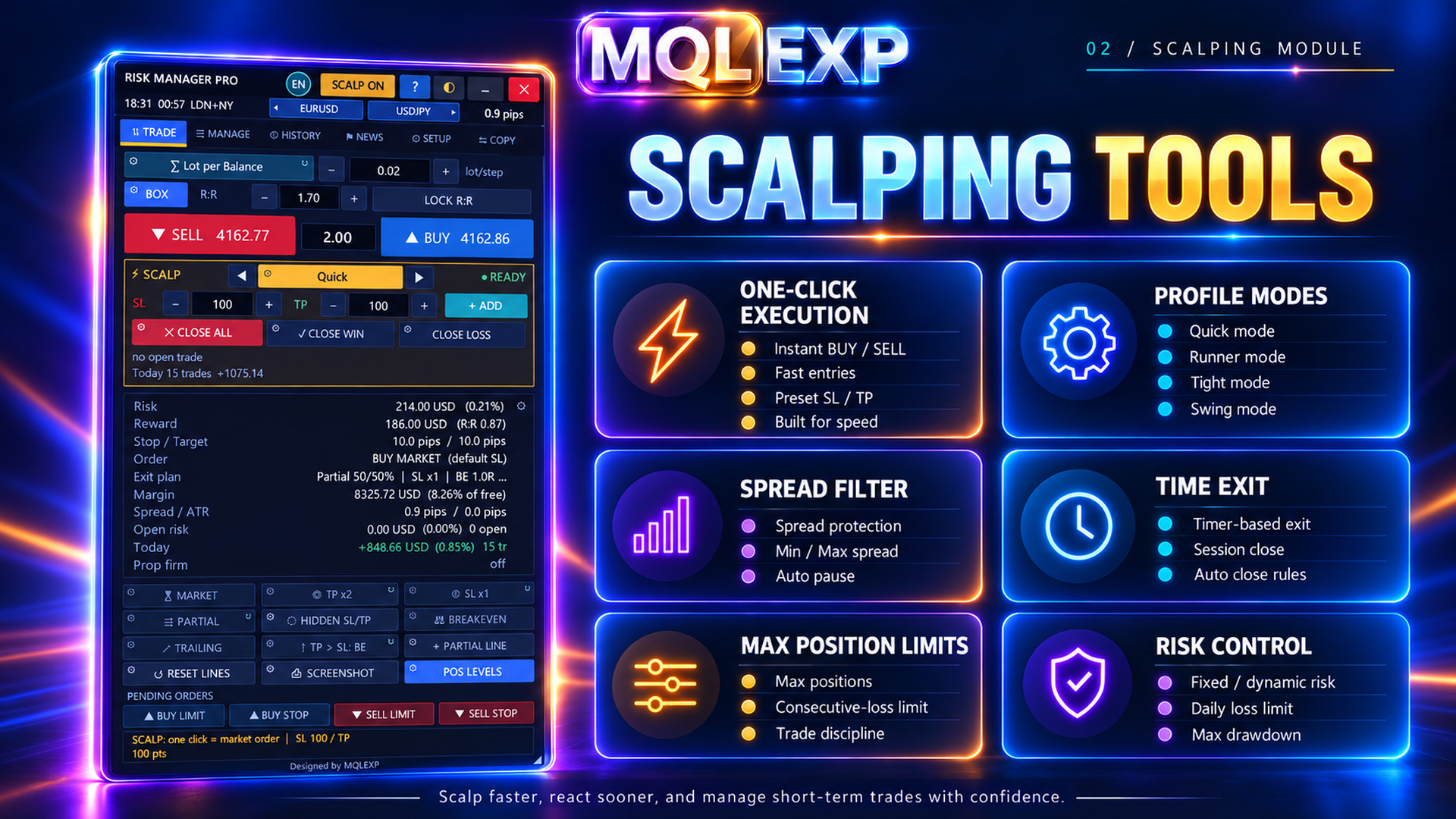
Multi Risk Manager Pro includes a dedicated scalping mode intended to support a faster trading workflow.
One important documented difference is that scalping mode bypasses the normal confirmation step.
This can reduce interaction time, but it also reduces the opportunity to review an order immediately before submission.
When can scalping mode be useful?
Scalping mode may suit a trader who:
-
Uses a predefined entry and exit process.
-
Understands the configured position-sizing method.
-
Has already tested the order-entry workflow.
-
Needs fewer confirmation steps during active trading.
However, it should not be enabled merely because faster execution seems attractive.
The trader remains responsible for verifying the selected symbol, direction, volume, stop-loss settings, and overall risk.
Important: Scalping mode is an execution workflow, not an autonomous scalping strategy or a guarantee of profitable short-term trades.
4. Order Confirmation
Multi Risk Manager Pro documents an order-confirmation option, enabled by default in the referenced settings.
Confirmation can provide an opportunity to review an intended operation before it is submitted.
This additional step may help reduce accidental orders, especially when using chart controls or keyboard shortcuts.
However, the documented implementation does not apply confirmation in every operating mode.
In particular, the standard confirmation step is skipped in scalping mode and in the Strategy Tester.
Practical recommendation
During initial setup, keep confirmation enabled where applicable.
After testing the EA thoroughly, decide whether the faster workflow of scalping mode is appropriate for your strategy.
Avoid assuming that every BUY, SELL, EXECUTE, or hotkey action will display a confirmation dialog.
5. Understanding Slippage
Slippage is the difference between the expected execution price and the actual execution price.
For example, a trader might intend to buy at 1.10000 but receive an execution at 1.10008.
The difference is 0.00008, or 0.8 pip for a typical five-digit EUR/USD quote.
Slippage can be favorable or unfavorable. It may occur because the market moves between submitting an order and the broker executing it.
It is especially relevant during:
-
High-impact economic announcements.
-
Periods of low liquidity.
-
Fast market movements.
-
Market openings and other volatile conditions.
Even a well-configured trading panel cannot guarantee execution at the intended price.
6. Maximum Slippage Settings
Multi Risk Manager Pro includes a configurable maximum-slippage threshold.
The documented settings indicate that setting this threshold to zero disables the corresponding check.
The purpose of a slippage threshold is to apply a defined rule to the difference between the intended and executed prices.
However, the exact effect depends on how the broker executes the order and when the EA can evaluate the result.
A threshold should not be interpreted as a universal guarantee that execution will never occur outside the requested distance.
Different execution modes may provide different levels of control over the final price.
Post-execution slippage handling
The EA also documents an optional setting that can attempt to close a position when a relevant slippage condition is detected.
This is an important distinction.
An attempt to close a position after execution does not reverse the original fill. It creates another trading operation, which may itself be affected by spread, slippage, execution restrictions, and trading costs.
Traders should test this behavior carefully before enabling it on live accounts.
7. Filling Modes and Broker Compatibility
MetaTrader 5 supports different order filling policies, depending on the symbol and execution environment.
Common filling-policy concepts include:
Fill or Kill (FOK): The requested volume must be filled according to the applicable policy, or the request is not executed.
Immediate or Cancel (IOC): Available volume may be executed immediately, with the remaining unfilled amount canceled.
Return: The remaining volume may be processed according to the relevant order and execution rules.
Not every filling policy is available for every symbol or execution mode.
Multi Risk Manager Pro documents automatic and forced filling-mode configuration.
The referenced implementation also uses the Return policy for pending-order requests, subject to the platform's applicable rules.
Why automatic filling can help
Different brokers may support different execution configurations.
An automatic filling approach can reduce the need to manually choose a policy for each environment.
However, automatic selection does not guarantee that every request will be accepted.
Broker restrictions, symbol specifications, and other execution conditions still apply.
When using a forced filling mode, verify that the selected policy is supported by the instrument and broker.
8. Market Orders and Execution Price
A market order requests execution at the available market conditions.
The final execution price may differ from the price visible when the order was prepared.
This difference matters when the trade's stop-loss distance and reward-to-risk ratio are important to the strategy.
The documented market-order behavior in Multi Risk Manager Pro includes re-anchoring the stop-loss relative to the actual execution price.
An important limitation is that the position volume and take-profit levels are not necessarily recalculated after that adjustment.
Therefore, the final risk amount and reward-to-risk ratio may differ from the values shown during the initial planning stage.
Traders should verify the actual position after execution rather than assuming every planned value remains unchanged.
9. Pending Orders and Broker Restrictions
Multi Risk Manager Pro supports market and pending-order workflows, including Limit and Stop orders.
Stop-Limit functionality is also documented where supported by the broker.
Pending orders introduce additional considerations:
-
The entry price must be valid for the selected order type.
-
The broker may enforce minimum distances from the current market price.
-
An order expiration request may not be supported by every broker.
-
A Stop-Limit order can behave differently from a standard Stop order.
-
A pending order may never be activated if the market does not reach the required conditions.
The EA documents configurable pending-order offsets, Stop-Limit options, and expiration settings.
Traders should test each intended order type on the actual trading symbol before relying on it.
10. Pre-Trade Checks
One of the useful aspects of an execution-management tool is its ability to evaluate selected conditions before accepting a trading request.
The documented Multi Risk Manager Pro workflow includes checks related to:
-
Automated-trading availability.
-
Trading direction and applicable restrictions.
-
Spread and news-related conditions.
-
Trading limits and the permitted number of trades.
-
Minimum reward-to-risk requirements.
-
Stop-level validity.
-
Position sizing and volume restrictions.
-
Margin availability.
-
Maximum position count.
-
Maximum calculated open risk.
-
Configured account-protection or prop firm limits.
The precise order and applicability of these checks depend on the operation and configuration.
A rejected trade may therefore indicate an active protection rule rather than a malfunction.
When an order is not submitted, review the EA's messages and relevant settings instead of immediately disabling protective controls.
11. Trading on Different Account Types
Multi Risk Manager Pro documents compatibility with supported MT5 account configurations, including hedging and netting environments.
However, these account systems handle positions differently.
Hedging accounts
A hedging account can generally maintain separate positions on the same symbol, subject to broker rules.
Netting accounts
A netting account generally maintains one net position per symbol, with subsequent trades affecting the existing net exposure.
This distinction can influence position modification, partial closing, reversal, and other management operations.
Traders should test the EA on the same account type they intend to use.
Compatibility with MetaTrader 5 does not mean that every broker, symbol, or account configuration behaves identically.
12. A Practical Execution Testing Plan
Before enabling faster execution workflows on a live account, use a structured testing process.
Step 1 — Verify the standard order workflow.
Open the planning box, select a direction, and confirm how EXECUTE behaves.
Step 2 — Test confirmation.
Check when confirmation appears and which modes bypass it.
Step 3 — Test scalping mode.
Observe the differences in interaction and verify the resulting order details.
Step 4 — Review slippage settings.
Confirm the applicable threshold and understand any post-execution closing option.
Step 5 — Check filling-policy compatibility.
Test the automatic setting and any forced mode you intend to use.
Step 6 — Test pending orders.
Verify Limit, Stop, and supported Stop-Limit behavior, including order expiration.
Step 7 — Review actual risk after execution.
Compare the filled entry price, stop-loss, take-profit, volume, and resulting risk with the original plan.
Step 8 — Test protection-related rejections.
Confirm that relevant risk controls prevent trading when their configured conditions are reached.
Step 9 — Repeat on the intended account type.
Check behavior under the broker and account conditions you expect to use.
Testing should include both successful orders and intentionally invalid requests in a suitable demo environment.
13. Important Limitations
Several limitations should be understood before relying on automated order execution.
First, execution speed is influenced by the terminal, network, broker, and market conditions. The EA cannot guarantee a particular fill speed.
Second, a slippage threshold does not guarantee that every order will be executed within that distance.
Third, broker restrictions can cause otherwise valid-looking trade requests to fail.
Fourth, market execution can change the actual relationship between entry price, stop-loss, take-profit, and planned risk.
Finally, some protective actions require the EA and MetaTrader 5 to remain operational. Platform interruptions can affect operations that are not already maintained by the broker.
Conclusion
Multi Risk Manager Pro combines trade-planning tools with execution controls designed to support different MetaTrader 5 / 4 trading workflows.
Scalping mode can reduce confirmation steps. Order-confirmation settings can provide an additional review opportunity. Slippage controls, filling-mode configuration, and pre-trade checks can help traders manage selected execution conditions.
However, none of these features removes market or broker execution risk.
The most reliable approach is to understand the current settings, test each order type, review actual fills, and use faster execution modes only when they fit a well-defined trading plan.
Efficient execution is valuable, but accurate risk control and predictable workflow behavior are more important than minimizing clicks.
Trading involves financial risk. Execution controls cannot guarantee fill prices, prevent slippage, or ensure profitable outcomes.




