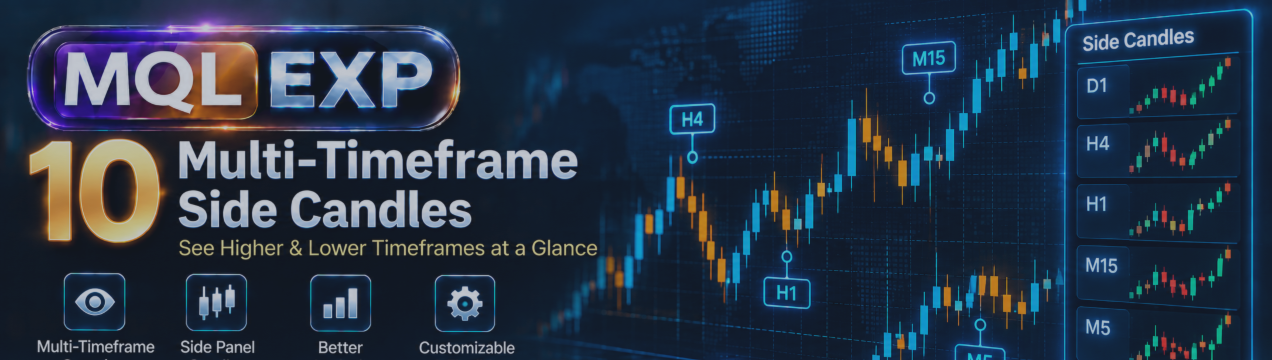
Multi-Timeframe Side Candles in Multi Risk Manager Pro: Visualizing Multiple Timeframes in MT5 / 4

Analyzing multiple timeframes is a common part of technical trading. Traders may use a higher timeframe to understand the broader market structure while monitoring a lower timeframe for more precise entries.
Switching between charts can interrupt the workflow, especially when several timeframes need to be monitored simultaneously.
Multi Risk Manager Pro for MetaTrader 5 / 4 includes a visual tool called Multi-Timeframe Side Candles, designed to display candles from selected timeframes alongside the main chart.
This article explores its documented features and explains how traders can incorporate the tool into their chart-analysis workflow.
MT5 : https://www.mql5.com/en/market/product/201074
MT4 : https://www.mql5.com/en/market/product/201075
Public channel : https://www.mql5.com/en/channels/mqlexp
MT5 : https://www.mql5.com/en/market/product/201074
MT4 : https://www.mql5.com/en/market/product/201075
Public channel : https://www.mql5.com/en/channels/mqlexp
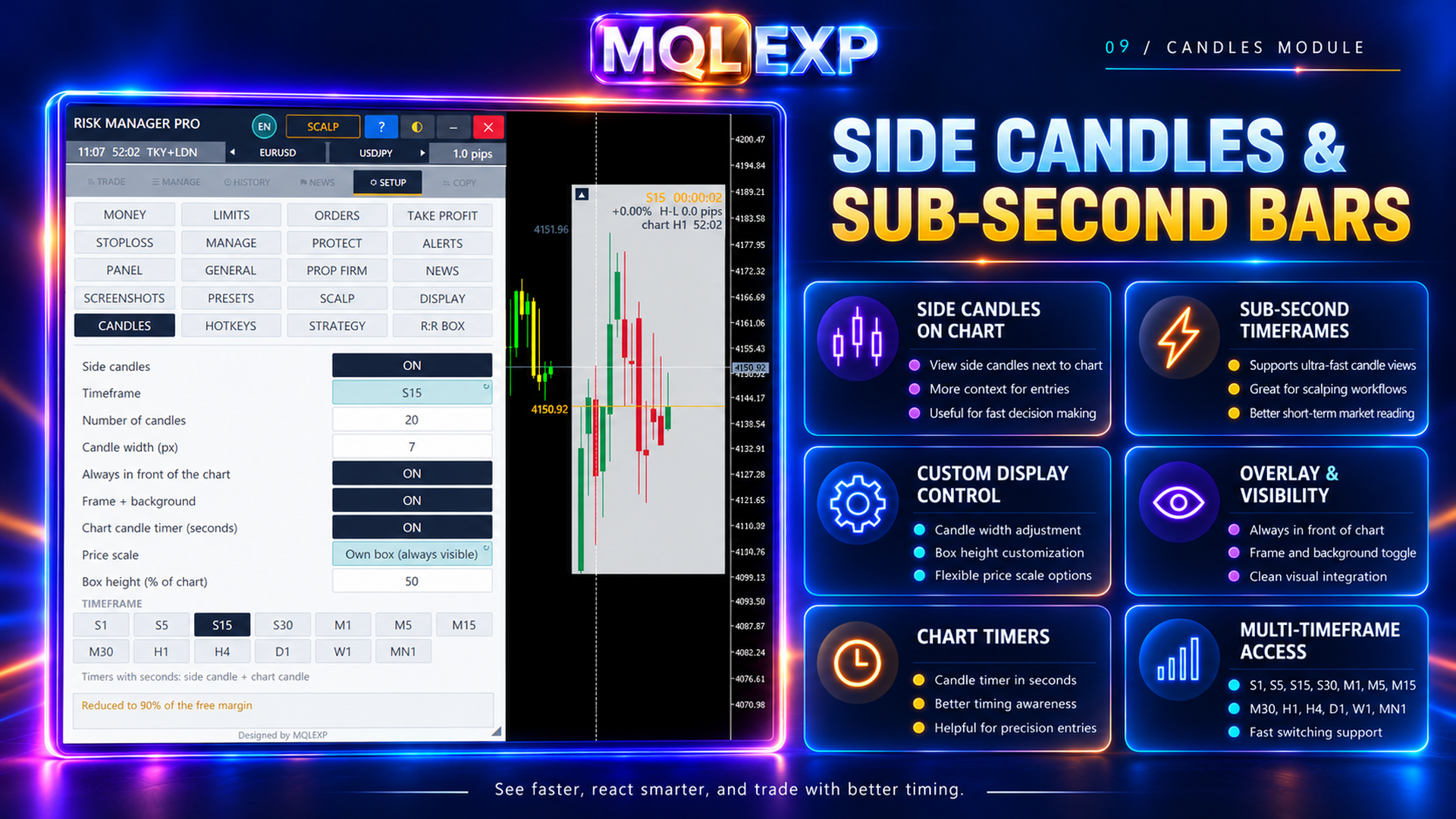
1. What Are Multi-Timeframe Side Candles?
Multi-Timeframe Side Candles display candles from a selected timeframe without requiring the trader to replace the main chart's timeframe.
For example, you might analyze a 5-Seconds chart while keeping an eye on the 1-hour or 4-hour candles. The side-candle display can provide additional context while you continue working on your primary chart.
This approach can make it easier to compare short-term price movement with the structure of a higher timeframe.
However, the tool is a visualization aid. It does not independently confirm a trade setup or guarantee that a particular market direction will continue.
2. Choose from Multiple Timeframes
The documented tool supports 13 timeframe choices, ranging from seconds-based intervals to monthly candles.
This range allows traders to configure the side-candle display for different analysis styles.
A short-term trader may prefer smaller intervals, while a swing trader may focus on hourly, four-hourly, daily, or weekly candles.
When selecting timeframes, consider what each one contributes to your analysis. Displaying many intervals is not necessarily better than choosing a small number that serve a clear purpose.
3. Display Multiple Candles
The tool supports displaying up to 40 candles.
A larger candle history can help show more of the recent price structure, while a smaller display can keep the chart less crowded.
For example, you could use a compact set of higher-timeframe candles to monitor the current structure without allowing the side display to dominate the main chart.
The appropriate number depends on your screen size, chart layout, and how much historical context you need.
4. Customize the Appearance
Multi-Timeframe Side Candles includes visual settings that help traders adapt the display to their charts.
Documented customization options include:
-
Candle width: Adjust the width of the displayed candles.
-
Frame settings: Configure the visual framing of the side-candle area.
-
Price scale: Adjust the scale used to display price information.
-
Countdown: Display a countdown associated with the relevant candle.
-
Timeframe label: Show the selected timeframe.
-
Price-change percentage: Display price movement as a percentage.
-
Range information: Show information about the candle's price range.
These options allow the display to be adapted to different chart themes and screen sizes.
For practical use, start with a simple layout and enable additional information only when it contributes to your decision-making.
5. Understanding the Countdown and Price Information
The countdown can help traders monitor the time associated with the displayed candle. This can be particularly useful when observing a timeframe that differs from the main chart.
Price-change percentages and range information provide additional context about the displayed price movement.
These values should be interpreted as descriptive information rather than standalone trading signals. A large candle range, for example, does not by itself indicate whether the next move will continue in the same direction.
Always consider the selected timeframe, the instrument's behavior, and your broader trading plan.
6. A Practical Multi-Timeframe Workflow
Here is one way to incorporate the tool into a chart-analysis routine:
Step 1 — Select the main chart.
Choose the timeframe you use for your primary analysis or trade execution.
Step 2 — Add a higher-timeframe reference.
Select a timeframe that helps you assess the broader price structure.
Step 3 — Choose the candle count.
Display enough candles to provide useful context without making the chart difficult to read.
Step 4 — Configure the visual settings.
Adjust candle width, frame appearance, price scale, and information labels to suit your workspace.
Step 5 — Compare the information.
Observe how the displayed candles relate to the price movement on the main chart. Use this as additional context rather than treating it as a guaranteed entry or exit signal.
Step 6 — Apply your existing risk-management rules.
If you decide to trade, use your own entry criteria, stop-loss planning, and position-sizing rules.
7. Avoiding Common Mistakes
A multi-timeframe display can provide useful context, but several mistakes can reduce its value.
Treating every timeframe as a separate signal
Different timeframes may show different short-term structures. This is not necessarily a contradiction; each timeframe represents a different amount of market activity.
Define the role of each timeframe before using the display.
Overloading the chart
Too many candles, labels, and visual elements can make it harder to identify important price information.
Start with a simple configuration and add details selectively.
Misinterpreting an unfinished candle
A candle that is still forming can change its appearance before the interval closes. Avoid treating its current shape as a finalized candle pattern.
Assuming visual context predicts the future
Displaying higher-timeframe candles can help organize information, but it cannot eliminate uncertainty or replace a tested trading strategy.
8. Testing the Tool in Your MT5 Environment
Before incorporating Multi-Timeframe Side Candles into your regular workflow, check the following:
-
Confirm that the selected timeframe displays correctly.
-
Test the available candle-count settings.
-
Adjust candle width and framing to suit your chart.
-
Verify the price scale and displayed information.
-
Observe how the countdown behaves as a candle approaches its closing time.
-
Check readability on the instruments and chart layouts you normally use.
The exact appearance may depend on the installed version and selected settings. Consult the current settings reference if you need the precise parameter names or default values.
Conclusion
Multi-Timeframe Side Candles in Multi Risk Manager Pro provide a way to view additional timeframe information alongside the main MetaTrader 5 / 4 chart.
With support for 13 timeframe choices, up to 40 candles, and configurable visual information, the tool can help traders organize their chart workspace and monitor different intervals more conveniently.
Its main benefit is improved access to visual context, not automatic prediction. The most effective setup is one that keeps the chart readable and supports a clearly defined trading process.
Use multi-timeframe visualization as an analytical aid, and test your complete trading strategy before applying it to a live account.