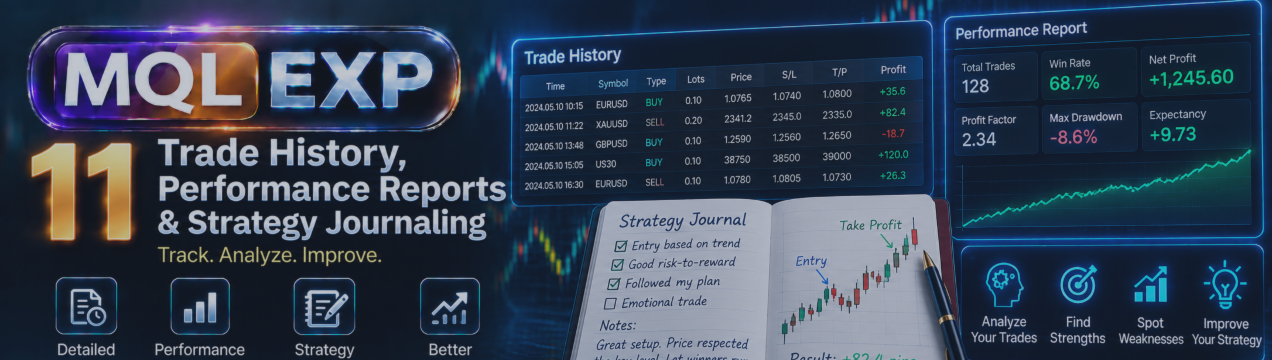
Trade History, Performance Reports and Strategy Journaling in Multi Risk Manager Pro

Successful trading requires more than opening and closing positions. Reviewing past trades helps traders understand their performance, identify recurring mistakes, and evaluate whether their trading process is working as intended.
Multi Risk Manager Pro for MetaTrader 5 / 4 includes history and reporting tools designed to organize trading records and provide useful performance information within the trading environment.
In this article, we will explore its documented reporting features, including trade-history filters, profit and loss statistics, equity visualization, strategy journaling, and data export.
MT5 : https://www.mql5.com/en/market/product/201074
MT4 : https://www.mql5.com/en/market/product/201075
Public channel : https://www.mql5.com/en/channels/mqlexp
MT4 : https://www.mql5.com/en/market/product/201075
1. Why Trade History Matters
A trade history provides a record of completed trading activity. When reviewed consistently, it can help answer important questions:
-
Which instruments contribute most to overall results?
-
How do different strategies or trading identifiers perform?
-
How much are commissions and swaps affecting the outcome?
-
How long do trades typically remain open?
-
Are losses concentrated in particular periods or trading conditions?
Looking at a single profitable trade provides limited information. A structured review of a larger sample can offer a more useful perspective, although historical results do not guarantee future performance.
2. Filtering Trade History
A large trading account may contain hundreds or thousands of historical records. Filters help narrow the information to the trades relevant to a particular analysis.
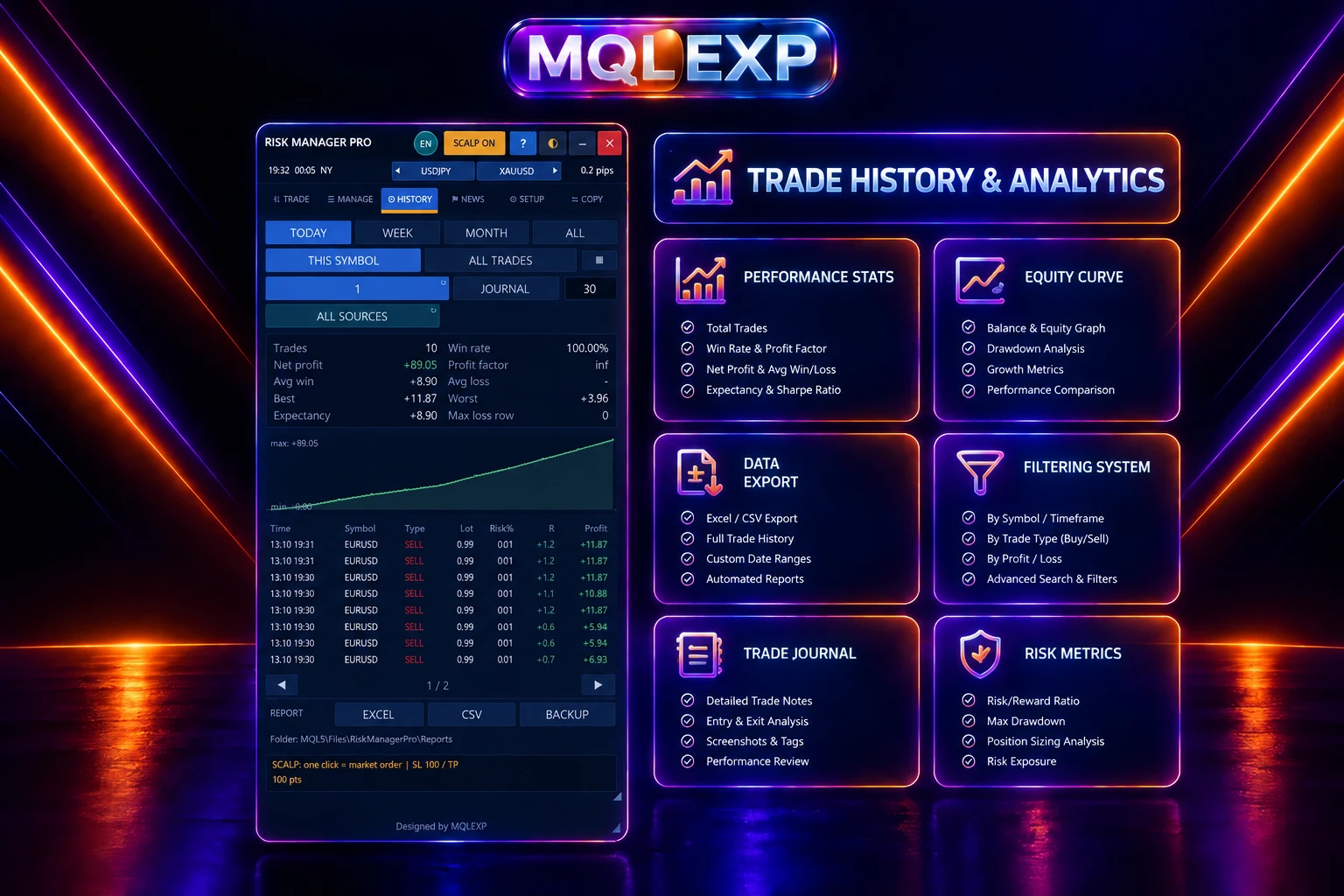
Multi Risk Manager Pro documents history filters for criteria including:
-
Date range.
-
Trading symbol.
-
Magic number.
-
Strategy.
-
Trade source.
These filters can help separate different instruments, automated strategies, or categories of trading activity.
For example, you could review a particular date range and then narrow the results to one symbol or strategy. This makes it easier to compare results without mixing unrelated trading activity.
The quality of the analysis depends on the underlying records and how trades are categorized. Confirm that the filters capture the trades you intend to evaluate.
3. Understanding Profit and Loss Statistics
The reporting tools provide profit-and-loss statistics and related trading information.
These metrics help summarize historical activity, but each one should be interpreted in context.
Net trading result: Consider the impact of commissions and swaps rather than evaluating gross profit alone.
Trade duration: Review how long positions remain open and whether holding periods differ between strategies.
Volume: Examine the size of the executed trades and whether position sizes are consistent with your intended risk plan.
Trade count: Consider whether the sample contains enough trades to support meaningful conclusions.
No single statistic establishes whether a strategy is reliable. A useful review considers several measures together and examines the underlying trades when necessary.
4. Commissions, Swaps and Trading Costs
Trading costs can have a significant effect on reported performance, especially for strategies that trade frequently.
Multi Risk Manager Pro's documented reporting features include commissions and swaps alongside other trading information.
When reviewing results, distinguish between gross trading profit and the final result after applicable costs.
For example, a strategy that appears profitable before costs may perform very differently after commissions, overnight financing, and other relevant charges are included.
The figures available depend on the trading records and account data supplied by the platform. Verify that the report covers the period and transactions you intend to analyze.
5. Cumulative Profit and Loss
Cumulative profit-and-loss information helps show how trading results develop over time.
Rather than examining each trade in isolation, a cumulative view can reveal periods of growth, stagnation, and decline.
This can help you investigate questions such as:
-
Did a particular period contribute most of the total result?
-
Did losses accumulate gradually or occur in a short period?
-
Did a change in trading behavior coincide with a change in performance?
A cumulative result is useful for reviewing historical outcomes, but it should not be confused with a complete account-equity analysis unless the report explicitly includes all relevant account activity and adjustments.
6. Equity Curve Visualization
An equity curve provides a visual representation of changes in account equity over time.
Multi Risk Manager Pro documents an equity-curve feature within its reporting functionality.
Equity visualization can make it easier to identify broad performance patterns, including sustained declines and periods of recovery.
When reviewing an equity curve, consider the relationship between returns and drawdown. A strategy with positive overall returns may still experience declines that exceed your acceptable risk level.
Also check what the displayed curve represents. Trade-based results, balance history, and account equity are not necessarily interchangeable. Floating profit and loss, deposits, withdrawals, and other account events may affect the interpretation.
7. Strategy Journaling
Keeping a trading journal helps connect performance statistics with the decisions behind individual trades.
Multi Risk Manager Pro documents a strategy-journaling feature as part of its reporting tools.
A useful journal can help you organize observations about trading activity and review whether actual decisions match your intended process.
For example, when evaluating a strategy, consider recording:
-
The reason for entering a trade.
-
The market conditions at entry.
-
The planned stop-loss and target.
-
Whether the trade followed the strategy rules.
-
Any relevant execution or management issues.
-
What you learned after reviewing the outcome.
These are suggested journaling practices, not a claim that every field is automatically recorded by the EA. Check the installed version to confirm the journal's exact fields and editing capabilities.
8. Exporting Reports to CSV and Excel-Compatible Formats
Reports become more flexible when the underlying data can be examined outside the trading terminal.
Multi Risk Manager Pro documents CSV and Excel-compatible export options.
Exported data can be useful for:
-
Creating custom tables and charts.
-
Comparing strategies over different periods.
-
Calculating additional statistics.
-
Keeping research records.
-
Sharing selected results for further analysis.
CSV files can generally be opened by spreadsheet applications such as Microsoft Excel and LibreOffice Calc. The exact columns and available fields depend on the export provided by the EA.
After exporting, verify the date format, decimal separator, currency values, and column headings before performing calculations. Incorrect regional settings can cause spreadsheet applications to interpret numeric or date fields incorrectly.
9. A Practical Performance-Review Workflow
You can use the reporting tools as part of a regular review process.
Step 1 — Select the period.
Choose a date range that matches the trading question you want to investigate.
Step 2 — Apply relevant filters.
Narrow the report by symbol, magic number, strategy, or source where appropriate.
Step 3 — Review the key statistics.
Examine profit and loss, trading volume, duration, commissions, and swaps.
Step 4 — Inspect the cumulative results and equity curve.
Look for meaningful patterns rather than focusing only on the final profit figure.
Step 5 — Review individual trades.
Investigate unusual losses, unexpected costs, and trades that did not follow the intended process.
Step 6 — Export the data if necessary.
Use CSV or an Excel-compatible workflow for deeper analysis.
Step 7 — Document the findings.
Record what changed, what you learned, and which aspects of the strategy need further testing.
Repeat the process consistently so that different review periods can be compared using similar criteria.
10. Important Limitations
Reports are only as complete and accurate as the underlying data and the logic used to calculate them.
Before drawing conclusions, verify:
-
Which transactions are included in the report.
-
Whether commissions and swaps are represented correctly.
-
Whether the selected filters exclude relevant records.
-
Whether the equity curve includes floating profit and loss or only recorded results.
-
Whether deposits, withdrawals, and other account adjustments affect the displayed metrics.
-
Whether the exported fields are sufficient for your intended calculations.
A historical report cannot establish that a strategy will remain profitable under different market conditions. Use performance analysis alongside forward testing and an appropriate risk-management process.
Conclusion
Multi Risk Manager Pro provides a collection of reporting tools intended to help MT5 / 4 traders review trading history, filter records, examine performance statistics, visualize cumulative results, maintain strategy-related notes, and export data for further analysis.
Used consistently, these features can support a more structured approach to performance review.
The most valuable outcome is not simply knowing whether the account made a profit. It is understanding how that result was produced, what risks were taken, and whether the trading process remains consistent with your objectives.
Review historical performance carefully, verify the report's coverage, and remember that past results do not guarantee future performance.