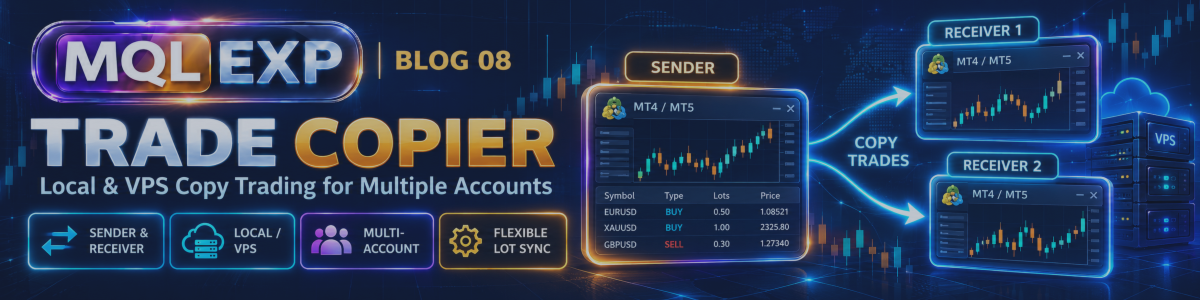
Multi Risk Manager Pro Trade Copier: Copy Trades Between MT5 Terminals, VPS and Remote Accounts

Managing multiple MetaTrader 5 / 4 accounts can become complicated when traders need to reproduce trades across different terminals, apply different position sizes, or control which trades are copied.
Multi Risk Manager Pro includes a trade-copying system designed to transfer trading activity between compatible MT5 / 4 setups. Its configuration supports different copying modes, volume options, symbol mapping, and trade filters.
This guide explains the main concepts behind the copier and the practical checks to make before using it with live accounts.
MT5 : https://www.mql5.com/en/market/product/201074
MT4 : https://www.mql5.com/en/market/product/201075
Public channel : https://www.mql5.com/en/channels/mqlexp
MT5 : https://www.mql5.com/en/market/product/201074
MT4 : https://www.mql5.com/en/market/product/201075
Public channel : https://www.mql5.com/en/channels/mqlexp
1. What Is a Trade Copier?
A trade copier transfers selected trading actions from a source account to one or more receiving accounts.
For example, a trader may open a position on a primary account and want a second MT5 account to reproduce the trade. Instead of manually entering the same order twice, a copier can automate supported actions.
Depending on its configuration, Multi Risk Manager Pro can copy supported market and pending orders, as well as modifications, closures, and partial closures.
The source account is commonly called the sender, while the account receiving the copied trades is called the receiver.
The two accounts do not necessarily need to use identical lot sizes or symbol names. The copier's settings determine how trades are handled on the receiving side.
2. Local Copying Between MT5 / 4 Terminals
When multiple MT5 / 4 terminals run on the same computer or VPS, the copier can use shared local files to communicate trading information.
A typical setup involves:
-
Running the sender configuration in the source terminal.
-
Running the receiver configuration in the destination terminal.
-
Configuring the corresponding channel identifiers.
-
Verifying that both terminals can access the required shared files.
-
Testing that a trade opened on the sender is reproduced correctly on the receiver.
This approach is useful when several terminals are hosted on one machine.
However, it is important to verify the file paths, terminal permissions, and configuration for the installed version. A successful connection should be confirmed through actual test trades rather than assumed from the settings alone.
3. Copying Between Separate Computers or VPS Instances
When the sender and receiver run on different machines, a network relay server can be used to transfer copying information.
This makes the architecture different from local file-based copying: the terminals need a working communication path through the relay.
Before using remote copying, check:
-
Whether the relay server is reachable from both machines.
-
Whether the sender and receiver use matching channel settings.
-
Whether firewall or network restrictions interfere with communication.
-
What happens when a terminal loses its connection.
-
Whether trades opened during a disconnection are recovered or require manual intervention.
An important security consideration is that the documented relay implementation does not provide built-in TLS encryption. Evaluate this limitation before sending trade-related information over a network, particularly in sensitive environments.
Also, do not assume that every connection failure will be followed by an automatic reconnection. Test recovery behavior with the current version before relying on remote copying for unattended trading.
4. Sender and Receiver Configuration
The sender and receiver have different responsibilities.
Sender
The sender publishes eligible trading actions from the source account. Its configuration determines which activity is made available for copying.
Receiver
The receiver interprets incoming trade information and applies its own copying settings. These may include volume rules, symbol mapping, direction filters, and trade limits.
A reliable setup requires the two sides to agree on the intended channel and communication method.
For initial testing, use a simple configuration with one sender, one receiver, and a single symbol. Once that works as expected, introduce additional channels or more complex filters.
5. Choosing the Position Size
Copying the same trade does not necessarily mean opening the same volume on every account.
Multi Risk Manager Pro documents several ways to determine the receiver's position size, including:
-
Fixed lots: Use a specified volume for copied trades.
-
Sender volume: Use the sender's trade volume as the basis.
-
Volume multiplier: Scale the sender's volume by a configured factor.
-
Balance-ratio sizing: Adjust volume according to account balances.
-
Risk-based sizing: Determine the receiver's volume using the configured risk approach.
The appropriate method depends on the accounts, instruments, and risk limits involved.
Example: Fixed volume versus a multiplier
Suppose a sender opens a trade with a volume of 0.20 lots.
With a multiplier of 0.50, the receiver's intended volume would be half the sender's volume, before applying broker restrictions and any other relevant rules.
A fixed-lot configuration instead uses its specified volume rather than proportionally following the sender.
These methods serve different purposes. A multiplier is useful when you want to scale copied trades, while fixed lots are useful when the receiver should use a predetermined volume.
Always verify the final volume on the receiving account. Minimum lot sizes, volume steps, margin requirements, and symbol specifications can affect whether the requested order can be placed.
6. Symbol Mapping and Trade Direction
Different brokers may use different symbol names for the same underlying instrument.
For example, one broker might use a plain symbol name while another adds a suffix. Symbol mapping helps define how a source symbol corresponds to a receiver symbol.
Before trading, check that the mapped instruments represent the intended market and have compatible trading specifications.
The copier also documents direction controls, including buy-only, sell-only, and reverse-direction options.
These controls can be useful when you need to restrict which trades are copied. However, reverse-direction copying changes the trading exposure and should never be enabled casually. A reversed trade is not simply an equivalent copy of the original strategy.
Test every mapping and direction filter with small demo trades before using it on a live account.
7. Copying Pending Orders and Trade Modifications
A trade copier may need to reproduce more than the initial entry.
Multi Risk Manager Pro documents support for several types of trading activity, including market orders, pending orders, modifications, closures, and partial closures.
The exact result depends on the order type, receiver settings, broker capabilities, and communication state.
For example, a pending order may be accepted by the sender's broker but rejected by the receiver's broker because of different trading conditions. Similarly, a modification that succeeds on one account may fail on another.
During testing, verify that:
-
Initial entries are copied correctly.
-
Supported pending orders are reproduced as expected.
-
Stop-loss and take-profit modifications are handled correctly.
-
Partial closures reduce the receiver's position as intended.
-
Full closures are reflected on the receiver.
-
Rejected orders and communication failures are visible and understood.
Do not assume that a successful sender operation guarantees the same execution result on the receiver.
8. Filters and Trade Limits
A receiver may need to copy only a subset of the sender's activity.
Multi Risk Manager Pro documents copying filters and limits that can be used to control eligible trades. These controls can help separate trading workflows or restrict exposure on a particular account.
For example, a receiver might be configured to copy only selected directions or use a different position size from the sender.
Before enabling several filters simultaneously, test them one at a time. This makes it easier to identify why a trade was copied, modified, or excluded.
Also, distinguish the copier's own filtering from other account protections. A protection or filter that works in one part of the EA should not be assumed to apply to all copied trades or all receiving terminals unless that behavior has been verified.
9. A Practical Setup Checklist
Use this checklist before relying on the copier:
-
Choose the architecture: Local shared-file copying for terminals on the same machine, or network relay communication for separate machines.
-
Configure both sides: Confirm the sender, receiver, channel identifiers, and communication settings.
-
Check symbol mapping: Verify the actual instrument used on each account.
-
Select a volume method: Decide whether to use fixed lots, sender volume, a multiplier, balance-ratio sizing, or risk-based sizing.
-
Review filters: Confirm which directions, orders, and trade events should be copied.
-
Test modifications and exits: Do not test entries alone; verify partial closures, modifications, and full closures.
-
Simulate failures: Test what happens when the network or one terminal becomes unavailable.
-
Check broker constraints: Confirm lot steps, minimum volumes, margin, and supported order types.
-
Review security: Understand the relay's communication and encryption limitations before using remote copying.
-
Start conservatively: Use demo accounts first, then proceed only after the observed behavior matches your expectations.
10. Important Limitations
A trade copier does not make two trading accounts identical.
Differences in spreads, execution speed, available margin, symbol specifications, broker restrictions, and account configuration can produce different outcomes.
Network interruptions may also affect trade synchronization. If a receiver misses an event or rejects an order, the resulting position may differ from the sender's position.
For remote copying, security and connection recovery deserve particular attention. Test the current implementation under realistic conditions rather than assuming uninterrupted communication.
Finally, copying trades does not reduce the underlying risk of the strategy. If the sender's strategy experiences a loss, receiving accounts may experience similar or differently sized losses according to their configuration.
Conclusion
Multi Risk Manager Pro's trade copier is designed to help traders coordinate supported trading activity across MT5 / 4 terminals using local or network-based communication.
Its volume options, symbol mapping, direction controls, and trade filters provide flexibility for different account setups. That flexibility also makes careful configuration and testing essential.
Start with one sender and one receiver, verify the complete trade lifecycle, and introduce additional accounts only after the setup behaves as expected.
Trade copying involves execution, connectivity, and market risks. Test thoroughly and verify each receiving account independently before using the system in live trading.




