
A breakout system will always have losing trades. Some breaks fail, some reverse, some get hit by news. The goal is not to avoid every loss. The goal is to make sure no single trade, and no single bad day, can do serious damage.
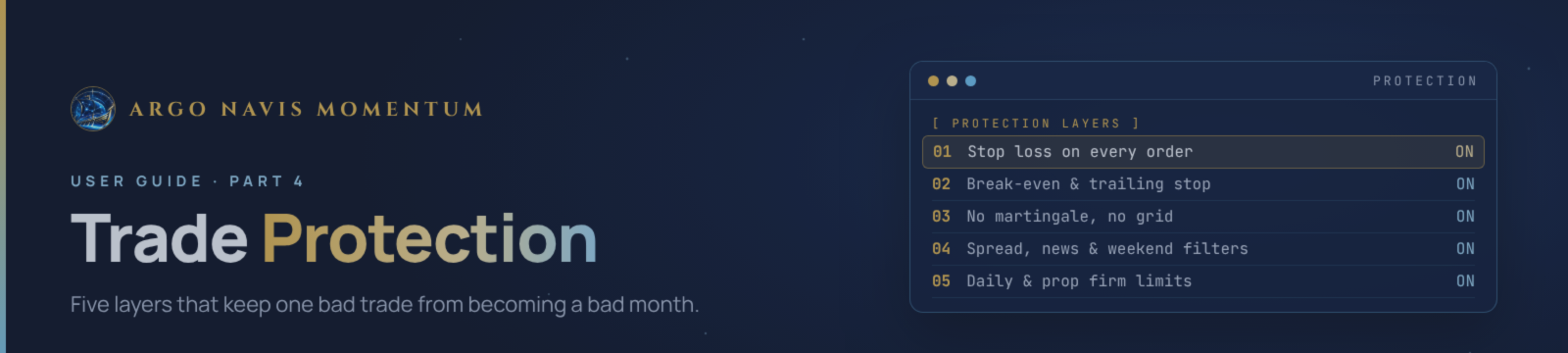
Argo Navis protects your account in five layers. The first three work on every trade. The last two work on the account as a whole.
Layer 1: Every Order Has a Stop Loss
Every pending order is sent to the broker with its stop loss and take profit already attached. When the order fills, the stop is already there. There is no moment, not even for a second, where a position is open without a stop.
This matters more than it sounds. Some EAs open the trade first and set the stop a moment later. If the connection drops in between, or price spikes, the trade is unprotected. With Argo Navis, the stop sits on the broker's server from the start, so it works even if your terminal goes offline.
Each strategy has its own stop distance, matched to its timeframe. A D1 breakout needs more room than an H1 one.
. When you use % risk, the EA sizes the lot from that distance, so the money at risk stays the same whatever the stop size (see Part 1 for the minimum lot exception).
Layer 2: Break-Even and Trailing Stop
The stop loss limits how much a trade can lose. Break-even and the trailing stop decide how much of a winning move you keep.
Break-even. When a trade has moved a set distance in profit, the EA moves the stop loss to the entry price plus a small lock. From that point the worst outcome is a small profit. A breakout that runs and then fails will close near entry instead of at a full loss.
Trailing stop. As the move continues, the stop follows behind price at a fixed gap. Price can pull back a little without closing the trade, but a real reversal will close it.
Exit. The trade closes either at the take profit, or wherever the trailing stop is reached.
Each strategy has its own trigger, lock and gap, because each timeframe moves differently. I tuned the gaps after studying how far past trades actually ran before turning. The original gaps were too wide: many trades were well in profit, then gave most of it back before the trail closed them. Tighter gaps keep more of each move.
One thing to know: break-even and trailing are managed by the EA itself, not by the broker. If your terminal is offline, the stop loss still protects you, but it will not move. That is why a VPS matters (see Part 2).
Layer 3: No Martingale, No Grid, No Averaging
This is the layer that is about what the EA does not do.
- No martingale. The lot never increases after a loss to win it back.
- No grid. The EA never opens extra positions at fixed distances against a losing trade.
- No averaging down. A losing trade is never "rescued" by adding to it.
- No recovery mode. After a losing streak, the next trade is sized exactly as it would have been anyway.
These techniques make an equity curve look smooth for months, then wipe out the account in one bad move. With Argo Navis, every order stands alone, with its own stop. A losing streak shows up as a series of normal, limited losses, which is uncomfortable, but survivable.
Layer 4: Filters Before Every Entry
Before any order is placed, the EA checks whether this is a sensible moment to trade at all.
- Spread filter. The distance from price to the level must be at least twice the current spread. If the spread is wide, for example at rollover or on a thin Monday morning, the entry is skipped instead of filling at a poor price.
- News filter. Around high-impact USD news, pending orders are removed and no new ones are placed. Open positions can be closed before the release. Part 1 covers the settings.
- Weekend protection. No new entries in the last hours before the Friday close, and pending orders are removed so nothing fills into a weekend gap. Trading resumes a few hours after the Monday open, once the gap and the wide spreads have settled.
- Session check. The EA sends no requests while the market is closed, including during the daily break.
- Broker checks. Before every order or stop change, the EA checks free margin, lot limits, the broker's order limit, the stop level and the freeze level. Requests the broker would reject are not sent. This avoids error loops and keeps the account clean.
Layer 5: Account-Level Limits
The first four layers protect each trade. This layer protects the account as a whole. All three are optional, and all are explained in detail in Part 1.
- Max open positions. Caps how many trades can be open at once across all 14 strategies. Useful on days when many levels break together.
- Daily loss limit. When equity falls a set percentage during the day, the EA stops opening new trades until the next day.
- Prop Firm mode. Watches the daily loss and total drawdown rules of a prop challenge, with a 0.5% safety buffer. At a limit it closes its positions, removes its orders and stops. At the profit target it stops opening new trades.
The most important account-level protection is not a switch at all. It is your Risk per trade. At 0.5–1% per trade, even a long losing streak stays manageable. At 3% or more, a single bad day with several stacked trades can take a large bite.
What Protection Cannot Do
I want to be clear about the limits, too.
- It cannot prevent losing trades. Breaks fail. Stop losses get hit. That is part of every breakout system.
- It cannot stop slippage. On a sudden spike, a stop loss can fill a few dollars past its price. Stop orders become market orders when triggered, and the broker fills them at the next available price.
- It cannot cover weekend gaps on open trades. Weekend protection stops new entries, but a position that is still open on Friday stays open, protected only by its stop.
- It cannot make high risk safe. All the layers above work best with a sensible risk per trade. They limit damage. They do not remove it.
More in This Series
- Part 1 – Input Settings Explained
- Part 2 – Why Broker Execution Matters
- Part 3 – How Argo Navis Trades
Get Argo Navis Momentum
Argo Navis Momentum is available on the MQL5 Market for MetaTrader 5. You can download the free demo and run it in the Strategy Tester before you buy.
Product page: Argo Navis Momentum on MQL5 Market
After purchase, send me a private message on MQL5 and I will help you with setup.
Argo Navis Momentum can lose money. Trading gold with leverage carries a high level of risk, and past results do not guarantee future results. Only trade money you can afford to lose.




