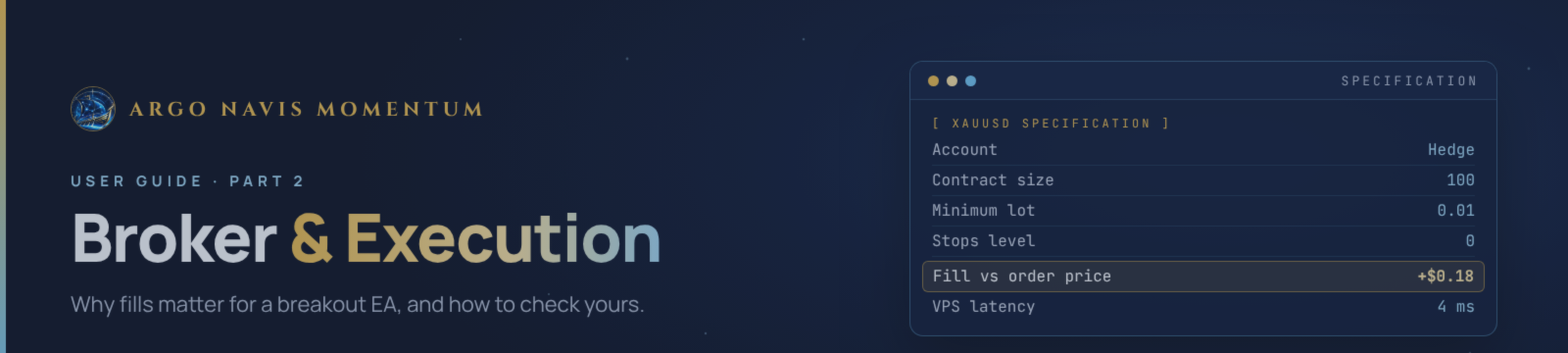

Argo Navis Momentum is a breakout EA. It enters exactly when gold moves fastest, through pending orders placed near a ceiling or a floor. That makes it more sensitive to broker execution than most EAs. Two users with the same settings can see different results, simply because their brokers fill the same breakout at different prices.
This post explains what to look for in a broker, how to check that your execution is healthy, and what to do when results do not look right.
Tested Brokers
These are the brokers I have run Argo Navis on so far:
- VALETAX — my main reference broker. The live signal runs here.
- VANTAGE
- ICMARKETS
- VT MARKETS
- ULTIMA MARKETS
This is not a ranking and not a guarantee. Results can still differ by account type, regulatory entity, server and trading costs, even at the same broker.
Why Your Broker Matters for a Breakout EA
When gold breaks a level, price can move several dollars in a few seconds. A Buy Stop sitting near the ceiling does not fill at the price you see on the chart. It fills at the next price the broker can offer. On one broker that might be $0.20 past the level. On another it might be $1.50. Over hundreds of trades, that difference decides whether a strategy is profitable.
These are the broker factors that affect Argo Navis the most:
- Spread. The EA buys at the ask and sells at the bid. A wide spread makes every entry worse. Argo Navis also skips entries when the spread is too wide for the distance to the level, so a broker with wide gold spreads simply gets fewer trades.
- Commission. Many strategies take small profits through break-even and trailing exits. A high commission per lot eats a large share of those.
- Slippage on stop orders. Pending stop orders become market orders when triggered. Fast breaks and thin liquidity mean more slippage, on entries and on stop losses.
- Stop level and freeze level. Some brokers do not allow orders or stop changes within a certain distance of price. A large stop level blocks entries close to the level, and a large freeze level can block trailing-stop updates exactly when the trade is moving.
- Contract size and minimum lot. On most brokers 1.00 lot of XAUUSD is 100 ounces and the minimum lot is 0.01. If yours differs, lot sizes and risk will differ too.
- Latency. The distance between your terminal and the broker's server affects how fast orders and trailing-stop changes arrive.
- Server time and sessions. The weekend protection and daily limits follow your broker's server clock and trading sessions.
Account Checklist Before You Start
Check these once, before you attach the EA:
- Hedging account. Argo Navis can hold a buy from one strategy and a sell from another at the same time. A netting account is supported, but the EA skips any entry opposite to a position that is already open, so you get fewer trades than on hedging. MetaTrader 5 shows "Hedge" or "Netting" in the terminal's title bar, next to your account number.
- Raw or ECN-type account, if available. Low spread plus a fair commission usually works better for breakouts than a zero-commission account with a wide spread.
- Minimum lot 0.01. This matters most for small balances and % risk. See Part 1 for why.
- Symbol specification. Right-click the gold symbol in Market Watch → Specification. Check contract size (usually 100), minimum lot, stop level and freeze level. A stop level of 0 or close to it is ideal.
- Typical spread during London and New York. Watch the spread for a few days at the hours the EA trades most, not only at quiet times.
- Algo trading allowed. Some account types or prop firms restrict EAs. Check before you deposit.
Start with a Small Lot
Even with a good broker, start small:
- Run Argo Navis on a demo account at your chosen broker first. Demo execution is usually kinder than live, but it confirms that orders, stops and the dashboard work.
- Go live with Fixed lot at the broker's minimum for at least one week.
- Compare your fills with the levels on the chart and with the live signal.
- Only then move to % risk, at 0.5–1% per trade.
Please do not raise the lot after a few good days. A breakout system has clusters of winners and clusters of losers. Scaling up after a winning cluster usually means taking the next losing cluster at full size.
Check Your Execution
After your first week, take ten minutes to check how your broker is actually filling the EA's orders.
In the History tab:
- Compare a few entry prices with the price of the pending order that triggered them. A small difference is normal. Entries that are regularly $1 or more worse than the order price point to heavy slippage.
- Look at stop-loss exits. If losses are often larger than the planned stop, your stops are slipping.
- Check the commission column. Add it up for the week and compare it with your net profit.
In the Experts tab:
- Look for rejected orders, "invalid stops", "market closed" or "requote" messages.
- A few messages on news days are normal. The same error every day is not.
None of this proves a broker is good or bad on its own. Slippage happens everywhere on fast moves. What matters is whether you see the same problem again and again.
If Something Looks Wrong
First, the basic checks:
- Is Algo Trading on in the toolbar, and is the smiley or hat icon on the chart active?
- Is the terminal connected (bottom-right corner)?
- Is the market open, and is no news pause or weekend window active?
- Is the EA running on one chart only?
If it still looks wrong, send me a private message on MQL5 with:
- your broker and account type (hedging or netting, raw or standard)
- the symbol name and the EA version
- a screenshot of the chart with the dashboard visible
- the Experts and Journal logs for that day
- the ticket numbers of the trades you are asking about
With that, I can usually tell within a few minutes whether it is a setting, a broker issue or normal strategy behaviour.
A VPS Helps, but It Cannot Fix Everything
Argo Navis keeps pending orders on the broker's server and updates stops and trailing stops all day. If your terminal is offline, trailing stops stop moving and new levels are not placed. So a VPS is strongly recommended.
A VPS close to your broker's server reduces latency and keeps the terminal online through power cuts, internet drops and computer restarts. The MetaTrader built-in VPS is the simplest option, because it picks a location near your broker automatically.
What a VPS cannot do:
- It cannot make your broker fill a fast breakout at a better price.
- It cannot remove slippage on news spikes.
- It cannot change your broker's spread, commission, stop level or freeze level.
Keep MetaTrader running and the EA attached. If you want to stop trading for a while, remove the EA from the chart, then check the Trade tab for any pending orders left behind. Pending orders without the EA running will still fill, but nothing will trail them.
What About Other Brokers?
Argo Navis can work on other brokers too. They are just not on my tested list yet. If you use a broker I have not listed, run it on demo first, then go through the account checklist and the execution check above before going live.
I update the tested list from real trading experience, not from advertising or broker ratings. If your broker works well, or badly, I am happy to hear about it.
User Guide and Recommended Settings
If you have not read it yet, Part 1 explains every input, the risk settings and the Prop Firm mode: Part 1 – Input Settings Explained. Please check your risk and Max open positions before going live.
Current Recommendation
- Hedging account, ideally raw or ECN-type, with low gold spreads
- Minimum lot 0.01 and a stop level close to zero
- A VPS near your broker's server
- Demo first, then minimum fixed lot for at least one week
- Tested brokers: Valetax, Vantage, Ultima Markets, VT Markets, IC Markets
No broker and no EA can guarantee profits. Breakout trading on gold includes losing trades, losing weeks and slippage. Only trade money you can afford to lose.
Get Argo Navis Momentum
Argo Navis Momentum is available on the MQL5 Market for MetaTrader 5.
- 14 breakout strategies on XAUUSD, from M15 to D1 swing levels
- Stop loss and take profit on every order, break-even and trailing stop
- No martingale, no grid, no averaging
- News filter, weekend protection, daily loss limit and Prop Firm mode built in
- On-chart dashboard with CEILING and FLOOR lines and the Tactical Matrix
You can download the free demo and run it in the Strategy Tester before you buy.
Product page: Argo Navis Momentum on MQL5 Market
After purchase, send me a private message on MQL5 and I will help you with setup.




