
20 October 2026 · Technical guide · AI-assisted writing, checked against source and a reproducible calculation
Your account is up, but one EA still has an open loss. The account total cannot tell you which strategy contributed the booked profit, or whether that profit is sitting beside a larger floating loss. Start by separating the deals recorded during a chosen period from the positions open at the time you inspect them.
You can make that comparison from MT5 records without buying a dashboard. The example below uses invented deals so you can check the arithmetic without placing a trade. It also explains what to look for in Quanition’s read-only EA Performance Dashboard.
Start with the identifier
Check the Magic Number in each EA’s settings or documentation. Here, 101 means EA A and 202 means EA B; those are invented identifiers, not Quanition defaults. If two EAs use 101, a report grouped by Magic Number combines their deals. Giving the row a friendlier name does not separate them.
Magic 0 is often labelled “Manual”, but an EA can use zero too. Check the deal’s reason and position identifier when the attribution is unclear. On a netting account, several strategies trading the same symbol can affect one shared position. A deal’s Magic Number identifies that deal; the single Magic Number on the current position cannot allocate its floating result between those strategies. Use this example for distinct, separately attributable positions, not as an allocation method for a shared net position.
A positive history result beside an open loss
Use USD as the account currency and assume one server clock throughout. Take the snapshot at 20 October 2026, 12:00 . Compare two adjacent seven-day windows: 6 October, 12:00 to 13 October, 12:00, and 13 October, 12:00 to 20 October, 12:00. Include the start and exclude the end. These dates and amounts are synthetic; they are not an account statement, backtest or product output.
For the recent window, the input deals are:
| Date / Magic | Entry type | Profit + swap + commission + fee | Net |
|---|---|---|---|
| 14 Oct / 101 | IN | 0 + 0 − 2 − 0.50 | −2.50 |
| 15 Oct / 101 | OUT | 120 − 3 − 2 − 0.50 | 114.50 |
| 16 Oct / 202 | OUT | −40 − 1 − 1 + 0 | −42.00 |
| 19 Oct / 101 | IN, still open | 0 + 0 − 2 + 0 | −2.00 |
Group the BUY and SELL deals by DEAL_MAGIC and add DEAL_PROFIT + DEAL_SWAP + DEAL_COMMISSION + DEAL_FEE . Magic 101 gives −2.50 + 114.50 − 2.00 = 110.00. Counting only exits would give 114.50 and miss 4.50 of entry costs, including a charge for the position that is still open.
This is why “realized P&L” needs a definition. The Dashboard source includes money already booked on entry deals in its history total. That total is not exclusively the lifetime net result of fully closed positions. An entry cost outside the selected window also stays outside the window, even if its exit falls inside it.
The fixture includes a 1,000.00 deposit and a separate −5.00 commission cash item. Neither is a BUY or SELL deal, so neither enters these per-Magic totals. The deposit is funding, not EA profit. Separately posted charges still affect the account: reconcile them with the statement rather than assuming a trading-deal total includes every broker charge.
In the previous window, 101 has 40 − 1 − 1 = 38.00 and 202 has −20 − 1 − 1 = −22.00. At the snapshot, the open positions have profit/swap pairs of −80/−1 for 101 and 10/−0.50 for 202:
| Magic | Prior 7 days | Recent 7 days | Open now |
|---|---|---|---|
| 101 | 38.00 | 110.00 | −81.00 |
| 202 | −22.00 | −42.00 | 9.50 |
101 contributed more booked trading money in the recent week, but it also holds the larger current floating loss. That is enough to explain why a positive history total is an incomplete answer to “how is this EA doing?” It does not establish which strategy to keep. Trade size and exposure also differ between strategies.
Do not label 110 − 81 = 29 as “this week’s total return”. Period P&L needs the change in floating value between the start and end, as well as the booked money and relevant account adjustments. This fixture supplies only the ending open snapshot. It cannot calculate that period return.
Run the arithmetic yourself
Download the attached magic-number-example.py and run python3 magic-number-example.py . It uses Python’s standard library and decimal arithmetic, includes the eight input deal rows and two open-position rows, and connects to no account. Python execution and its assertions were checked for this article; the script is not MQL5 code and has not been run inside MT5.
SYNTHETIC USD EXAMPLE - no account or product performance
Magic Prior 7d Recent 7d Closing deals Open now
101 38.00 110.00 1 -81.00
202 -22.00 -42.00 1 9.50
Recent history total: +68.00; open snapshot: -71.50
Excluded cash items: deposit +1000.00; separate commission -5.00
Checks passed: totals, equal windows, entry cost, cash exclusion.
The “Closing deals” column counts exits, including a partial exit, rather than complete round trips. Two partial exits can count twice for one position. The assertions also check that an entry commission affects money without increasing that count, and that cash operations are excluded. They verify this example’s calculation, not the MT5 binary.
Check the same distinction in MT5
In the desktop terminal, open Toolbox → History. Select the deal view and the date range you want to inspect; use the terminal’s server timestamps, not your computer’s local date. Show the available commission and swap columns, and retain the deal and position identifiers. Review Trade separately for the positions open now. Record the snapshot time because their values can change while you read.
If a report does not expose Magic Number or fees, do not guess them from a symbol or a chart name. MT5 exposes the deal fields through its history API; the official deal-property reference defines the fields used above. Use a report that retains those fields, or inspect a small known set before relying on its grouped total. An ordinary terminal report need not have the exact column layout of the downloadable fixture.
In Dashboard Ultra, select the same history period before comparing EA rows. Its 1W, 1M and 3M presets mean rolling 7, 30 and 90 days in the inspected source, not complete calendar weeks or months. YTD and Today start at the corresponding calendar boundary using terminal server time. The previous seven-day interval above is an offline comparison, not a claim that the Dashboard has a “previous week” preset.
The open column is account-wide current POSITION_PROFIT + POSITION_SWAP , grouped by POSITION_MAGIC . It is independent of the history period and does not include a future closing commission. Changing 1M to 3M can change the history total without changing that open snapshot. Free Pro refreshes open P&L less frequently, so record when the display was updated before comparing a moving value.
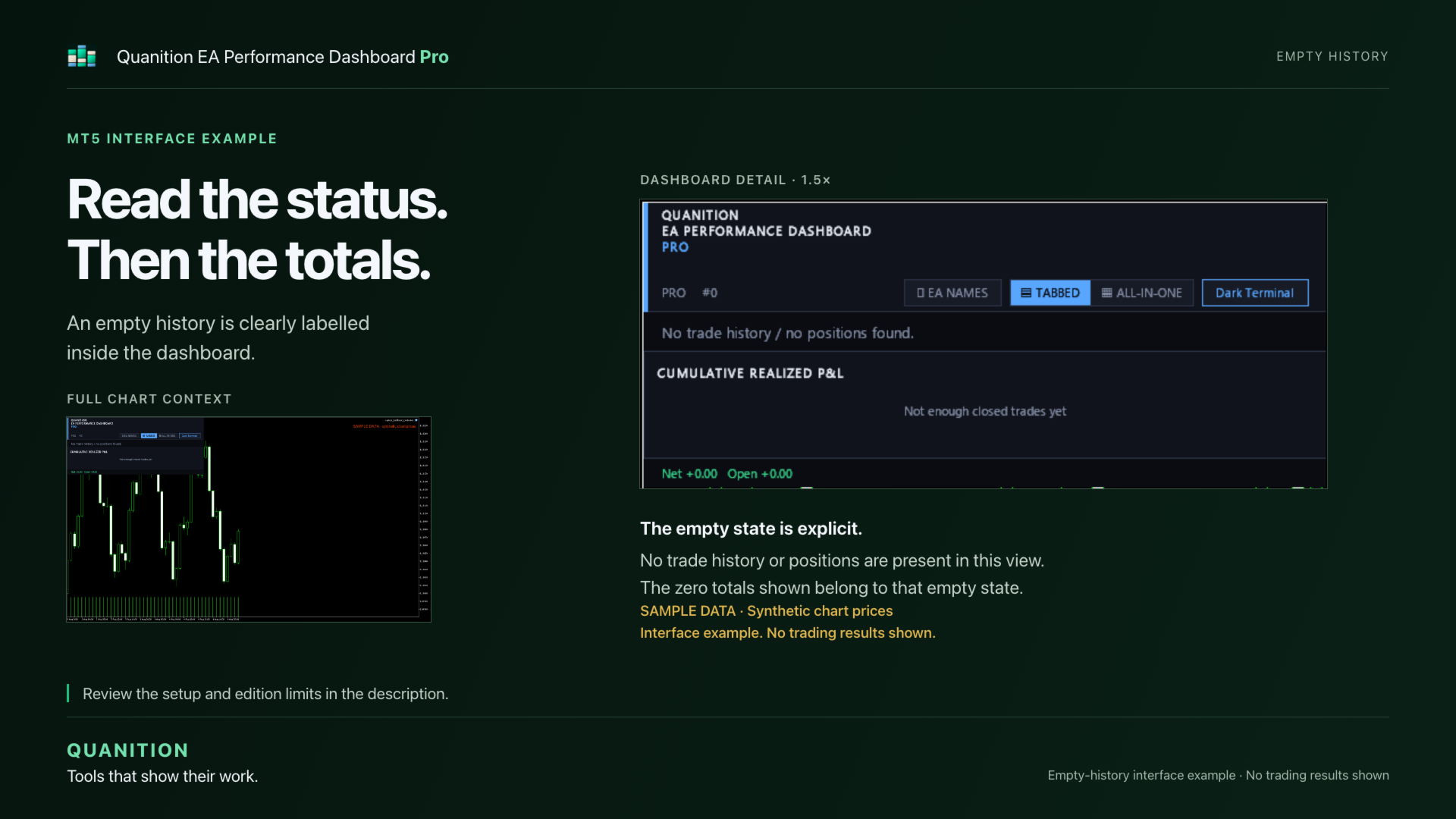 Published Pro interface example, retrieved 20 October 2026. The panel is empty; the full source image labels the chart prices as synthetic. Open the image to inspect the panel at full size. This shows the separate Net/Open labels and empty-state message, not the numerical fixture above or a verified account result. Open the full image.
 An empty view is not evidence that an EA broke even. Confirm the connected instance, loaded history and chosen period. Ultra’s Market indicator demo runs in the Strategy Tester’s visual mode; an instance without relevant history can be empty even when another connected account has trades.
Where the Dashboard fits
As checked on 20 October 2026, Quanition EA Performance Dashboard Pro, product 187447, is the free listing at version 1.10. Quanition EA Performance Dashboard Ultra, product 187446, is the paid listing at version 1.13, listed at 49 USD. Confirm current conditions on those pages.
Pro shows up to five EA groups with All time/Today history views. Ultra adds the comparison periods, per-EA drill-down and configured reports, with no edition cap on displayed groups. Both are read-only displays. They do not identify shared-number strategies for you, reconstruct each EA’s share of a netted position, or make the account safer by displaying a loss.
The formulas and period semantics here were checked against the repository source, including the v1.13 release-source commit. The illustration is a published empty-state UI example. No new funded-account test or numerical MT5 product run was performed for this article. Use the fixture to understand the calculation, then reconcile a small set of your own deals before interpreting a larger history.
Official references
Guide reviewed: 2026-10-20




