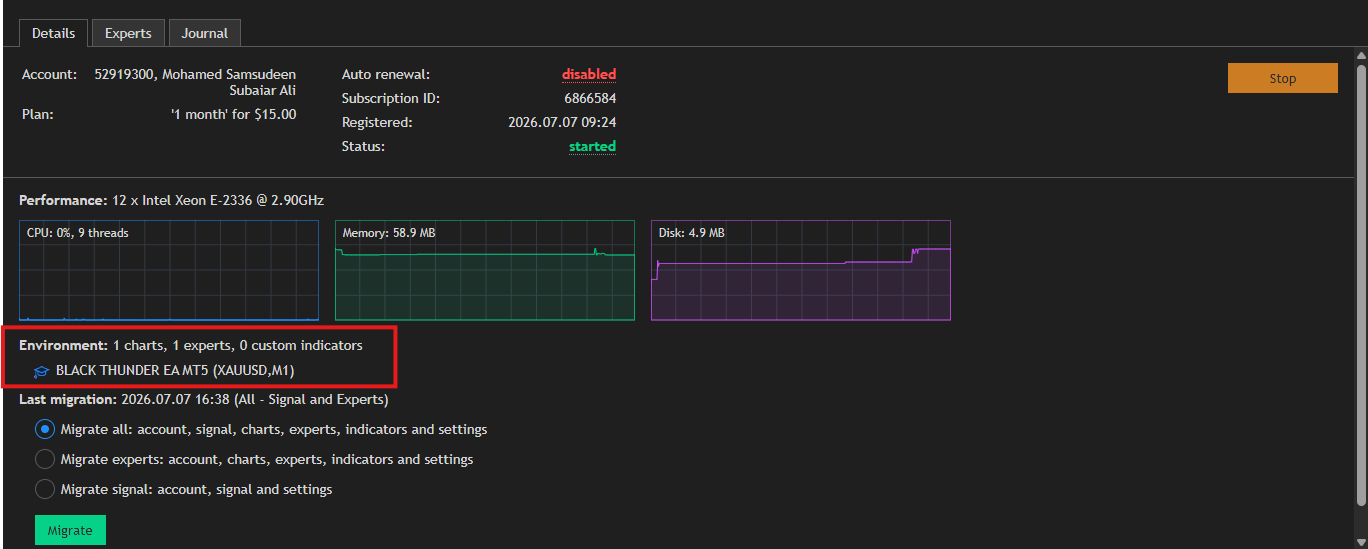
Welcome to the Black Thunder EA MT5 User Guide. This guide covers installation, setup, important settings, VPS configuration, and trading environment considerations to help you operate the EA within MetaTrader 5.
What Is Black Thunder EA MT5?
Black Thunder EA MT5 is an automated scalping robot solution developed for the MetaTrader 5 platform. Once installed and configured, the EA continuously monitors market activity and executes trades according to its programmed trading logic and user-defined settings.
The EA is designed for traders who prefer an automated approach to market participation while maintaining control over risk and configuration parameters.
Understanding the Scalping (HFT) Concept
An automated trading methodology that continuously analyzes market data and reacts to qualifying market conditions according to predefined rules.
Unlike manual trading, where traders monitor charts and place orders manually, HFT systems process market information automatically and can respond quickly when trading conditions satisfy the strategy requirements.
Key characteristics of HFT systems include:
- Continuous market monitoring
- Automated trade execution
- Frequent analysis of market conditions
- Dependence on execution quality
- Sensitivity to spread conditions
- Importance of low-latency trading environments
Because execution speed and trading costs can influence operation, HFT-based systems are often used in environments that provide competitive spreads, reliable order execution, and stable platform connectivity.
Black Thunder EA continuously evaluates market conditions and executes trades according to its internal logic and configured parameters.
Backtest result in low spread broker only below 
Downloading Black Thunder EA MT5
After purchasing the product from the MQL5 Market:
- Open MetaTrader 5.
- Log in to your MQL5 account.
- Open the Market tab.
- Navigate to Purchased.
- Locate Black Thunder EA MT5.
- Click Install.
MetaTrader 5 will automatically download and install the EA.
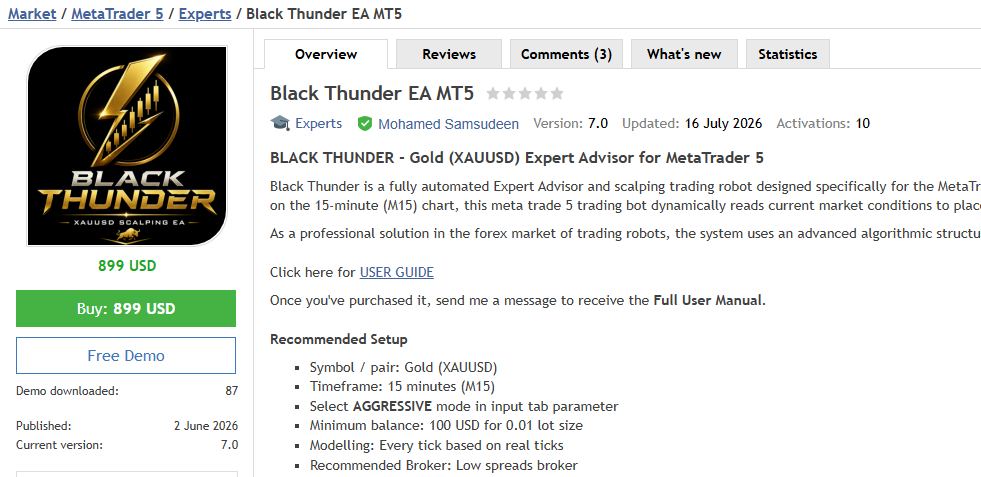
After installation:
- Open MetaTrader 5.
- Select the trading symbol XAUUSD only.
- Open a chart window.
- Select your recommended timeframe M1, M15.
- Ensure live market data is available.
The chart is now ready for EA installation.
Attaching Black Thunder EA to a Chart
To activate the EA:
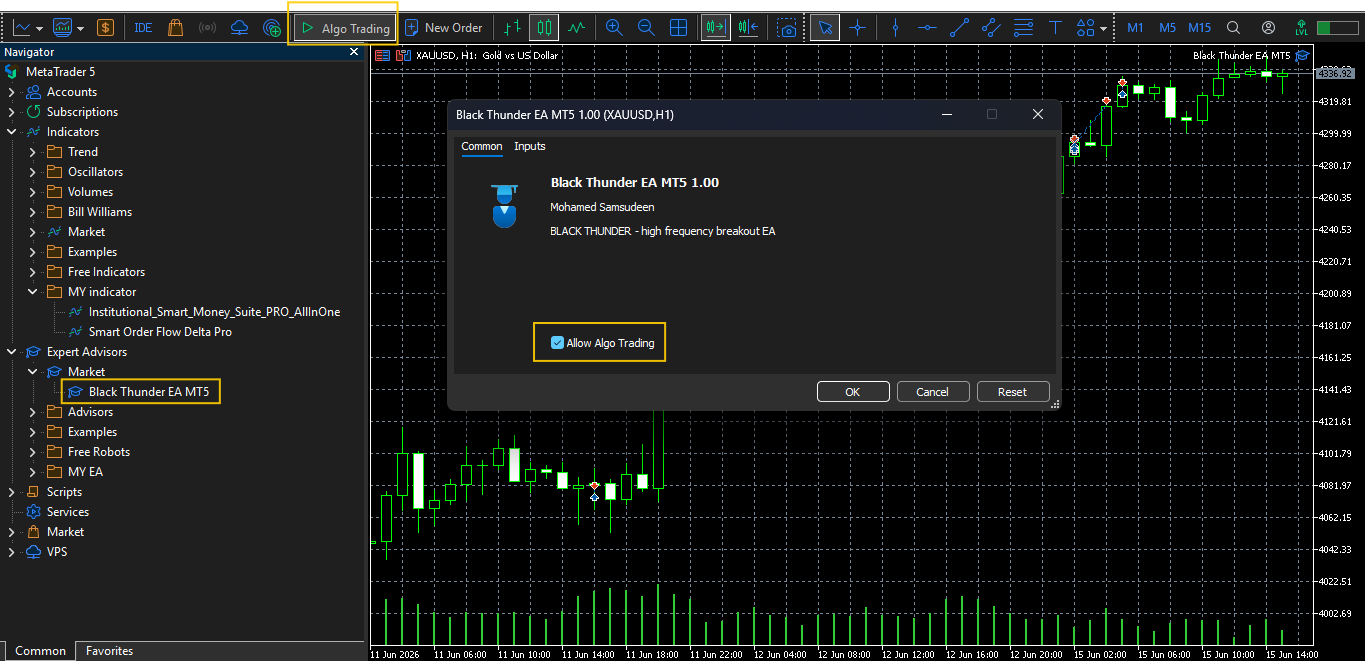
1. Open the Navigator panel.
2. Locate Black Thunder EA MT5.
3. Drag and drop the EA onto the chart.
4. Review the input parameters.
5. Enable the required permissions if applicable.
6. Click OK.
The EA should now be visible on the chart.
Enabling Algo Trading:
Before the EA can operate:
- Locate the Algo Trading button on the MetaTrader 5 toolbar.
- Click the button to enable automated trading.
- Verify that the EA remains active on the chart.
If Algo Trading is disabled, the EA will not be able to execute trading operations.
Broker and Trading Environment Considerations
Because Black Thunder EA MT5 uses a high-frequency trading approach, trading conditions can be an important consideration.
Many traders prefer brokers that provide:
- Raw spread accounts or standard very low spread account
- Competitive trading costs
- Fast order execution
- Stable trading servers
- Support for automated trading
- VPS compatibility
For HFT-style trading systems, lower spread conditions may allow stricter spread filtering through the Max Spread Limit setting.
Raw Spread and ECN-style account types are commonly used by traders who operate automated trading systems that rely on efficient order execution and competitive spread conditions.
Traders should independently evaluate brokers based on execution quality, spreads, commissions, server stability, and account conditions before making a decision.
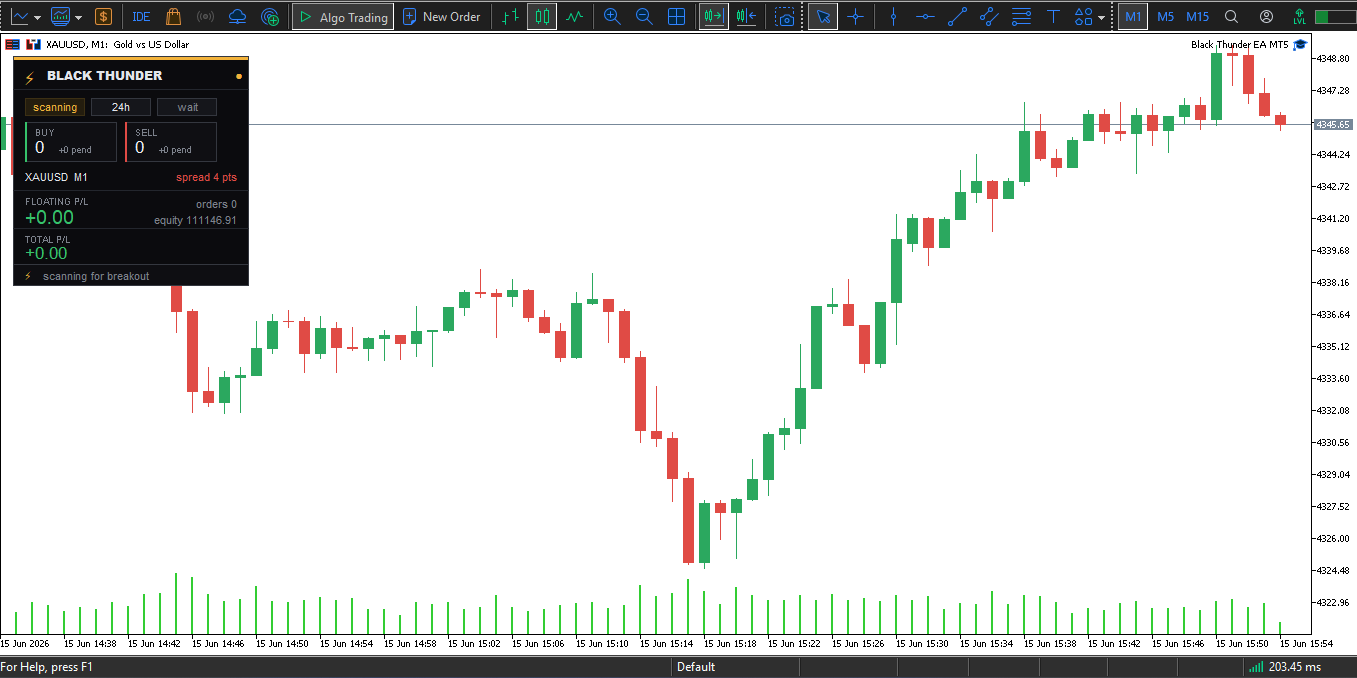
Understanding the Max Spread Limit Setting
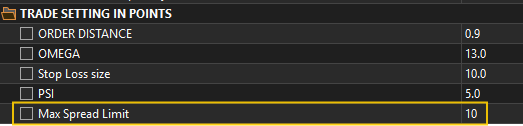
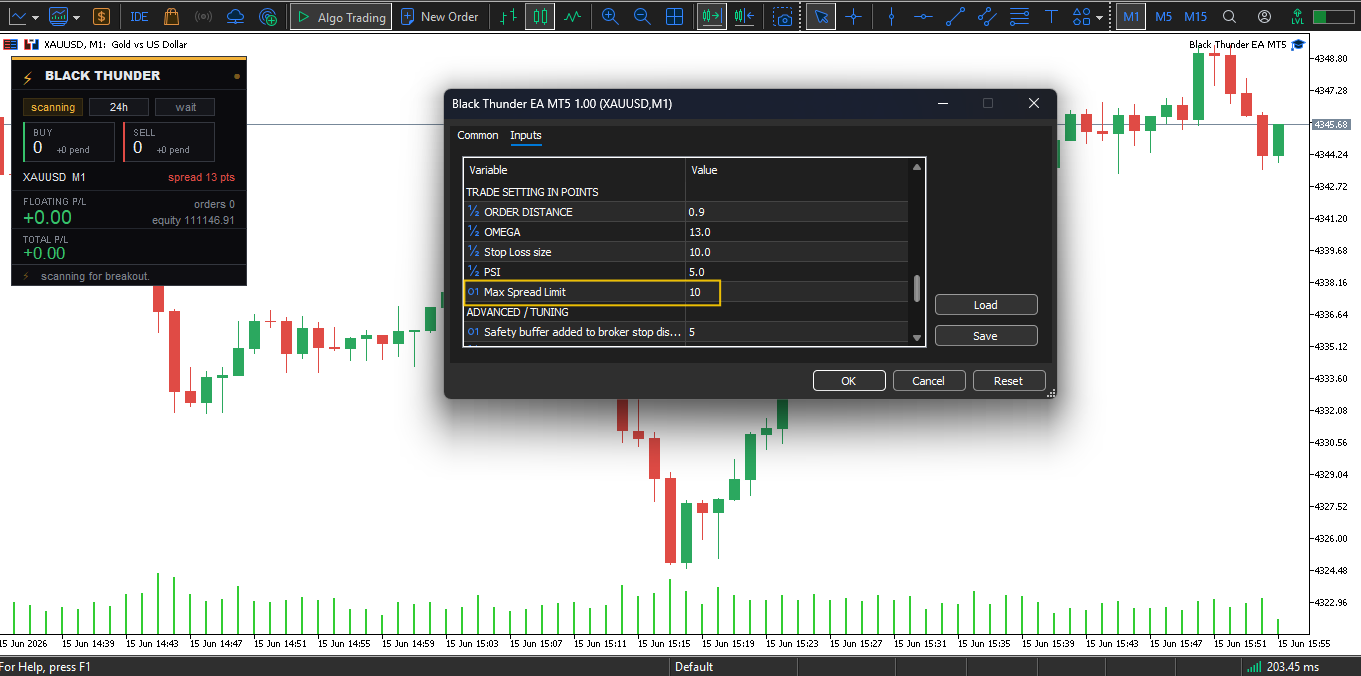
Black Thunder EA includes a parameter called Max Spread Limit in input tab setting.
This setting allows traders to define the maximum spread level acceptable for trading operations.
Typical values include:
* 5
* 10
* 15
* 20
Lower Spread Settings
Examples:
* 5
* 7
* 10
Lower values apply stricter spread filtering and may reduce trading activity during wider spread conditions.
These settings are often preferred when trading on accounts with consistently low spreads.
Higher Spread Settings
Examples:
* 15
* 20
Higher values allow the EA to operate under a broader range of market conditions.
Traders should evaluate settings according to their broker's spread conditions and personal preferences.
Why Spread Matters
Spread is the difference between the bid and ask price.
For trading systems that analyze the market frequently, spread conditions can influence trade execution and order filtering.
Many traders prefer lower spread environments because they may allow stricter spread filtering and more consistent trading conditions.
Before trading on a live account, review your broker's average spread conditions during the sessions you intend to trade.
Monitoring EA Operation
After installation:
- Verify that the EA is visible on the chart.
- Confirm that Algo Trading is enabled.
- Open the Experts tab to review EA messages.
- Open the Journal tab if troubleshooting is required.
The EA will evaluate market conditions according to its programmed logic and configured settings.
Trading activity depends on market conditions and user-selected parameters.
Running a Backtest
MetaTrader 5 includes a built-in Strategy Tester that allows traders to evaluate historical behavior.
To run a backtest:
- Open Strategy Tester.
- Select Black Thunder EA MT5.
- Choose a trading symbol.
- Select a timeframe.
- Define a historical testing period.
- Start the test.
Backtesting can help traders understand how the EA behaves under historical market conditions.
Why VPS Hosting Is Recommended
A VPS (Virtual Private Server) allows MetaTrader 5 and the EA to remain online continuously.
Benefits include:
- Continuous platform operation
- Stable connectivity
- Reduced interruptions
- Improved availability
- Ability to keep the trading platform running when a personal computer is turned off
For automated trading systems, maintaining a stable connection is an important consideration.
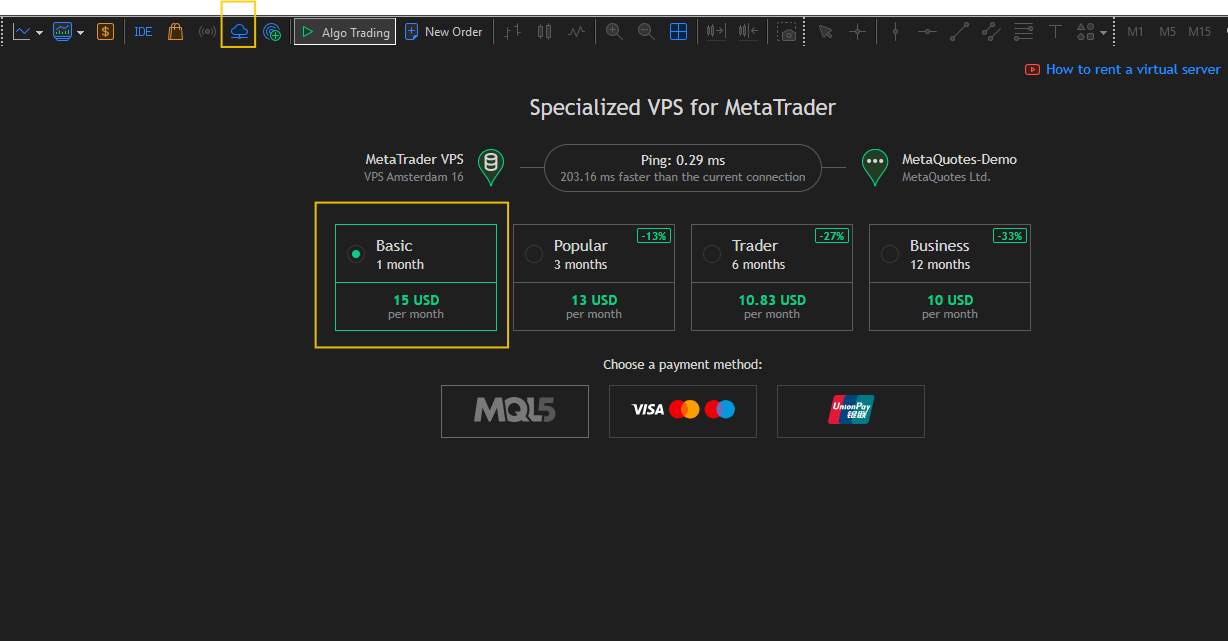
Activating an MQL5 VPS
To activate a MetaTrader VPS:
- Open MetaTrader 5.
- Log in to your trading account.
- Open the Navigator panel.
- Right-click the trading account.
- Select Register a Virtual Server.
- Complete the VPS activation process.
Synchronizing the EA to VPS
After VPS activation:
- Attach Black Thunder EA MT5 to the chart.
- Configure all desired settings.
- Right-click the trading account.
- Select Synchronize Experts, Indicators and Signals**.
This uploads the current EA configuration to the VPS.
Whenever settings are modified, synchronize again to update the VPS environment.
Best Practices:
For a smooth trading experience:
- Keep MetaTrader 5 updated.
- Monitor spread conditions regularly use lower spread always on lower spread provided broker.
- Test settings before using them on a live account.
- Maintain stable internet connectivity.
- Consider VPS hosting for continuous operation.
- Review account activity periodically.
- Use risk settings appropriate for your account size and objectives.
Conclusion:
Black Thunder EA MT5 is an automated trading solution for MetaTrader 5 that incorporates a high-frequency trading approach and user-configurable parameters.
Proper installation, suitable trading conditions, stable platform operation, and responsible risk management are important considerations when operating any automated trading system.
By following the setup steps outlined in this guide, traders can ensure that Black Thunder EA MT5 is installed and configured correctly within the MetaTrader 5 environment.
Disclaimer:
Trading in financial markets involves risk. Before trading on a live account, ensure that you understand the product settings, test configurations where appropriate, and use risk levels that are suitable for your individual financial circumstances. Trade responsibly and only risk capital that you can afford to lose.