
Engineering High-Speed Execution: Overcoming MT5 Lag in Manual Scalping
28 July 2026, 21:11

0
333
Engineering High-Speed Execution: Overcoming the MT5 Bottleneck in Manual Scalping
If you are a high-volume manual scalper or you trade during high-impact news, you already know the painful truth: The gap between human decision and terminal execution can cost you dearly.
While HFT (High-Frequency Trading) algorithms execute complex logic in milliseconds, manual traders relying on standard "One-Click Trading" tools often experience what we call the "Terminal Freeze". You click to close multiple layers of trades, and your MT5 terminal freezes, waiting for the broker to process each ticket one by one. By the time the final trade is closed, the price has already slipped away.
In this technical breakdown, we will explore the root causes of this execution bottleneck and how implementing Asynchronous Architecture can give manual traders the speed of algorithmic execution.
1. The Engineering Bottleneck: Synchronous vs. Asynchronous Execution
The core problem with most standard trading panels lies in their code architecture. Traditional EAs and scripts use the standard `OrderSend()` function. This is a Synchronous operation.
When you click "Close All", the code sends the first request to the broker's server and completely halts all other operations until it receives a confirmation ticket back. If server latency is 100ms, closing 10 positions sequentially will take a full second (1000ms) of pure lag, not accounting for slippage.
The Solution: Asynchronous Zero-Lag Execution
To solve this, a professional execution tool must utilize `OrderSendAsync()`. This function operates on a "Fire and Forget" basis. The terminal sends the trade request to the server in the background and immediately moves to the next line of code without waiting for a response.
This allows a manual trader to fire 10 execution or closing requests in less than 10 milliseconds, preventing GUI freezing and minimizing slippage entirely.
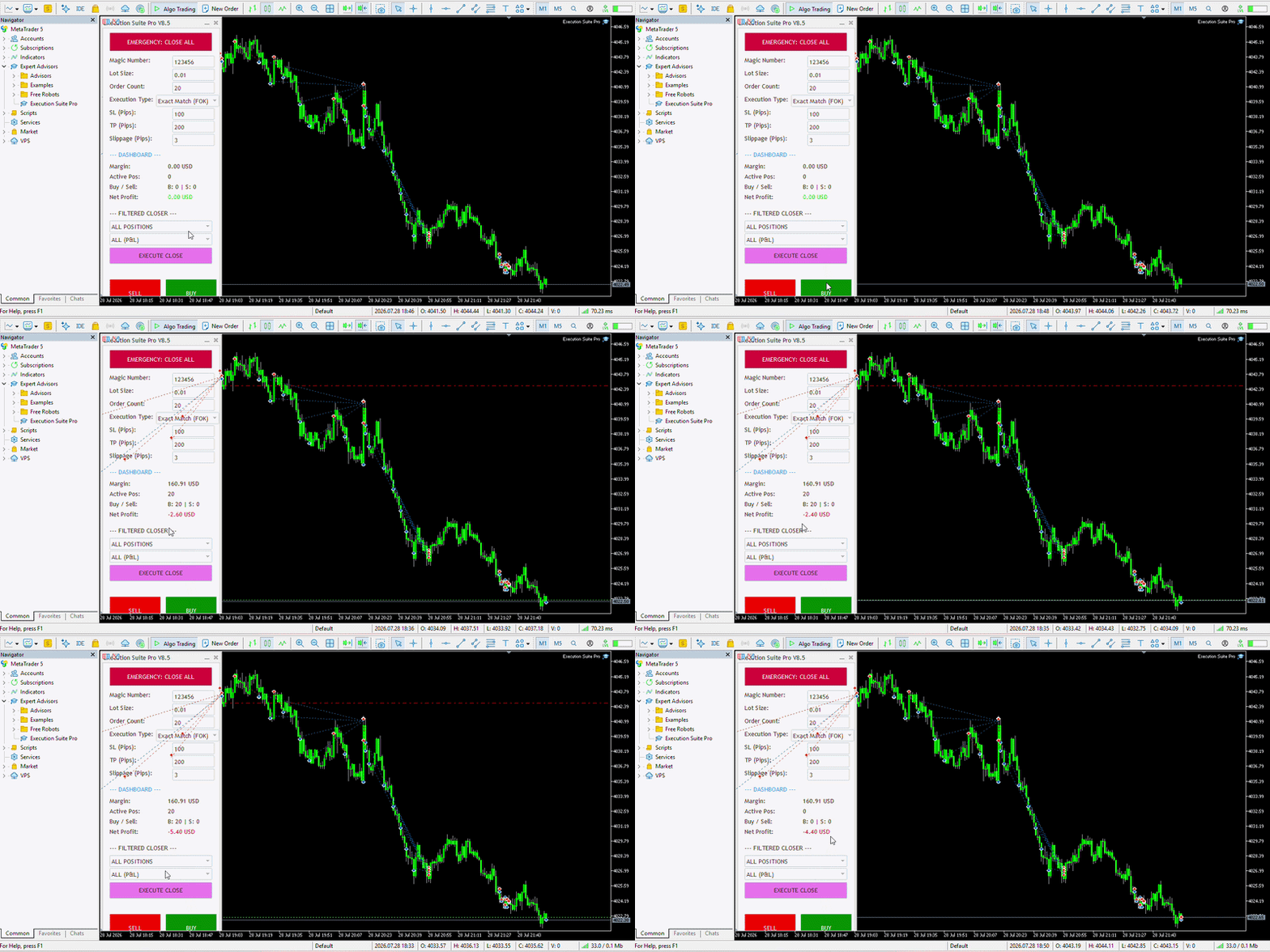
Figure 1: Asynchronous multi-order injection, demonstrating the simultaneous execution and low-latency liquidation of 10 Buy positions without GUI lag.
2. The Filling Mode Trap: Why Orders Get Rejected
Another massive headache for scalpers is the infamous "Invalid Volume" or "Unsupported Filling Mode" error. MetaTrader 5 brokers operate on different liquidity policies (FOK, IOC, or Return).
If a trading panel is hardcoded to send an IOC (Immediate or Cancel) order, but your broker only accepts FOK (Fill or Kill), your critical trade will be rejected at the worst possible moment.
The Intelligent Fix:
A well-engineered panel doesn't guess; it detects. By utilizing a strict Bitwise check (`SymbolInfoInteger(_Symbol, SYMBOL_FILLING_MODE)`), the utility should automatically query the broker's server, detect the allowed execution policies, and adapt the order parameters dynamically. This ensures a 100% acceptance rate for your orders, regardless of the broker you use.
3. Algorithmic Risk Management: The "Smart Loop" Closer
Manual filtering is the enemy of speed. If you have a grid of 15 open positions (Buys and Sells) and you only want to close the profitable Buy positions during a sudden spike, doing this manually is practically impossible.
By integrating a fast iterative loop array within the execution panel, the code can scan all open tickets, filter them by Type (Buy/Sell) and Condition (Profit/Loss), and execute asynchronous closing requests only on the matched targets.
This turns a complex, stressful 15-second manual process into a single 1-millisecond click.

Figure 2: The directional execution filter, allowing manual scalpers to segregate and close Buy or Sell orders instantly.

Figure 3: The conditional liquidation matrix, enabling zero-lag closing based on profit/loss status or full account evacuation (Panic Mode).
4. The Ultimate Failsafe: The Panic Button
When the market reverses violently (e.g., unexpected CPI data), every millisecond you spend calculating which trades to close drains your equity. In these catastrophic scenarios, you need a master override.
A dedicated "Panic Mode" function bypasses all filters and loops, utilizing maximum execution speed to liquidate all active positions and pending orders instantly, securing your remaining margin.
Conclusion: Becoming a Cyborg Trader
You don't need to be an algorithmic bot to achieve institutional execution speeds, but you do need algorithmic tools. By combining the flexibility of human intuition with the raw, asynchronous power of optimized MQL5 architecture, you bridge the gap between manual trading and HFT.
If you are tired of execution delays, slippage, and order rejections, I have engineered a solution.
I packaged all these advanced asynchronous concepts, smart filtering loops, and broker auto-detection into a lightweight, highly optimized on-chart utility: Execution Suite Pro.
Experience Zero-Lag execution for yourself. You can test the asynchronous speed directly on your account by downloading the Free Demo from the MQL5 Market here:
👉 https://www.mql5.com/en/market/product/188031?source=Site+Market+My+Products+Page
Let me know in the comments: What is the highest slippage you have ever experienced due to MT5 execution lag?