
This helps avoid taking every signal and keeps the decision process cleaner.
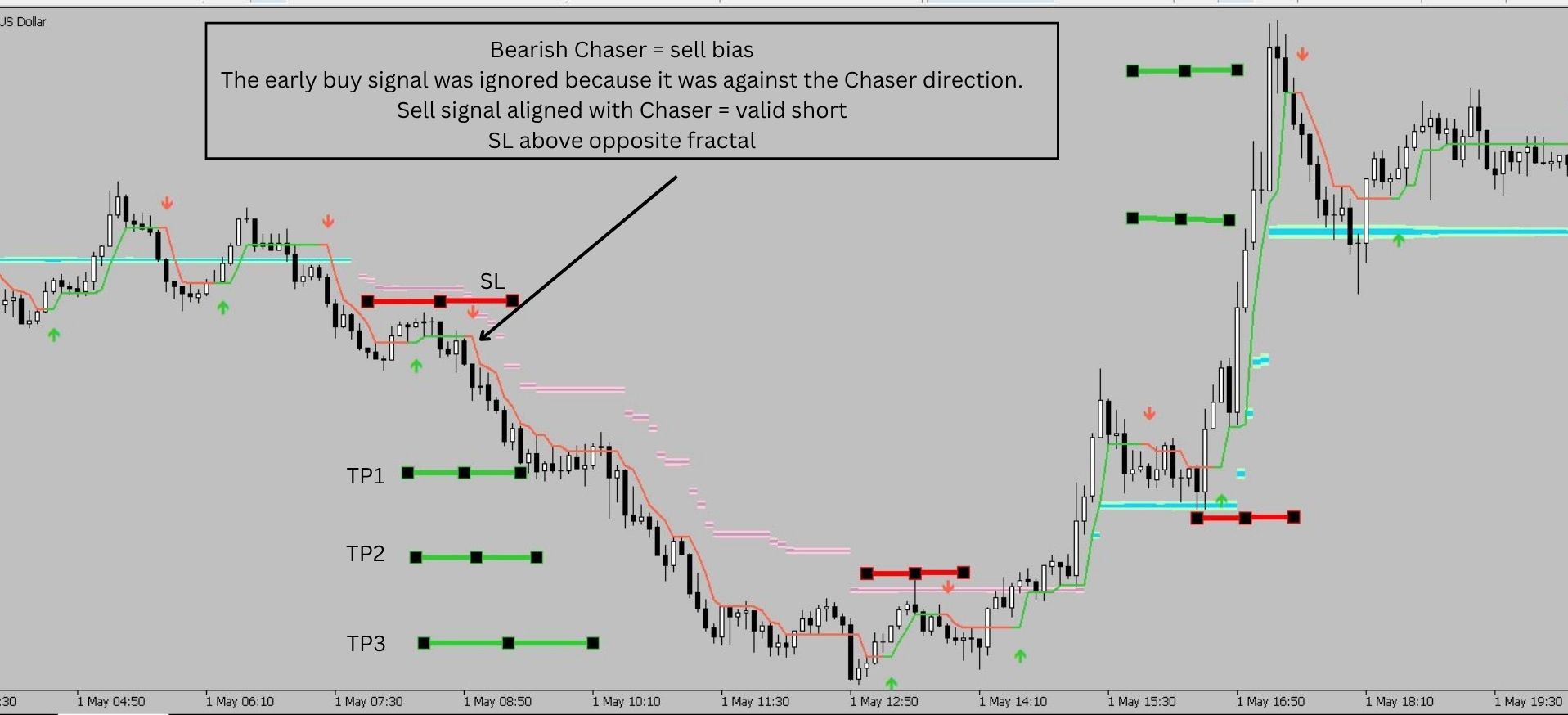
Example 1 — Bearish Chaser and Aligned Sell Setup
At the start of the London session, the Chaser Cloud was bearish.
A bullish signal appeared first, but it was not aligned with the Chaser direction. In this workflow, that signal would be ignored.
Later, a bearish Scalper HalfTrend signal appeared while the Chaser was still bearish.
That created an aligned short setup.
For trade management, Trend Cue Guardian can be used as an optional companion tool. A trader can close part of the position at TP1, move the stop-loss to breakeven, close another part at TP2 and manage the remaining runner with trailing.
Of course, every trader can adjust risk management and trade management based on their own plan.
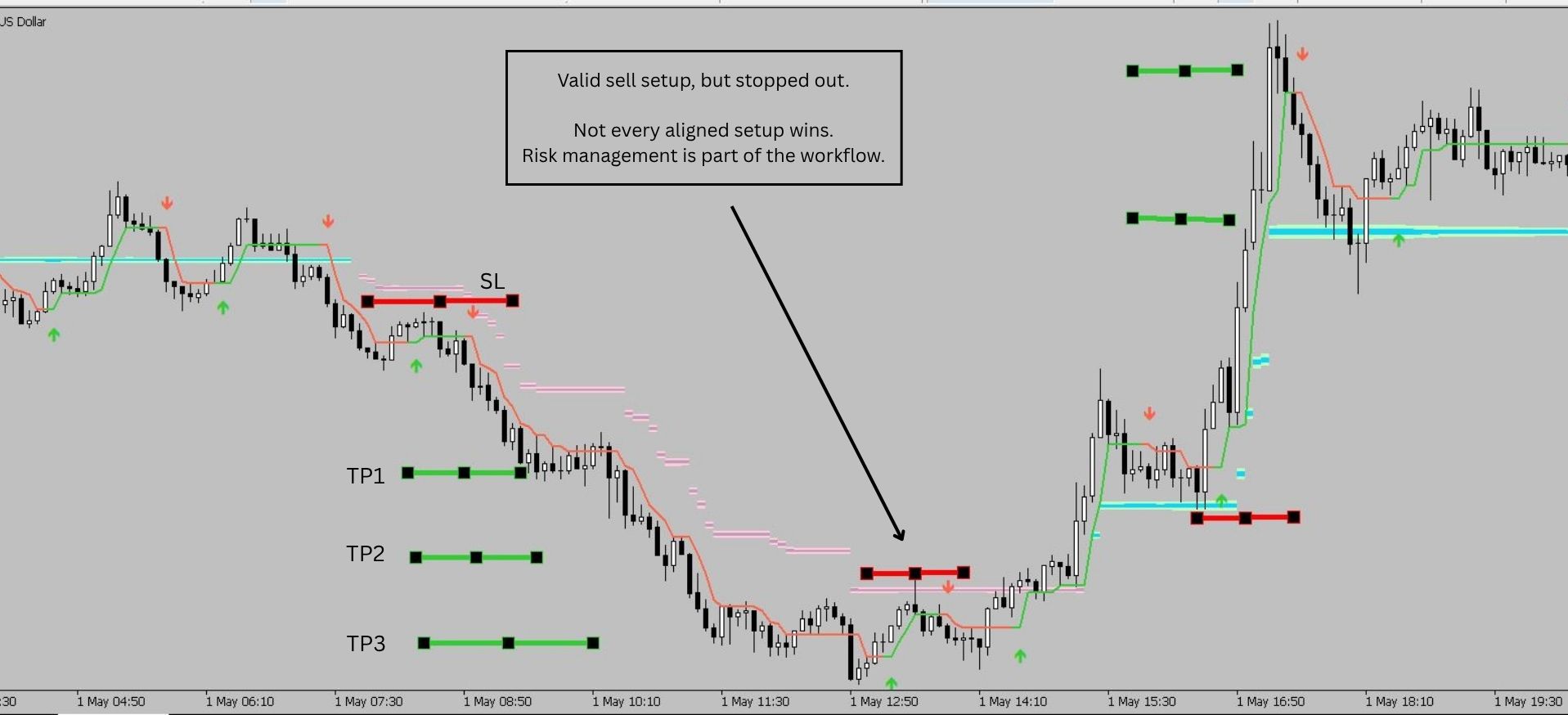
Example 2 — A Valid Sell Setup That Stopped Out
The next sell setup was also aligned with the bearish Chaser direction.
However, this trade did not continue and would have reached the stop-loss area.
This is an important part of the system:
A valid setup does not mean a guaranteed winning trade.
That is why stop-loss planning and consistent risk management are always necessary.
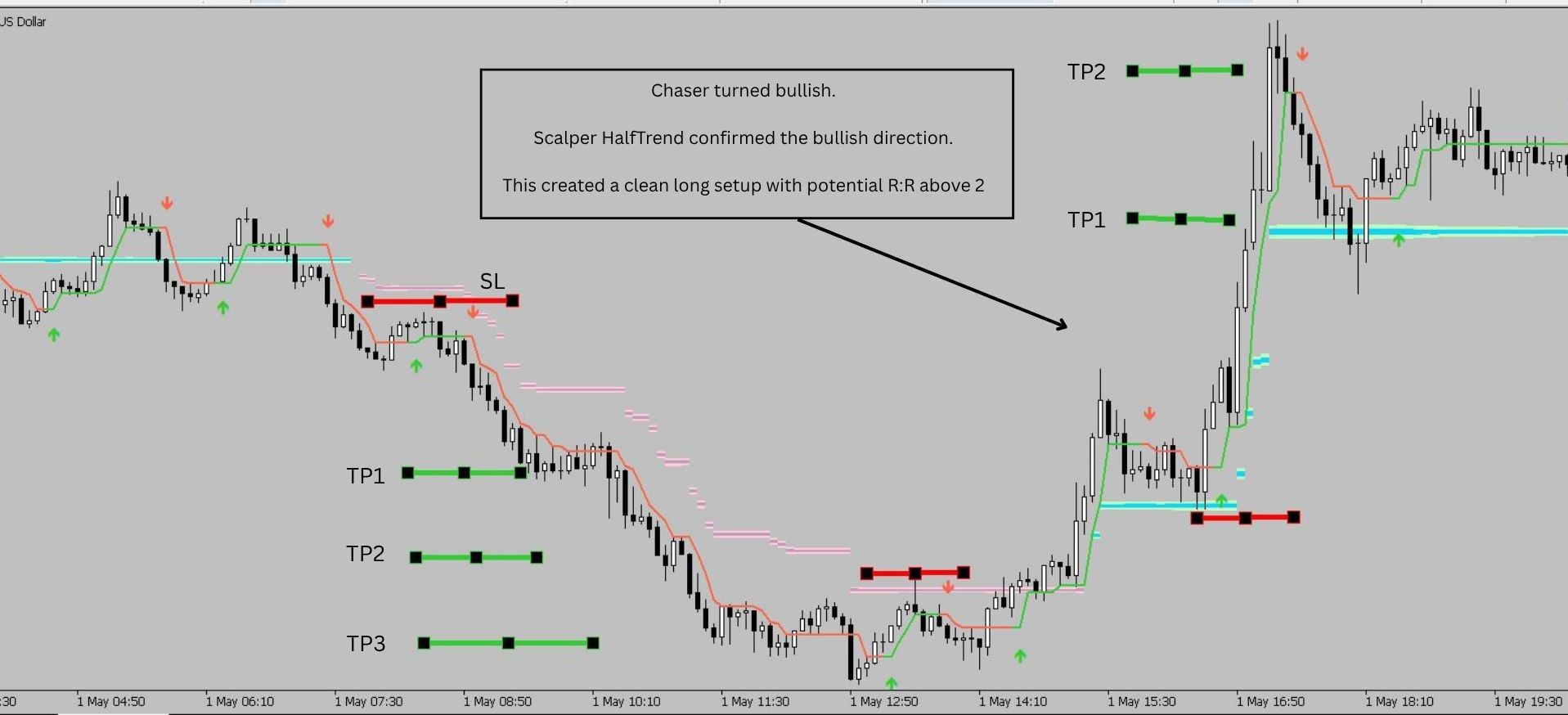
Example 3 — Chaser Turns Bullish and Scalper HalfTrend Confirms
Later, the Chaser Cloud turned bullish.
After the Chaser changed direction, a bullish Scalper HalfTrend signal appeared in the same direction.
This created a cleaner long setup because both components were aligned:
Chaser Cloud bullish
Scalper HalfTrend bullish
Depending on the entry, stop-loss and management style, this move offered a potential reward-to-risk greater than 2.
The same management logic could be applied again: partial close, breakeven protection and runner trailing.
Final Thoughts
Scalper Mode is not about taking every signal.
The main idea is alignment:
Bearish Chaser → focus on bearish Scalper HalfTrend signals
Bullish Chaser → focus on bullish Scalper HalfTrend signals
The Scalper Mode set file is designed for faster short-term reading, especially on M5 and M15 during active sessions such as London or New York.
You can download the Scalper Mode set file from the Comments section of the TrendCue Smart Trend product page:
https://www.mql5.com/en/market/product/174993
In a previous post, I reviewed XAUUSD price action from 30 April 2026 using the main TrendCue workflow:
https://www.mql5.com/en/blogs/post/769429
A useful next comparison would be:
How could that same 30 April market have been read with the new Scalper Mode set file?
Please test everything in demo mode first and adjust the workflow to your own trading plan.




