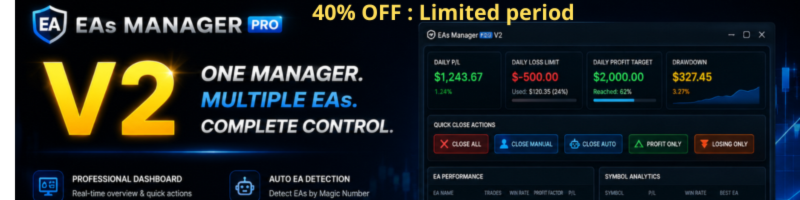
EAs Manager Pro V2: From Trade Manager to Complete Trading Control Center

When we released the first version of EAs Manager, the objective was simple: create a single manager capable of controlling multiple Expert Advisors and manual trades from one place.
After months of testing, customer feedback, and real trading experience, we discovered that traders needed much more than risk management. They wanted deeper analytics, better visibility, easier configuration, and a faster way to monitor everything happening on their accounts.
That's exactly what inspired Version 2.
Rather than simply adding a few new options, we redesigned the Manager from the ground up to become a complete trading control center for MetaTrader.
MT5 version : https://www.mql5.com/en/market/product/166211
MT4 version : https://www.mql5.com/en/market/product/167007
A Completely Redesigned Dashboard
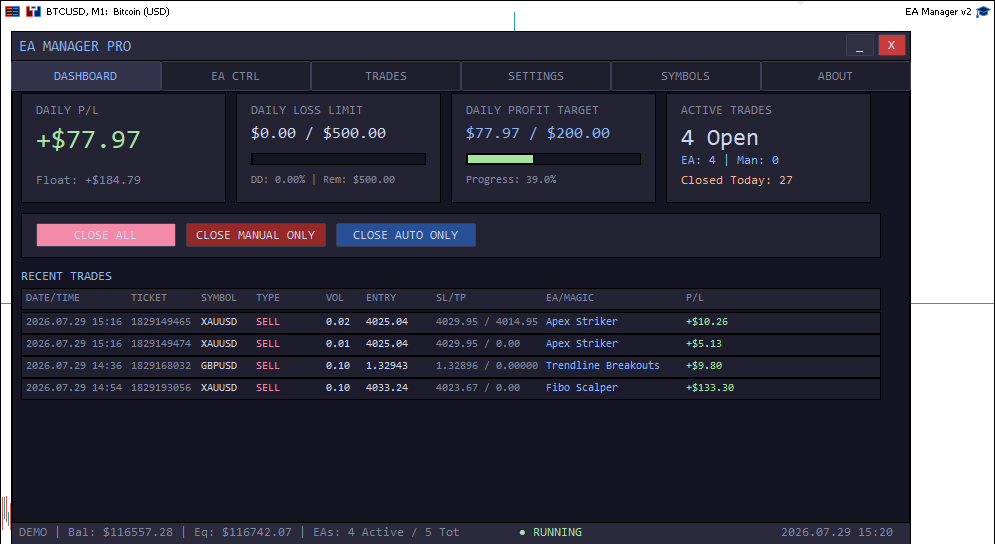
One of the biggest improvements in Version 2 is the new Professional Dynamic Dashboard.
Instead of relying on chart comments or scattered information, everything is now displayed inside a clean interface showing your account status in real time.
You can instantly monitor:
- Daily Profit & Loss
- Current Drawdown
- Profit and Loss Targets
- Open Positions
- Floating Profit
- Manual vs EA Trades
- Quick Close Actions
Need to close only manual trades?
Only automated trades?
Only profitable trades?
Or every position on the account?
Everything is available directly from the dashboard with a single click.
Your EAs Are Now Detected Automatically
Managing multiple Expert Advisors has become much easier.
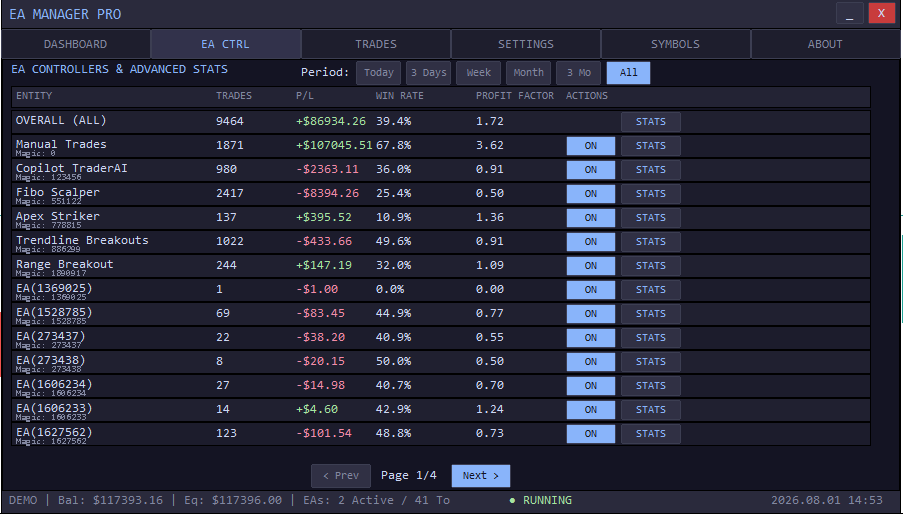
The Manager automatically scans your account, detects every running EA through its Magic Number, and builds a complete overview without any manual configuration.
You can even assign custom names to each EA, making performance reports much easier to read.
No more wondering:
"Which Magic Number belongs to which EA?"
Analytics That Tell the Real Story
One of the most requested features was detailed performance analysis.
Version 2 introduces a completely new analytics system.
You can now evaluate:
- Overall account performance
- Manual trading performance
- Individual EA statistics
- Performance by symbol
- Performance over different time periods
Available periods include:
- Today
- Last 3 Days
- Last Week
- Last Month
- Last 3 Months
- All Time
For every EA you'll find useful statistics including:
- Win Rate
- Profit Factor
- Average Win
- Average Loss
- Total Profit
This makes it much easier to identify which strategies deserve more capital—and which ones should be stopped.
New Symbol Analytics Engine
Sometimes an EA performs well...
but only on certain markets.
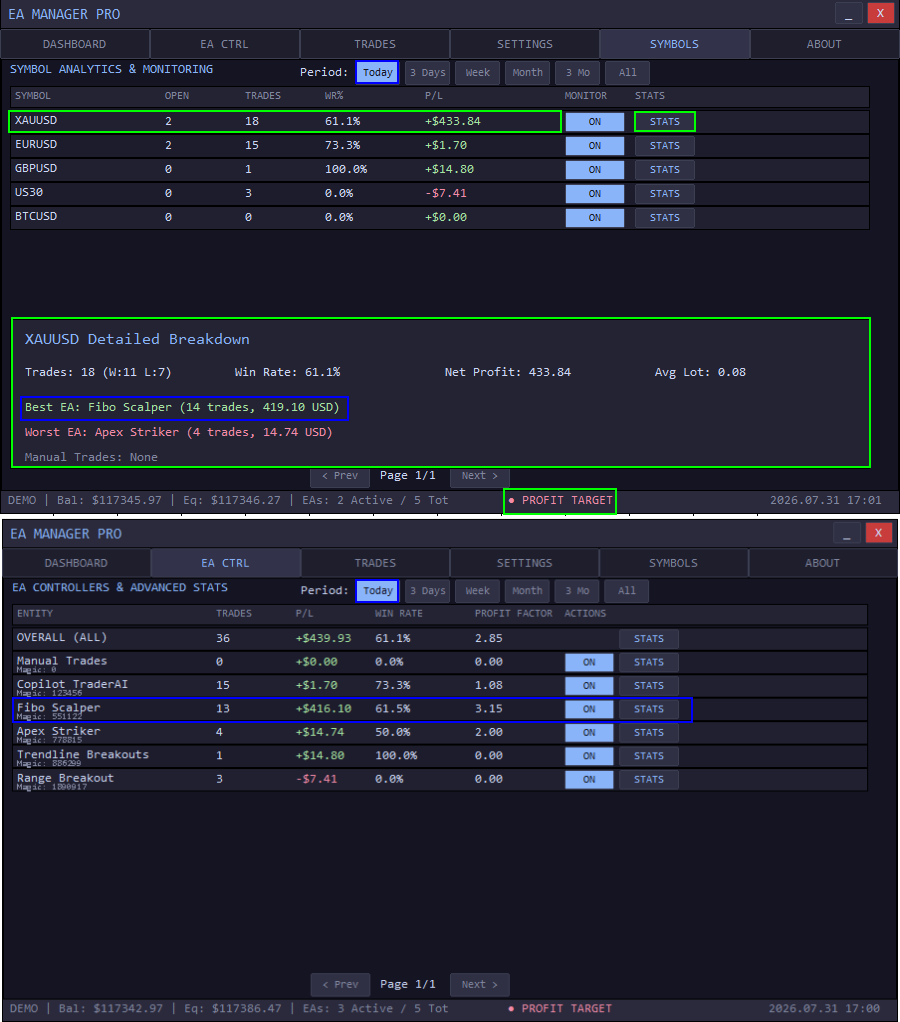
Version 2 introduces a completely new Symbol Analytics Engine.
Instead of analyzing only Expert Advisors, you can now analyze your trading symbols.
Compare:
- P&L per Symbol
- Win Rate
- Best Performing EA
- Worst Performing EA
- Different Trading Periods
You can also decide exactly which symbols should be monitored by the Manager.
This gives traders a much clearer picture of where profits—and losses—are actually coming from.
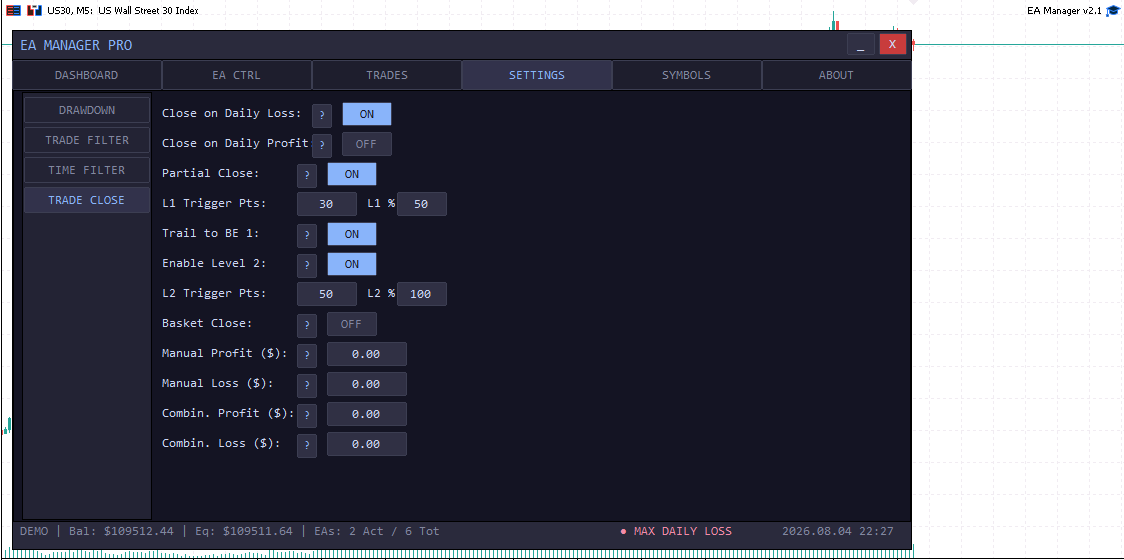
Smarter Risk Management
Risk management has also received major improvements.
Version 2.1 now includes:
- Smart Basket Close
- Percentage-based Daily Limits
- Daily Profit & Loss Targets
- Maximum Drawdown Protection
- Built-in Trailing Stop Engine
- Trading Time Filters
- One-click Position Management
These tools help enforce your trading rules consistently across your entire account.
Easier Configuration
Another goal of Version 2 was reducing the need to constantly open the Inputs window.
Most settings can now be changed directly from the dashboard.
Every important option can be switched ON or OFF instantly, and each setting includes a built-in help popup explaining exactly what it does.
This makes the Manager much easier to use, even for traders who are new to automated trading.
Built for Traders Running Multiple Strategies
Whether your account runs:
- Scalpers
- Grid systems
- Trend following EAs
- Breakout strategies
- Swing EAs
- Manual trades
EAs Manager Pro V2 becomes the central layer that coordinates everything.
Instead of managing each strategy independently, you monitor your entire trading environment from one professional dashboard.
Final Thoughts
Version 2 is much more than an update.
It represents a complete evolution of EAs Manager—from a simple trade management utility into a comprehensive control center for MetaTrader traders running multiple Expert Advisors and manual positions.
Our goal remains the same: to give traders better visibility, stronger risk management, and a simpler way to manage complex trading environments.
As always, we will continue improving the Manager based on feedback and suggestions from our users.




