How to Read a Short-Term XAUUSD Trend Setup with Chaser Cloud and SuperTrend Trail
In this post, I will show an educational example of how I read a short-term XAUUSD M5 setup on 30 April 2026 during the London session using TrendCue Smart Trend MT5.
This is not a signal service or financial advice. The goal is to explain the workflow: trend direction, signal alignment, stop-loss reference, and risk planning.
For intraday examples, I prefer focusing on the London and New York sessions because market activity is usually higher.
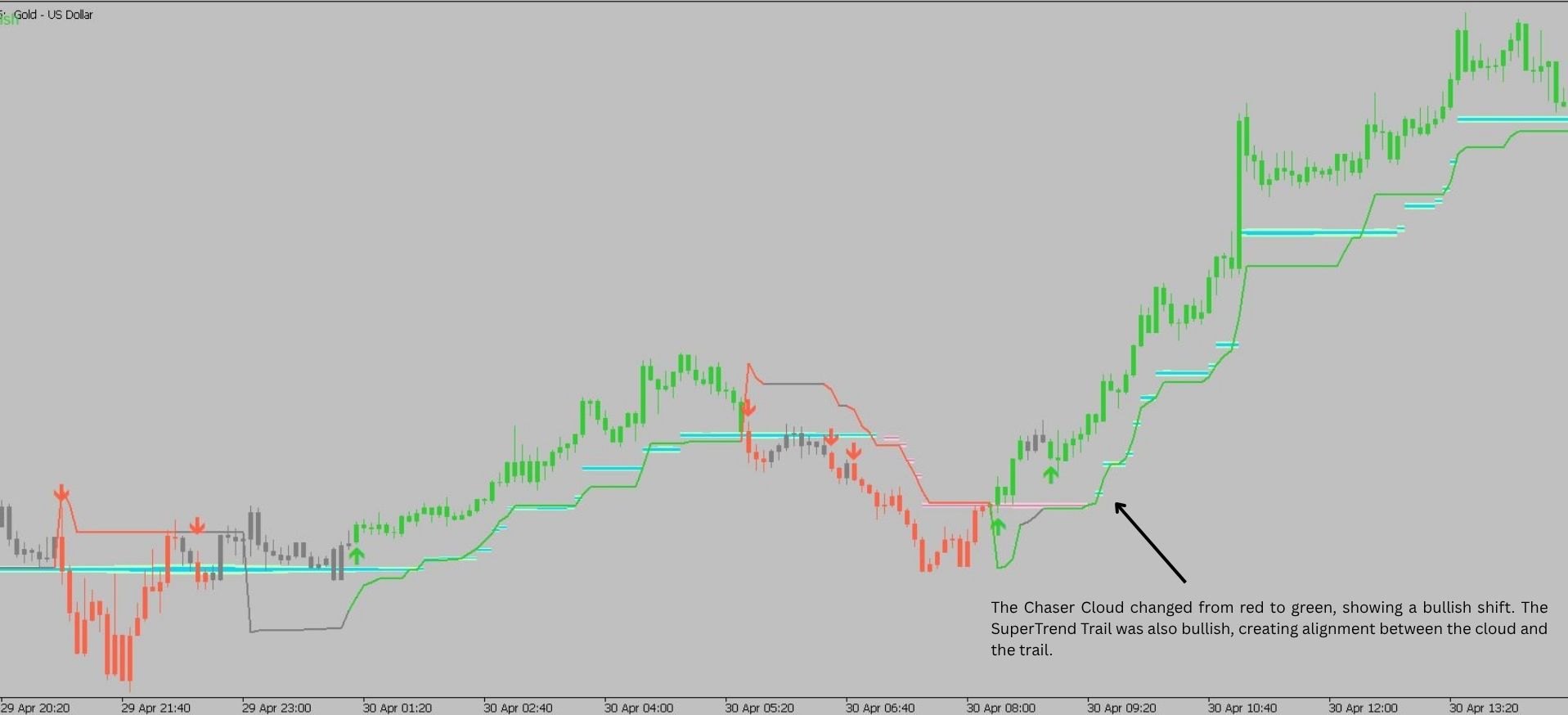
Step 1 — Check the Chaser Cloud Direction
The first thing I check is the Chaser Cloud.
The Chaser Cloud is the main directional filter of the system.
When the cloud is bullish, I focus on Buy setups.
When the cloud is bearish, I focus on Sell setups.
This helps avoid reacting to every signal against the main direction.
Step 2 — Wait for SuperTrend Trail Signal
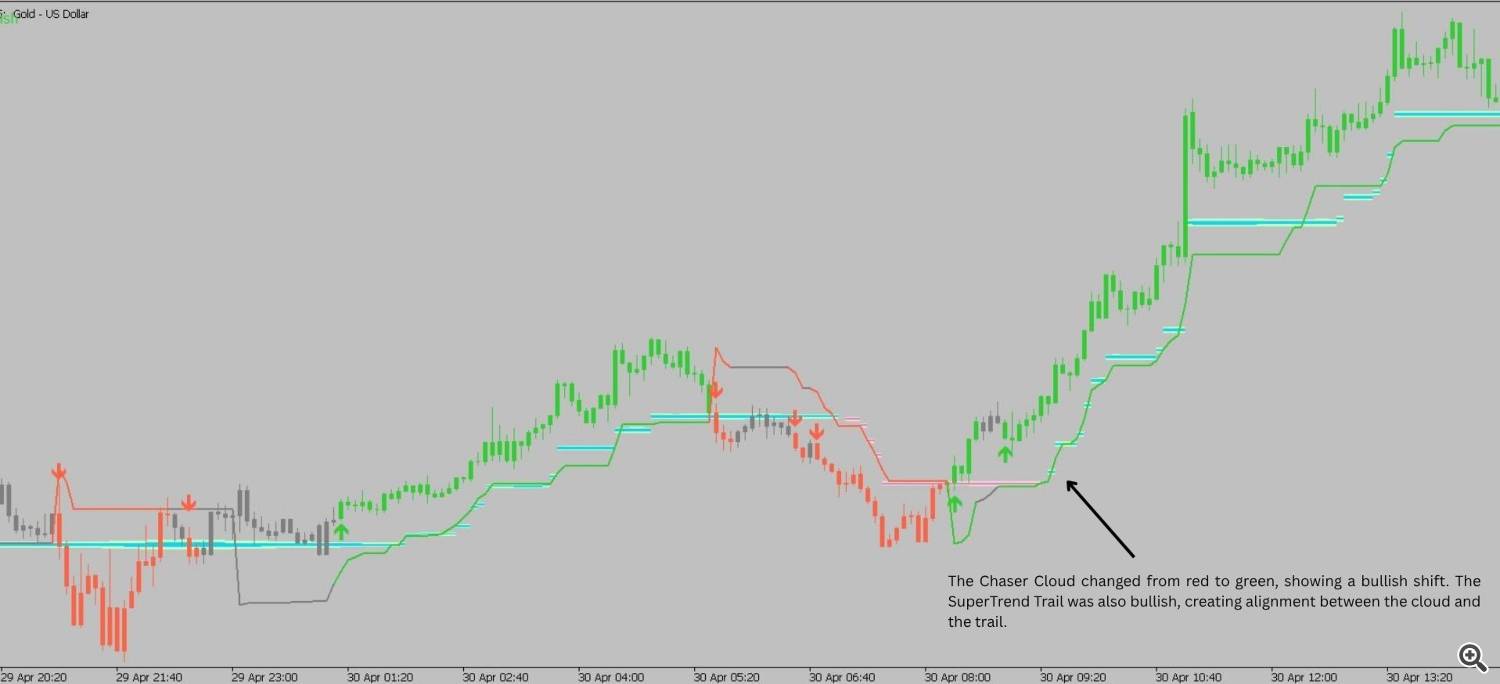
After checking the Chaser Cloud, I wait for a SuperTrend Trail signal in the same direction.
A Buy signal is more relevant when the Chaser Cloud is bullish.
A Sell signal is more relevant when the Chaser Cloud is bearish.
This is the core idea of the TrendCue workflow:
First follow the cloud.
Then wait for signal alignment.
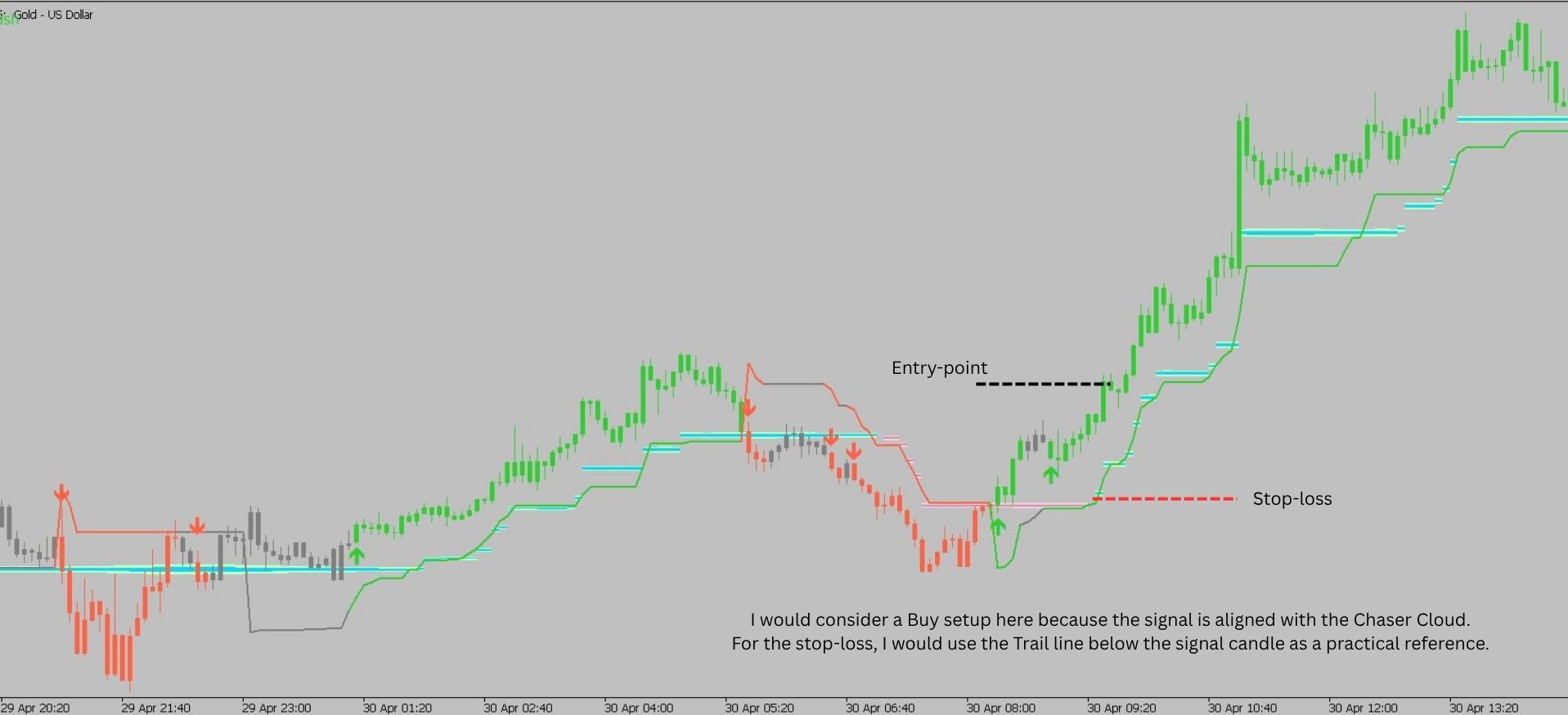
Step 3 — Stop-Loss Planning
The Trail line can be used as a practical stop-loss reference.
In this example, the stop-loss would be placed behind the Trail line or behind the nearest market structure, depending on the trader’s own risk model.
The goal is not to use a random stop-loss, but to place the stop in a structured area.
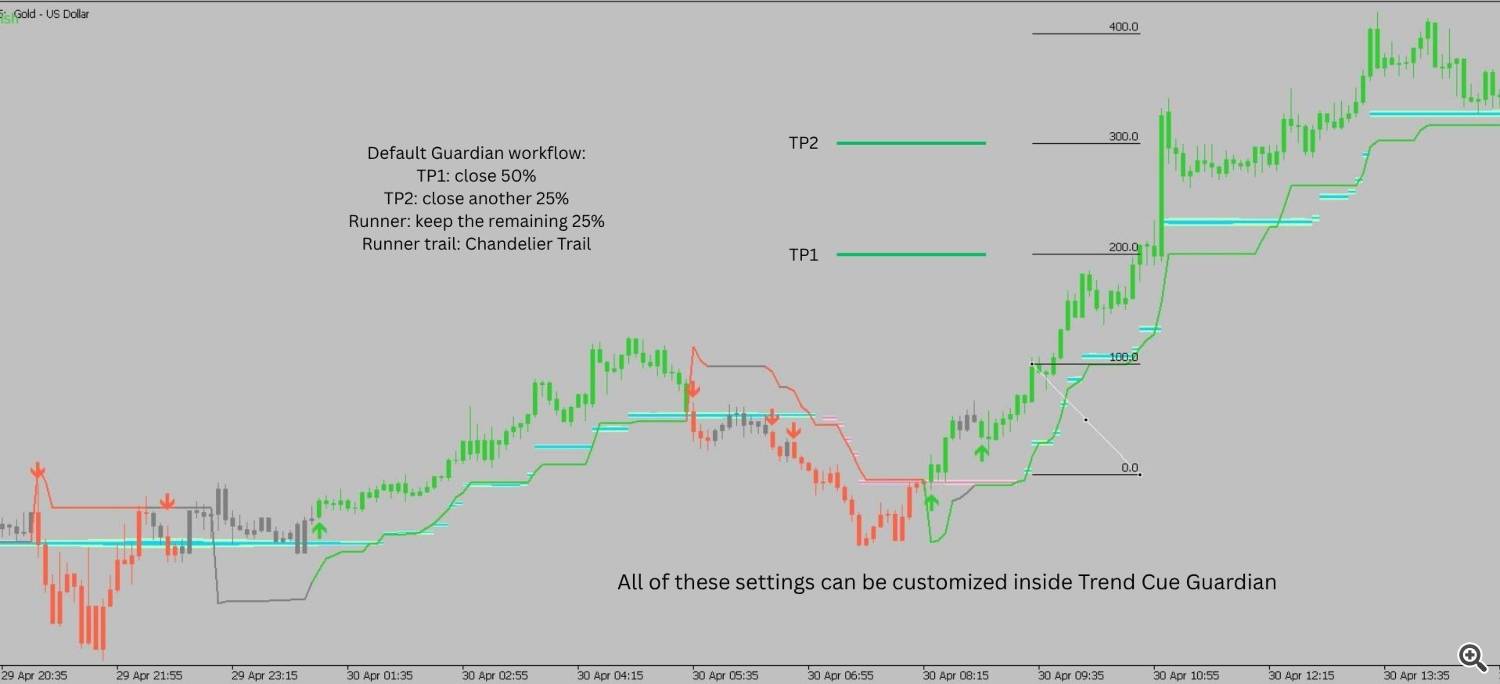
Step 4 — Take-Profit and Trade Management Planning
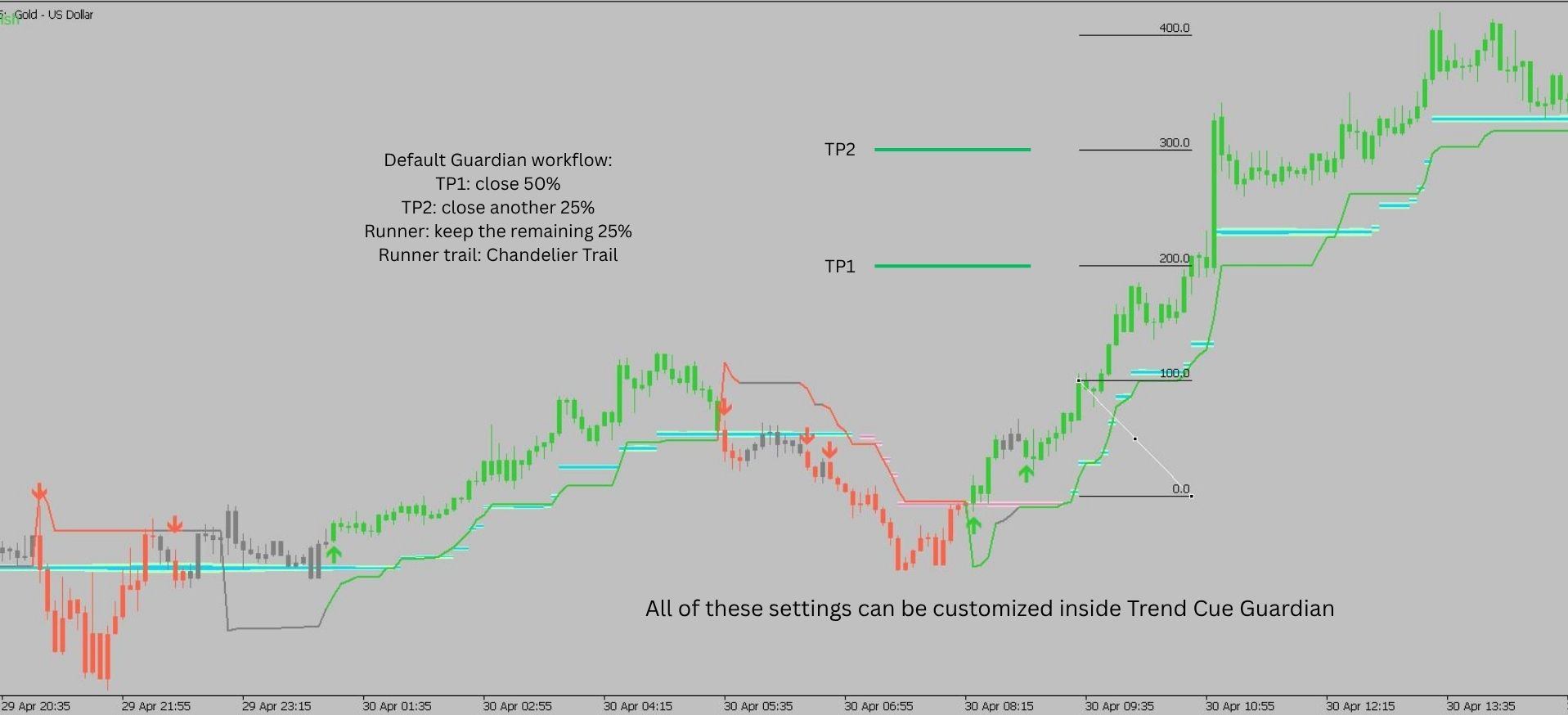
A simple way to manage the trade is to use partial targets.
By default, Trend Cue Guardian can manage the position like this:
- TP1: close 50% of the position
- TP2: close 25% of the position
- Runner: keep the remaining 25% open
- Runner: manage the remaining position with the Chandelier ATR Trail
This helps create a structured trade-management plan instead of closing the entire position at one fixed target.
All target levels and risk settings should be adjusted according to the trader’s own plan.
Step 5 — Risk Management
Before entering any trade, risk should be calculated first.
Trend Cue Guardian helps calculate the position size based on two main inputs:
- The stop-loss distance
- The risk percentage selected by the trader
After the trader places the stop-loss level and chooses the risk percentage, Guardian calculates the appropriate lot size for that setup.
This helps the trader keep the risk consistent instead of choosing position size manually or emotionally.
For buyers of TrendCue Smart Trend MT5, Trend Cue Guardian is available as an exclusive bonus utility.
Final Workflow
1. Check the Chaser Cloud direction.
2. Wait for a SuperTrend Trail signal in the same direction.
3. Use the Trail line as a stop-loss reference.
4. Plan risk before entry.
5. Manage the trade according to your own rules.
TrendCue Smart Trend MT5 is built around this simple visual workflow:
direction, signal, stop placement and risk planning.
Product used in this example:
The indicator is available on MQL5 Market and can be tested with the Free Demo in the Strategy Tester.
Optional Basket Management
Trend Cue Basket Manager can be used as a separate tool for traders who want to manage multiple manual positions instead of only one position.
For XAUUSD, my personal workflow is to read the main signal from TrendCue Smart Trend on the H1 timeframe. When using Trend Cue Basket Manager, I usually start with:
TP_ATR_TF: TC_TF_15
GRID_ATR_TF: TC_TF_15
This is only an example setup. TrendCue Smart Trend and Trend Cue Basket Manager are separate products and can be used independently.
Please test all settings in demo mode first and adjust them to your own risk plan.